Assignment 5-RADIOSS Interfaces & Study of Effect of Notches Challenge
Radioss interface and study of notches
Objective:-
- To mesh bumper system with mesh size of 6 mm.
- To run simulations of six given cases using Radioss
- Compare the results of all six simulations.
PROCEDURE:-
- Create mesh for bumper assembly of mesh size 6 mm.
- Import the .hm file of bumper assembly.
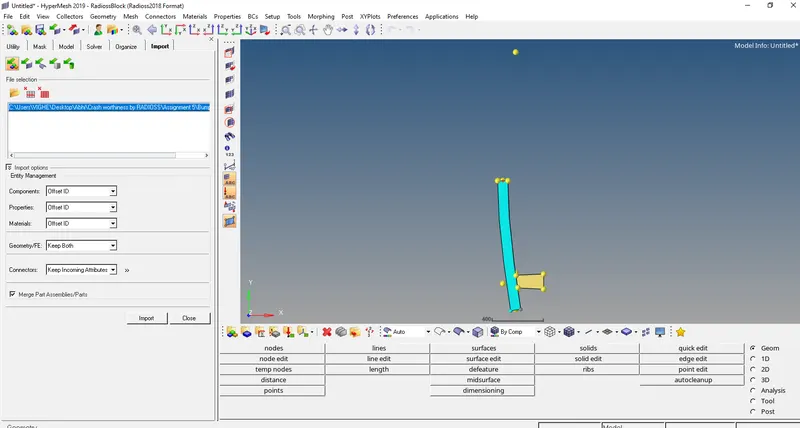
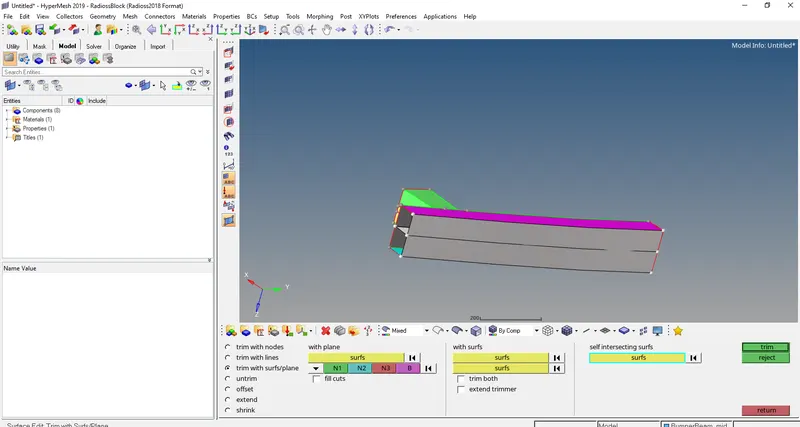
- Use self-intersecting surface and extend option to join the surfaces(2D>surface edit)
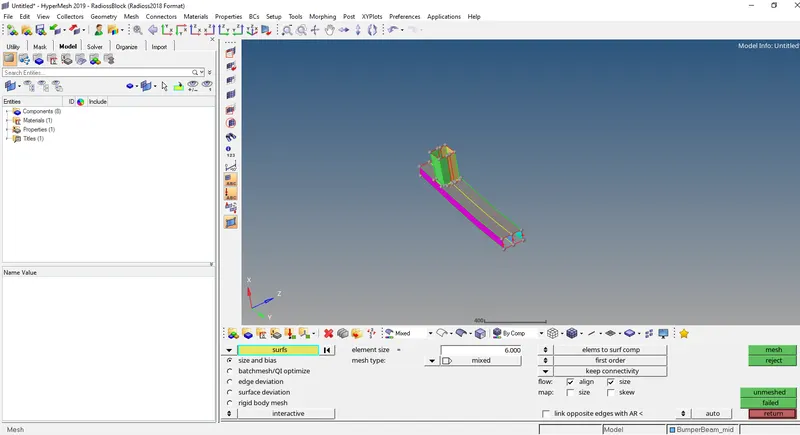
- Now the system in mesh using automesh option (2D>automesh)
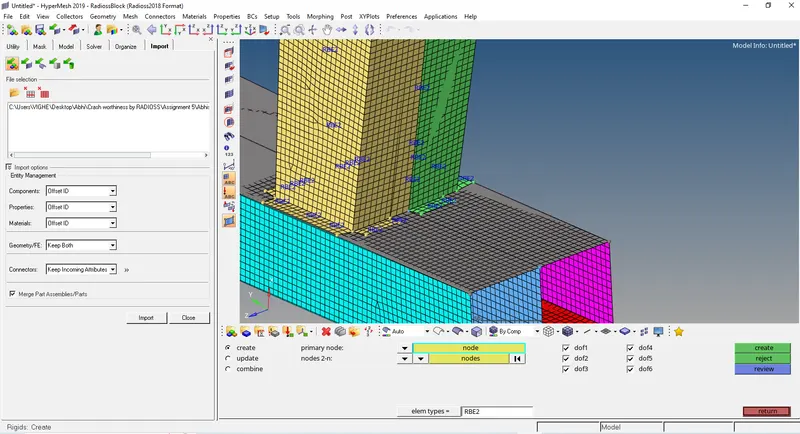
- Use rigids option wherever necessary to create contact between surfaces (1D>Rigids).
CRASH TUBE MODEL
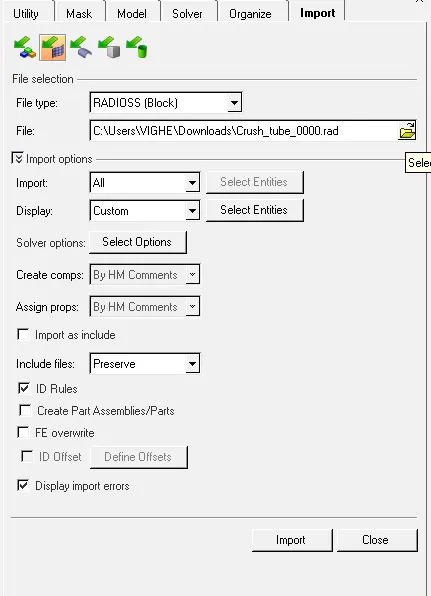
- Import the Crush_tube_0000.rad file using File>solver deck>File- Crush_tube_0000.rad >import
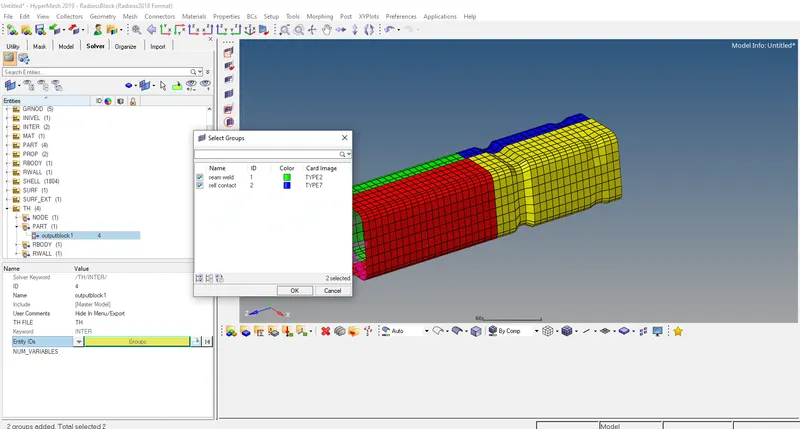
- Create TH/PART and select the groups in Entity ID
CASE 1:-
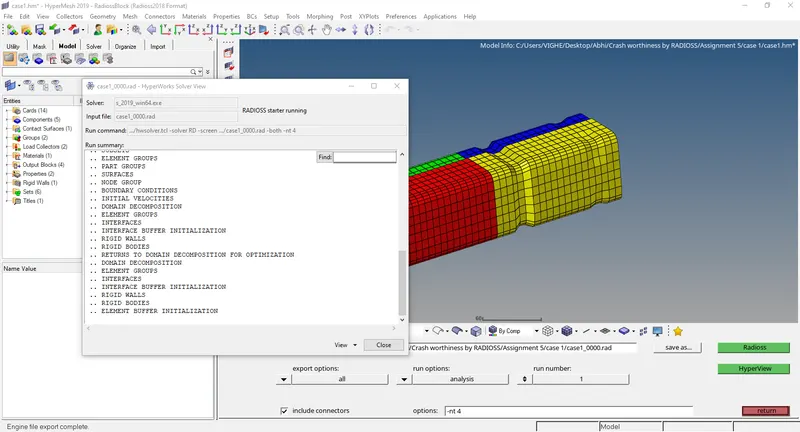
- Keep the properties as default and run a base simulation.
- Run the base simulation by going to Analysis>Radioss>Radioss
Select options= -nt 4
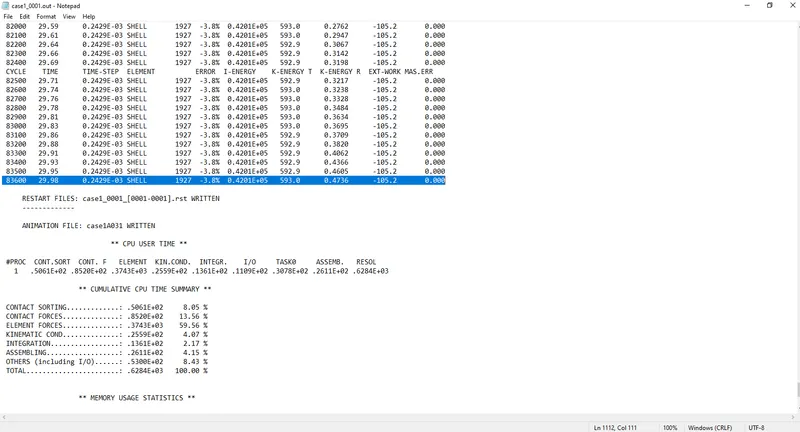
- Now open output file 0001.out file in notepad.
- In Hyperview open .h3d
https://drive.google.com/drive/folders/1NSel_L4zXBj6s49jKXNfqcwERX8FDNin?usp=sharing
- Open HyperGraph 2D and open file T01 and select contact energy, internal energy, RWALL forces
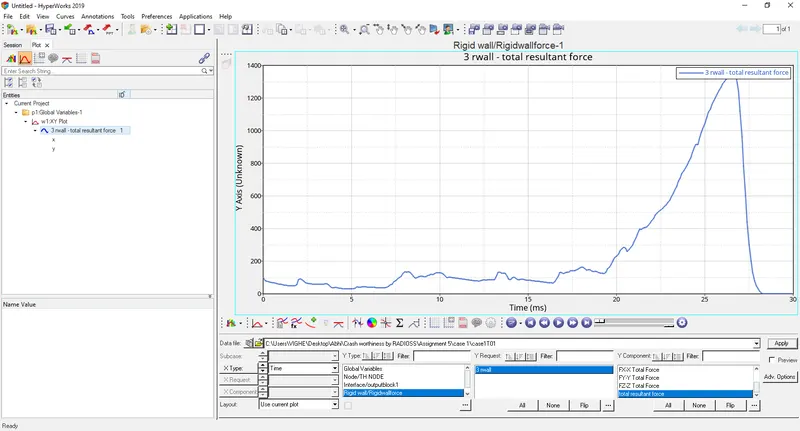
- Rigid wall
The curve starts from as there is no contact between wall and the tube. As the tube crashes to the wall the elements get deformed and the rwall forces peak and then starts decreasing as the tube is completely crushed and at rest so there is no rwall force.
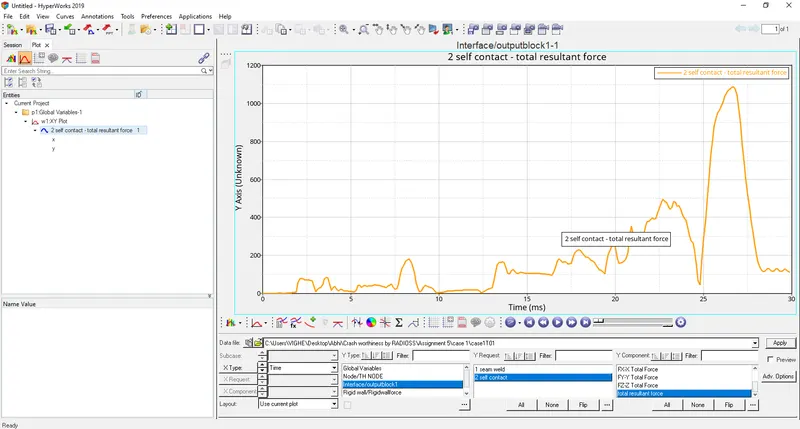
- Contact forces
The curve starts from as there is no contact between wall and the tube. As the tube crashes to the wall the elements get deformed and the contact forces peak and then starts decreasing as the tube is completely crushed and at rest so there is no contact force.
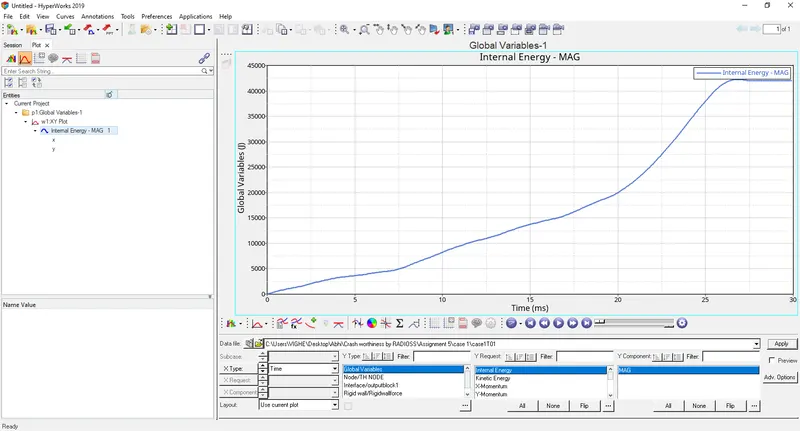
- Internal energy
The energy starts increasing and then stabilizes after the tube is crashed.
CASE 2:-
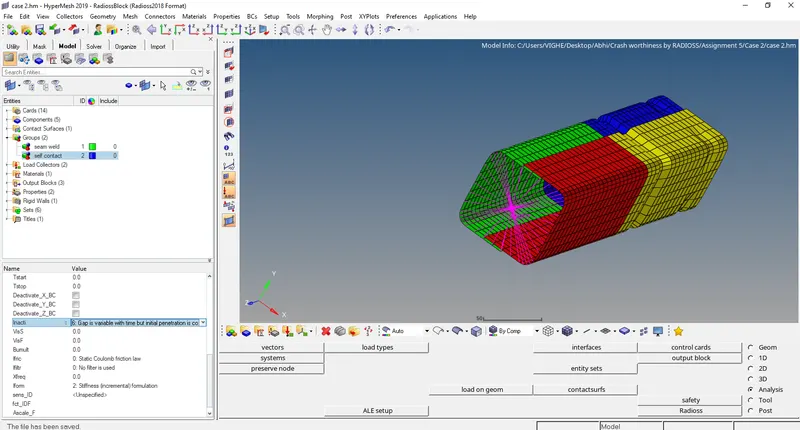
Change Inacti = 6 and run
- Run the simulation by going to Analysis>Radioss>Radioss
Select options= -nt 4
- Open .h3d file
https://drive.google.com/drive/folders/1NSel_L4zXBj6s49jKXNfqcwERX8FDNin?usp=sharing
- Open HyperGraph 2D and open file T01 and select contact energy, internal energy, RWALL forces
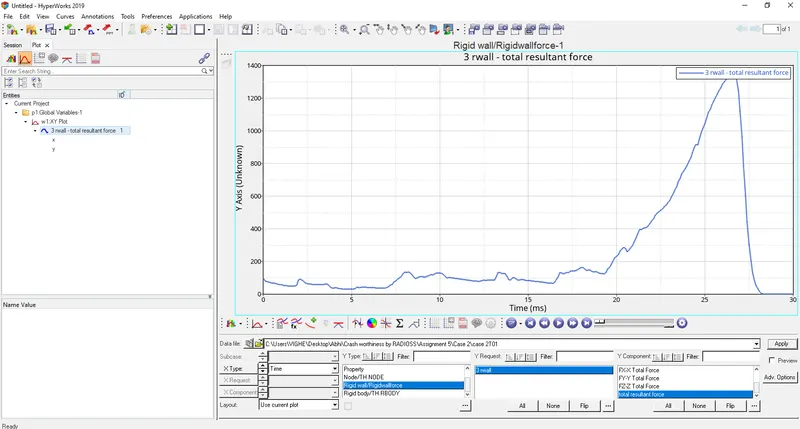
- Rigid wall
The curve starts from as there is no contact between wall and the tube. As the tube crashes to the wall the elements get deformed and the rwall forces peak and then starts decreasing as the tube is completely crushed and at rest so there is no rwall force.
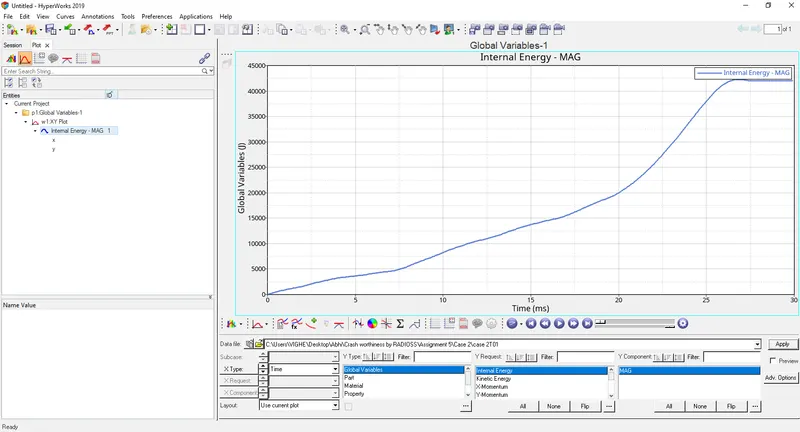
- Internal energy
The energy starts increasing and then stabilizes after the tube is crashed.
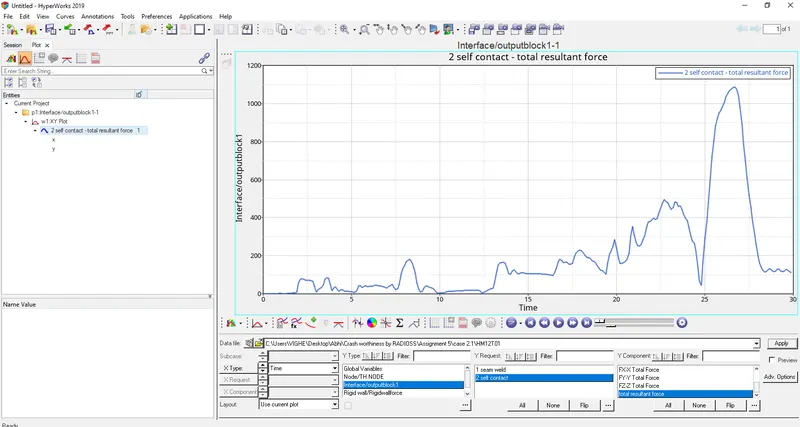
- Contact forces
The curve starts from as there is no contact between wall and the tube. As the tube crashes to the wall the elements get deformed and the contact forces peak and then starts decreasing as the tube is completely crushed and at rest so there is no contact force.
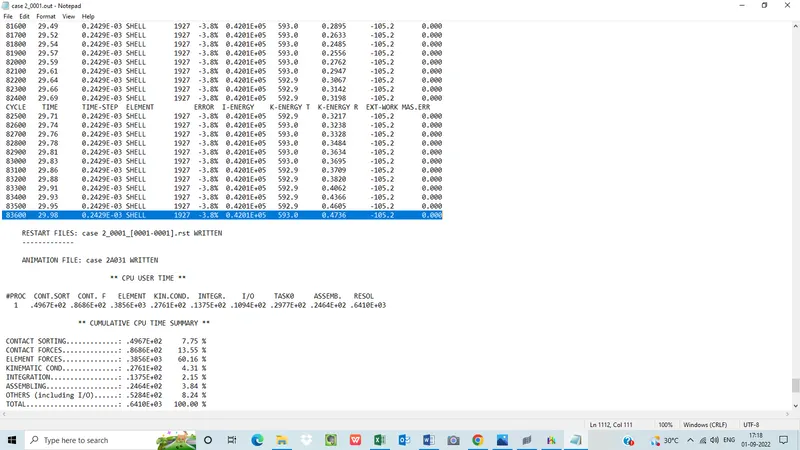
- Now open output file 0001.out file in notepad.
CASE 3
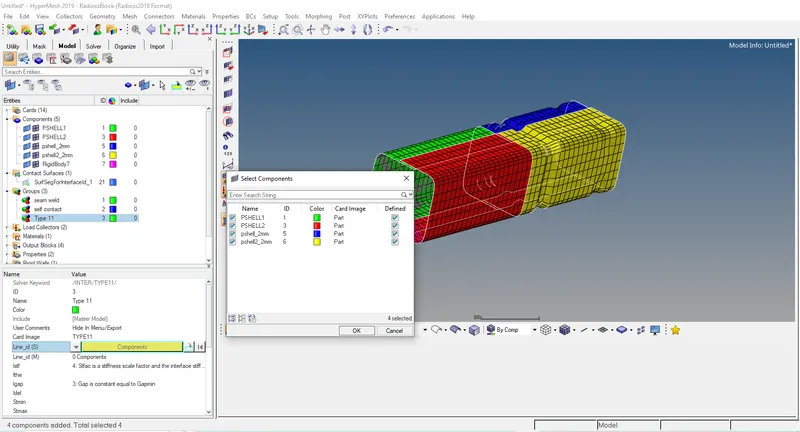
- Create Type 11 contact and run
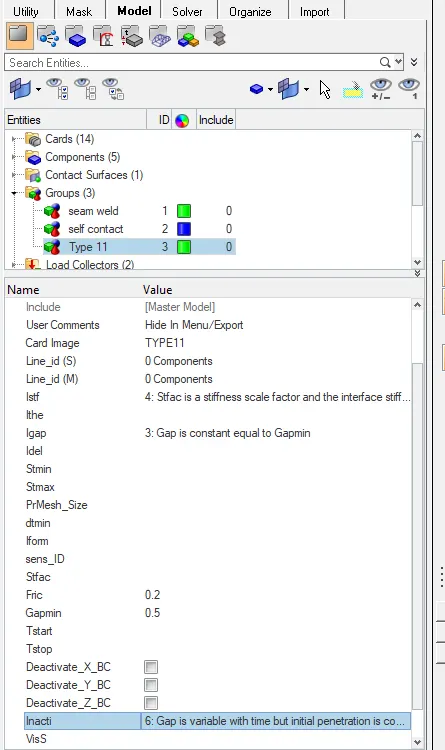
- Select all 4 components in Line_id(S) and Line_id(M)
- Run the simulation by going to Analysis>Radioss>Radioss
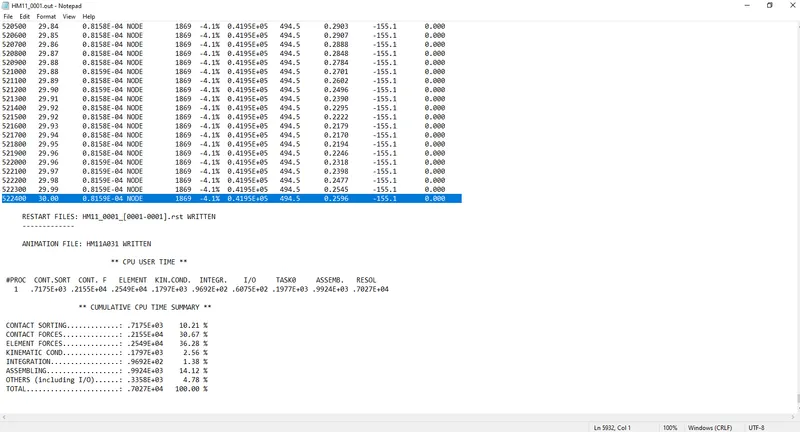
Select options= -nt 4 - Now open output file .out file in notepad.
- In Hyperview open .h3d
https://drive.google.com/drive/folders/1NSel_L4zXBj6s49jKXNfqcwERX8FDNin?usp=sharing
- Open HyperGraph 2D and open file T01 and select contact energy, internal energy, RWALL forces
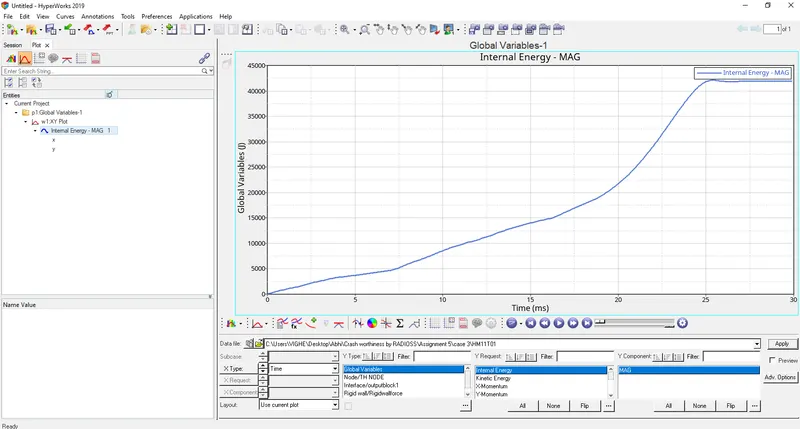
- Internal energy
The energy starts increasing and then stabilizes after the tube is crashed.
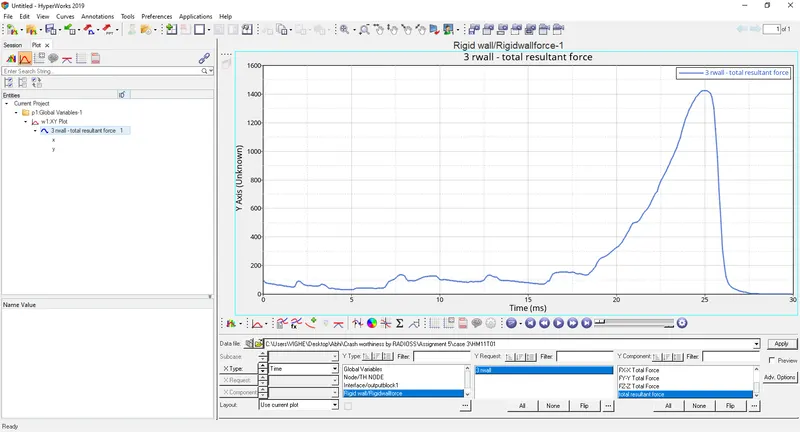
- Rigid wall
The curve starts from as there is no contact between wall and the tube. As the tube crashes to the wall the elements get deformed and the rwall forces peak and then starts decreasing as the tube is completely crushed and at rest so there is no rwall force. But the value of rwall force has increased compare to previous cases as Type 11 is also considered along with pre-defined Type 7.
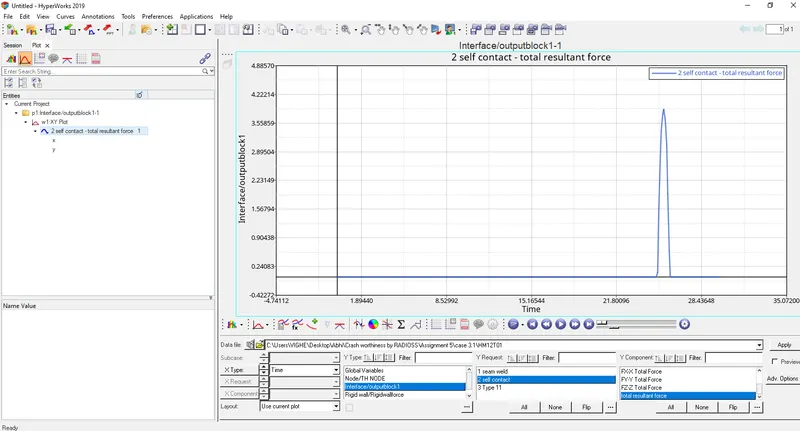
- Type 7 contact graph shows that contact forces are zero and then suddenly increases as nodes come in contact with the surface and then the contact force decreases as tube gets completely deformed.
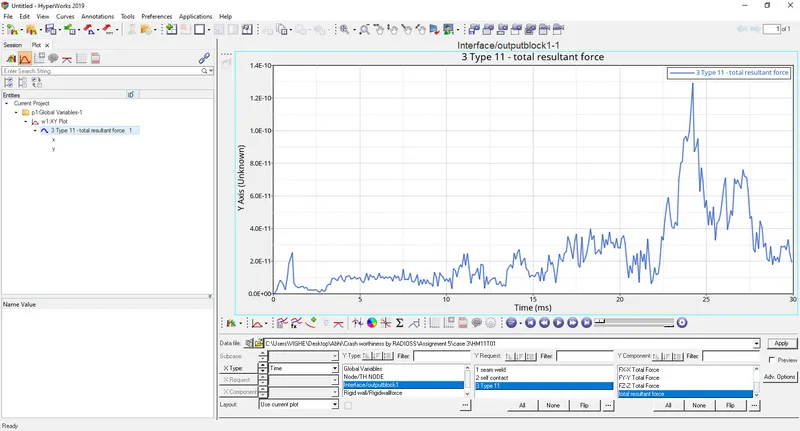
- Type 11 contact graph shows that contact force starts from zero and then increases as edges of elements come in contact and then peaks when tube gets completely crushed by the wall and the decreases as tube tries to regain its shape.
CASE 4
Remove both notches and remove boundary condition
- Use align option to remove the notches(1D>node edit>align node)
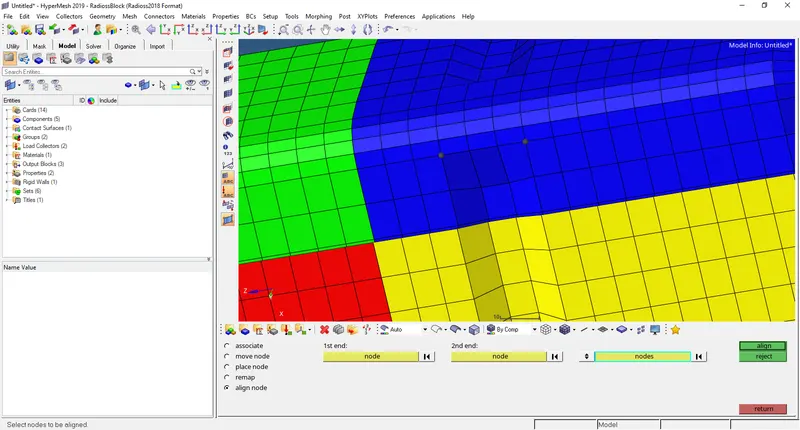
- Delete the boundary condition
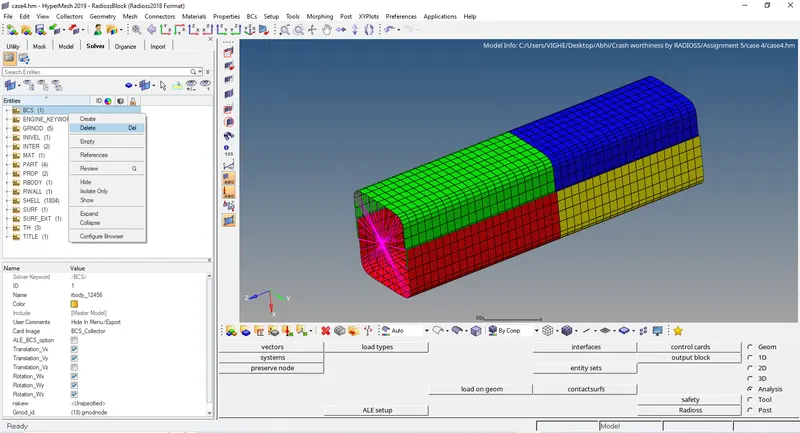
- Run the simulation by going to Analysis>Radioss>Radioss
Select options= -nt 4 - Now open output file .out file in notepad.
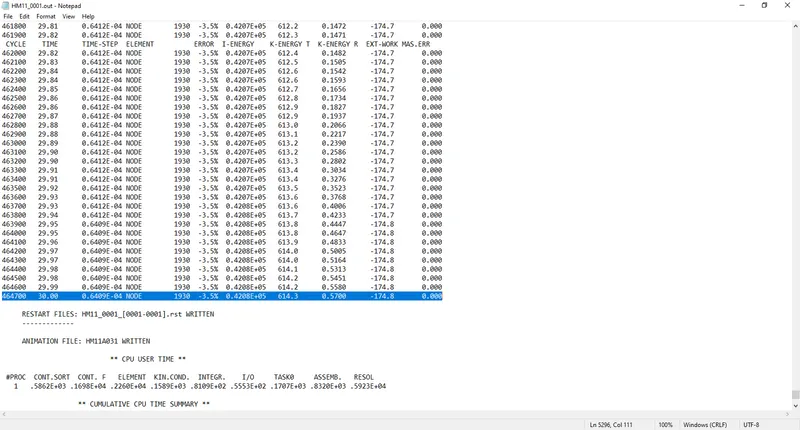
- In Hyperview open .h3d
https://drive.google.com/drive/folders/1NSel_L4zXBj6s49jKXNfqcwERX8FDNin?usp=sharing
- Open HyperGraph 2D and open file T01 and select contact energy, internal energy, RWALL forces
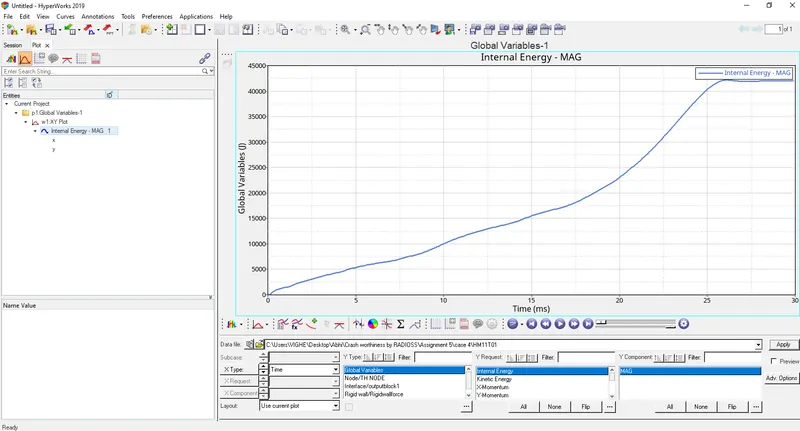
- Internal energy is similar to previous cases.
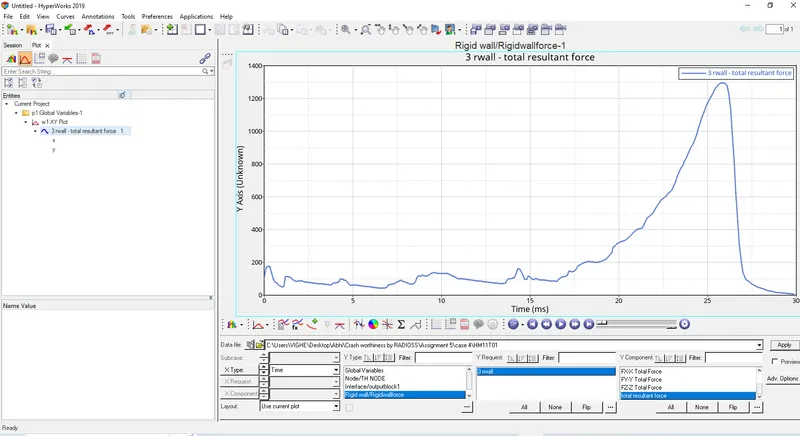
- Rwall force is reduced due to removal of notches so less force required to crush the tube.
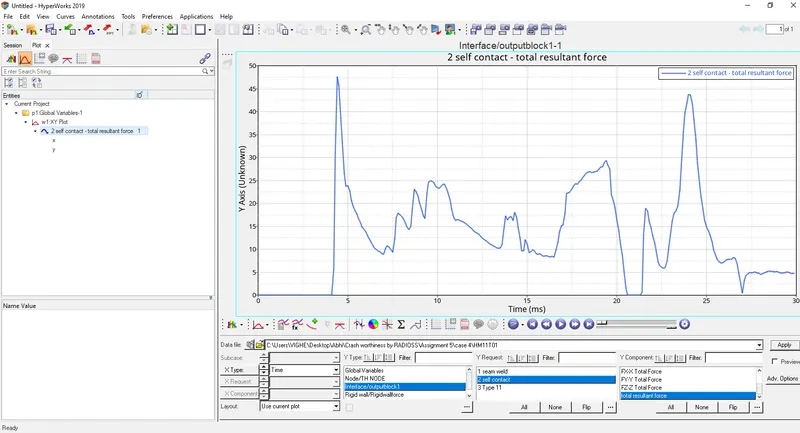
- Type 7 contact which node to surface increases suddenly due to removal of notches and removal of boundary condition.
CASE 5
Create notch at the middle and run the simulation
- Import the case 4 model.
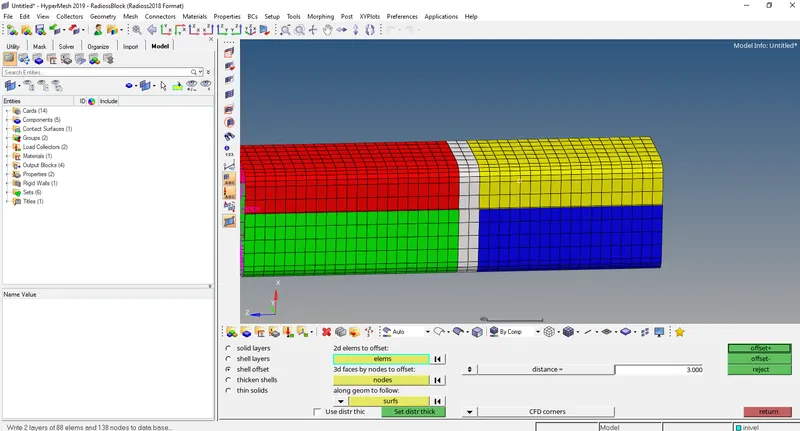
- Create a notch using elem offset option(2D>elem offset>shell offset)
- Run the simulation by going to Analysis>Radioss>Radioss
Select options= -nt 4
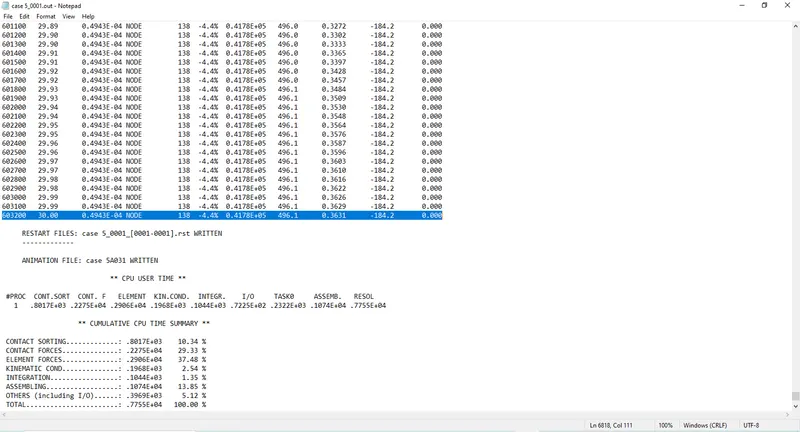
- Now open output file 0001.out file in notepad.
- In Hyperview open .h3d
https://drive.google.com/drive/folders/1NSel_L4zXBj6s49jKXNfqcwERX8FDNin?usp=sharing
- Open HyperGraph 2D and open file T01 and select contact energy, internal energy, RWALL forces
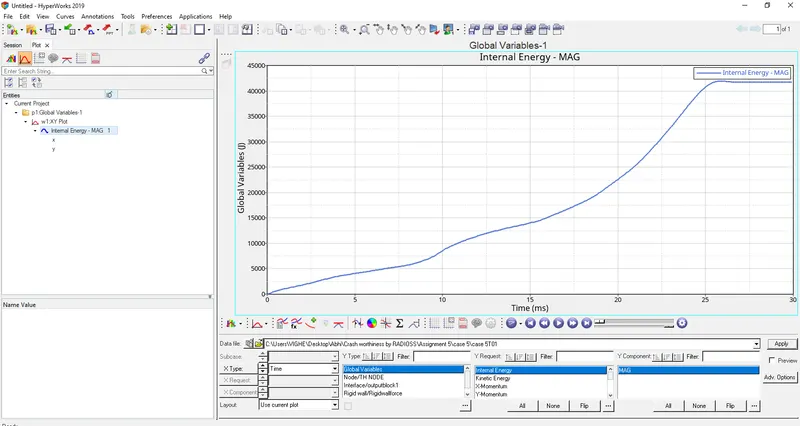
- Internal energy is similar to previous cases.
- Rwall force graph is similar to previous case where notches were removed.
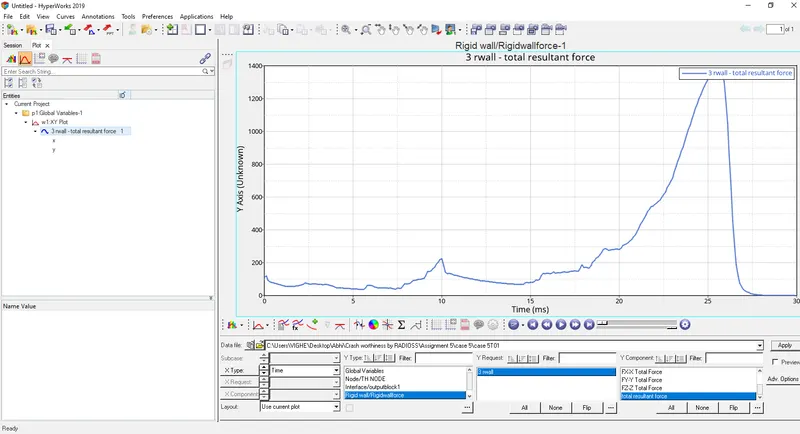
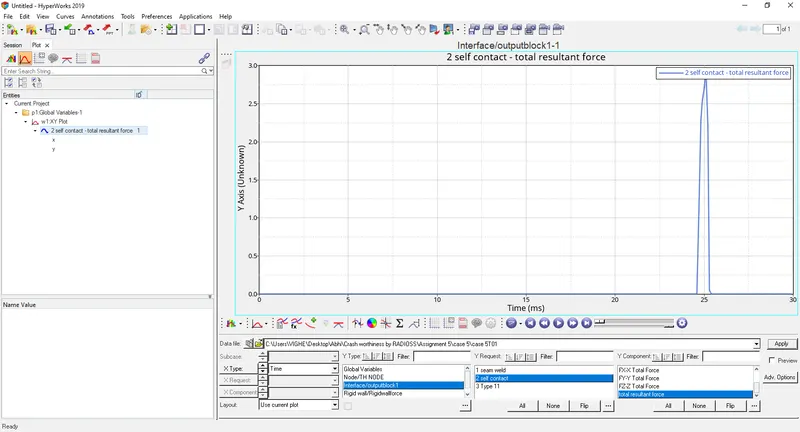
- Contact force starts from zero and suddenly peaks.
CASE 6
Create a notch with nodes only from opposite faces and run
- Import the case 4 model.
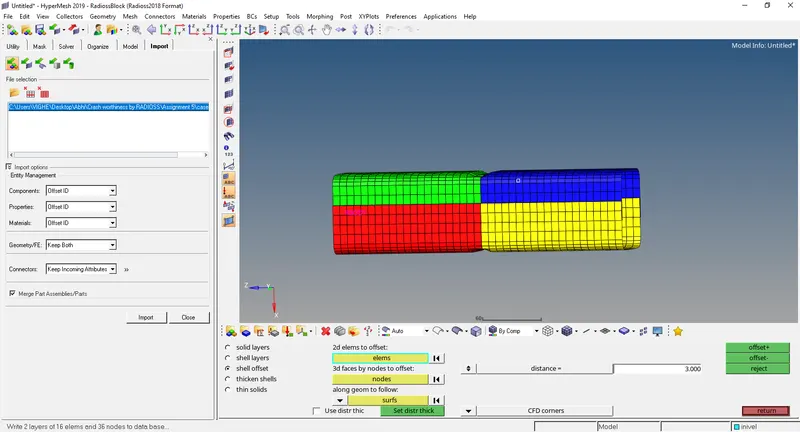
- Create a notch using elem offset option(2D>elem offset>shell offset)
- Run the base simulation by going to Analysis>Radioss>Radioss
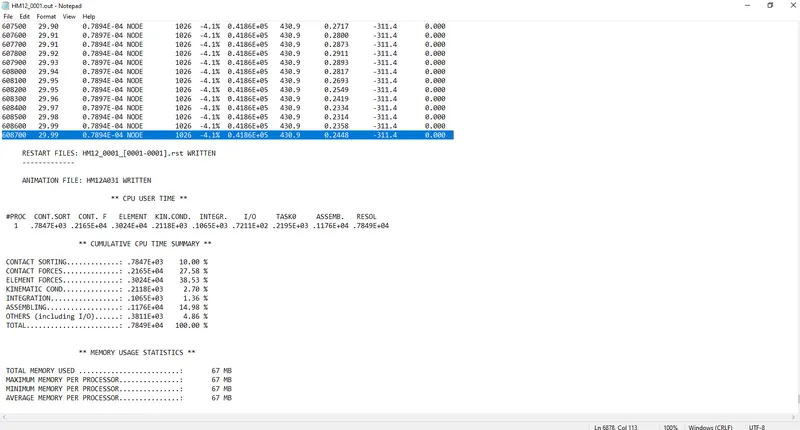
Select options= -nt 4 - Now open output file 0001.out file in notepad.
- In Hyperview open .h3d
https://drive.google.com/drive/folders/1NSel_L4zXBj6s49jKXNfqcwERX8FDNin?usp=sharing
- Open HyperGraph 2D and open file T01 and select contact energy, internal energy, RWALL forces
- Internal energy is similar to previous cases.
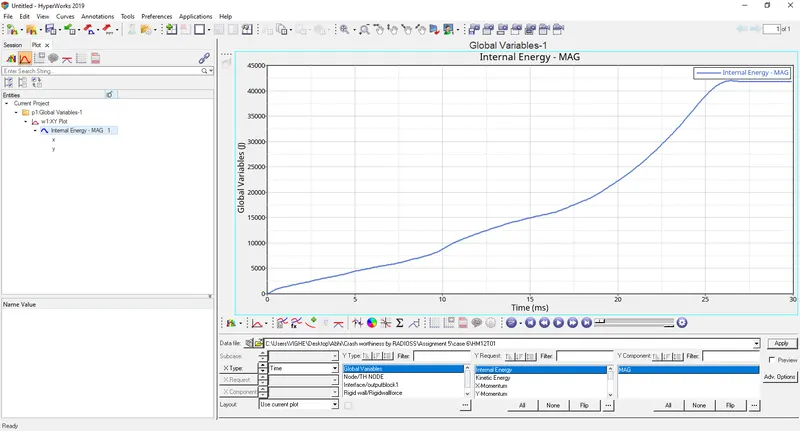
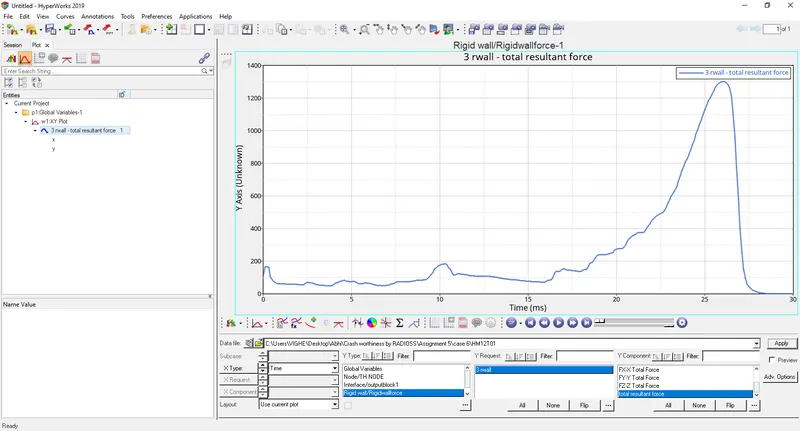
- Rwall force graph is similar to previous case.
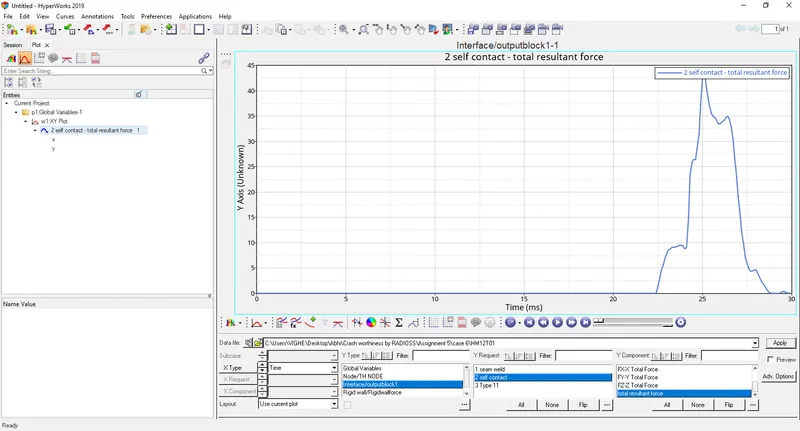
- The contact force starts from origin but suddenly peaks and then decreases and then increases eventually decreasing completely. This is because of presence of two notches on opposite faces.
Comparison between all the cases
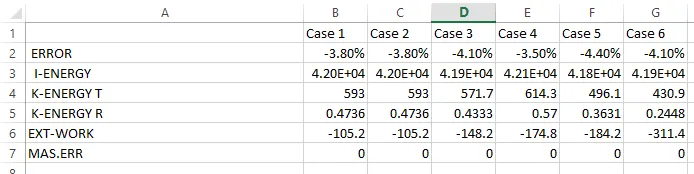
Conclusion: All the results of 6 cases have been compared and plotted.
Meshing of bumper assembly was done successfully.