Assignment 4-RADIOSS Material Laws Challenge
Aim- To run crash analysis on the given model by applying different materials laws available in Radioss and post-process refering to the given cases and find the results
Procedure-
Case1.
1.Open Hyper mesh, go to >> import >> solver deck option >> browse File > Import. The “FAILURE_JOHNSON_0000.rad” file is selected and “imported”
2.To run the simulation, Go to Analysis >> Radioss. We need to save the output files in a new folder so that we can access them easily. The file is saved as "Law2_epsmax_failure_0000.rad". After saving, tick the 'include connectors' box and type in '-nt 4' in the options text box, before clicking 'Radioss'
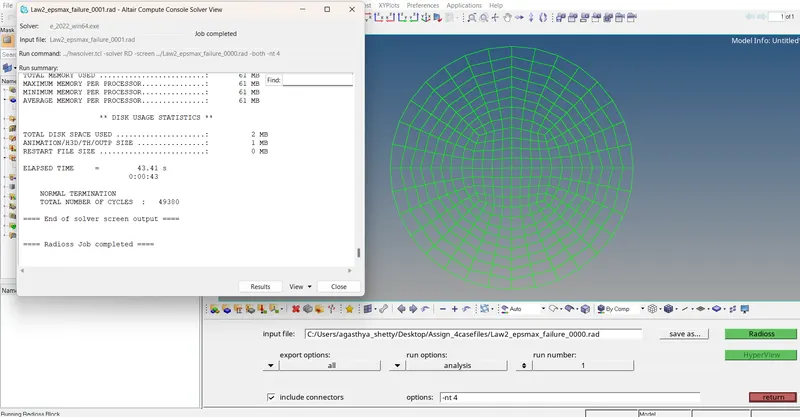
3.The simulation is complete, now we just need to visualize it. For that, we need to switch to the Hyperview utility.
4.for this, we shall be using the h3d file that was generated when RADIOSS processed the starter file (Law2_epsmax_failure.h3d).
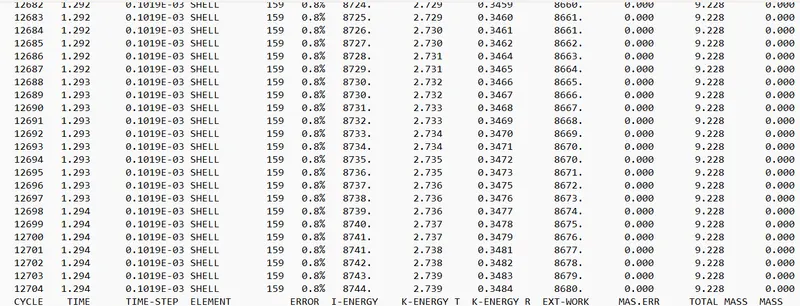
5.The final energy error is 0.8%
CASE 2.
1.The process is repeated Import the law2_epmax_failure out put file .0 file
2The following values are assigned as shown below (Ifail_sh = 1, Dadv = 1, Ixfem = 1)
refering to the Question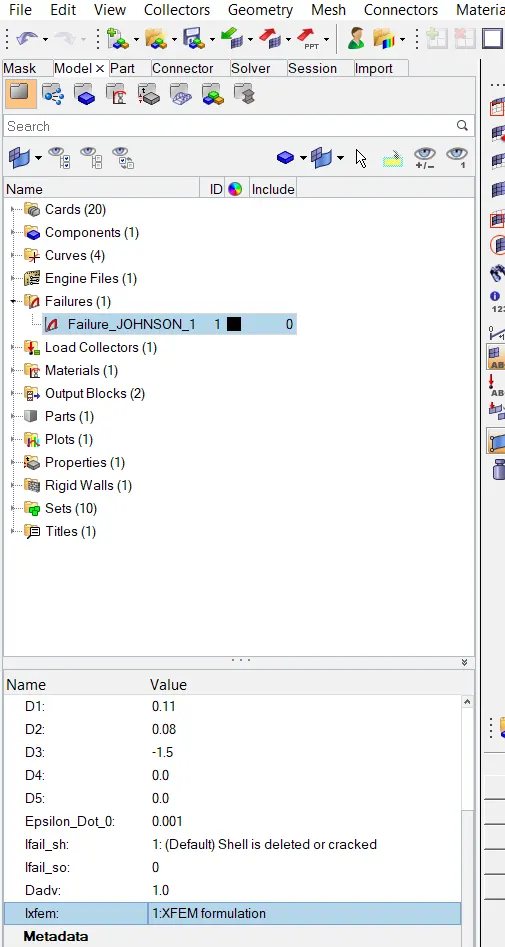
3.To run the simulation, Go to Analysis >> Radioss. We need to save the output files in a new folder.After saving, tick the 'include connectors' box and type in '-nt 4' in the options text box, before clicking 'Radioss'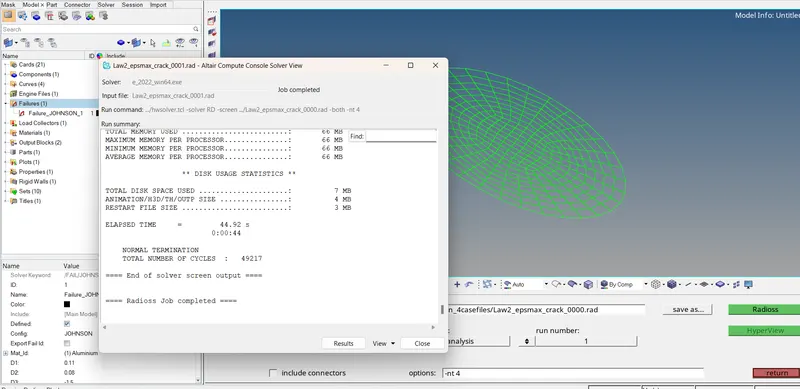
4.The simulation is complete, now we just need to visualize it. For that, we need to switch to the Hyperview utility.
5.for this, we shall be using the h3d file that was generated when RADIOSS processed the starter file using .h3d file 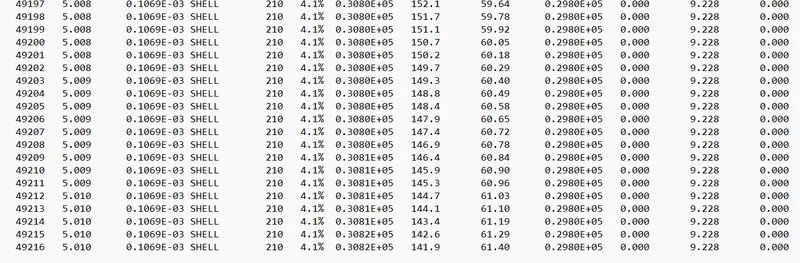
The energy output is 4.1% whuch is slightly higher but less than 5 %
case3
1.Again, we need to switch to Hyper works and import the solver deck file “Law2_epsmax_crack_0000.rad".
2.in this case delete the fail/JOHNSON card. Go to Failures > Failure_JOHNSON_1.
3.To run the simulation, Go to Analysis >> Radioss.
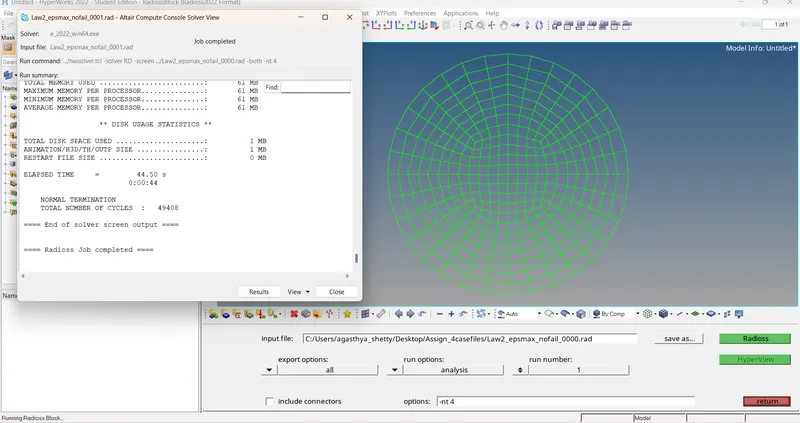
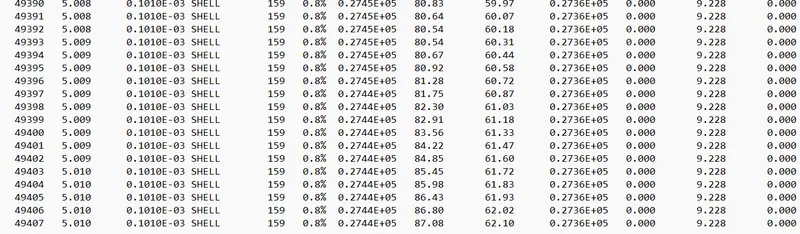
Energy output is 0.8 %
Case4.
1.In this case, import the case 3 starter file - Law2_epsmax_nofail_0000.rad.
2.This time, delete the EPS_p_max value (make it as 0). Going to the model tab, we can go to Materials > Aluminium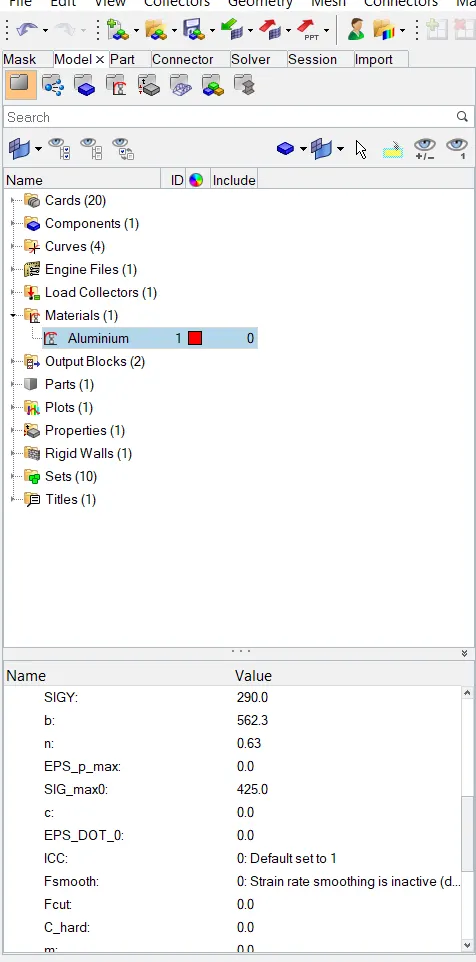
3.After that, we can switch to the Radioss analysis section via Analysis > Radioss, save the file .enable connectors and type in '-nt 4' in the options section and run the analysis by clicking 'Radioss'.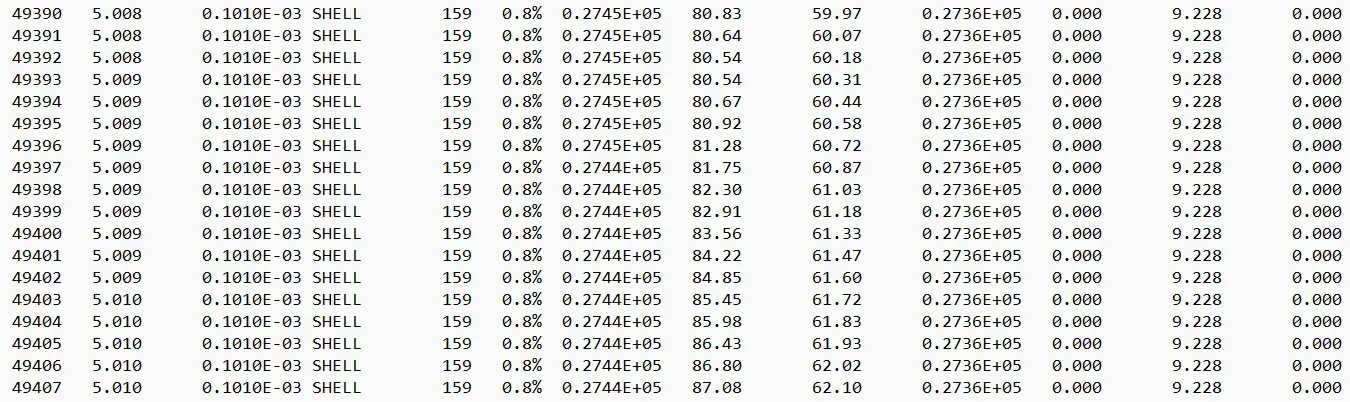
case 5 .
1. In this case import the case 4 output file
2.After that, go to Materials card > Aluminium and change the card image to M1_ELAST, which is Law 1.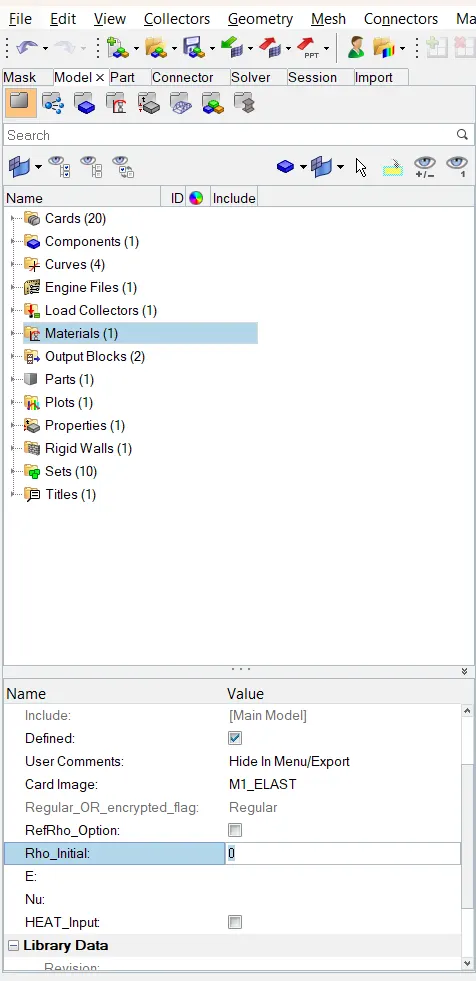 3.refer the image in the question to change the materials properties
4.Now do the analysis and save the file.As before, enable connectors and type '-nt 4' in the options box. Then, we can click radioss and let the solver run the analysis.
------case 5 .out image ----------------
Case 6.
1.Import the case 1 rad file
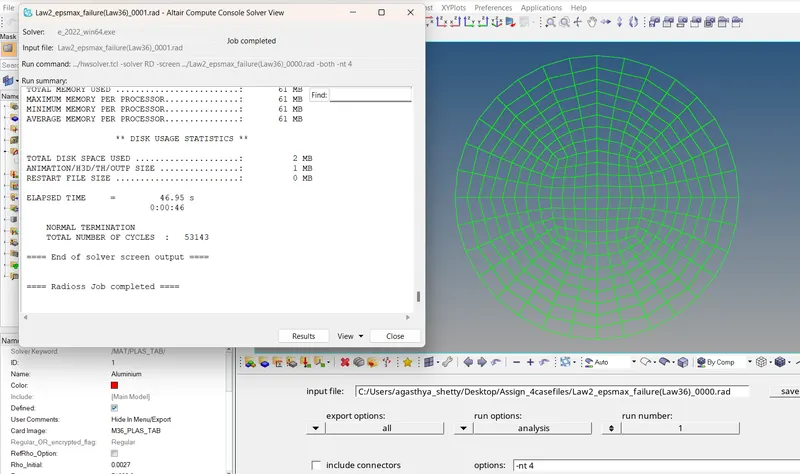
2.Now go to Materials >> Aluminium and change the card to M36_PLAS_TAB (Law 36). After that, set the values for Rho_Initial, E & Nu as follows
refer the question and enter the values for the properties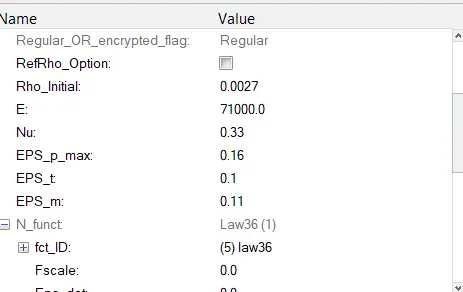
3.now to enter the curve fct_id
Go to the model tab and here, we shall be creating a new curve (as per instructions given in the week-4, Materials 7 video). Right-Click >> Create >> Curve
Initially, there are 4 curves, we are adding the new curve named CASE7.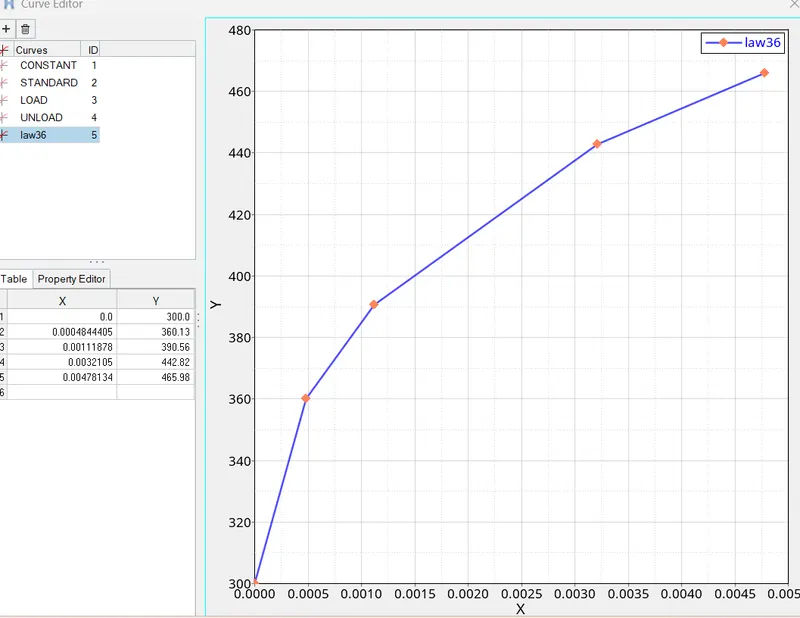
4. Run the analysis
-
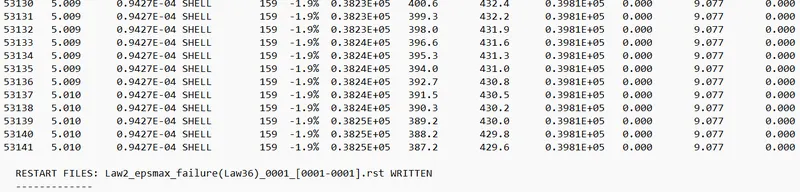
ENERGY OUTPUT IS - 1.9 WHICH IS CLOSER TO 0 AND CAN BE IGNORED
case 7 .
1.in this case, import the 'LAW27_0000.rad' file.
We need to use recommended shell properties in this case. Go to Properties > 5NiP. Now, we can look at the utility window and set the following attributes as follows:
I_shell=24, I_smstr=2, I_sh3n=2, N=5, I_thick=1, I_plas=1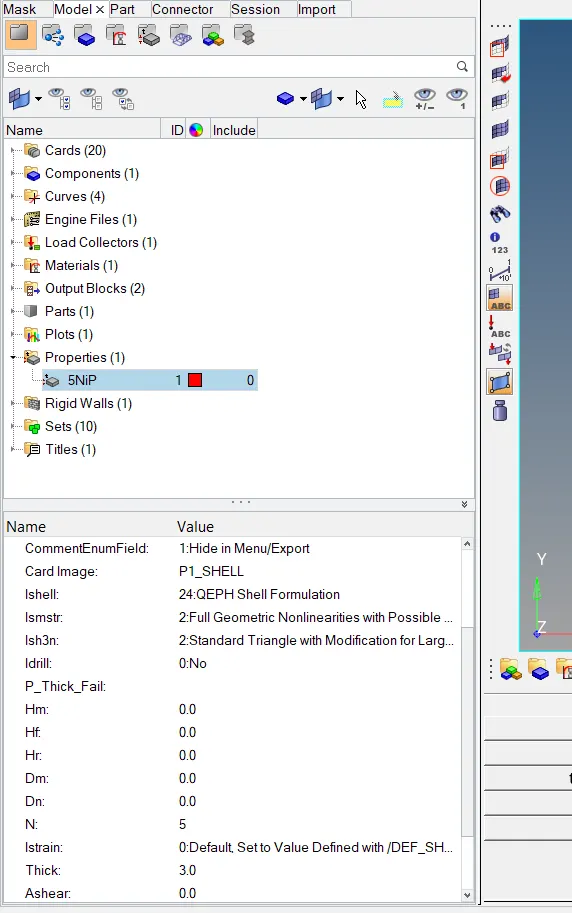
2.now, run the analysis via the Radioss tool. This time, we can save the file as 'Law27_0000.rad'. Just as before, we can enable connectors and type '-nt 4' in the options box. Then, we can click radioss and let the solver run the analysis.
-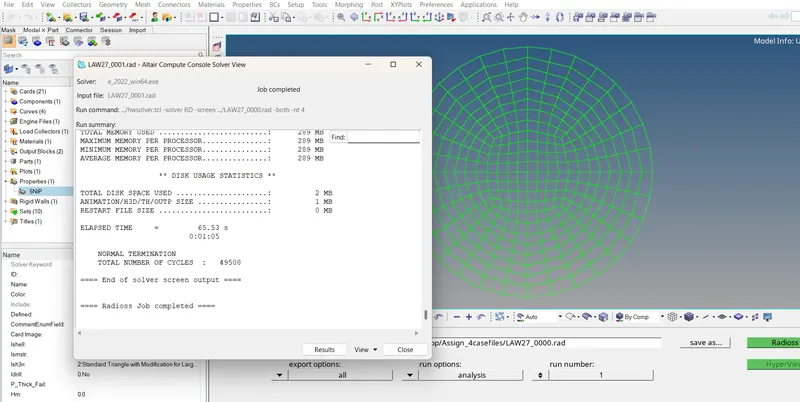

THE ENERGY OUYPUT IS 0.8 %
CONCLUSION
Selecting a correct material model plays a very important role in simulation. Selecting the wrong material model and doing simulation will also give result but it will not represent the actual situation
Law 1 is used to model purely elastic materials or materials that remain in the elastic range. To model this we require Poisson's ratio and Young's modulus.
Law 2: In this law, the material behaves as linear elastic when equivalent stress is lower than the yield stress. For a higher value of stress, the material behaves like plastic.
Law 27: Used for brittle materials.
Law 36: The elastic-plastic behavior of isotropic material is modeled with user-defined functions. The stress-strain curve is modeled using E and Poisson's ratio. Therefore, it is the best card because we cannot know the exact failing condition of the material in the other cases, but we can define the stress-strain curve, and then we can decide where the material is failing.