Assignment 4-RADIOSS Material Laws Challenge
Radios material law
Objective:-
- To run simulations of seven given cases using Radios
- Compare the results of all seven simulations.
PROCEDURE:-
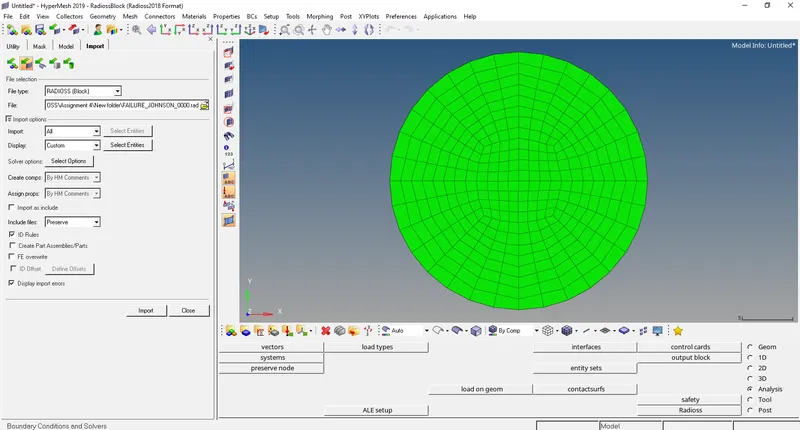
- Import the FAILURE_JOHNSON_0000.rad file using File>solver deck>File- FAILURE_JOHNSON_0000.rad >import
CASE 1:-
- Keep the properties as default and run a base simulation.
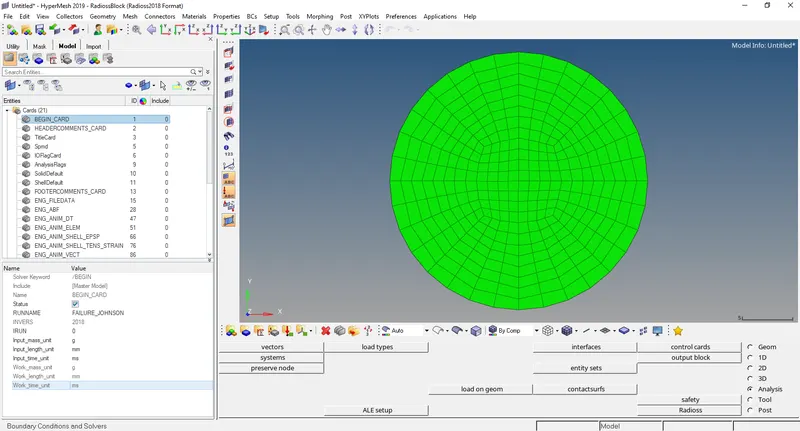
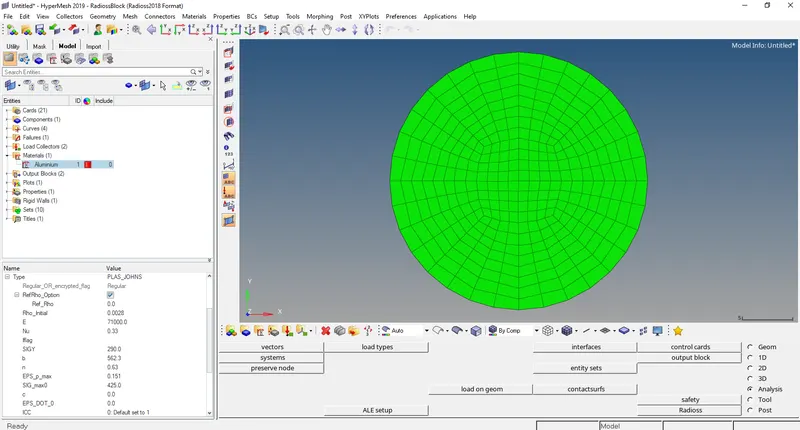
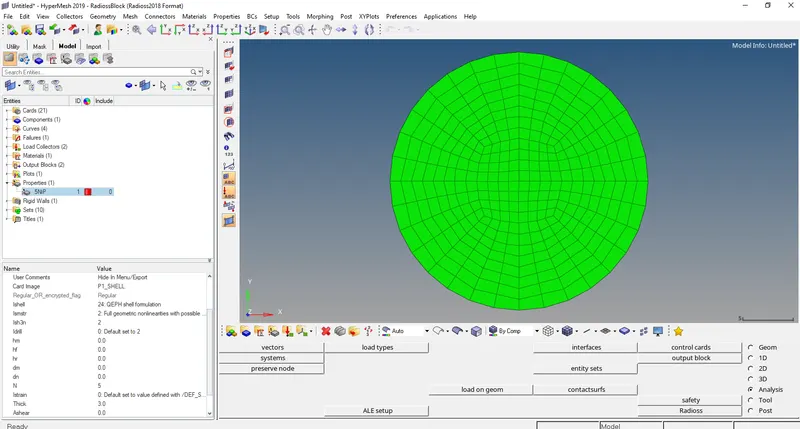
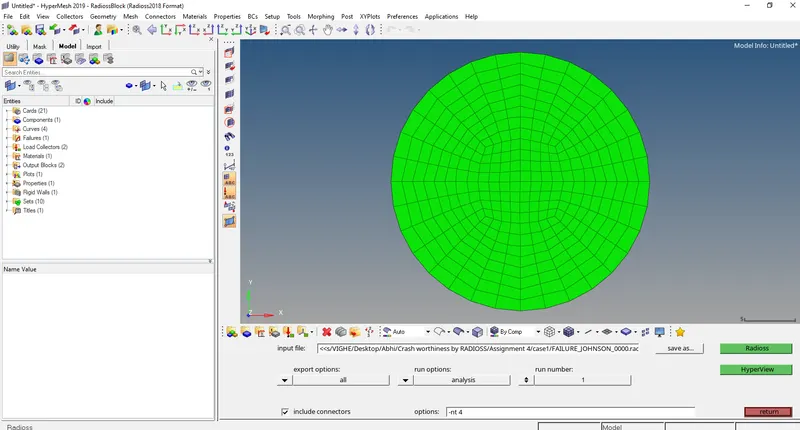
- Run the base simulation by going to Analysis>Radioss>Radioss
Select options= -nt 4
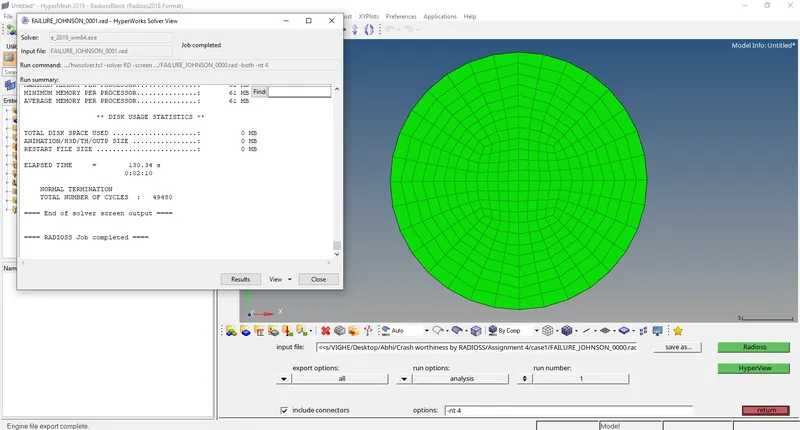
- Now open output file FAILURE_JOHNSON_0001.out file in notepad.
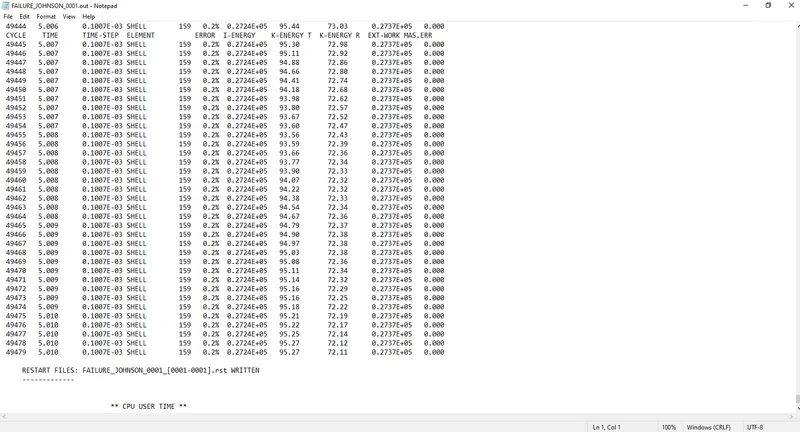
Energy error 0.2%
Mass error: 0
Kinetic energy = 72.11
External work = 0.2737E+05
Internal energy = 0.2724E+05
- In Hyperview open FAILURE_JOHNSON.h3d
- Open contour and select von mises stresses with averaging method as simple.
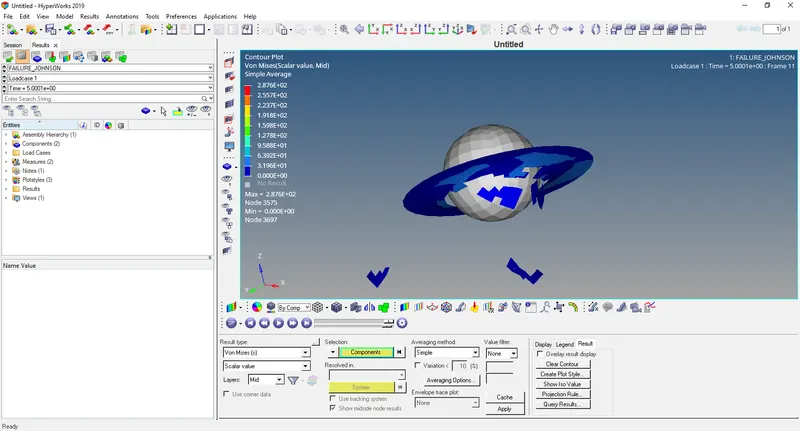
In this the elements get deleted after failure of the plate.
- Open HyperGraph 2D and open file FAILURE_JOHNSONT01
- Select Rigid wall/Rwall-force>4 RIDGID WALL 1>total resultant force
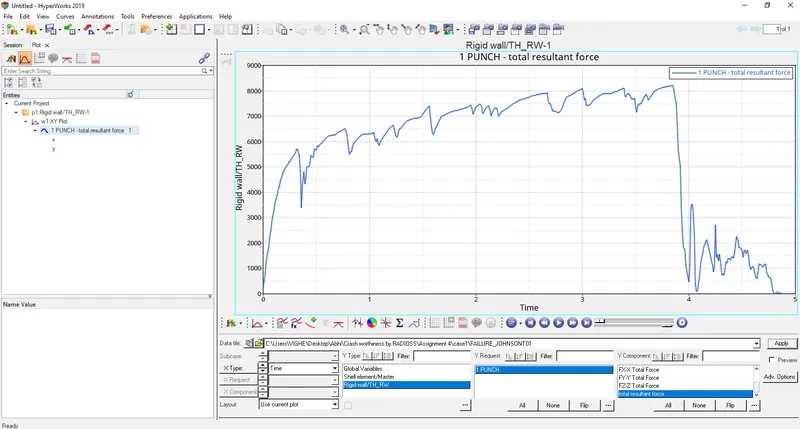
The curve starts from origin since there is no contact between ball and plate. As the ball hits the plate the curve start increasing and then decreases suddenly as the plate breaks and elements are deleted.
- Select contact energy, hourglass energy, internal energy, total energy, kinetic energy.
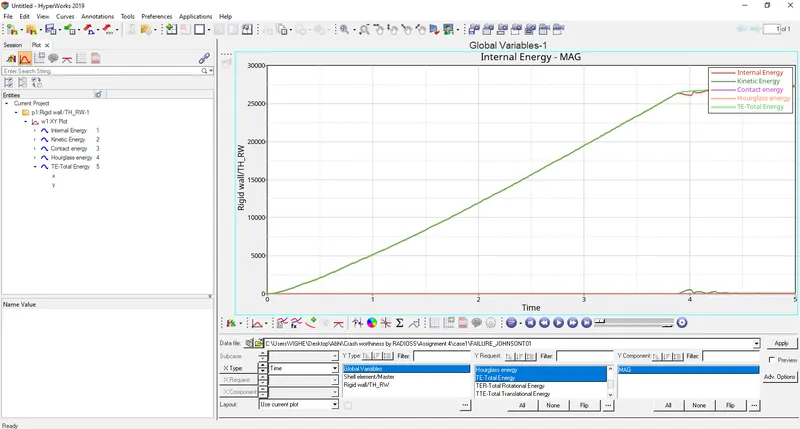
Internal energy
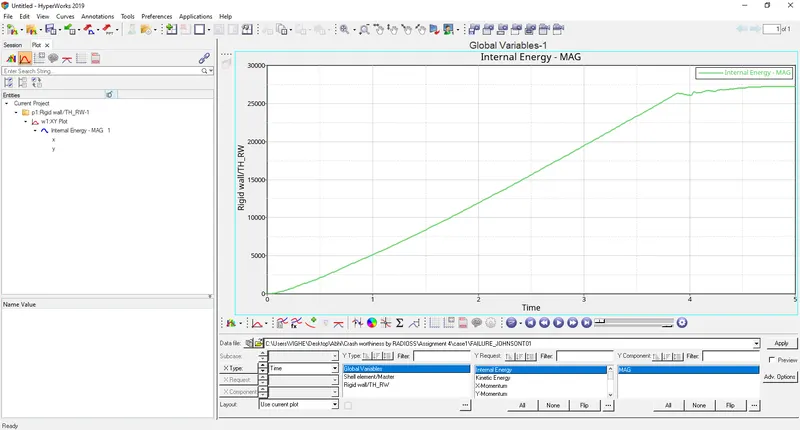
Internal energy starts from origin since no contact between ball and plate and then increases as there is increase in displacement.
Kinetic energy
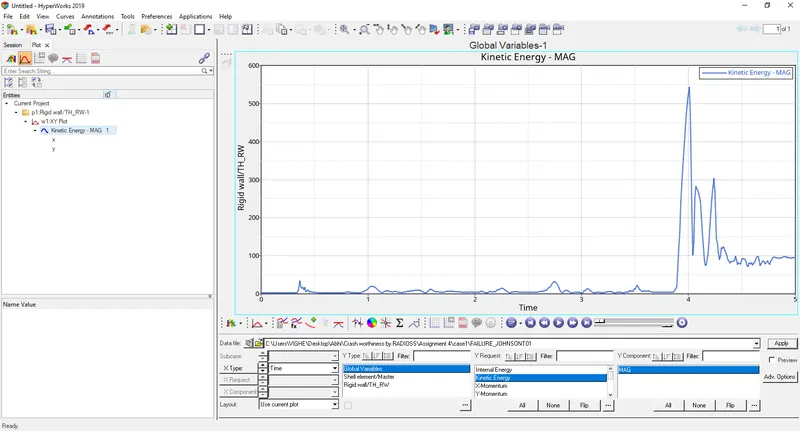
Kinetic energy starts from origin since no initial velocity of the ball and then increases as ball hits the plate and then decreases as the plate breaks and elements are deleted.
Contact energy
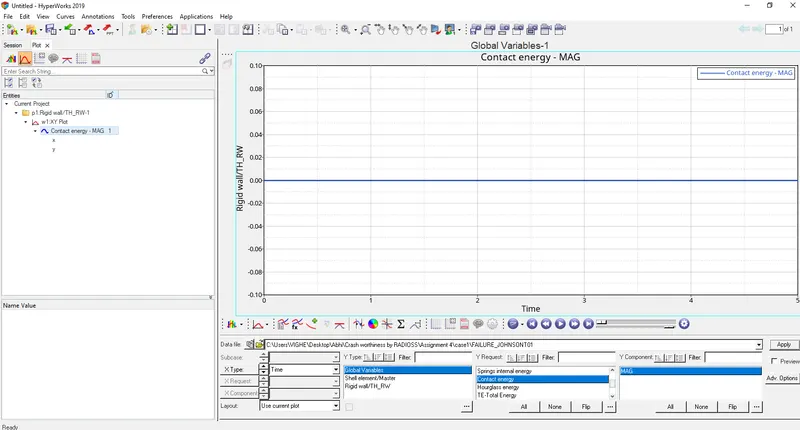
Contact energy is constant since ball is rigid and plate is deformable if both ball and plate were deformable then contact energy increases.
Hourglass energy
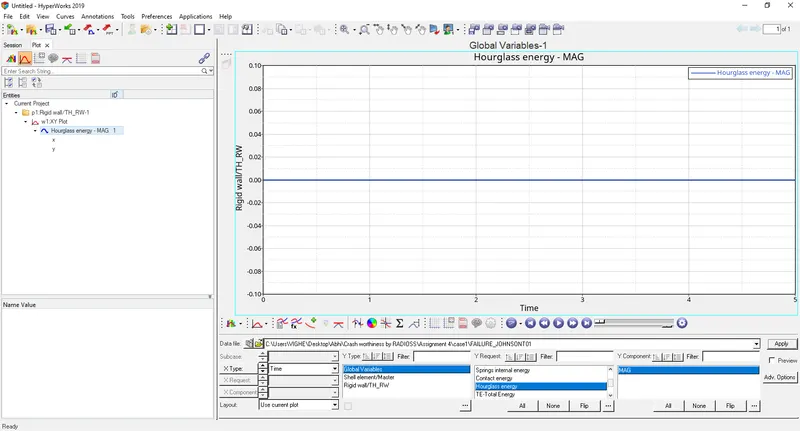
Ishell = 24 QEPH has been assigned in properties because this hourglass energy is constant and zero. No hourglass effect.
Total energy
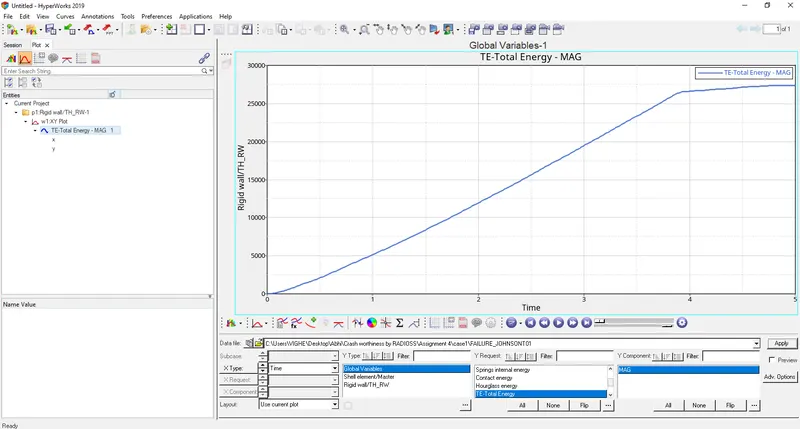
Total energy is sum of internal, kinetic, contact and hourglass energies. It starts at zero and goes on increasing.
CASE 2:-
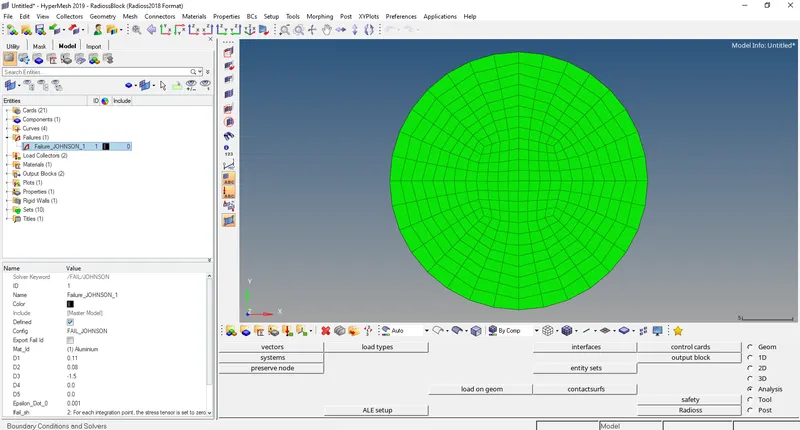
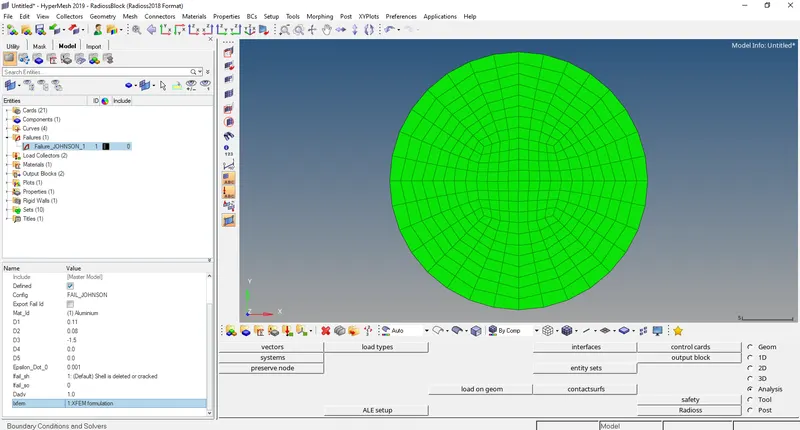
Here we have to change values failure card Ifail_sh = 1, Dadv= 1, Ixfem=1
- Run the base simulation by going to Analysis>Radioss>Radioss
Select options= -nt 4
- Now open output file FAILURE_JOHNSON_0001.out file in notepad.
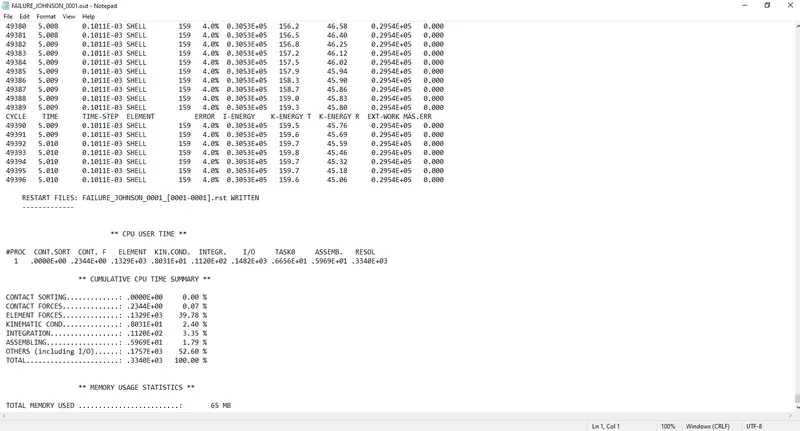
Energy error 4%
Mass error: 0
Kinetic energy = 159.6
External work = 0.2954E+05
Internal energy = 0.3053E+05
- In Hyperview open FAILURE_JOHNSON.h3d
- Open contour and select von mises stresses with averaging method as simple.
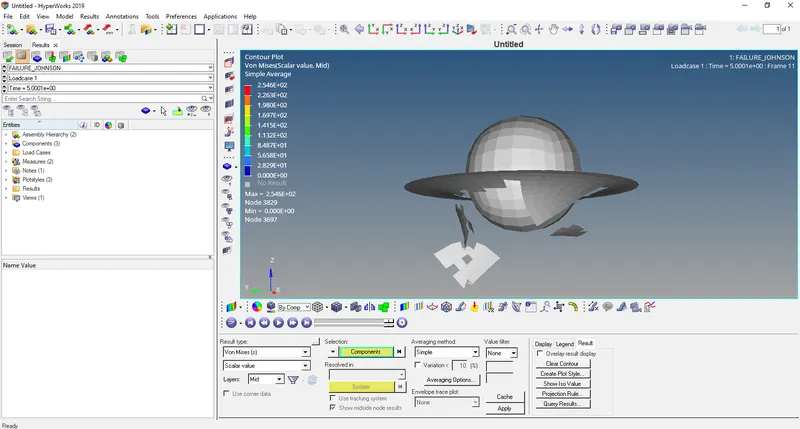
In this the elements get deleted after failure of the plate.
- Open HyperGraph 2D and open file FAILURE_JOHNSONT01
- Select Rigid wall/Rwall-force>4 RIDGID WALL 1>total resultant force
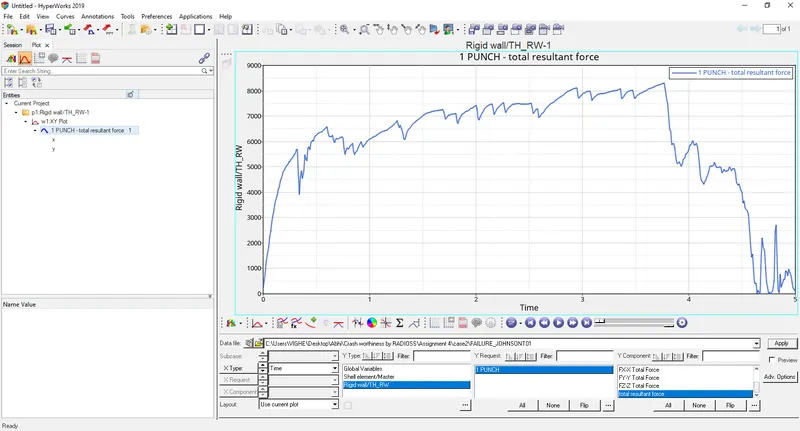
The curve starts from origin since there is no contact between ball and plate. As the ball hits the plate the curve start increasing and then decreases suddenly and slightly as the plate breaks and elements are deleted.
- Select contact energy, hourglass energy, internal energy, total energy, kinetic energy.
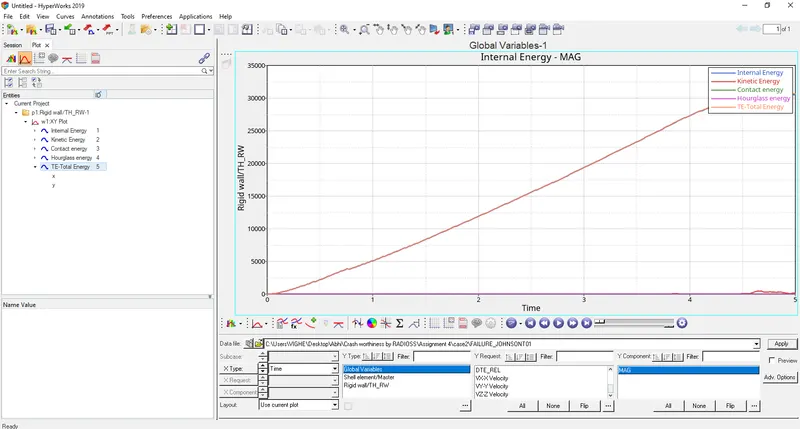
Internal energy
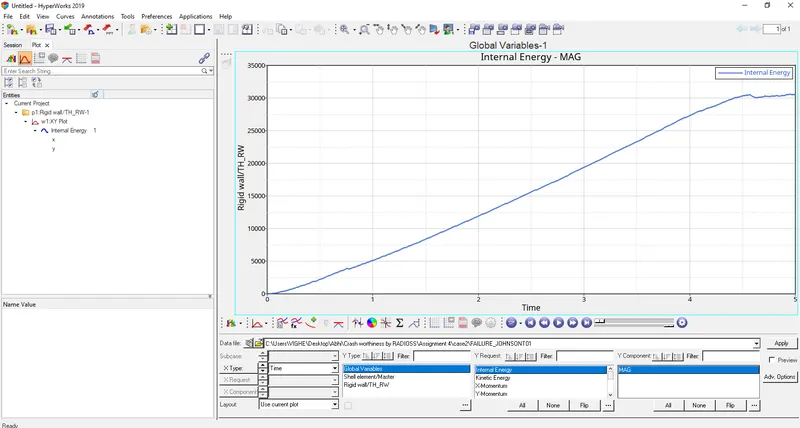
Internal energy starts from origin since no contact between ball and plate and then increases as there is increase in displacement.
Kinetic energy
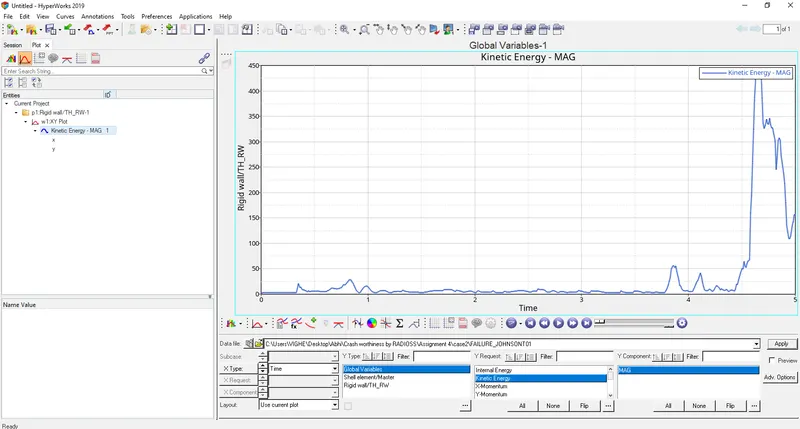
Kinetic energy starts from origin since no initial velocity of the ball and then increases as ball hits the plate and then decreases as the plate breaks and elements are deleted. The decrease is by some small amount because of the properties changed in the failure card.
Contact energy
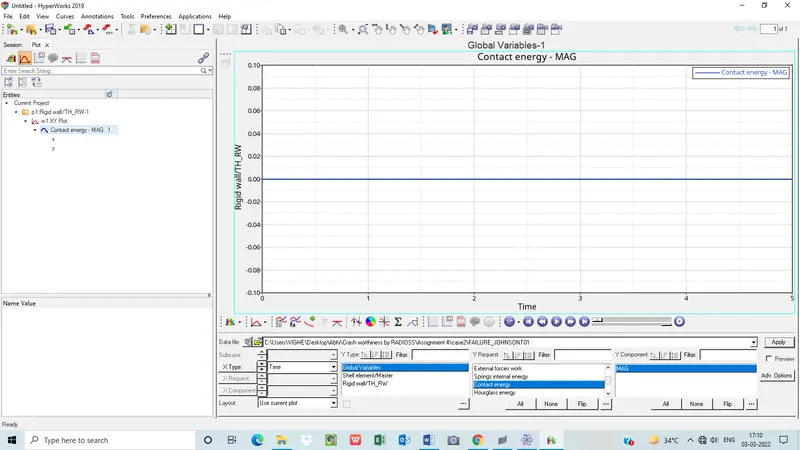
Contact energy is constant since ball is rigid and plate is deformable if both ball and plate were deformable then contact energy increases.
Hourglass energy
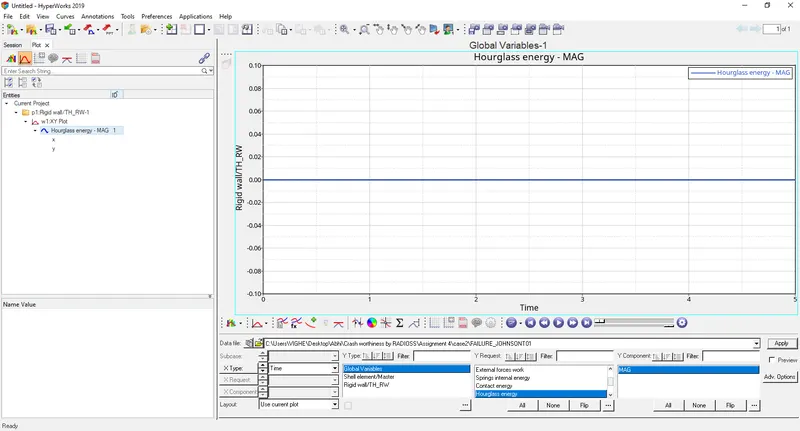
Ishell = 24 QEPH has been assigned in properties because this hourglass energy is constant and zero. No hourglass effect.
Total energy
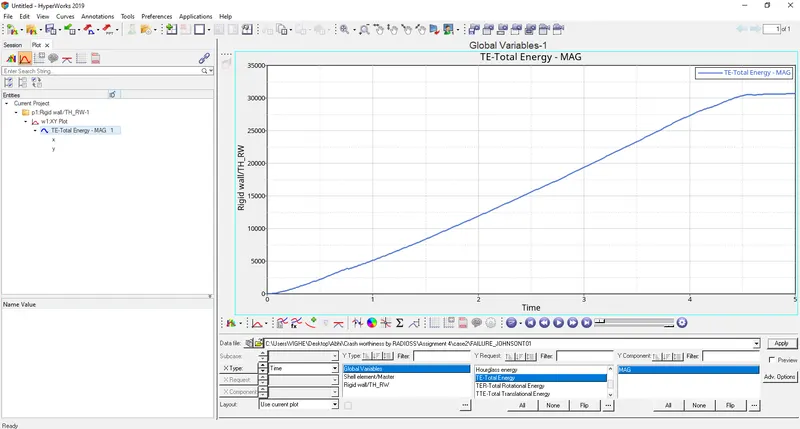
Total energy is sum of internal, kinetic, contact and hourglass energies. It starts at zero and goes on increasing.
CASE 3
Here we have to delete Failure card
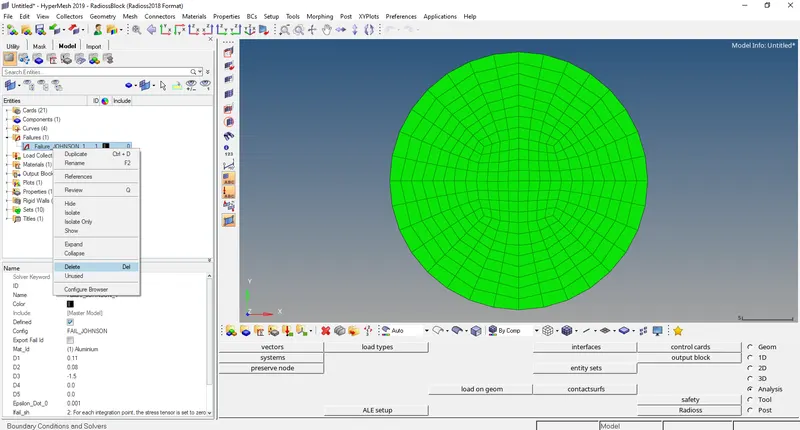
- Run the base simulation by going to Analysis>Radioss>Radioss
Select options= -nt 4
- Now open output file FAILURE_JOHNSON_0001.out file in notepad.
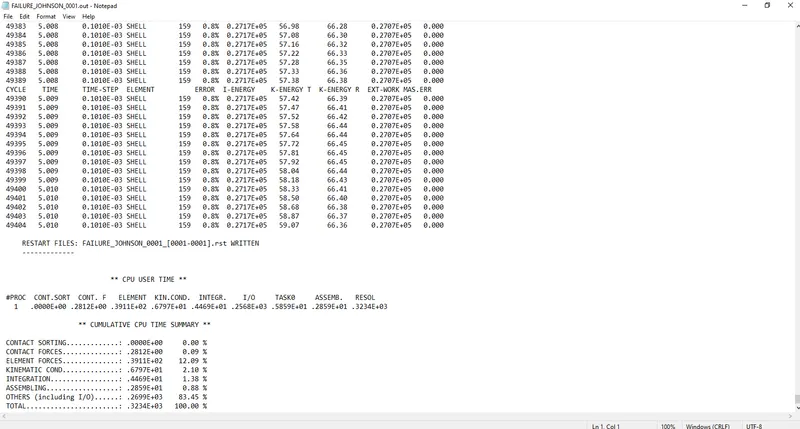
Energy error 0.8%
Mass error: 0
Kinetic energy = 59.07
External work = 0.2707E+05
Internal energy = 0.2717E+05
- In Hyperview open FAILURE_JOHNSON.h3d
- Open contour and select von mises stresses with averaging method as simple.
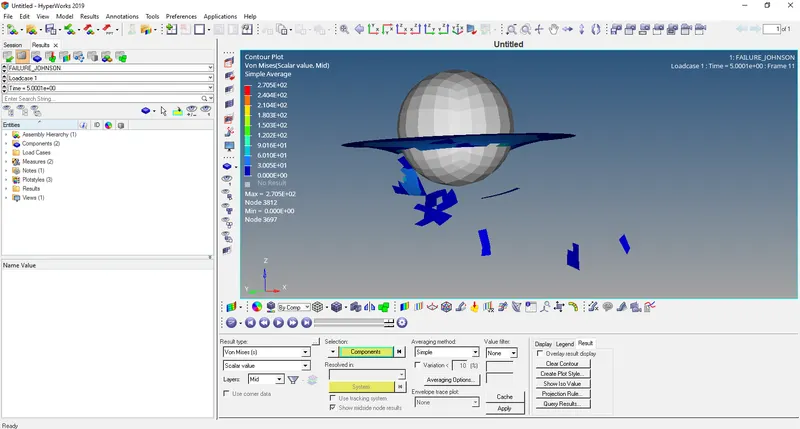
In this the elements get deleted after failure of the plate.
- Open HyperGraph 2D and open file FAILURE_JOHNSONT01
- Select Rigid wall/Rwall-force>4 RIDGID WALL 1>total resultant force
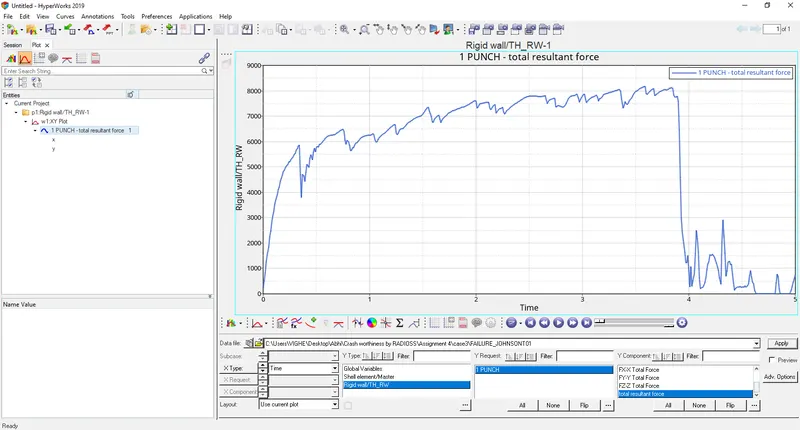
The curve starts from origin since there is no contact between ball and plate. As the ball hits the plate the curve start increasing and then decreases suddenly and slightly as the plate breaks and elements are deleted.
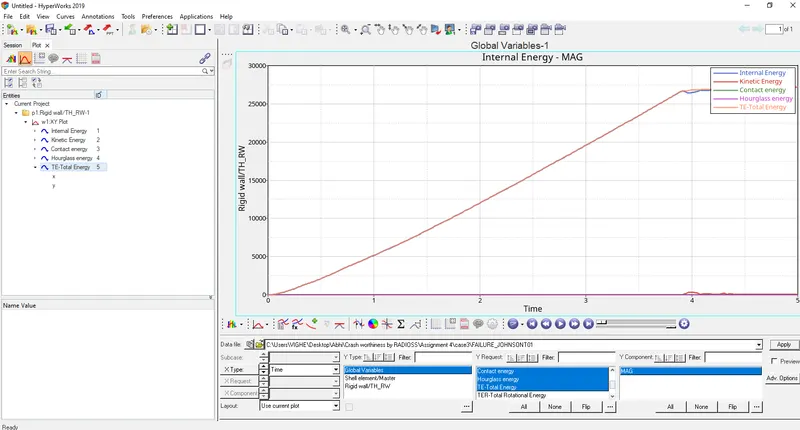
- Select contact energy, hourglass energy, internal energy, total energy, kinetic energy.
Internal energy
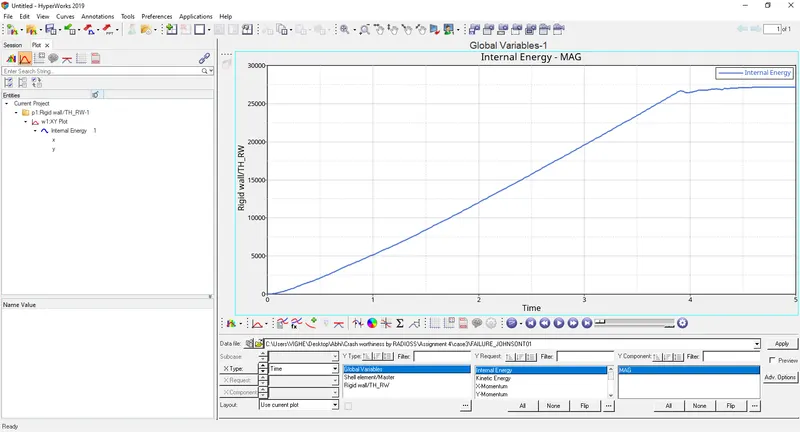
Internal energy starts from origin since no contact between ball and plate and then increases as there is increase in displacement.
Kinetic energy
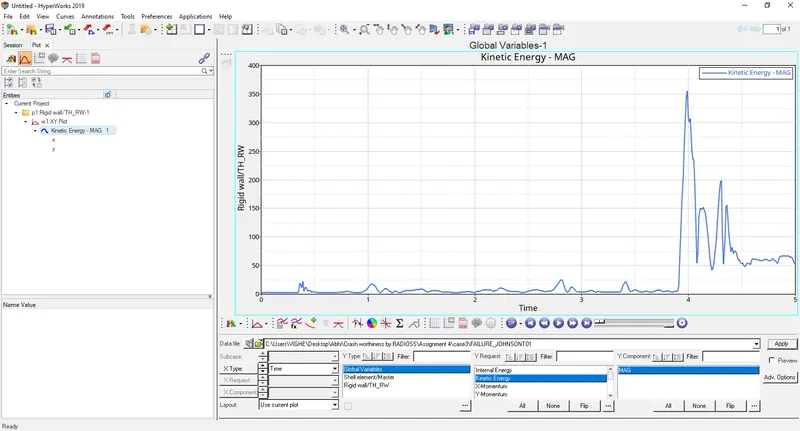
Kinetic energy starts from origin since no initial velocity of the ball and then increases at around 4 ms as ball hits the plate and then decreases as the plate breaks and elements are deleted.
Contact energy
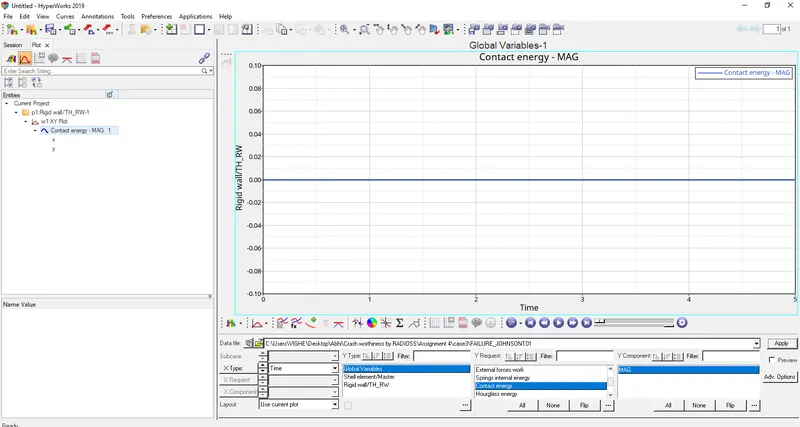
Contact energy is constant since ball is rigid and plate is deformable if both ball and plate were deformable then contact energy increases.
Hourglass energy
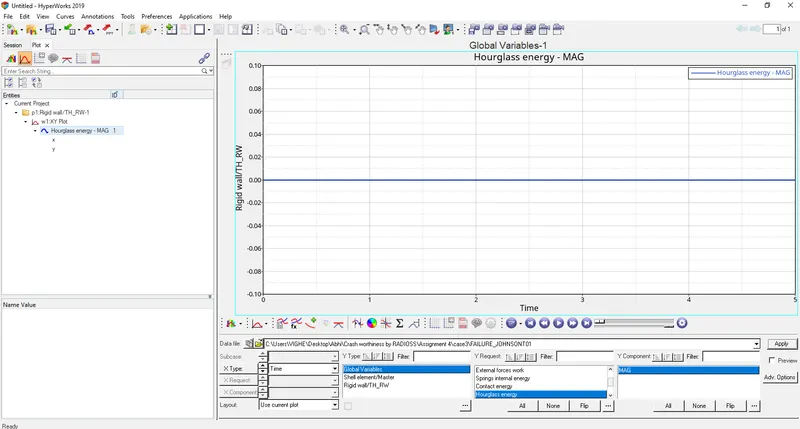
Ishell = 24 QEPH has been assigned in properties because this hourglass energy is constant and zero. No hourglass effect.
Total energy
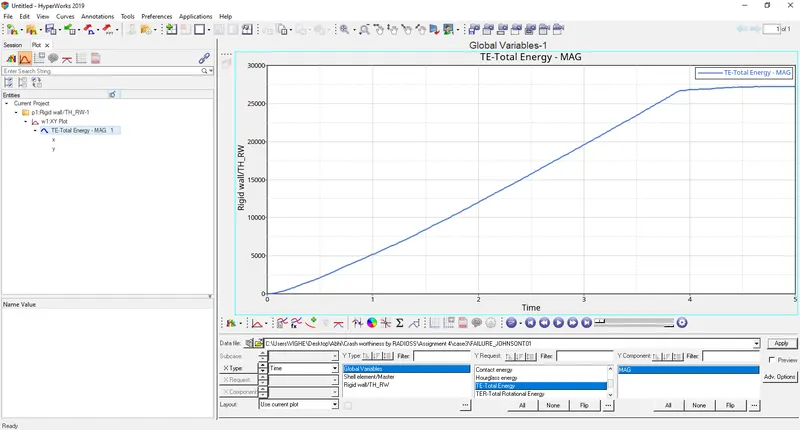
Total energy is sum of internal, kinetic, contact and hourglass energies. It starts at zero and goes on increasing.
CASE 4
Delete EPS P_max i.e make equal to 0.
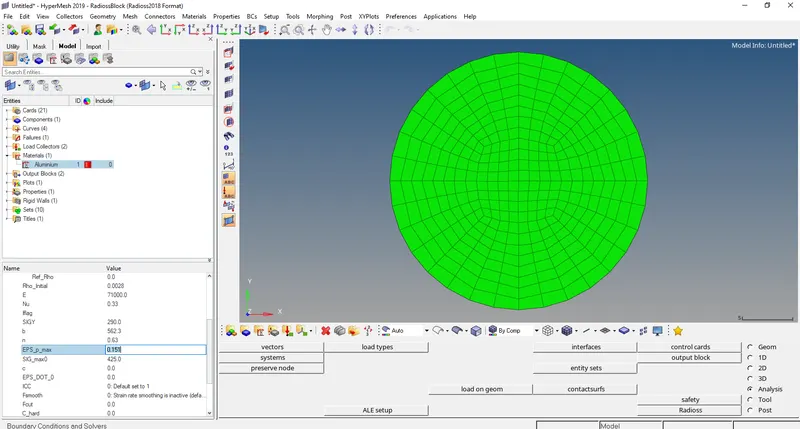
- Run the base simulation by going to Analysis>Radioss>Radioss
Select options= -nt 4
- Now open output file FAILURE_JOHNSON_0001.out file in notepad.
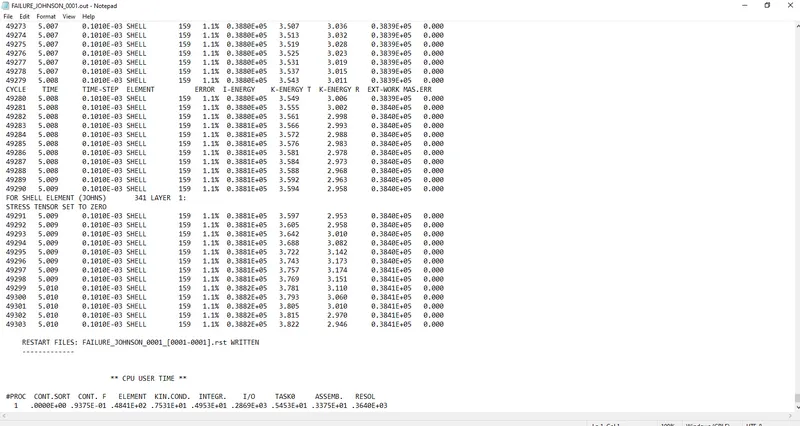
Energy error 1.1%
Mass error: 0
Kinetic energy = 3.822
External work = 0.3841E+05
Internal energy = 0.3882E+05
- In Hyperview open FAILURE_JOHNSON.h3d
- Open contour and select von mises stresses with averaging method as simple.
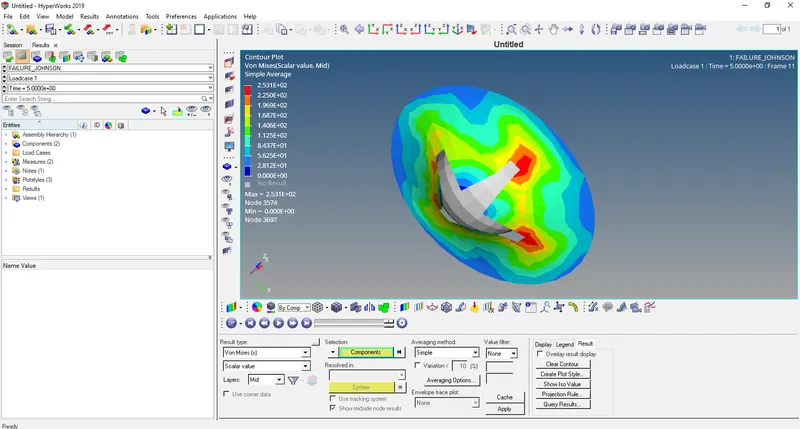
In this the elements are not deleted since EPS P_max = 0
- Open HyperGraph 2D and open file FAILURE_JOHNSONT01
- Select Rigid wall/Rwall-force>4 RIDGID WALL 1>total resultant force
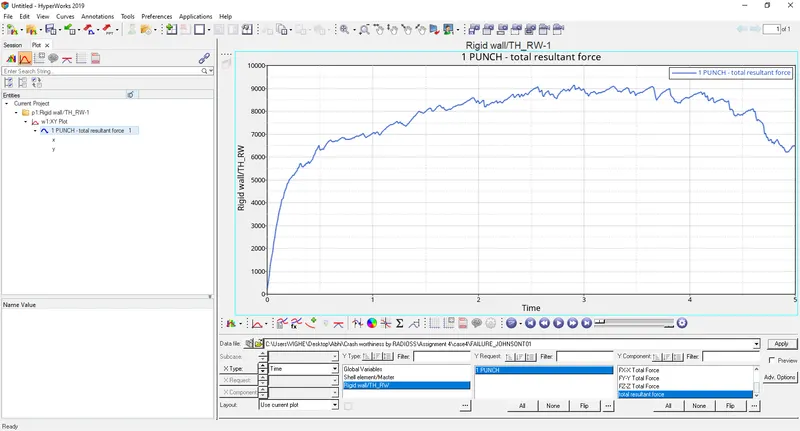
The curve starts from origin since there is no contact between ball and plate. As the ball hits the plate the curve start increasing and then decreases slightly as the elements break.
- Select contact energy, hourglass energy, internal energy, total energy, kinetic energy.
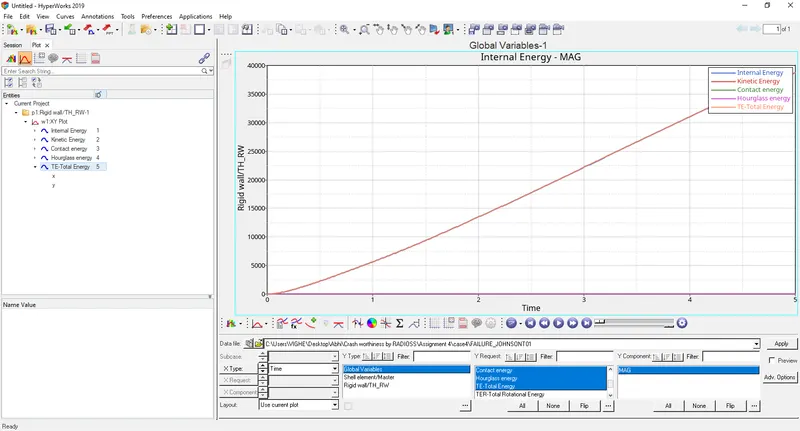
Internal energy
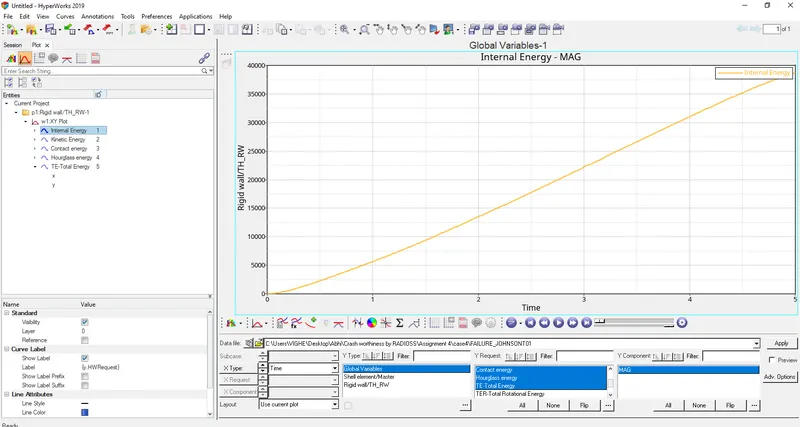
Internal energy starts from origin since no contact between ball and plate and then increases as there is increase in displacement.
Kinetic energy
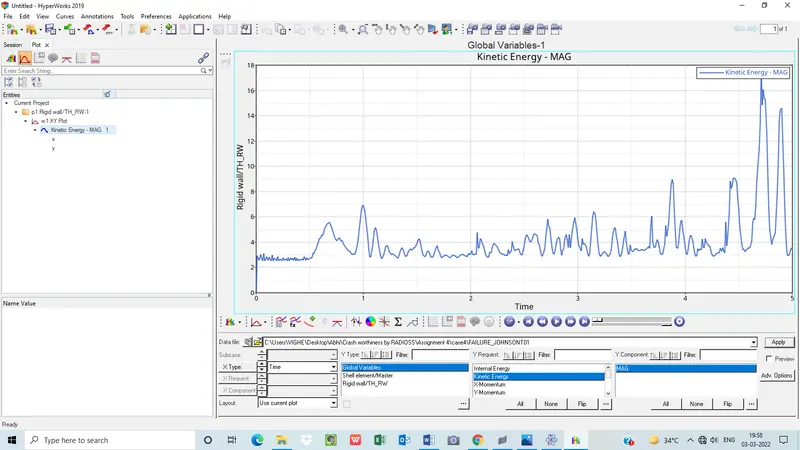
Kinetic energy doesn't starts from origin then increases as ball hits the plate and then decreases as the elements break. The kinetic energy in this case is low.
Contact energy
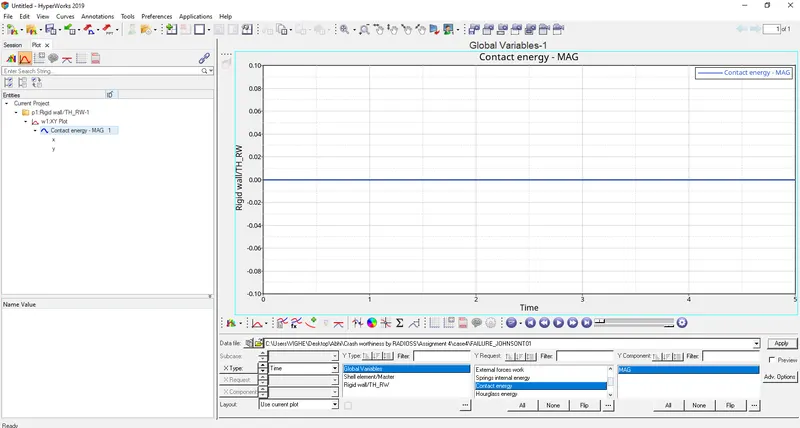
Contact energy is constant since ball is rigid and plate is deformable if both ball and plate were deformable then contact energy increases.
Hourglass energy
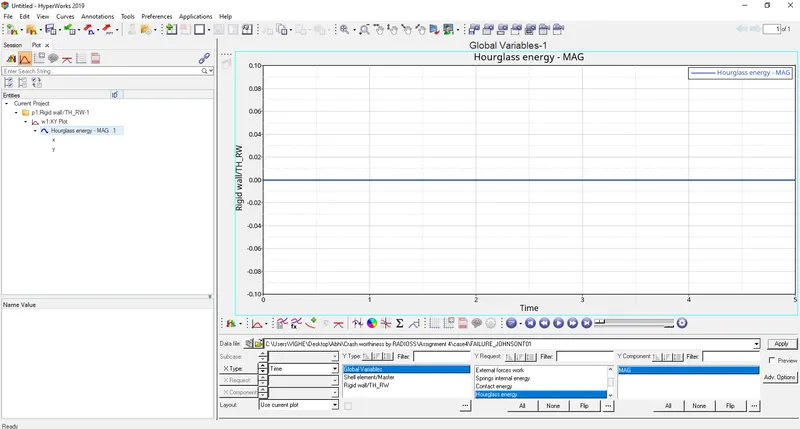
Ishell = 24 QEPH has been assigned in properties because this hourglass energy is constant and zero. No hourglass effect.
Total energy
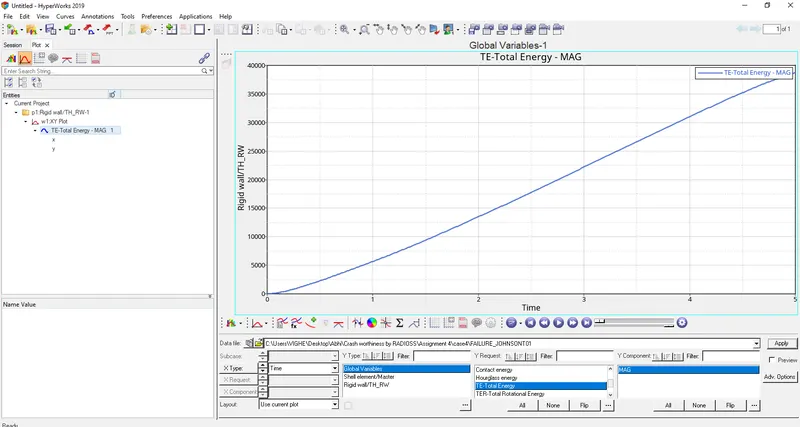
Total energy is sum of internal, kinetic, contact and hourglass energies. It starts at zero and goes on increasing.
CASE 5
Change Material card to Law1. Change it from M2_PLAS_JOHNS_ZERIL to M1_ELAST and don’t change the values of density, poisson’s ratio, Young’s Modulus
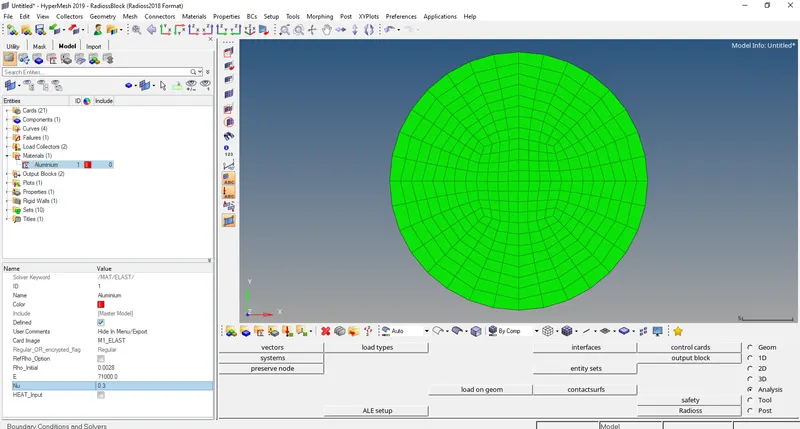
- Run the base simulation by going to Analysis>Radioss>Radioss
Select options= -nt 4
- Now open output file FAILURE_JOHNSON_0001.out file in notepad.
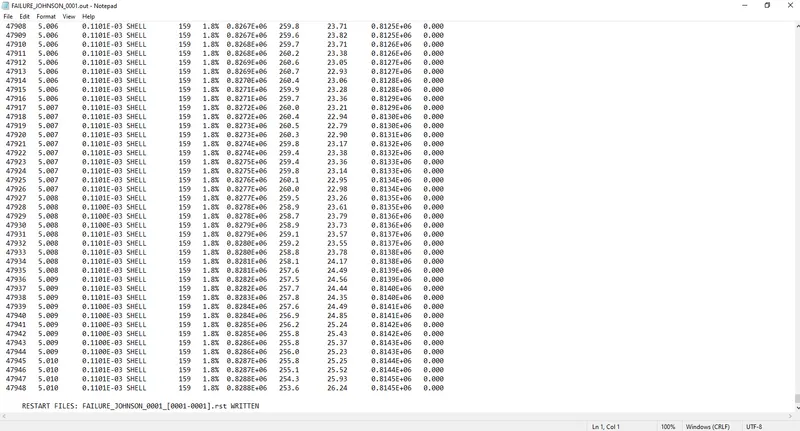
Energy error 1.8%
Mass error: 0
Kinetic energy = 253.6
External work = 0.8145E+06
Internal energy = 0.8288E+06
- In Hyperview open FAILURE_JOHNSON.h3d
- Open contour and select von mises stresses with averaging method as simple.
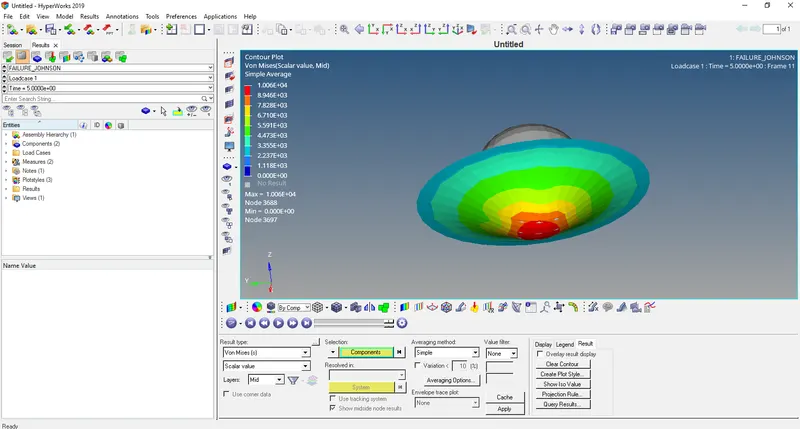
Since here LAW1 card is used the plate so the elements don’t break because of elastic behaviour.
- Open HyperGraph 2D and open file FAILURE_JOHNSONT01
- Select Rigid wall/Rwall-force>4 RIDGID WALL 1>total resultant force
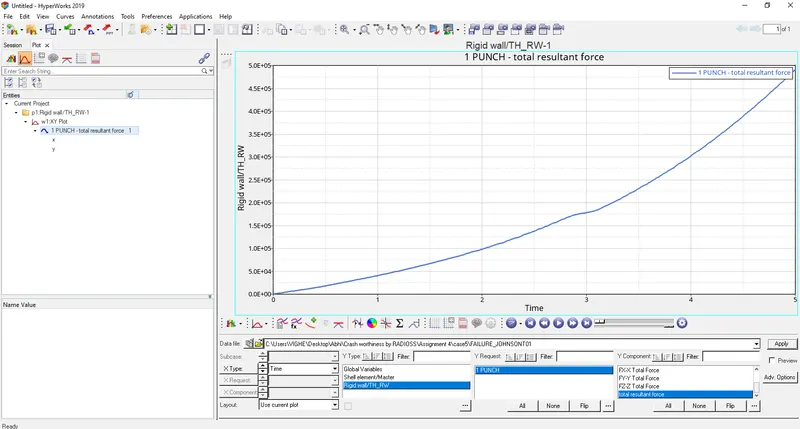
The curve starts from origin since there is no contact between ball and plate. As the ball hits the plate the curve start increasing and keeps on increasing gradually since the elements doesn’t break.
- Select contact energy, hourglass energy, internal energy, total energy, kinetic energy.
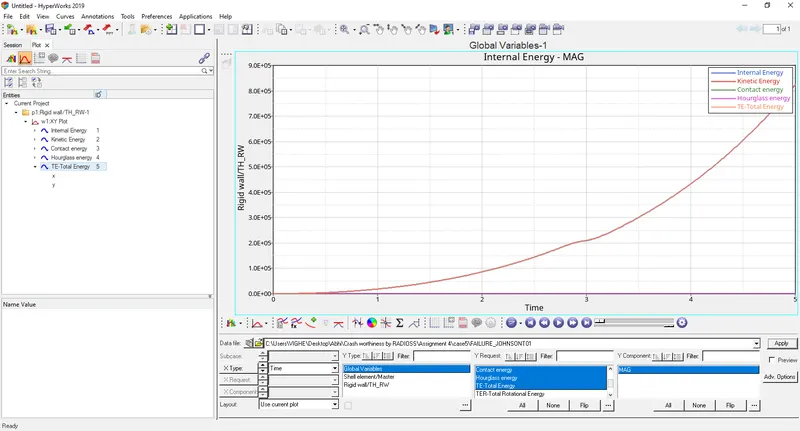
Internal energy
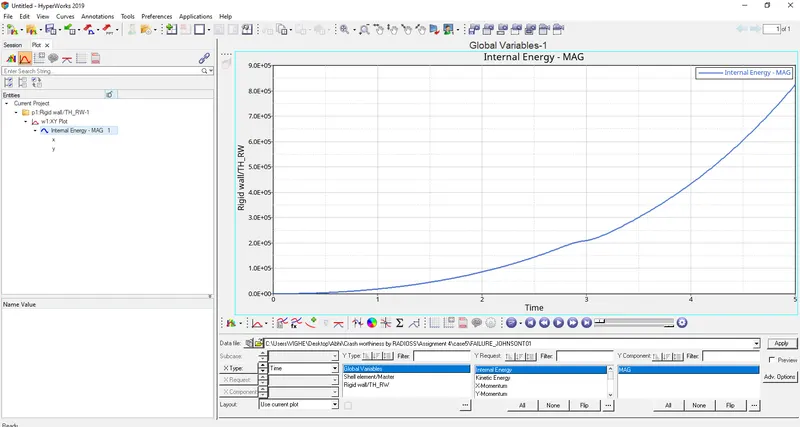
Internal energy starts from origin since no contact between ball and plate and then increases as there is increase in displacement.
Kinetic energy
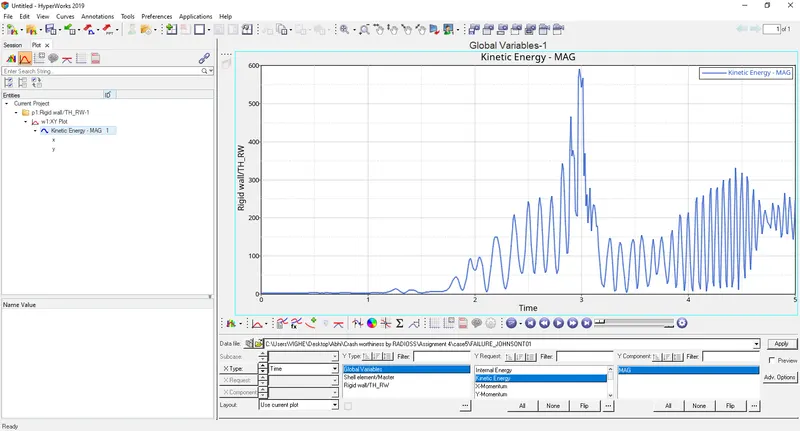
Kinetic energy starts from origin since no initial velocity of the ball and then increases as ball hits the plate and then decreases.
Contact energy
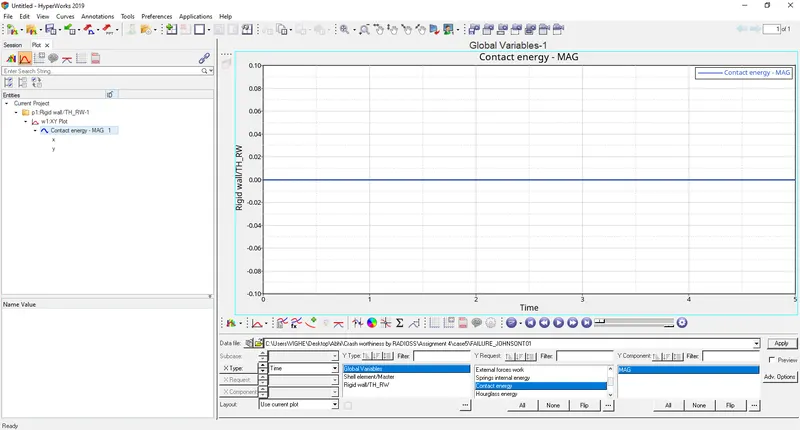
Contact energy is constant since ball is rigid and plate is deformable if both ball and plate were deformable then contact energy increases.
Hourglass energy
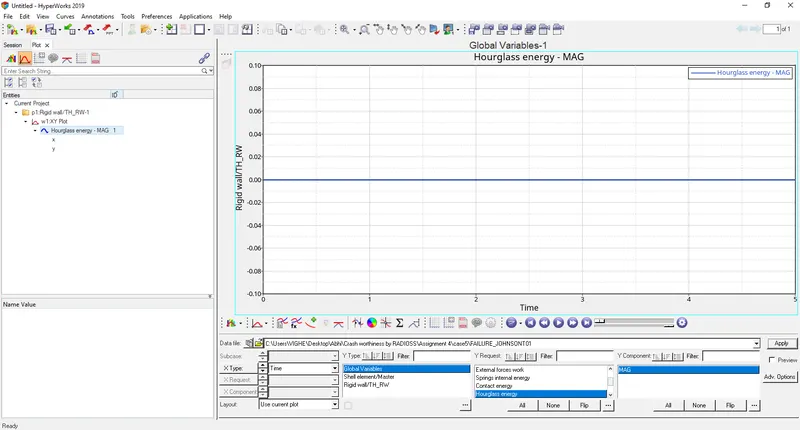
Ishell = 24 QEPH has been assigned in properties because this hourglass energy is constant and zero. No hourglass effect.
Total energy
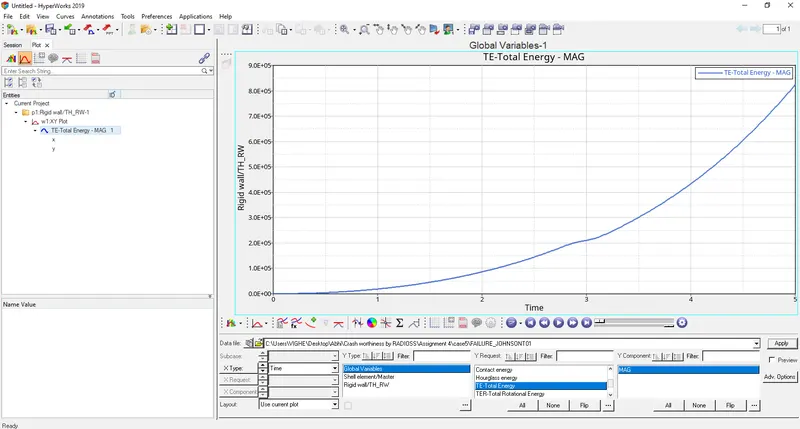
Total energy is sum of internal, kinetic, contact and hourglass energies. It starts at zero and goes on increasing.
CASE 6
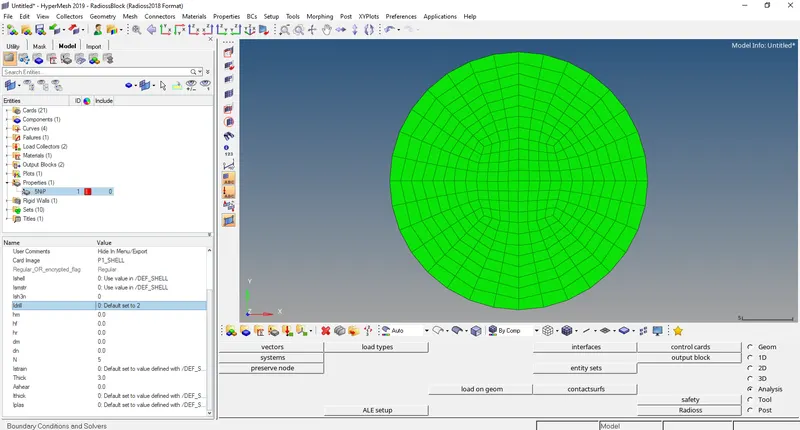
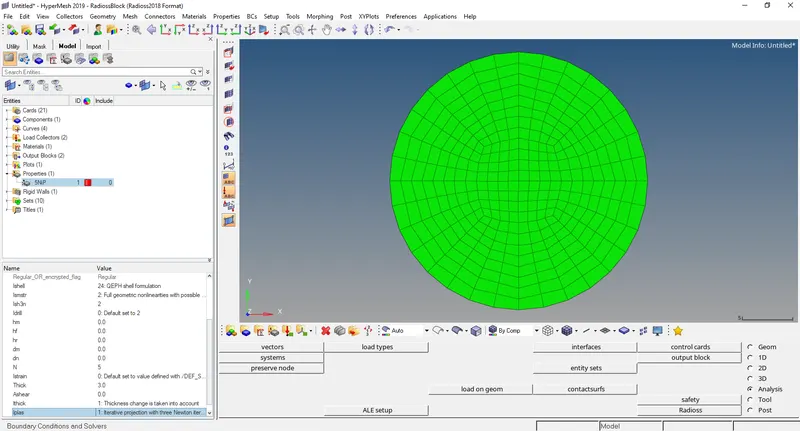
Import Law27_0000.rad and change the shell properties to the recommended properties.
- Run the base simulation by going to Analysis>Radioss>Radioss
Select options= -nt 4
- Now open output file LAW27_0001.out file in notepad.
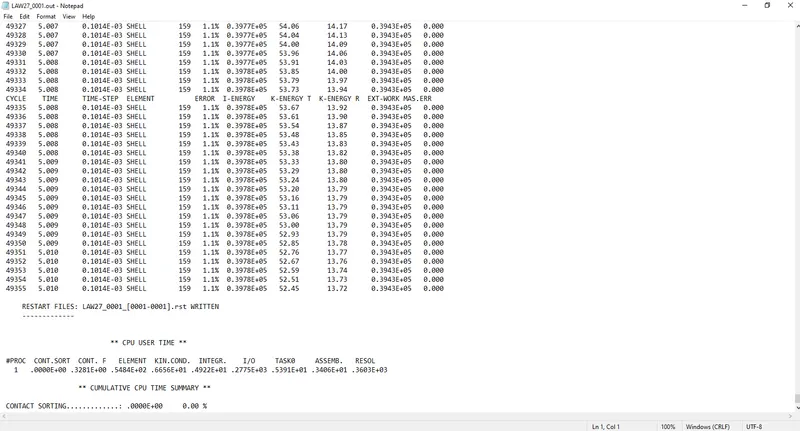
Energy error 1.1%
Mass error: 0
Kinetic energy = 52.45
External work = 0.3943E+05
Internal energy = 0.3978E+05
- In Hyperview open LAW27.h3d
- Open contour and select von mises stresses with averaging method as simple.
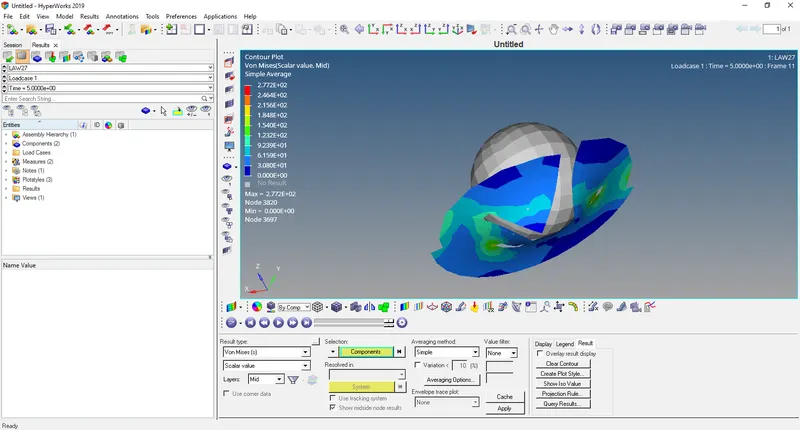
Here the elements will be deleted due to brittleness in LAW27 material card.
- Open HyperGraph 2D and open file LAW27T01
- Select Rigid wall/Rwall-force>4 RIDGID WALL 1>total resultant force
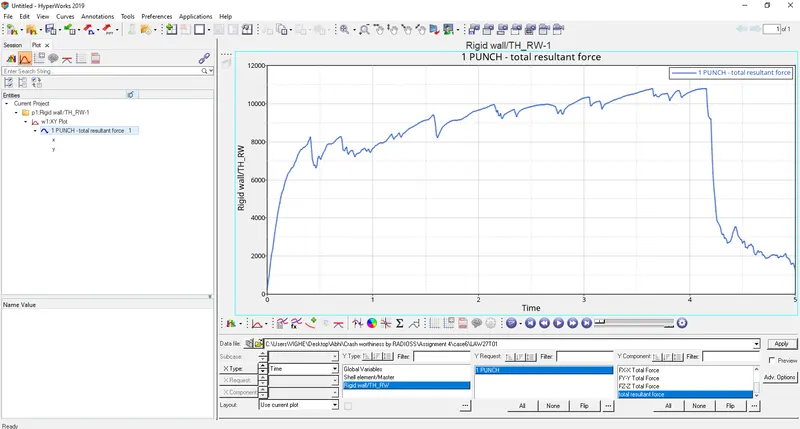
The curve starts increasing due to contact between ball and plate and then decreases due to deletion of elements.
- Select contact energy, hourglass energy, internal energy, total energy, kinetic energy.
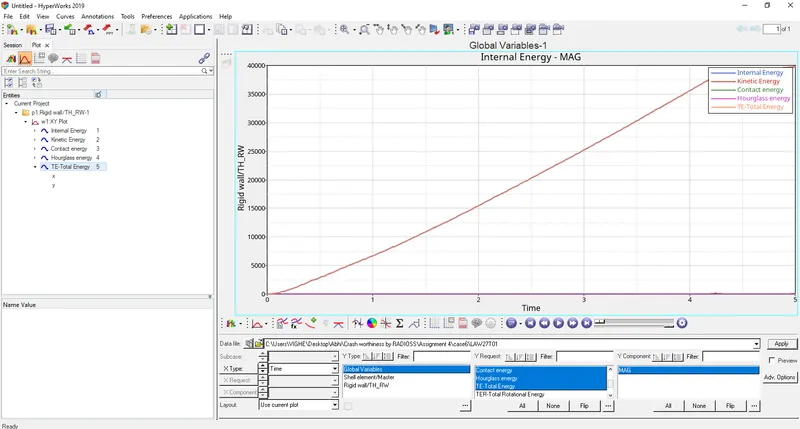
Internal energy
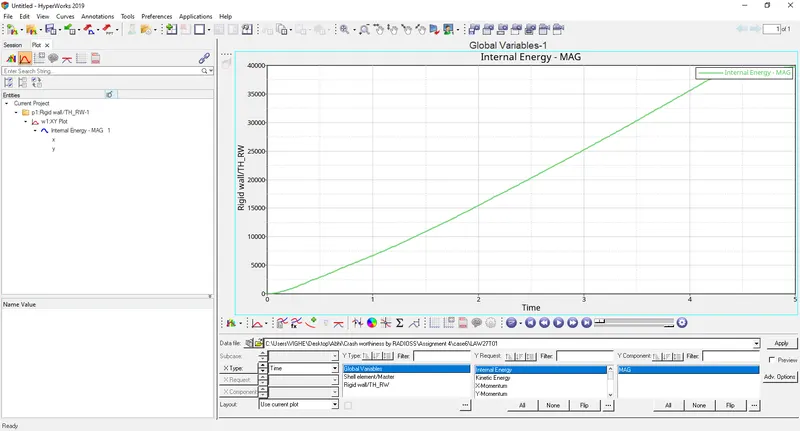
Internal energy starts from origin since no contact between ball and plate and then increases as there is increase in displacement.
Kinetic energy
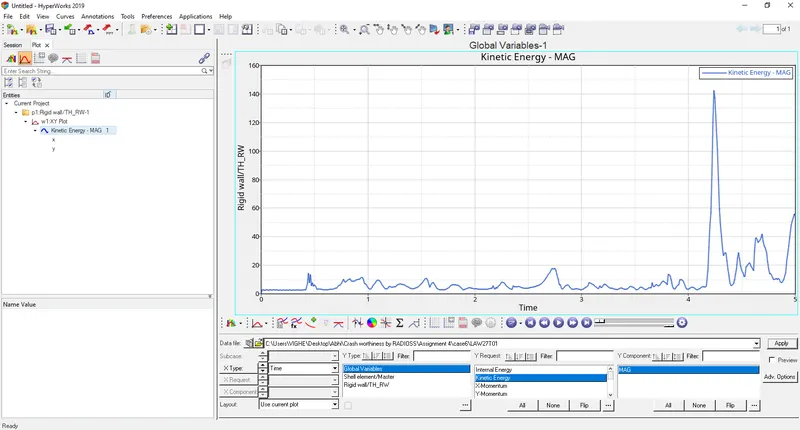
Kinetic energy starts from origin since no initial velocity of the ball and then increases at around 4 ms as ball hits the plate and then decreases.
Contact energy
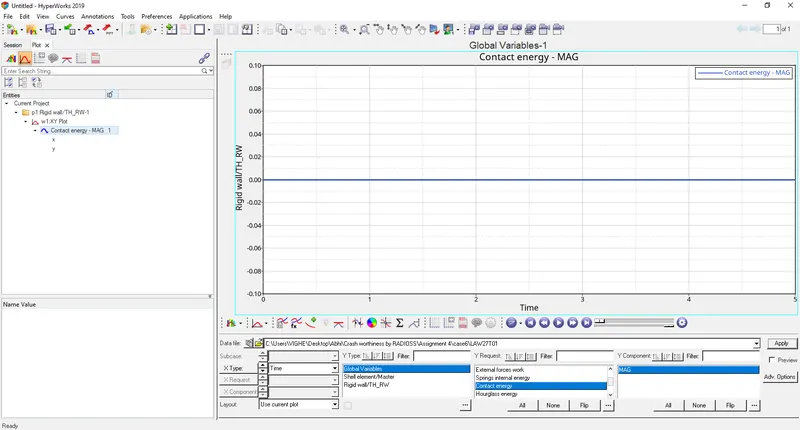
Contact energy is constant since ball is rigid and plate is deformable if both ball and plate were deformable then contact energy increases.
Hourglass energy
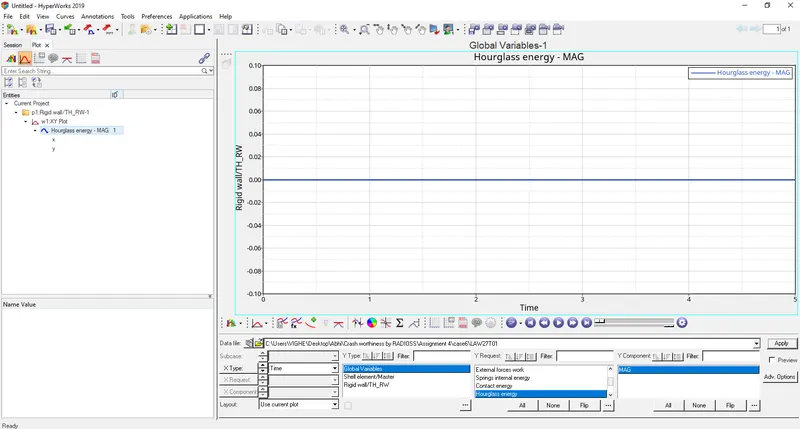
Ishell = 24 QEPH has been assigned in properties because this hourglass energy is constant and zero. No hourglass effect.
Total energy
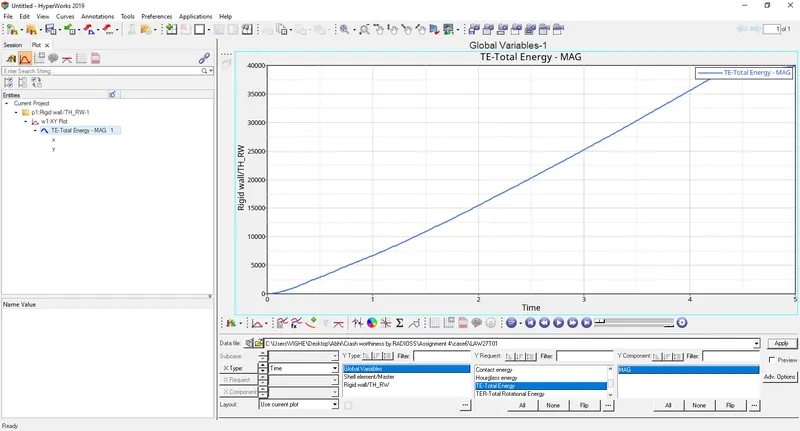
Total energy is sum of internal, kinetic, contact and hourglass energies. It starts at zero and goes on increasing.
CASE 7
Change the material card to LAW36 and change the recommended properties.
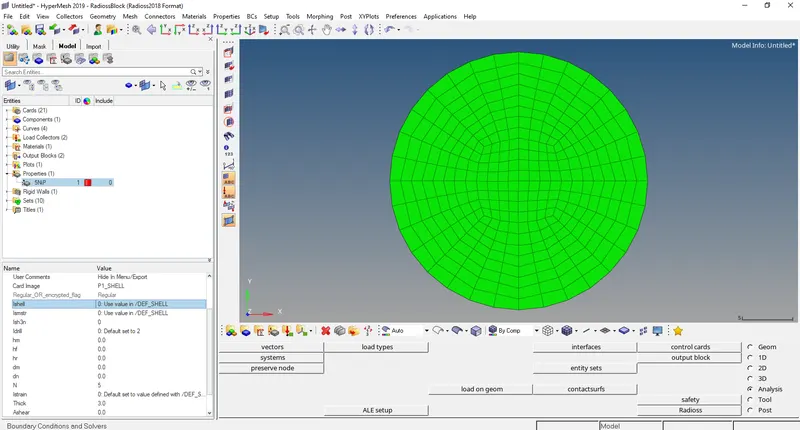
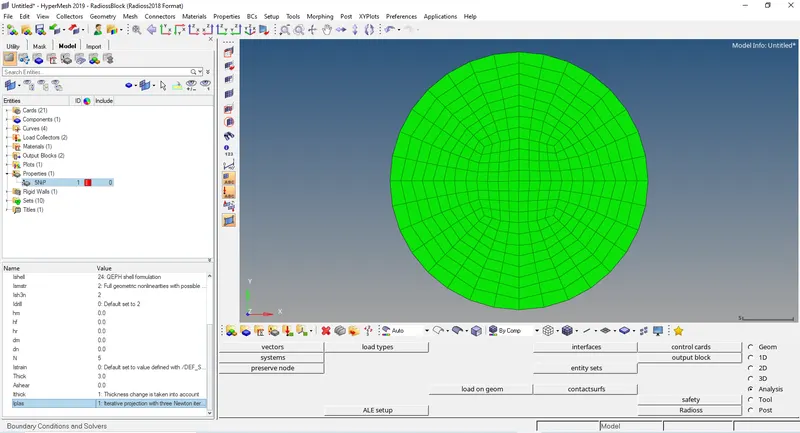
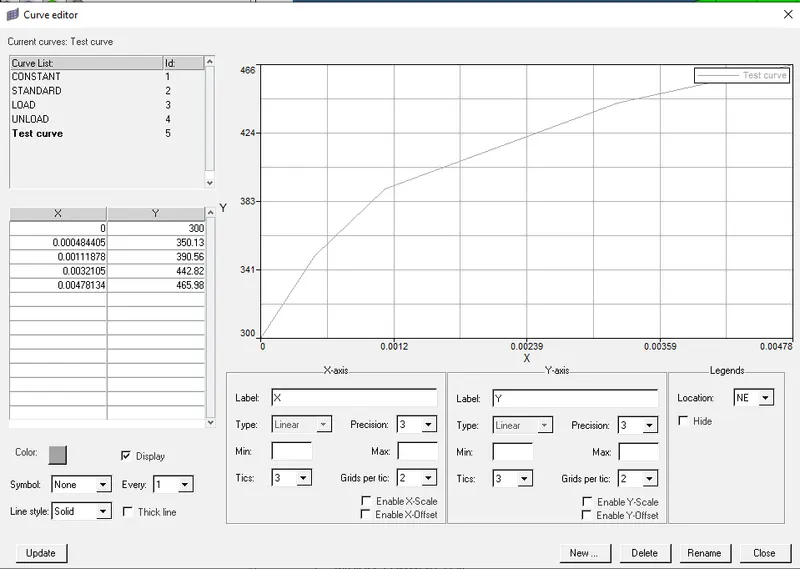
Now we generate a stress strain curve. Since we want plastic curve we input value of plastic strains and corresponding stresses.
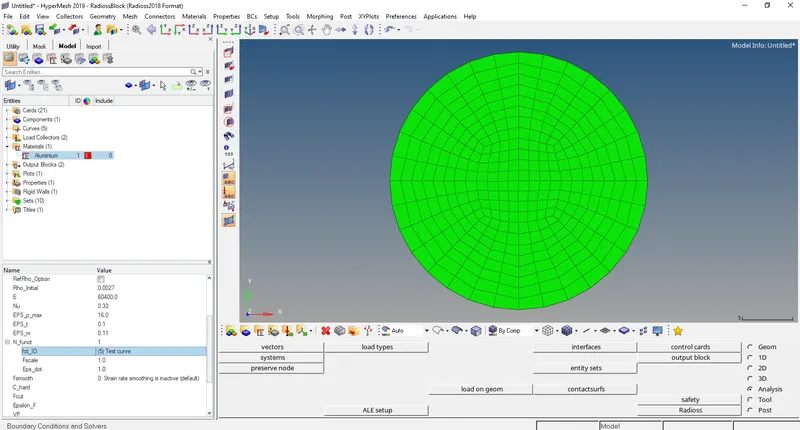
Apply this curve on material card
- Run the base simulation by going to Analysis>Radioss>Radioss
Select options= -nt 4
- Now open output file LAW27_0001.out file in notepad.
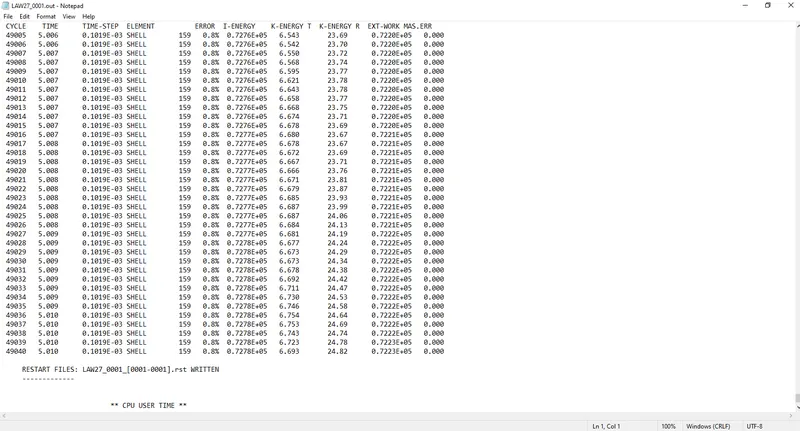
Energy error 0.8%
Mass error: 0
Kinetic energy = 6.693
External work = 0.7223E+05
Internal energy = 0.7278E+05
- In Hyperview open LAW27.h3d
- Open contour and select von mises stresses with averaging method as simple.
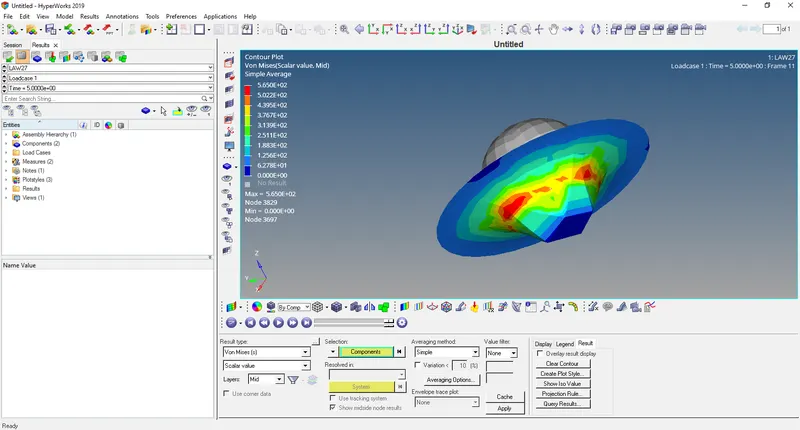
The material card LAW36 is elastic and plastic the elements here get stretched too far and then are deleted after breaking.
- Open HyperGraph 2D and open file LAW27T01
- Select Rigid wall/Rwall-force>4 RIDGID WALL 1>total resultant force
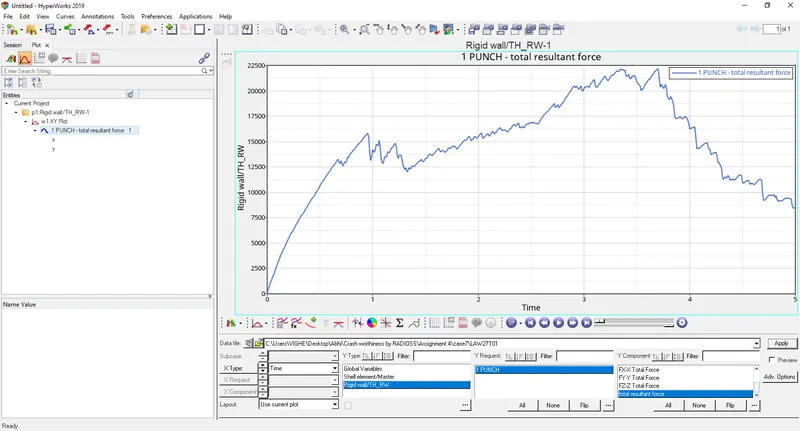
The curve starts increasing due to contact between ball and plate and then decreases due to deletion of elements.
- Select contact energy, hourglass energy, internal energy, total energy, kinetic energy.
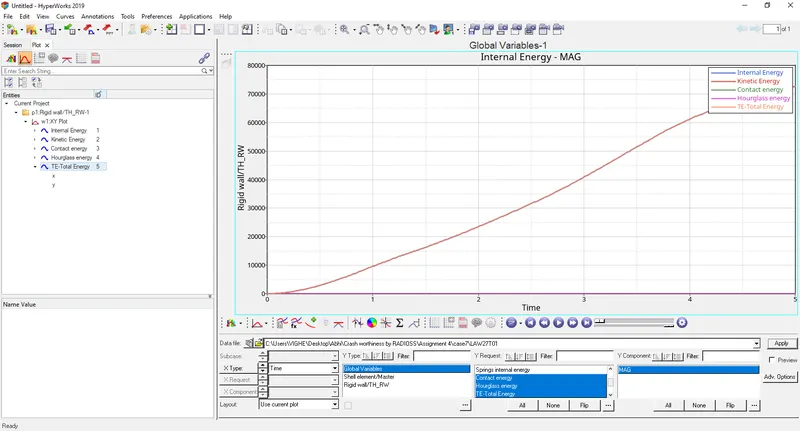
Internal energy
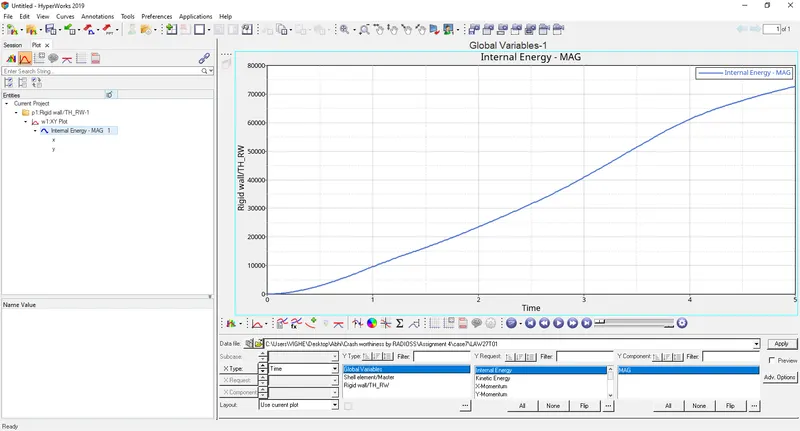
Internal energy starts from origin since no contact between ball and plate and then increases as there is increase in displacement.
Kinetic energy
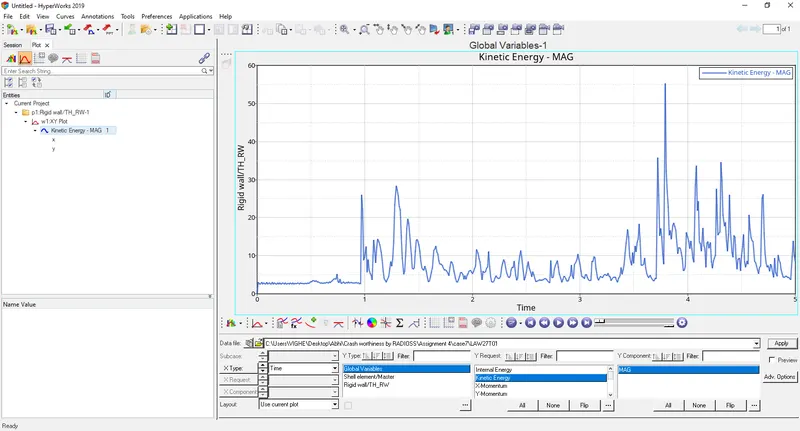
Kinetic energy starts from origin since no initial velocity of the ball and then increases at around 4 ms as ball hits the plate and then decreases.
Contact energy
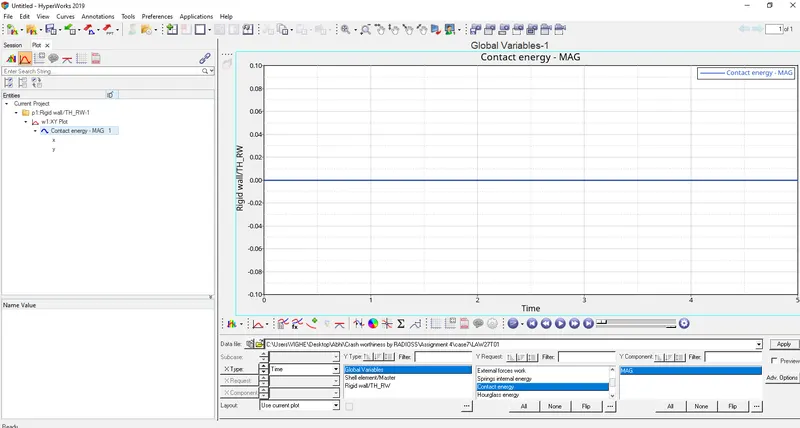
Contact energy is constant since ball is rigid and plate is deformable if both ball and plate were deformable then contact energy increases.
Hourglass energy
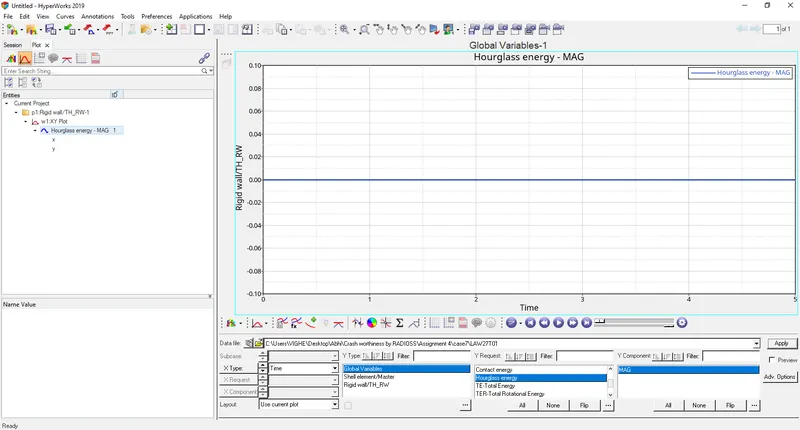
Ishell = 24 QEPH has been assigned in properties because this hourglass energy is constant and zero. No hourglass effect.
Total energy
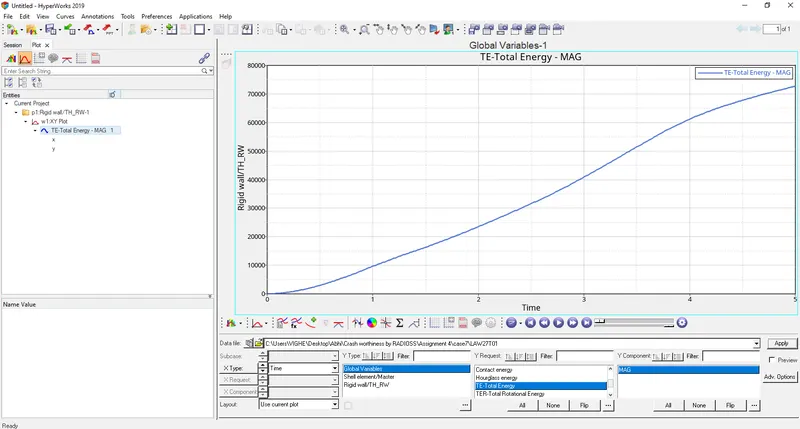
Total energy is sum of internal, kinetic, contact and hourglass energies. It starts at zero and goes on increasing.
Comparison between all the cases
|
|
Case 1 |
Case 2 |
Case 3 |
Case 4 |
Case 5 |
Case 6 |
Case 7 |
|
Energy error |
0.2 |
4% |
0.8% |
1.1% |
1.8% |
1.1% |
0.8% |
|
Internal energy |
0.2724E+05 |
0.3053E+05 |
0.2717E+05 |
0.3882E+05 |
0.8288E+06 |
0.3978E+05 |
0.7278E+05 |
|
Kinetic energy |
95.27 |
159.6 |
59.07 |
3.822 |
253.6 |
52.45 |
6.693 |
|
Hourglass energy |
Constant hourglass energy |
Constant hourglass energy |
Constant hourglass energy |
Constant hourglass energy |
Constant hourglass energy |
Constant hourglass energy |
Constant hourglass energy |
|
Mass error |
0 |
0 |
0 |
0 |
0 |
0 |
0 |
|
External energy |
0.2737E+05 |
0.2954E+05 |
0.2707E+05 |
0.3841E+05 |
0.8145E+06 |
0.3943E+05 |
0.7223E+05 |
Conclusion: After comparing the simulations and results of all the 7 cases the case 7 represents on-field scenario this is because of elastic and plastic nature of LAW36.