Assignment 4-RADIOSS Material Laws Challenge
AIM: To perform analysis for a given model on different material laws and study the behaviour of failiue, stresses and all other aspects corresponding to the material
the simulation is done in 7 different cases with respect to different material and properties selected
The cases that are to be performed ae as given
- CASE1:Run the model as it is and name it as Law2_epsmax_failure
- CASE2:in FAIL/JOHNSON/ cahnge the values of Ifail_sh=1,Dadv=1,Ixfem=1 and run the model as Law2_epsmax_crack
- CASE3:delete the FAIL/JOHNSON card and run it as Law_epsmax_nofail
- CASE4:delete the value of EPS_p_max and run it as LAW2
- CASE5:change the card as Law1 with the same values of density,possions ratio,youngs modulus
- CASE6:open LAW27_0000.rad file and run it with the prefered properties as of previous challange
- CASE7:change the card to LAW36-plast_tab with the same values as of law27
Lets first peform the analysis and then we will be evalvatinng the results
CASE1:
- ope the solver deck , and import the FAILURE_JOHNSON_0000.rad file
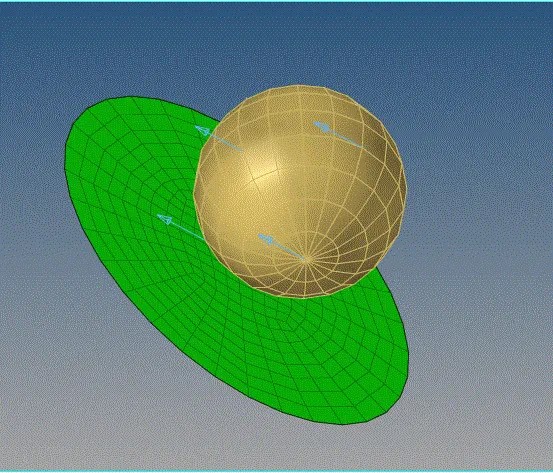
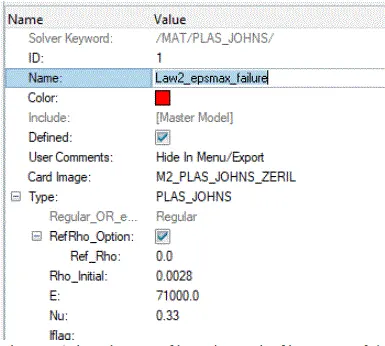
- here we are running the model with out any changes and run it in the name of Law2_epsmax_failure
- go to analysis
- save in the .rad file in the corresponding destination file folder as case1 ,as all the analysis reated files are storedin here
- check the INCLUDE CONNECTORES box, set export type as ALL, because even if we hide any component while exporting it will be included
- type in for options as "-nt 4", and run the analysis

- a solver file, pops up . it is nothing but the solver solving our numerical itterations
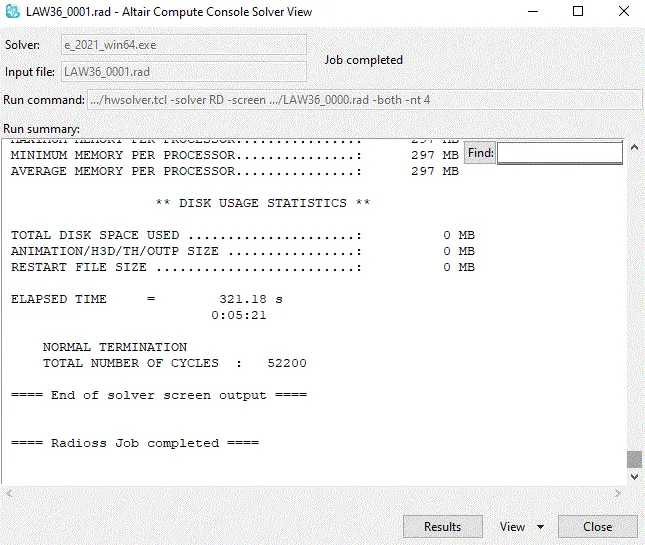
- once it is finished, it shows RADIOSS JOB COMPLETED, If there is any error in the input paremeters it will sho as RADIOSS FAILURE
- Once results ae extracted , go to hyperview and visuvalize the results of various characteristics
- from the 0001.out fie to read the energy error, mass error, simulation time,no of cycles
CASE2:
- go to failure card and set in the values of f Ifail_sh=1,Dadv=1,Ixfem=1 and update
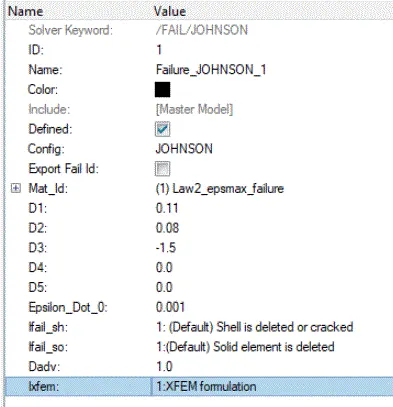
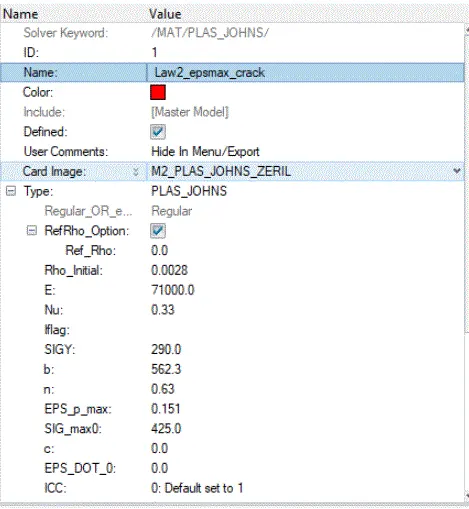
- save the name as Law2_epsmax_crack and same the the destiation folder as CS2
- run the simulation
- smiliarly in the above case once we start analisis, solver deck appears and runs the simulation
- go to hyper view extract the result and plot the results on hypergraph
CASE3:
- Now from the model browser, select the failure card and delete the card
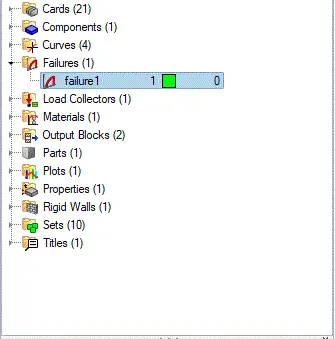
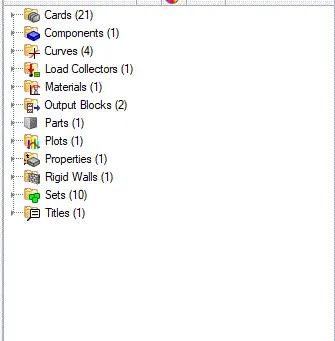
- once the card it deleted name it as Law2_epsmax_nofail and run the simulation
- set the destination folder name as CASE3
- extract all the results
CASE4:
- GO to model tree>material card> change the EPS_p_max value as 0
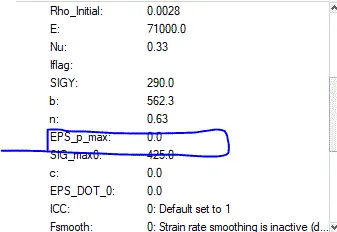
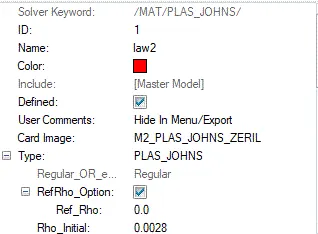
- also change the name as LAW2 and save it in folder as CASE4
- run the simulation
CASE5:
- now note the values of Rh0,nu,E as in the preview simulation
- not change the material card as M1_ELAST, fill the values of rho, nu, E as 0.0028,71000,0.33 respectively
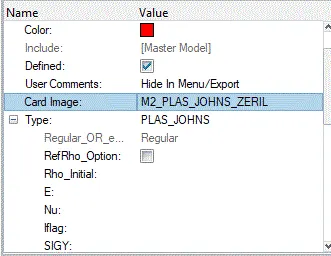
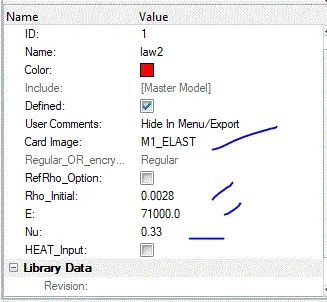
- save the model as law2 and destination folder as case 5
- run the simulation
CASE6:
- Now import a new file entirely i.e, LAW27_0000.rad file
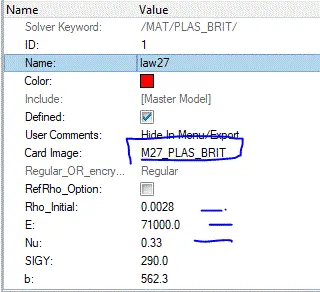
- run the model as it is with any changes and name it as LAW27
- set in the destination folder as CASE6 and run the simulation
CASE7:
- here go to modeltree> materials
- change the CARD IMAGE from M27_PLAST_BRIT to M36_PLASR_TAB
-
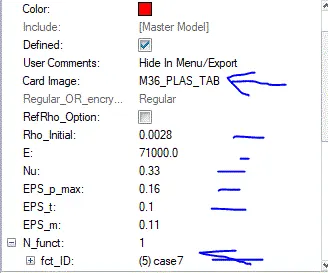
- once the card immage is changed , we have to fill in the new values of EPS_p_max=0.16,EPS_t=0.1, EPS_m=0.11 N_funct=1, fct_ID which is the ploted material graph
- whose values are pre defined for law36
- input values of the graph has to be set in
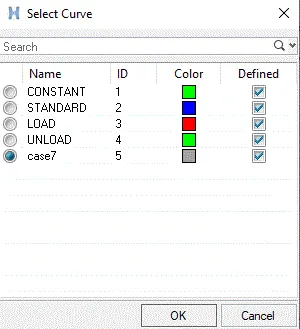
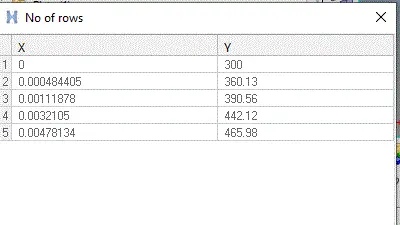
- save the name as , LAW36 with det as CASE7
- run tne simulation, here if we do not assign the graph , solver will show an error as, stater file error
- if given correctly soler will run the simulation
NOTE: save all these files in a different folders as case 1..., because it makes easy to simulate the results easily , and also solver produces a lot of new files
COMPARISION OF RESUTS AMONG 7 CASES:
inorder toknow the valuees of energy error, mass error,simulation time,total number of cycles go to 0000.out files in the destination folder which give us the entire information of the solver
lets compare as case by case
CASE1;
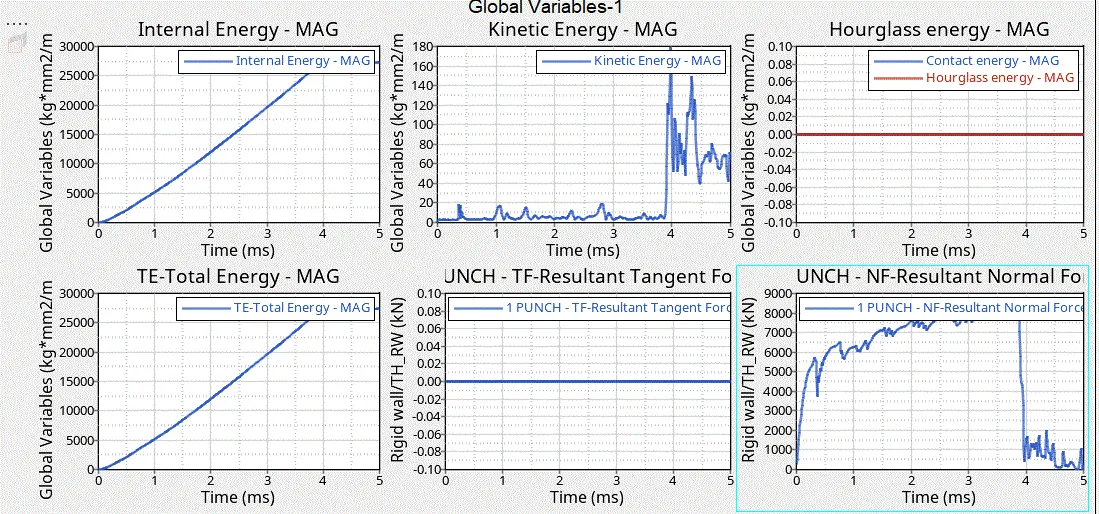
- the cycle is run as it is with out any change in the stater files
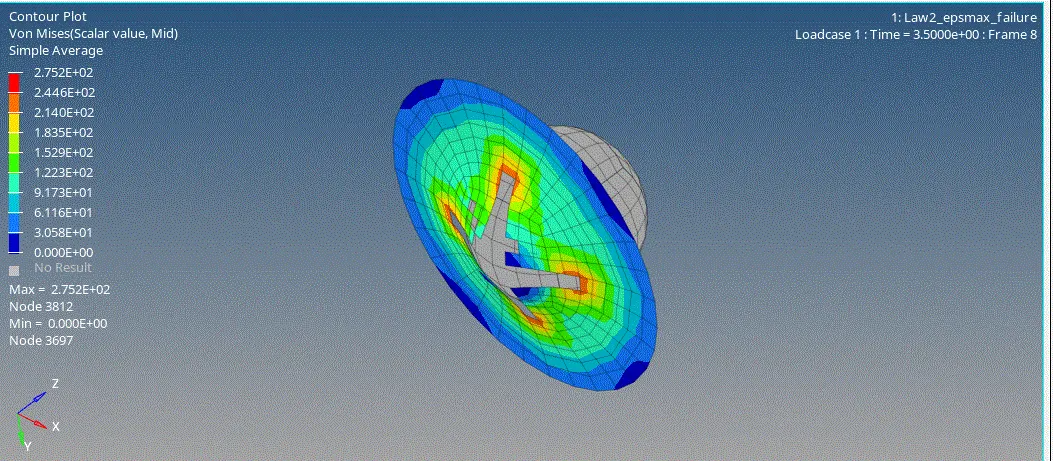
- annimated view is as shown, and observe the failure
- as we can see the hour glass and cantact energy are constant through out because of prefered shell properties of reduced integaration scheme
- at the point of internal energy becomming constant or deviatiing from the linesr nature, there is peak in the kinectic energy
- FAILURE happen at the peak of internal and kinetic energy at 3.8 sec approximately
CASE2:
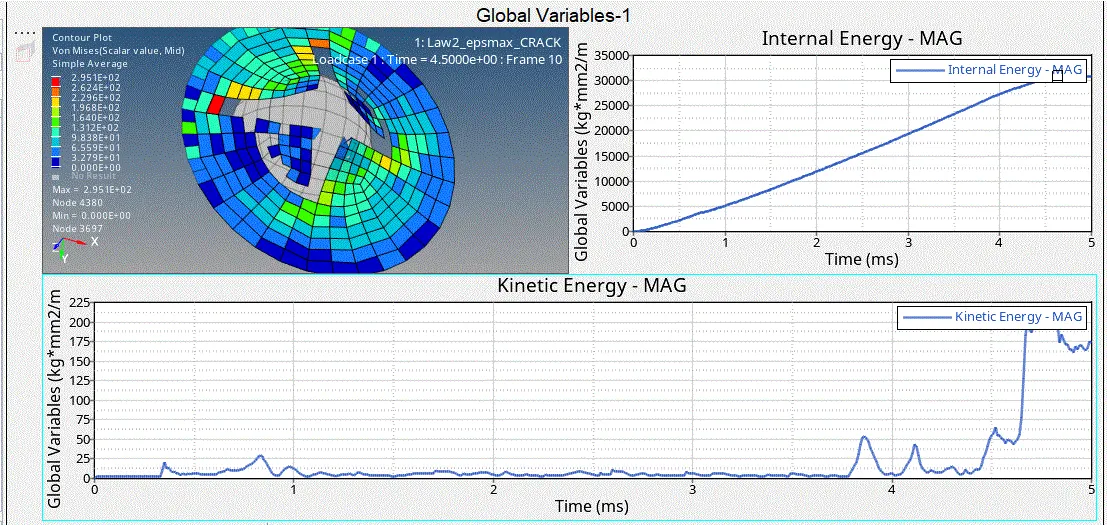
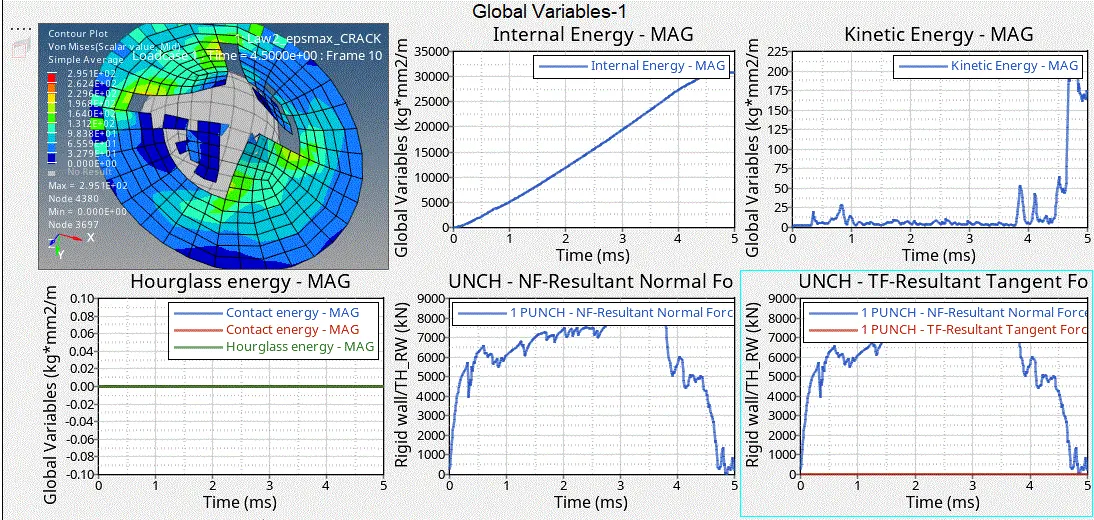
- As we have updated the failure card with the values of Ifail_sh=1,Dadv=1,Ixfem=1 we certaimnly see the changes in the analysis
- here crack occurs even before the peak point of internal and kinectic energy which happens to be at 4.4 sec and peack occursa at 4.8sec
- hour glass and cantact energy are constant through out because of prefered shell properties of reduced integaration scheme
- at the point of internal energy becomming constant or deviatiing from the linesr nature, there is peak in the kinectic energy
- we could see a little rise in stress campared to case1
CASE3:
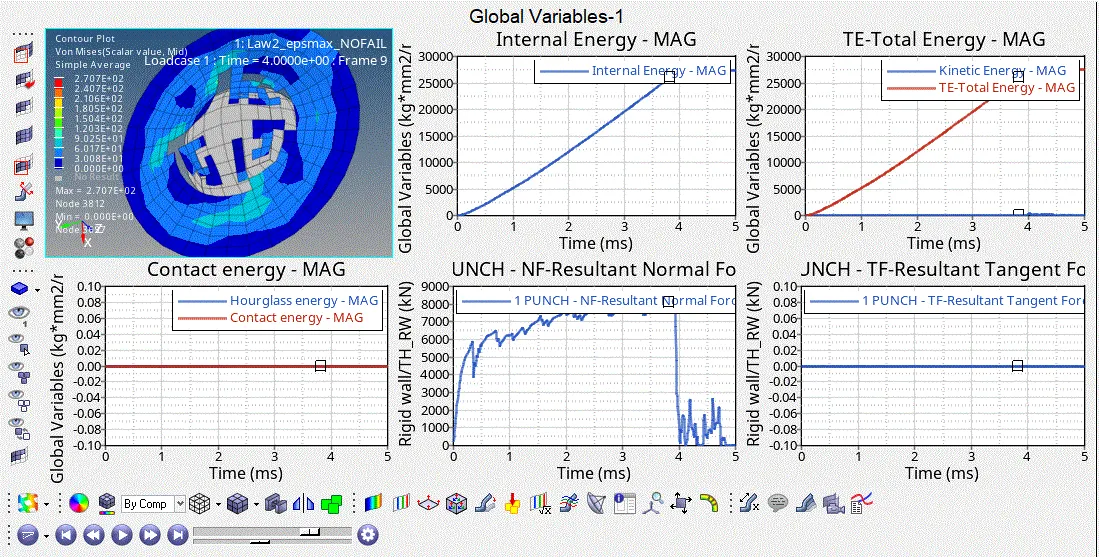
- hour glass and cantact energy are constant through out because of prefered shell properties of reduced integaration scheme
- at the point of internal energy becomming constant or deviatiing from the linesr nature, there is peak in the kinectic energy
- it shows results close to the case1, so we can clearly under stand the difference between the failure and no failure card with refrence to crack we produced in case2
CASE4:
- we have change the value of EPS_p_max to zero
- hour glass and cantact energy are constant through out because of prefered shell properties of reduced integaration scheme
- at the point of internal energy becomming constant or deviatiing from the linesr nature, there is peak in the kinectic energy
- there a huge raise in streeses , controraly decline in the displacement
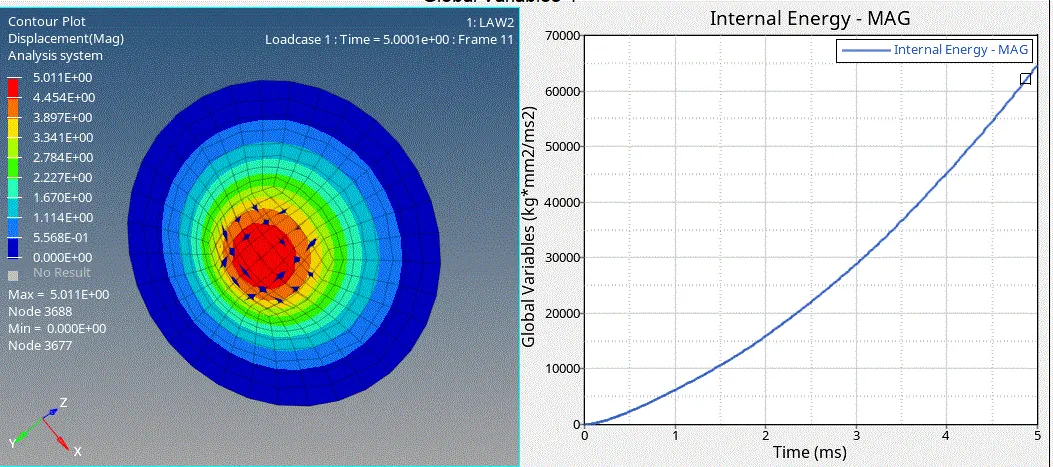
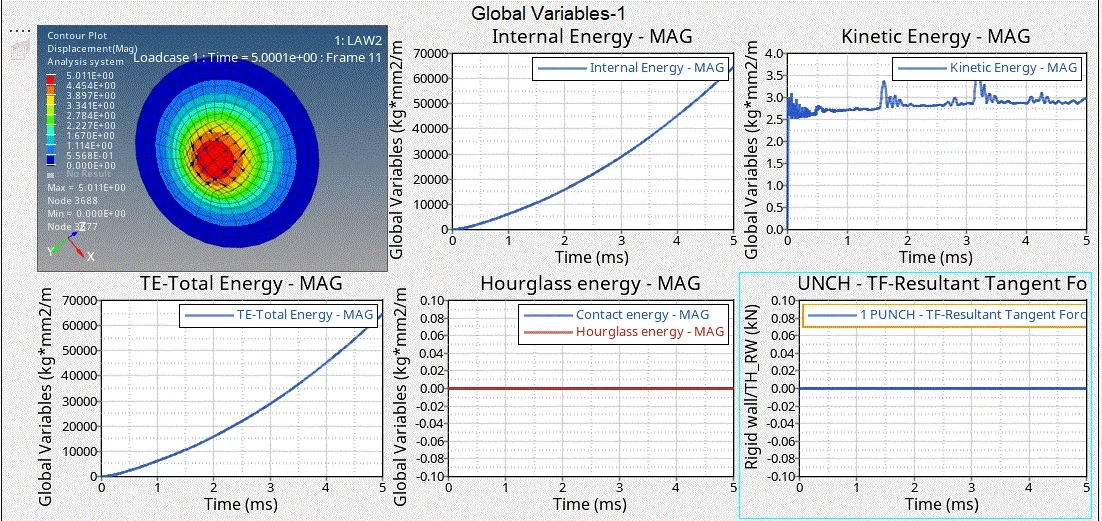
- there is great change in the kinectic energy compared to the previous cases,as there is a peak occuring even at the start of the process
- as it is a elactic property, KE is acting at the very begunning itself
CASE5:
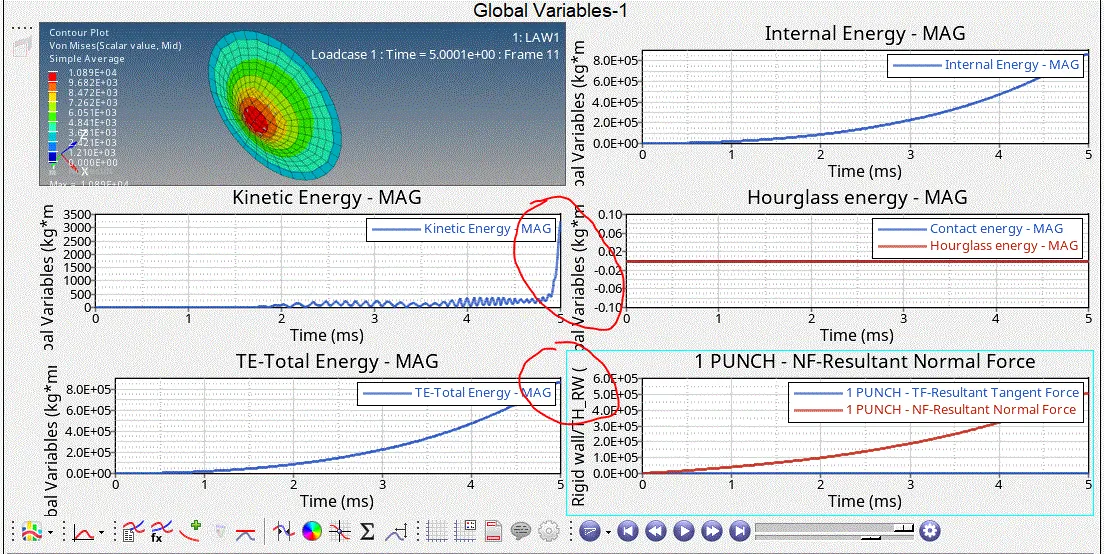
- hour glass and cantact energy are constant through out because of prefered shell properties of reduced integaration scheme
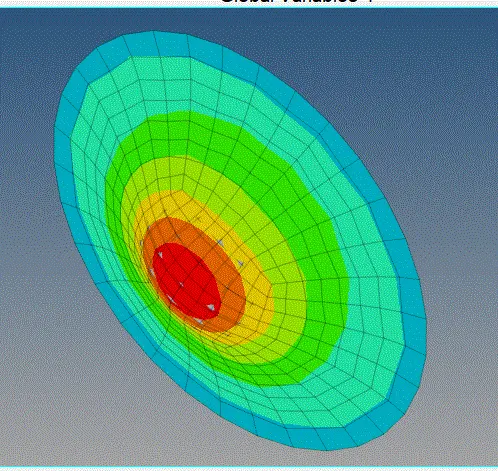
- AS material card in M1_ELAST it is purly of elestic naturre, no failure occur flow elastic behaviour and regains its shape
- also, all the values of stresses are maxium at the end i.e, at the peak point
- hare KE does not behavive as earlier cases a i.e, no constant behaviour after peak point,here peck point is the end stress
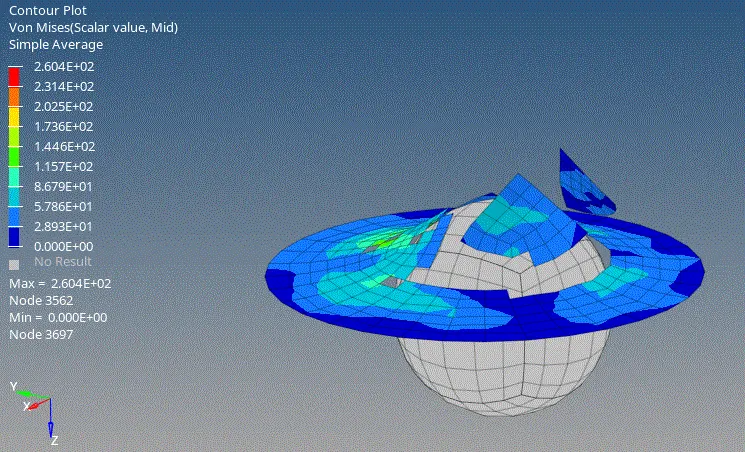
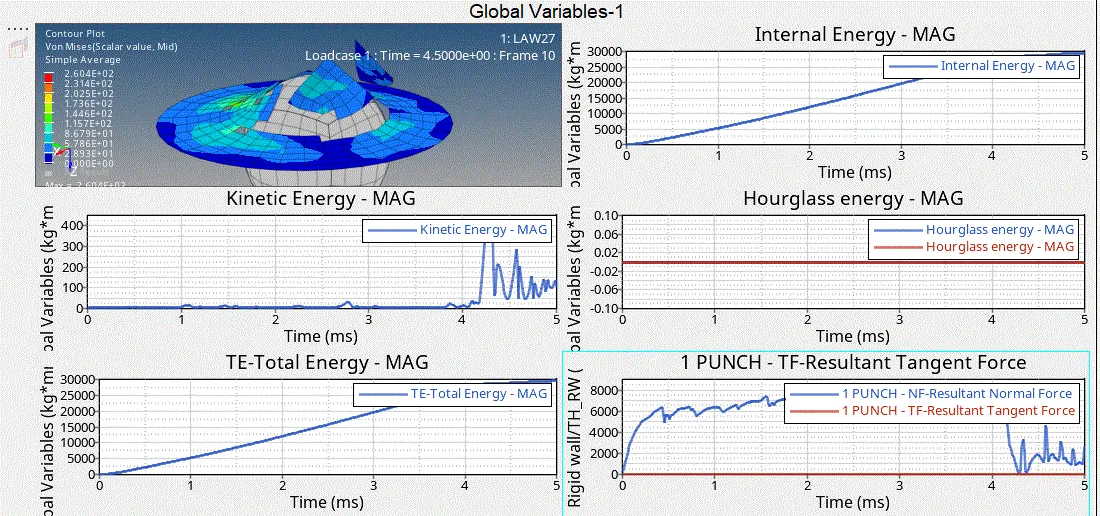
CASE6:
- AS it is a file of material card M27_PLAST_BRIT, changes in behaviour of material is seen, compared to earlier cases
- it is a brittle card and failure occures at earlier compared to other cases
- our glass and cantact energy are constant through out because of prefered shell properties of reduced integaration scheme
CASE7:
- new values of EPS_p_max=0.16,EPS_t=0.1, EPS_m=0.11 N_funct=1, fct_ID which is the ploted material graph
- whose values are pre defined for law36
- After the simulation, results are extracted and as shown
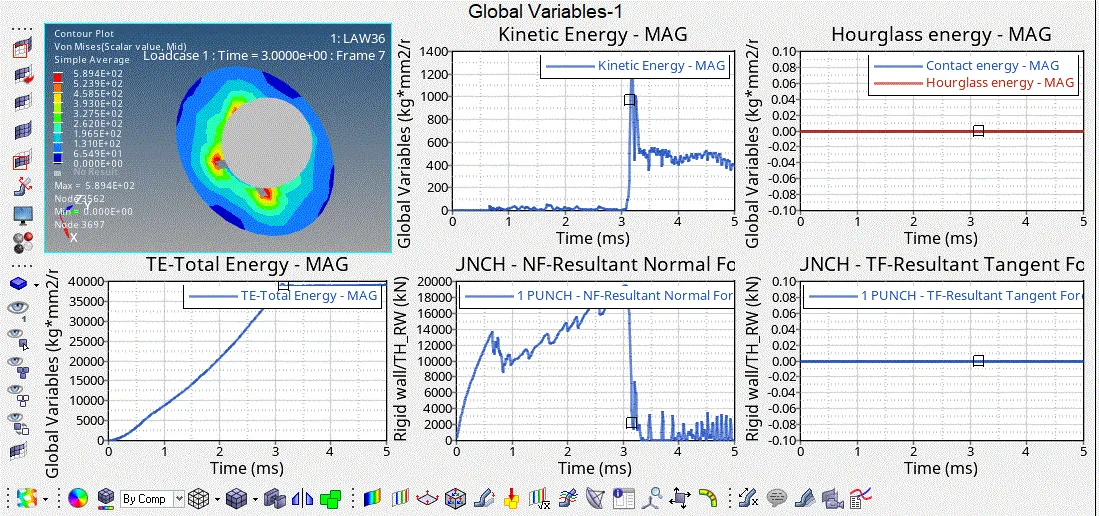
- As you can see the volmissles, displace ment are maxium in this case compared to all the cases
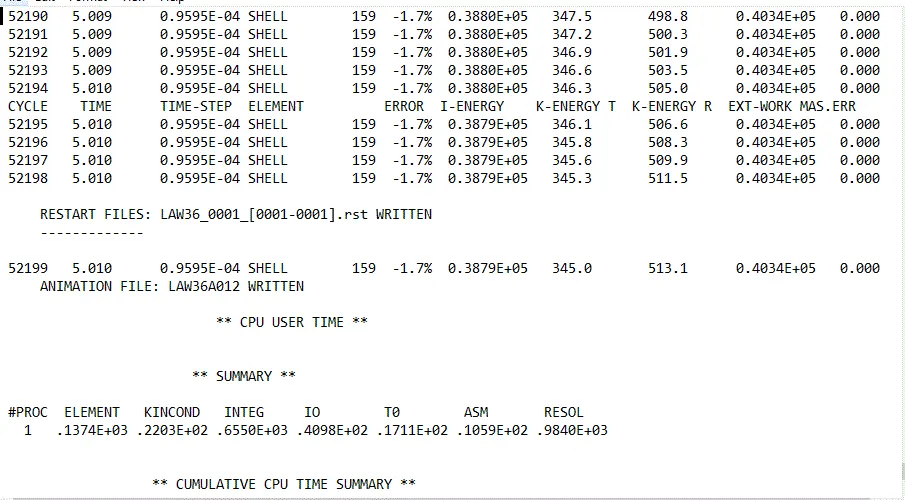
- even the, no of cycles, and simulation time are considerably high, but the energy error is relatibly very low comparee to all
- in th e graphs, we can see that CONTACT,HOURGLASS energy are constant
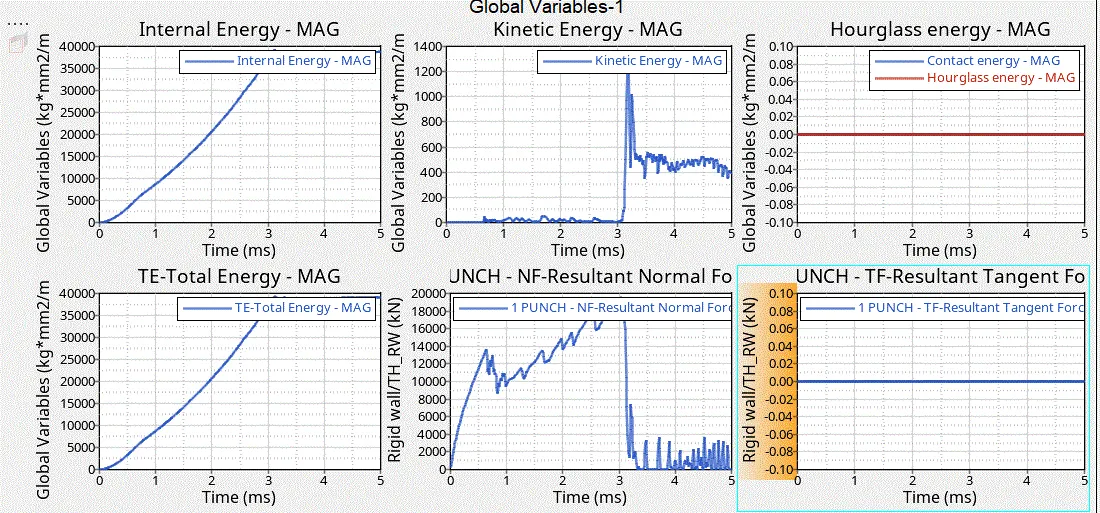
Note: extraction of the results can be seen in the .out file this is as shown below
A tabular column of all the compared results are as given
| VON-MISSES | DISPLACEMENT | SIMULATION TIME(sec) | CYCLES | ENERGY ERROR | MASS ERROR | CASE |
| 2.75e+2 | 15.86 | 319 | 49380 | 0.8% | 0 | CASE1 |
| 2.951e+2 | 12.72 | 377 | 49217 | 4% | 0 | CASE2 |
| 2.707e+2 | 19.32 | 313 | 49408 | 0.8% | 0 | CASE3 |
| 4.25e+2 | 5.01 | 300 | 48737 | 3% | 0 | CASE4 |
| 1.089e+4 | 5.03 | 314.4 | 47969 | 1.3% | 0 | CASE5 |
| 2.857e+2 | 16.66 | 339.37 | 49508 | 0.8% | 0 | CASE6 |
| 5.942e+2 | 47.33 | 456.82 | 52200 | -1.7% | 0 | CASE7 |
CONCLUSION:
- behaviour change of the material is understood base on the respective material cards
- how to compare results with graphs
- importance of prefered properties and its effect in the simulation