Assignment 3
Aim- Comparison of crash beam file with base simulation without material property and improved material property, along with run time and animation step. Also have to find energy error and mass error along with various output result plot of internal energy, contact energy, total energy, and force.
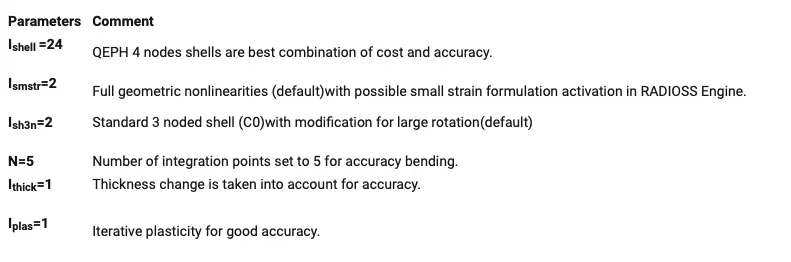
Recommended Property.
Theory-
Energy and mass Error-
Energy error must be decreasing and negative, an error must be less than 15% at the end and it has 5% for a better result, some time error increase and decrease can be acceptable. So error should be at most -15% and better to have -5%. The mass error must be very low somewhere between 0-1.
Kinetic Energy-
The kinetic energy (KE) of an object is the energy that it possesses due to its motion. It is defined as the work needed to accelerate a body of a given mass from rest to its stated velocity. Having gained this energy during its acceleration, the body maintains this kinetic energy unless its speed changes.
Internal Energy-
Internal energy is defined as the energy associated with the random, disordered motion of molecules. It is separated in scale from the macroscopic ordered energy associated with moving objects; it refers to the invisible microscopic energy on the atomic and molecular scale.
Hourglass Deformation-
Hourglass modes are nonphysical modes of deformation that occur under integrated elements and produce no stress. One point integration is much faster so we usually tolerate, but try to minimize hourglass modes.
Total Energy-
The total energy of a system is the sum of kinetic and gravitational potential energy, and this total energy is conserved in orbital motion.
Procedures-
CASE-1- WITHOUT PROPERTY MODIFICATION-
1- Imported the radios file 000.rad file with a crash beam file.
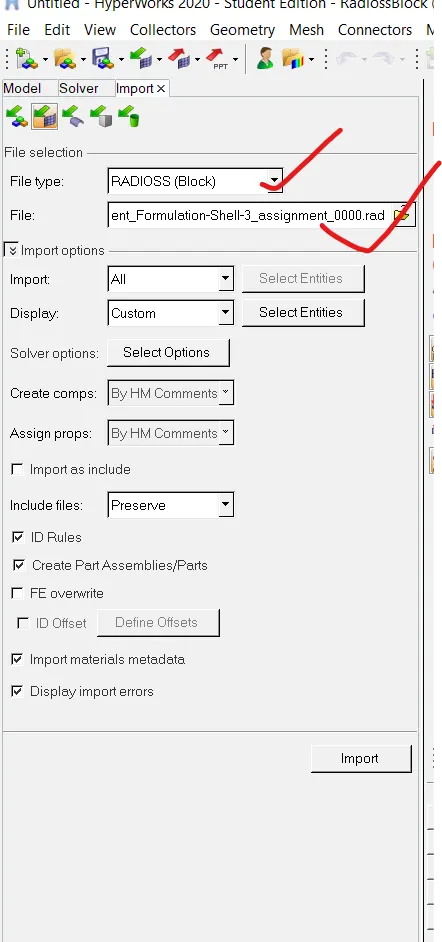
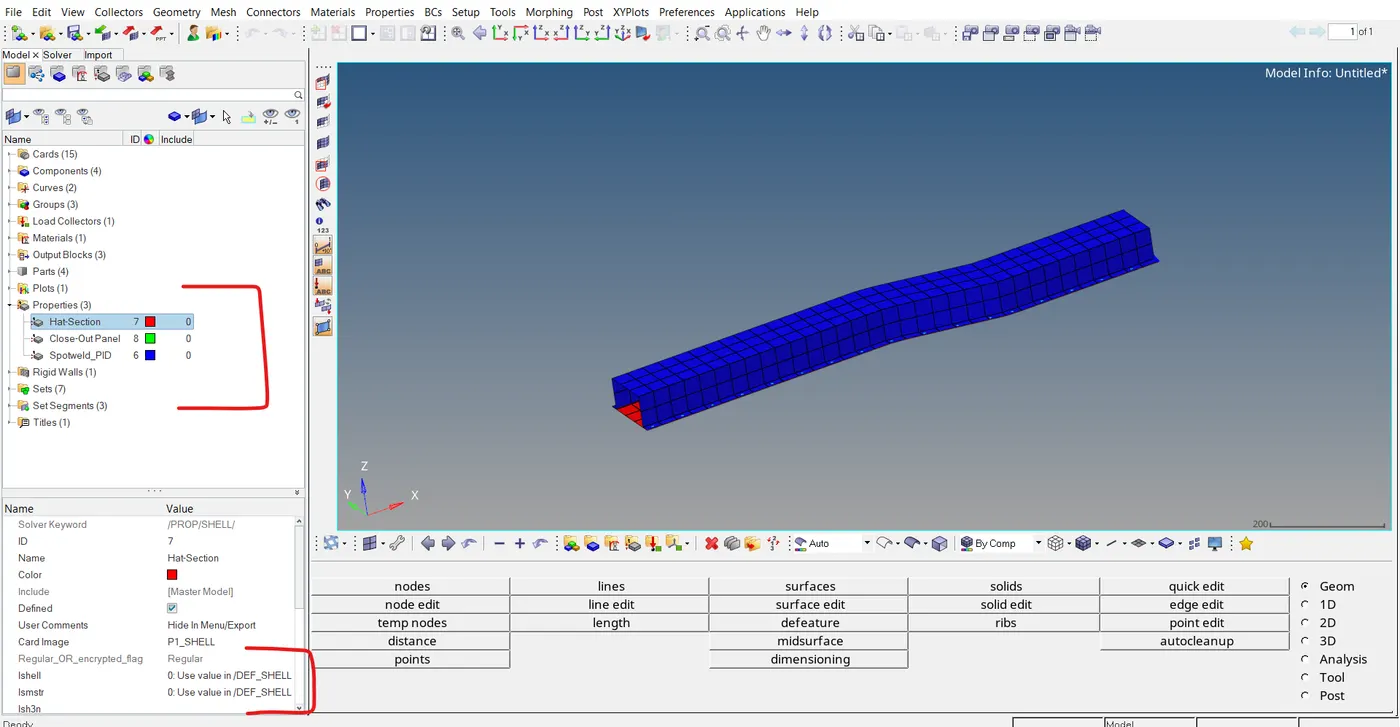
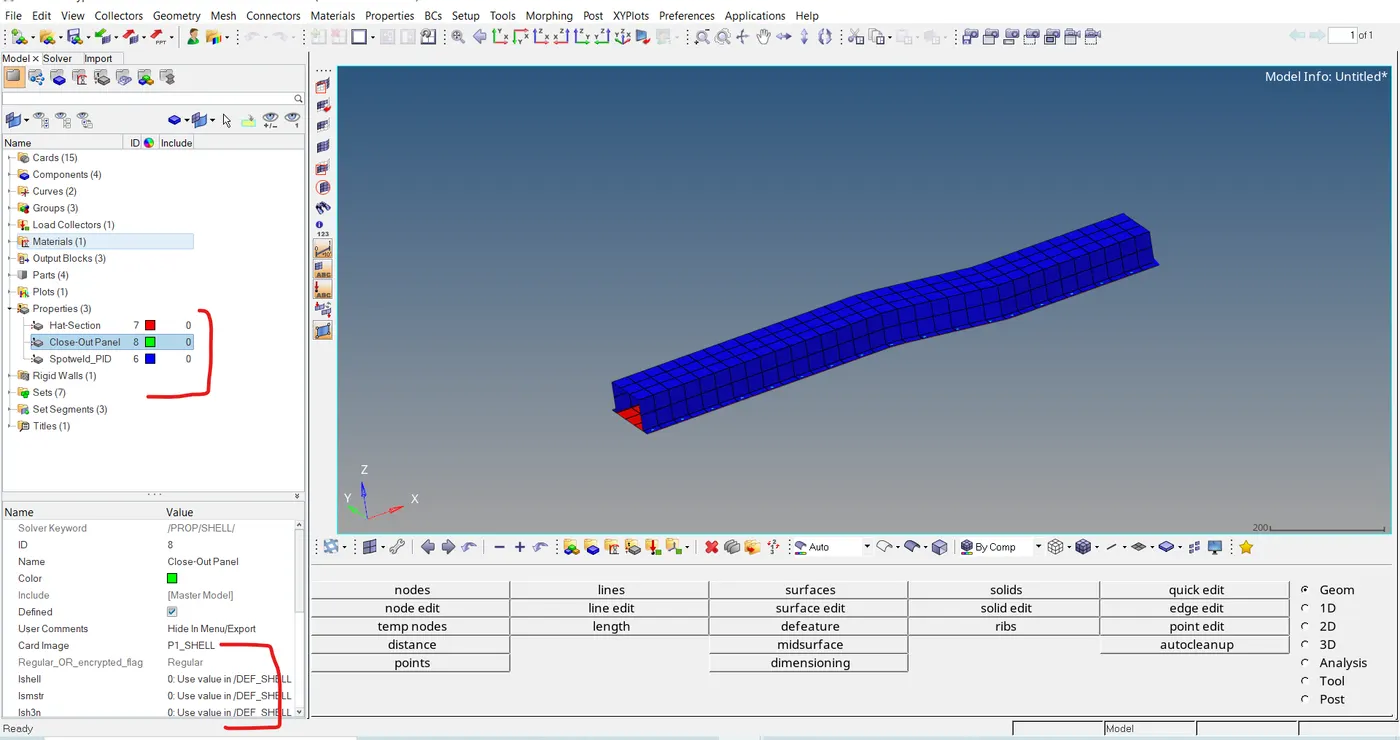
2- No change in the property.
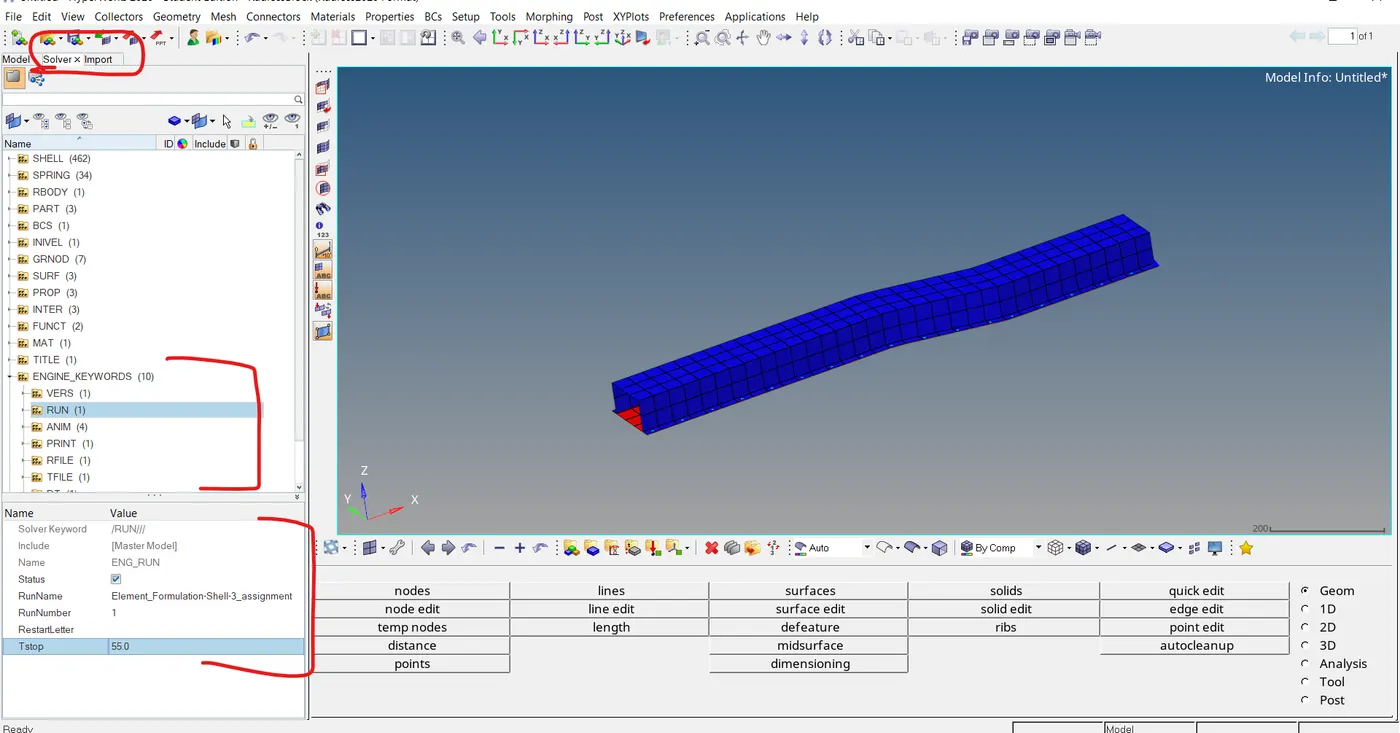
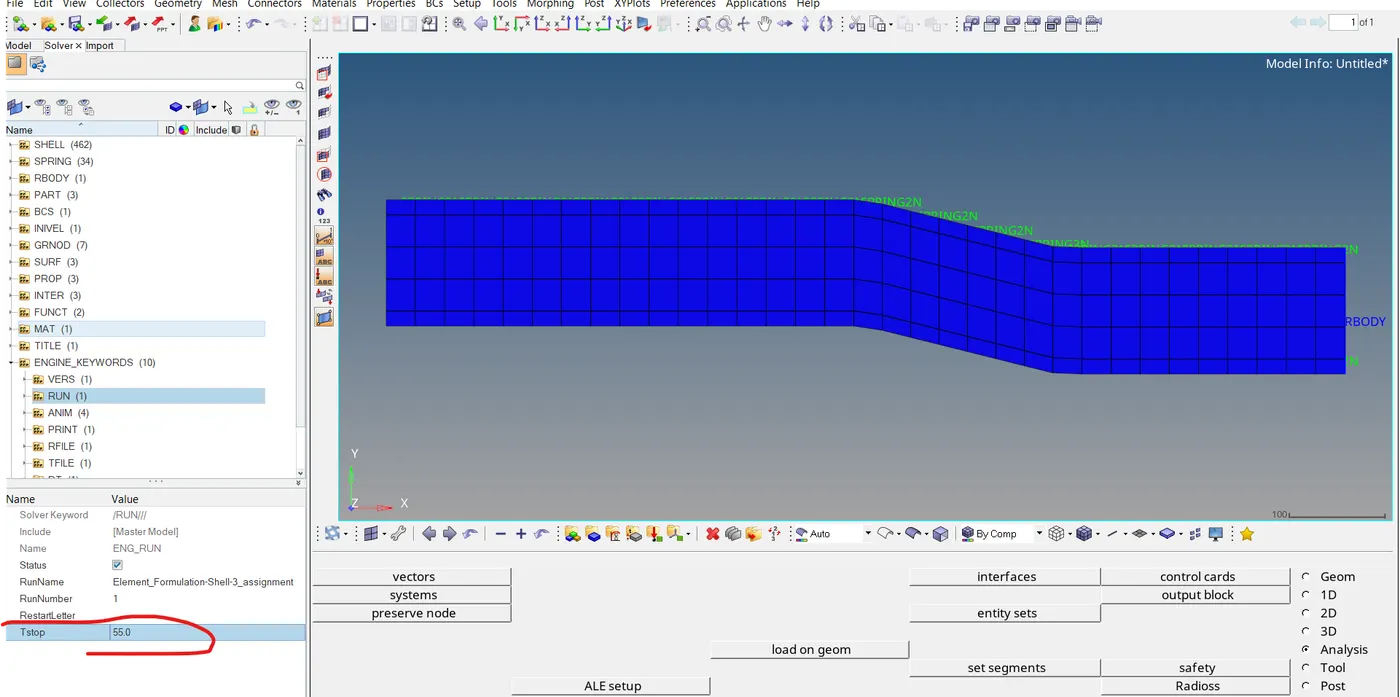
3- Changing the time step to 55, from the solver module in the engine file to run the file.
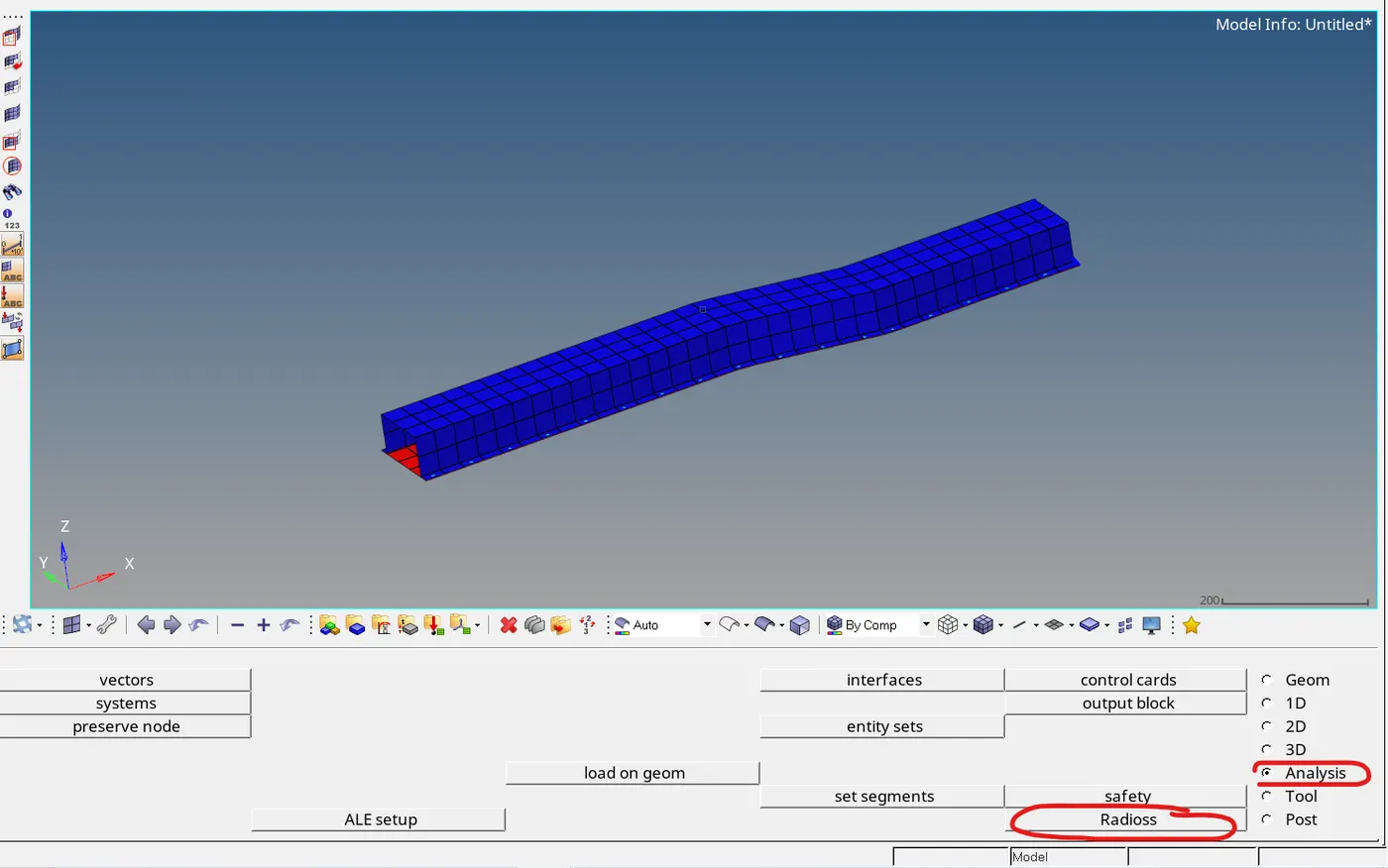
5- Opening the radios solver from the analysis module.
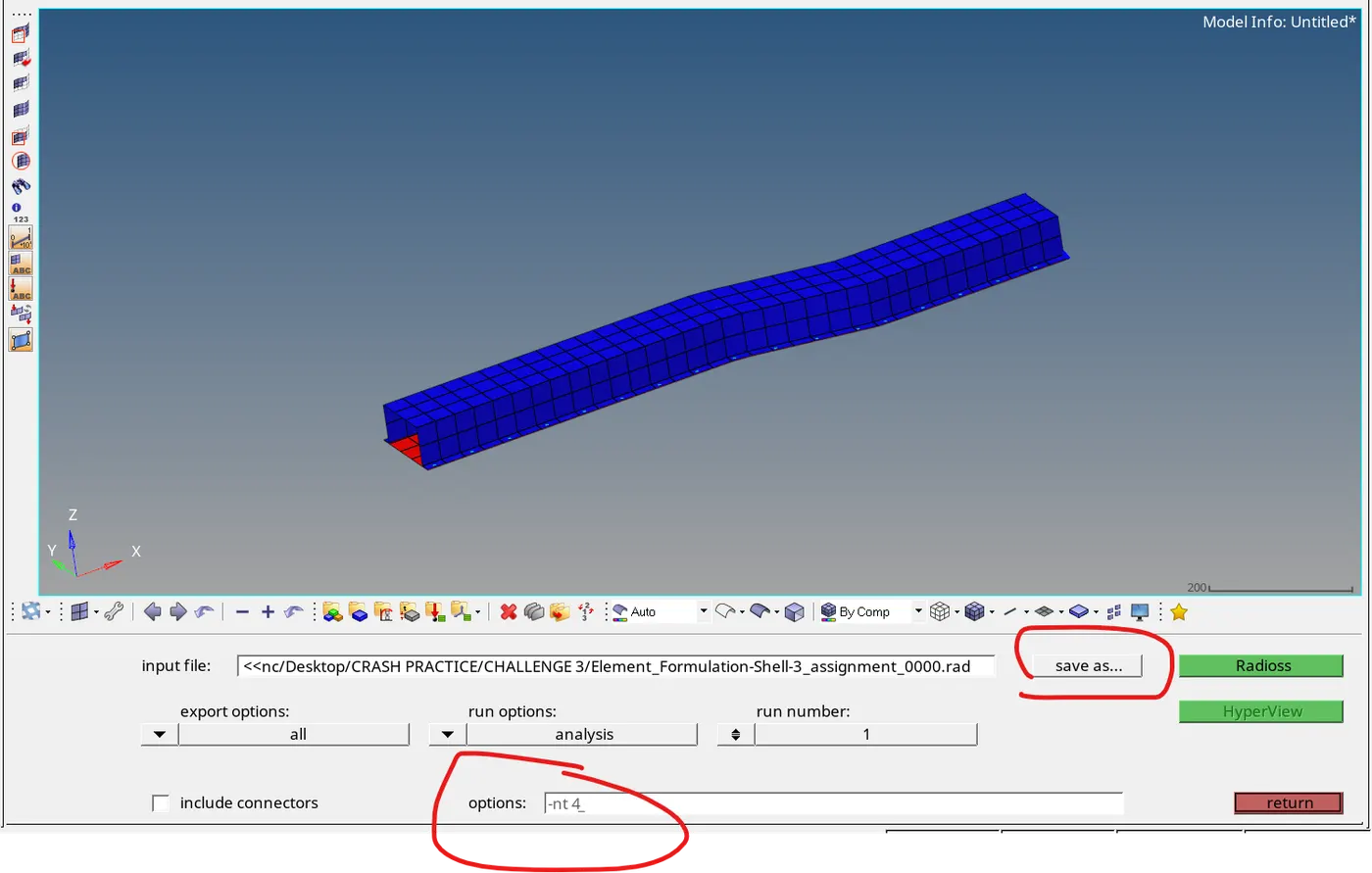
6- Set the location for the radios run file which going to import in hyper view for analysis, and set option as -nt 4 for fast analysis.
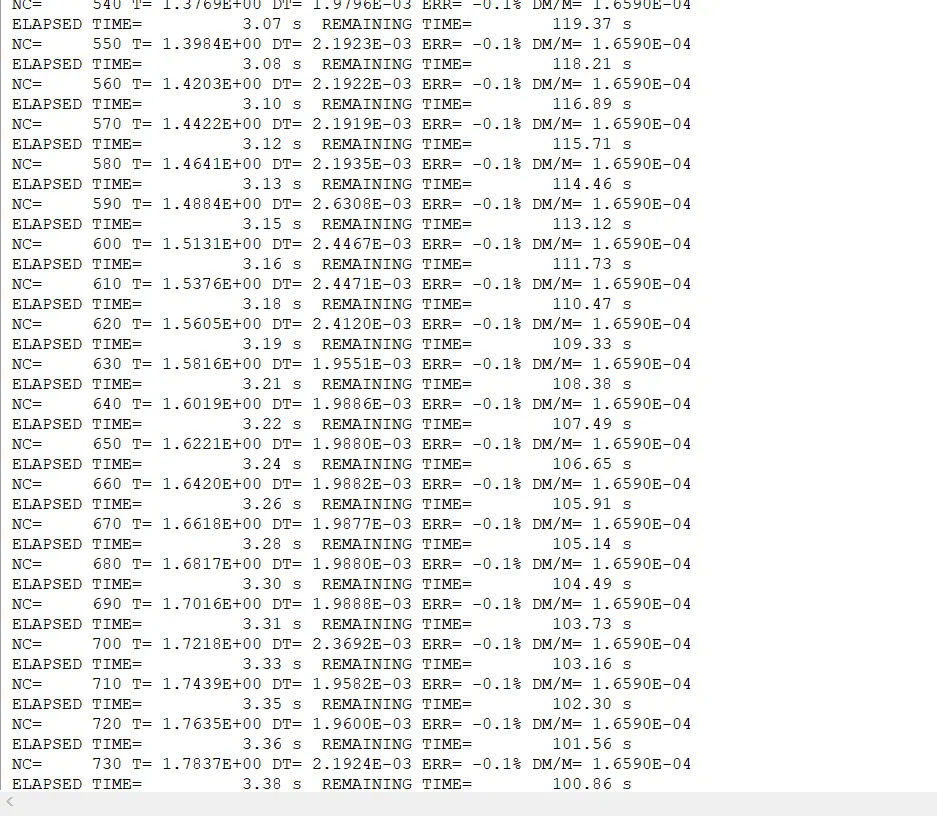
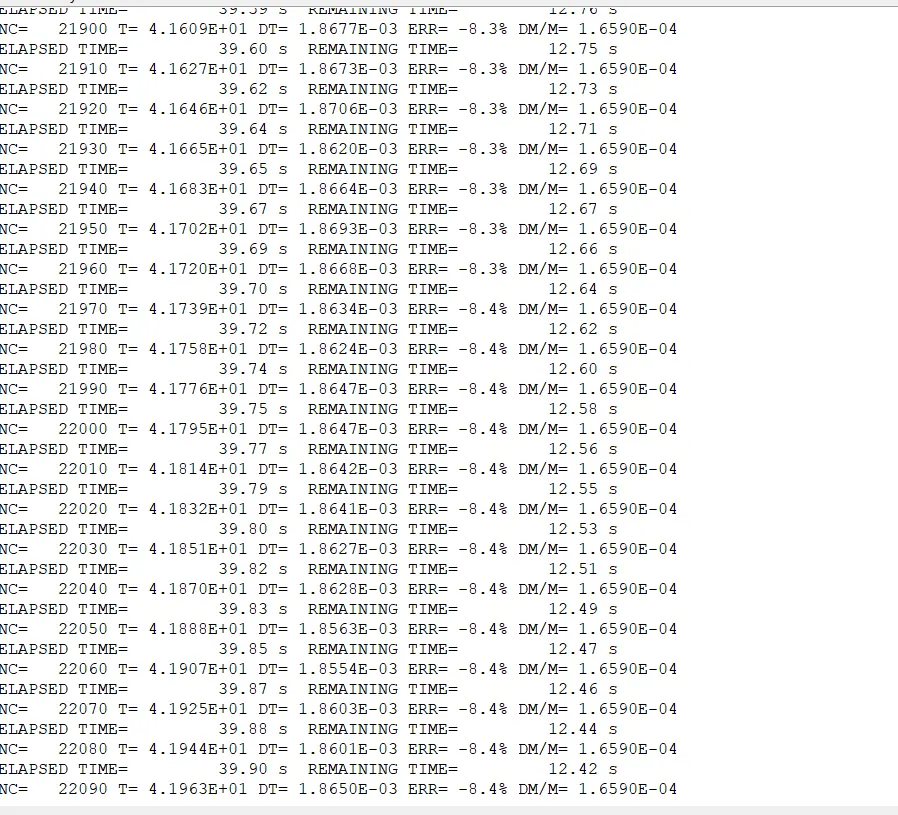
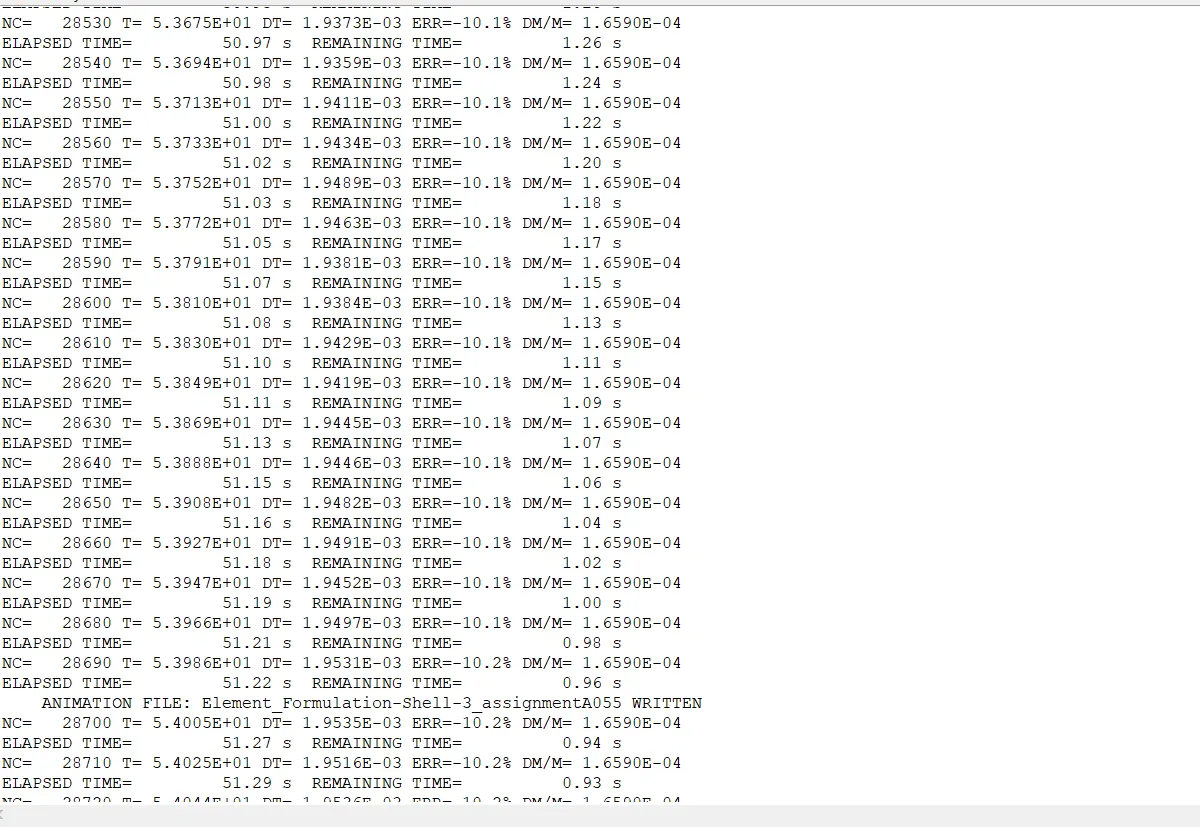
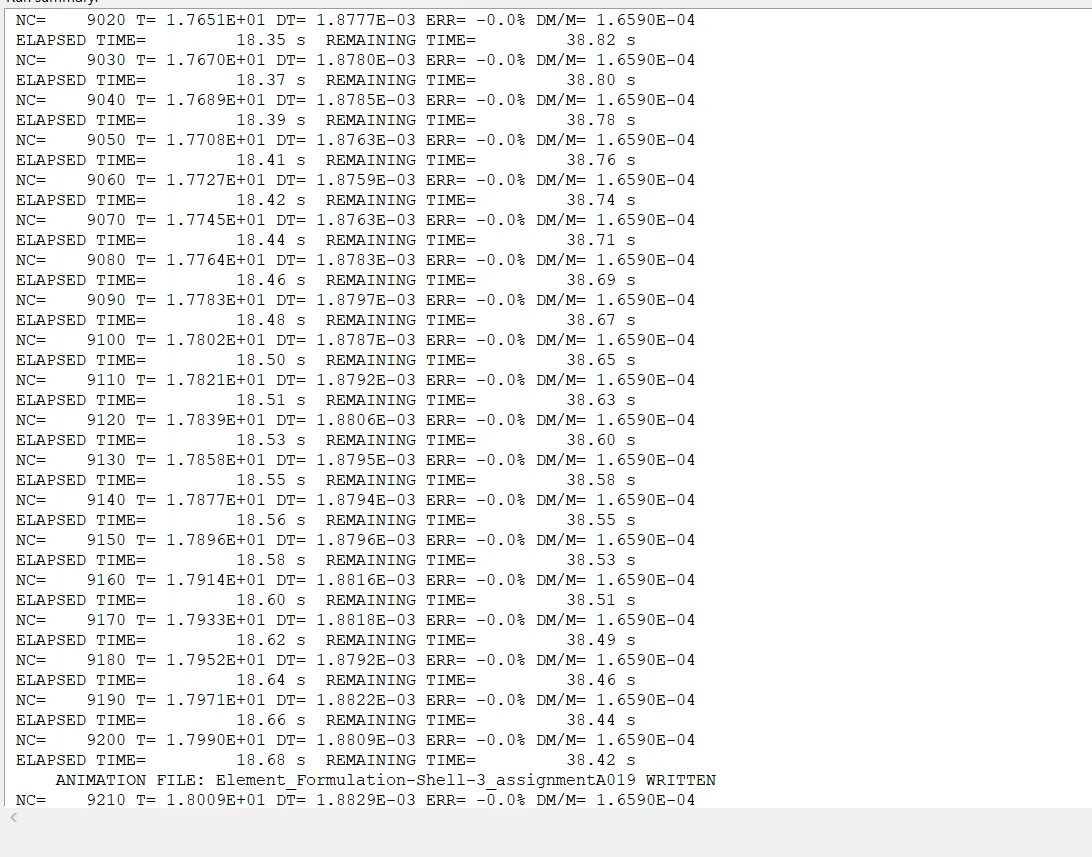
7- After running we got the result of radios file where we can see the energy error and mass error, Here we can see it's going up to -10% and mass error 1.65E-04.
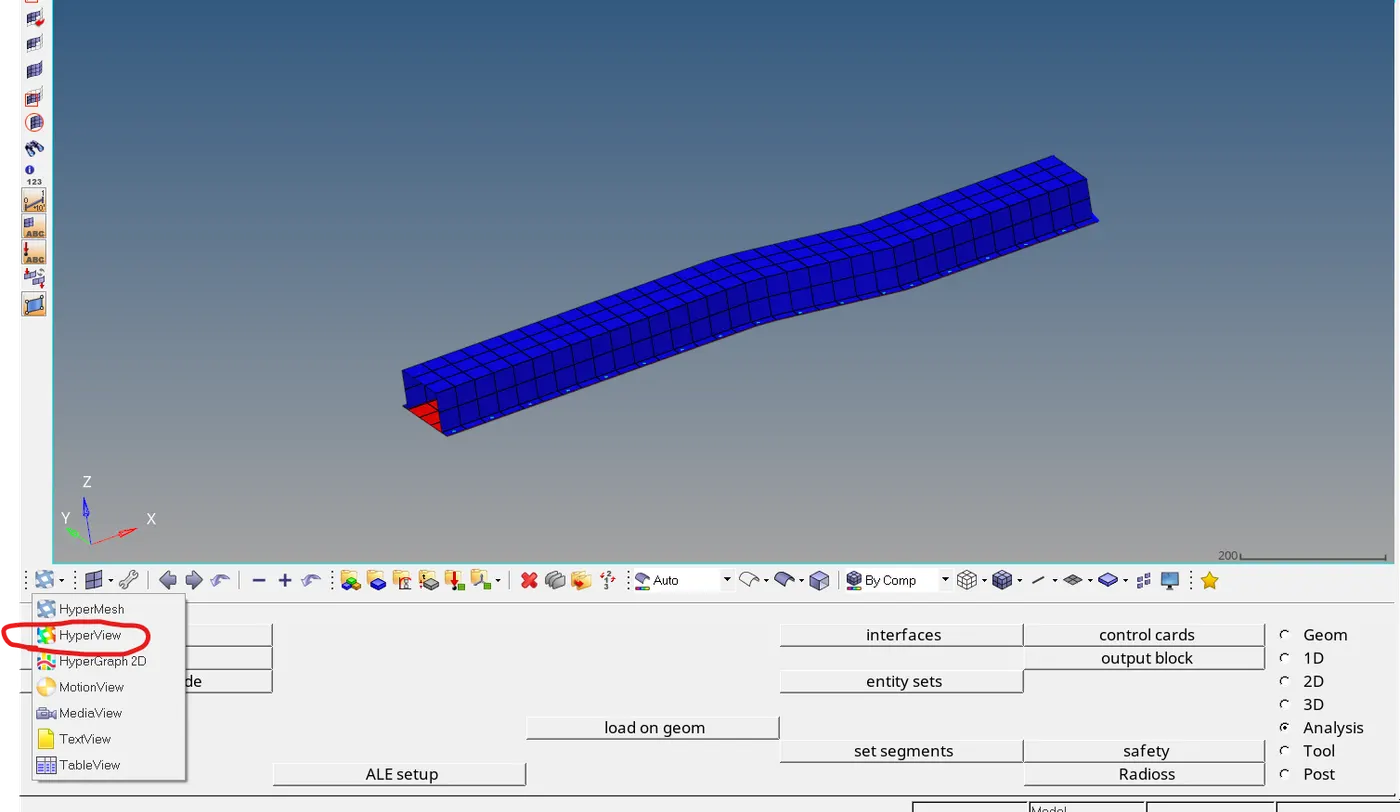
8- Changing the module to Hyperview for plotting the result.
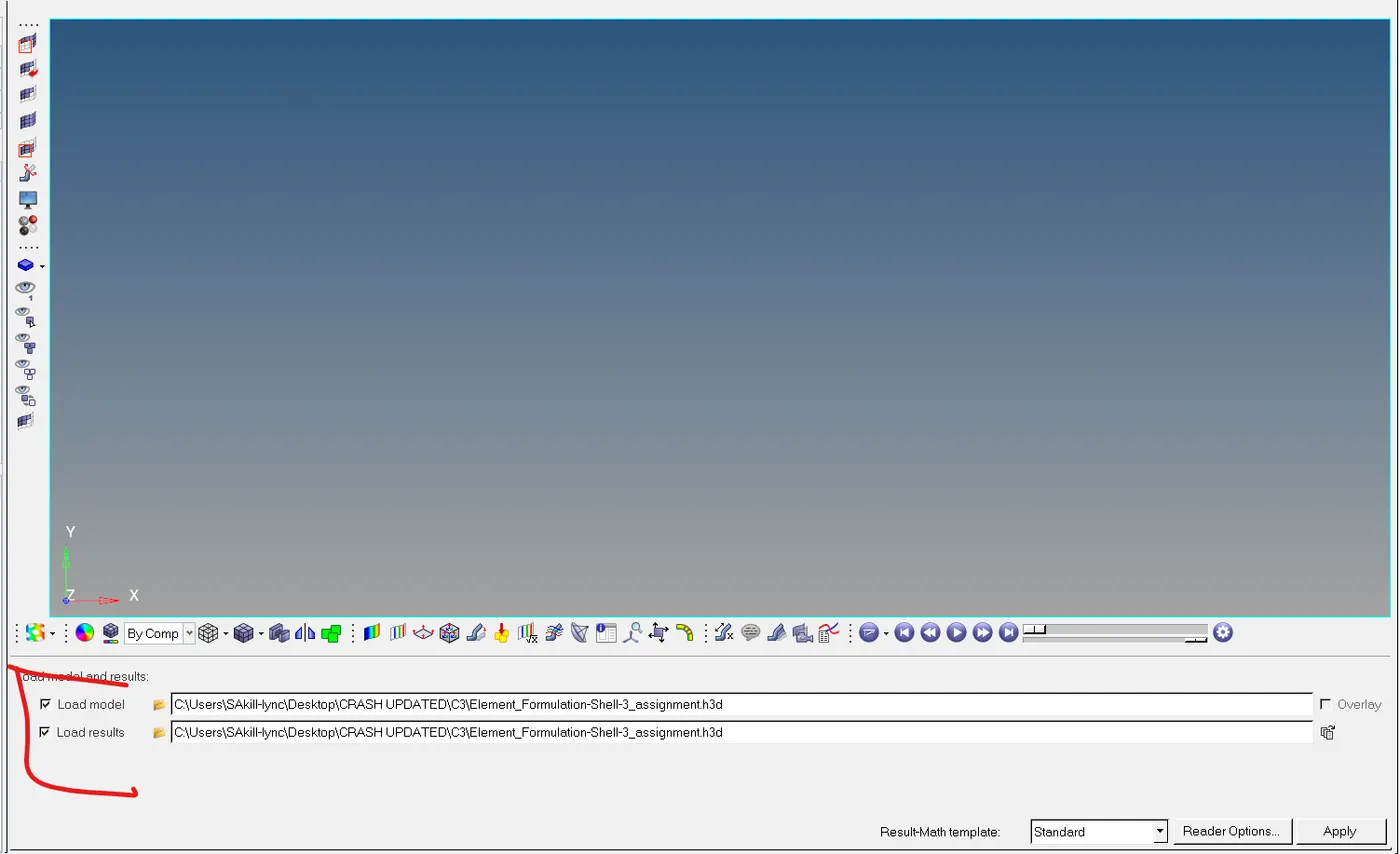
9- Loading h3d file, which we already save from the radios run file.
10- After apply we can see the model with the crash beam file.
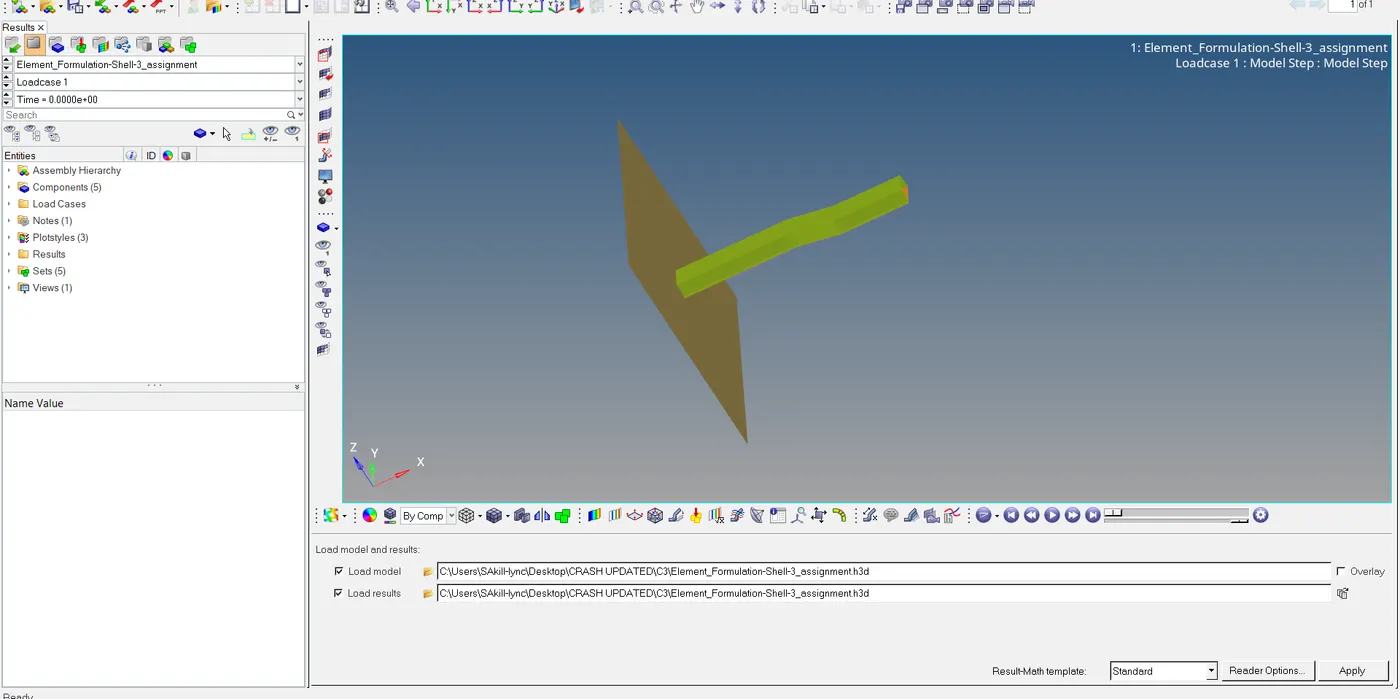
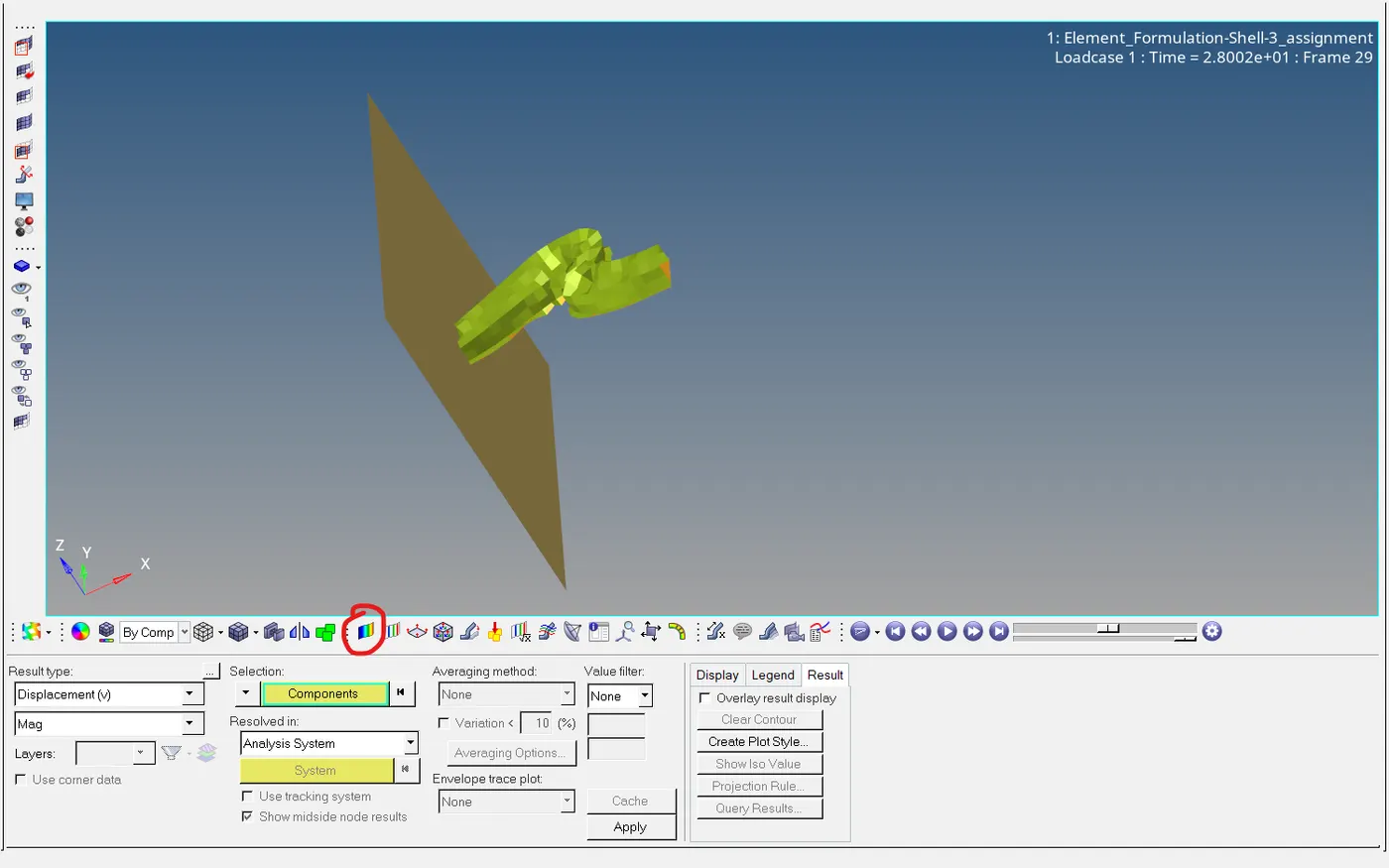
11- Clicking on the contour option we can see the various option to run the simulation like displacement, velocity, force, etc.
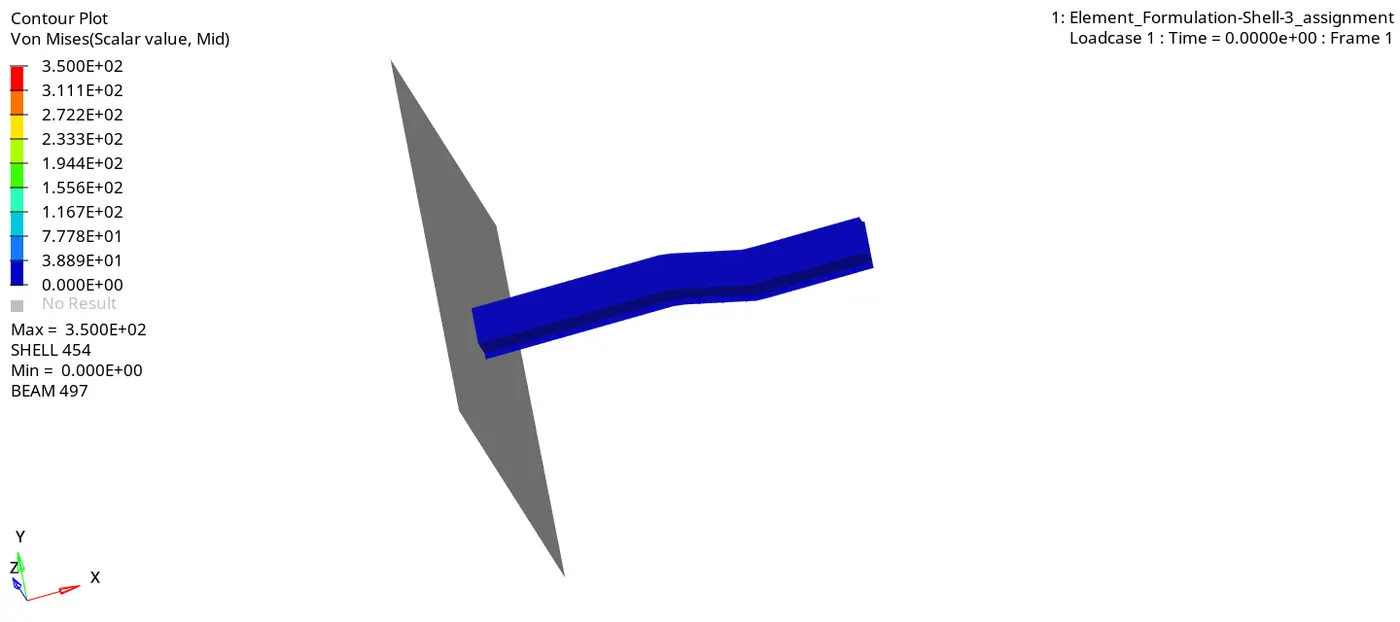
Animated file - Von Mises stress contour plot-
12- Changing the view by dividing the screen into two-part for graph view.
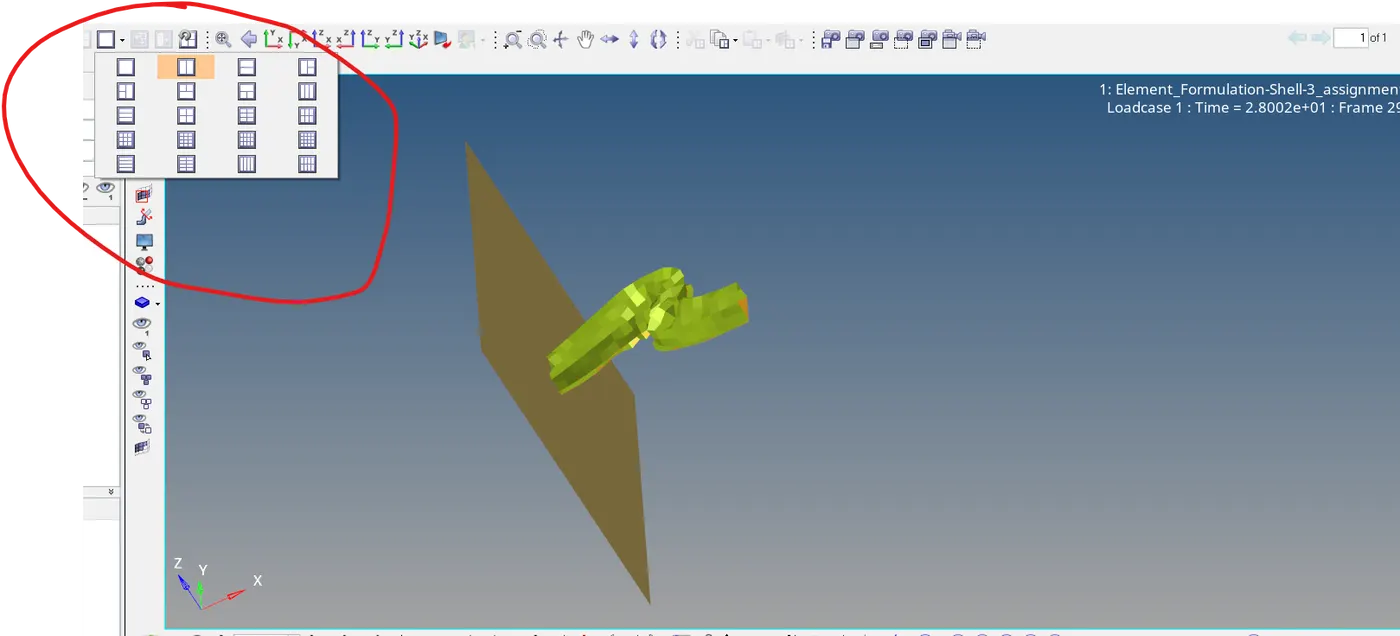
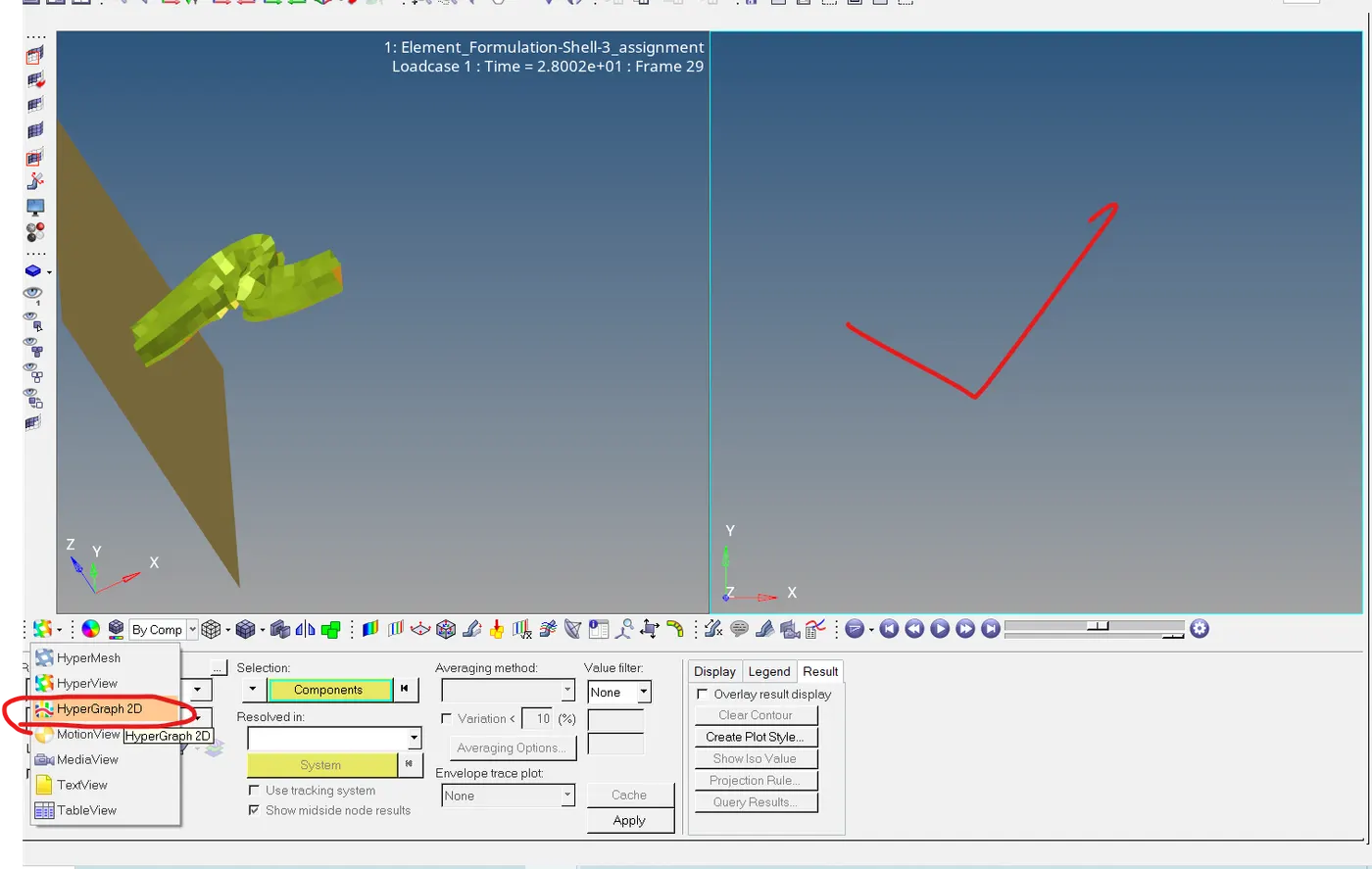
14- Here we made a space for graph plotting, after clicking on the second screen we can switch to the hypergraph 2D option to plot the graph.
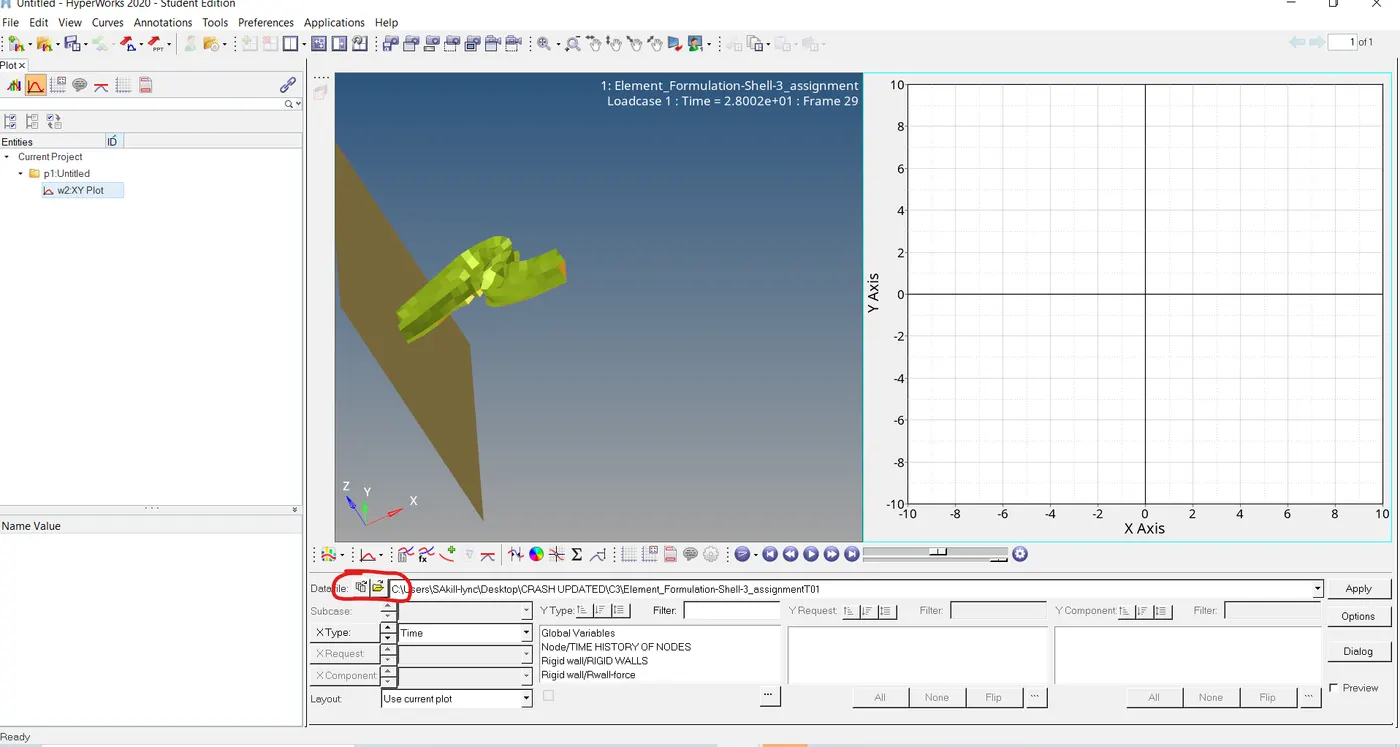
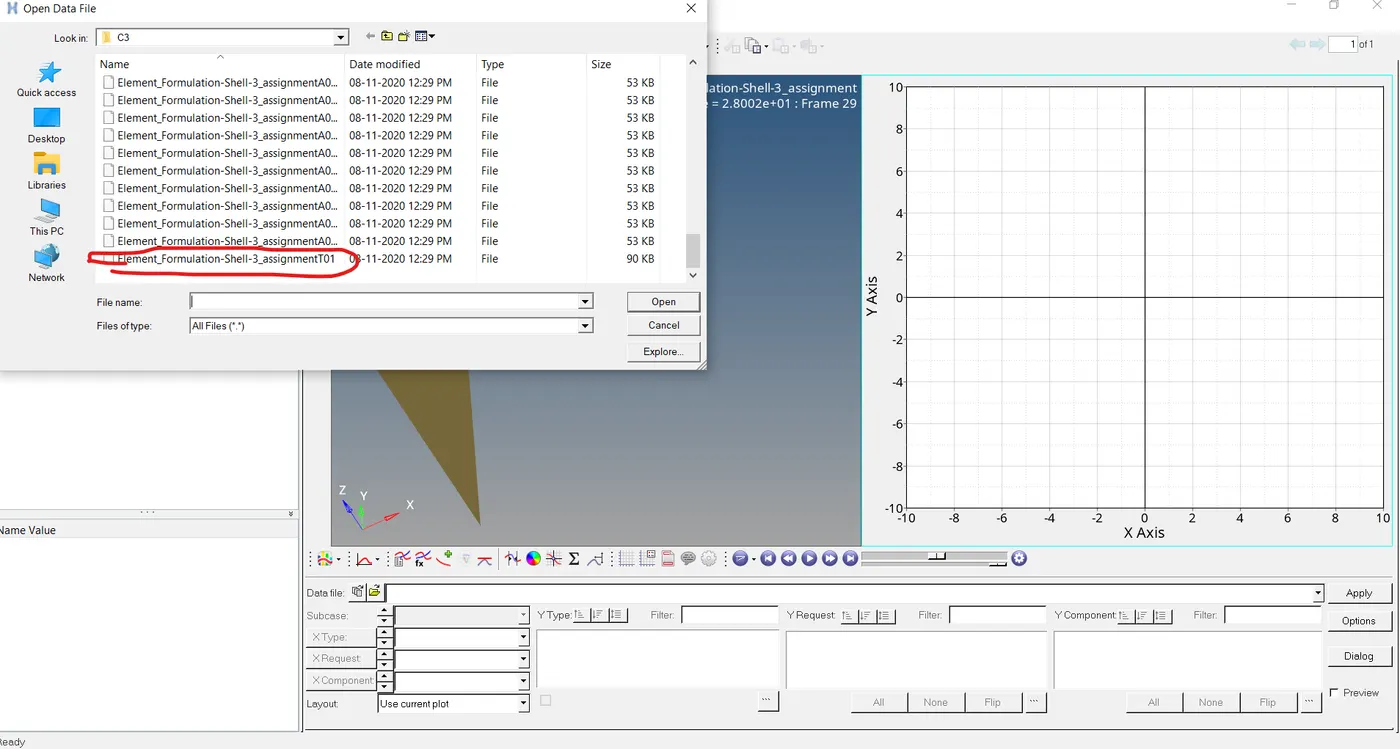
15- Here we imported the .T01 file to see the graph between various inputs.
A- Total Energy-
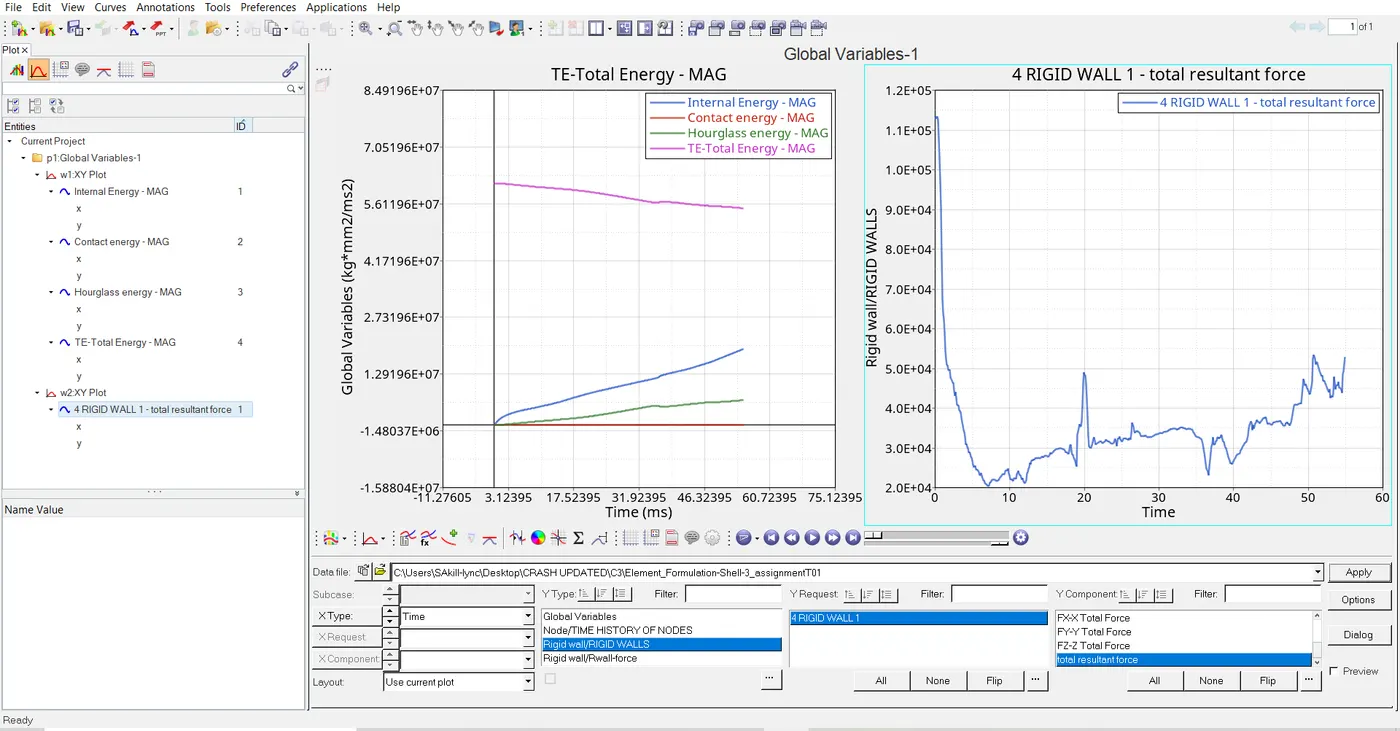
As we know that total energy = K.E + I.E, Whenever K.E decreases the internal energy gains, so total energy must be in a stable form, but here we can see total energy is decreasing, it's due to a reduction in the integration element method used.
B- Contact Energy-
C- Hourglass Energy-
The reason behind this energy takes place due to fewer integration points.
D- Internal Energy-
While kinetic energy losses Internal energy starts gaining.
E- Rigid wall force-
The rigid force initially high due to sudden impact and then decreasing due to energy transfer to system and increase in internal energy that called conservation of energy.
Case-2 Simulation with Improved property.
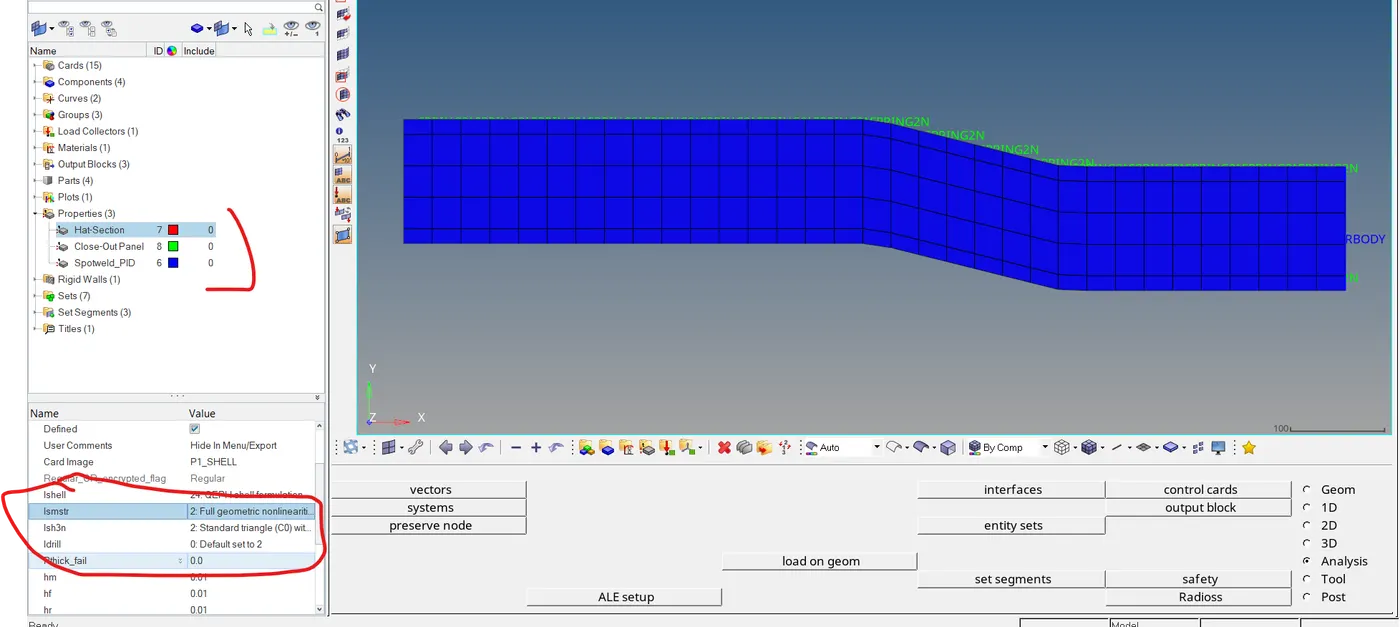
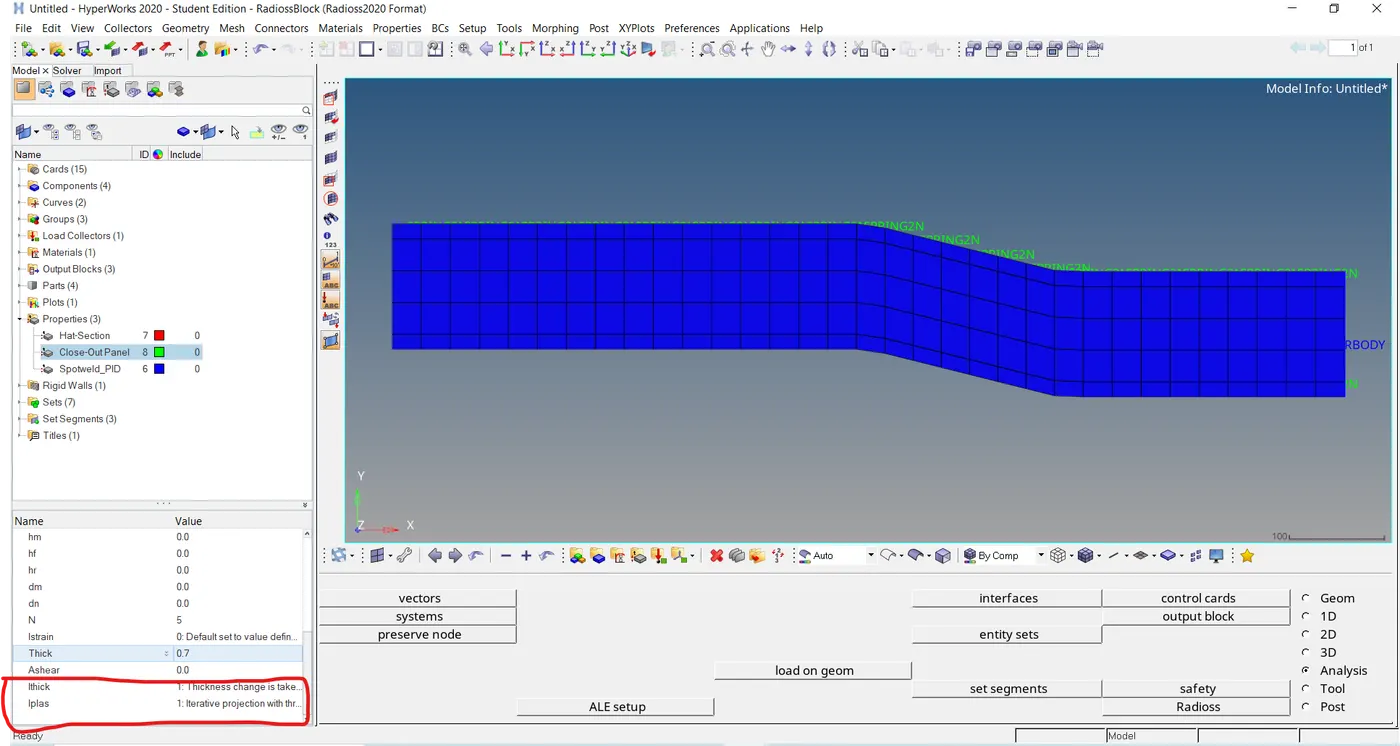
In this case, we need to change the property with this-
Energy and mass error-
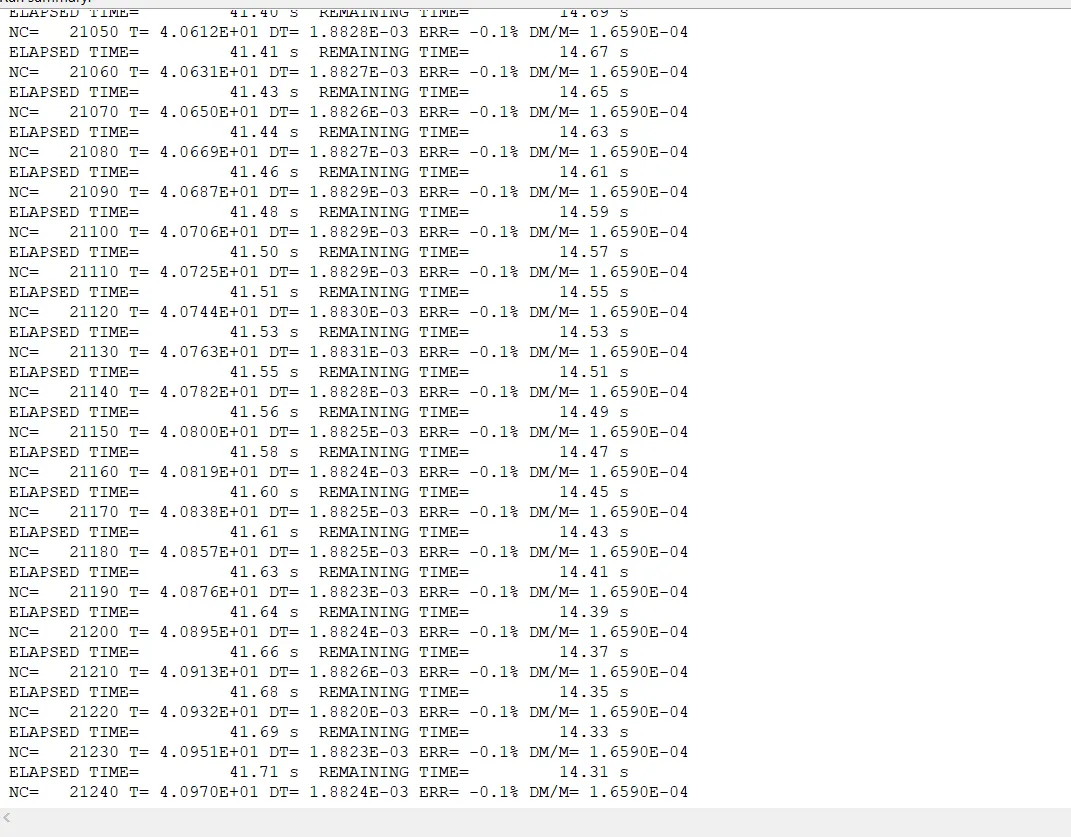
Here we can see that the error is near about -0.1%, due to improvement in material property which is quite acceptable.
Animated file- Von Mises stress contour plot-
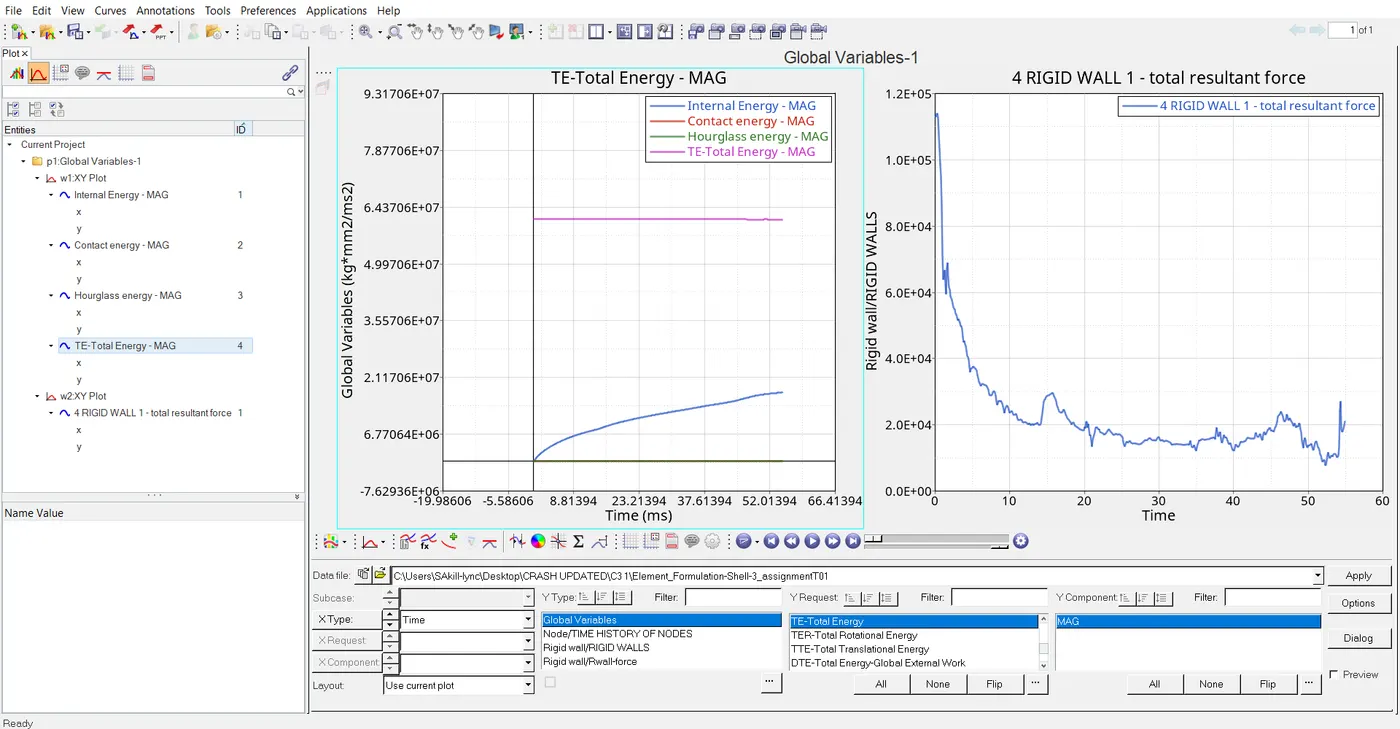
A- Total Energy-
As we know that total energy = K.E + I.E, Whenever K.E decreases the internal energy gains, so total energy must be in a stable form, but here we can see total energy is decreasing, it's due to a reduction in the integration element method used.
B- Contact Energy-
C- Hourglass Energy-
The reason behind this energy takes place due to fewer integration points.
D- Internal Energy-
While kinetic energy losses Internal energy starts gaining.
E- Rigid wall force-
The rigid force initially high due to sudden impact and then decreasing due to energy transfer to system and increase in internal energy that called conservation of energy.
Comparison of Results-
| SN. No. | Particulate | Base Simulation | Improved shell Elementent Simulation |
| 1. | Energy Error | Error= ~ (-10) % | Error= ~ (-0.1) % |
| 2. | Total Energy | Total energy decreases as time increase | Total energy remains constant |
| 3. | Hourglass Energy | Hourglass energy increases as time increase | Total energy remains constant |
| 4. | Internal Energy | Internal energy increases as time increases | Internal energy increases as time increases |
Conclusion-
1- Crash beam file has successfully executed.
2- Found simulation 2 with shell property has better results in comparison with simulation 1 without any property assigned.
3- Successfully plotted graphs between various properties.
4- Successfully saved gif contour file for von mises stress for both the simulation.
5- Compared all parameters for both the simulations.