Assignment 3-2D Element Formulation Challenge
1. AIM: To compare simulation results of models run without properties and with properties by observing various graphs such as internal energy, kinetic energy, total energy and hourglass energy
2. Objective:
- To run the simulation without changing the property card
- To run the simulation after changing the property card
- Compare both the results
3. Theory:
Hourglass Energy:
Hourglass energy is a nonphysical, zero-energy mode of deformation that produce zero strain and no stress. Hourglass energy occurs only in under-intetgrated (single integration point) solid, shell, and thick shell elements. A way to entirely eliminate hourglass concerns is to switch to element formulations with fully-integrated or selectively reduced integration. [1]
Therefore, to reduce hourglass energy the following 2D element formulations are used:
Q4 element:
- It is a under(or) reduced-integrated element. Because it has only 1 integration point for an element
- represented by an entity named; Ishell(1,2,3,4)
- Usually Ishell:1,Ishell:4 elements are used, when no more velocities are to be found
- By default, the solver takes as Ishell:1
- As it has only 1 integration point, the time required to solve the problem with this type of element is relatively less
- The cost required to solve this type of elements is relatively low
- no accuracy in the results
QBAT element:
- It is a fully-integrated element. Because, it has only 1 integration point for an element
- represented by an entity named; Ishell:12
- It has 4 gaussian integration points hence there will be no hourglass deformation
- Using this element will increase cost exponentialy however, the results are more accurate than the remaining Ishell elements of quads
QEPH element:
- It is an improved under-integrated element with the physical hourglass stabilization within itself
- represented by an entity named; Ishell:24
- It has the best trade off between cost and accuracyin results
- It is widely used in automotive industries
CO element:
- It is a standard co-rotational triangle, with modification for large rotations
- Usually, it helps in representing the tria elements with the entity named Ish3n:2
- It consists of 1 integration point
- No hourglass deformation
- Low CPU cost
- Results may not be accurate
4. Procedure
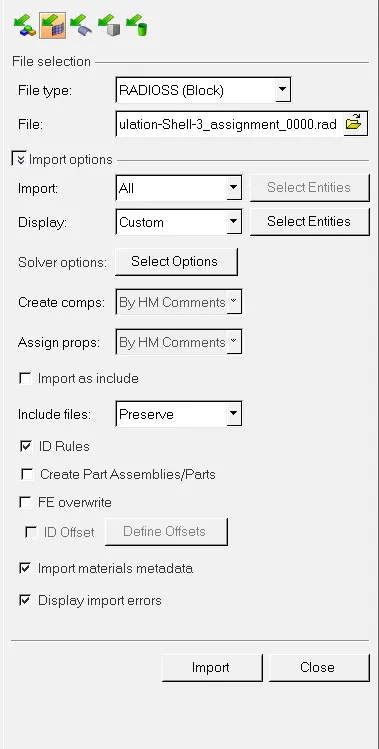
- Import the crash beam file from the previous assignment as shown in the figure below:
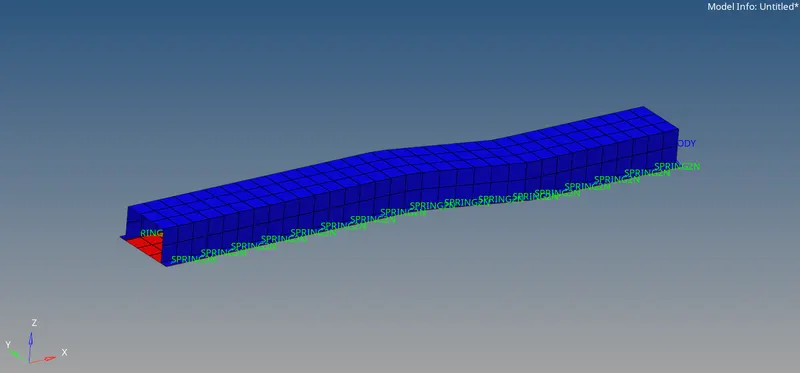
- The model is displayed below. To imported model will be displayed in wireframe mode, switch it to Shaded Elements and Mesh Lines
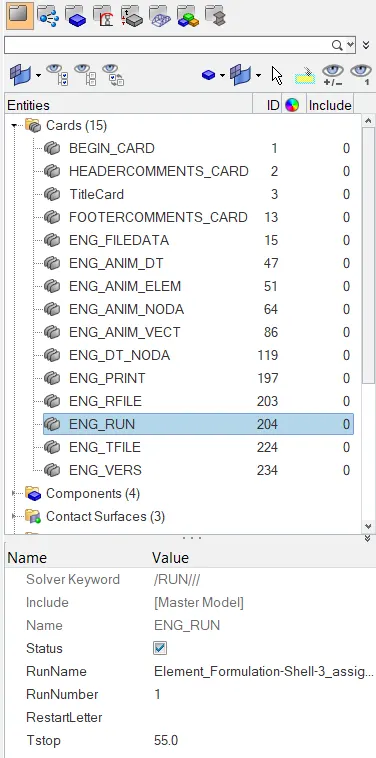
- Now change the run time in the card ENG_RUN card to 55 ms as shown below
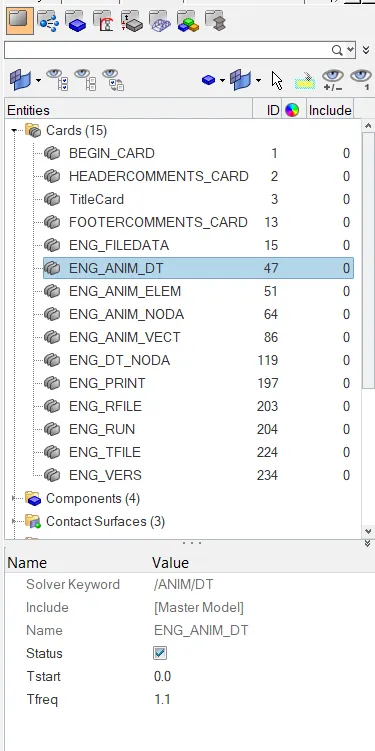
- Now, required animations is 50 and the time step is 55ms, therefore the frequency is 55/50=1.1. Therefore, change the animation frequency to 1.1 in the animation card ENG_ANIM_DT as shown below
- Now for case 1, leave the property cards as it is and run the simulation by going to analysis->radioss


- Now, let the simulation run until this message pops up in the HyperWorks solver view:
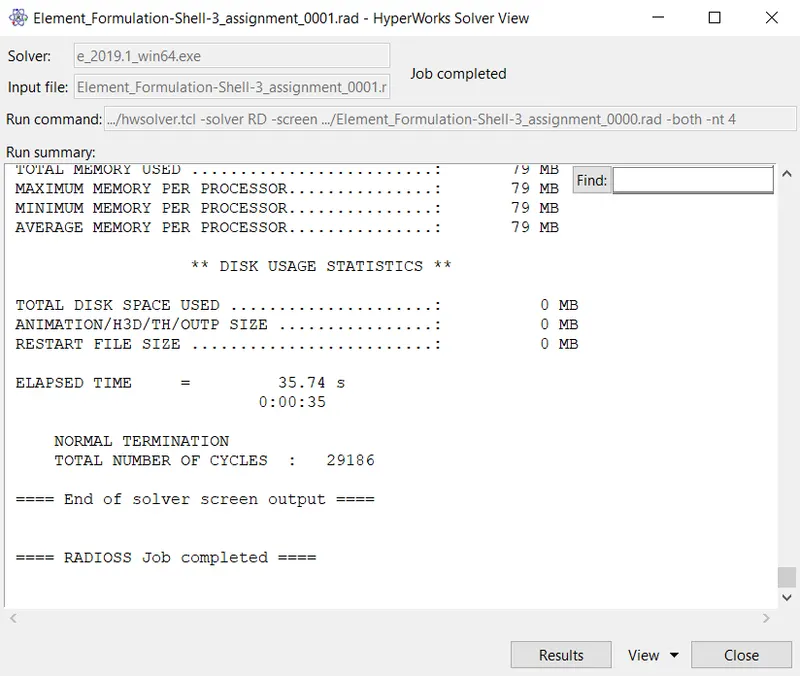
- Go to HyperView by clicking 'results' shown in the above figure, to observe the results
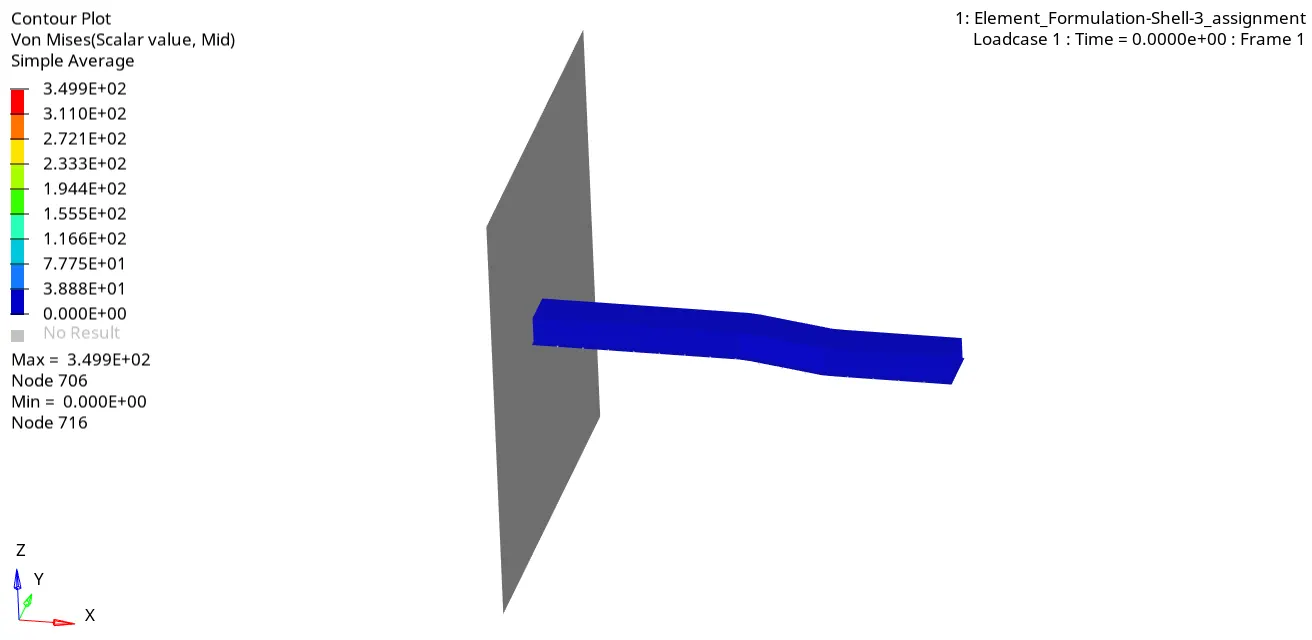
- Go to contours tab and set the result type to von mises, averaging method as simple and then click apply. The following animation is observed:
- Now check the energy error and mass erros and check whether the results are acceptable. To do this, open the Element_Formulation_Shell_3_assignment(1)_0001.out file as shown below:

- As we can observe, the maximum energy error is 10.3% and the maximum mass error is 0.1659E-03. As the energy error must be between 5% to -15%, this value is acceptable.
- The remaining values will be used to compare both the results at the end of case 2 simulation
- Since the values are acceptable, we can plot the graphs by going to the HyperGraph 2D and uploading the T01 file from the folder. The graphs to be plotted are total resultant force vs. time; internal energy vs. time; kinetic energy vs. time; total energy vs. time and hourglass energy vs. time as shown below:
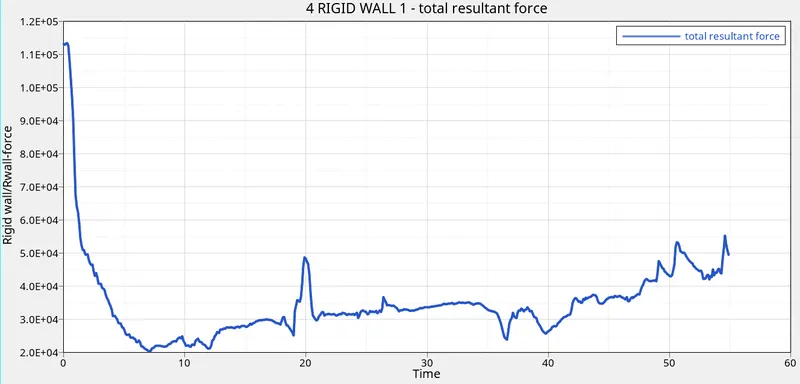
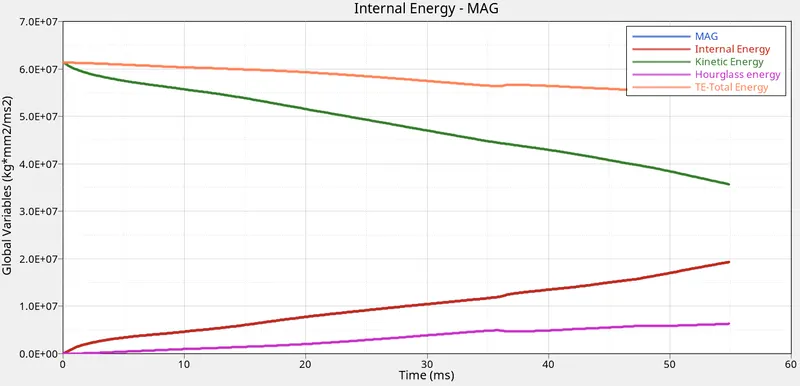
- Inference: since the velocity of the component decreases after contact with the wall and since the velocity is maximum before contact, the kinetic energy of the component decreases as time increases. Now, internal energy is equal to the work done by the component which is force times displacement. Since displacement is zero in the beginning and since it increases with the time, the internal energy starts from zero and increases with increase in time. Now, as the recommended 2D formulations are not specified, the elements will undergo hourglass effect, thus the hourglass energy starts from zero and increases with increase in time. Finally, the total energy decreases with time as it is directly proportional to the kinetic energy of the component.
- Now, the simulation will run again but with the specified formulations as shown below:
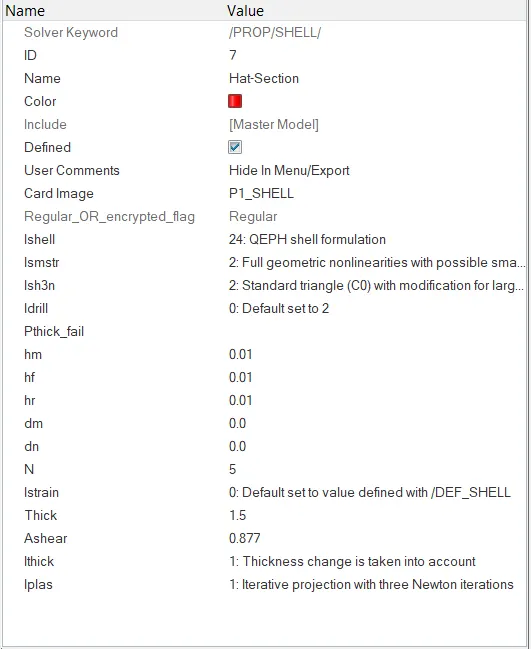
- The simlation is run again and the energy and mass error is checked before observing the contours. The mass and energy error is displayed below:
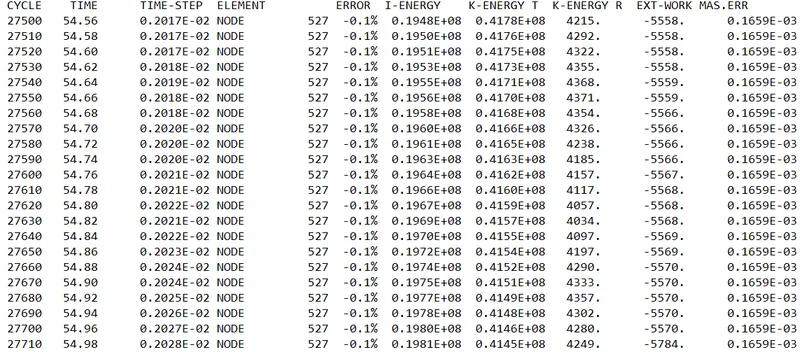
- As observed, the energy error is -0.1% and mass error is 0.1659E-03, which are acceptable.
- Now, switch to hyperview and observe the results as shown below:
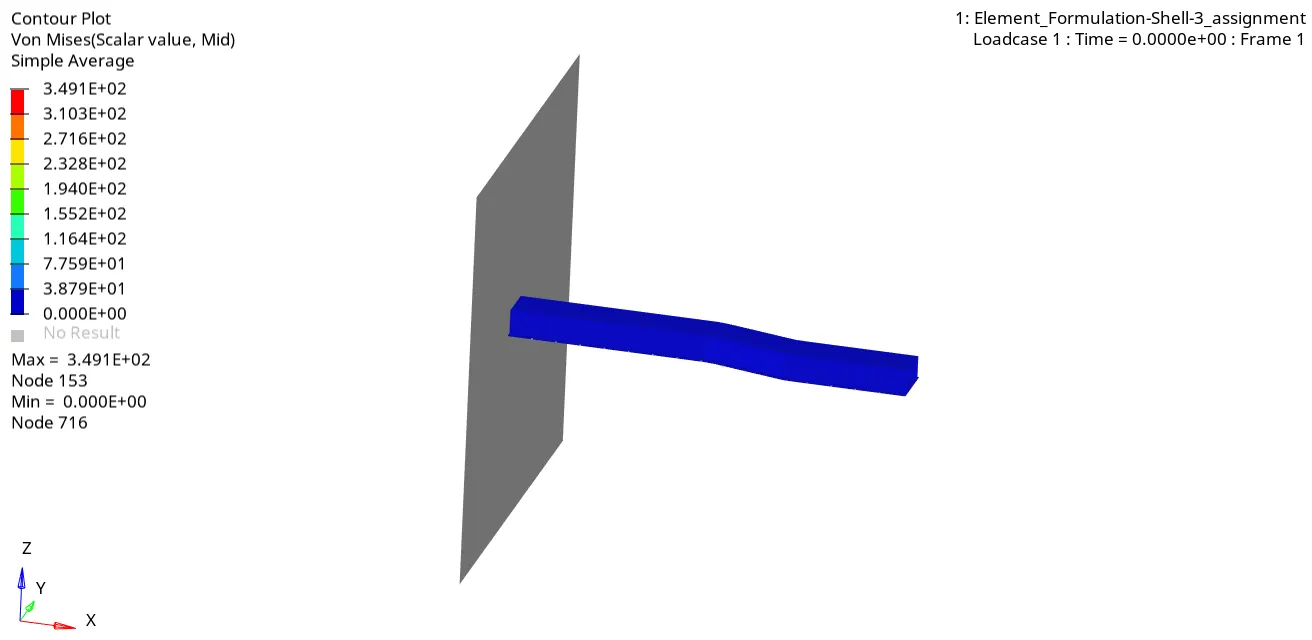
- Now, observe the graphs in HyperGraph 2D.
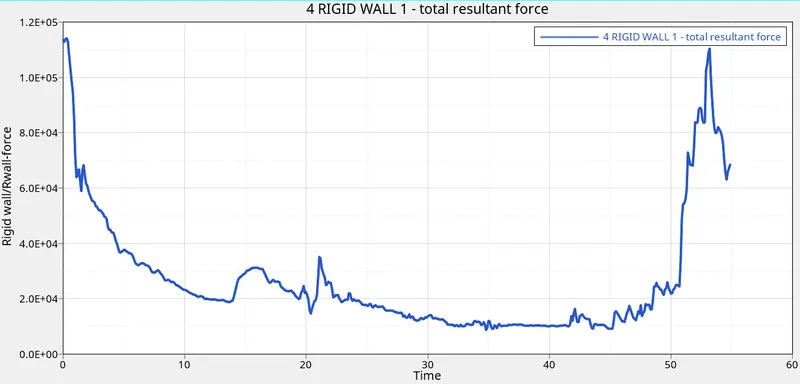
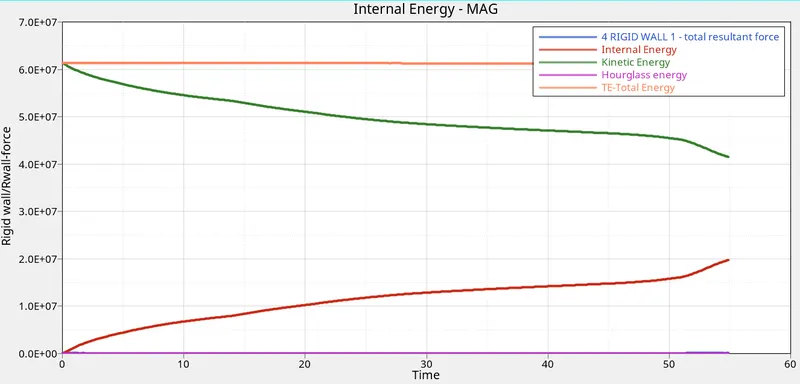
- As we can see, the hourglass is about 0 and it is constant.
5. Results and conclusion:
- The hourglass energy in the first case has a varied pattern whereas in the second case it is constant. This is because of the Qeph formulation we have used, thus there are no artificial energies acting on the crash beam
- We have learnt how to use different shell properties
- We compared the obtained values of several parameters such as kinetic energy, internal energy, hourglass energy, total energy and contact forces.
6. References:
[1] https://www.dynasupport.com/howtos/element/hourglass