Assignment 1-2D Meshing Challenge
OBJECTIVE:
Carry out the geometry cleanup operation on the given 3 files.
- Practice
- Clip Repair
- Mounting Bracket
There should not be any free edges, convert all of them into refine geometry.
- Clean the geometry.
- Extract midsurface.
- Clean midsurface geometry.
- Ignore holes less than dia 5mm.
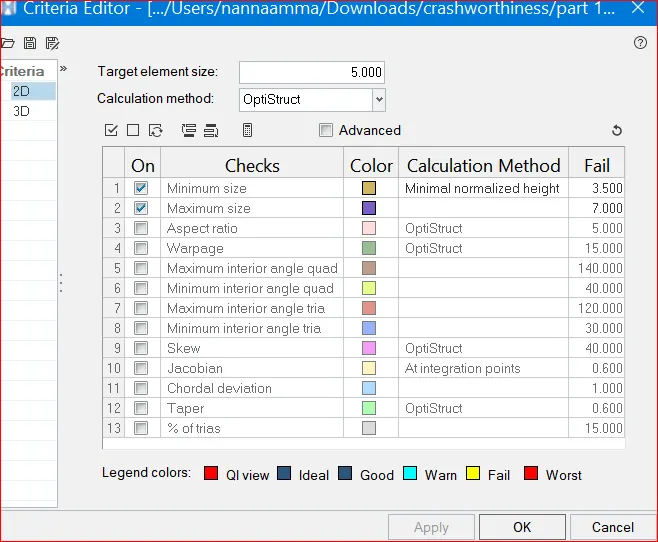
- Create 2D mesh with target length 5mm, min 3.5mm max 7mm.
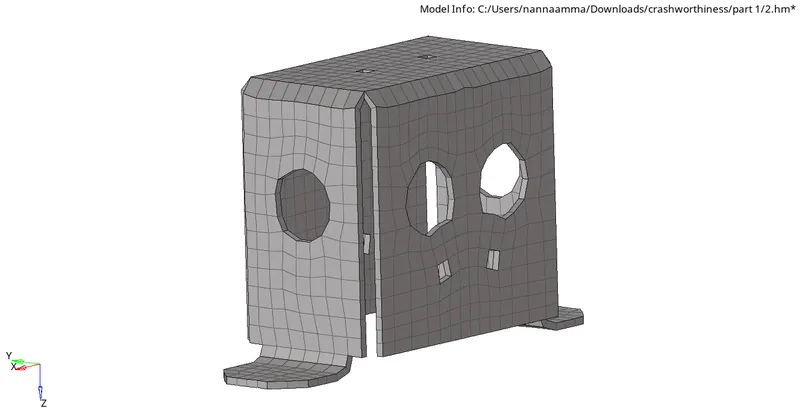
- And assign proper thickness, by creating a generic property.
- Then Save in .hm format.
SOFTWARE USED: Altair- Hypermesh (OPTISTRUCT)
ABOUT SOFTWARE: It is a preprocessor tool which is mainly used in CAE domain for meshing any component.
PROCEDURE:
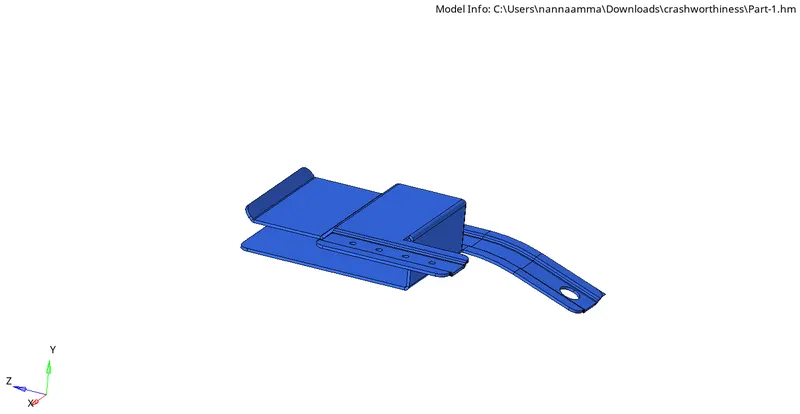
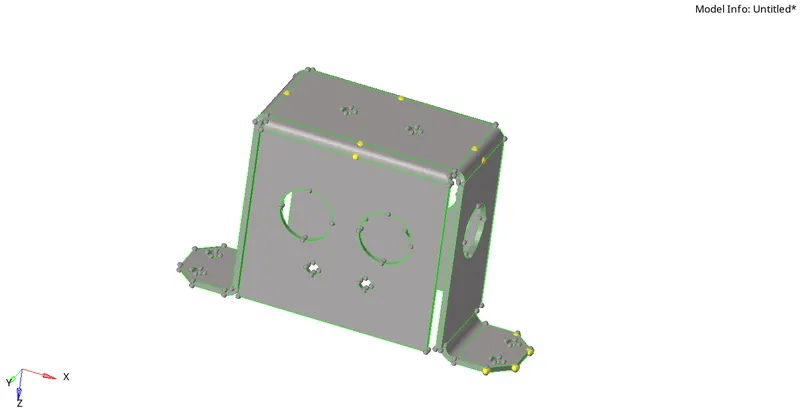
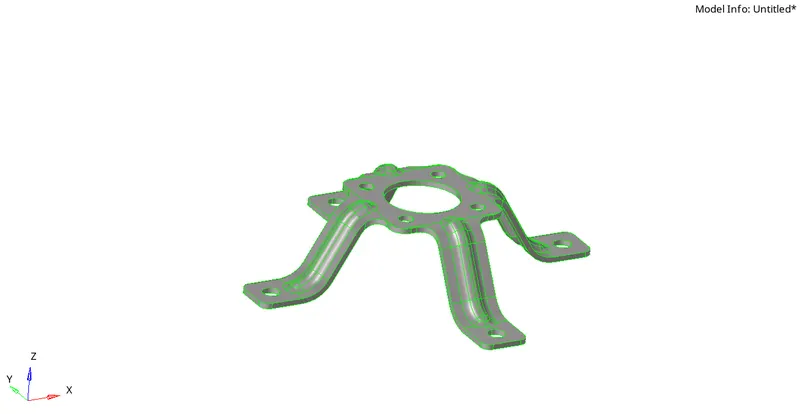
1) IMPORT A CAD MODEL: This is the first step in any preprocessor tool ,we have to import a cad model in hypermesh.
The file formats are step, stl, solidworks, hm.
PART 1
PART 2
PART 3
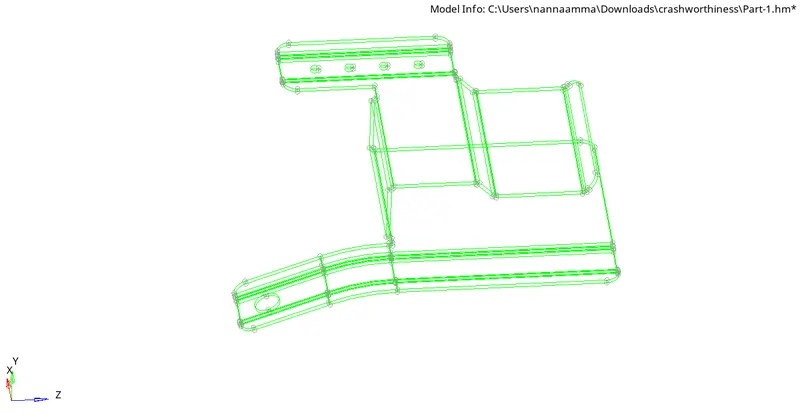
2) GEOMETRY CLEANUP: After importing a cad model as a cae engineer we need to resolve all the issues of the geometry before going to meshing.if any triple con issues or double con, single con ,extra surface, sharp corners, edges etc.
PART 2
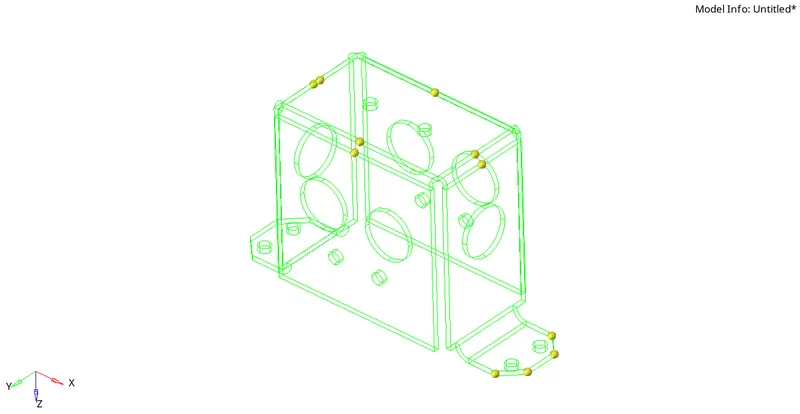
PART 3
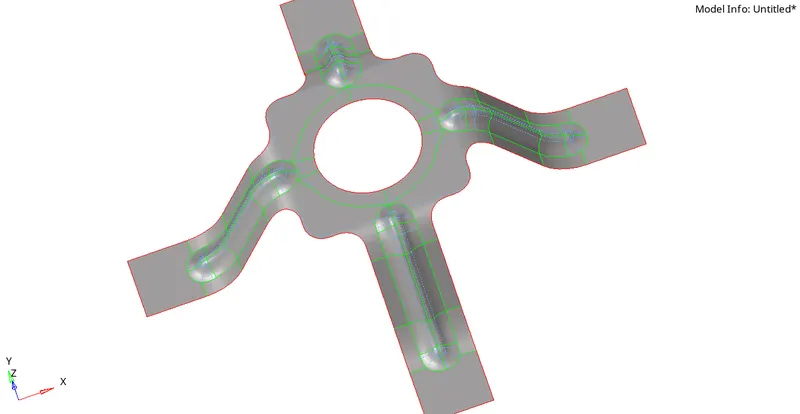
It is evident to say that fromt the above figures there is no geometrical issues are present so will move on the meshing part
.
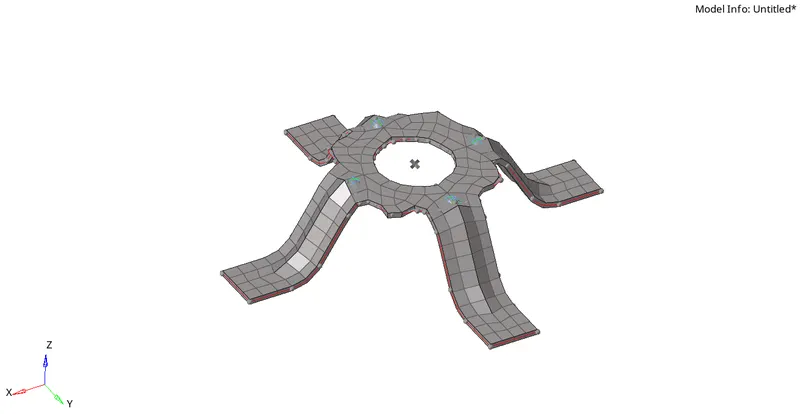
4)SHELL/SOLID MESHING: Meshing depends on the component thickness and its uniformity.
if the component thickness is uniform and less than 6mm - will go for shell meshing, it is also called 2-D shell meshing.
if the component thickness is not uniform and greater than 6mm -we will go for solid meshing , it is also called a 3-D solid meshing.
the above componets are less than 5mm thickness so i choosen the shell meshing.
below figures shown the shell meshing.
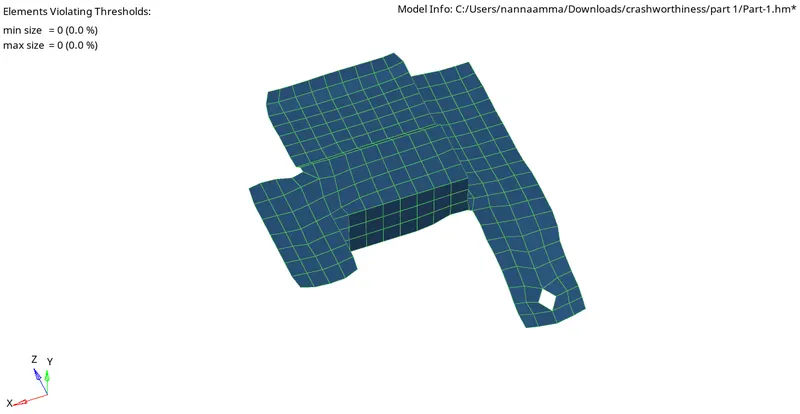
PART 2
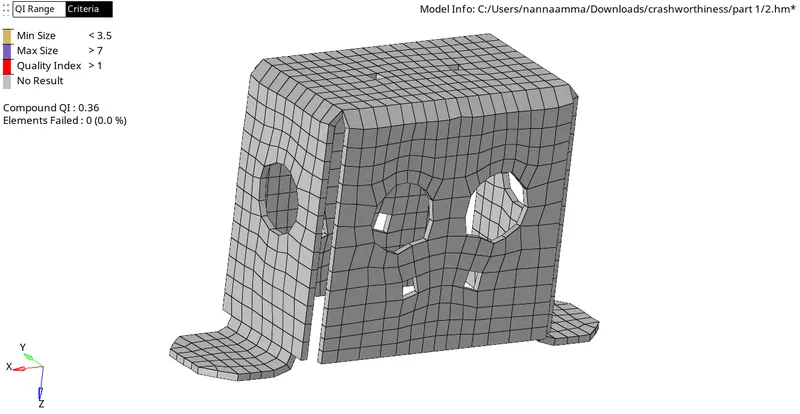
PART 3
5) ELEMENTARY QUALITY CRITERIA: For the above three components have same elementary quality criteria.
below figure represents the qualty criteria.
6) ASSIGNING THICKNESS: After complenting the meshing with quality criteria we need to improve the mesh flow , after that we will assign the thickness for shell elements as a solid element.below figure represents the thickness of each component
RESULT: As per the question menctioned

I have
- imported a cad models
- cleaned the geometry
- taken the mid suface through skin offset
- completed the meshing
- assigned the quality criteria
- assigned the thickness.
LEARNING OUTCOMES
- How to import a cad model
- how to cleaning up the geometry
- how to taken a mid surface
- how to mesh a component
- how to perform reflect
- how to assign the thickness
- how to save the model.