Assignment 1
AIM:
Carry out the geometry cleanup operation on the given 3 files.
- Practice
- Clip Repair
- Mounting Bracket
OBJECTIVES:
There should not be any free edges, convert all of them into refine geometry.
- Clean the geometry.
- Extract midsurface.
- Clean midsurface geometry.
- Ignore holes less than dia 5mm.
- Create 2D mesh with target length 5mm, min 3.5mm max 7mm.
- And assign proper thickness, by creating a generic property.
- Then Save in .hm format.
DESCRIPTION:
PRACTICE COMPONENT:
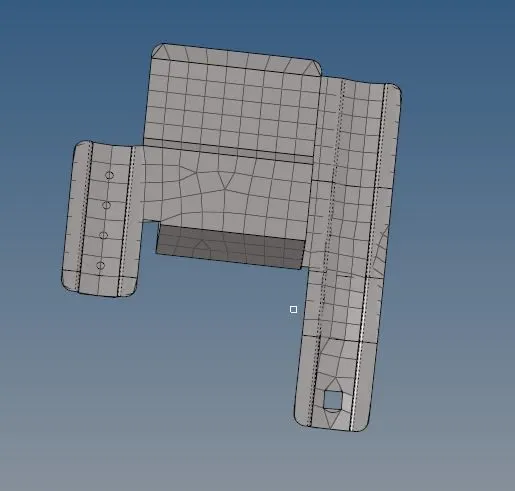
- The practice component is imported in hypermesh & midsurface is taken. Free edges are checked and midlines are taken by using the trim option. Other lines are toggled, once the midline is created.
- Mid-surface is extracted & the component is meshed with an element size of 5mm as the dimensions is given.
- Meshing the component as preference with minimum size is 3.5 mm & maximum size is 7 mm.
- Once the meshing is done, we have chaecked the quality of meshing, by continous flow.
- Some failing elements occured, that can be viewed in quality index.
- By using replacing nodes option we can join the misplaced element.
CLIP REPAIR COMPONENT:
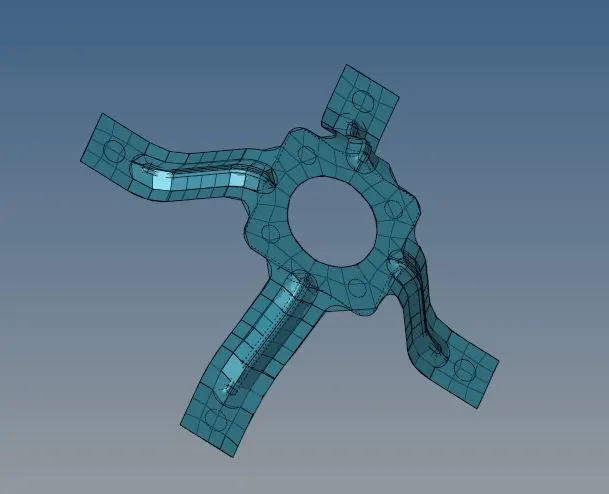
- The practice component is imported in hypermesh & midsurface is taken. Free edges are checked and midlines are taken by using the trim option. Other lines are toggled, once the midline is created. Mid-surface is extracted & the component is meshed with an element size of 5mm as the dimensions is given.
- Mid-surface is extracted & the component is meshed with an element size of 5mm as the dimensions are given.
- Meshing the component as preference with minimum size is 3.5 mm & maximum size is 7 mm.
- Once the meshing is done, we have checked the quality of meshing, by continous flow.
- For continous flow of mesh, wecan use split command by dividing the surfaces.
- Some failing elements occured, that can be viewed in quality index.
- By using replacing nodes option we can join the misplaced element.
MOUNTING BRACKET COMPONENT:
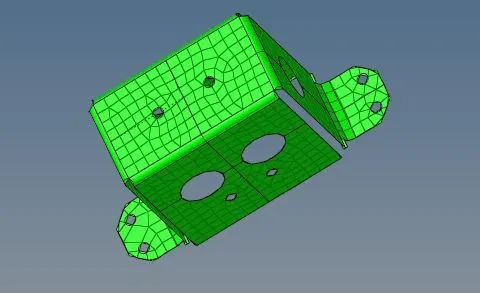
- The mounting bracket is imported in hypermesh & midsurface is taken. Free edges are checked and midlines are taken by using the trim option. Other lines are toggled, once the midline is created.
- Mid-surface is extracted & the component is meshed with an element size of 5mm as the dimensions are given.
- Meshing the component as preference with minimum size is 3.5 mm & maximum size is 7 mm.
- Once the meshing is done, we have chaecked the quality of meshing, by continous flow.
- For continous flow of mesh, wecan use split command by dividing the surfaces.
- Some failing elements occured, that can be viewed in quality index.
- By using replacing nodes option we can join the misplaced element.
RESULT:
- By using edit tool option geometry is cleaned.
- To extract the midsurface auto midsurface option is extracted.
- Fixing the failed elements by using quality index option & elements are adjusted.