Assignment 1
AIM:
To cleanup the geometry and mesh for the given components using HyperWorks
Procedure: (Pre processing)
- Import the CAD model or in this case open the .hm model file
- Cleaning up the geometry - delete unwanted lines, points,nodes.Also delete the solids, then check for free(red) and T-edges(yellow) in 2D topo view mode on surfaces and rectify them using necessary surface operations such as ‘Toggle edge’ etc. from ‘geometry-edit edge’.
- Edges too far away that are greater than thickness, then use ‘replace point’ in ‘quick edit’ option. t-edges are mainly due to presence of duplicate surfaces. use duplicates option under geometry->defeature.
- Delete mismatched / unnecessary surfaces - (F2 ‘delete’ command)
- Toggle edit surf where necessary
- For missing surfaces, use filler surfaces in quick edit(F11) to create the missing surface. Also can use various options in ‘geometry->surfaces to create a new surfaces’
- Midsurface- after geometry clean up midsurface can be extracted using auto midsurface option.
- Fill holes using the ‘defeature’ option which is less than 5mm diameter.
- Meshing- Set Mesh parameters & use criteria editor in quality check option (F10)
- Clean the geometry for meshing & meshing is done using ‘2d->automesh’ (F12)
- Quality is checked using F10 and failing elements are adjusted using ‘ cleanup tools’ in the quality index option in 2d.
- free edges are checked and cleared immediately.
- Similarly, all the above procedures are done to all other given component parts.
- A separate property is set for the defined parent thickness.
Images:
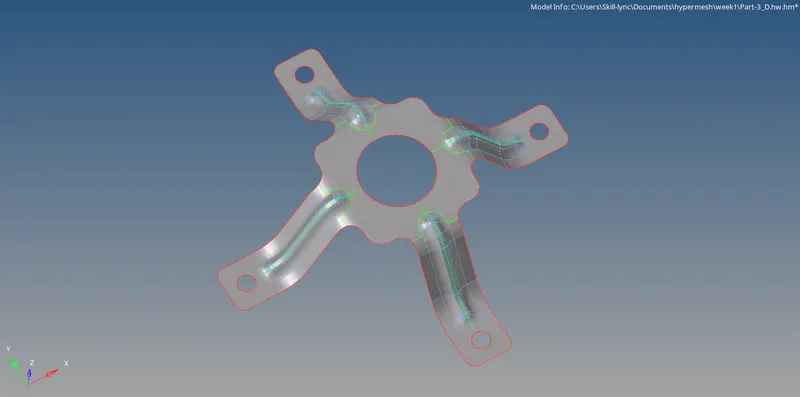 Geometry Cleanup & Midsuface
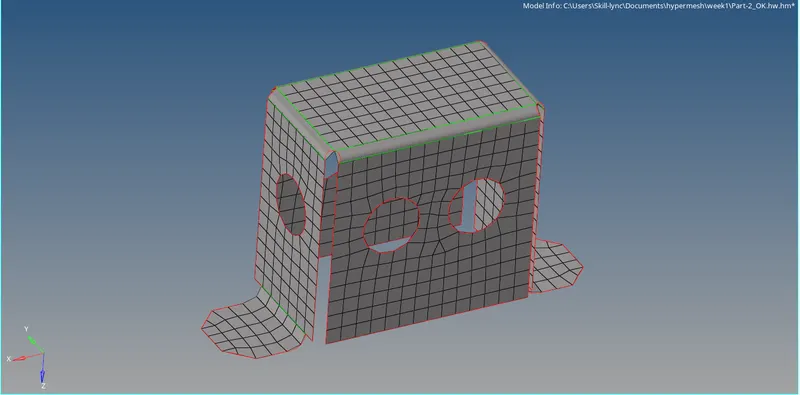 Meshing
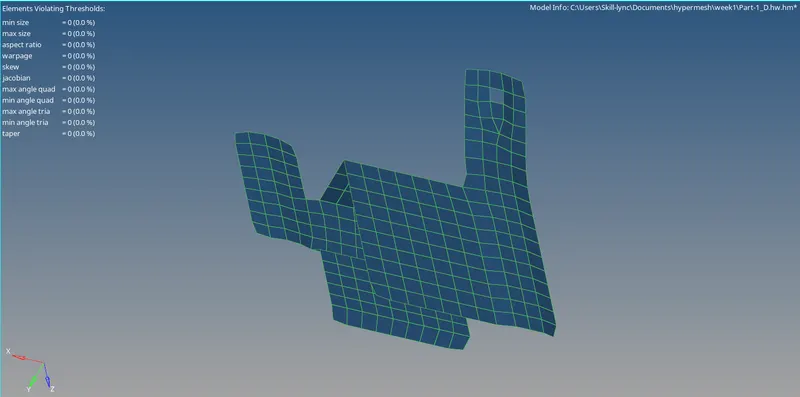 Quality Index
Result:
All three models are imported, geometry is cleaned up for mid surface extraction and meshed under the given quality criteria. Thus, prepared for solver analysis.
MODEL:
https://drive.google.com/drive/folders/1KEsTbF-fxi84R-xYVBAXZ4sq2Yp1o2Kd?usp=sharing