Advanced Sheet Metal Design Using NX Cad Challenge_7_ Metal bracket-II
ADVANCED SHEET METAL DESIGN USING NX CAD CHALLENGE 7 METAL BRACKET-II
OBJECTIVE: The objective of this challenge is to design a metal bracket with mentioned tools and measurements in Sheet metal Application of Siemens NX.
INTRODUCTION: A Bracket is a component used to support load or any attachments to structural element for heavy vehicle. It is subjected to different types of loading while the vehicle is in motion. One of the main common. loading is static load which is assumed to be constant throughout the operation. Brackets can be made in various ways, such as casting or CNC machining. However, the best way to make simple brackets is sheet metal fabrication. One of the most common sheet metal processes is bending, in which a machine called a brake is used to bend sheet metal
DESIGN METHODOLOGY:
- Open NX cad. Select sheet metal.
- Create a sketch with proper dimension.
- After creating sketch use contour flange command.
- Normal cutout.
- Unbend the profile.
- Create sketch after unbend.
- Use advance flange command.
- Normal cutout and reband the profile.
- Use break corner command and save the profile.
DESCRIPTION: Following commands are used in this challenge.
- SKETCH: Use the Sketch command to create a sketch and define its sketch plane, orientation, or origin. You can create a sketch on an edge, curve, datum plane, or planar face.
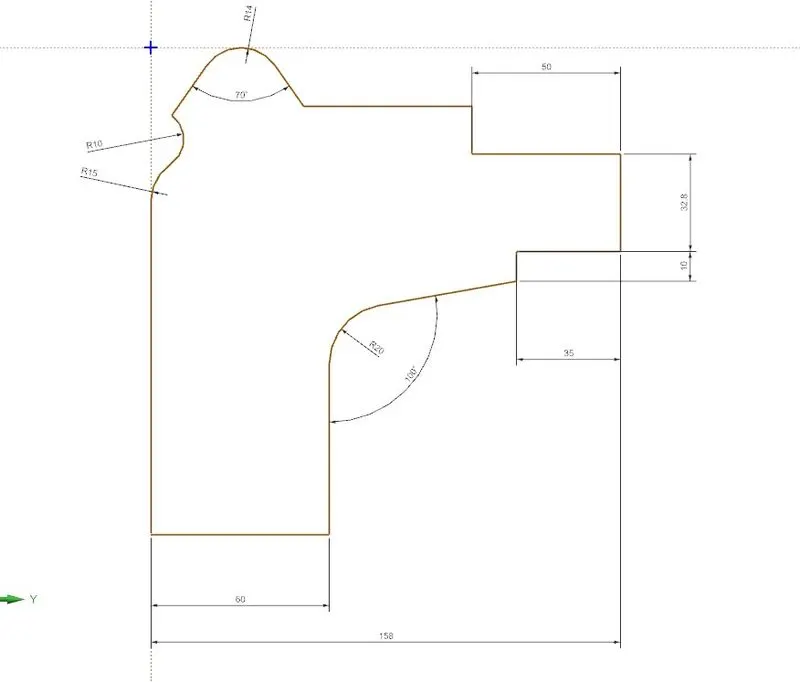
- CONTOUR FLANGE: Use the Contour Flange command to create a flange by extruding a sketch along a vector, or by sweeping a sketch along an edge or chain of edges. NX adds bends automatically using the default bend radius value. To use a different bend radius value, draw arcs in the section, or change the default bend radius value.
- NORMAL CUTOUT: Use the Normal Cutout command to cut material by projecting a sketch onto the model and then cutting perpendicular to the faces intersected by the projection.
- BREAK CORNER: Use the Break Corner command to round or chamfer sharp corners of a tab or flange.
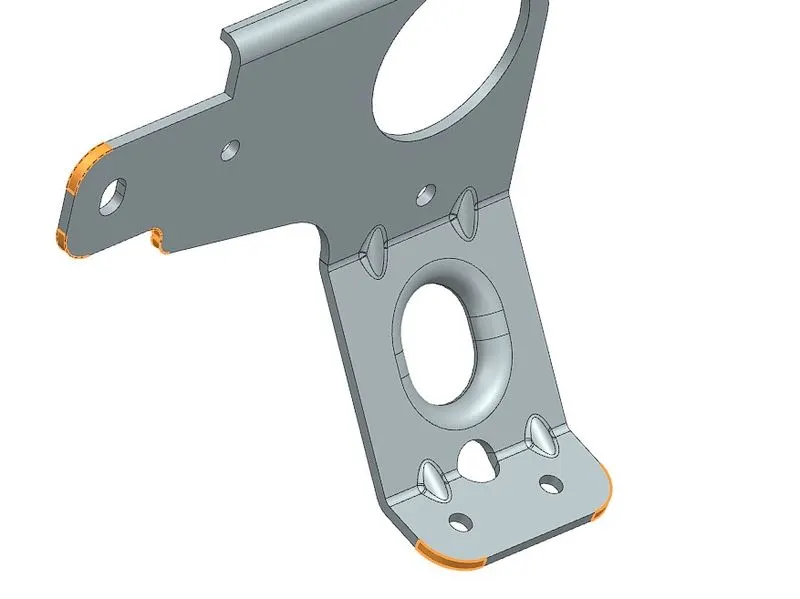
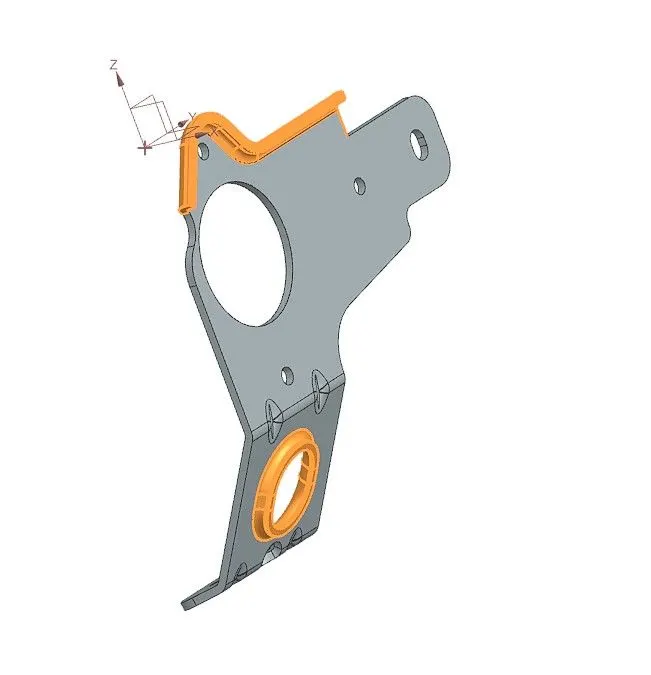
- ADVANCED FLANGE: Use this command to add a flange along an edge using a bend angle or a reference face. The edge and reference face can be curved. You can select a single edge or a chain of tangent edges.
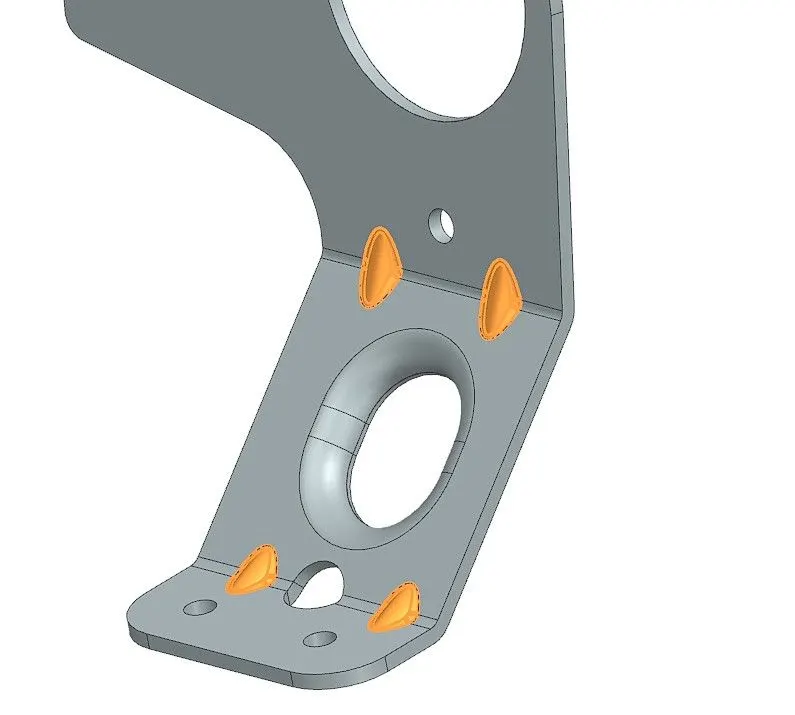
- GUSSET: This command is used to give stiffness to the material.
FRONT VIEW:
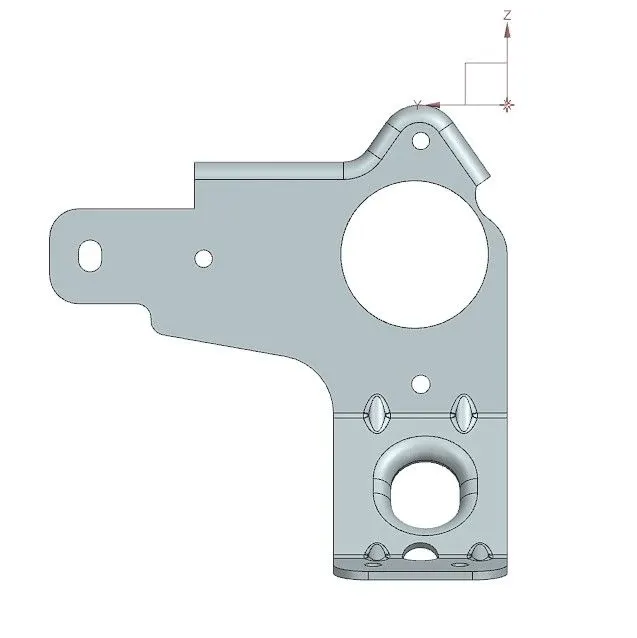
TOP VIEW:
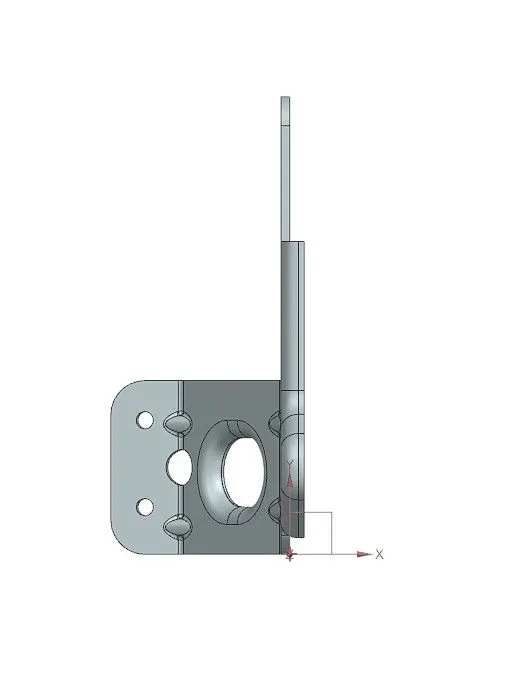
SIDE VIEW:
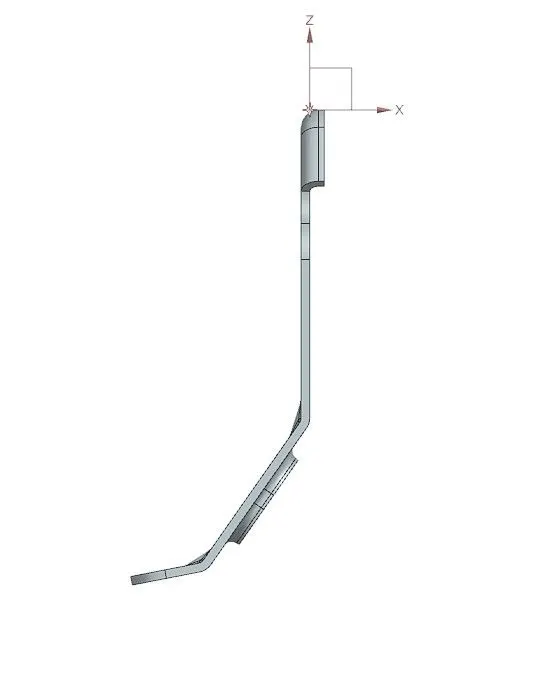
ISOMETRIC VIEW:
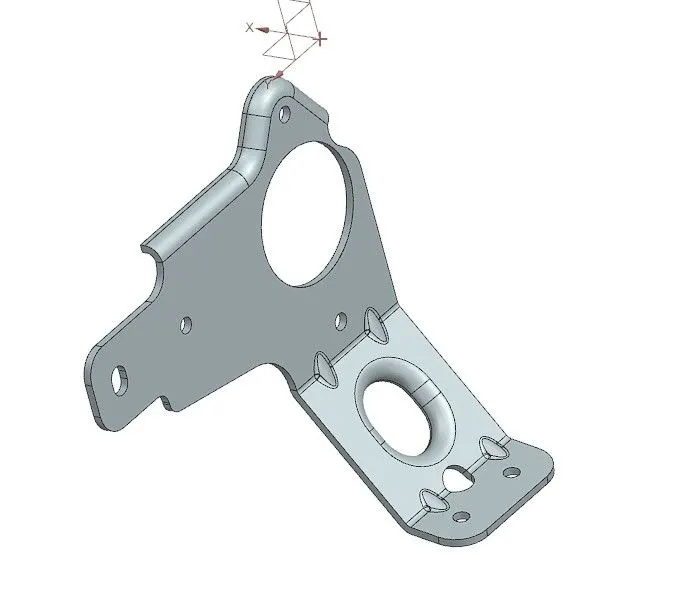
CONCLUSION: In this challenge I'm able to know some new commands like ADVANCE FLANGE, GUSSET.