Advanced Sheet Metal Design Using NX Cad Challenge_7_ Metal bracket-II
Title: Advanced Sheet Metal Design Using NX Cad Challenge_7_ Metal bracket-II
Objective: To design Metal Bracket Using Seimens NX.
Introduction: A bracket is an intermediate component for fixing one part to another. It is used to support the weight. Brackets vary widely in shape, here we are designing an L- shaped bracket. Brackets can be made in various ways, such as casting or CNC machining. However, the best way to make simple brackets is sheet metal fabrication. One of the most common sheet metal processes is bending, in which a machine called a brake is used to bend sheet metal.
Design Approach:
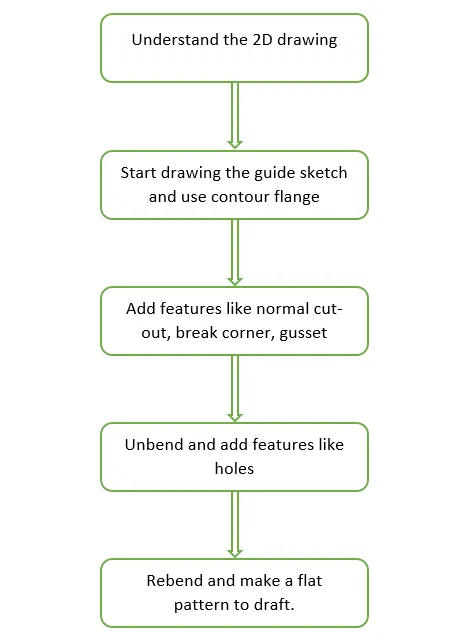
Description: Following are the tools and commands used in designing ot the Bracket:
Sketch: Used to create a sketch and define its sketch plane.
Contour Flange: Used to create a flange by extruding a sketch along a vector.
Normal Cutout: This command cuts the material by projecting the sketch onto the model surface.
Break Corner: This command is used to roud or champher the corners of a tab or a flange.
Advanced Flange: This command adds a flange along an edge using a bend angle of a referance face.
Hole: This command is used to add holes to a solid body.
Gusset: This command is used to create stiffening gussets on the part.
Unbend: This command flatens the bend and surfaces adjesent to it.
Rebend: This command restores the unbend feature to its previous state.
Design views:
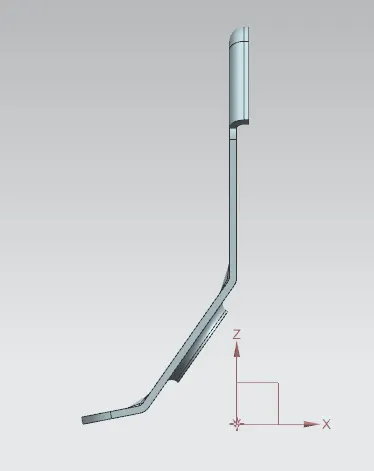
Front View:
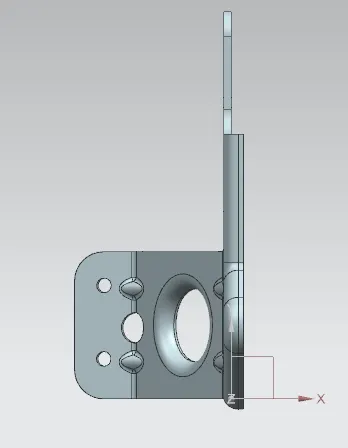
Top View:
Side View:
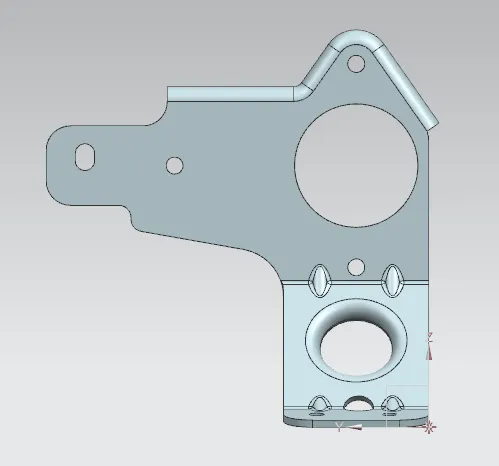
Isometric View:
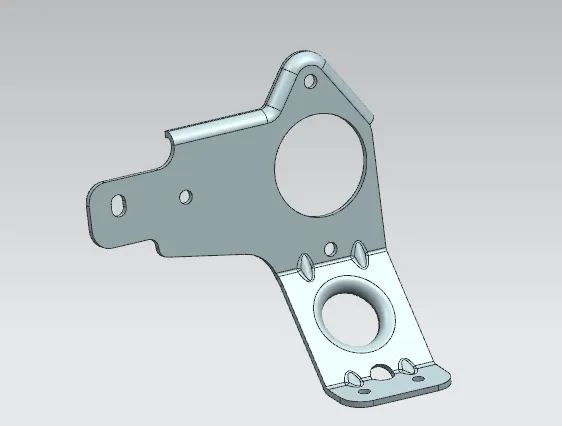
Conclusion: Metal bracket was designed using Seimens NX.