Advanced Sheet Metal Design Using NX Cad Challenge_7_ Metal bracket-II
SHEET METAL BRACKET-II
OBJECTIVE:- Sheet metal Bracket-II design using Sheet Metal features in NX CAD.
INTRODUCTION:- NX Sheet Metal provides a set of tools within the NX design environment that allows for simple and fast design of sheet metal parts, dependent on their material and manufacturing process, the most common of which is straight brake sheet metal forming.
DESIGN METHODOLOGY:- There are some step ot stages follows as shown as....
- Create a new sheet metal model as .prt file.
- Changing the parameters preferences accordingly.
- Create a sketch on certain plane.
- Use Contour Flange tool for creating sheet metal of certain thickness.
- Use Normal cutout Tool for making a profile cut in the sheet accoding to the sketch.
- Round or chamfer a sharp corner of a tab and flange face by using Break Corner command.
- Flatten the bend and the material adjacent to the bend face by using Unbend command.
- Add a hole to one or more solid bodies in a part with counterbored, countersunk and threaded by using Hole command.
- Rebend command using to restores an unbend features to its previous bent state, along with any features addad after the unbend features.
- Use Advanced Flange, Adds a flange along using a bend angle or a reference face. the edge and face can be curved.
- Use Gusset, creating a stiffening gusset on the part.
- Drafting
Descrption:-
- Sketch:Creat a sketch in XZ plane and draw a profile at the origin with an certain dimesions.
- Adding a Solid Sheet:Exit the sketch mode, use the Contour Flange button for creating first profile metal sheet of 3mm.
- Normal Cutout: In that sketch, draw a profile symmetrical with respect to the x-axis which is coincide with the right and top edge of the rectangular sheet of certain dimesions for making profile hole.
- Again adding the normal cutout with respect to the curvature on face.
- Breaking Corner: click the Break Corner button and create the round corner on edges where required.
- Unbending the Face: click the unbend button, select as stationary face of the metal sheet for bending face one of its adjacent faces.
- Again adding the normal cutout with respect to the curvature on face.
- One more time use the Normal cutout feature to make a sheet cutout like hole and some others profile.
- Again adding the break corner tool on sheet modification.
- Adding Holes: create a point on the center of hole. use the hole button on YZ plane.
- Rebending the face of sheet metal on bend face by using Rebend tool.
- One more time use the Break Corner feature to make a sheet corner smooth profile.
- Adding the Advanced Flange: Use the Advanced flange button, select the base edge with repect to the flange properties along with validate parameter.
- Again use the unbending feature for flat pattern of sheet along with stationary face.
- Again Adding Holes: create a point on the center of hole. use the hole button on YZ plane.
- One more time use the Normal cutout feature to make a sheet cutout like hole and some others profile.
- Again adding the advanced falenge feature on previous modification.
- Again Rebending the face of sheet metal on bend face by using Rebend tool.
- Adding Gusset: use the Gusset button, select the bend face whether required stiffening face and specify the plane which offsetting from the left face of the sheet metal and after that specify the round gusset.
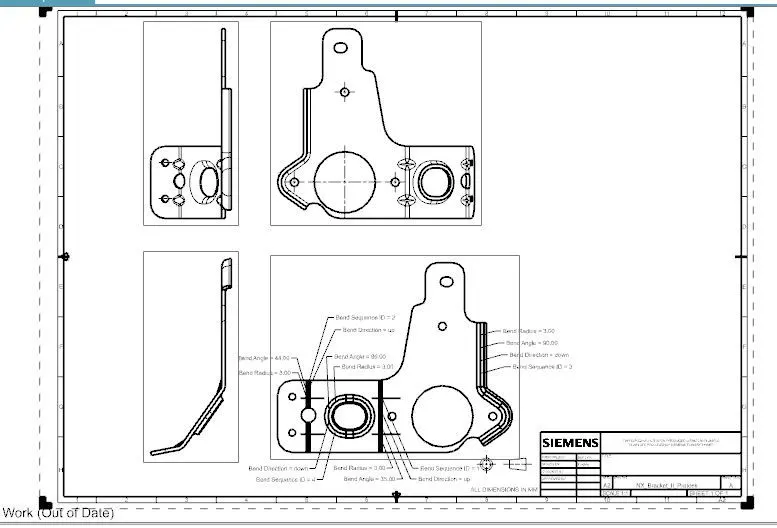
- Drafting: Click on flat pattern button for creating drafting file using base view features.
SCREENSHOT OF VIEWS of MODEL
- Front View
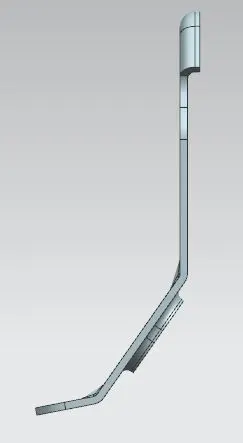
- Left View
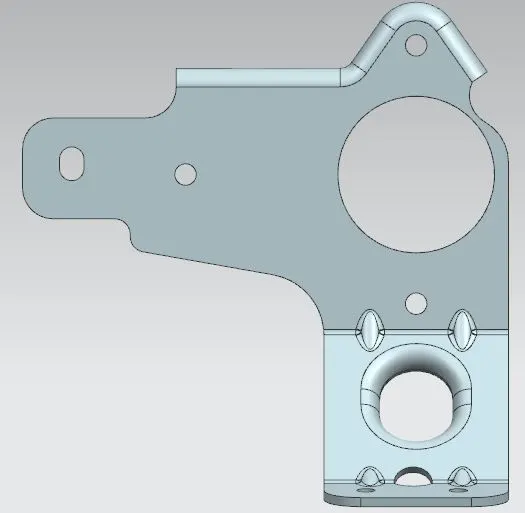
- Right View
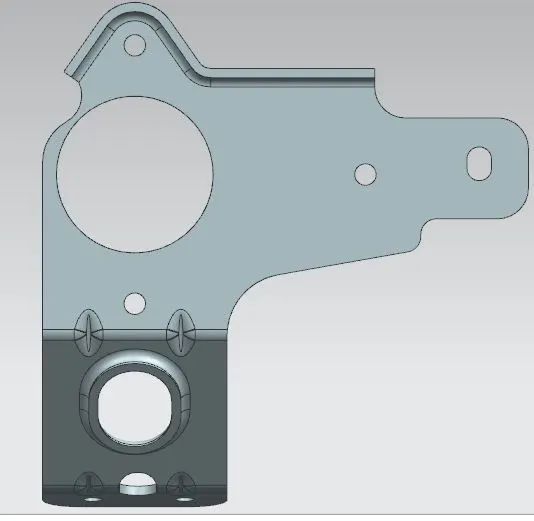
- Top View
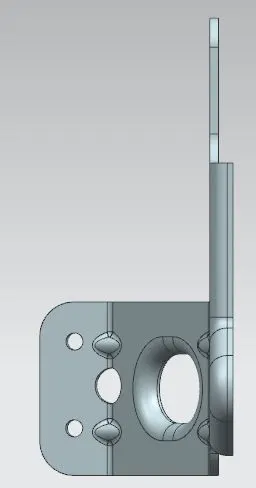
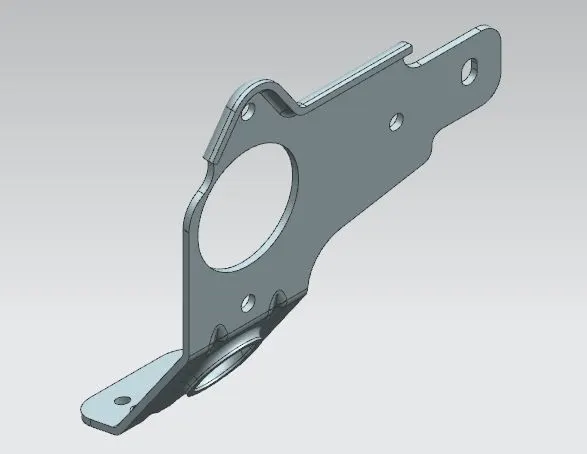
- Isometric View
DETAIL DRWAING SHEET IMAGE OF MODEL
CONCLUSION:-NX sheet metal design software incorporates material and process information in sheet metalspecific modeling features: bends, flanges, tabs, cutouts, beads, dimples, louvers, corner and edge treatments, patterns and other formable features. You can also quickly convert solid models to sheet metal components, and create sheet metal parts that enclose other components.