Advanced Sheet Metal Design Using NX Cad Challenge_7_ Metal bracket-II
Title of the project –
Advanced Sheet Metal Design Using NX Cad - Metal bracket-II
Objective –
To obtain a specified sheet metal bracket and to apply various sheet metal feature as per requirement and observing final desired output.
Introduction –
NX sheet metal design incorporates material and process information in sheet metal-specific modelling features: bends, flanges, tabs, cut-outs, beads, dimples, louvers, corner and edge treatments, patterns and other formable features.
Design Methodology/ Approach –
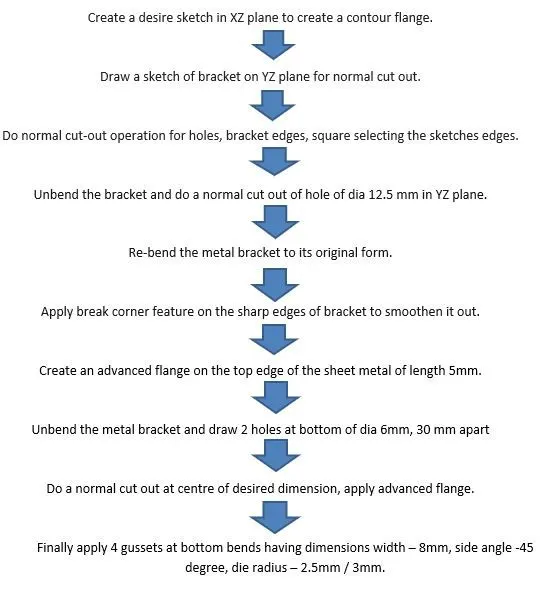
Flow Chart-
Features used –
- Sketch – It’s the base 2D drawing where it’s drawn on selecting a plane.
- Tab - It’s base feature part of the sheet metal.
- Flange -Its extended part of sheet metal obtained by selecting edges.
- Unbend – this feature unbends the sheet metal part selecting any face as stationary face.
- Re-bend – It brings back the sheet metal to its original shape.
- Normal cut out - Cuts material by projecting a sketch onto a model and then cut perpendicular to faces intersected by projection.
- Break corner – Creating curved corners instead of sharp-edged corners.
- Advanced flange – It’s a type of flange that can be created on ant type of curved profile.
- Gussets – It round/ square shaped supports that are given at bends to strengthen the sheet metal.
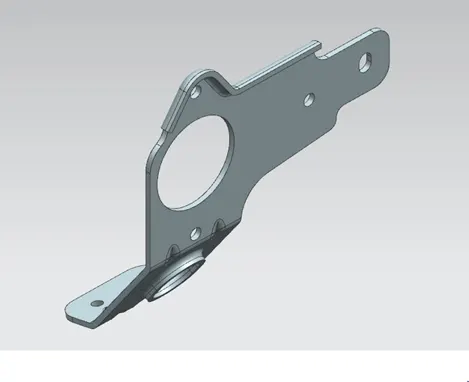
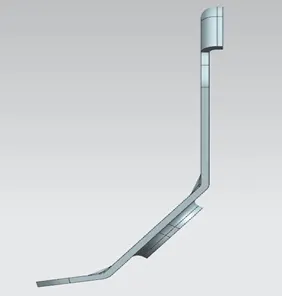
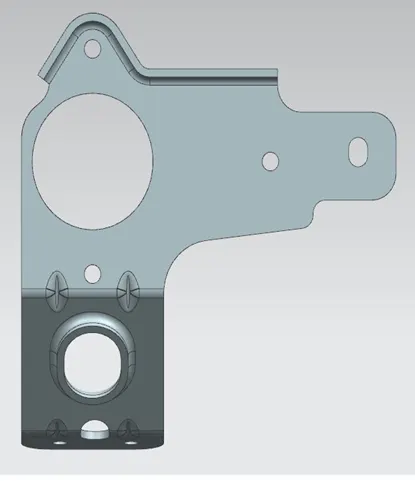
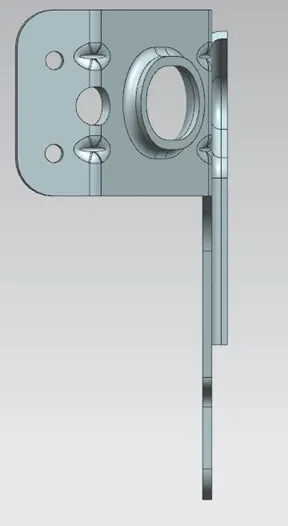
Various directional views –
Conclusion –
The desired shape of the metal bracket is obtained with various features applied on it.