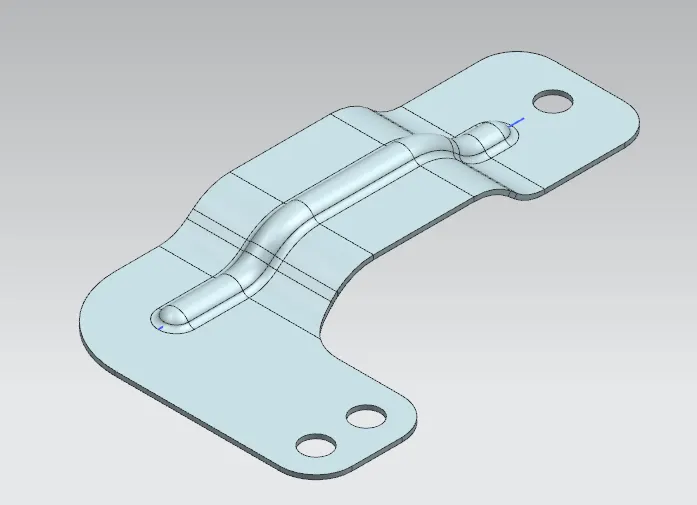
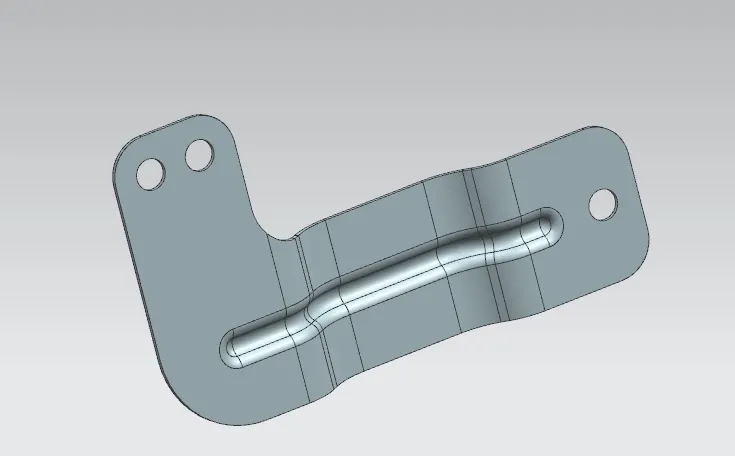
Advanced Sheet Metal Design Using NX Cad Challenge_6_Bracket
Title : Bracket
Objective : To write report on Sheet Metal Component with good explanation on Sheet Metal modelling tools applied throughout the modelling.
Introduction : In this challaenge we have designed Bracket, given additional features like beading and then flattern the model.
Design Methodology :
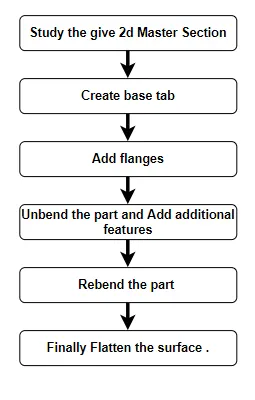
Description:
Open Nx Sheetmeta module
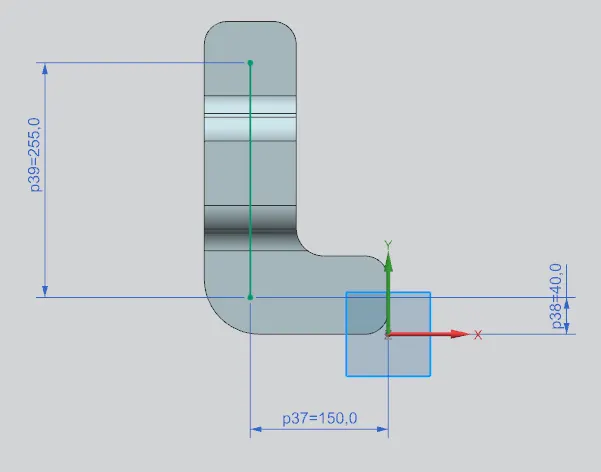
Sketch the equired contour
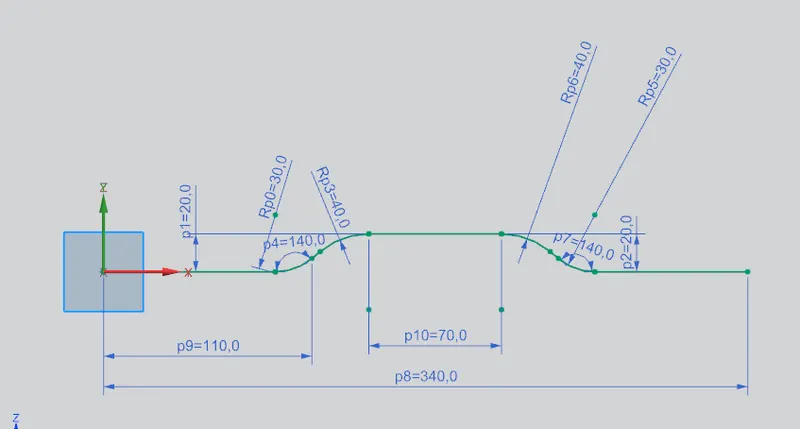
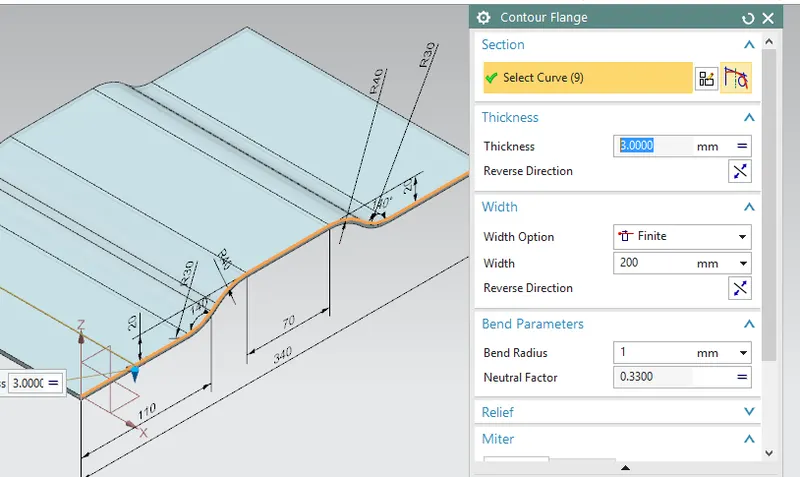
Then use Contour flange and create base feature.
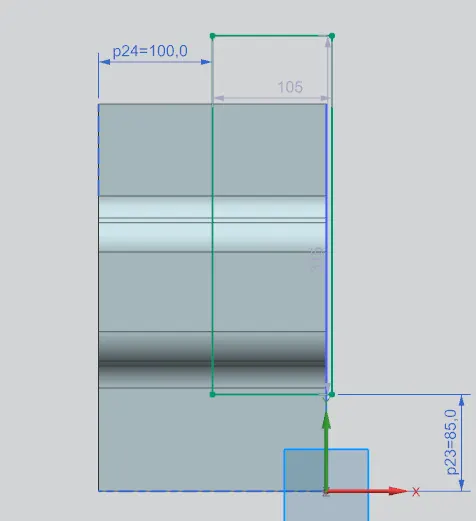
Create Normal cutout, for that sketch the cutout shape
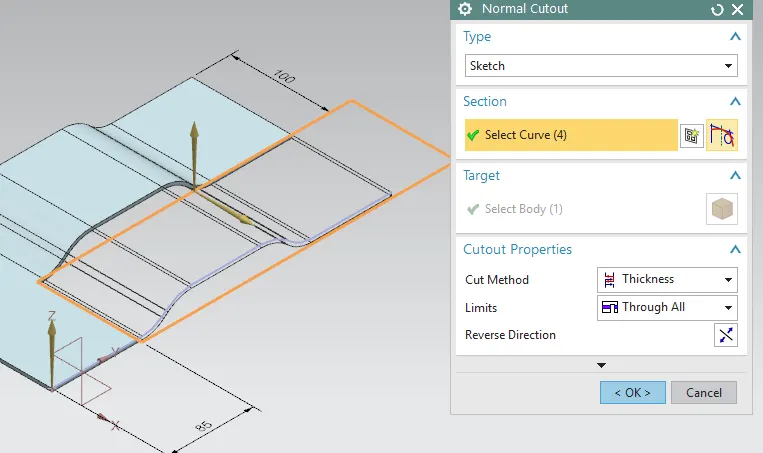
Use Normal cutout command
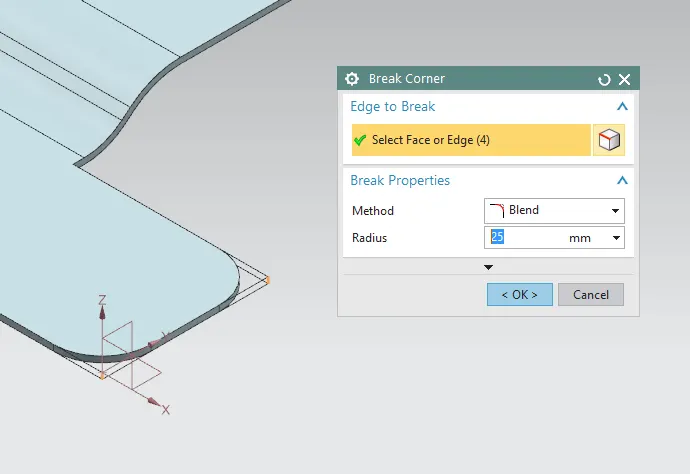
Then give fillet to sharp edges using Break corner.
Add feature called beading , for that sketch straight line.
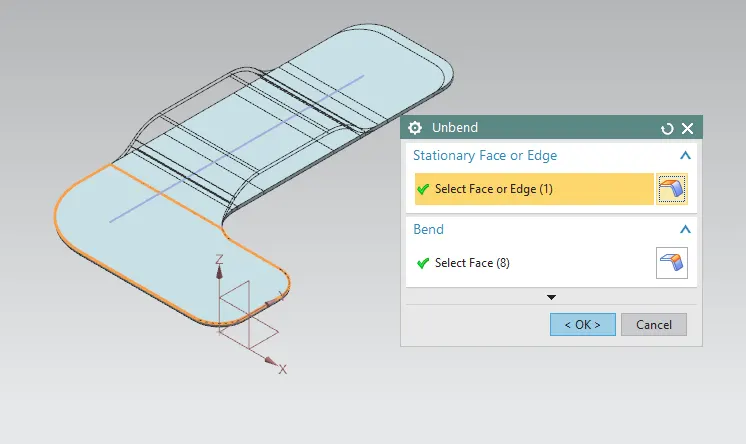
Then Unbend the part to perform beading operation
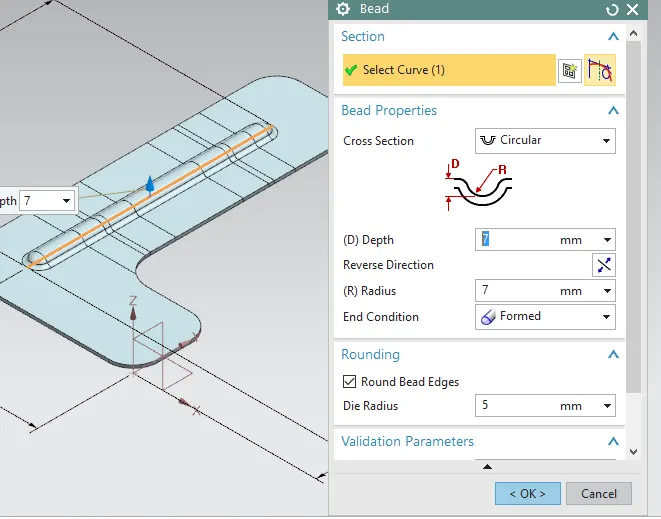
And use bead feature , give proper values.
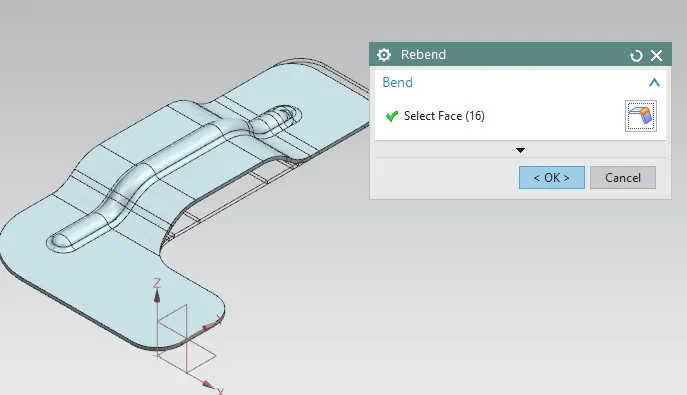
Then again Rebend the part
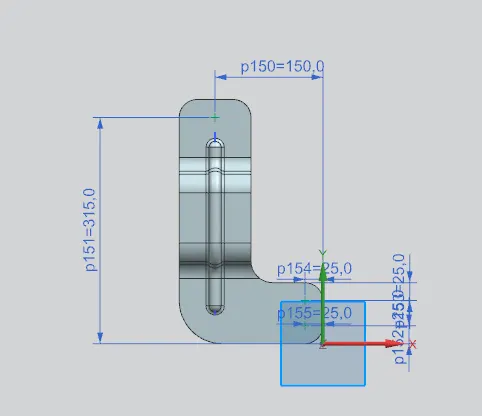
Add points in norder to locate holes.
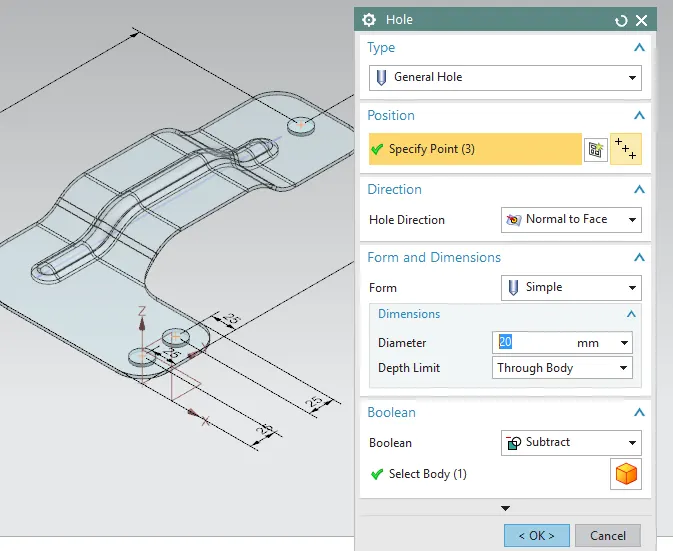
Use hole feature and add holes to given points.
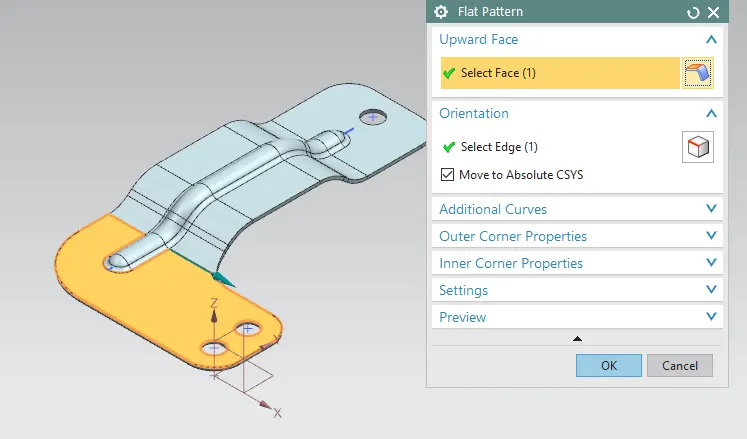
Then finally use Flat pattern feature.
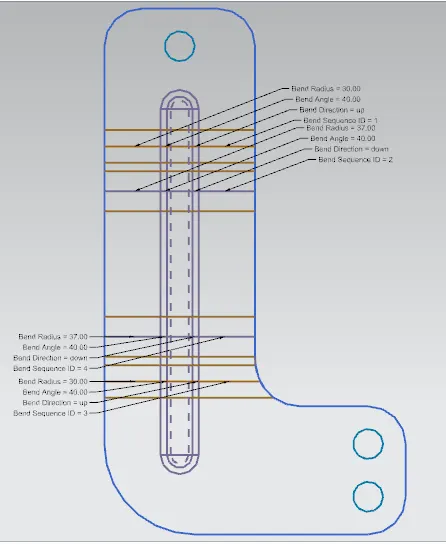
This is the Flat pattern view required for manufaturing.
Conclusion : In this way we have designed bracket.