Advanced Sheet Metal Design Using NX Cad Challenge_6_Bracket
....
....
Challenge:6
Advanced Sheet Metal Design Using NX Cad Challenge-6-Bracket
Objective-
To design a bracket using Siemens NX sheet metal application.
Introduction-
Sheet metal
Sheet metal is metal formed into thin, flat pieces, usually by an industrial process.Thicknesses can vary significantly; extremely thin sheets are considered foil or leaf, and pieces thicker than 6 mm (0.25 in) are considered plate, such as plate steel, a class of structural steel.
Sheet metal is available in flat pieces or coiled strips. The coils are formed by running a continuous sheet of metal through a roll slitter.
In most of the world, sheet metal thickness is consistently specified in millimeters. In the U.S., the thickness of sheet metal is commonly specified by a traditional, non-linear measure known as its gauge. The larger the gauge number, the thinner the metal. Commonly used steel sheet metal ranges from 30 gauge to about 7 gauge. Gauge differs between ferrous (iron-based) metals and nonferrous metals such as aluminum or copper. Copper thickness, for example, is measured in ounces, representing the weight of copper contained in an area of one square foot. Parts manufactured from sheet metal must maintain a uniform thickness for ideal results
Design methodology-
NX CAD offers a comprehensive set of tools for designing and manufacturing sheet metal parts. These tools include:
Modeling:
- Sheet Metal Feature Creation: Create features like flanges, bends, tabs, joggles, and dimples.
- Bends: Define bend lines, radii, bend relief, and springback.
- Unbend/Refold: Edit bends by unfolding and refolding the sheet metal part.
- Contour Flange: Create flanges along a complex contour.
- Hem: Create hems for improved aesthetics and strength.
- Punch/Extrude: Create holes and embossed features.
- Forming: Apply forming operations like stretching, shrinking, and flanging.
Flat Pattern:
- Automatic Flat Pattern Generation: Generate the flat pattern of your sheet metal part, including bend lines, bend deductions, and hole locations.
- Flat Pattern Editing: Manually edit the flat pattern to add features or adjust geometry.
- Bend Allowance: Define bend allowance based on material properties and bending process.
- Flatten/Unflatten: Flatten and unflatten the sheet metal part to visualize the 3D form and flat
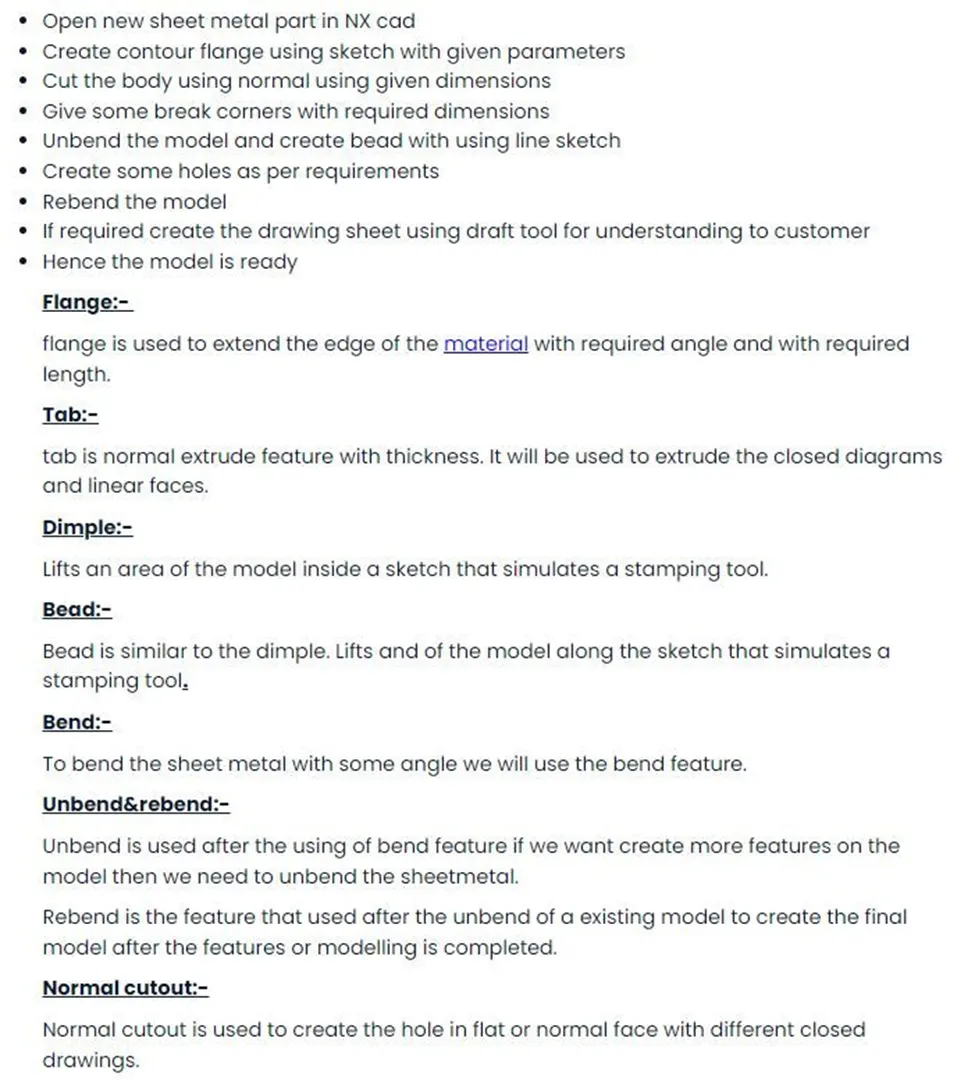
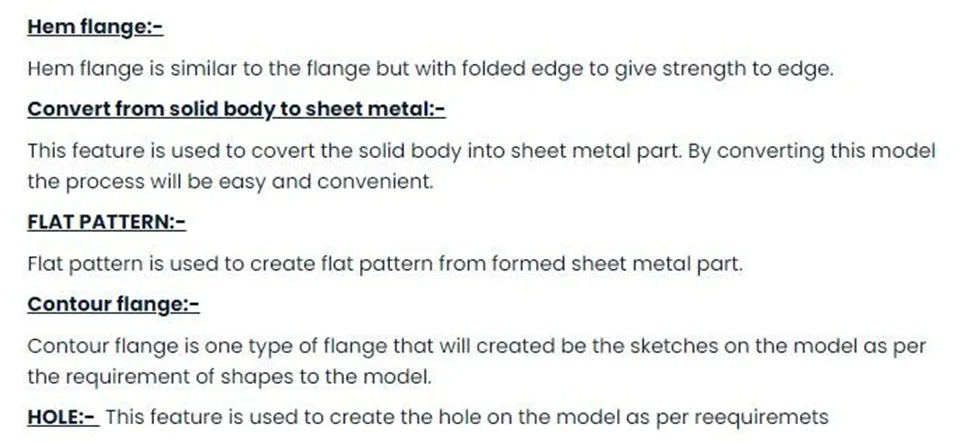
Description (Tools/ Features used while designing)-
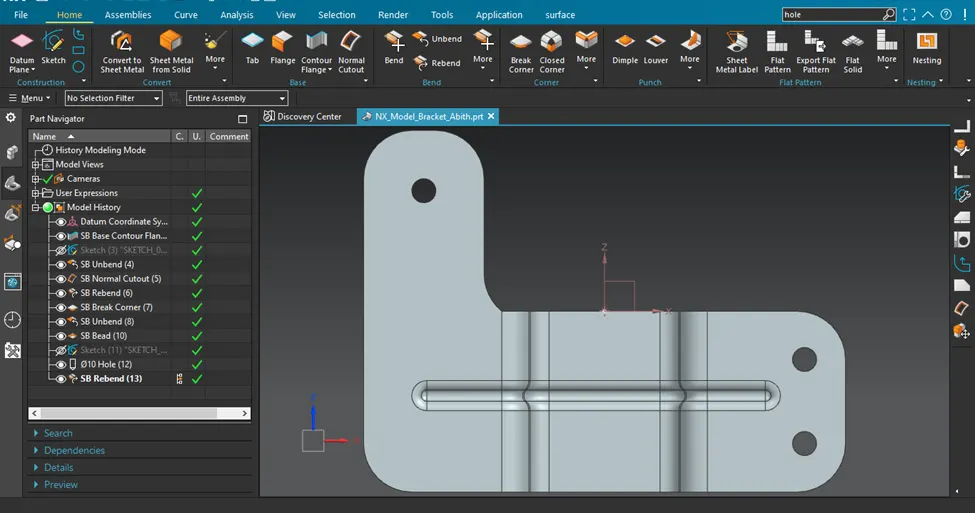
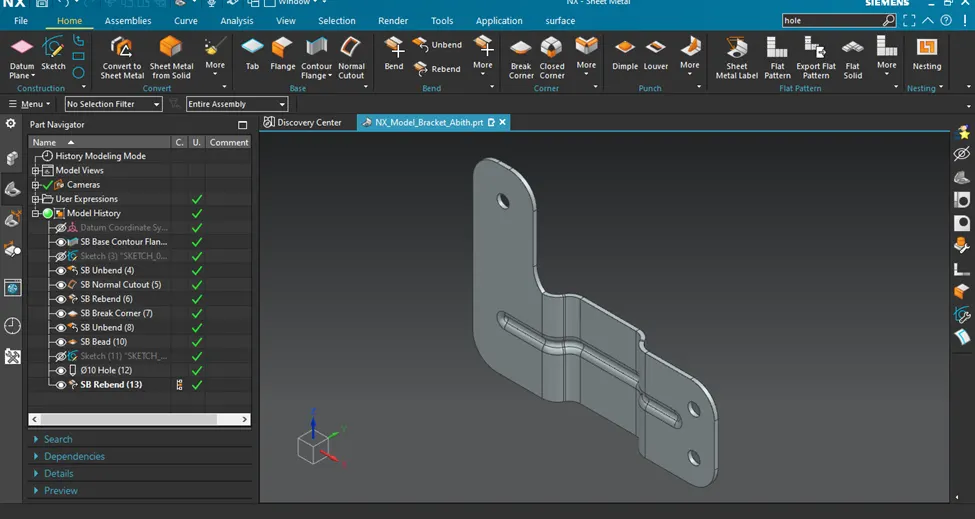
Different Views-
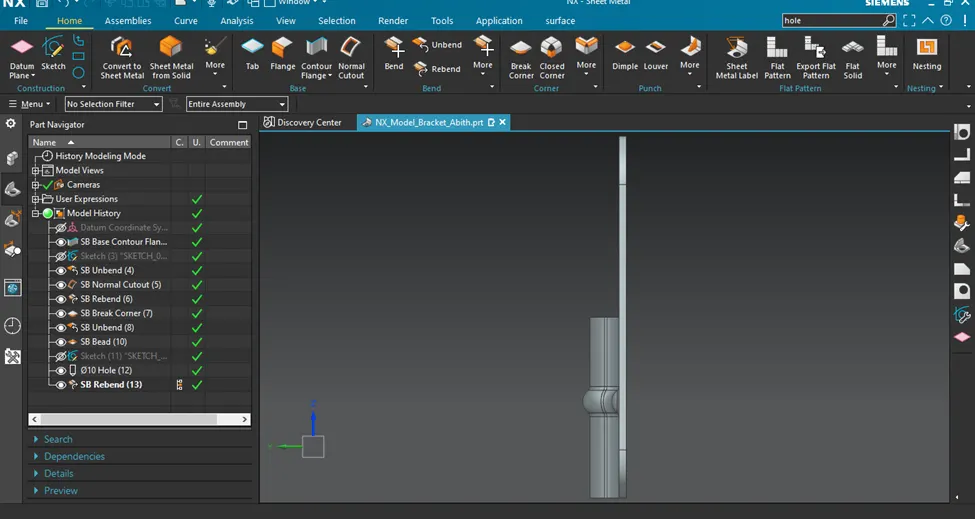
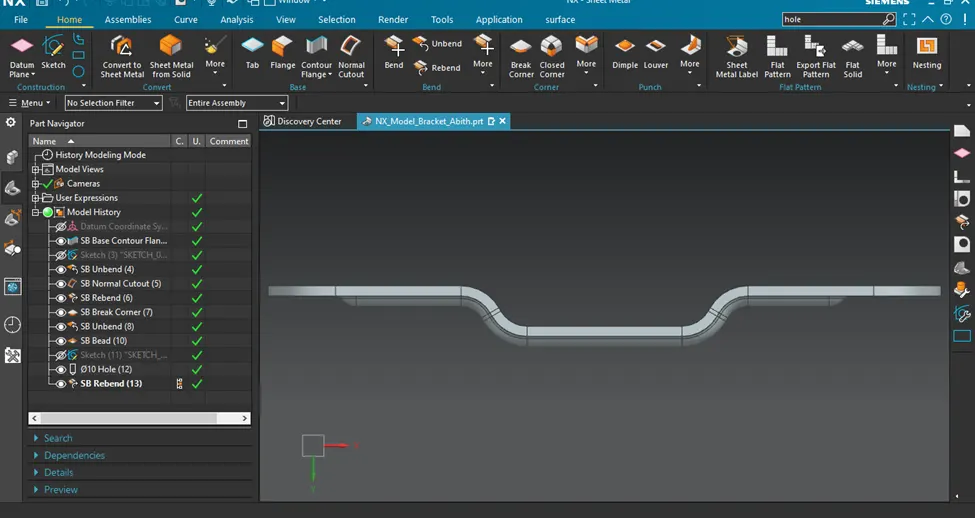
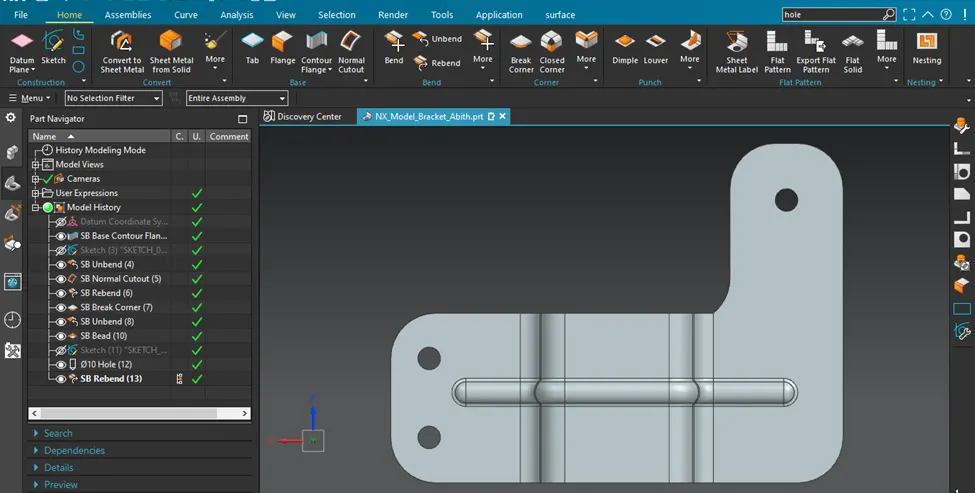
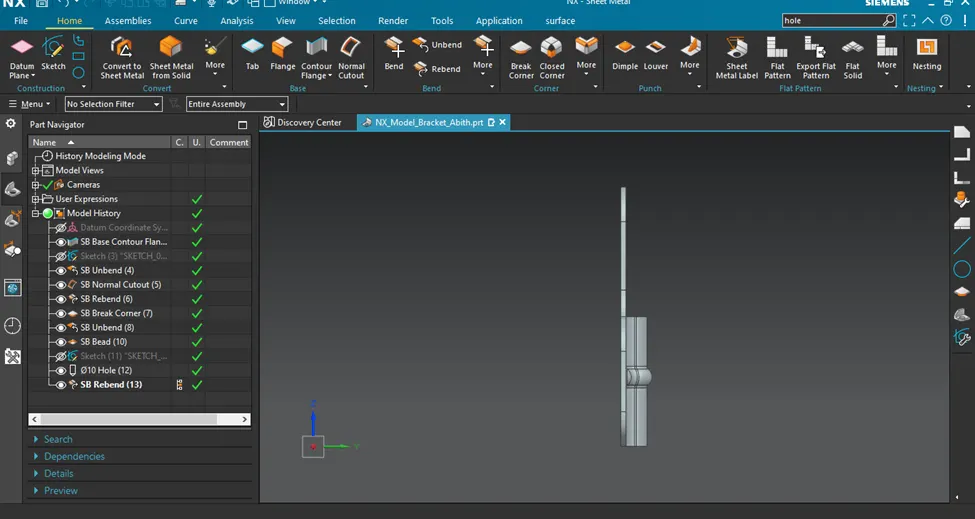
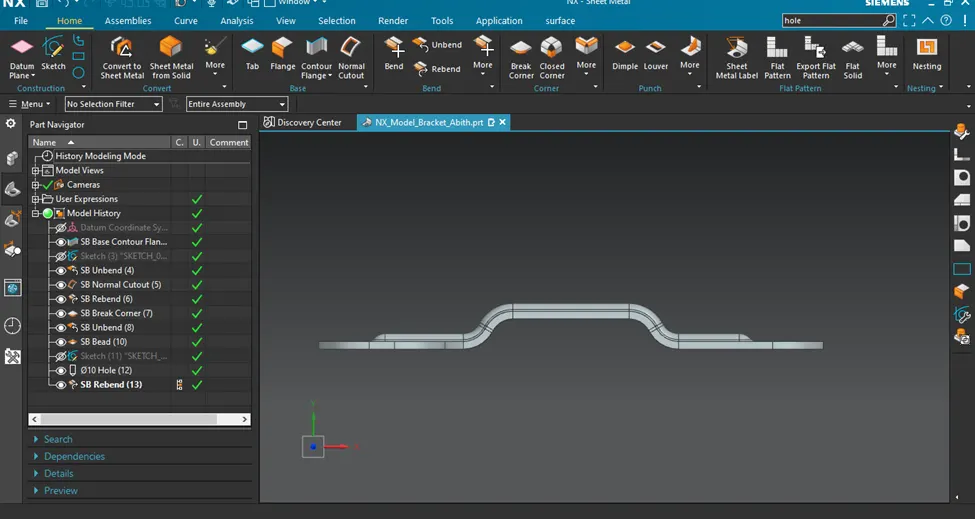
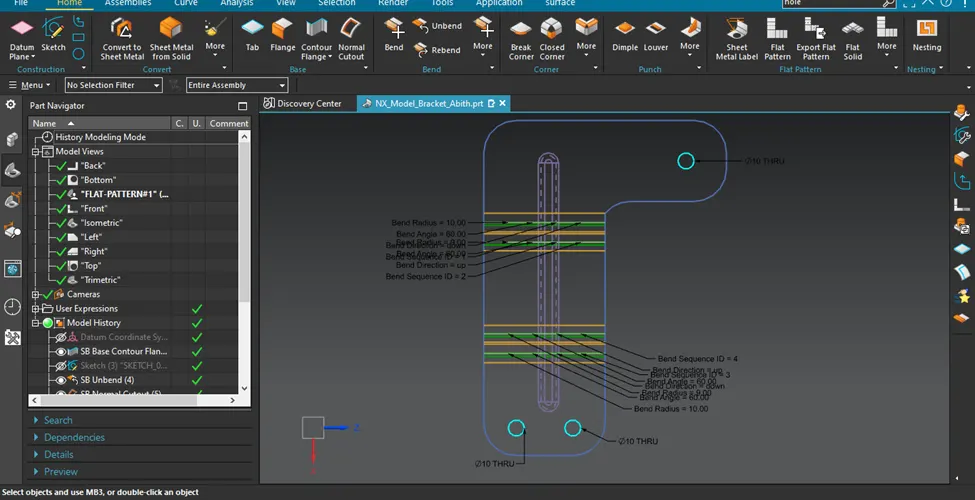
Flat Pattern:
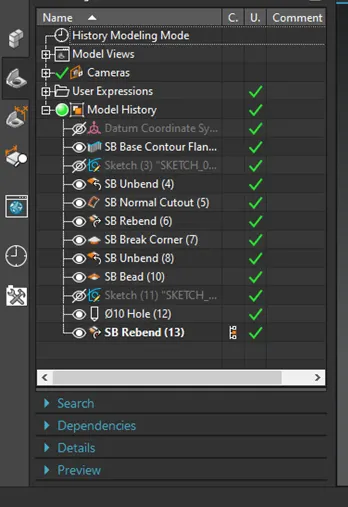
Feature tree-
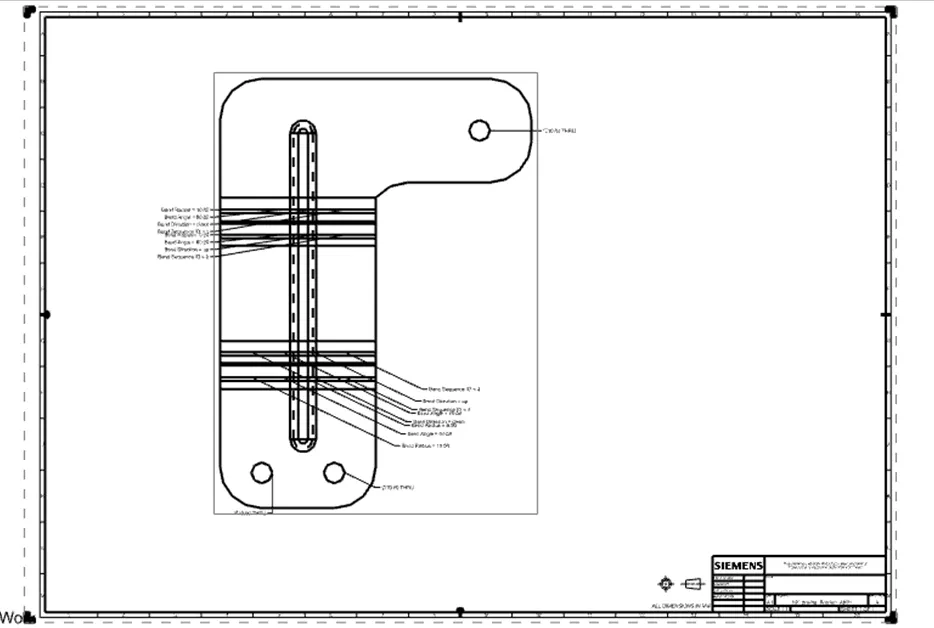
Drawing Sheet -
Conclusion:
All the objectives have been achieved and zip file is also uploaded.