Advanced Sheet Metal Design Using NX Cad Challenge_6_Bracket
DESIGN OF BRACKET USING NX CAD
AIM
Designing of bracket
Brackets are the part of a object in which it holds to a fixed part and can be easily fix and loose whenever needed.
In this project we a designing a L-shaped bracket and of three holes to fix.
|
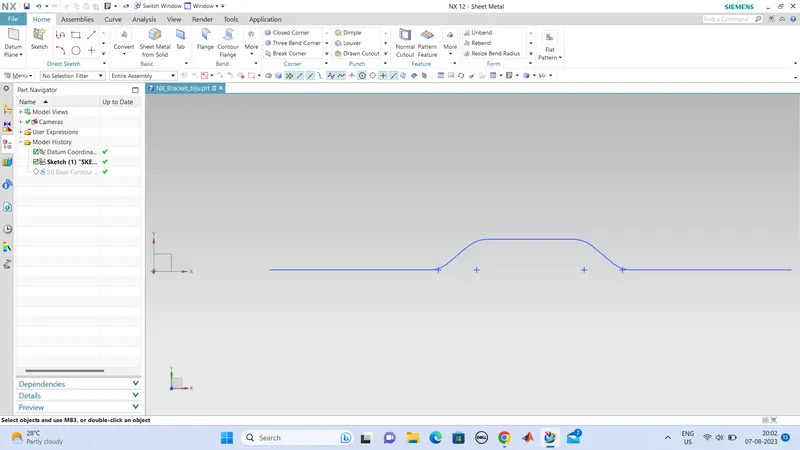
SKETCHING OF BRACKET DESIGN IN Z- PLANE |
|
CONTOUR FLANGE UP TO 200mm |
|
CUTOUT OF UNWANTED PORTION |
|
POSITIONING OF BEAD |
|
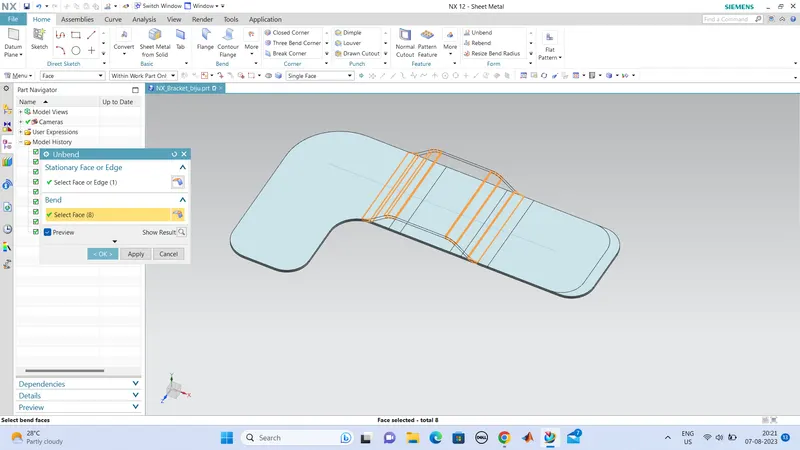
UNBENDING |
|
BEAD FORMATION |
|
REBENDING |
|
HOLE MAKING |
so we can start the designing. so open the NX CAD, and create a sketch of the bracket shape, the bracket is L-shaped, so we first create a sketch of shape and we can use this sketch to contour flange tool to make the bracket shape, and we can cut out the portion to make desired shape of the bracket.
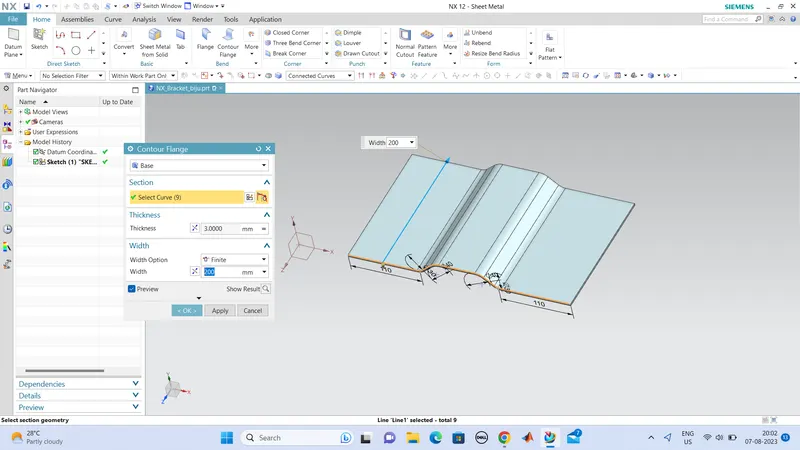
Hence the contour flange is created using the sketch that we have created, and the width of the bracket is 200mm, the total length of the sketch is 340mm including the bends.
next we can cut out the unwanted portion , so we can create a new sketch of the cut out area.
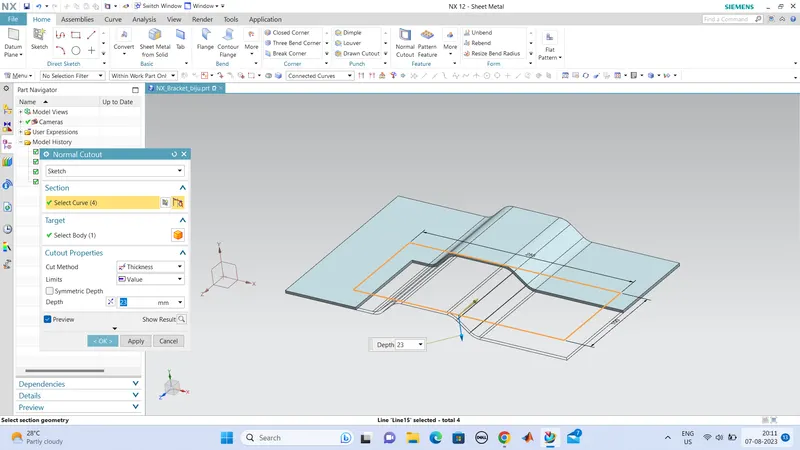
hence the cut out portion is thus formed. so this is the basic shape of our bracket, next we want to fillet the corners using 'Break Corner'.
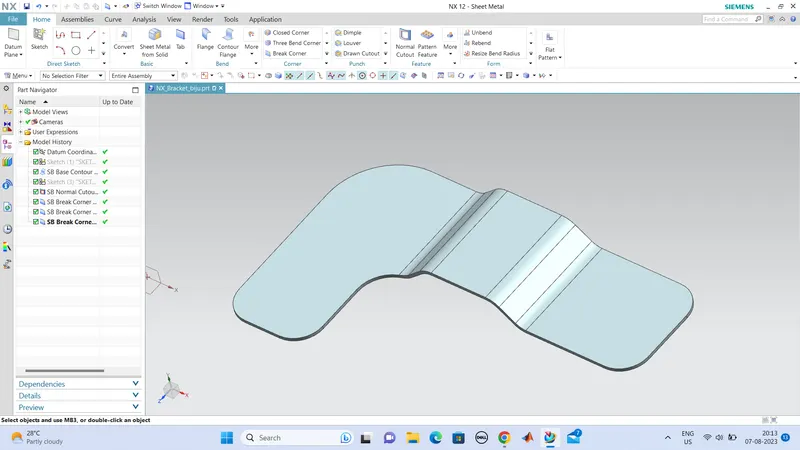
next we can create the bead, which gives more strength to the work part. so we can sketch the shape of our bead.
we are creating a linear bead.
so for that we want to unbend the part,
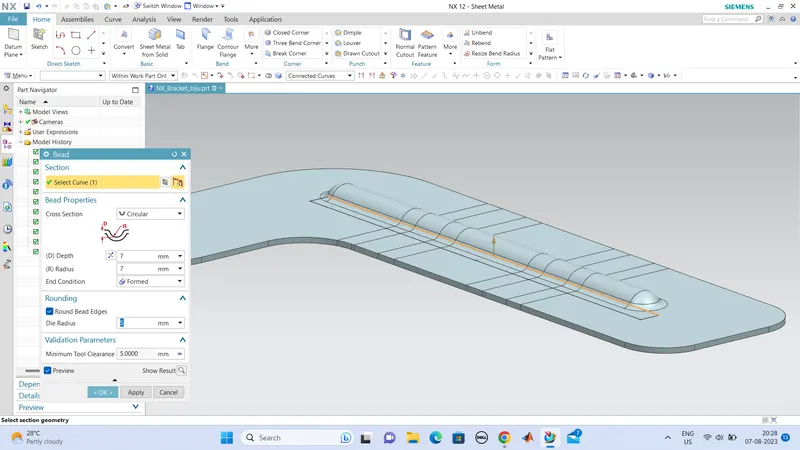
7mm radius and depth respectively for the bead.
next we can create the holes for the bracket, hole size is 20mm
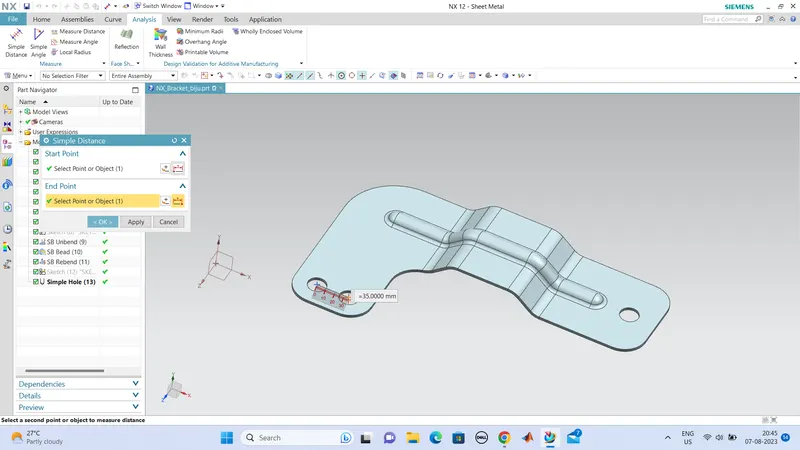
so the designing of the bracket is thus completed, and the part is looking good.
CONCLUTION:
Thus the designing of Bracket with all the given parameters are created and looks good.