Advanced Sheet Metal Design Using NX Cad Challenge_6_Bracket
Bracket
Objective
Design of bracket in sheet metal, using NX Cad.
Introduction
Creating the bracket in sheet metal in NX CAD software with detailed procedure of tools used in manufacturing with detailed drawing.
Design methodology / approach
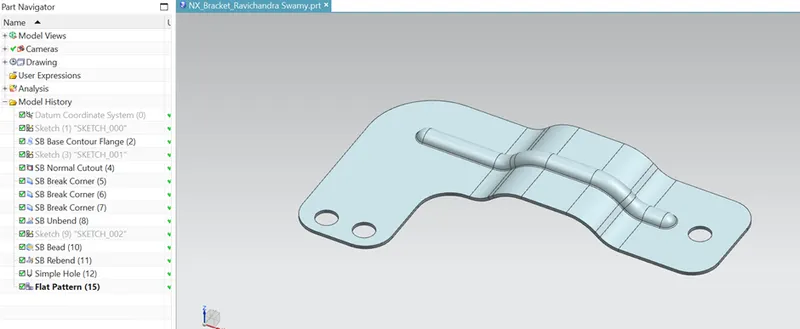
Part is created in sheet metal,
Preferences 3mm thick ,3mm Bend Radius and K factor of 0.33mm
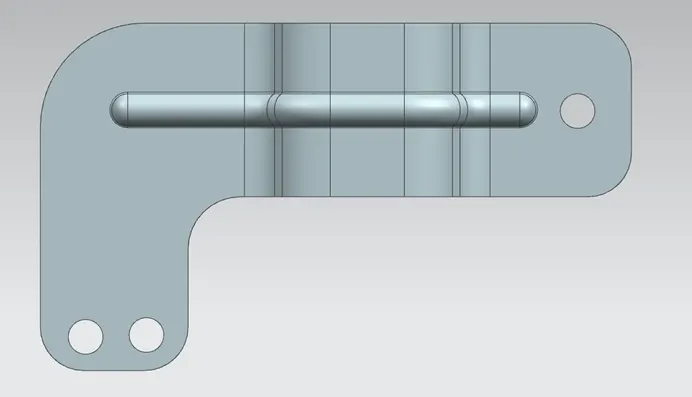
- Create the base plate of 340x200, using contour flange.
- Cut the non-required area.
- Add corners 30mm radius.
- Unbend the part.
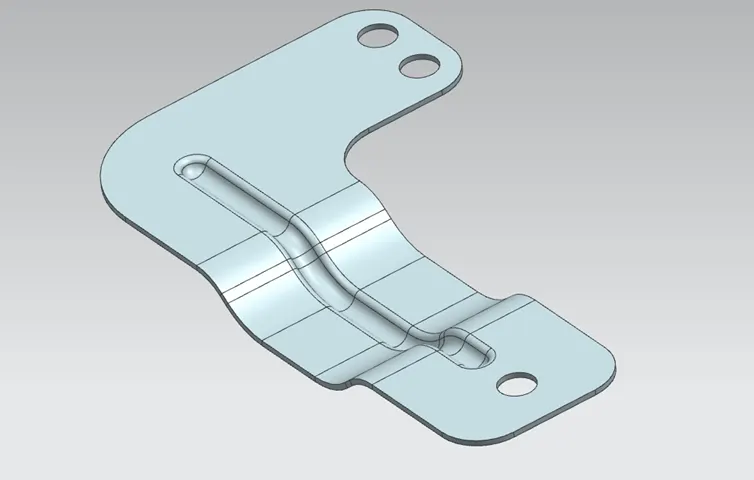
- Add the bead.
- Add holes at required position.
- Unbend the part.
Description (Need to explain tools/ Features used while designing)
Following tools are used to create the above part features.
- Cutting (Blank sheet)
- Bend tool for bending the sheet.
- Drilling tool for hole creation.
- Punching tool for creating the bead on the parts.
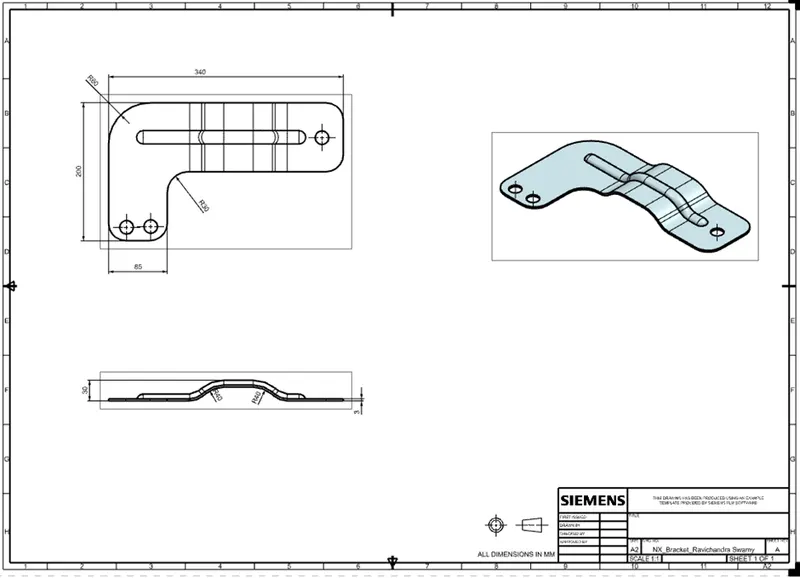
Detailed Drawing
Thanks