Advanced Sheet Metal Design Using NX Cad Challenge_6_Bracket
TITLE OF THE PROJECT:
Advanced Sheet Metal Design Using NX Cad Challenge 6 Bracket.
OBJECTIVE: To design a Bracket using Siemens NX Sheet metal application.
INTRODUCTION:
- SIEMENS NX:- NX formerly known as "unigraphics", is an advanced high-end CAD/CAM/CAE.
- SHEET METAL DESIGN: NX Sheet Metal Design provides the design professional with a complete set of tools to efficiently create and manage sheet metal parts based on the knowledge of material properties and manufacturing processes. NX Sheet Metal Design tools incorporate material and bending information, enabling the model to represent both the formed component and flattened blank shapes.
DESIGN METHODOLOGY:
- Open new sheet metal part in NX cad.
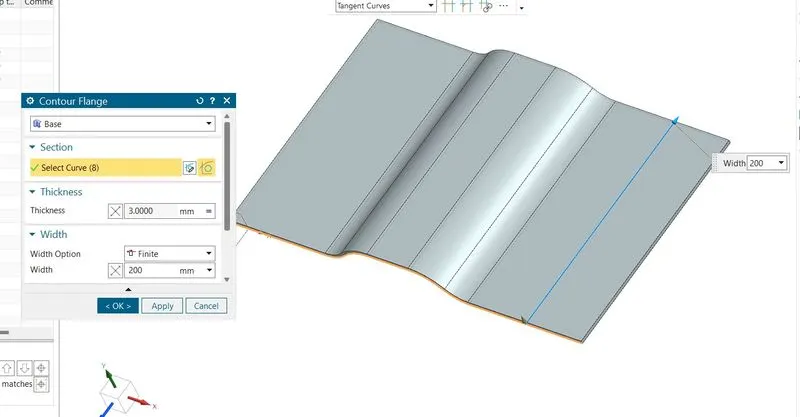
- Create contour flange using sketch with given parameters.
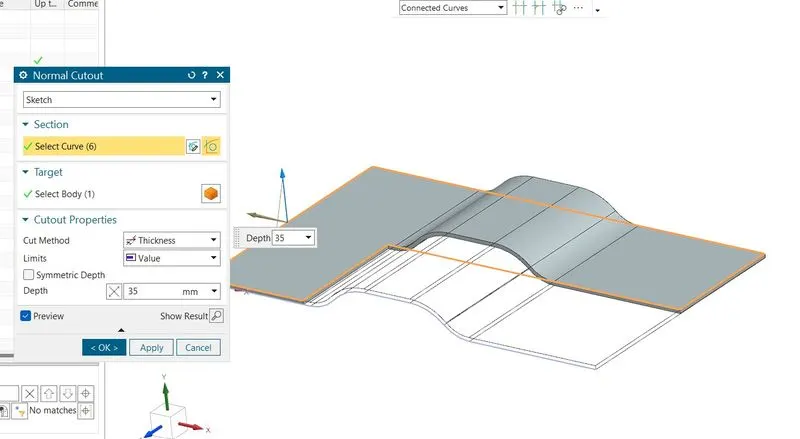
- Cut the body using normal using given dimensions.
- Give some break corners with required dimensions.
- Unbend the model and create bead with using line sketch.
- Create some holes as per requirements.
- Rebend the model.
- If required create the drawing sheet using draft tool for understanding to customer.
- Hence the model is ready.
DESCRIPTION:
Create the base sketch from reference to the given bracket sketch.
Following step to create bracket:
- Sketch
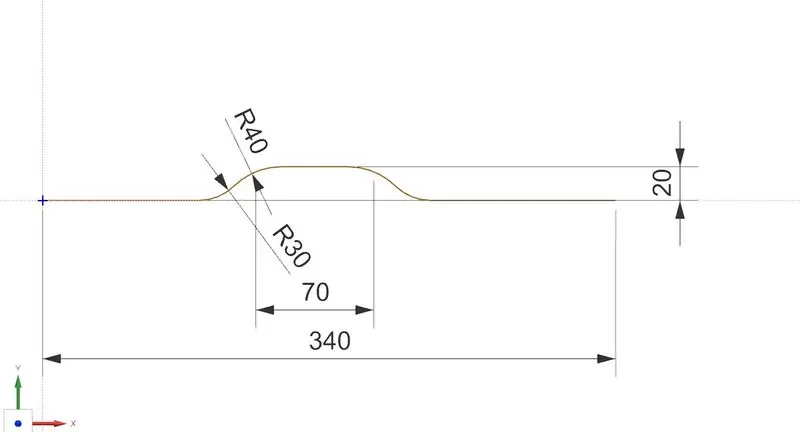
- Conture Flange
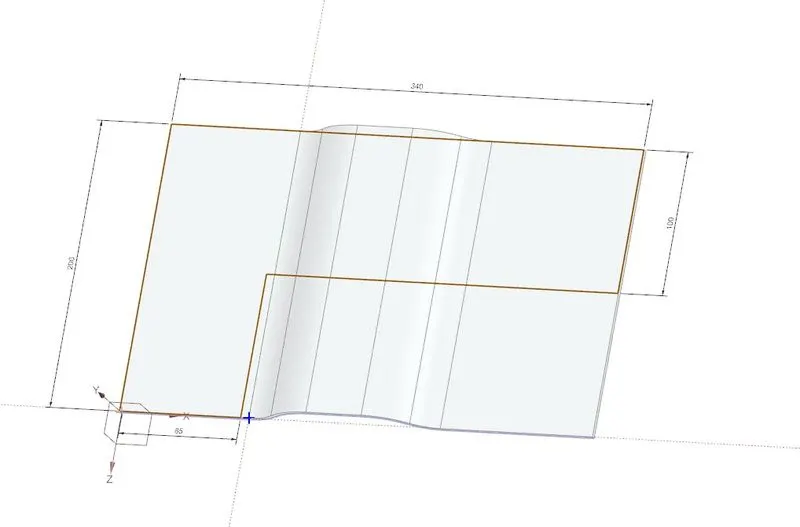
- Draw a sketch on Top view
- Normal Cutout
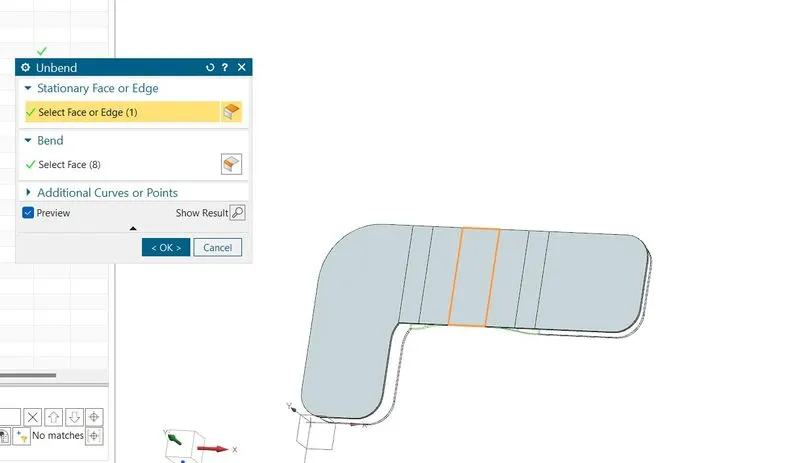
- Unbend
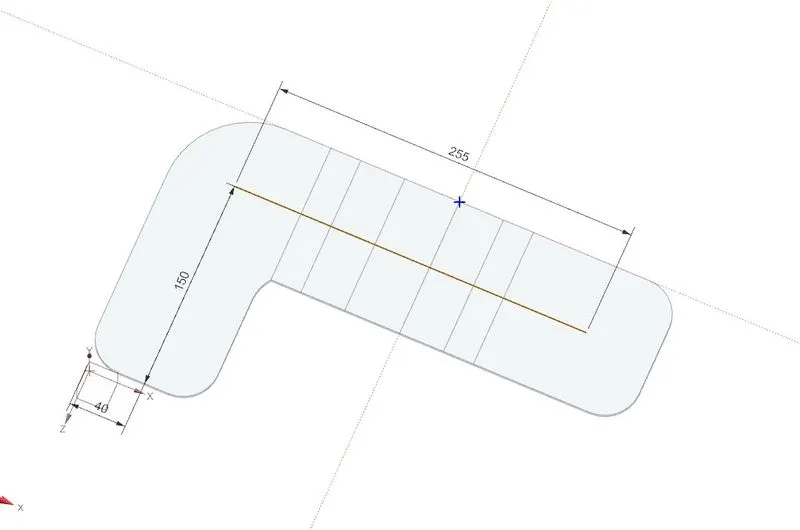
- On XY plane sketch a bead center line
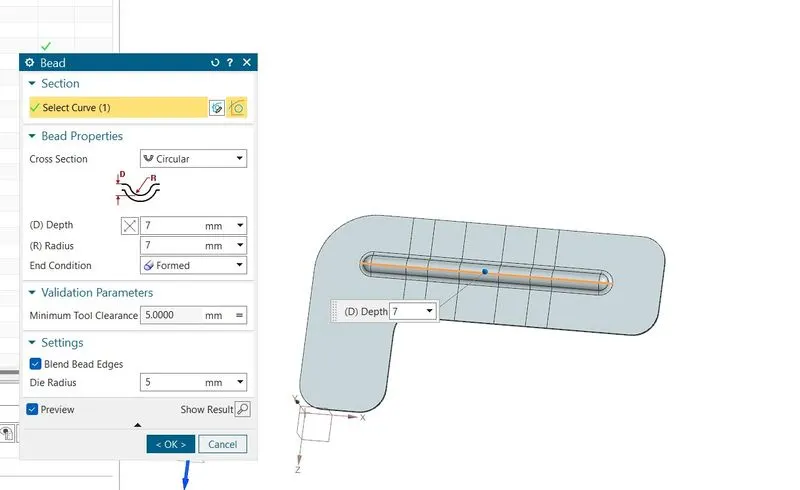
- Use bead command
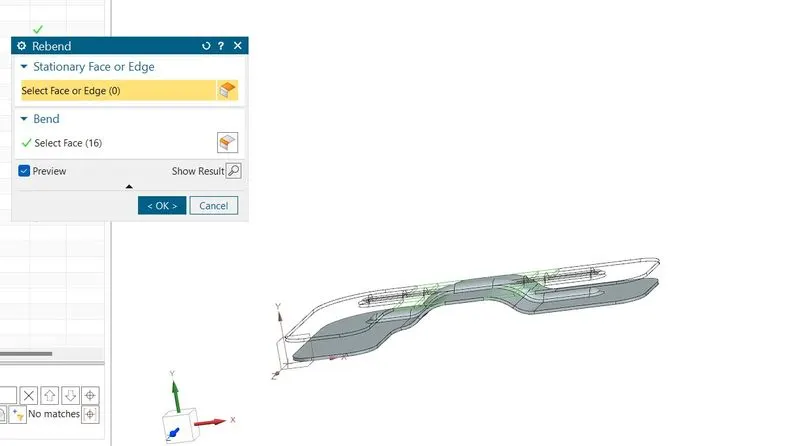
- Rebend
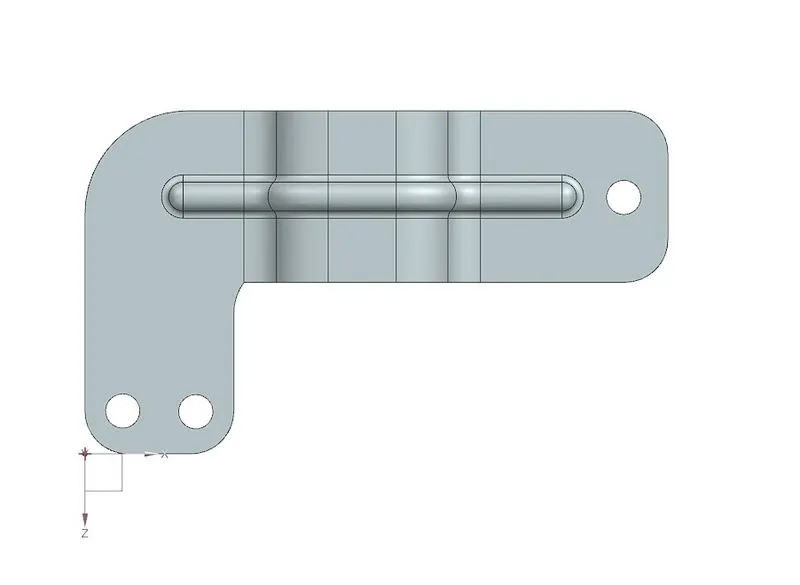
TOP VIEW
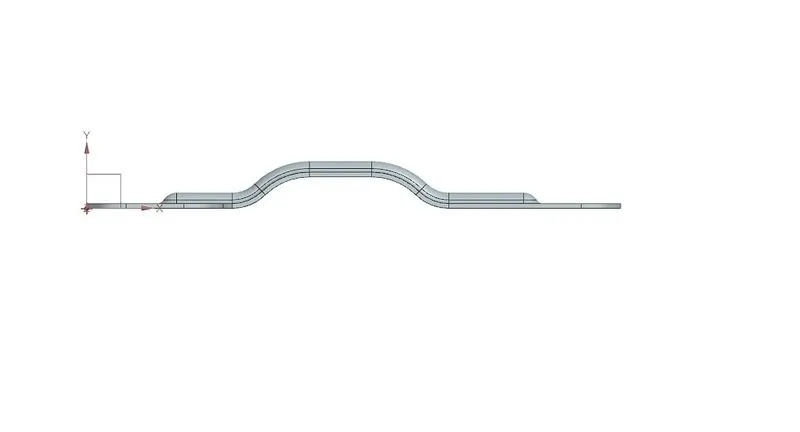
FRONT VIEW
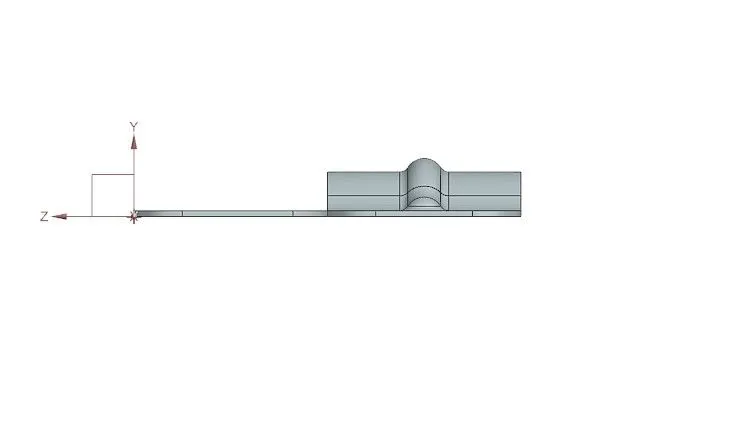
SIDE VIEW
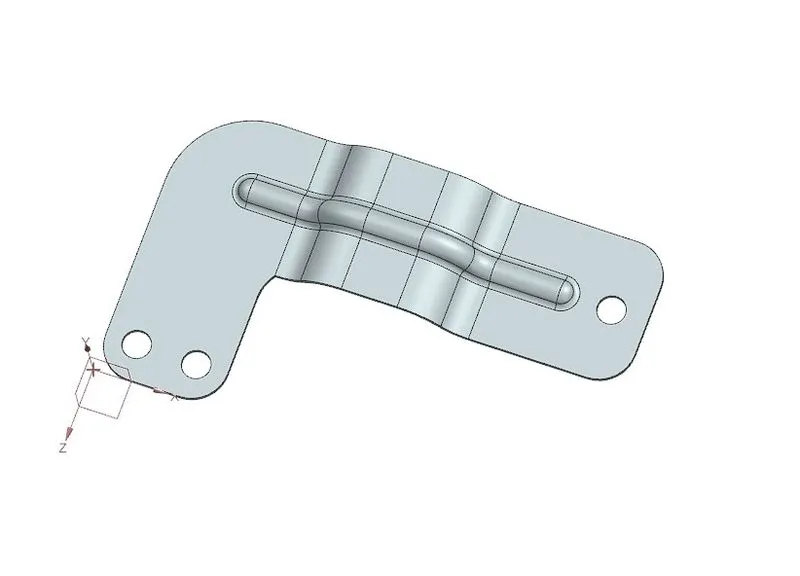
ISOMETRIC VIEW
CONCLUSION:
Bracket is created is using advanced sheet metal tools in NX CAD.