Advanced Sheet Metal Design Using NX Cad Challenge_6_Bracket
Title: Advanced Sheet Metal Design Using NX Cad Challenge_6_Bracket
Objective: To design a metal bracket using Siemens NX
Introduction: The NX cad software is used to create the models and calculate the product life management PLM. So now we are using the NX cad software to design the accurate and exact cad model of the given product.
Design Approach:
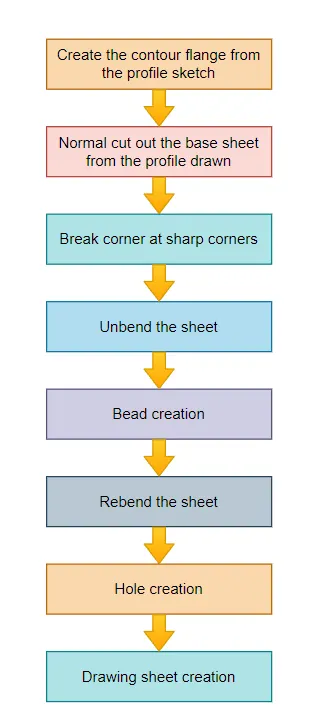
Description:
Sketch: This command is used to create 2D drawing/Sketches of desired part.
Contour Flange: This command creates a base feature by extruding a sketch along the selected vector.
Normal Cutout: This command cuts material by projecting a sketch on a given model.
Break Corner: This command rounds or provides chamfer to the sharp edges.
Unbend: This command flatens the bend and the materials adgecent to the bend.
Bead: This command lifts the material along the contour of a sketch that replicates a stamping tool.
Rebend: This command restores the effect of unbend command.
Hole: This command is used to make holes in the sheet.
Design Views:
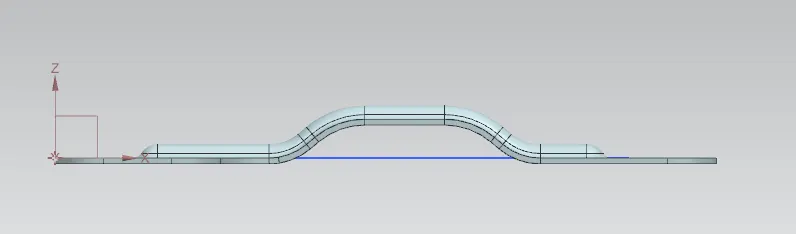
Front View:
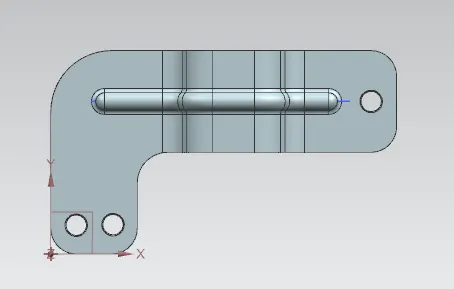
Top View:
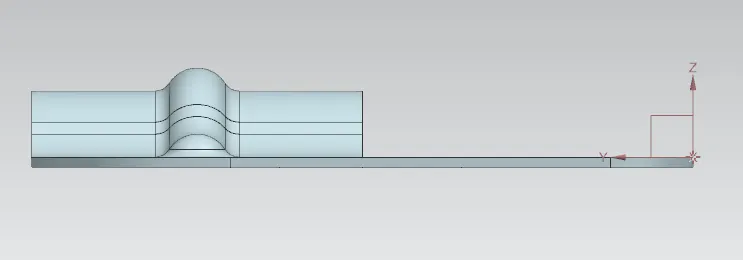
Side View:
Isometric View:
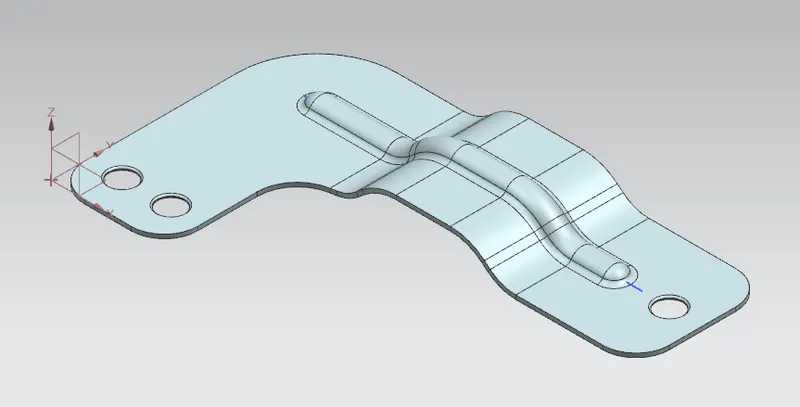
Conclusion: Metal Bracket was designed using Siemens NX.