Advanced Sheet Metal Design Using NX Cad Challenge_6_Bracket
Project Title:- Advanced Sheet Metal Design of Bracket
Objective: To design a sheet metal Bracket in the sheet metal workbench of NX CAD
Introduction:-
The term “sheet metal” refers to any metal that can be formed into flat pieces of varying thicknesses. Thick metals are called plates. Metals used in the sheet metal industry include cold rolled steel, mild steel, stainless steel, tin, nickel, titanium, aluminum, brass, and copper.
Using specialized tools, sheet metal workers cut, roll, bend, and shape these pieces to make a wide variety of objects
Design methodology/approach
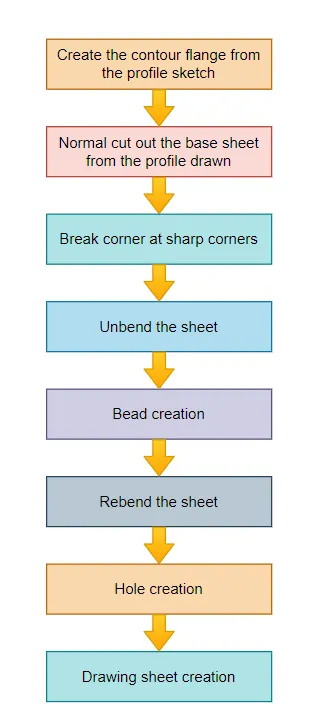
Description (Need to explain tools/ Features used while designing)
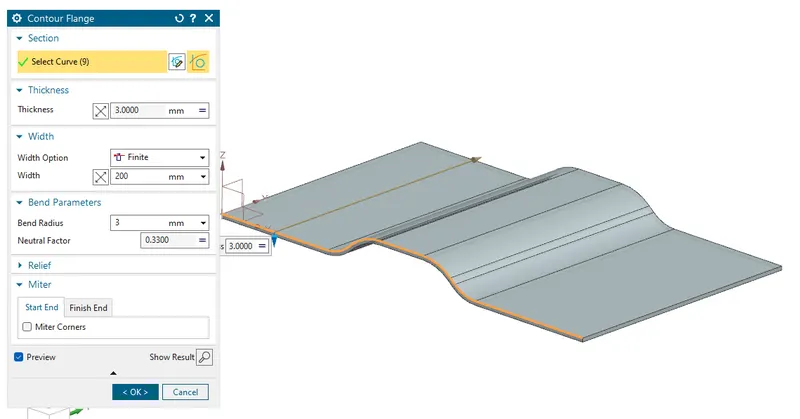
Create a Contour flange with the given section
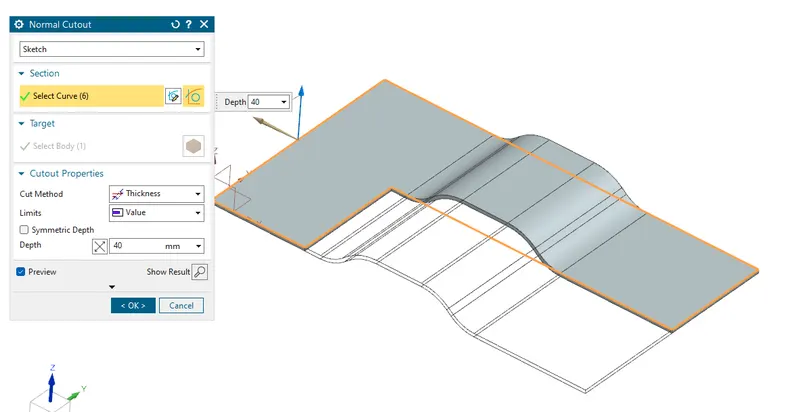
Use the Normal cut command to cut the sheet in the desired shape
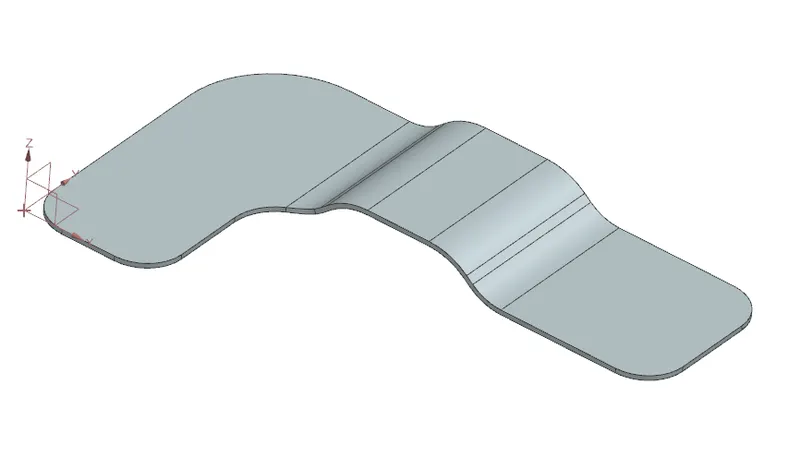
Use the Brake corner command to fillet out the sharp edges of the sheet
Use Unbend command to unbend the sheet so that the desired features can be incorporated into the part ex. Bead, Cutout holes, etc and Use the bead command to create the bead in the sheet
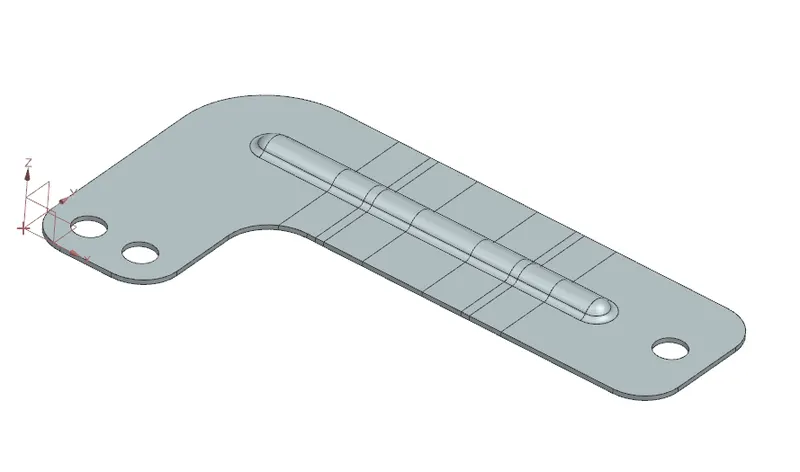
Once all the features are made the sheet is again rebent with the help of rebend command in NX cad
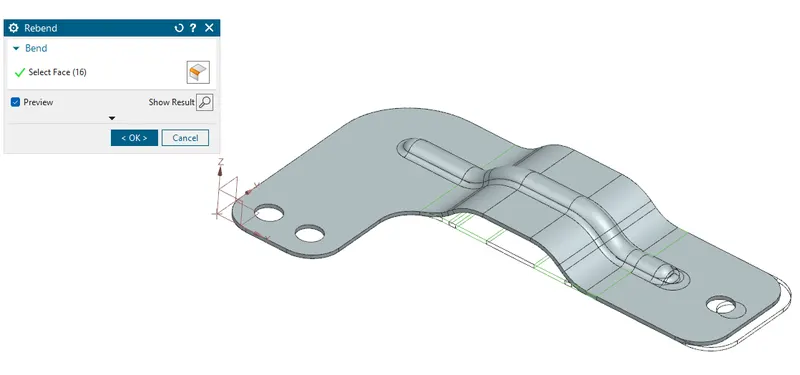
Then use the flat pattern command to get the flat pattern for drafting which is later on used for manufacturing
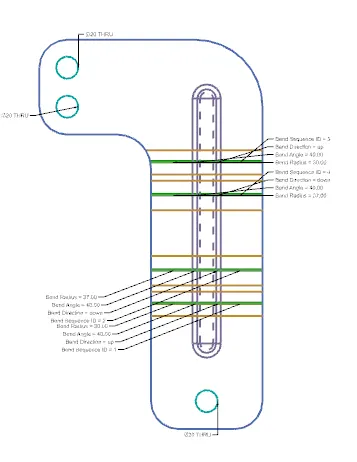
Model View
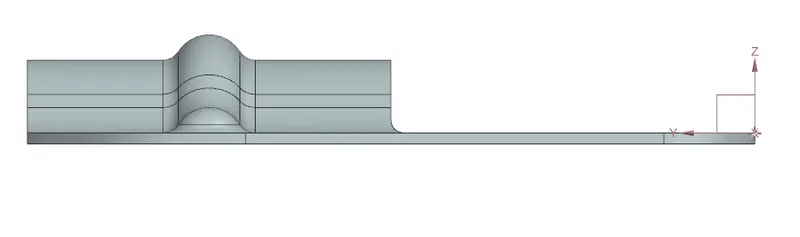
Front View
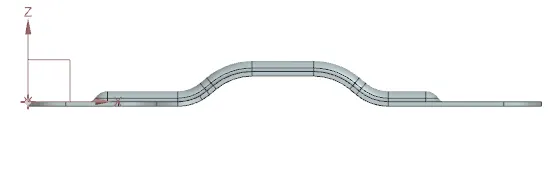
Side View
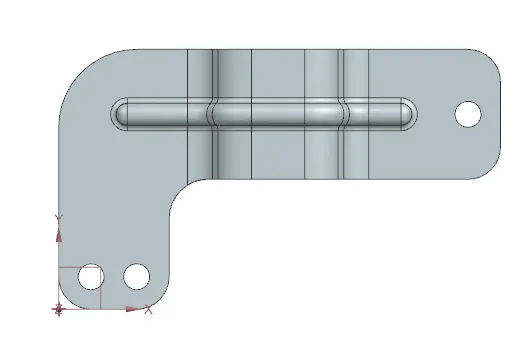
Top View
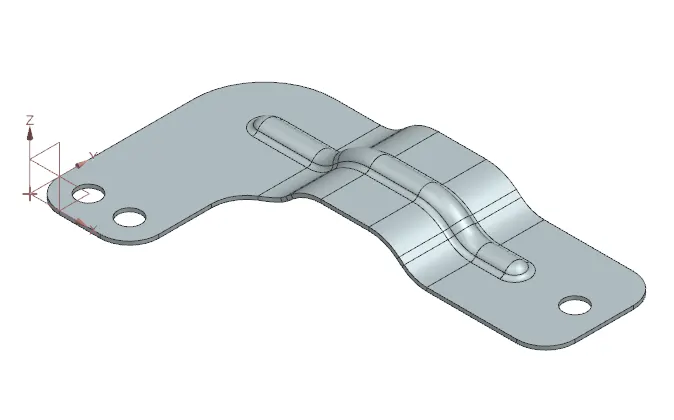
Isometric View
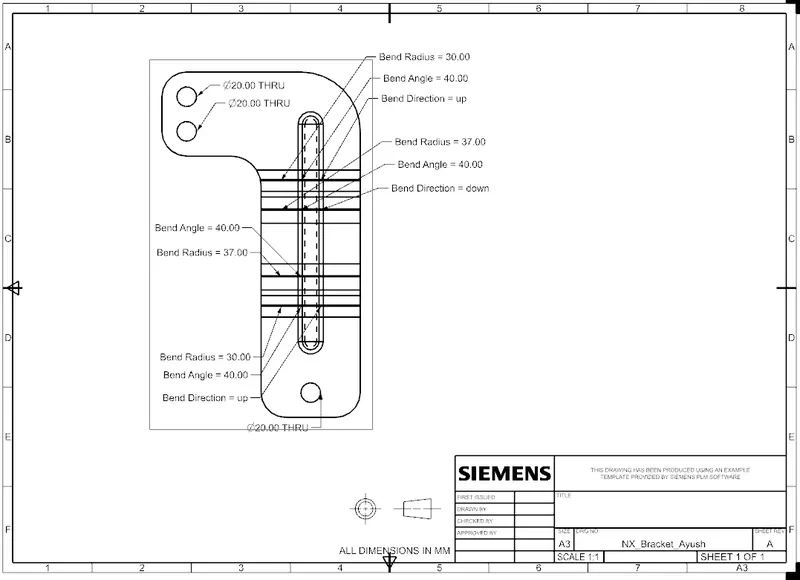
Detailed Drawing Sheet
Conclusion
This challenge helps me understand the concept of making a difficult old-shaped part in a sheet metal workbench.