Advanced Sheet Metal Design Using NX Cad Challenge_6_Bracket
SHEET METAL BRACKET DESIGN :
MAIN OBJECTIVE :
To design a sheet metal bracket using NX CAD and perform operations on it.
DESCRIPTION :
- Take a plane on zx and draw sketch provided in the given input to design the sheet metal bracket and come out of the sketch and selct CONTOUR FLANGE command and selct the sketch and give width of 200 MM with thickness of 3 MM.
- After creating the flange draw another sketch on the xy plane as the inputsd provided and perform a NORMAL CUTOUT command on the sketch and give specific vectors and depth of 35 MM to obtain the required shape.
- Then unbend the flange to provide a bead as the input provided by drawing a sketch in feature of the BEAD with provided dimensions and give depth of 7 MM and radius of 7 MM and die radius 5 MM to obtain the required shape.
- Again rebend the component into the shape using REBEND command and then provide holes to the component with provided dimensions and use HOLE command on the points to get holes on the component.
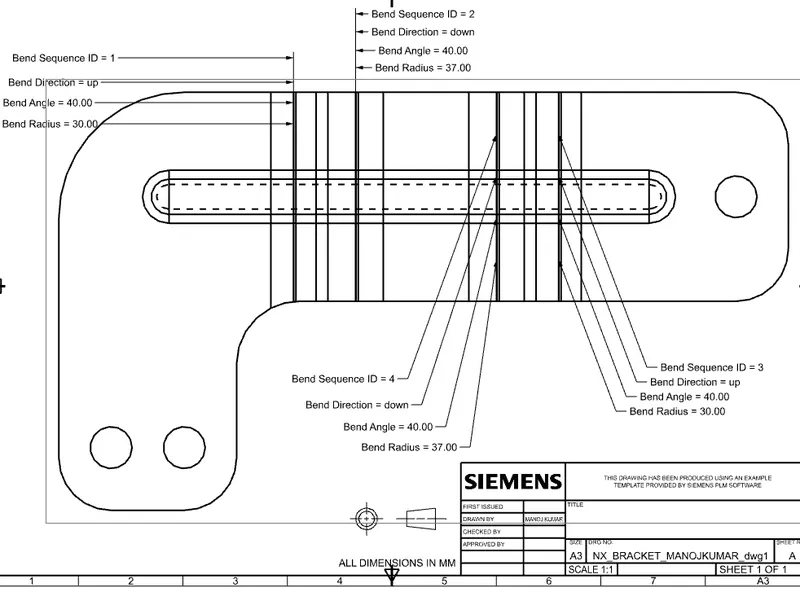
- After completing the component use FLAT PATTERN command to flat pattern the component.
- Then jump into the drafting work bench select BASE VIEW and provide flat pattern as the input sketch to be drawn on the sheet.
- Save those files to complete the process.
SHEET METAL BRACKET VIEWS :
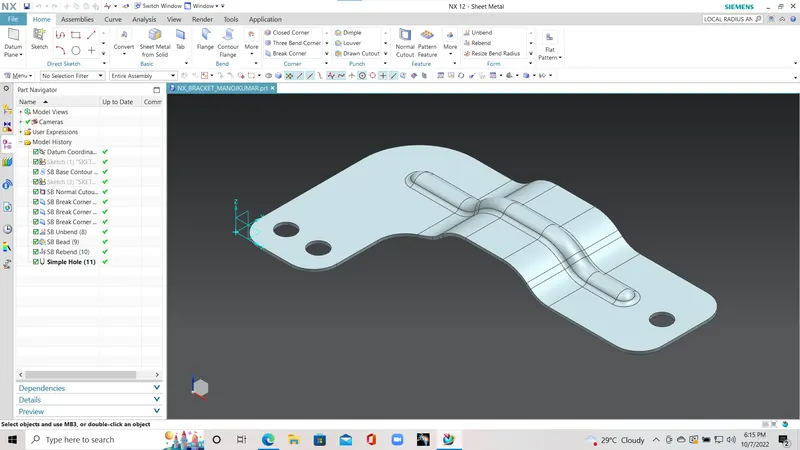
ISOMETRIC VIEW :
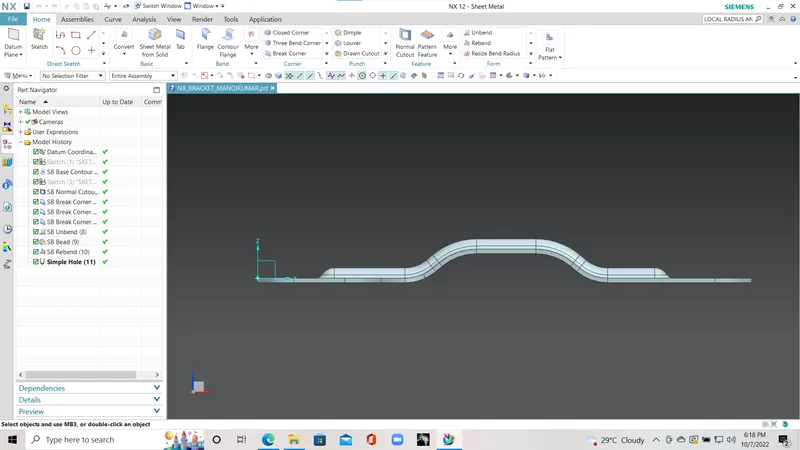
FRONT VIEW :
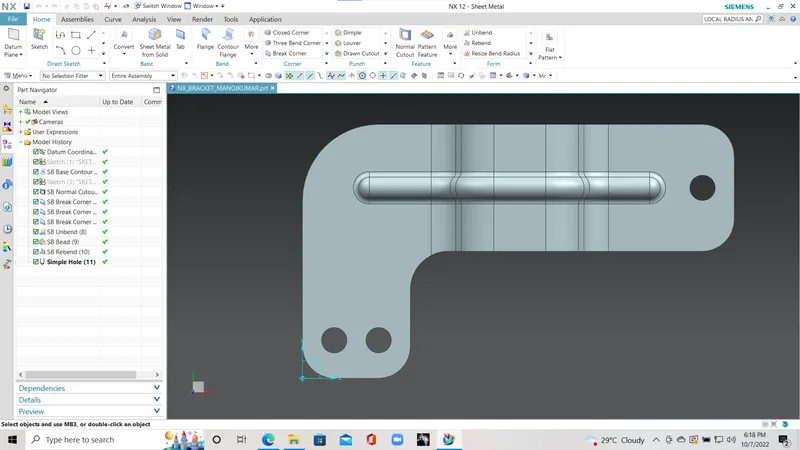
TOP VIEW :
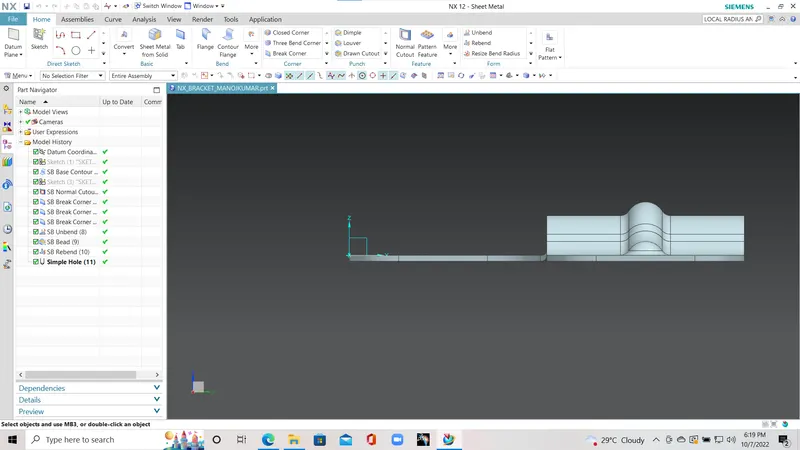
SIDE VIEW :
DRAWING OF SHEET METAL BRACKET :
CONSCLUSION :
I have followed the guidlines provided to obtain the accurate model.