Advanced Sheet Metal Design Using NX Cad Challenge_6_Bracket
REPORT:
Bracket
Objective.
1.To create Bracket sheet metal design using NX CAD.
2.To create flat pattern.
3.To create drawing from the part.
Introduction.
Sheet metal is metal formed by an industrial process into thin, flat pieces. Sheet metal is one of the fundamental forms used in metalworking, and it can be cut and bent into a variety of shapes.
The term “sheet metal” refers to any metal that can be formed into flat pieces of varying thicknesses. Thick metals are called a plate. Metals used in the sheet metal industry include cold rolled steel, mild steel, stainless steel, tin, nickel, titanium, aluminum, brass, and copper.
NX CAD Sheet Metal Working Environment.
NX CAD provides tools for sheet metal forming in applications. In this, we can produce a blank using tabs. Features can be added to the base feature using various options. unbend and rebend are used to bend and rebend the sheet metal. Break corner is used to provide fillet and champer. We can provide flanges as a feature using flange.
And other features like beads and dimples are also provided in the software.
Methodology.
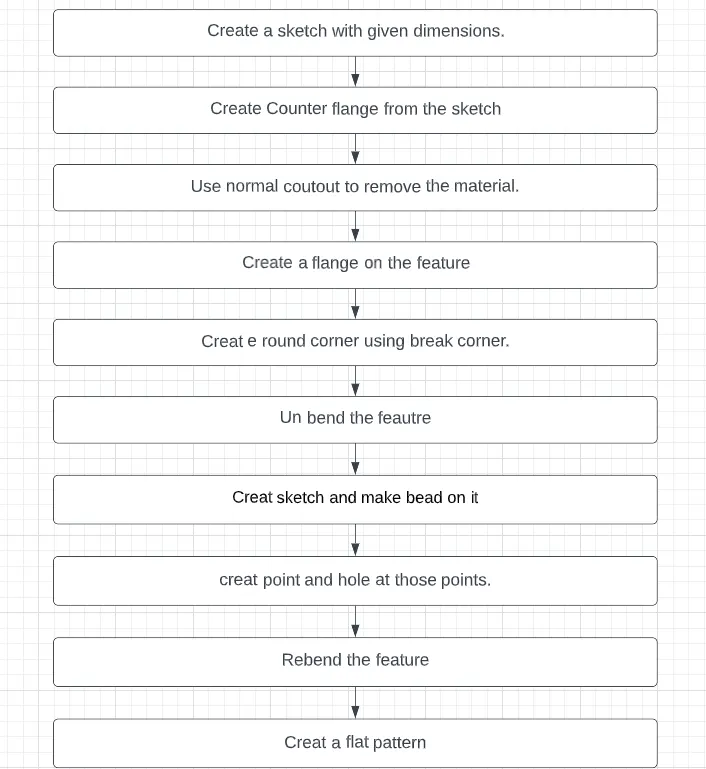
Description.
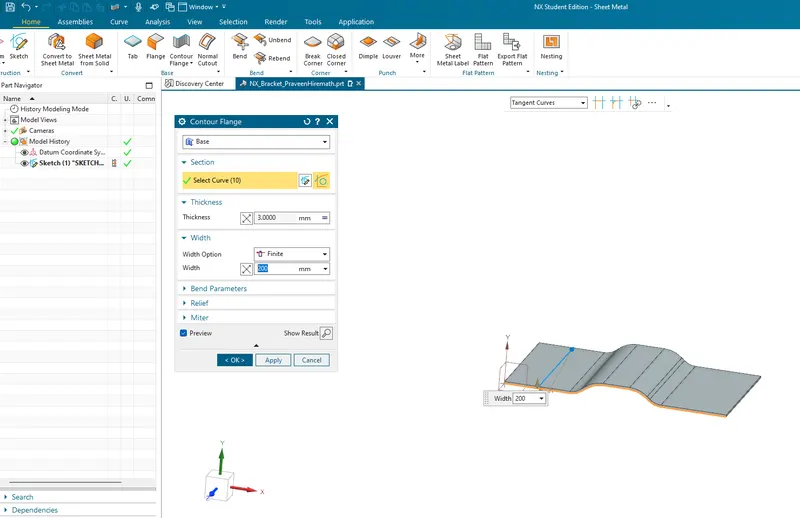
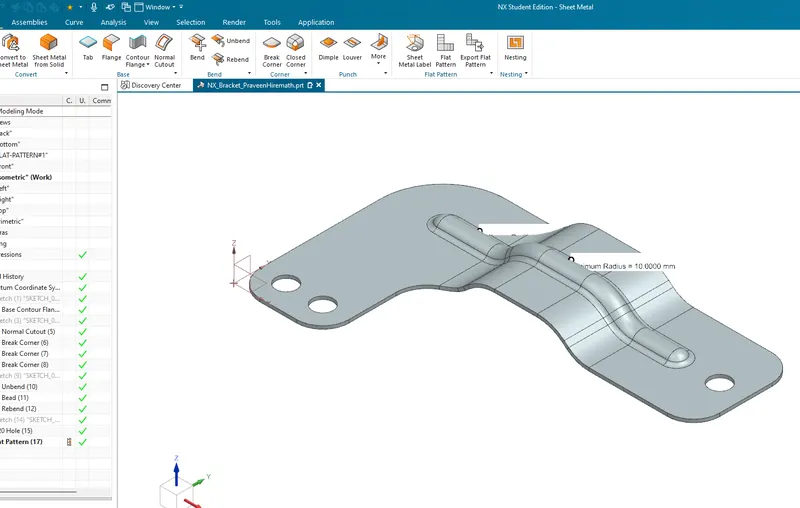
Counter Flange.
Is used to create a 3D Sueface or solid by 2D sketch.
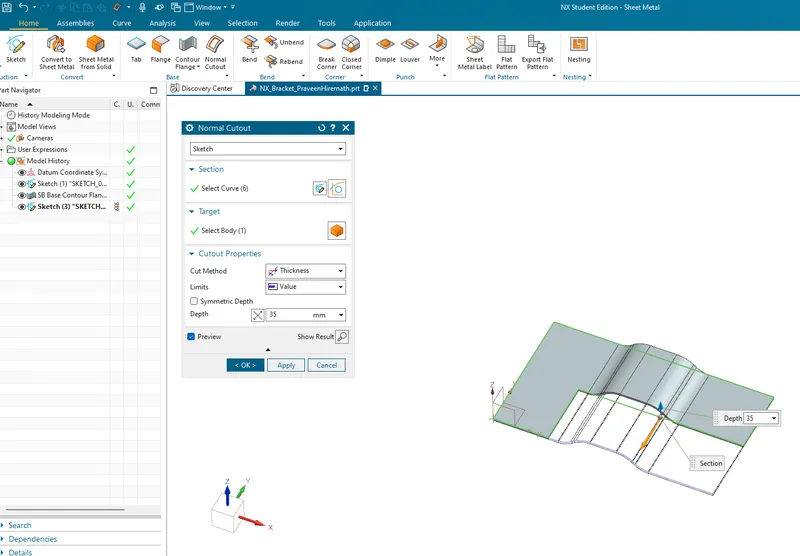
Normal Cutout.
Is used to create a cut or hole of the required shape in the feature.
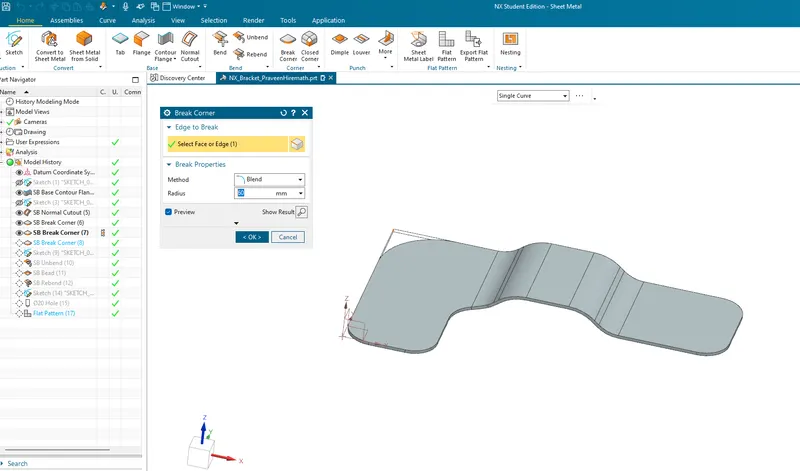
Break Corner.
is used to creat a round corners.
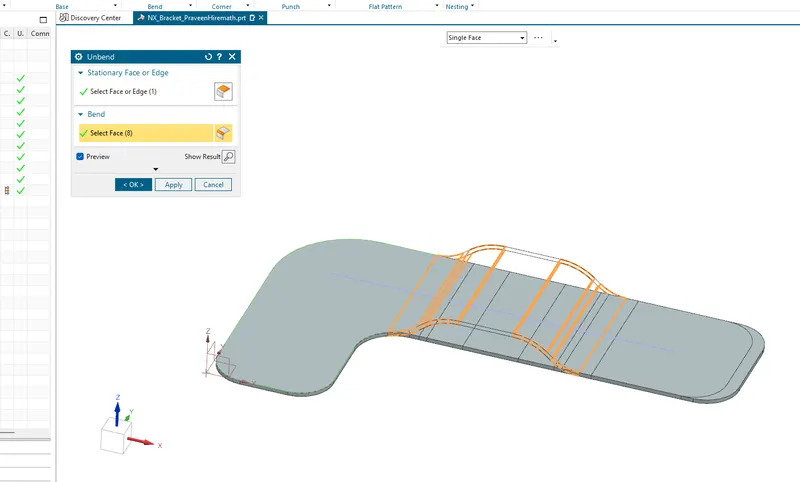
Unbend.
Is used to flattening of the blank.
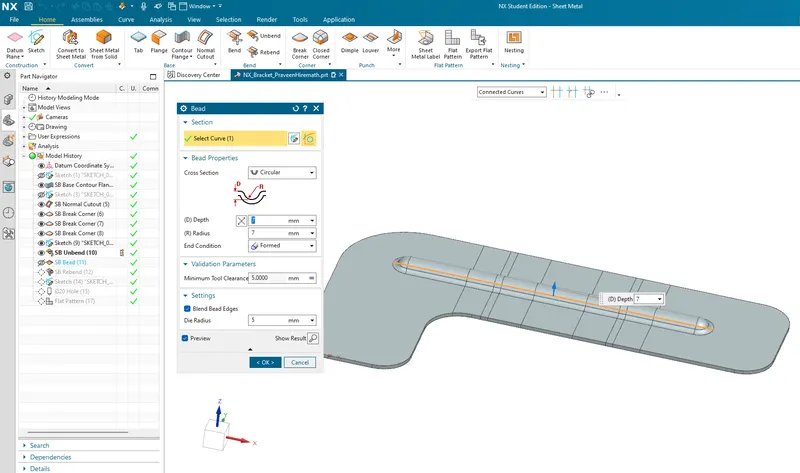
Bead.
Are used to lift the material and join them in the required directions.
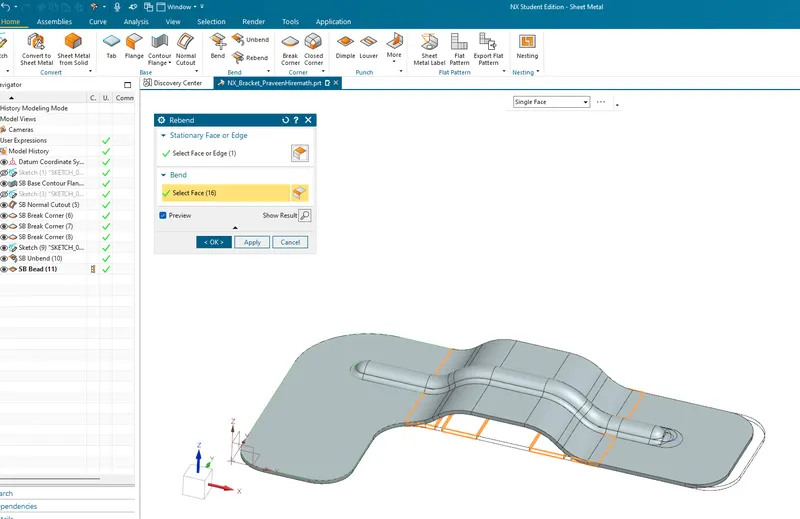
Rebend.
restore the feauter.
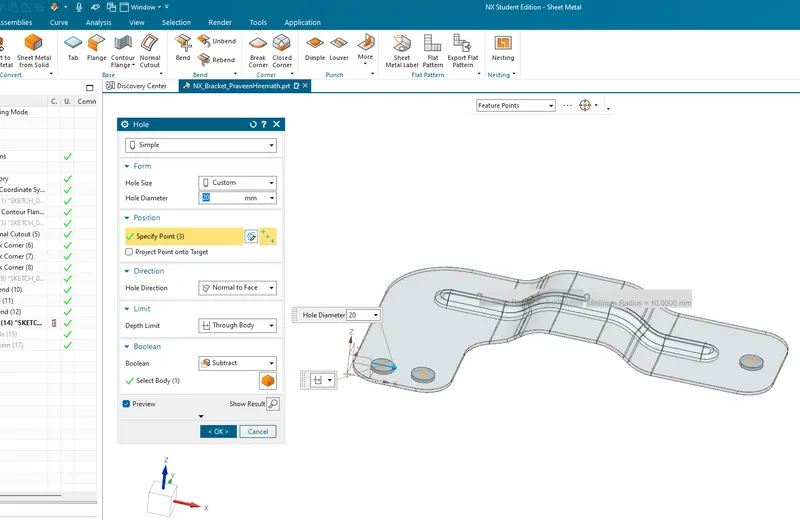
Hole.
Is used to create holes in the body.
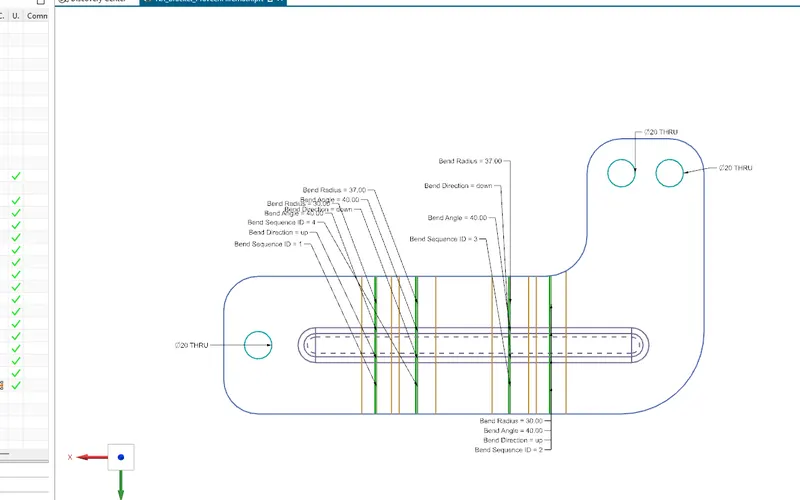
Flat pattern
Is used to create a flat feature from the sheet metal
Front View.
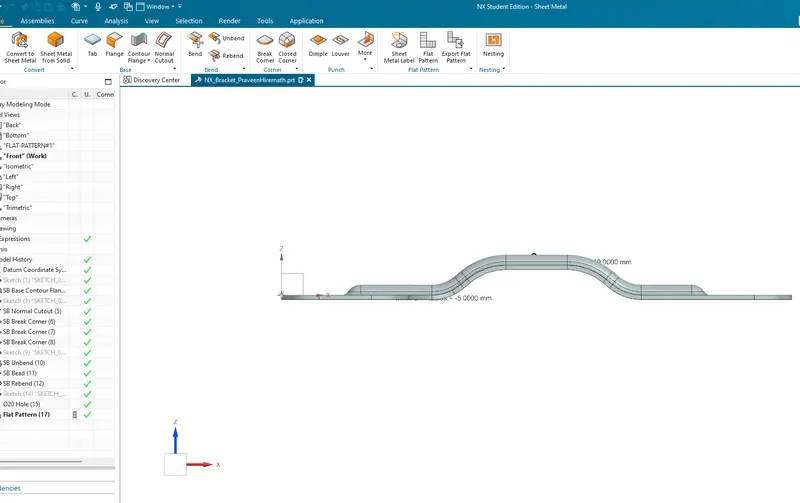
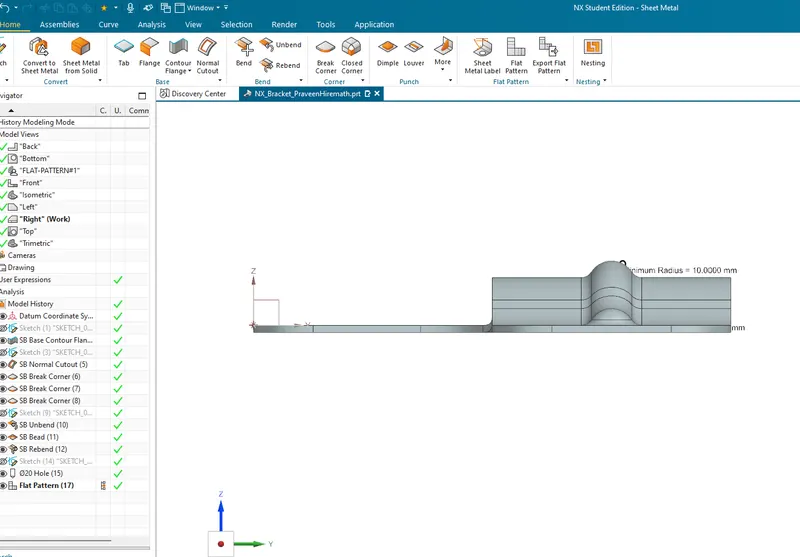
Side View.
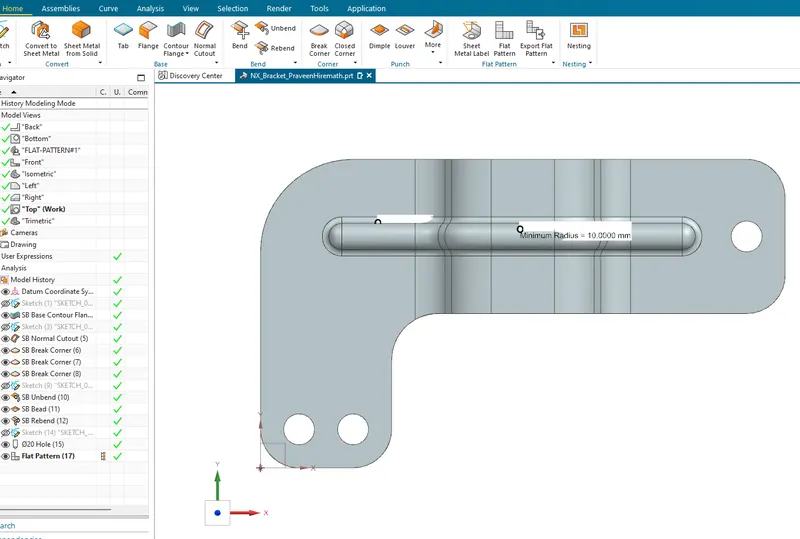
Top View.
Isometric View.
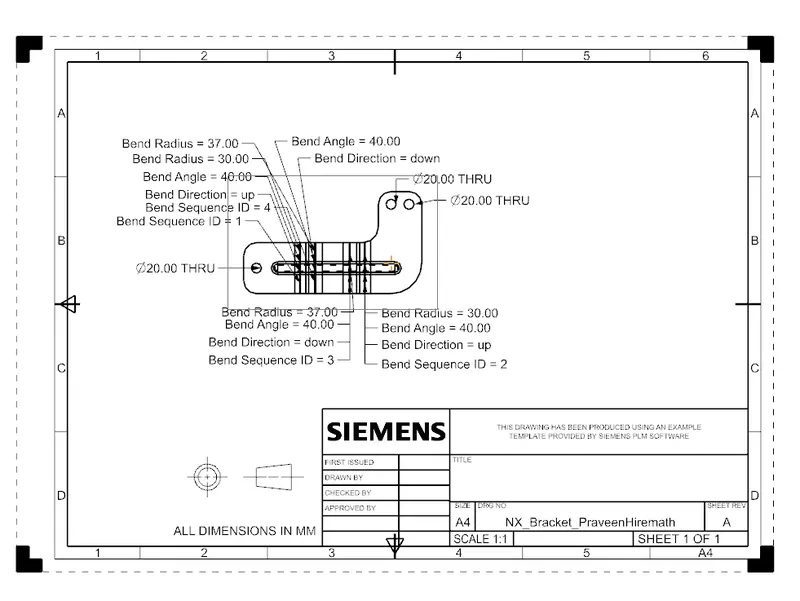
Drafting.
Conclusion.
Bracket design is completed according given directions and dimensions and drfting is performed.