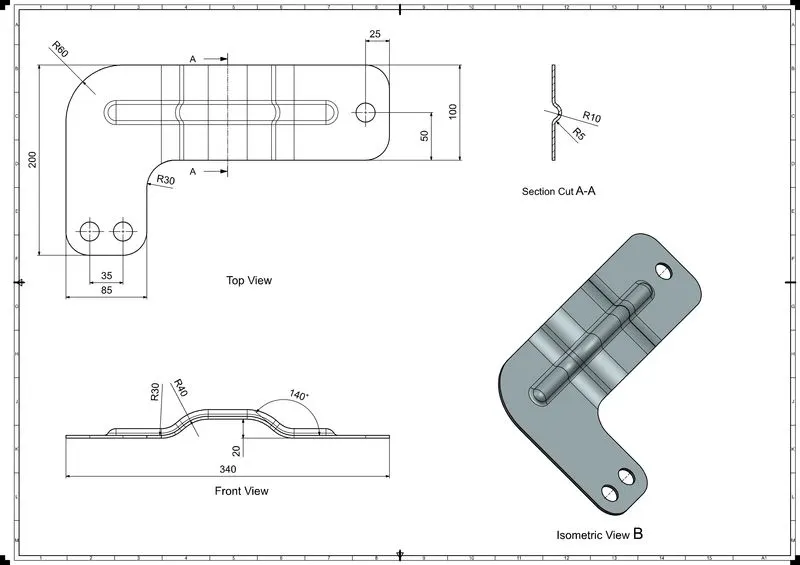
Advanced Sheet Metal Design Using NX Cad Challenge_6_Bracket
Advanced Sheet Metal Design Using NX Cad Challenge NX_Bracket
⦁ OBJECTIVE- TO DESIGN BRACKET USING ADVANCED SHEET METAL NX
INDRODUCTION:- .Sheet Metal Fabrication is the process of forming parts from a metal sheet by punching, cutting, stamping, and bending.
3D CAD files are converted into machine code, which controls a machine to precisely cut and form the sheets into the final part.
Sheet metal parts are known for their durability, which makes them great for end use applications (e.g. chassis). Parts used for low volume prototypes, and high volume production runs are most cost-effective due to large initial setup and material costs
DESIGN METHODOLOGY
DESIGN METHODOLOGY
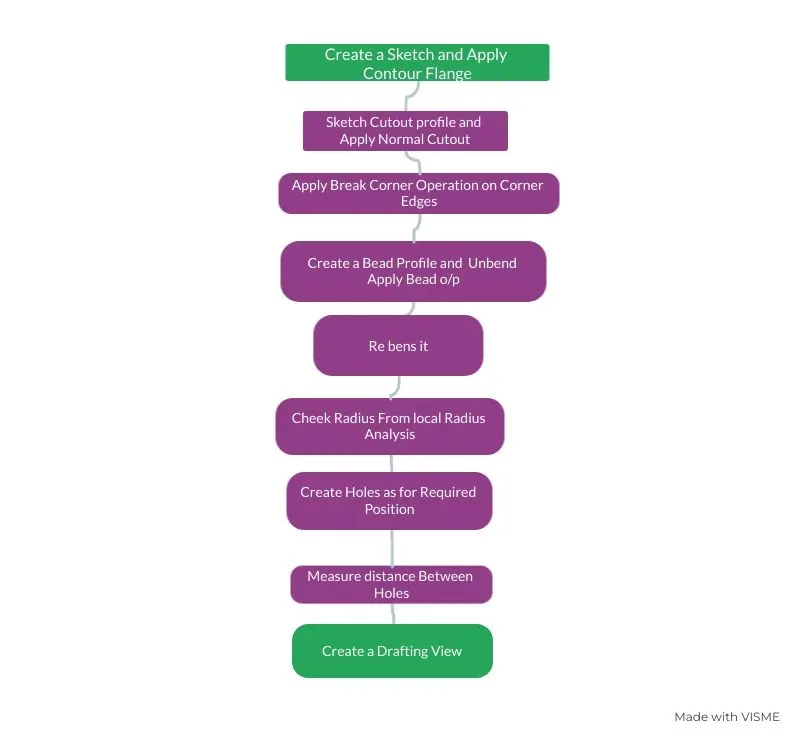
Description
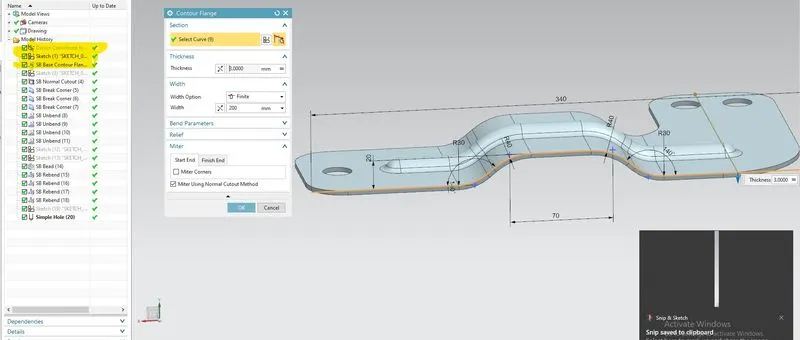
STEP 1: Created the sketch as for given dimension apply the Contour Flange command.
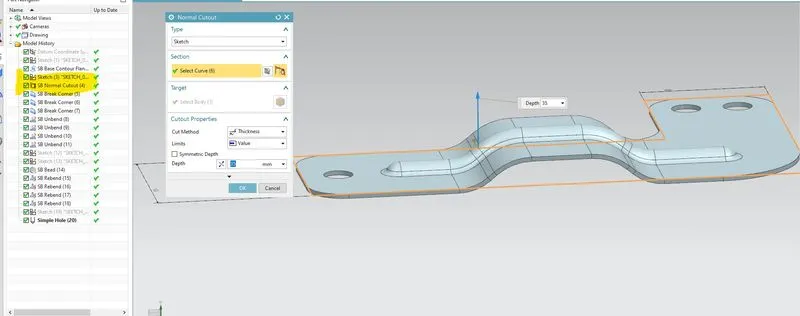
STEP 2: Create normal cutout sketch on top face and apply normal cutout to it .
STEP 3: Added break corner o/p to each Corner and Unbead it .
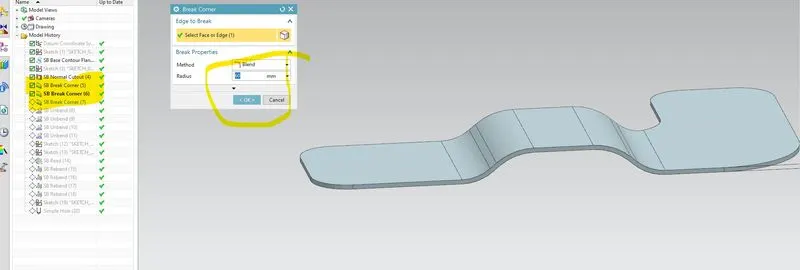
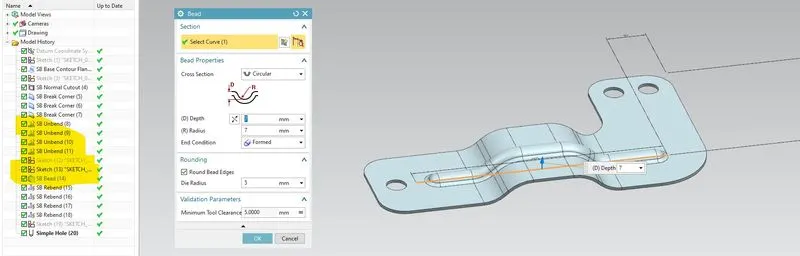
STEP 4: Create bead as for the given sketchand Apply bead o/p.
STEP 5: Measures the of Round Shape use Local radius Analysis.
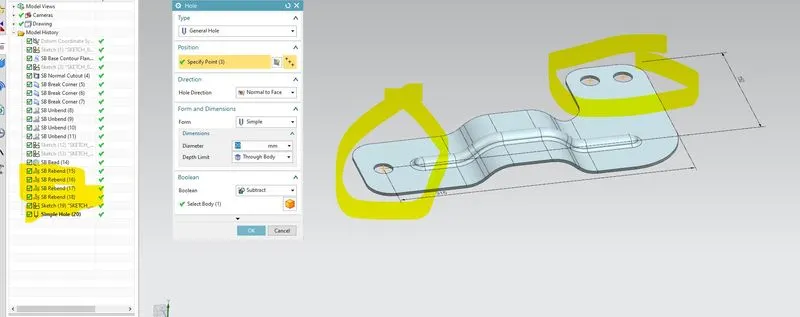
STEP 6: Creating holes on corner.
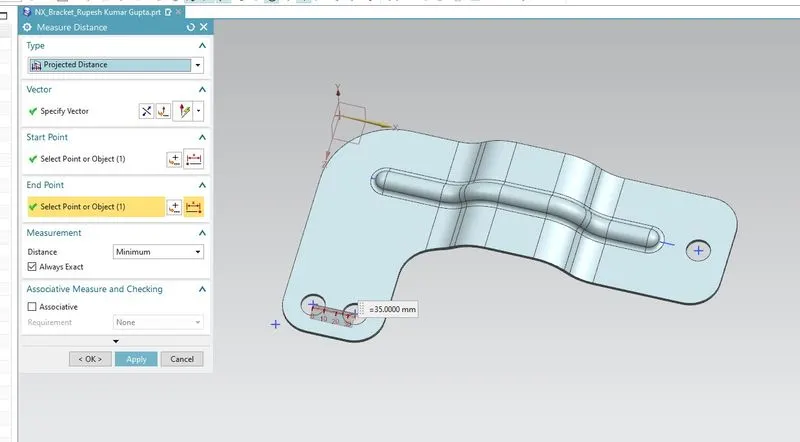
STEP 7: By Measures Distance tool measures the distance between it.
STEP 8: Created Drafting of Bracket.
Contoure flange :-In Siemens nx sheet metal contour flange command use to create a base feature by extruding a sketch along a vector, or adds material by sweeping a sketch along an edge or chain of edge.
Normal Cutout :-Normal Cutout command extract volumes from sheet metal by using sheet metal production principles. Cutting faces will be perpendicular to the sheet metal surface.
Breake Corner:- Use to remove sharp corner.
Bend :- lift material along the contour sketch that simulates stamping tools.
Local Radius Analysis:-Cululates geometric properties select entities
Holes:- Use for add holes in sheet metal.
Measures Distance:- calculates the distance between to objects the length of curves, radius Circular edge or cylindrical face .
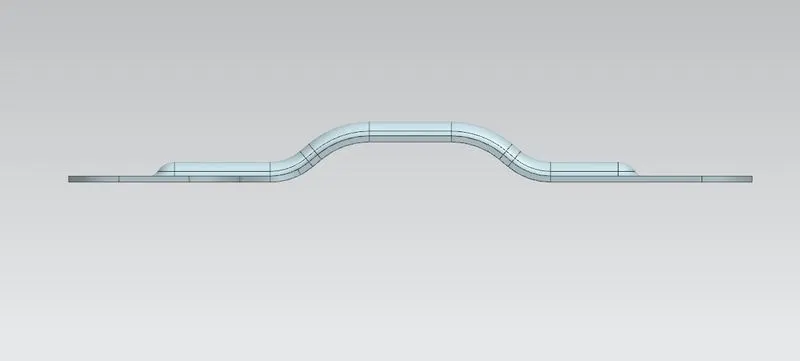
Front view
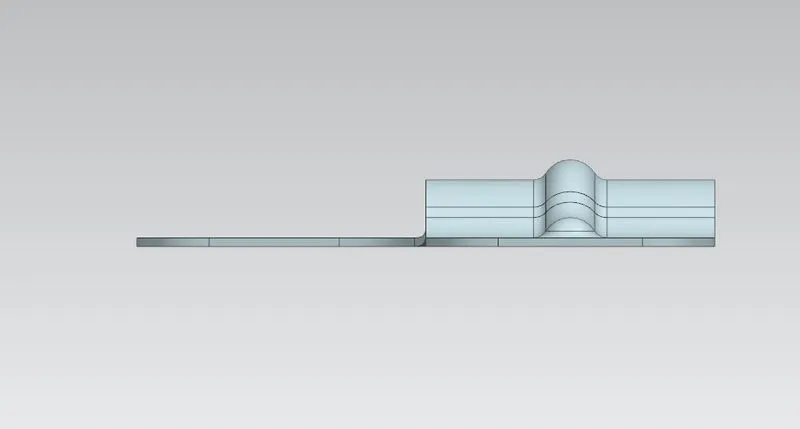
Side view
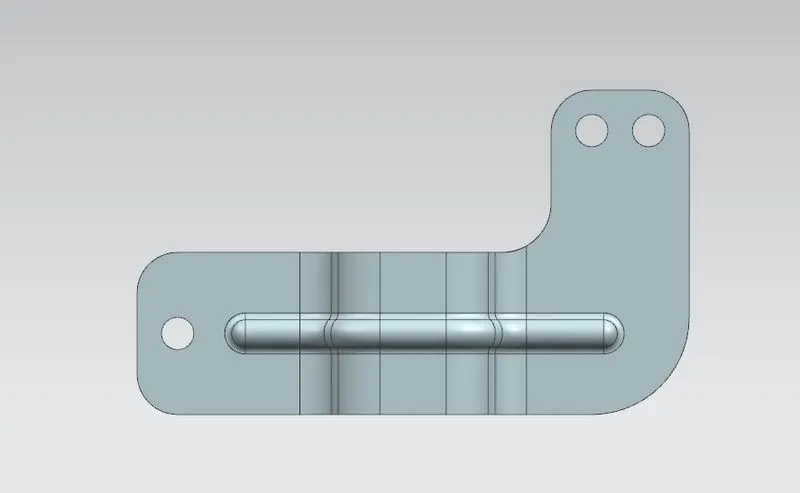
Top view
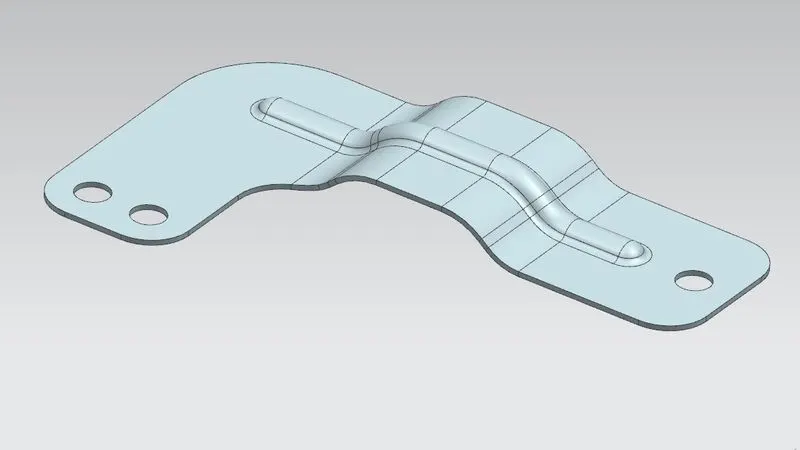
Isometric view
7. Attach detailed drawing Sheet image