Advanced Sheet Metal Design Using NX Cad Challenge_6_Bracket
Title (‘Designing a Bracket by using Siemens NX-Sheet Metal Application’)
Click to view Project Shaik_Thasleem_Ansari
Objective:
The main objective of this project is to design a Sheet metal Bracket by using Siemens NX-CAD 3D software.
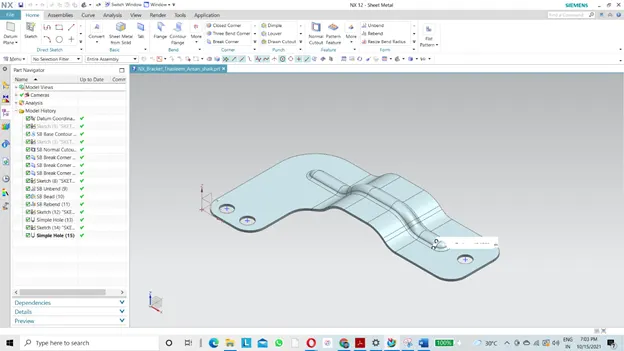
Introduction:
NX, formerly known as "Unigraphics", is an advanced high-end CAD/CAM/CAE, which has been owned since 2007 by Siemens PLM Software.[1][2] In 2000, Unigraphics purchased SDRC I-DEAS and began an effort to integrate aspects of both software packages into a single product which became Unigraphics NX or NX.
It is used, among other tasks, for:
Design (parametric and direct solid/surface modelling)
Engineering analysis (static; dynamic; electro-magnetic; thermal, using the finite element method; and fluid, using the finite volume method).
Manufacturing finished design by using included machining modules.
Design methodology:
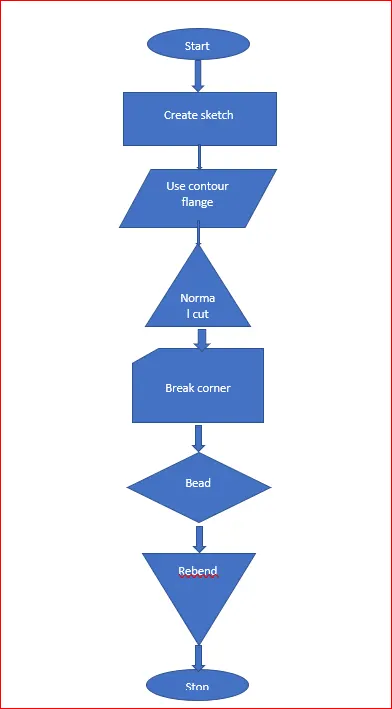
The above shown flow chart explains about the design methodology of designed sheet metal casing. First we need to create a tab of required dimensions later we have to use some features like Flange, Break Corner, dimple, etc. to design a sheet metal casing.
Features used:
Sketch: This feature is used to draw line, circle, rectangle, etc.
Tab: it is to create sheet metal block of required thickness.
Break corner: this feature is used to fillet the sheet metal edges.
Normal cutout: it is used to cut the sheet metal in required sketch.
Bead: this feature is used to lift an area of model inside a sketch which simulates a stamping tool.
Hole: this feature is used to create holes on the sheet metal.
Unbend: this feature is used to unbend the sheet metal.
Rebend: this feature is used to reminds original form of the sheet metal.
DESIGN PROCESS:
Units:
This project has been done using Millimeters as the base unit.
Processes:
(1) Creation of sketch:
The sketch was created on the XY plane. The rectangle tool was used to make the sketch and proper dimensions were added to fully constrain it. In this Siemens NX software, the drawn sketch is automatically constrained, it makes different than other software’s. This provided the base for the tab feature which formed the next process in this project.
Contour flange:
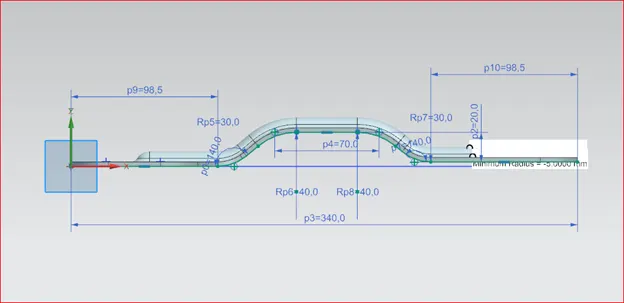
Contour flange is a feature used to create flange according to sketch which has been drawn by the user.
Normal Cutout:
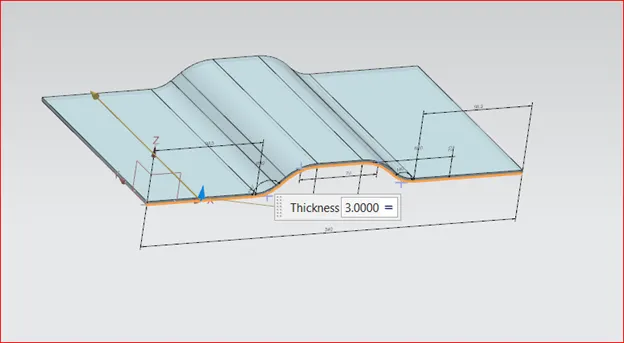
A rectangular cutout was then created on one edge of the base feature by using the Normal Cutout feature.
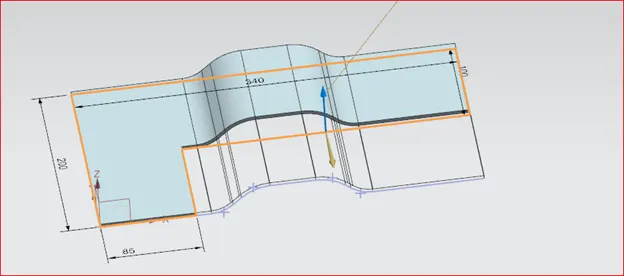
Break Corners:
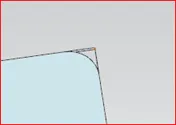
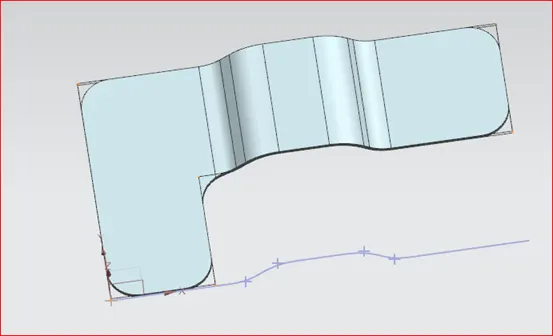
The sharp corners which remained after the creation of solid features were smoothed using the Break Corners feature which rounded the sharp edges according toa proper radius value.
Unbend:
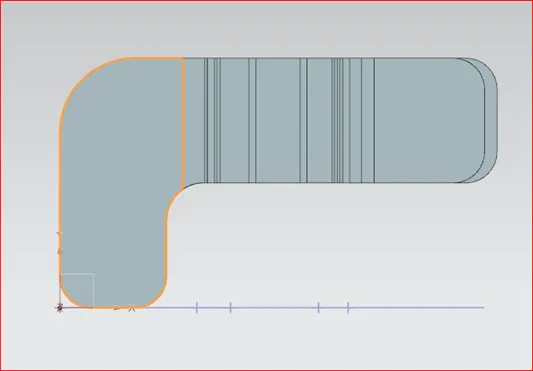
For the creation of additional features like holes, the bent portions were straightened using the Unbend
feature which was done by the systematic selection of the bent corners.
Adding Beads:
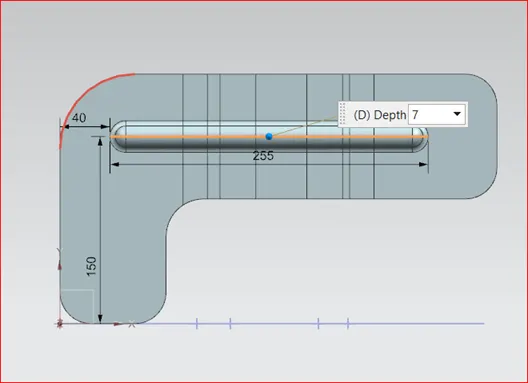
Using a similar algorithm to that of a dimple, the Bead feature creates a proper modification using a circle as the base sketch. Four beads are created in total, with the first one being mirrored about the proper plane to create the remaining. Both the dimple and the bead are features under the Punch category in Sheet Metal and signifies a stamping process.
Rebending:
The final process consisted of reverting the model back to its original configuration by modifying the unbent edges using the Rebend feature. The path followed while unbending was repeated in a similar manner while rebending to ensure proper result.
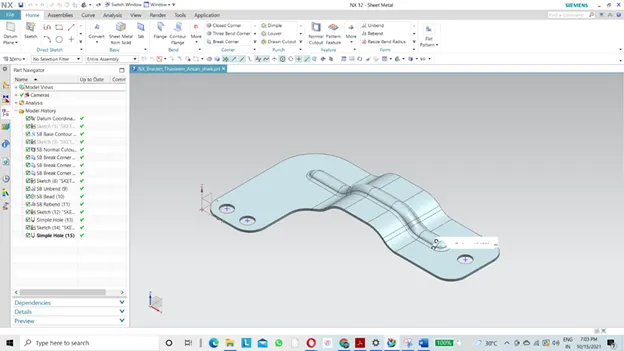
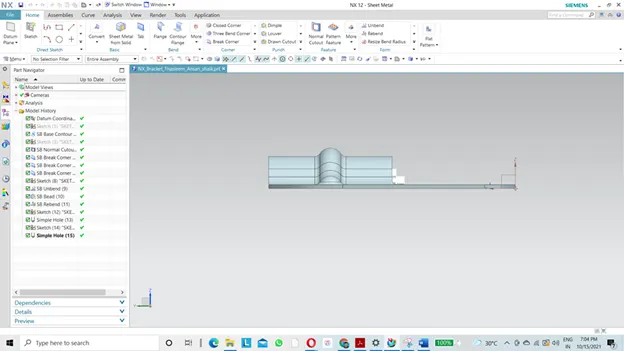
Views of Sheet-Metal Casing:
Front View:
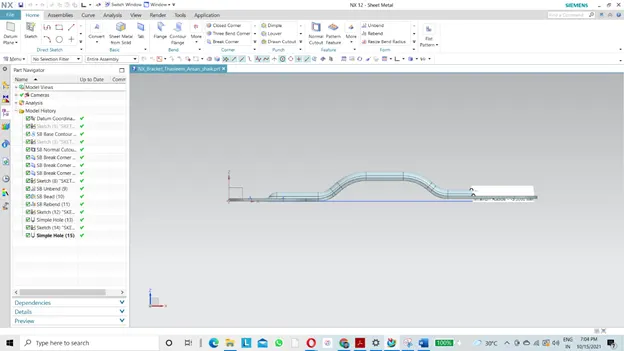
Top View:
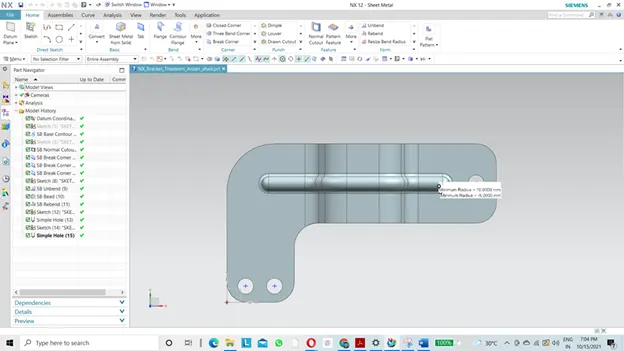
Isometric view:
Side view:
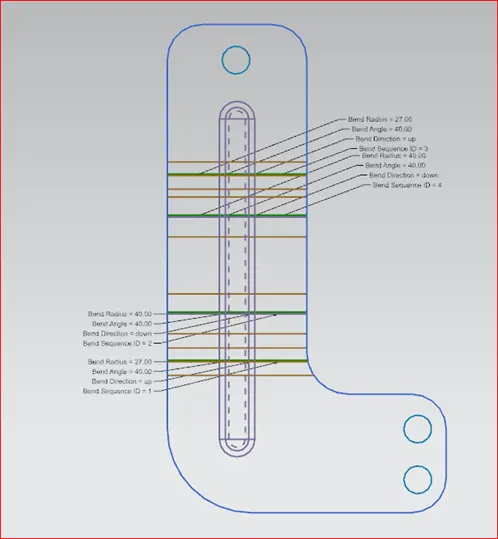
Flat pattern view:
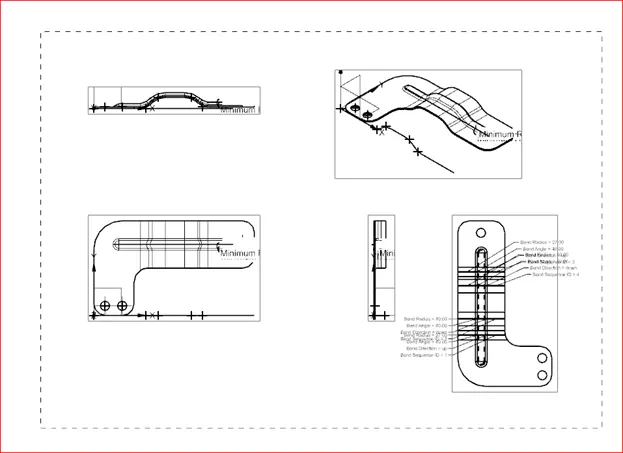
Detailed Drawing Sheet Image:
Conclusion:
Being a Bracket, it has been used every feature of Sheet metal, A Sheet Metal Bracket has been designed by using simple sheet metal features of siemens NX-CAD software.