Advanced Sheet Metal Design Using NX Cad Challenge_6_Bracket
DESIGNING BRACKET USING NX CAD SHEET METAL
1. OBJECTIVE
To design bracket using NX CAD sheet metal application. And drawing sheet should be created for designed bracket.
2. INTRODUCTION
Generally thickness of sheet metal ranges between 0.4 to 6mm. Metals such as Steel, Aluminum, Copper, Brass, Nickel and Titanium can be made into sheets by rolling process.
BRACKET is designed using NX CAD sheet metal which has Flanges, beads and cutouts.
3. DESIGN METHODOLOGY

4. DESCRIPTION
a. Fixed parameters throught design
- sheet metal - 340*200
- break corner - 25 mm
- hole - 20 mm
- bead - 7mm depth
b. Features used for sheet metal bracket
- counter flange
- break corner
- unbend
- rebend
- normal cutout
- holes
- bead
c. Features used for drafting
- New sheet
- Base view
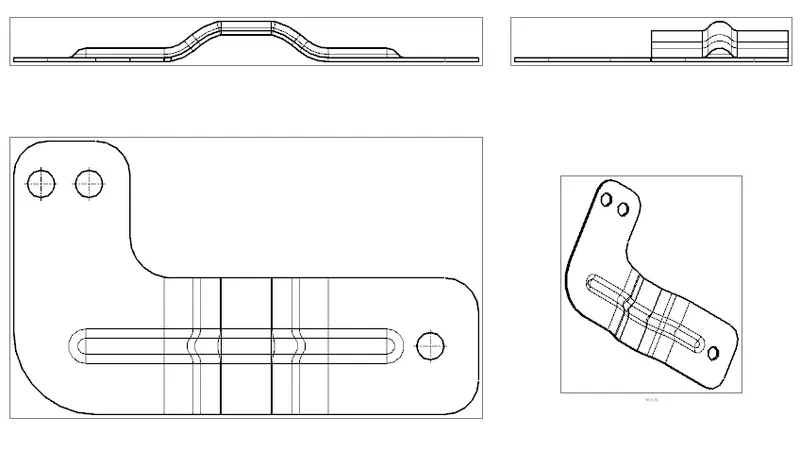
5. standard views of modelling

a. front view
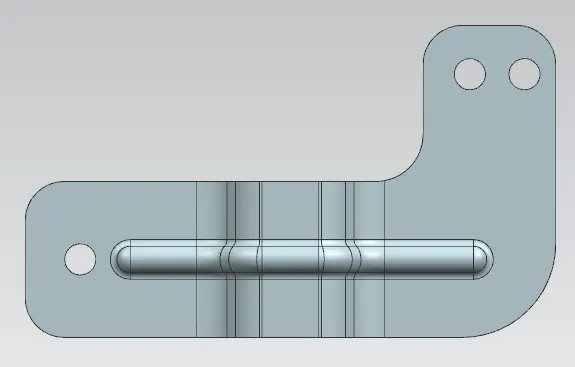
b. top view
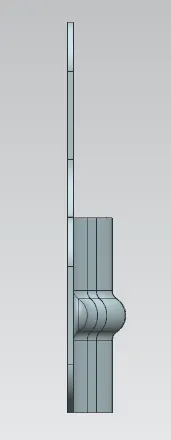
c. side view
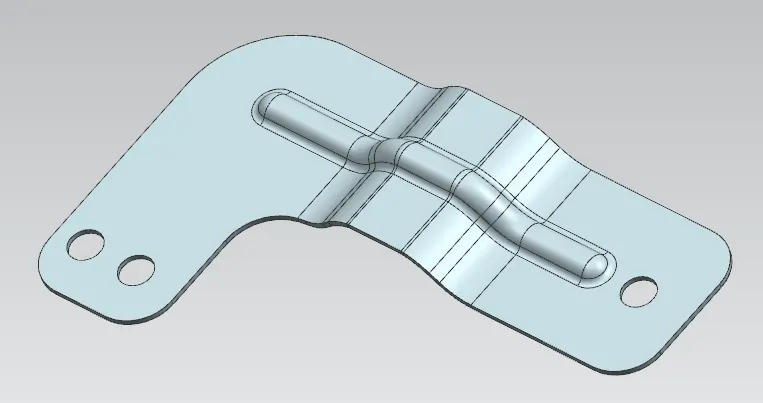
d. isometric view
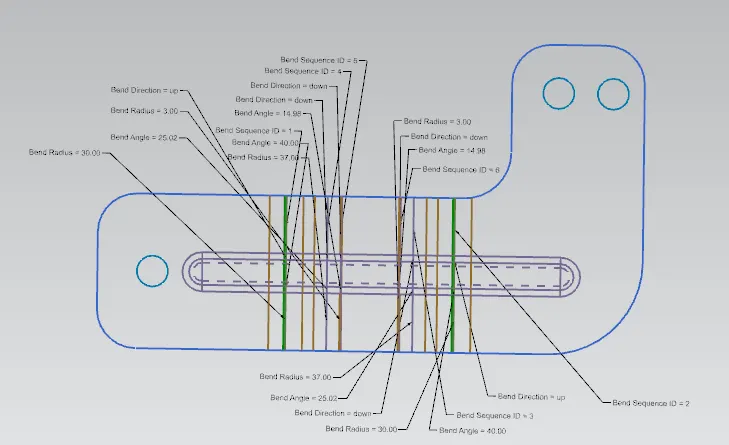
e. flatpattern
6. DRAWING SHEET OF BRACKET
7. CONCLUSION
Thus, the project has been completed by designing and drafting the BRACKET using NX CAD sheet metal and drawing application.