Advanced Sheet Metal Design Using NX Cad Challenge_6_Bracket
Design of a Bracket using Nx software
OBJECTIVE
In this project a complete bracket will be designed using sheetmetal features in NX software as per the drawing provided as the input.
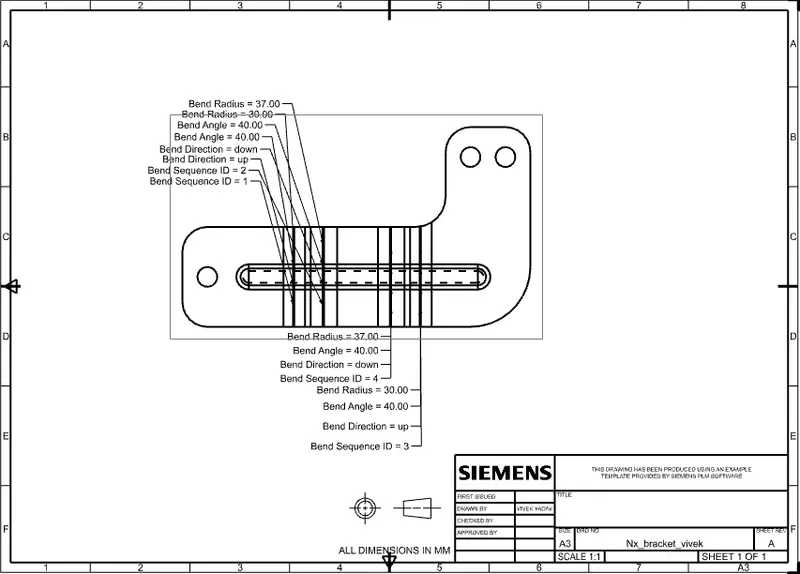
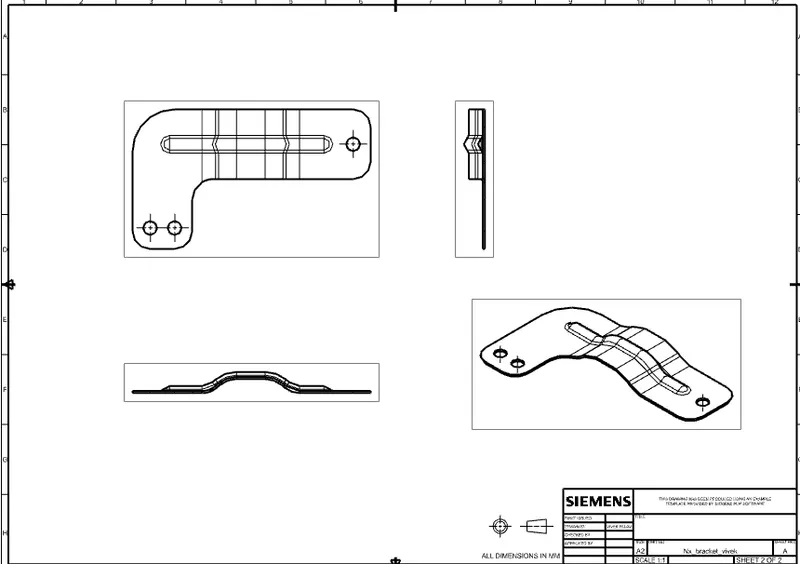
A draft will also be prepared which will provide all the specifications of the bracket designed.
INTRODUCTION
Sheet Metal Fabrication is the process of forming parts from a metal sheet by punching, cutting, stamping, and bending.
3D CAD files are converted into machine code, which controls a machine to precisely cut and form the sheets into the final part.
Sheet metal parts are known for their durability, which makes them great for end use applications. Parts used for low volume prototypes, and high volume production runs are most cost-effective due to large initial setup and material costs.
Sheetmetal Brackets are manufactured by conducting stamping or die casting operation. These can be used for many application for mounting of any products like antennas to TV, projectors or street lights, etc.
DESIGN METHODOLOGY
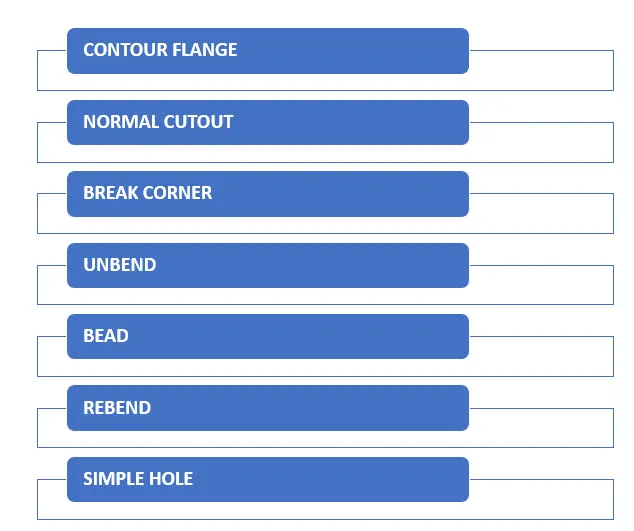
The steps that are followed to design the bracket as the requirement is shown below with the help of a flowchart.
PROCEDURE
1. The first step in designing any sheetmetal is to specify the thickness and the bending radius of the sheetmetal that needs to be produced. In this project a sheet with 3 mm thickness and 3mm bending radius is taken into consideration.
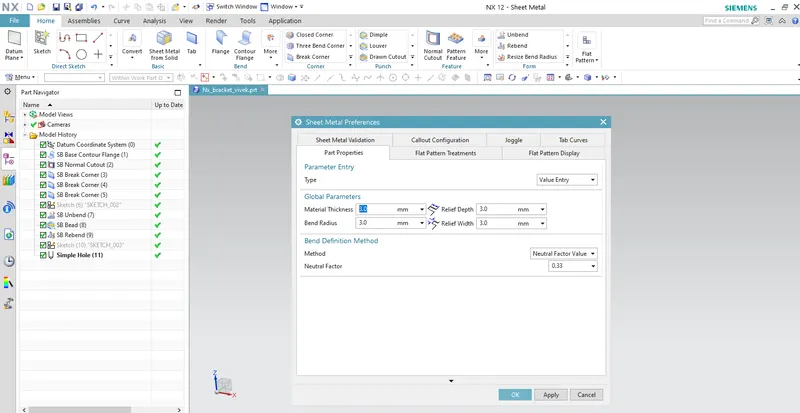
2. In order to make the sheetmetal base a curve needs to be sketched, using this sketch a Contour Flange feature will be used to give thickness to it.
Contour Flange - Whenever a material needs to be made in a curve shape, this feature is used. It creates a base feature by extruding a sketch along a vector, or adds material by sweeping a sketch along an edge or chain of edges.
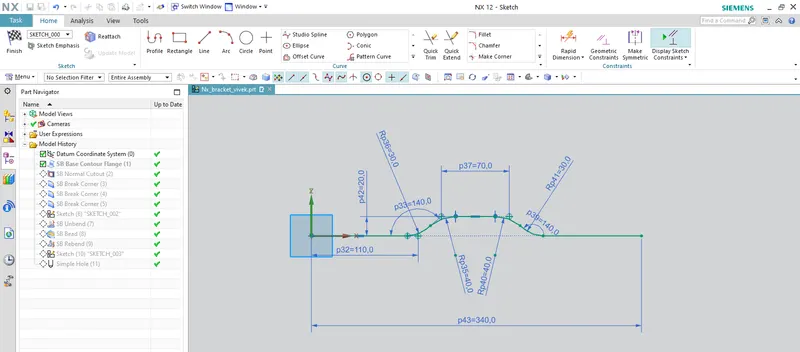
The above image shows the sketch that will be used to make the extrude for the contour flange.
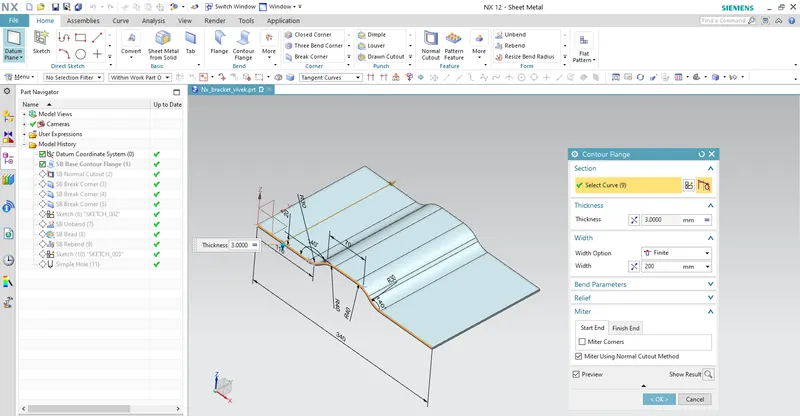
The above image shows the contour flange with a width of 200 mm which will be used as the base of the sheetmetal.
3. A Normal Cutout will be made on this base sheetmetal to obtainf the required shape as per requirement.
Normal Cutout- This feature is used to remove the material from the sheetmetal material. A profile is first drawn using the sketch feature and the material will be removed inside the sketched profile.
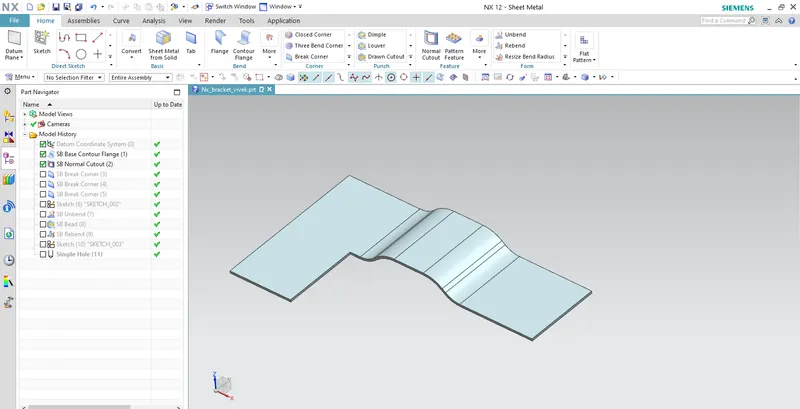
4. The next step is to convert the sharp corners into rounded corners. For this purpose Break Corner feature will be used.
Break Corner - This feature is used to provide to convert the sharp edge into rounded edges.
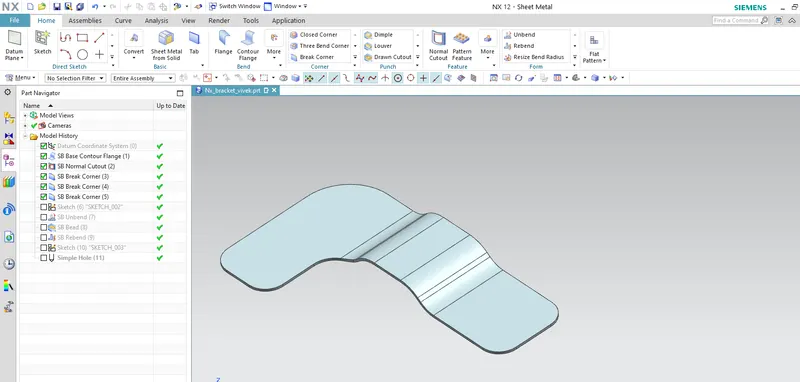
5. Strength will be given to the sheetmetal with the help of providing bead on it. To use this feature first the sheetmetal will be Unbend and then a profile will be sketched to obtain the bead on the sheetmetal.
Unbend - This feature is used to convert all the angled flanges into flat sheetmetal by selecting the base face along which all the other flanges need to be straightened.
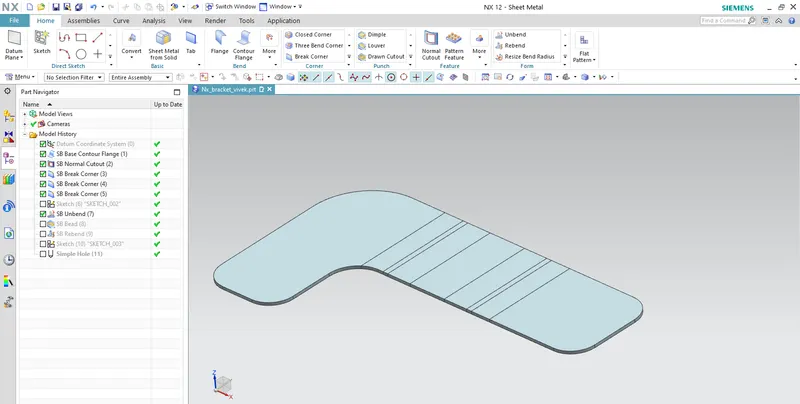
The above image shows that the sheetmetal is flattened using the unbend feature.
Bead - this feature is used to lift material along the contour a sketch, it gives strength to the sheetmetal.
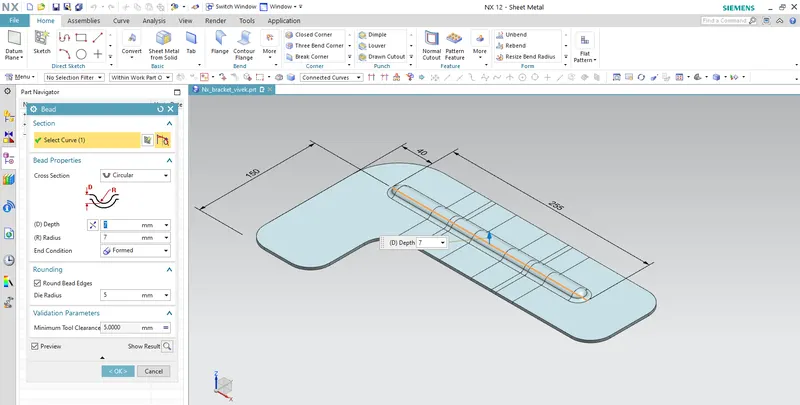
6. The flattened sheetmetal is then again rebend to obtain the original shape of the bracket.
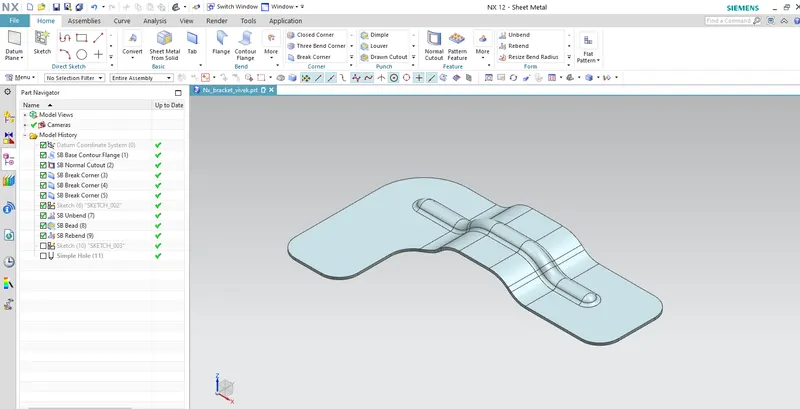
7. the last step in designing the sheetmetal as per requirement is to make holes on required positions. This is done with the help of Hole feature in sheetmetal workbench.
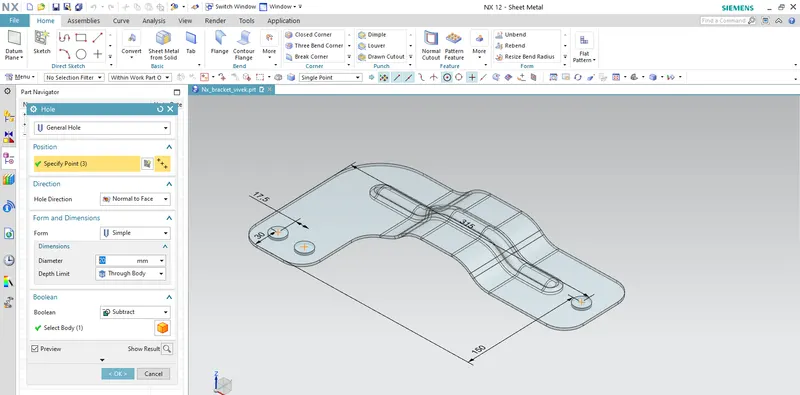
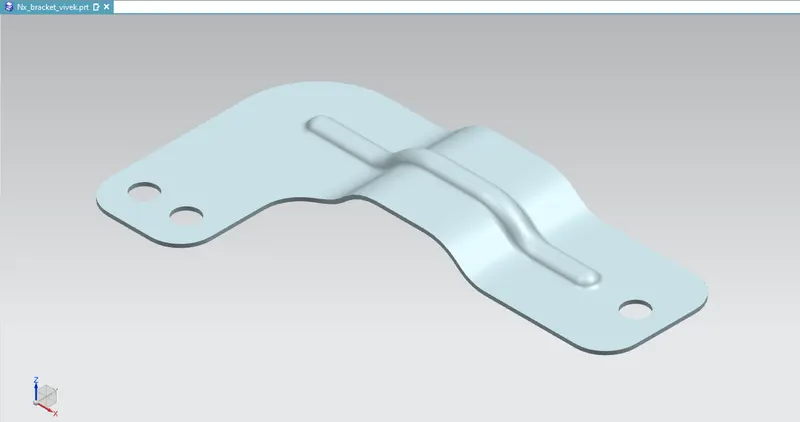
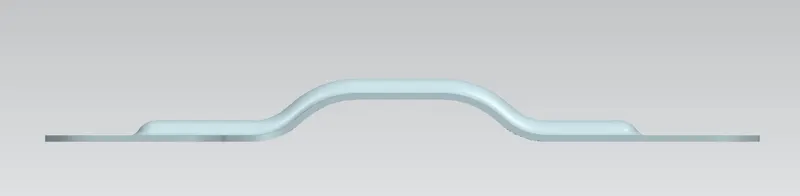
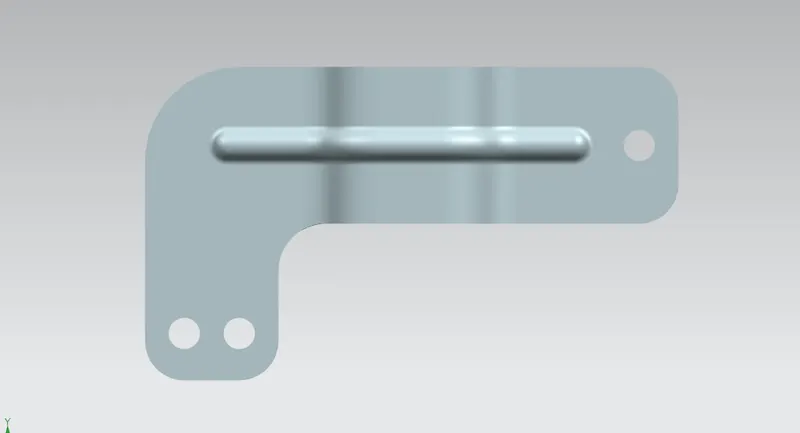
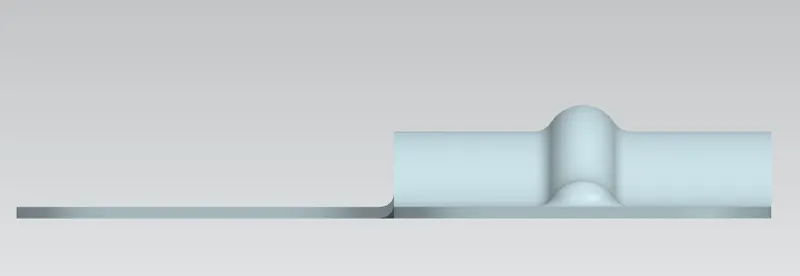
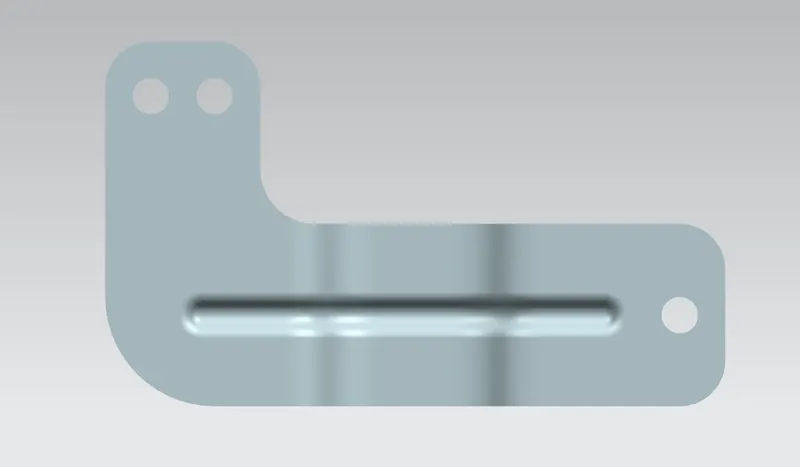
The complete bracket is designed as the drawing provided as input.
Different view of the final bracket
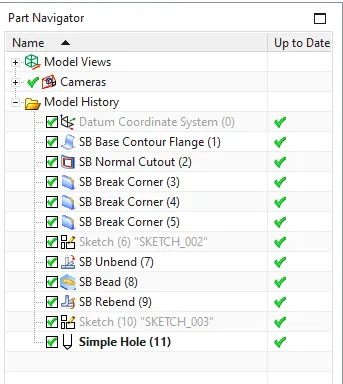
1. Detailed tree structure
2. Isometric View
3. Front view
4. Top view
5. Side view
6. Bottom view
DRAFTING
The drafting of the bracket was done which specifies the specifications of the sheetmetal.
CONCLUSION
1. The bracket of the sheetmetal was designed as per the requirement.
2. The draft was also made for the bracket which mentions the specifications of the sheetmetal bracket designed.