Advanced Sheet Metal Design Using NX Cad Challenge_5_Odd Shaped Enclosure
Title : Odd Shaped Enclosure Using NX Sheet Metal
Objective : To create odd shape enclosure using NX sheet metal with detailed report on Sheet Metal Component with good explanation on Sheet Metal modelling tools applied throughout the modelling.
Introduction : We have seen complete Module of Sheet metal in NX Cad. In this we have learnt various methods to create sheet metal product. also we have seen hoe to convert Solid part to sheet metal.
Design Methodology :
Work Flow :
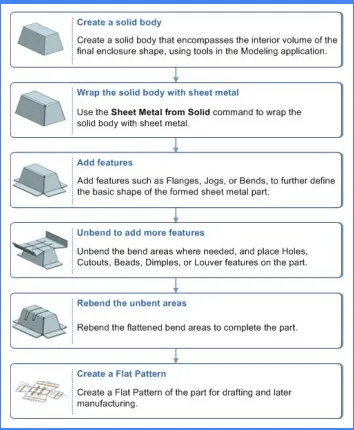
Description :
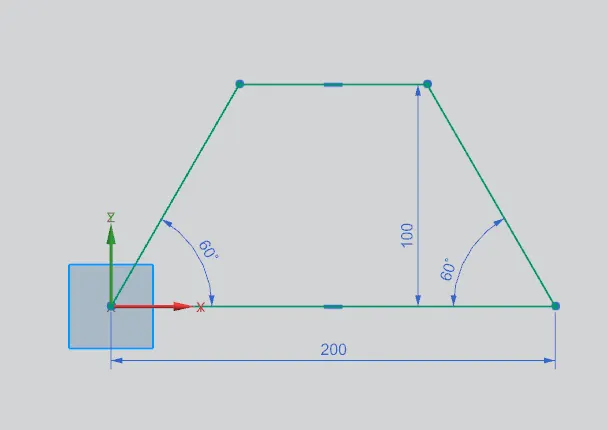
1. Open NX Sheet Metal Module.
Sketch with required dimensions.
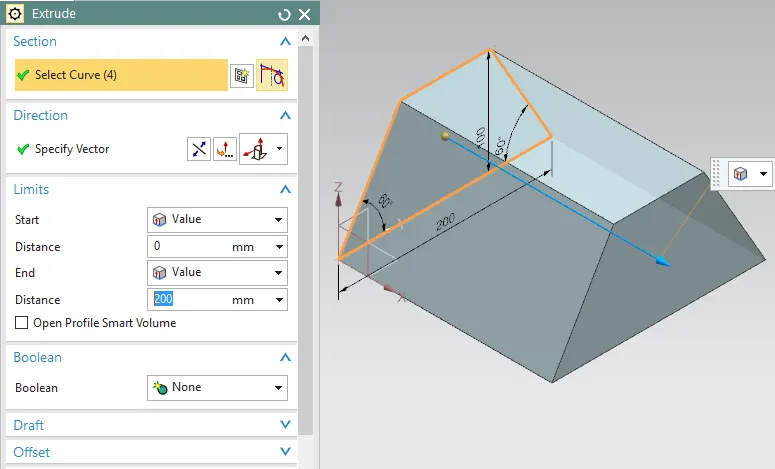
2.Then Extrude skecth enclosure.
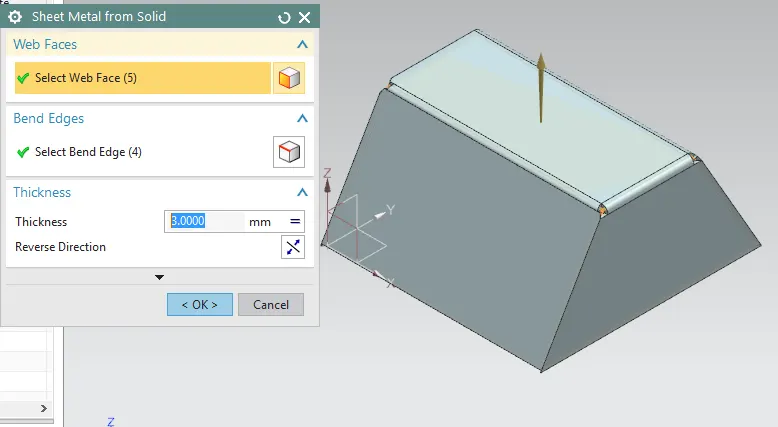
3.Then Wrap solid body with sheet metal using convert to SM from Solid.
And Suppress Solid part.
4. Then Add some flanges to part.
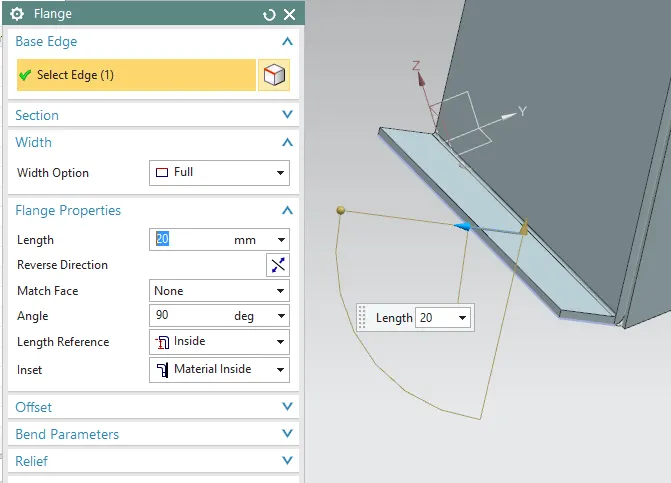
5. Add Jog to the part.
For that sketch a curve
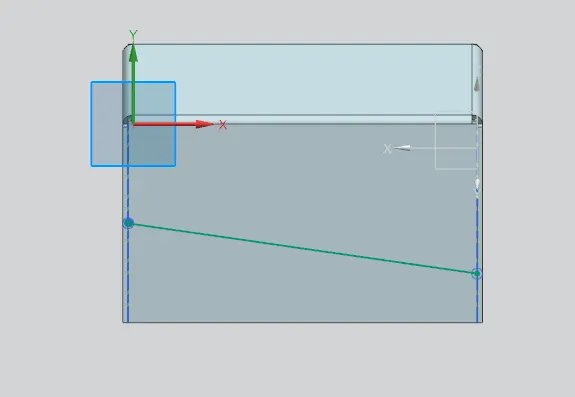
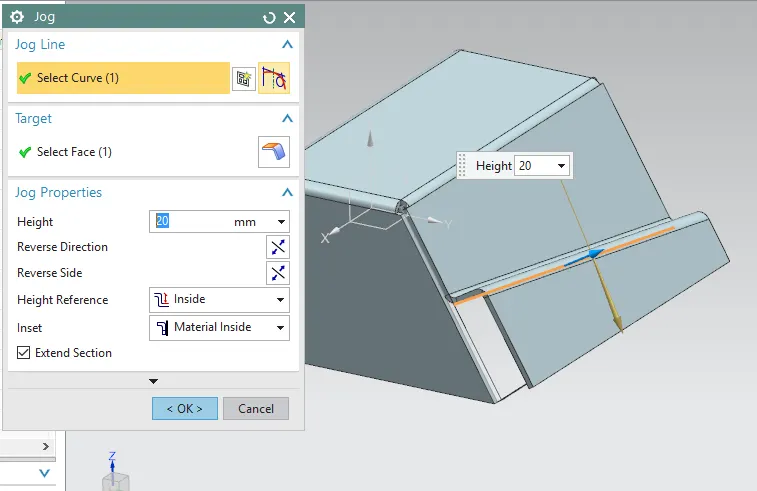
Then use Jog ccommand select curve and target face to Add Jog.
6. Then Unbend the part.
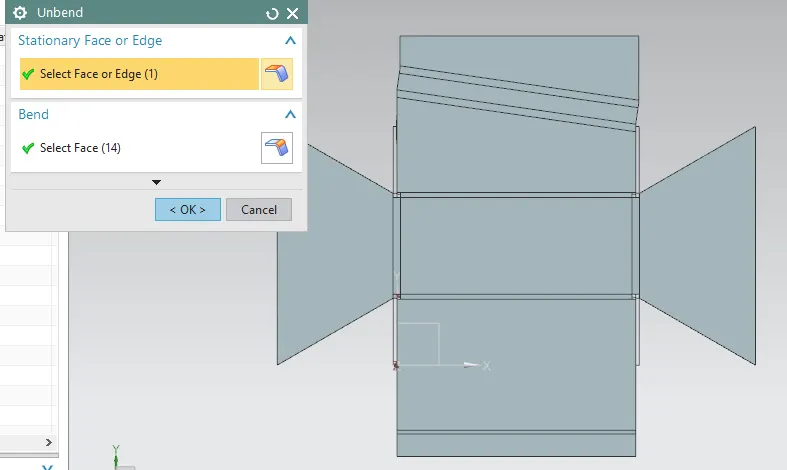
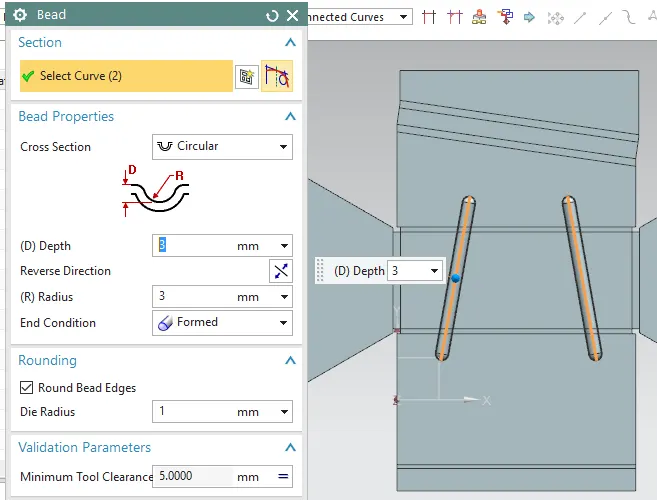
7. After unbend Add Bead to the part.
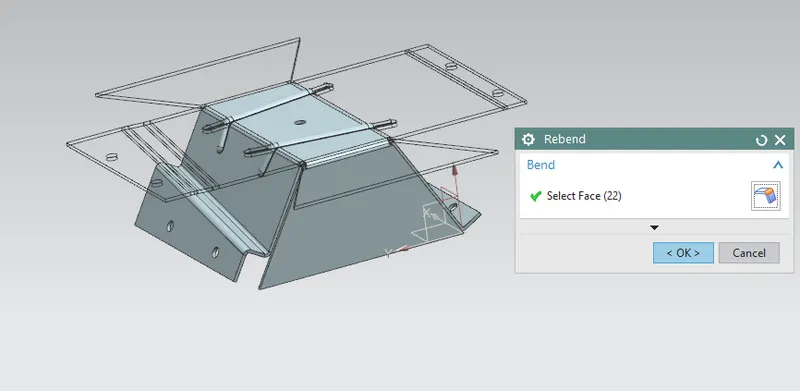
8. And Rebend the SM part.
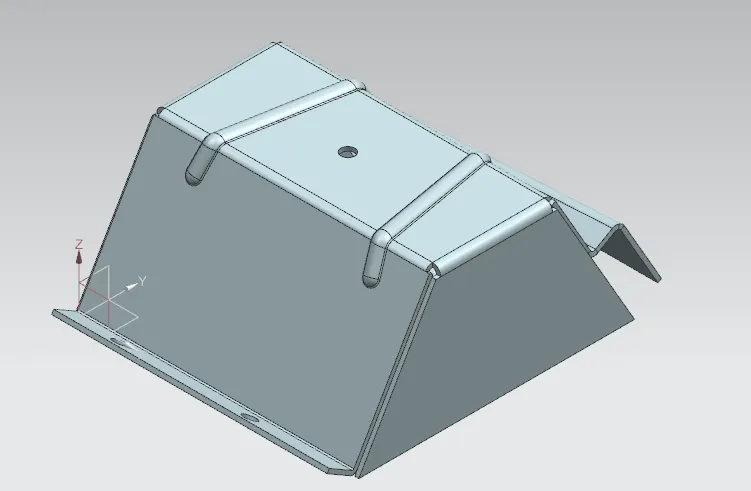
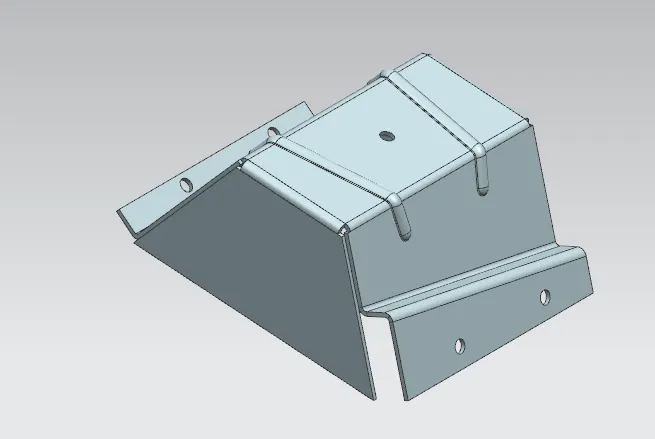
9. So this is the final Sheet metal Odd enclosure.
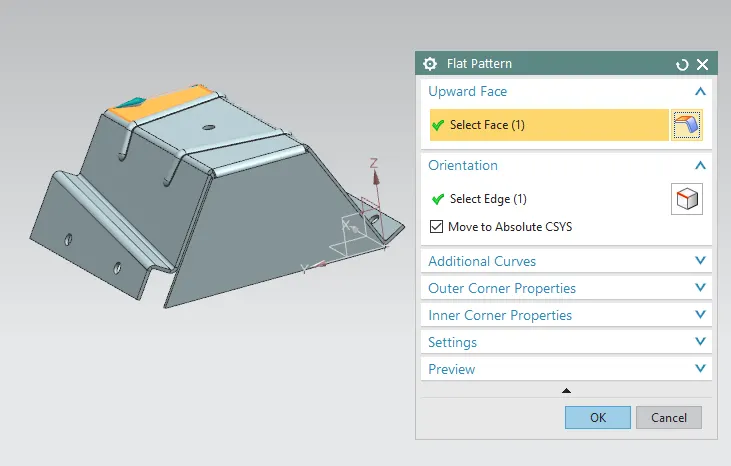
10. Finally use Flat pattern command to fatteern the part.
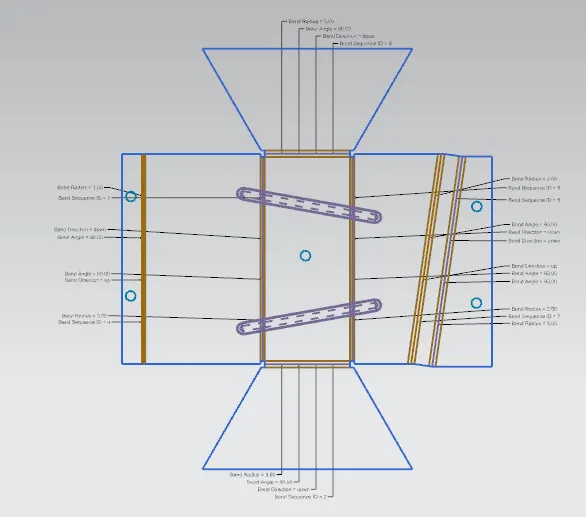
11. This is the required Flat pattern.
Conclusion : In this way we have created odd shape enclosure using NX sheet metal with detailed report on Sheet Metal Component with good explanation on Sheet Metal modelling tools applied throughout the modelling.