Advanced Sheet Metal Design Using NX Cad Challenge_5_Odd Shaped Enclosure
Odd Shaped Enclosure
Objective:
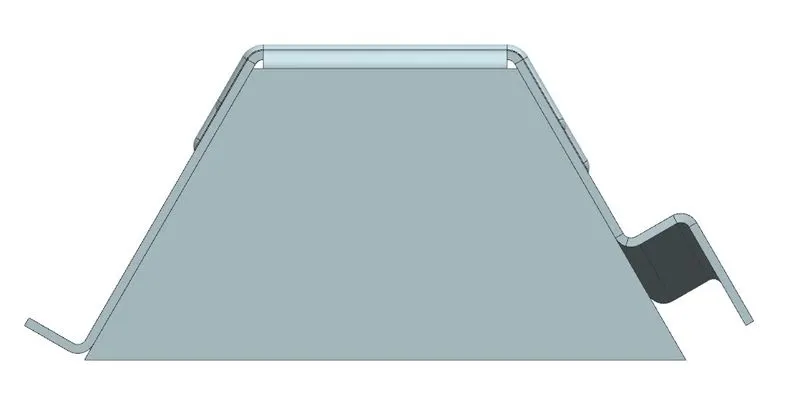
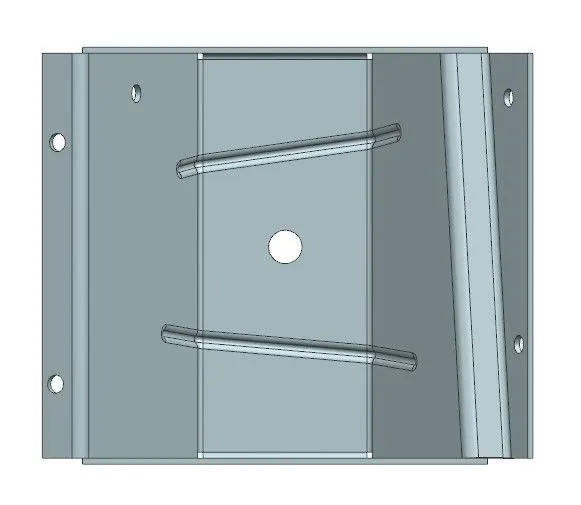
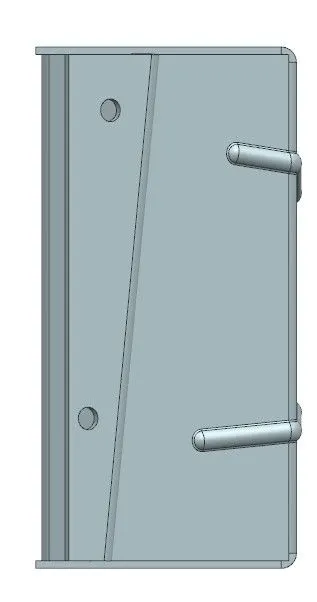
Design an odd shaped enclosure ,thus creating a draft of it using Siemens NX Sheet metal application.
Introduction:
NX CAD includes a specialized set of tools for designing sheet metal parts and assemblies. These tools allow users to quickly create and modify sheet metal parts, including features such as bends, flanges, and other common sheet metal operations.
Some of the key features of the sheet metal design tools in NX CAD include:
-
Bend definition: Users can create and edit bend lines, bend angles, and reliefs for sheet metal parts.
-
Flange and unfold: Users can create flanges and unfold sheet metal parts to create flat patterns for manufacturing.
-
Sheet metal gauge table: Users can define and apply sheet metal gauges to parts and assemblies.
-
Punch, laser and plasma: NX CAD allows user to define the punch, laser and plasma features on sheet metal parts.
-
Sheet metal simulation: Users can simulate the behavior of sheet metal parts under different loads and conditions, including the ability to predict springback and evaluate the effects of different manufacturing processes.
-
Sheet metal nesting: Users can optimize sheet metal parts for cutting and nesting to minimize material waste.
-
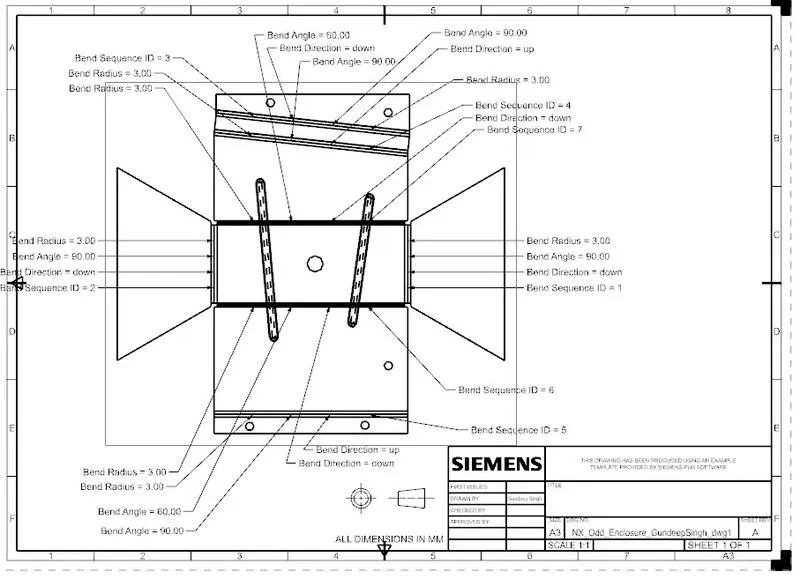
Manufacturing documentation: Users can create detailed drawings and documentation for sheet metal parts, including flat patterns, bend notes, and bend tables.
Overall, NX CAD provides a comprehensive set of tools for designing and manufacturing sheet metal parts, from initial design through to final production.
Design Methodology:
| New file selection in NX |

| Saved with Nx_Odd_Enclosure_GundeepSingh |
| Selected XY Plane and Sketch was performed |
| Solid body created using Extrude command |
| Solid body was then wrapped with sheet metal |
| Flange added to one side of the body |
| Line sketch created on other side and jog was created |
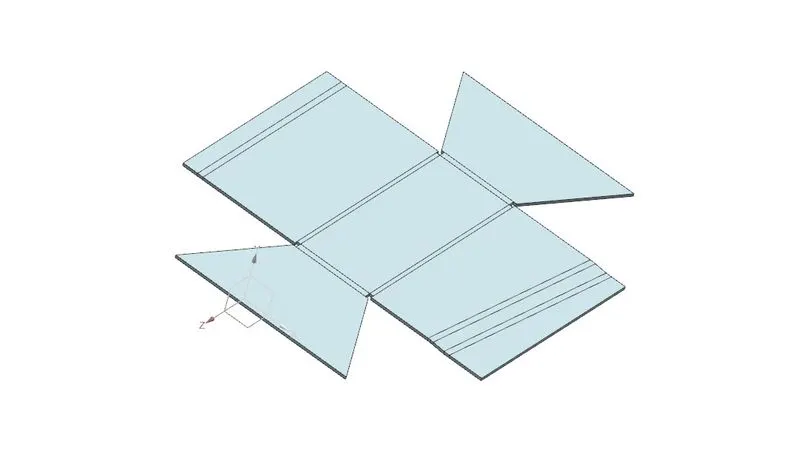
| Unbend the Sheetmetal by using unbend command |
| Added the holes as per required by using Normal cutout command |
| Beads also created with reference sketch created on top surface |
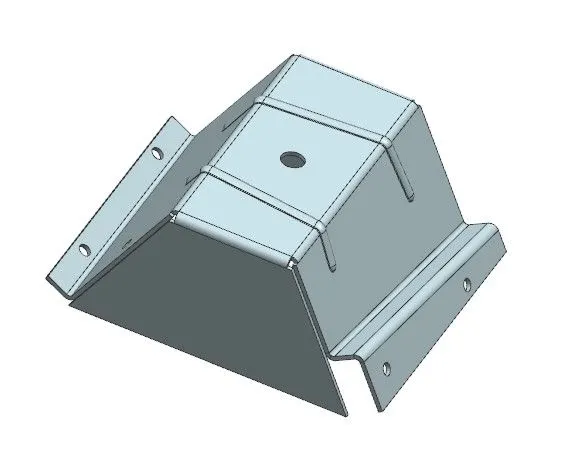
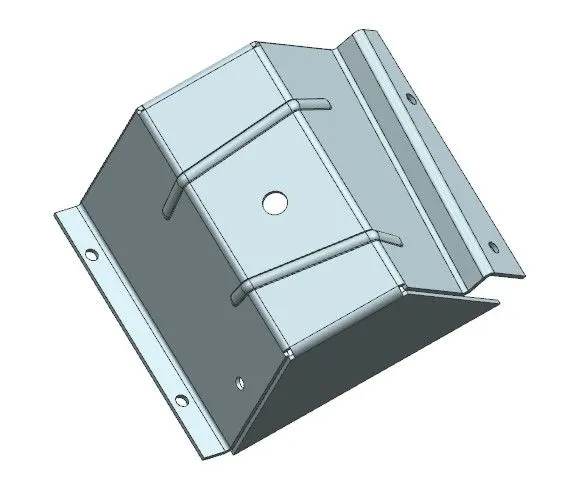
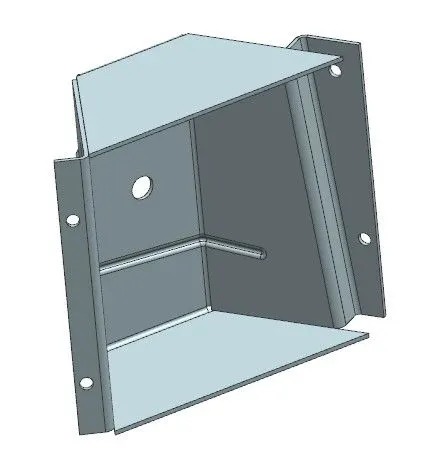
| Rebend the body to make the final product |
| Final product was achieved as per the inputs and drafting done |
Description :
Sketch:- Allows to create and edit 2D geometry for use in 3D modeling.
Tab :- Create a tabular layout of items, such as dimensions or annotations, within a drawing.
Bend :- It is used to create a bend in a sheet metal part. It Can specify the bend angle, bend radius, and the location of the bend on the sheet metal part.
Flange :- It is used to create a flange on a sheet metal part. A flange is a projecting flat surface or rim used for strengthening or attaching to another object
UNBEND :- It is used to remove a bend from a sheet metal part.It can be used to change the shape of a bent sheet metal part back to its original flat state.
HOLE :- It is used to create holes in a solid or sheet metal part.
DIMPLE :- It is a shallow depression or indentation on a sheet metal surface, often used to provide clearance or to improve the appearance of a part. T
BEAD :- It is a raised ridge or protrusion on a sheet metal surface, often used to provide strength or to improve the appearance of a part.
REBEND :- It can be used to make changes to a bend after it has already been created, such as to correct an error or to make design changes.
Extrude: It creates a feature by extruding a section along a vector.
Sheet metal from solid: It builds a sheet metal model that takes its shapes from a collection of planar faces. This command is used to convert the solid body into a sheet metal body. After selecting the command and the solid body, we can also remove the edge sharpness by removing the material at these places.
Conclusion:
The design of an odd-shaped enclosure was completed using the basic commands such as Tab, Flange, Sheet Metal from solid, Jog, Hole, Unbend, Bead, Flat pattern, and Bend table. These basic commands have influenced to maintain geometric constraints and achieve the final product.