Advanced Sheet Metal Design Using NX Cad Challenge_5_Odd Shaped Enclosure
TITLE: ODD SHAPED ENCLOSURE DESIGN USING SIEMENS NX.
OBJECTIVE:
Learn to design a sheet metal odd shaped enclosure in industrial manner.
INTRODUCTION:
Sheet metal is one of the most versatile materials used in manufacturing industries. It is made of steel, aluminum, brass, copper and tin. let us see how to design an Odd shaped enclosure using NX CAD.
DESIGN METHODOLOGY:
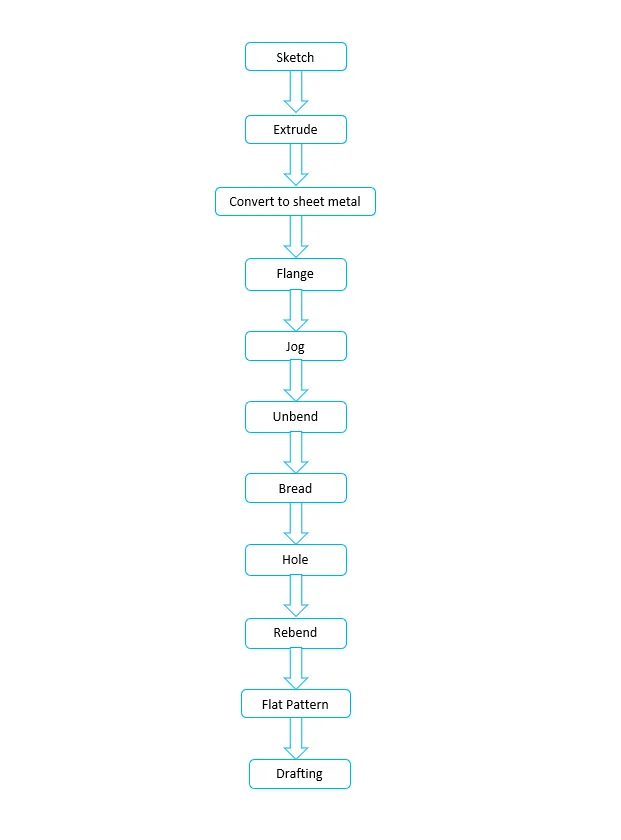
The design methodology used for this project is summarized in below flowchart.
Detailed design steps as follows :
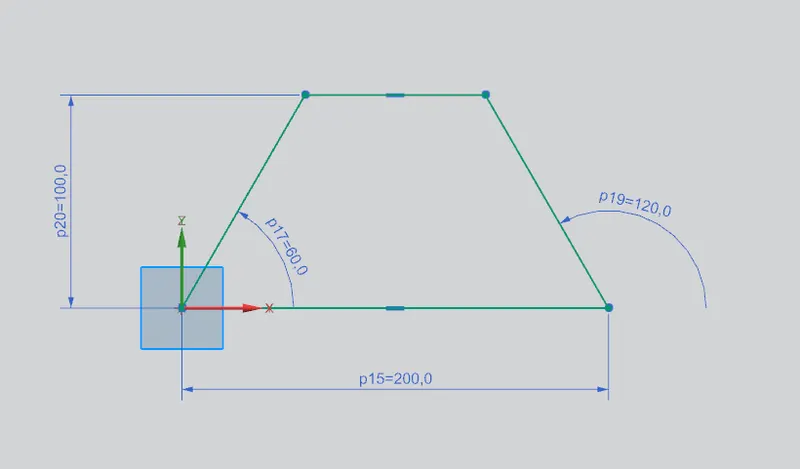
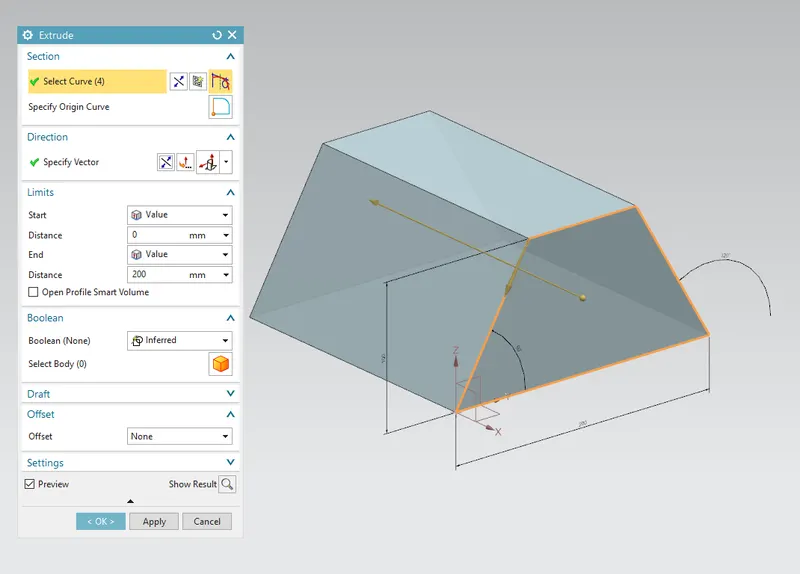
Sketch & Extrude:
To sketch as per given dimensions and converting that 2D sketch into 3D model. While extrusion material is added to sketch.
Convert to sheet metal:
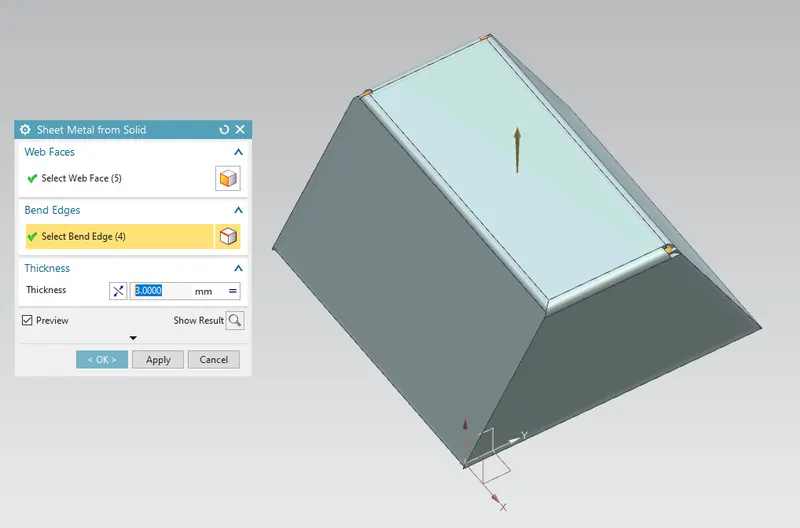
This feature is used to create a sheet metal model from solid body by ripping edges, cleaning up geometry and converting to a sheet metal body. Lets now convert the solidbody into sheetmetal.
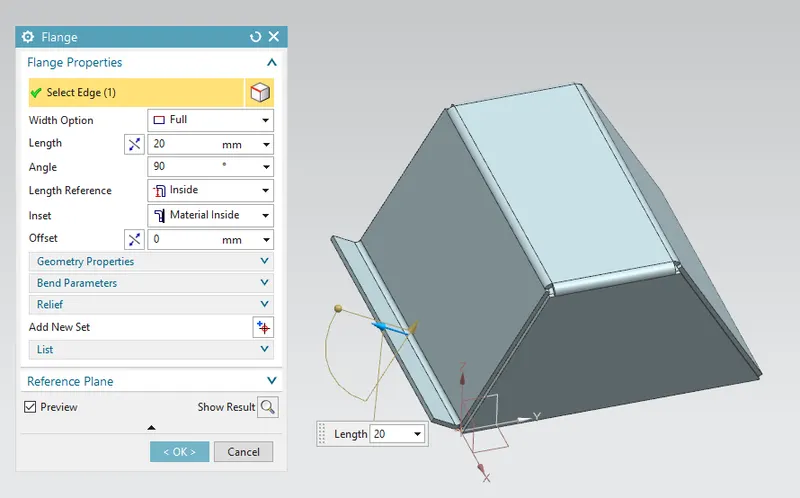
Flange:
Flange is used to add extra material to the existing edge at any angle and of any size. Adding flange having parameters of 20 mm length with material inside the reference edge.
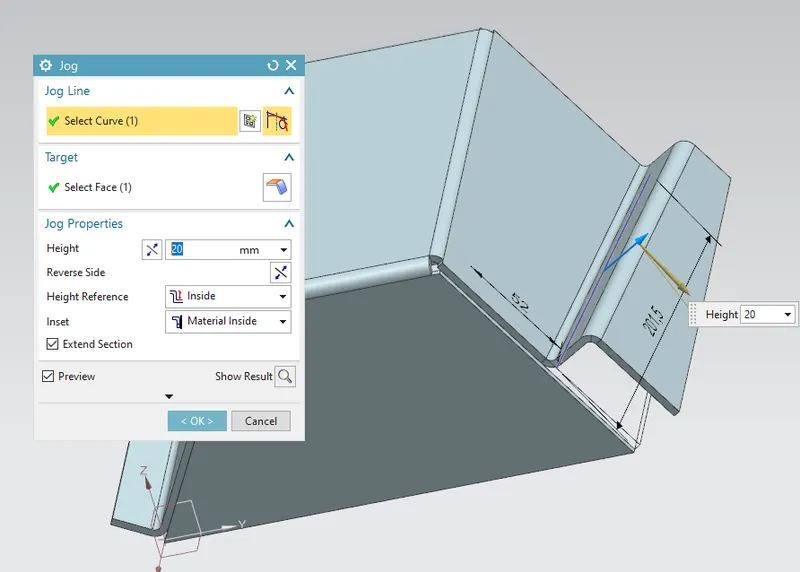
Jog:
Jog feature is used to modifies the model by lifting material on one side of the line, adding a flange between two sides. Create a line sketch for jog line and then create a jog having height of 20mm.
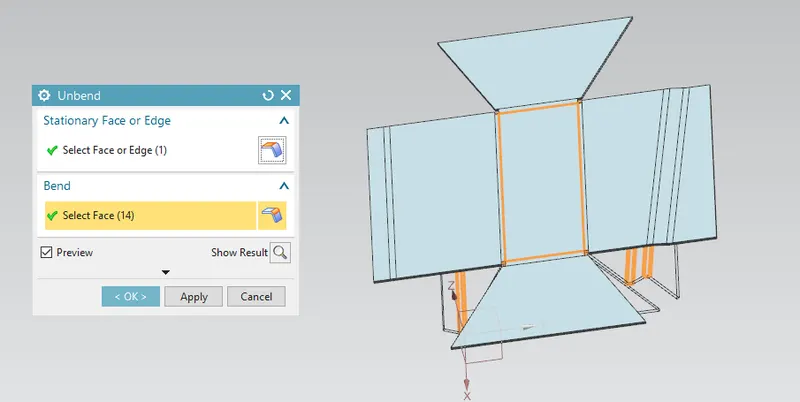
Unbend:
Unbend feature is one of the most powerful feature in NX. In industry we have to mark all the marking and sketch on flat sheet metal before it went to actual operations, so this unbend feature allow us to do that activity in Siemens NX software. After Unbending it looks as shown below
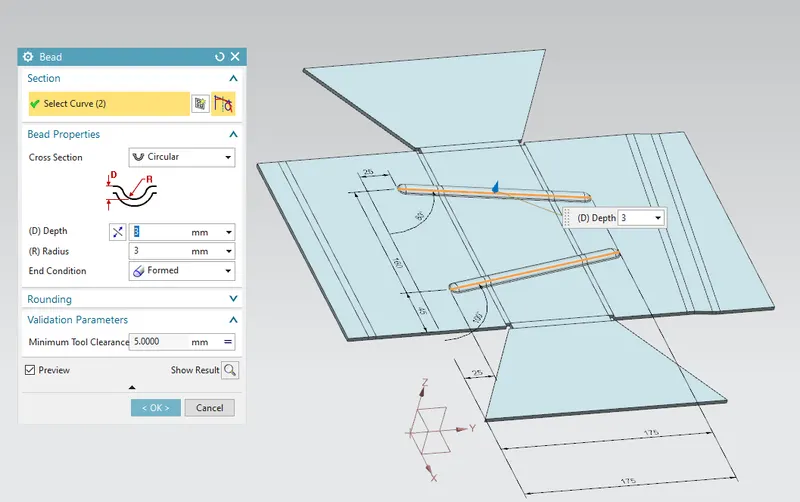
Bead:
Bead is similar feature like dimple the only difference is that by using dimple we lift an area while in bead we lift the contour of the sketch. It also added to strengthen the component. Here two beads are applied in the position as shown in the image below.
Hole:
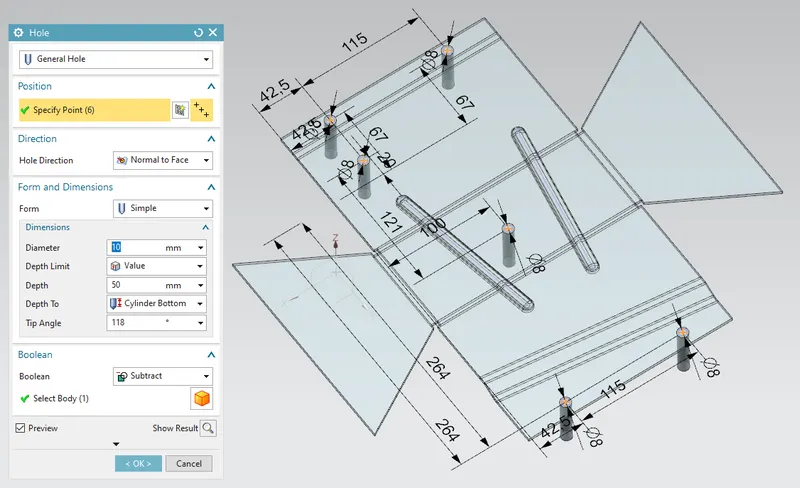
Hole feature is used to generate hole with definite parameter on sheet metal in Siemens NX. Let us sketch 6 location points and then hole feature is applied to all 6 points.
Rebend:
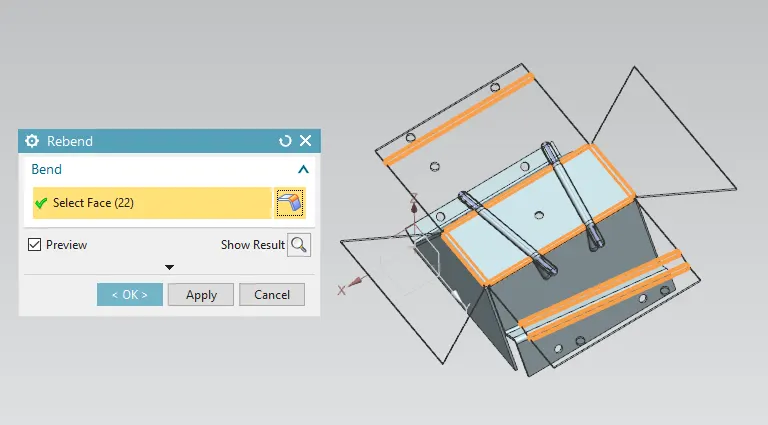
Rebend feature is used to restore the unbend feature to its previous bent state along with any features added after the unbend feature. After Rebend it looks as follows
Flat Pattern:
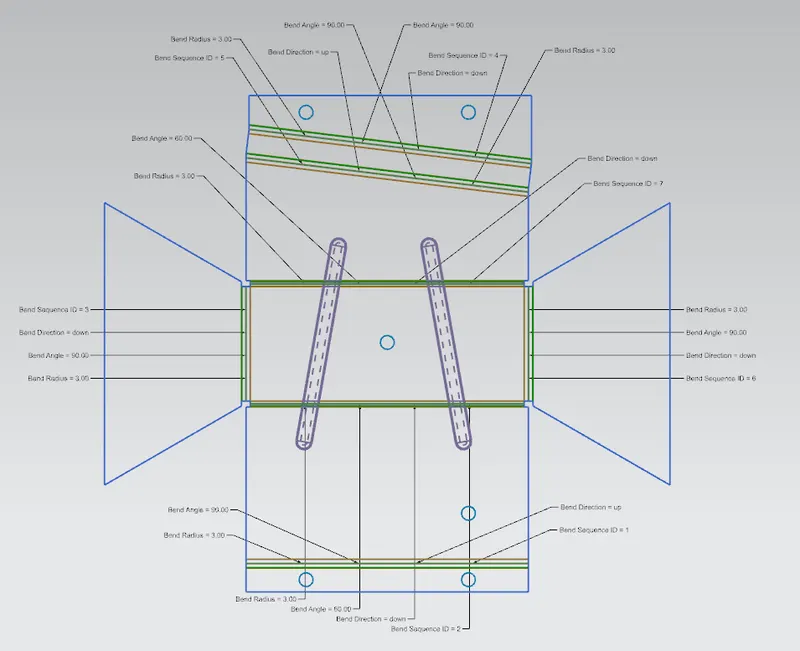
Flat pattern feature allows us to covert 3D sheet metal component into 2D form in Siemens NX software hence easing manufacturing process. By using this flat pattern feature we can easily avoid error like interference or collision.
Different views of Casing:
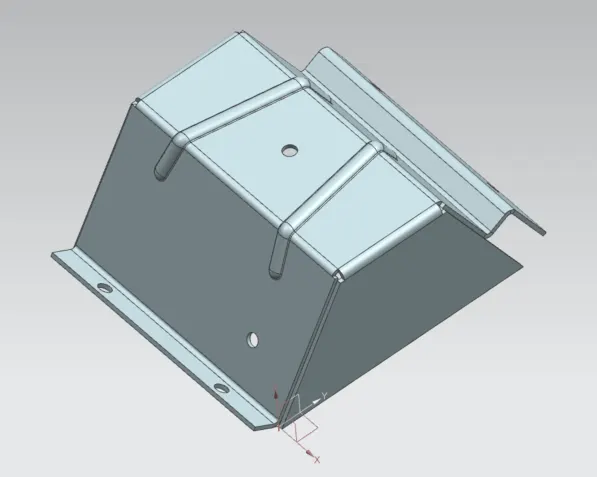
Isometric View:
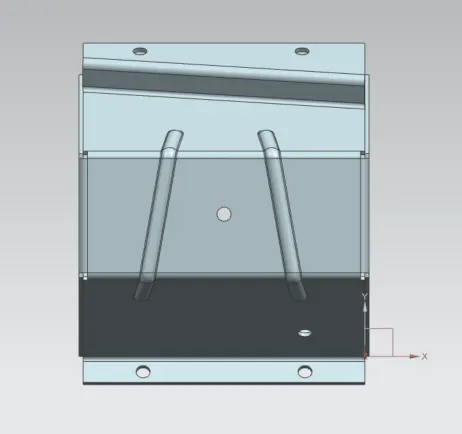
Top View:
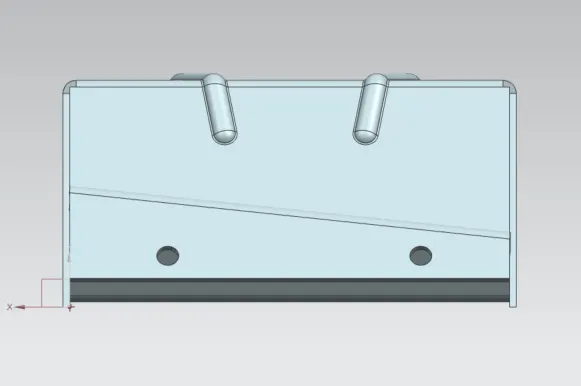
Front View:
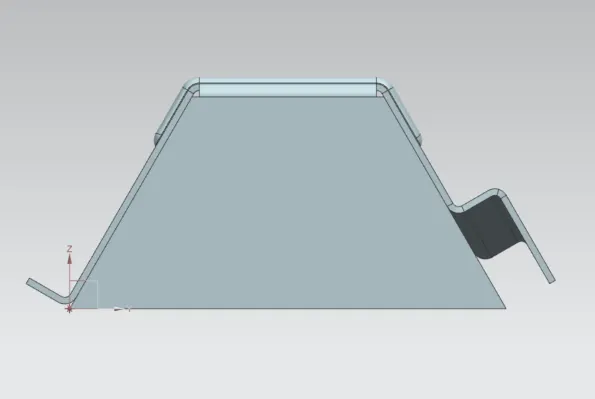
Side View:
CONCLUSION:
Successfully learnt to design an odd shaped enclosure in industrial manner by using Siemens NX.