Advanced Sheet Metal Design Using NX Cad Challenge_5_Odd Shaped Enclosure
SHEET METAL ODD SHAPED ENCLOSURE :
MAIN OBJECTIVE :
To make a sheet metal component around a solid block and perform operations like flanges,jogs,beads and holes on it.
DESCRIPTION :
- To create a solid block using the sketch and EXTRUDE command with a lenght of 200 MM.
- After creating a solid block now wrap the sheet metal around it. using the SHEET METAL FROM SOLID command.
- In that command selct the faces to be wraped and edges to obtain filletetd and edge riped sheet metal cover around the solid block.
- Now hide the solid block and create a FLANGE on the left side of the sheet metal with 20 MM length and 90 degree angle.
- And then create a JOG using the in sketch feature provided in JOG command with height of 20 MM length.
- After doing that unbend the component using the UNBEND command selcting a flat face as neutral.
- Then create two beads on the flat surface using in sketch feature in BEAD command with 3 MM depth and 3 MM radius.
- After creating beads now create holes on the flatten part using the HOLE command with 10 MM diameter on the flatten face.
- After performing this operation use REBEND command to get the final output as required.
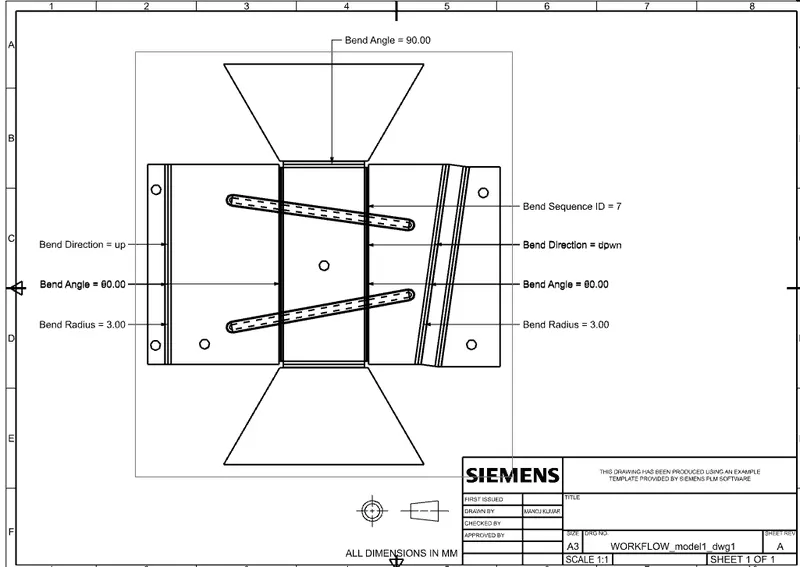
- Now create Flat pattern using FLAT PATTERN command and select the flat face and edges to get the output.
- Now go to sheet metal preference's and unchechk all the callouts in flat pattern display except Bend radius,Bend angle and Bend direction.
- Now open a drawing file and selct the BASE VIEW option and select flat pattern as the view and 2:1 ration on the A3 size and save the prefix.
ODD SHAPED ENCLOSURE VIEWS :
ISOMETRIC VIEW :
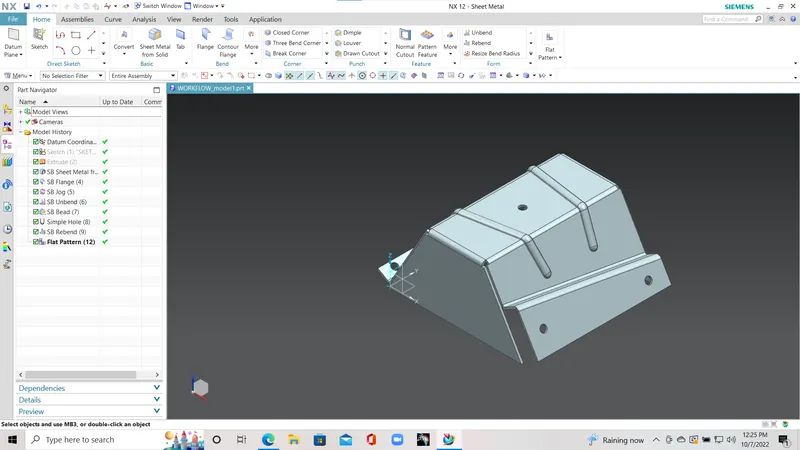
FRONT VIEW :
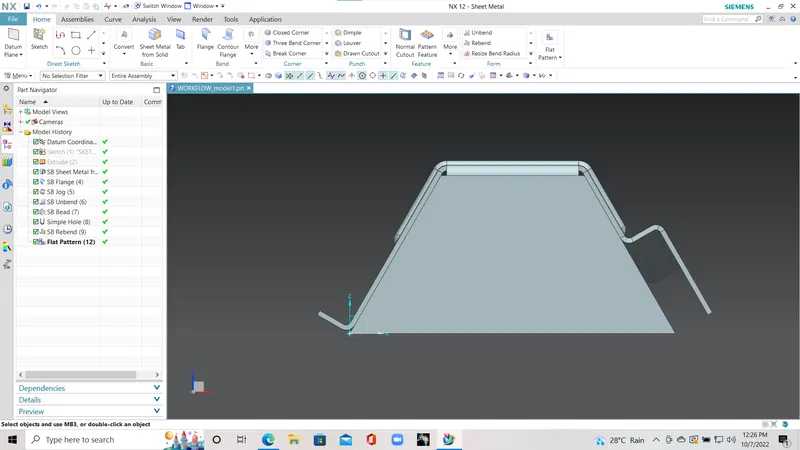
TOP VIEW :
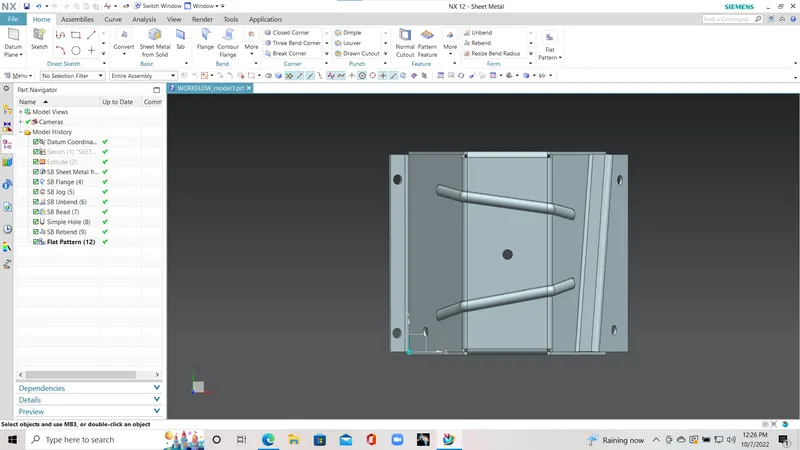
SIDE VIEW :
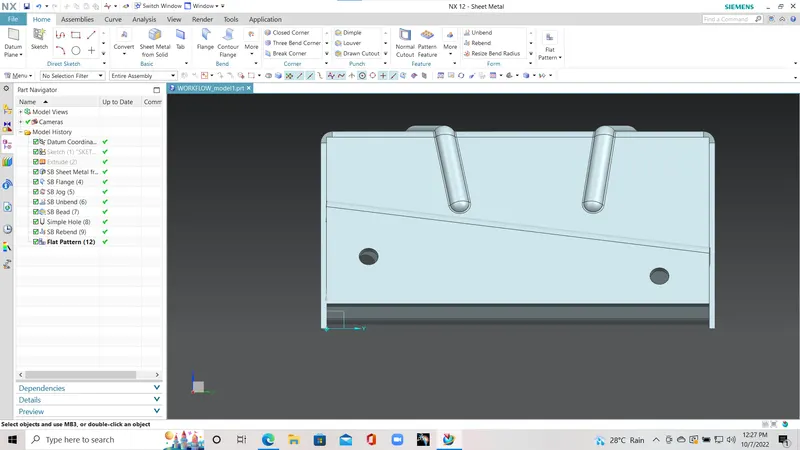
THE DRAWING SHEET OF THE ODD SHAPED ENCLOSURE :
CONSLUSION :
I have performed above operations to obtain required model using the guidlines provided.