Advanced Sheet Metal Design Using NX Cad Challenge_5_Odd Shaped Enclosure
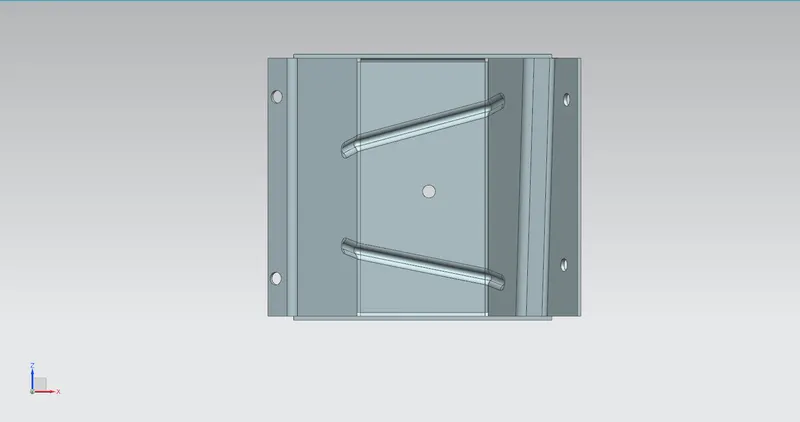
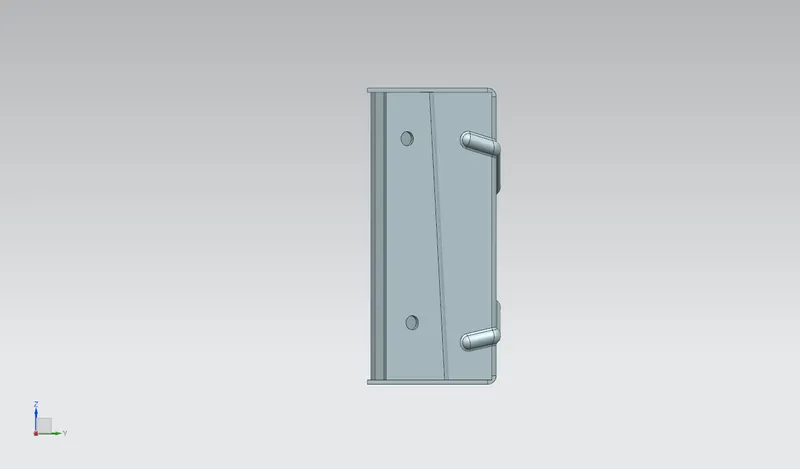
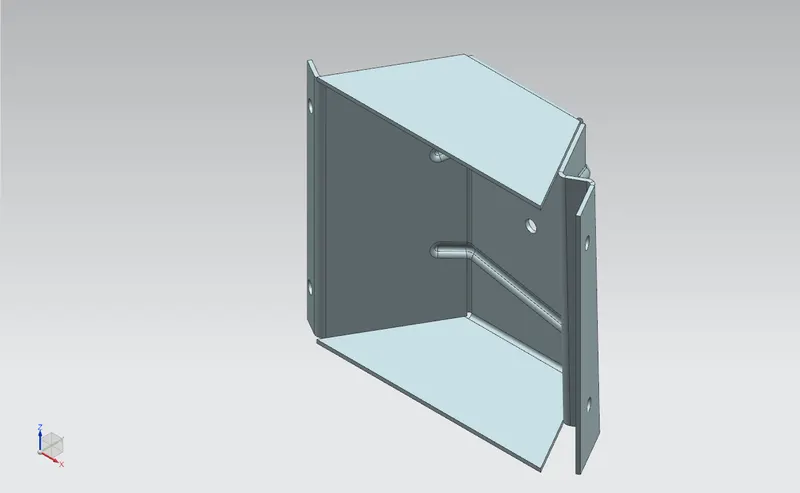
Design Of Odd Shaped Sheet Metal Enclosure Using Sheet Metal In Nx Cad
- Objective:
In this challenge I have learned workflow procedure to design a ‘SHEET METAL PART FOR ODD SHAPES ENCLOSURE’ using Siemens NX Sheet Metal application.
- Introduction:
Sheet metal is used in various platforms in manufacturing industries. Sheet metal is metal made by the industries to make thin, flat piece. In NX CAD sheet metal application is used in Machineries, Automobile industries, Aerospace industries, etc. It is made up of Steel, Aluminium, Copper, Brass, Tin, Nickel, etc. It comes with a foil rolled along itself. Sheet metal enclosures is use to resist corrosion and provide electrical conductivity. The product is widely used for various industrial purposes. Stainless Steel Enclosure or Sheet Metal Enclosure which are manufactured by 'cold forming', where the metal is clamped.
- Methodology:
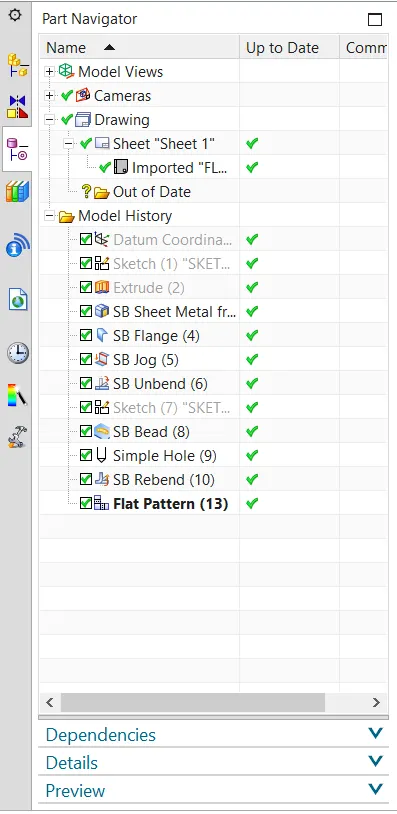
Workflow for the design of Sheet metal Enclosure for odd shapes.
- Create a solid body
- Wrap the solid body with sheet metal.
- Add features such as flanges, jogs or bends.
- Unbend to add more features such as beads, holes, cutouts etc.
- Rebend the unbend areas.
- Create a flat pattern.
- Description:
- Extrude: This feature is used to create a solid body from the 2D sketch along the vector.
- Sheet Metal From Solid: This feature is used to convert the solid body in a sheet metal. The working is simple, it take the models face shape and convert to sheet metal.
- Flange: By using this command we can add a flat flange to the model at a required angle.
- Jog: It is type of flange by using this feature we can create a flange with a different method.
- Unbend: This command is used to unbend the sheet metal to perform deferent operations which can be operated using unbend feature only.
- Datum Plane: The extra plane is created along the required parameters to construct other features.
- Bead: This command is used to lifts the material along the contour of the sketch that simulates the stamping tool.
- Mirror: This feature is used to mirror the feature or bodies across desired planes.
- Hole: This feature is used to create a throughout hole on the sheet metal in this exercise we have used this after unbending.
- Rebend: After finishing all these operation the sheet metal parts need to rebend to its previous bend state. After rebending we can see that all the operation we have performed after unbend feature. They can now also been seen without any change in the parameters.
- Flat Pattern: This feature is used to create a 2D sketch on the sheet. The flattened model is necessary for the manufacturing process. This involved all the detailed dimensions required for manufacturing.
5.Procedure:
- To create this model we first need to select a model feature and select basic coordinate system.
- Now create a sketch on the plane by using profile and extrude it to 200mm.
- Now go to the application and select sheet metal. In that use convert sheet metal from solid option. Select appropriate faces and edges of the model then select OK.
- Now add a flange to one side and another flange by using a JOG Feature which height is 20mm.
- Use unbend option to unbend the sheet metal.
- Now to create a bead I have used mirror feature so to mirror the feature there is a need of plane along which the feature has to be mirrored. So create a new plane at a distance of 100mm from the XY plane.
- Now create a bead by sketching on the top face of our sheet metal.
- Now use mirror feature to mirror a bead along the newly created plane.
- Now create a simple holes on the face required.
- Now used re bend feature to the unbended sheet metal to get the required sheet metal design.
- At last use flat pattern feature and save the design.
6.Standard views of model:
Front view
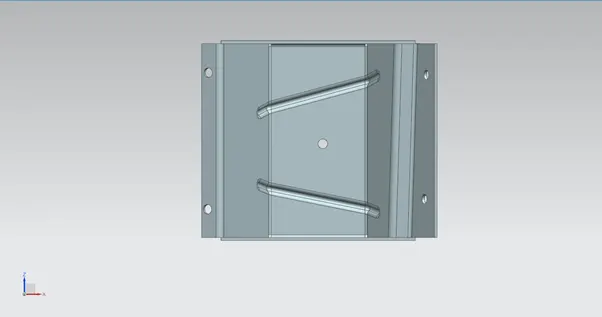
Side view
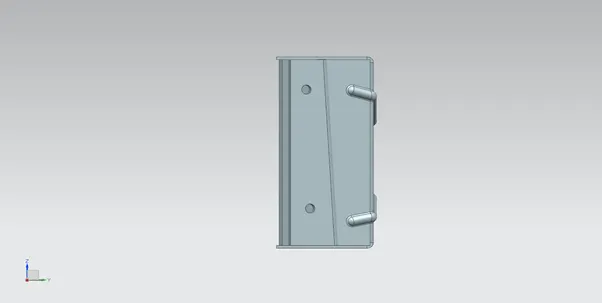
Isometric view
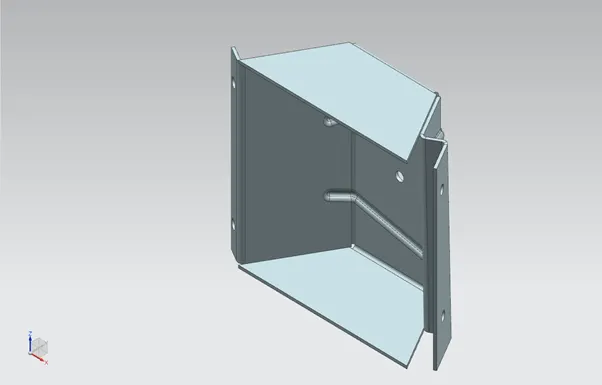
Top view
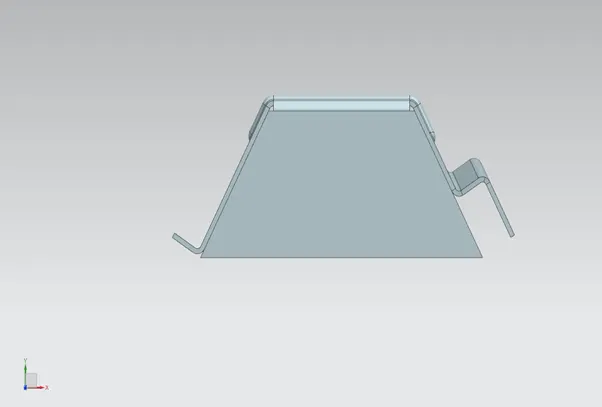
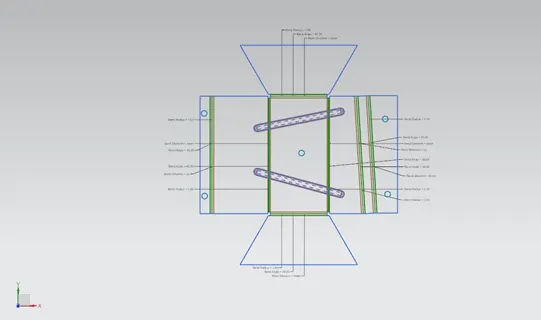
Flat Pattern
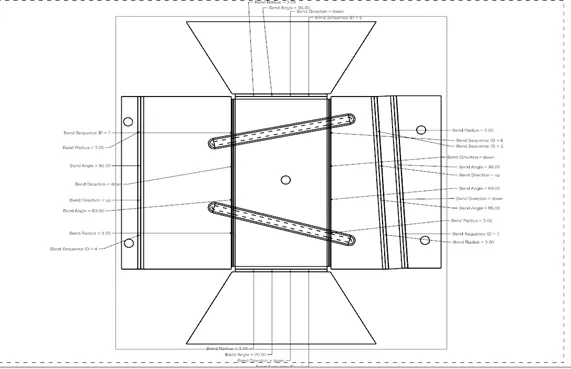
7.Detailed Drawing Sheet
8.Conclusion:
- Sheet metal Enclosure is created using NX sheet metal application.
- Detailed drawing sheet and standard view are attached.
- The model is rendered using NX ray traced studio.