Advanced Sheet Metal Design Using NX Cad Challenge_5_Odd Shaped Enclosure
Title of the Project – Advanced Sheet Metal Design Using NX Cad - Odd Shaped Enclosure.
Objective – To show the recommended workflow procedure to design a Sheet Metal part of Odd Shapes.
Introduction – NX sheet metal design incorporates material and process information in sheet metal-specific modelling features: bends, flanges, tabs, cut-outs, beads, dimples, louvers, corner and edge treatments, patterns and other formable features.
Design Methodology –
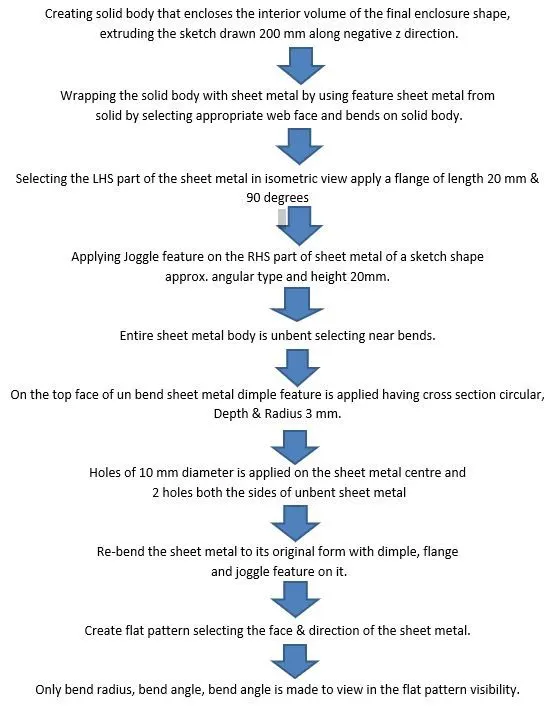
Flow Chart –
Features used –
- Sketch – It’s the base 2D drawing where it’s drawn on selecting a plane.
- Tab - It’s base feature part of the sheet metal.
- Flange -Its extended part of sheet metal obtained by selecting edges.
- Unbend – this feature unbends the sheet metal part selecting any face as stationary face.
- Rebend – It brings back the sheet metal to its original shape.
- Dimple – It’s a kind of die press applied on sheet metal to obtain the required to obtain the desired shape.
- Bead - This feature gives strength to sheet metal part.
- Joggle – Creating a step type feature selecting the face of the sheet metal by giving height.
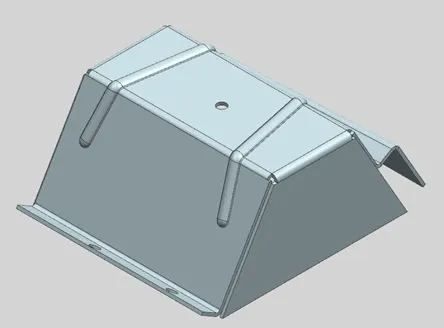
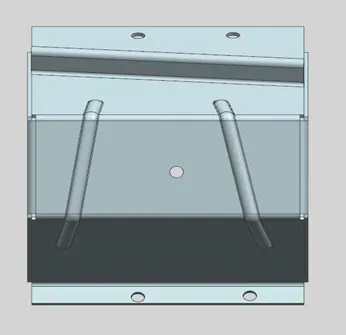
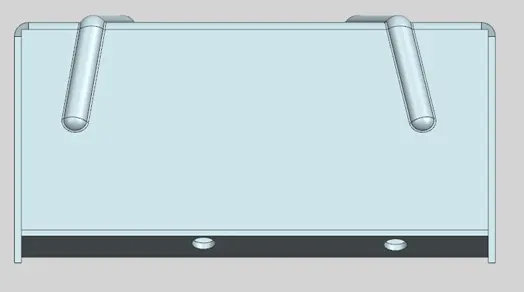
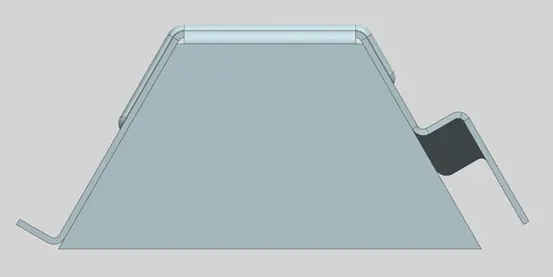
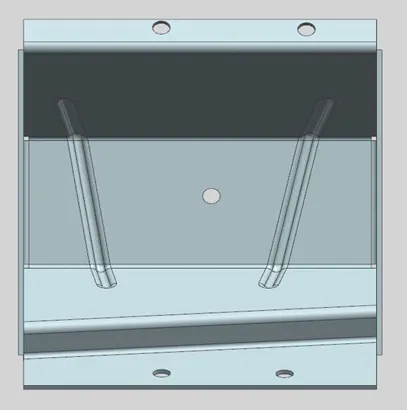
Various directional view of sheet metal –
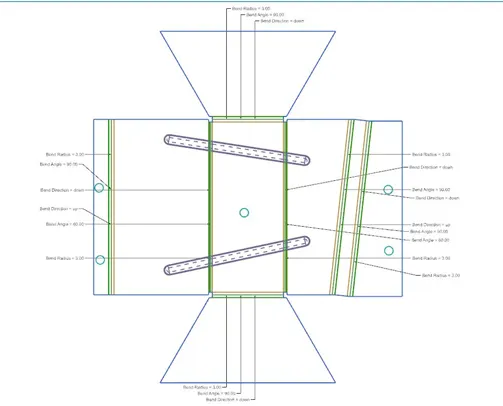
Flat Pattern –
On Drawing Sheet –
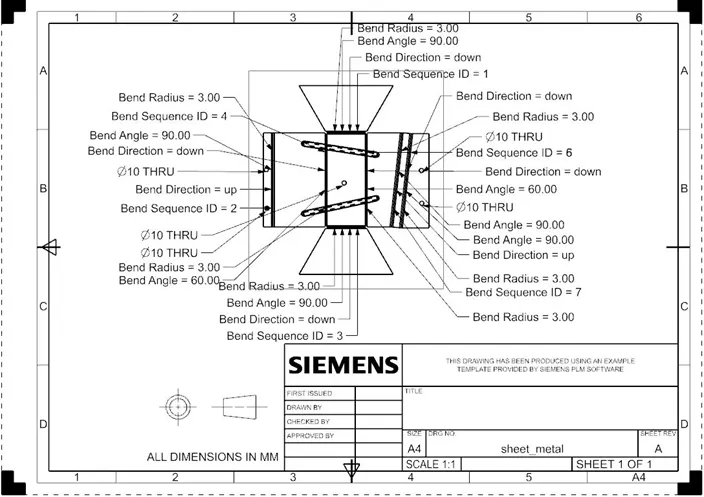
Conclusion - By this shetmel modelling we came to that how to fom a sheet metal from a solid body and to apply various features like dimple, bead, hole, joggle,on itand what variables can be made visible on flat pattern.