Advanced Sheet Metal Design Using NX Cad _Box Assembly
Title: Advanced Sheet Metal Design Using NX Cad _Box Assembly
Objective: To model the Box Assembly in the NX CAD Application
Introduction:
Sheet Metal:
- Sheet metal is metal formed by an industrial process into thin, flat pieces. Sheet metal is one of the fundamental forms used in metalworking , and it can be cut and bent into a variety of shapes.
- They are widely used because of their higher strength despite having low weight and their corrosion to resistance
NX CAD:
- The most powerful, flexible, and innovative product development solution in the industry, NX for Design has the features, performance, and capabilities to help us get product to market faster than ever before.
Design Methodology:
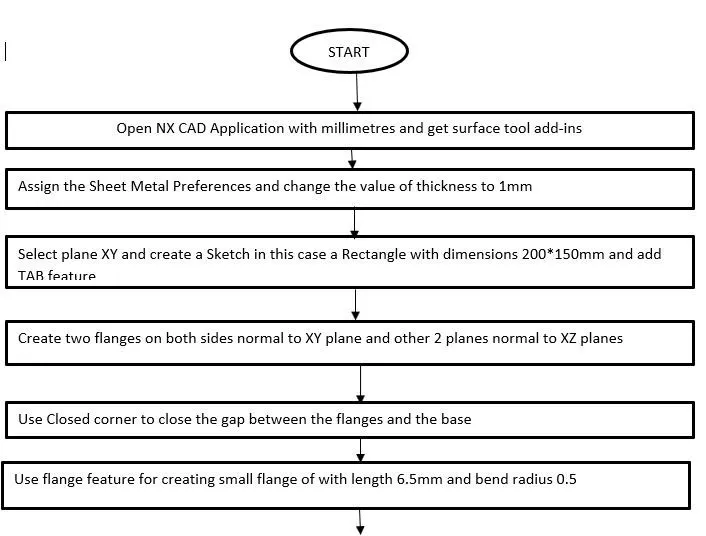
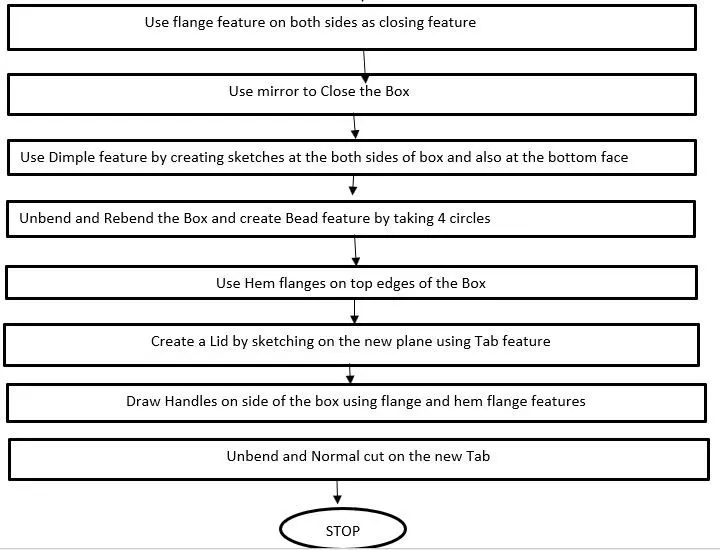
Tools and Features:
- Tab: By creating a new sketch base is obtained with a mentioned thickness of the sheet metal
- Flange: Creating a bent feature on the sides of the sheet metal
- Closed Corner: Closing the corners of the sheet
- Hem-Flange: Creating the flange completely in U-direction
- Mirror Body: Mirroring the body with respect to reference body
- Unite: combining two or more bodies into a single body
- Dimple: An embedded feature is obtained with the help of a sketch inward or outward
- Mirror Feature: Mirroring the feature w.r.t a plane
- Unbend: Sheet metal at bent surfaces is unbent
- Rebend: Unbent surface is rebended
- Bead: Profile is beaded for strengthening the sheet metal
- Datum plane: A new plane is created w.r.t reference datum
- Break Corner: Cutting the sheet metal in a circular manner
- Normal CutOut: cutting the sheet of profile normally
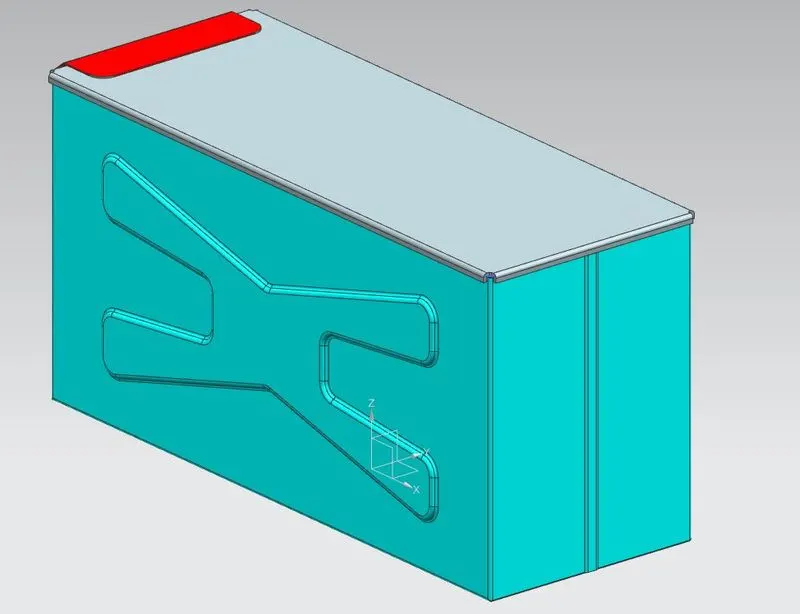
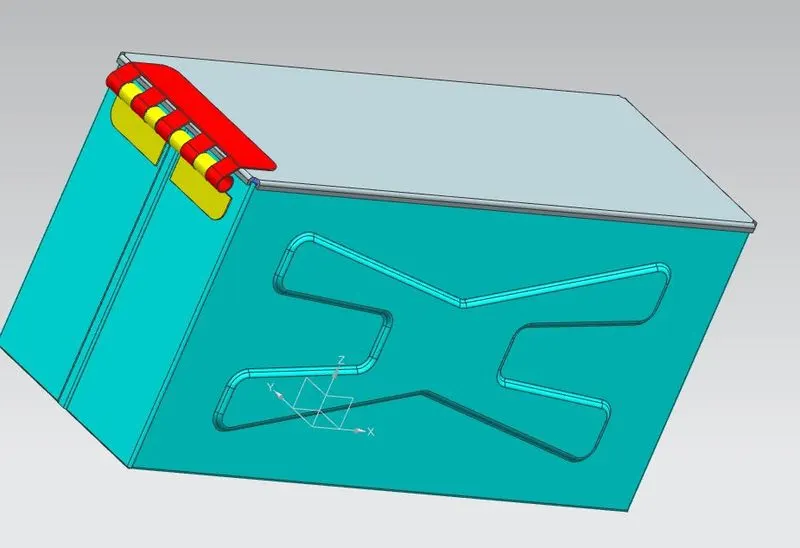
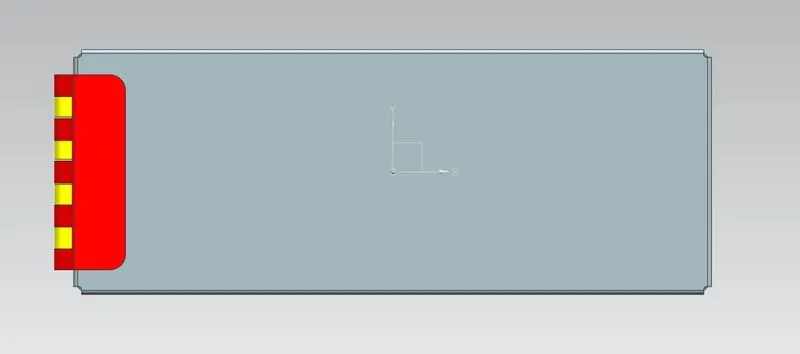
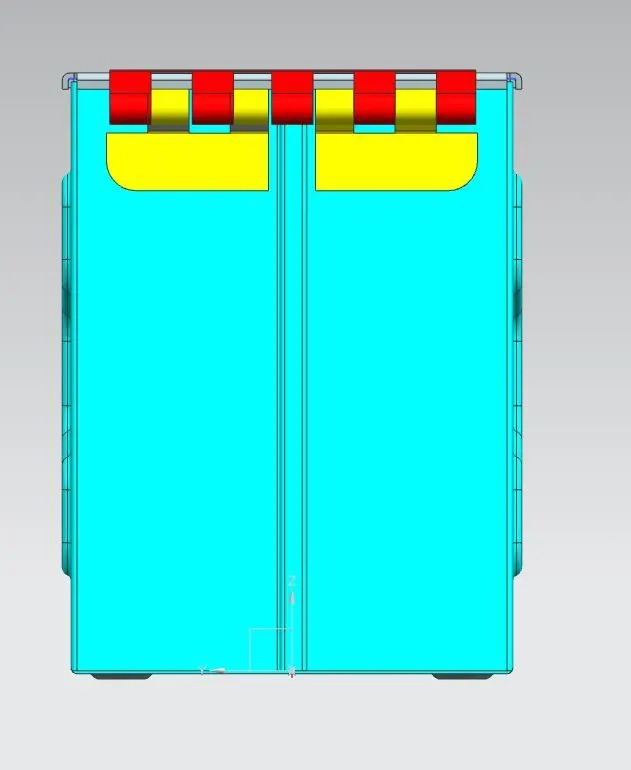
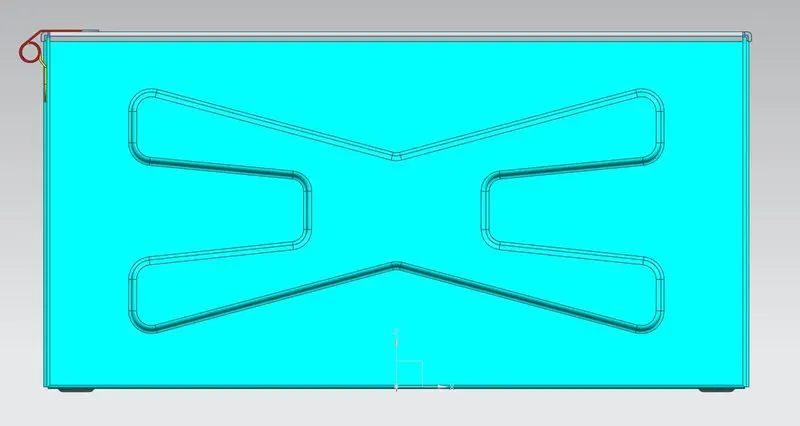
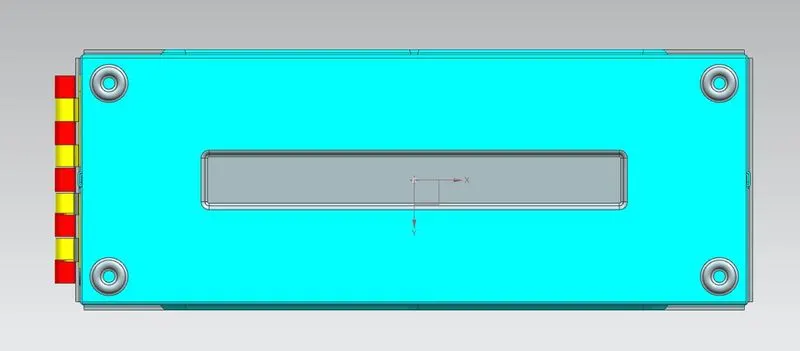
Model views:
Drawing:
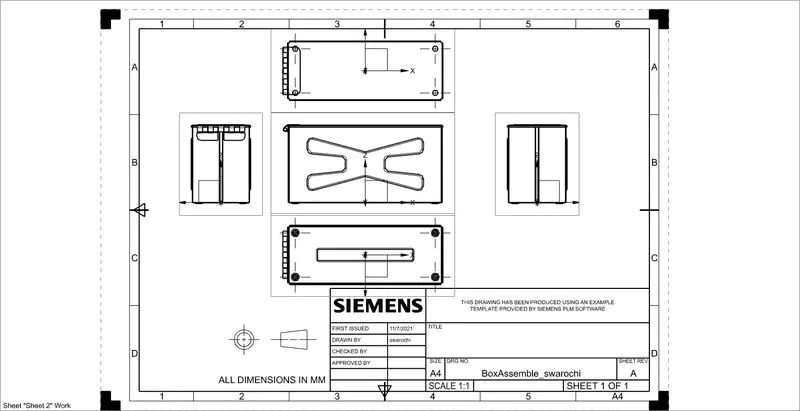
CAD Model: Box assembly
Conclusion: Box assembly is designed using NX CAD application