Advanced Sheet Metal Design Using NX Cad Challenge_1_Casing Design
CASING DESIGN
Aim: To do design a casing with required parameters.
we can see how this whole process i going using a flow cart diagram.
|
SKETCH |
|
TAB |
|
CUTOUT |
|
BEND |
|
FLANGES |
|
BREAK CORNERS |
|
UNBEND |
|
HOLE |
|
DIMPLE |
|
BEAD |
| MIRRORED THE BEADS |
| REBEND |
| FLAT PATTERN |
|
DRAFTING |
So we can start the designing ,
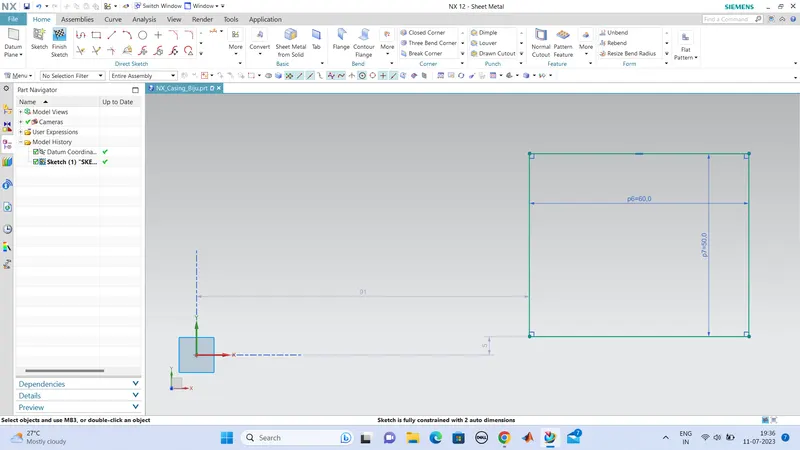
Open NX and create a new file named casing design, and create a sketch rectangle of dimensions 60mm x 50mm .
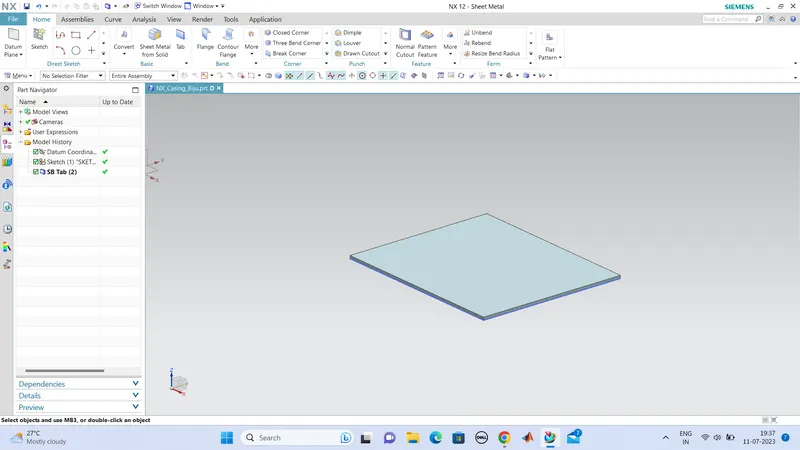
Tab this sketched part to 1mm .(value is given in the question)
cutout a portion of 5mm x 40mm at one end of the tab at equally.
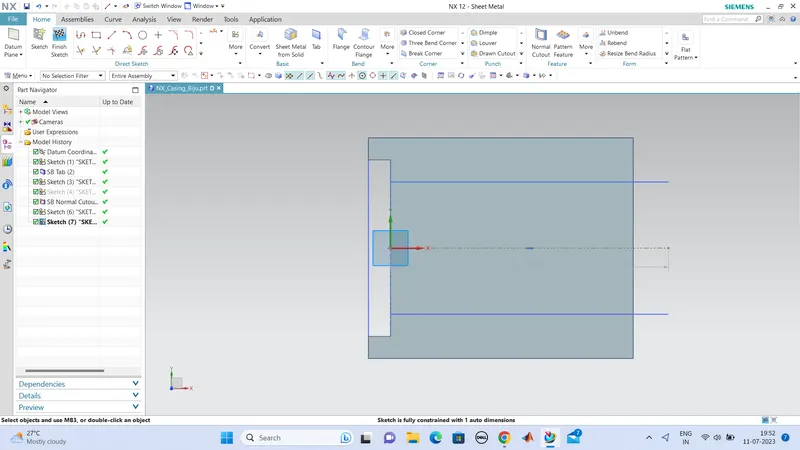
next we want to bend this two sides with respect to x axis, 10mm from the end sides.
so we sketched the lines with 10mm apart and this to be bended in 90degrees with the flat surface.
bend this part through this two lines with bend tool.
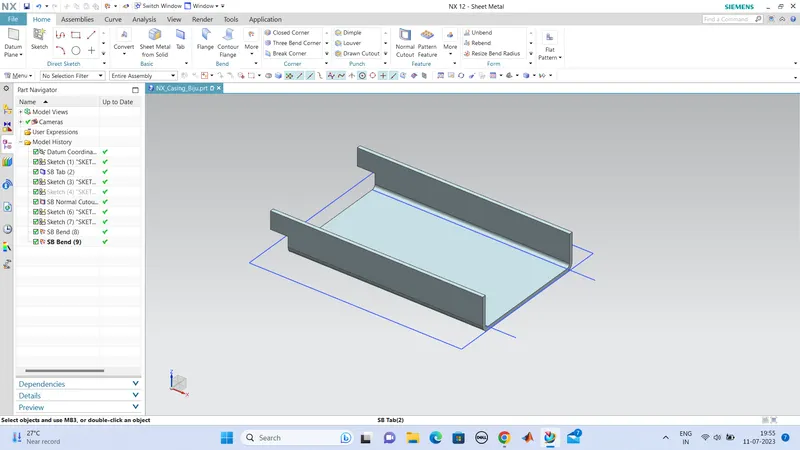
next we want to create flanges at the eds of these bendedportions, so we use flange tool and used it in the four corner ends of bended surface.
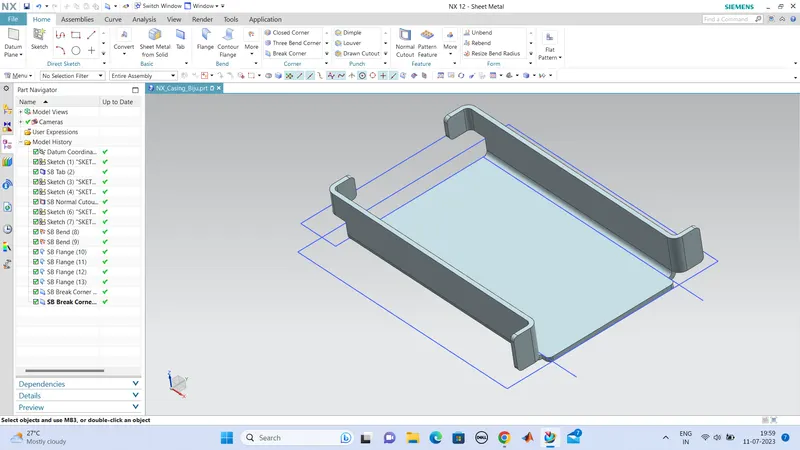
using Break corners , do all the corners smooth.
so , next we can unbend this and after all process is done we can rebend it again.
so unbend it using unbend tool.
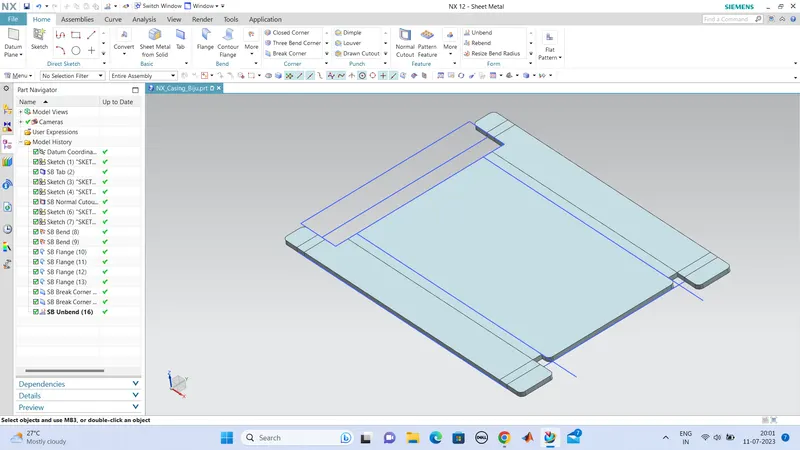
next we want to create holes on the ends. no for that create a sketch to point the center point in which the holes is to be situated.
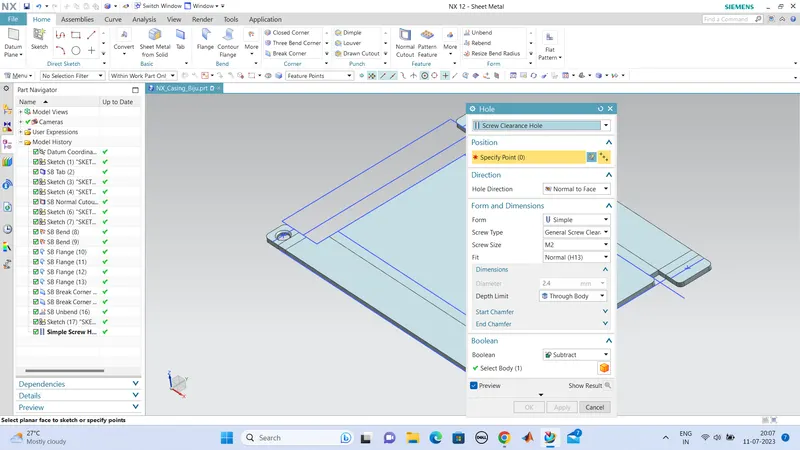
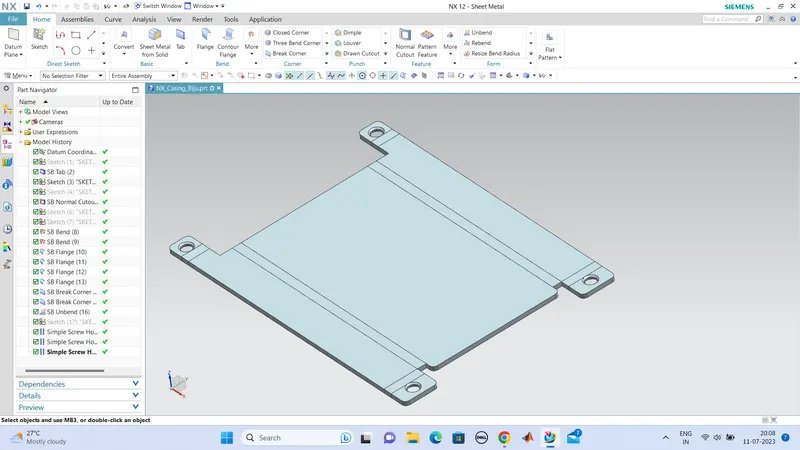
holes are created, with M2 H13 fit.
next we want to create dimple in the center flat surface. so we firstly sketched the shape we want to be dimpled and rotate it by 45degrees (shape) and finished the sketch. so now we can dimple the sketched figure.
use dimple option and set all the values, such as depth to 1mm , and the direction is downward to the flat surface.
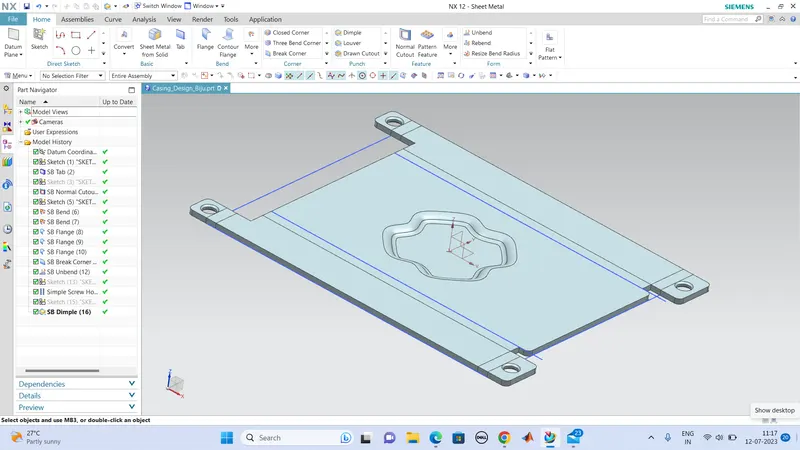
next we can create beads with a diameter of 5mm which are placed simmetrically in four sides of the dimple.
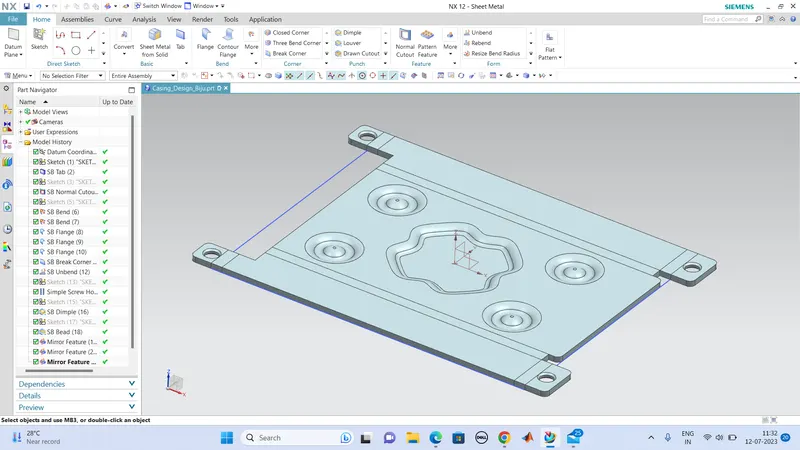
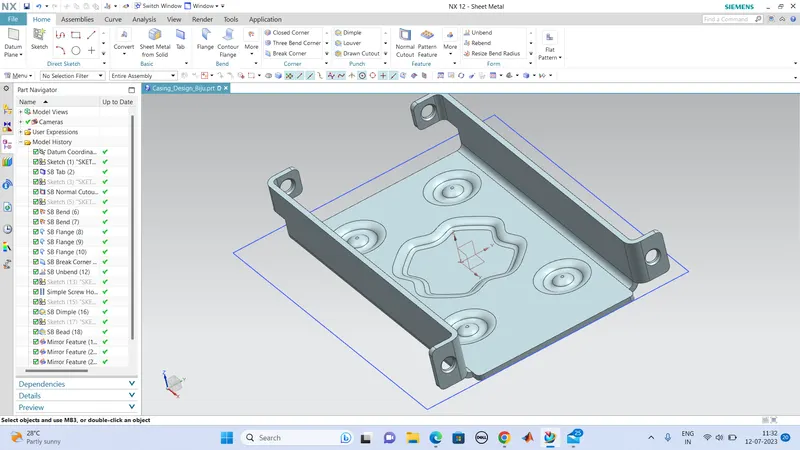
so now the all designs are made, now we can rebend the unbend bend, using rebend option.
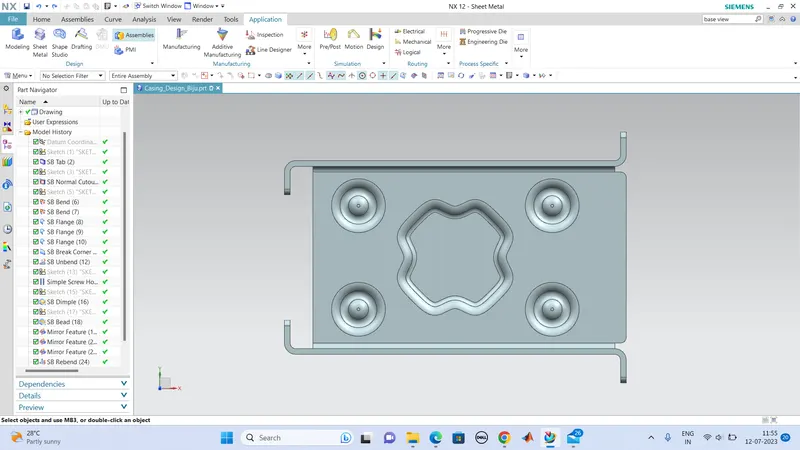
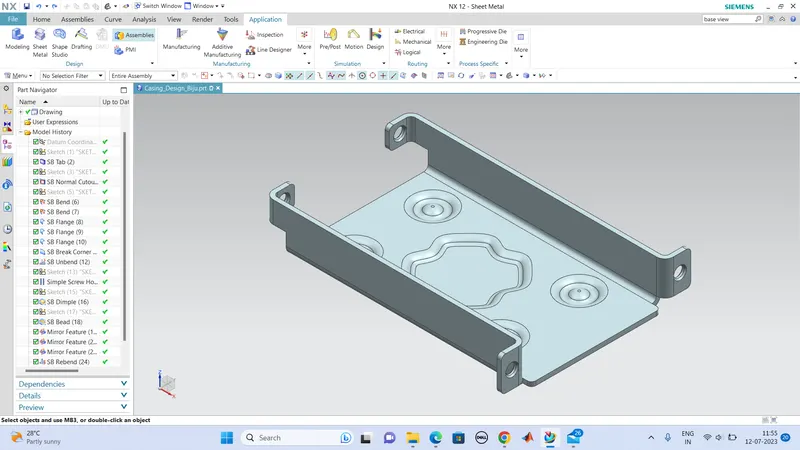
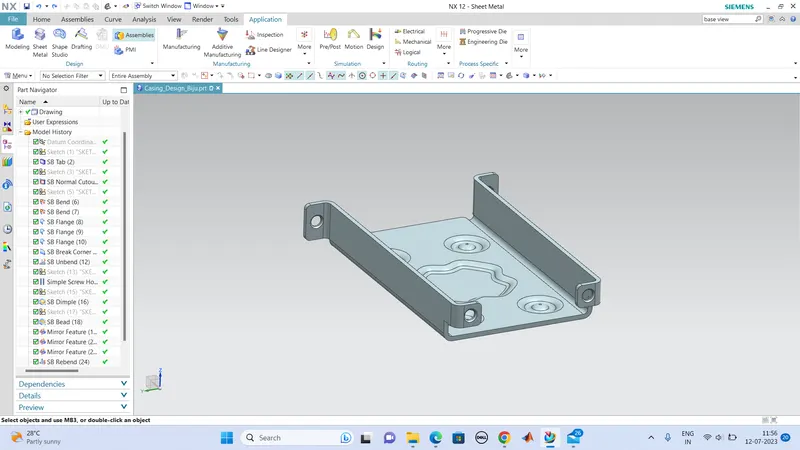
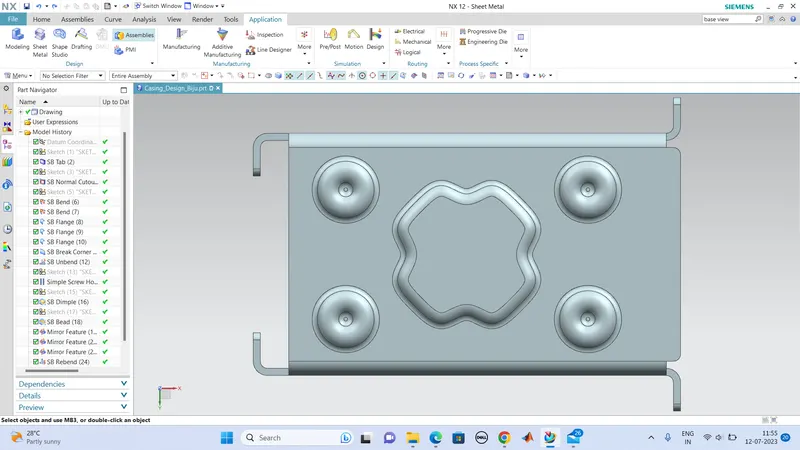
next we can draft it to a A4 sized paper, so we can refer this draft for the manufacturing.
for that, we use flat patern tool and select the flat suface plate of the casing and click OK.
Select base view im drafting of this Flat pattern #1 and the casing desgn is then drafted in a A4 size sheet with all the dimensions.
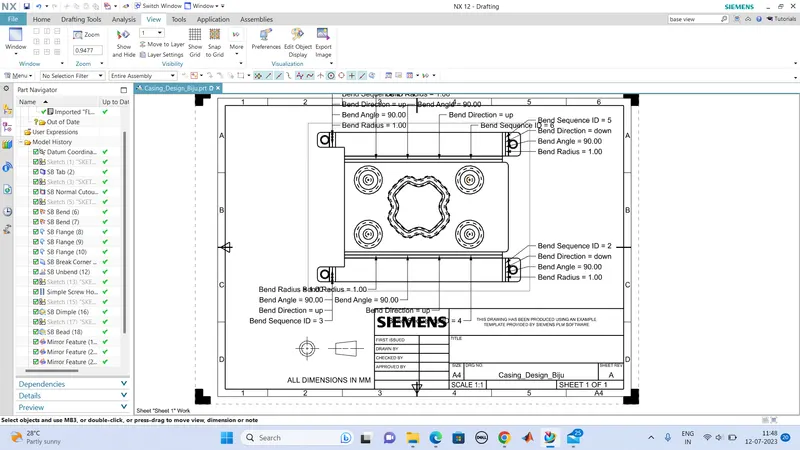
Conclution:
so we had done the Casing Design and did the drafting as well.