Advanced Sheet Metal Design Using NX Cad Challenge_1_Casing Design
Title of project: Advanced sheet metal design using NX Cad 2021.
Objective: To design sheet metal casing using NX Cad application.
Introduction:
- Sheet Metal: Basically, the word sheet metal working refers to the manufacture of products, components and parts made of metal. In addition to welding, cutting and bending, the processes of sheet metal processing also include punching, forming, rolling and joining.
- NX: It is also known as Unigraphics in this it gives high end of sheet metal design other than the designs software.
Design Methodology:
It can be explained by following steps.
- Open NX cad and select new file.
- Save with suitable name and set path of design.
- Select XY- plane and draw a rectangle with 50 by 60mm sketch and click on finish sketch.
- Go to Tab command and select the previous sketch give 1mm thickness.
- Advanced flanges on the edges of bends create in previous step.
- Go to Bend command and select those flanges which we did in previous command.
- On the tab created as sketch to perform normal cut out operation.
- Go to Unbend command and unbend the flanges.
- Make one holes by using the Hole command on each unbended flanges with 2mm size.
- Create a sketch on tab surface and use Dimple command.
- Studio Spline option is selected to create spline curve.
- Go to Rebend command and rebended the our casing.
Describtion of features using casing design:
- Sketch: It is a basic command to draw a 2d.
- Tab: A command to add parameters of an Sketch.
- Bend: It’s an operation to bend the tab at a particular position with reference.
- Flange: It’s an operation to extend of a sheet metal with to one of the edge of an tab.
- Unbend: It’s an command used to flatten the created 3d model taking one face as a stationary face.
- Hole: It’s an command used to create different type of hole like tapping and normal drilling, on the Surface of an Sheet metal.
- Dimple: It is a projection command of a particular shape with reference to sketch with certain depth.
- Rebend: This command used to re bend the already flattened sheet metal.
FRONT VIEW
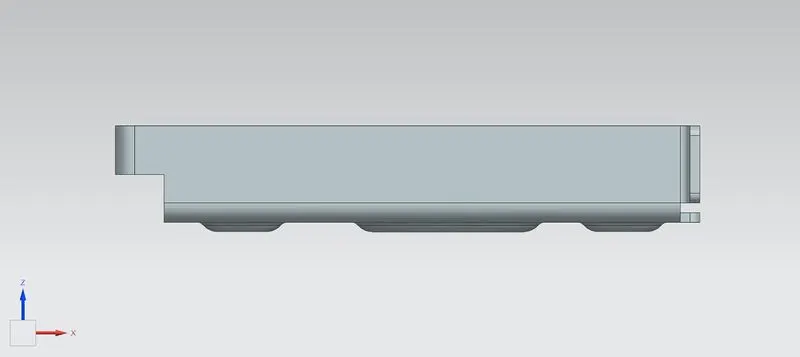
SIDE VIEW
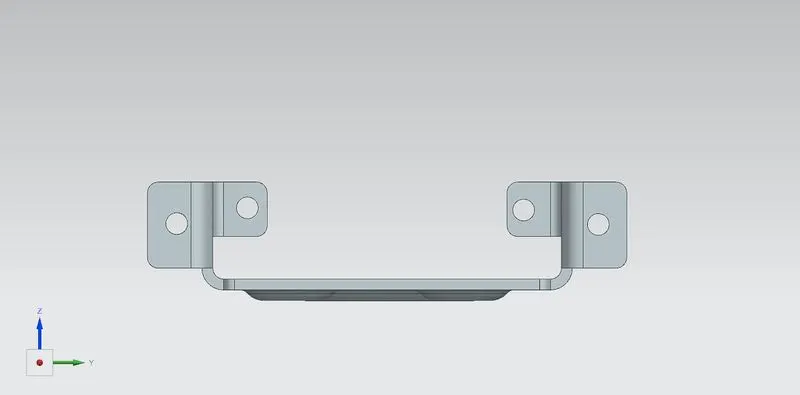
TOP VIEW
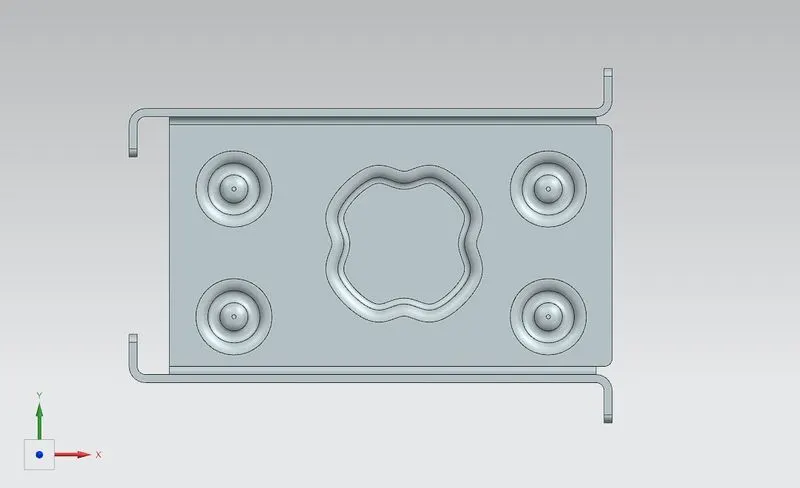
ISOMETRIC VIEW
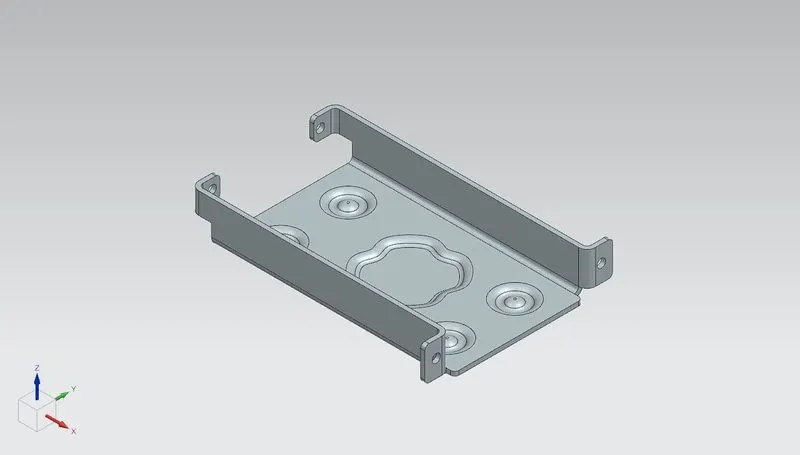
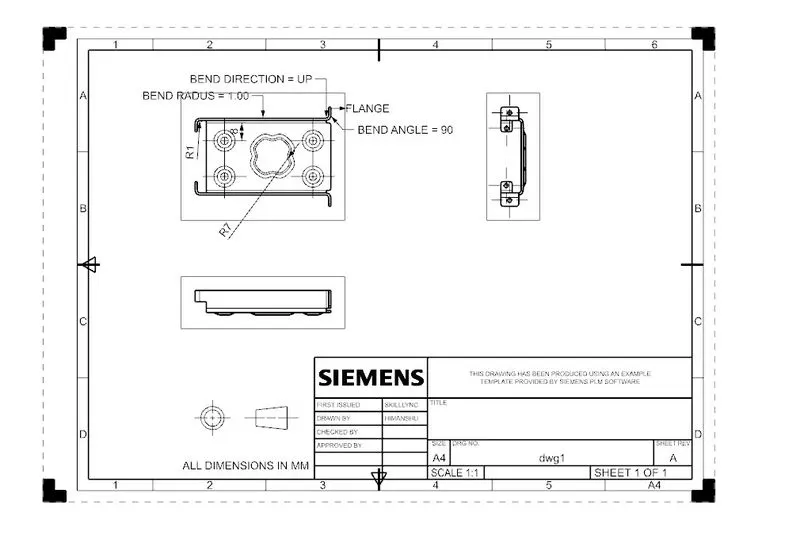
Detained dwaring sheet
Conculusion:
In this casing designing i've been learned many commands and about sheet metal designing.