Advanced Sheet Metal Design Using NX Cad Challenge_1_Casing Design
Design of casing by using NX cad
OBJECTIVEVE :-
To design a sheet metal casting using NX Cad software with suitable commands to achieve the final product as per the inputs.
INTRODUCTION :
In Sheet metal Application we can create a uniform thickness Sheetmetal parts using basic features Such as Tabs, flange and jogs, we can also do bend corners, cut out, bead etc…features.
The Sheetmetal application provide an environment for the design metal parts used in machinery, Automotive and Aerospace Enclosures, Brackets and other parts are normally manufactured with break press.
The complex sheet metal part can be designed in the Solid model work Bench and then we convert in to Sheet metal part. We can also import, clean up and convert a non Sheet metal part into a valid Sheet metal part. Flat pattern Sheetmetal data can be used for the manufacturing process. The material parameters such as thickness, bend radii and bend relief can be easily set as default settings.
DESIGN METHADOLOGY :
| Select new file in NX cad |

| Saved with Suitable Name |
| Select the XY Plane to draw the Sketch |
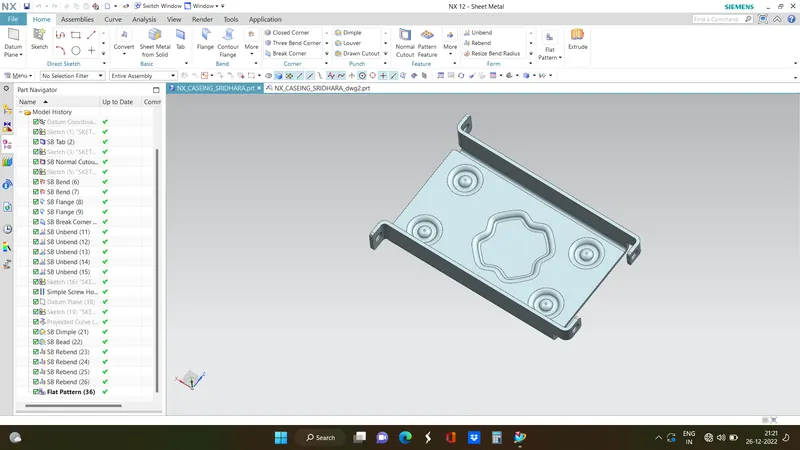
| Tab is created with Reference Sketch |
| Advanced flanges on the edges of bends create in previous step |
| Bending operation done on side of the tab behind the cut out |
| on the tab created as sketch to perform normal cut out operation |
| Unbend the Sheetmetal by using unbend command |
| Added the holes where ever required by using Hole command |
| Sketch is created on the Surface of tab to perform dimple operation |
| Studio Spline option is selected to create spline curve |
| Rebend the Sheetmetal By using Rebend command |
| Beads also created with reference to holes where placed at required points Dimple operation with reference to Spline curve |
| Rotated Spline curve to 45 degree |
| final product was achieved as per the inputs |
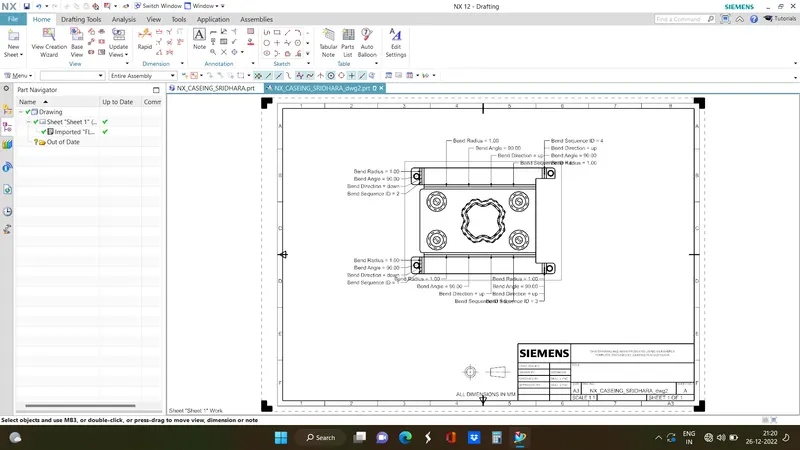
| Final Touch up was given in Drafting Sheet with suitable Scale |
DESCRIPTION:
Sketch:- It’s a basic command to draw 2d models.
Tab :- A command to add parameters of an Sketch
Bend :- It’s an operation to bend the tab at a particular position with reference
Flange :- It’s an operation to extend of a sheet metal with to one of the edge of an tab
UNBEND :- It’s an command used to flatten the created 3d model taking one face as a stationary face.
HOLE :- It’s an command used to create different type of hole like tapping and normal drilling, on the Surface of an Sheet metal.
DIMPLE :- It is a projection command of a particular shape with reference to sketch with certain depth.
BEAD :- It is also type of projection to deform the shape at a certain point with reference to sketch and also giving strength to the material.
REBEND :- This command used to re bend the already flattened sheet metal.
IMAGES :-
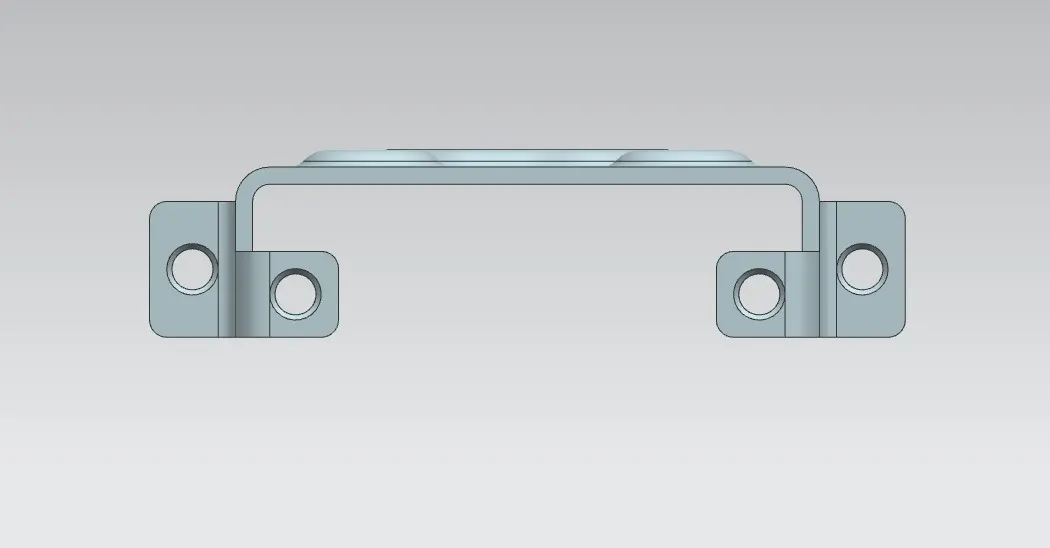
Front View
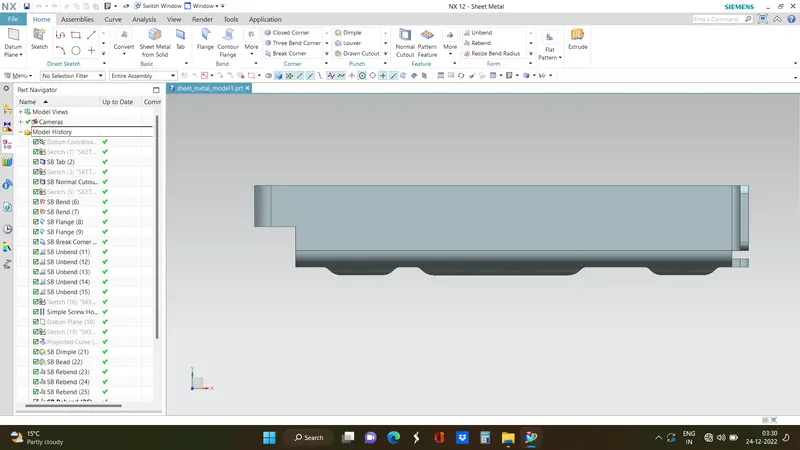
Side view :-
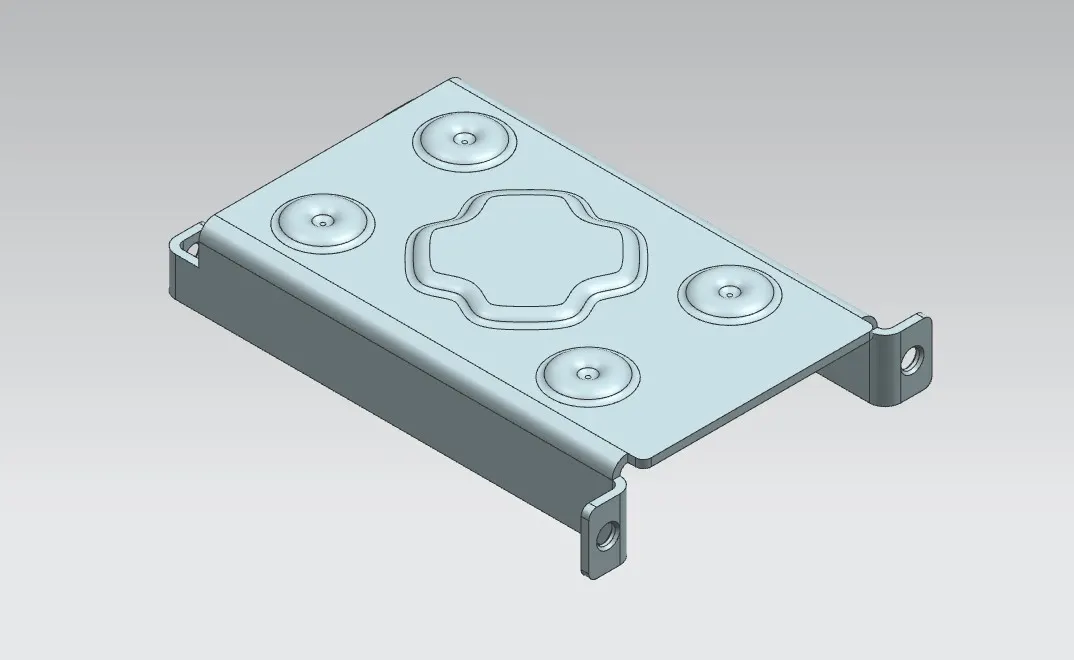
Isometric View :-
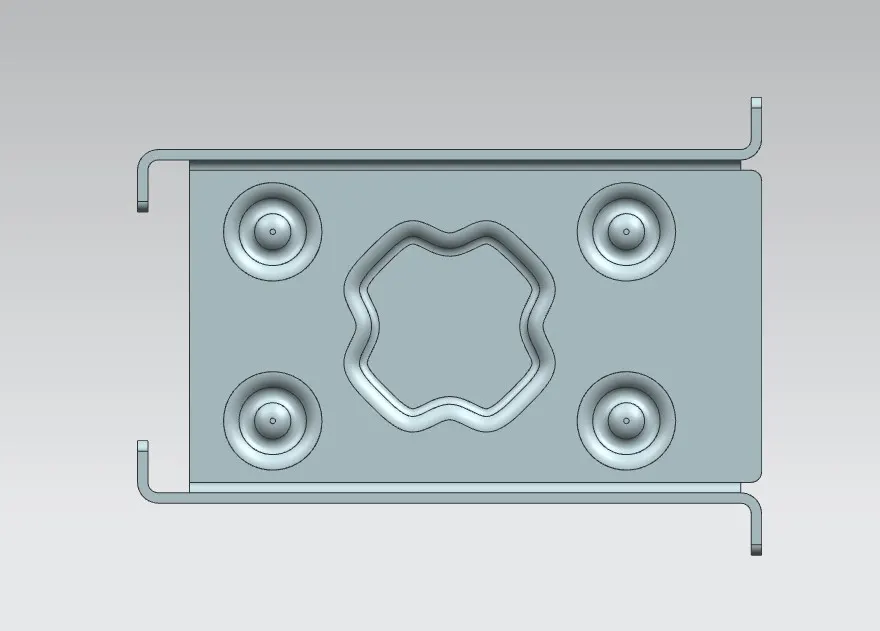
Bottom view :-
Isometric view:-
Drawing Sheet Image :-
CONCLUSION :-
By this challenge I came to know about the application of various commands and using given inputs finally achieve the final product.