Advanced Sheet Metal Design Using NX Cad Challenge_1_Casing Design
OBJECTIVE:
Design casing in sheet metal workbench using nx cad.
INTRODUCTION:
Sheet metal is a Metal forming process by an Industrial Processes (like bending, punching, deep drawing, rolling, etc.) into thin flat pieces.
Sheet Metal Parts are using in various industries like Automobile, Aeronautics, Medical Tables, Beverage cans, etc.
Here, We are constructing a cad model of Sheet Metal Casing in NX CAD software. Shee metal work bench is used to construct thic cad model. Decign Methodology used to construct this sheet meta caasing desiign described below.
Approach -
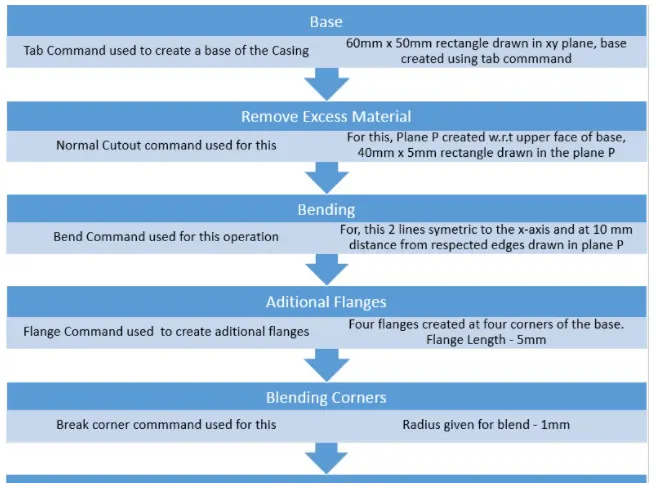
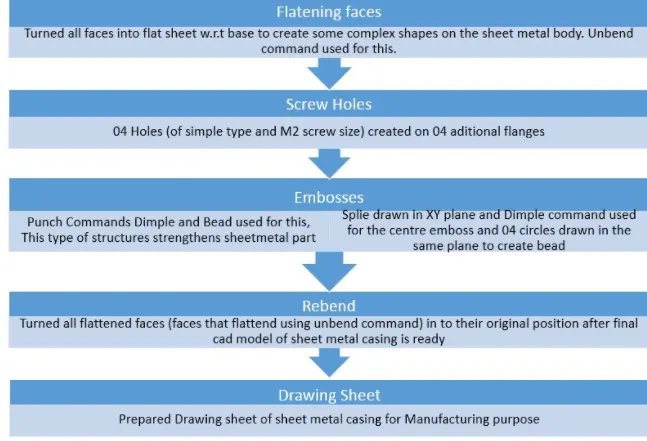
Description -
1) Sketch
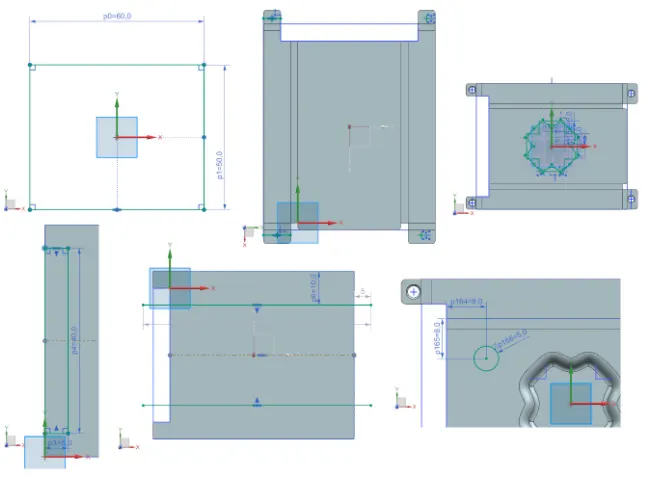
2D sketch command used to create this variious sketches. Sketch is the basic feature to crate any sheet metal design.
2) Tab
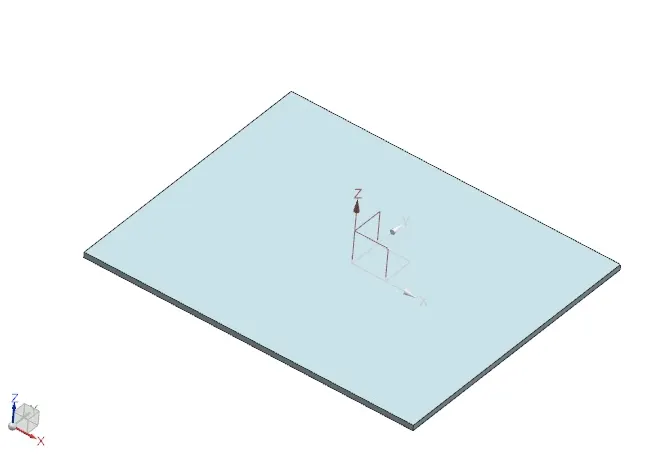
Primary base feature of the casing. Tab command in NX sheet metal work bench used to creat base of the sheet metal casing.
3) Normal Cutout
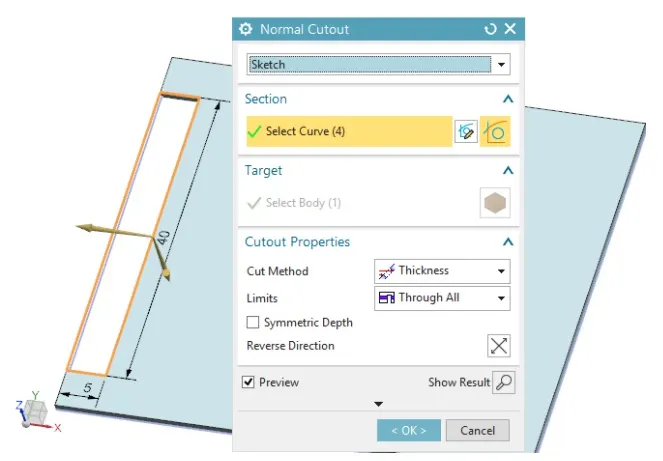
It is used to cut the the specific portion of the part. Sketch is needed to perform this operation.
4) Bend
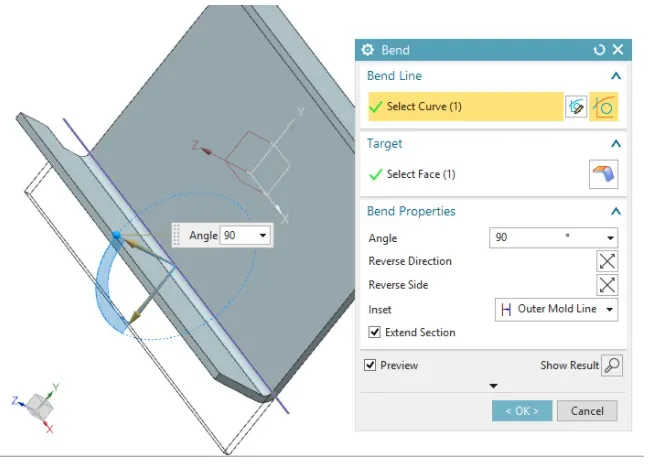
5) Flange
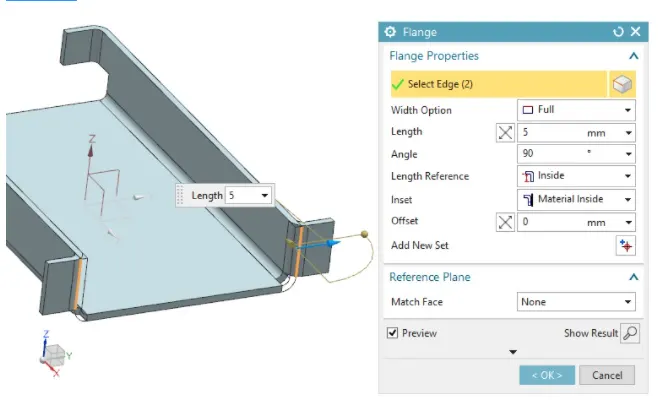
flange is the secondary feature. It needed base feature to perform this operation. It just needed an edge of the base to create secondary flanges
6) Break Corner
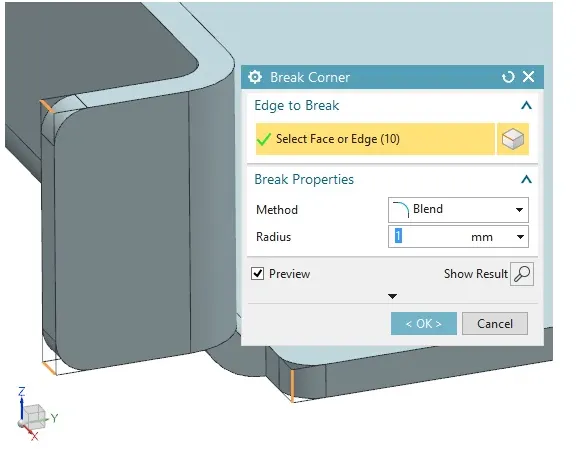
Break Corner tool is used to give blend or chamfer with specific radius or distance and angle respectively.
7) Unbend
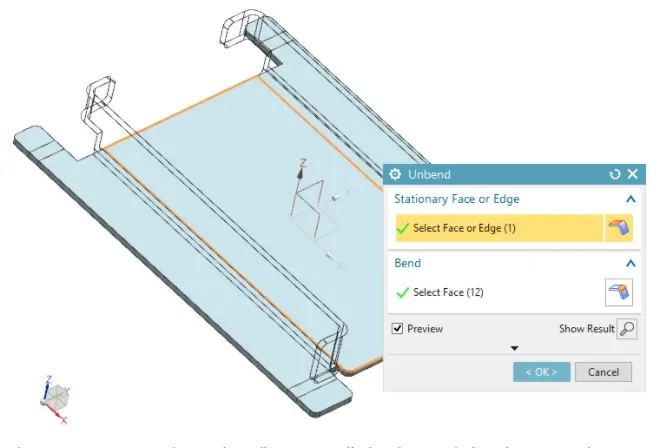
This operation is performed to flattening all the faces of the sheet metal part to create some complex structure over it, which is not possible in it's original position where many faces of the sheet metal parts are not colinear with the base. It could be rebend after compex operation completed.
8) Holes
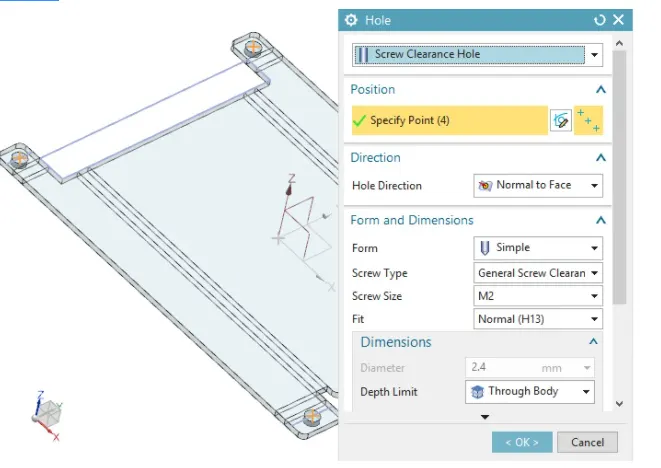
Holes are created for fitting purpose. Various type and size of screw holes can be created through this tool.
9) Dimple
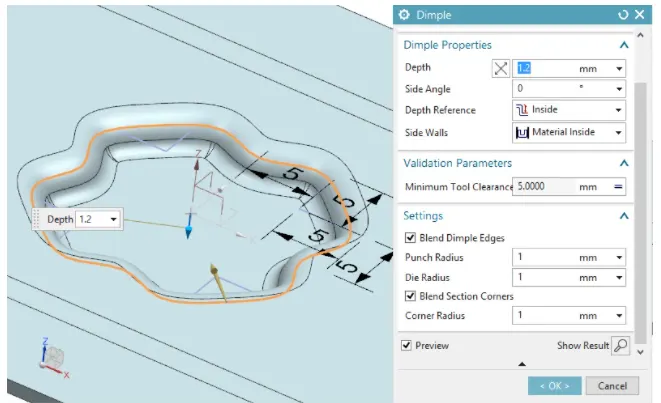
Dimple is a punch tool used to create emboss oevr sheet metal part. It needed a skecth to perform. we can create sketch over the plane parallelto the surface of sheet metal where we want to give emboss. This type of structure increase the strength of the part locally.
10) Bead
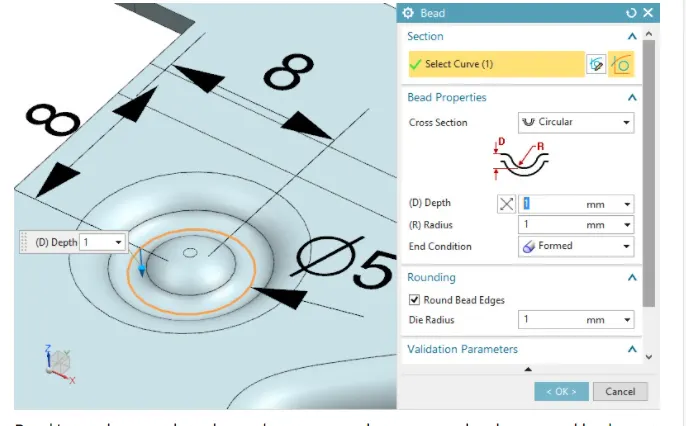
Bead is another punch tool useed to create embosses over the sheet metal body w.r.t. the sketch created in the specific plane.
11) Mirror Feature
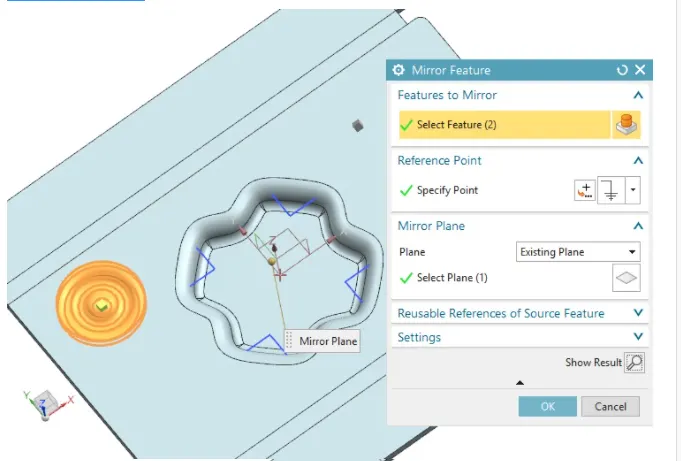
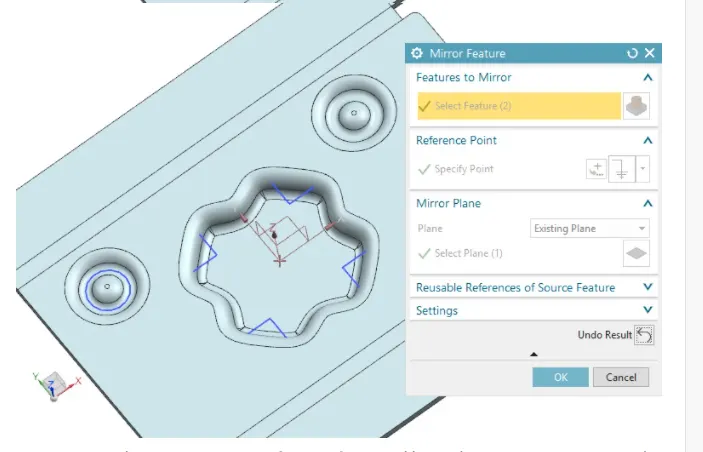
Mirror is a tool to create a copy of some features like emboss, cutouts, etc. overthe sheet metal body to minimize the design proces time and effort.
12) Rebend
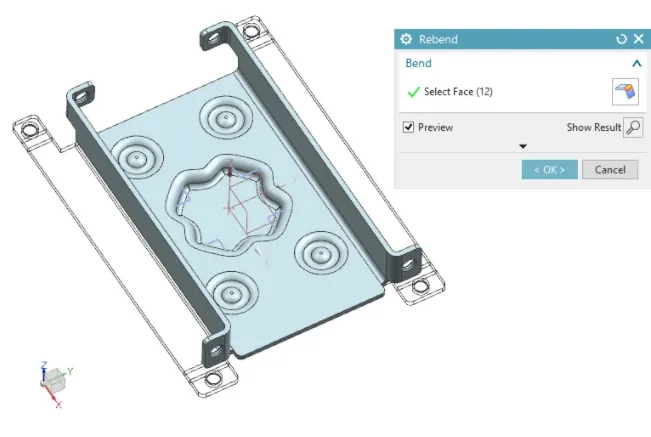
It's a tool to get the flanges of the sheet metal body into it's original position that flattend with unend tool to create some some complex structure on the sheet metal body.
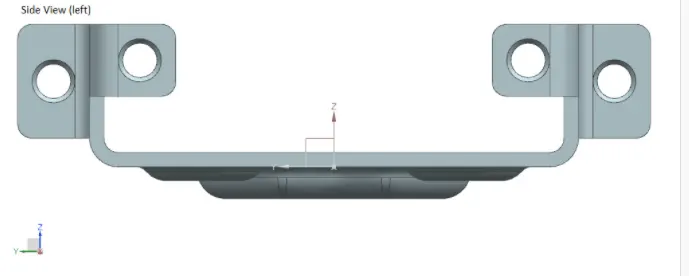
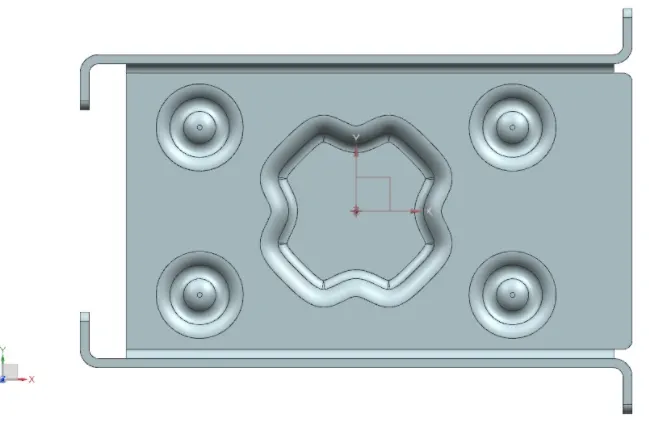
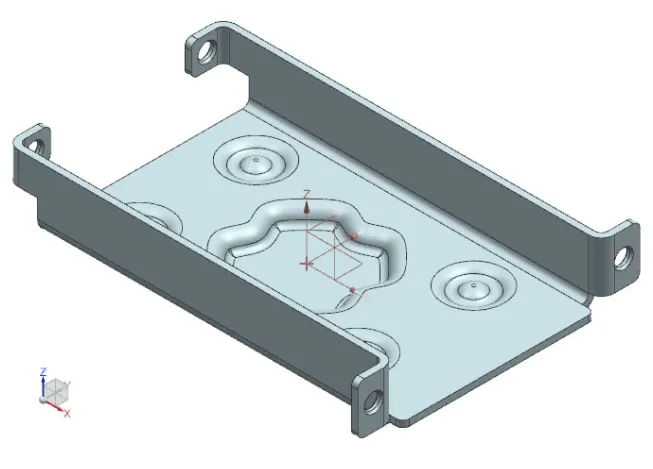
Final CAD Model of Sheet Metal Casing:
1) Front View
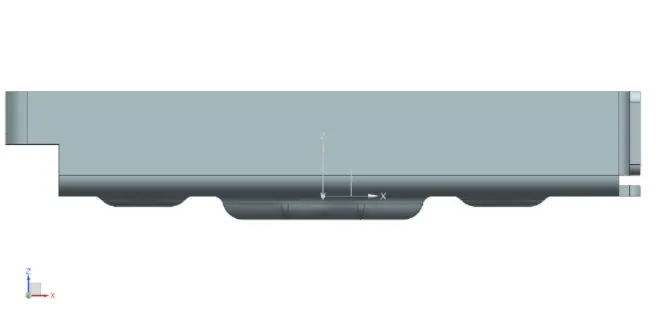
2) Side View
3) Top View
4) Isometric view
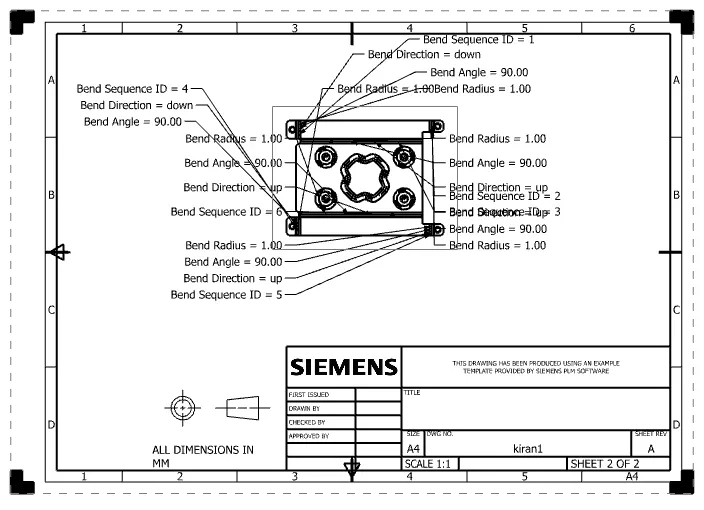
Drawing Sheet
Conclusion:
The Casing design exercise have given me a brief idea about NX sheet metal design application and its various features of sheet metal design for industry purpose.