Advanced Sheet Metal Design Using NX Cad Challenge_1_Casing Design
Developing a Sheet Metal CASING using NX Sheet Metal Application
Objective :-
To design a Sheet Metal casing using Siemens NX Sheet Metal Application.
Introduction :-
Sheet metal is metal formed by an industrial process into thin, flat pieces. Sheet metal is one of the fundamental forms used in metal working, and it can be cut and bent into a variety of shapes.Sheet metal is used in automobile and truck (lorry) bodies, airplane fuselages and wings, medical tables, roofs for buildings (architecture), and many other applications.
Design methodology and Work flow :-
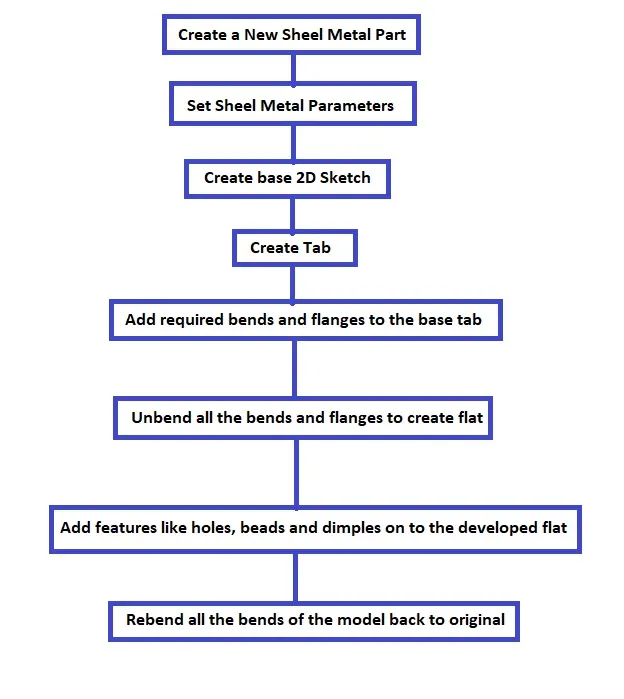
- Firstly set the Sheet Metal parameters as required.( Thickness, bend radius, relief and K-factor)
- Create 2D sketch on to a plane.
- Using tab, create a base feature of the Sheet Metal Model.
- Add required bends and flanges to the base tab.
- Break sharp corners.
- Unbend all the bends and flanges to create a flat.
- Add features like holes, dimples and beads etc, as required.
- Rebend all bends of the model back to original.
Description :-
Casing Design involves below tools and features -
1. Sketch :
This command is used to create 2D sketches on a plane or on face of an model.
2. Tab :
Tab is used to create base feature of sheet metal object by extruding in direction normal to sketch by adding a thickness value.
3. Normal Cutout :
This command is used to create material cut out by projecting 2D sketch normal to model face and then cutting perpendicular to it.
4. Bend :
This command is used to bends a tab or flange along the sketch on surface of tab or flange .
5. Flange :
A flange feature consists of a face and bend connected to an existing face along a straight edge. Flange command is used to create a flat flange at an angle to a tab or flange feature.
6. Break Corner :
This feature is used to round or chamfer the sharp corners of a Sheet Metal object.
7. Unbend :
This command is used to flatten all the bends and flanges of an Sheet Metal model.
8. Holes :
This command is used to create standard holes in a part.
9. Studio Spline :
This command is used to create a spline curve in a sketch.
10. Move Curve :
This command is used to move or rotate a curve about a point.
11. Dimple :
This command is used to lift particular areas or create an indentation on tab or flange by using 2D sketch as input. It simulates a stamping operation.
12. Bead :
This command is used to create indentation on a tab or flange along a sketch curve simulating a stamping tool.
13. Mirror :
This command is used to create a mirrored copy of a feature about a plane by using orignal feature as a reference.
14. Rebend :
This command is used to bend back all the bends and flanges to original.
15. Flat Pattern :
This command is used to create developement view or flat blank view of a Sheet Metal model by unbending all the bends in it.
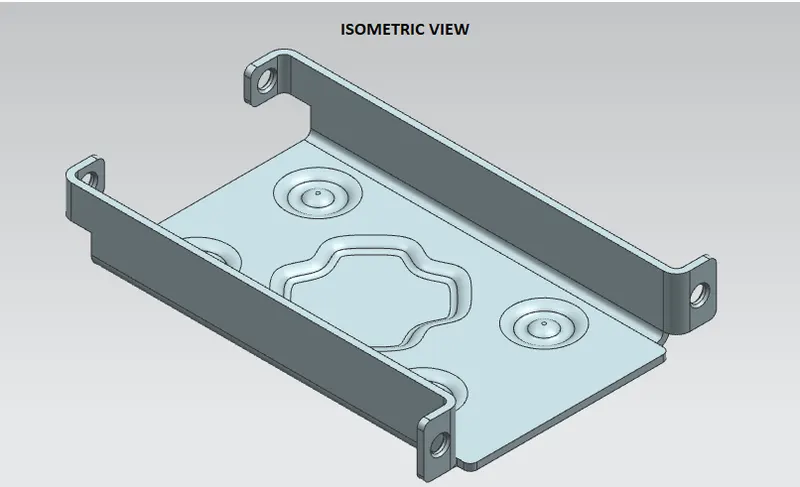
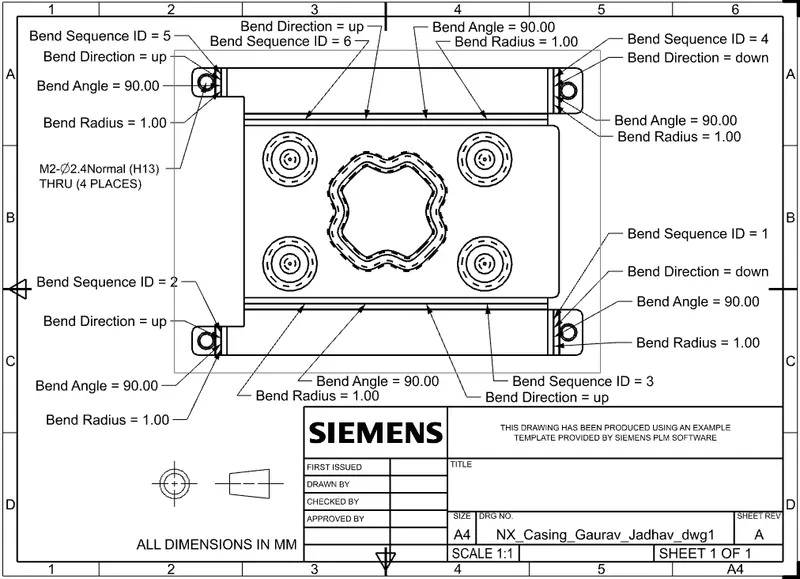
Images of 3D model and Drawing Sheet :-
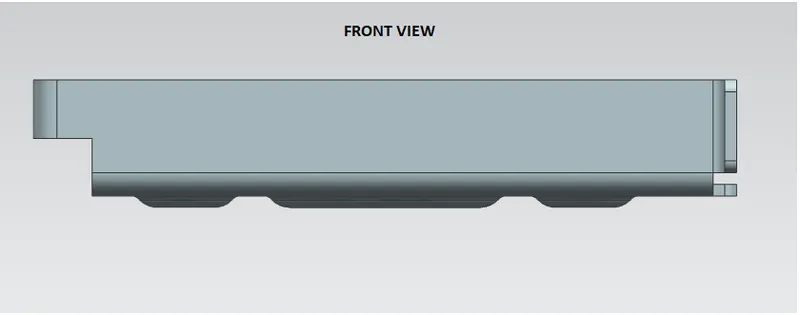
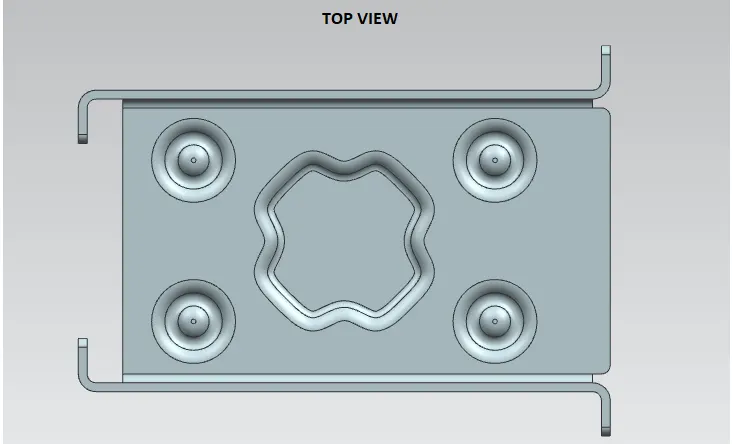
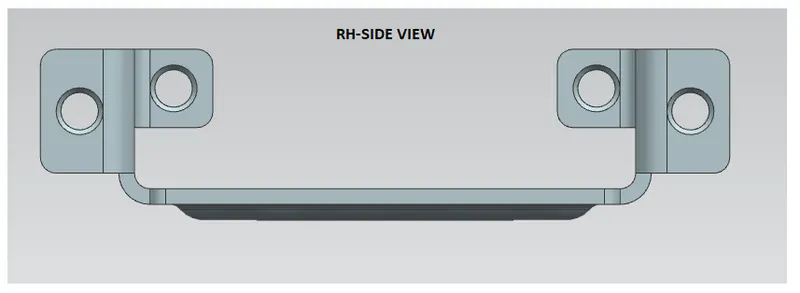
Conclusion :-
- Sheet Metal casing is designed using NX Sheet Metal Application.
- Detailed drawing sheet image is attached.