2D Meshing on Dashboard model in ANSA
AIM
*To create a 2D mesh in the Dashboard model after performing geometry cleanup and generating midsurface using ANSA.
DASHBOARD
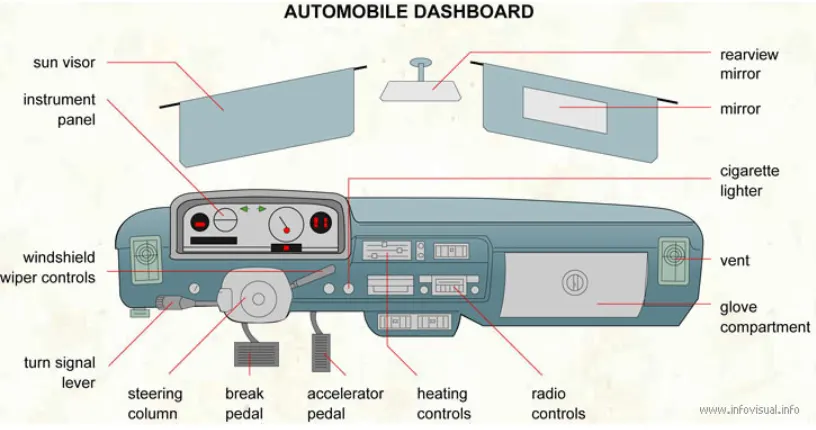
Dashboard is control panel which is located in front of driver in the car. Which control the vehicle and it's operation and indicate about the features and it's working.
It's indicate about speed, fuel, control steering wheel, air conditioning and now modern days it also indicates about oil pressure, weather, lights and in dashboard LED screen are given where we see the operation of parking and front camera, music system and GPS control system are also attached. So we can see the whole working and movement of vehicle and it's parts to control them.
STEPS FOLLOWED
*The CAD model has to be pre-processed before solving and ANSA software is used here to mesh the model.
*Model dimension, Geometry editing and complexity reduction is done in ANSA.
1.GEOMETRY CLEANUP
*Import the model using file_open.
*The given model should be analysed properly.
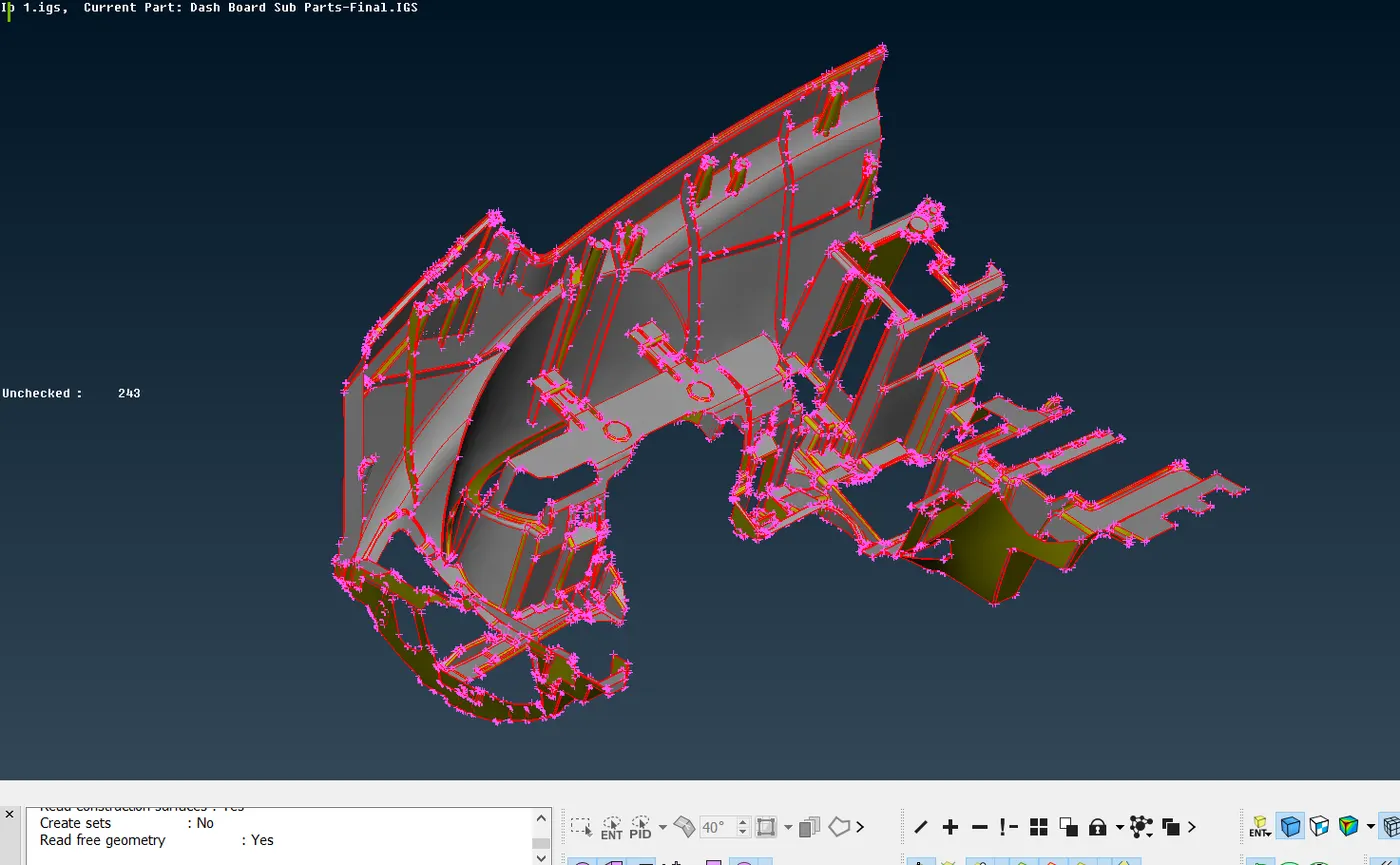
*The model seems complex as it consists of many ribs.
*To reduce the complexity and for better visualisation of curves and fillets, select 'length' from Perimeters and change perimeters and macros to 4.
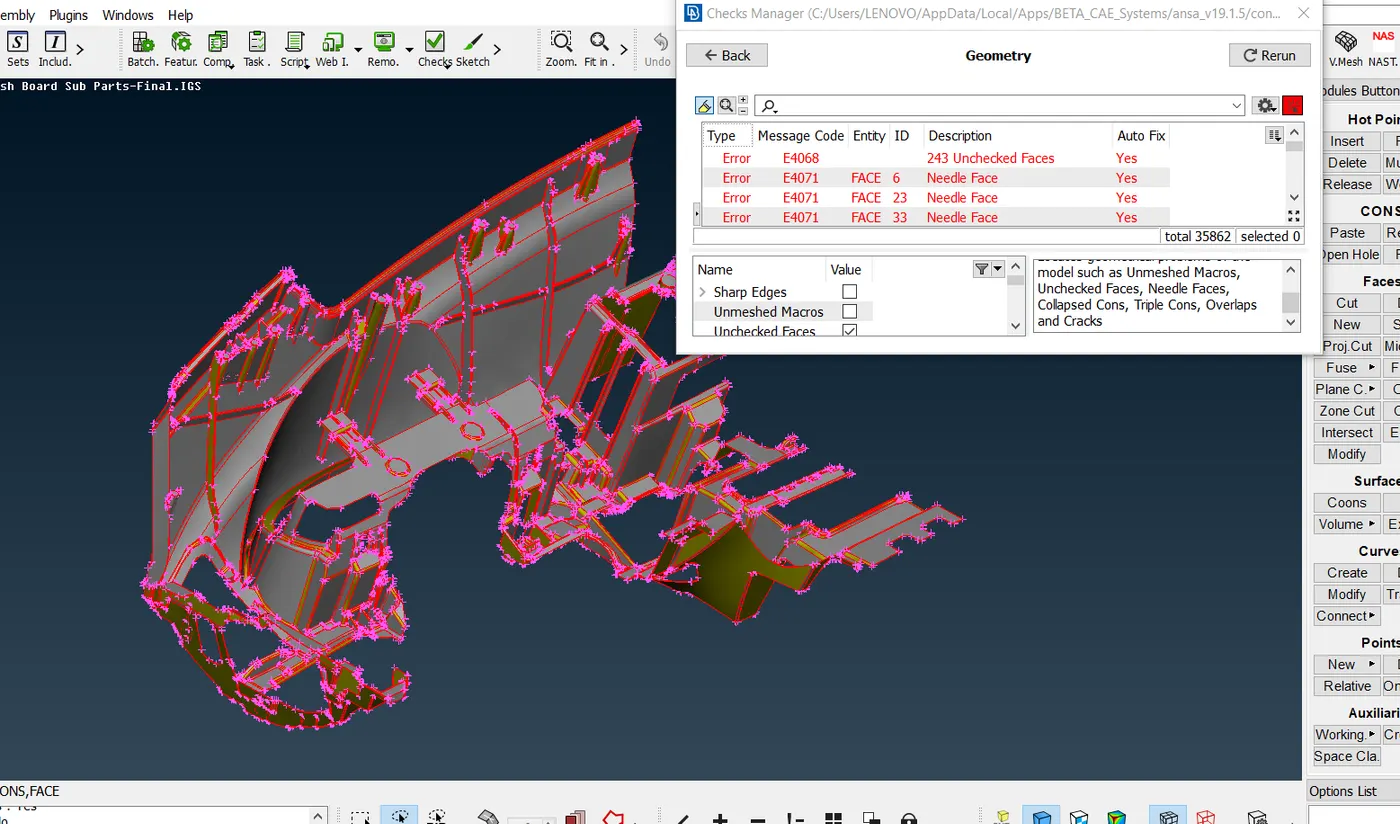
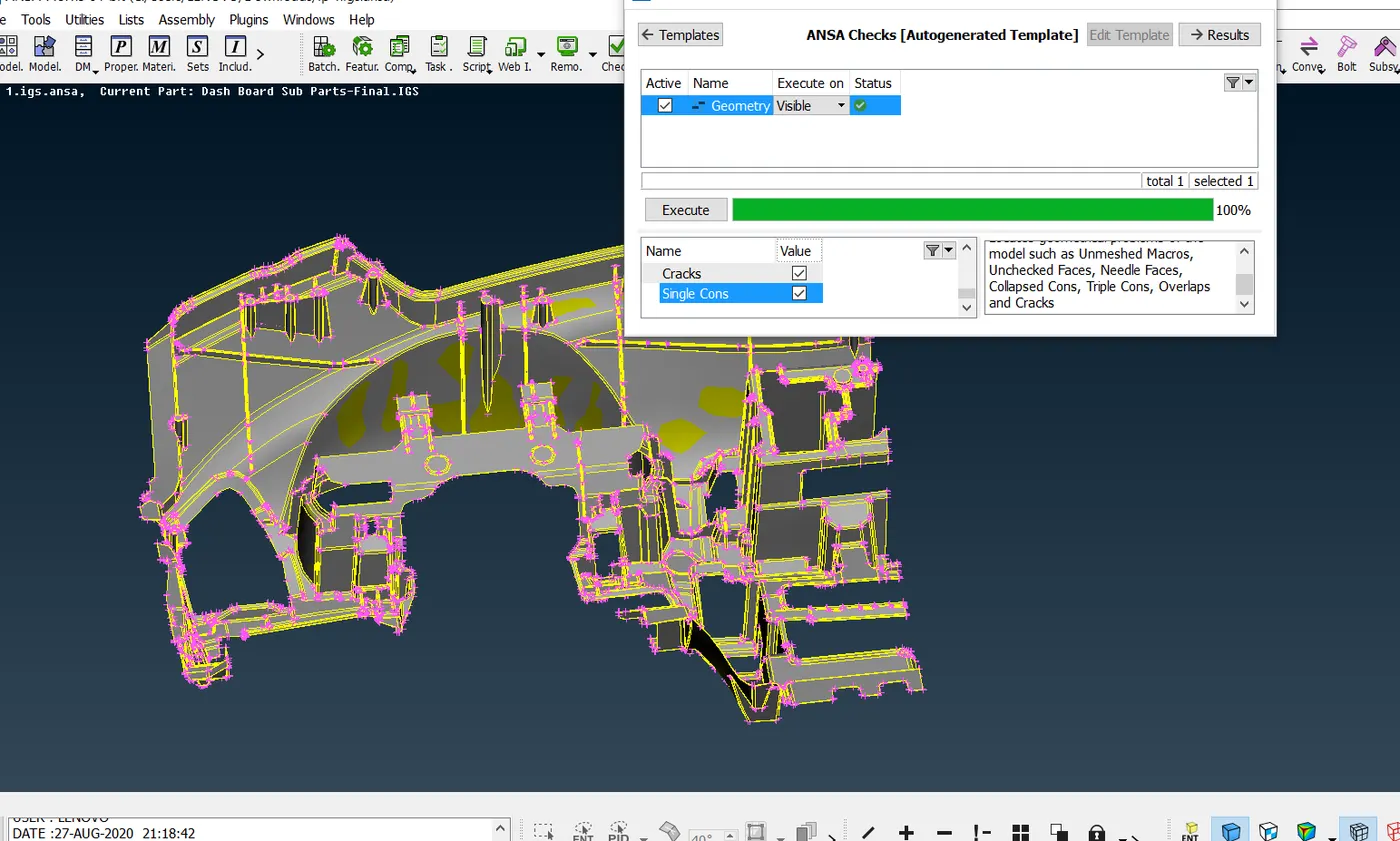
*Apply topo on the selected view and check up the geometry.
*Unchecked faces or triple cons is eliminated as a part of clean up.
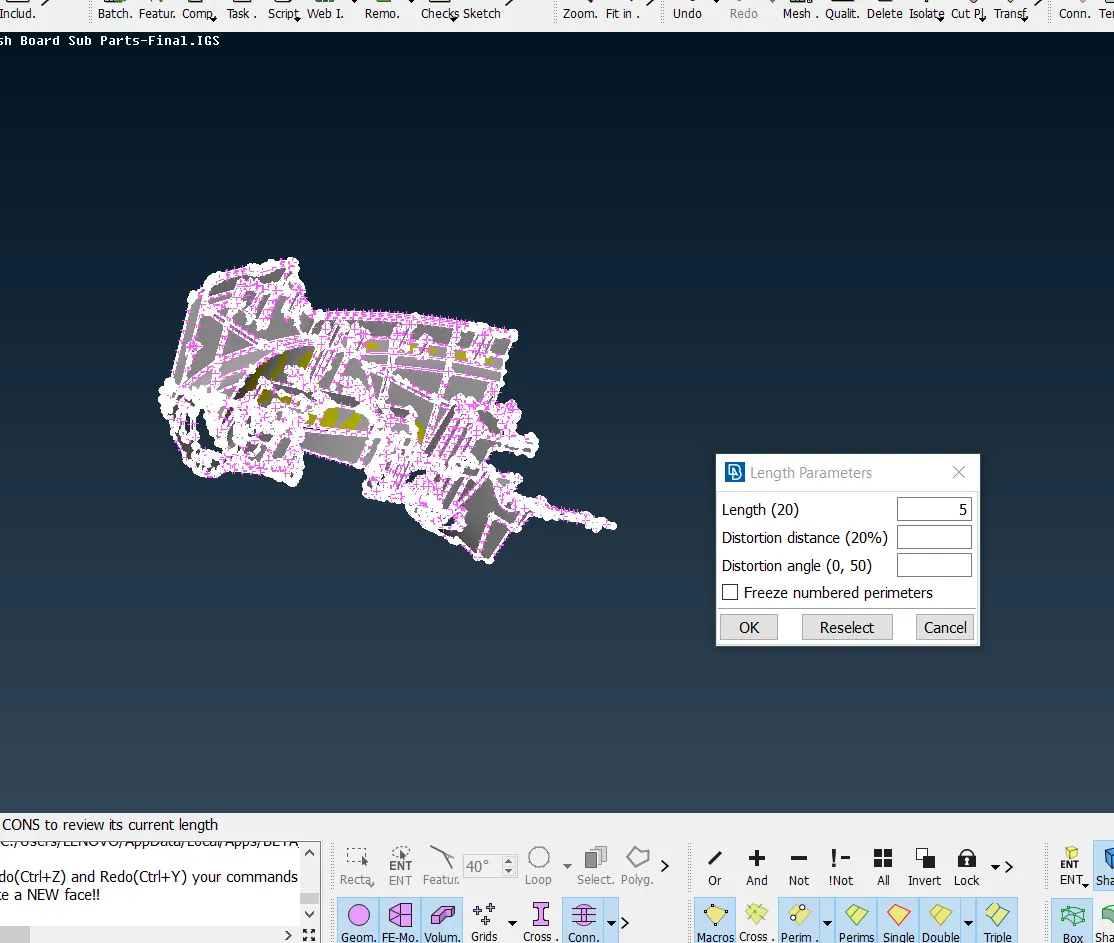
2.MIDSURFACING
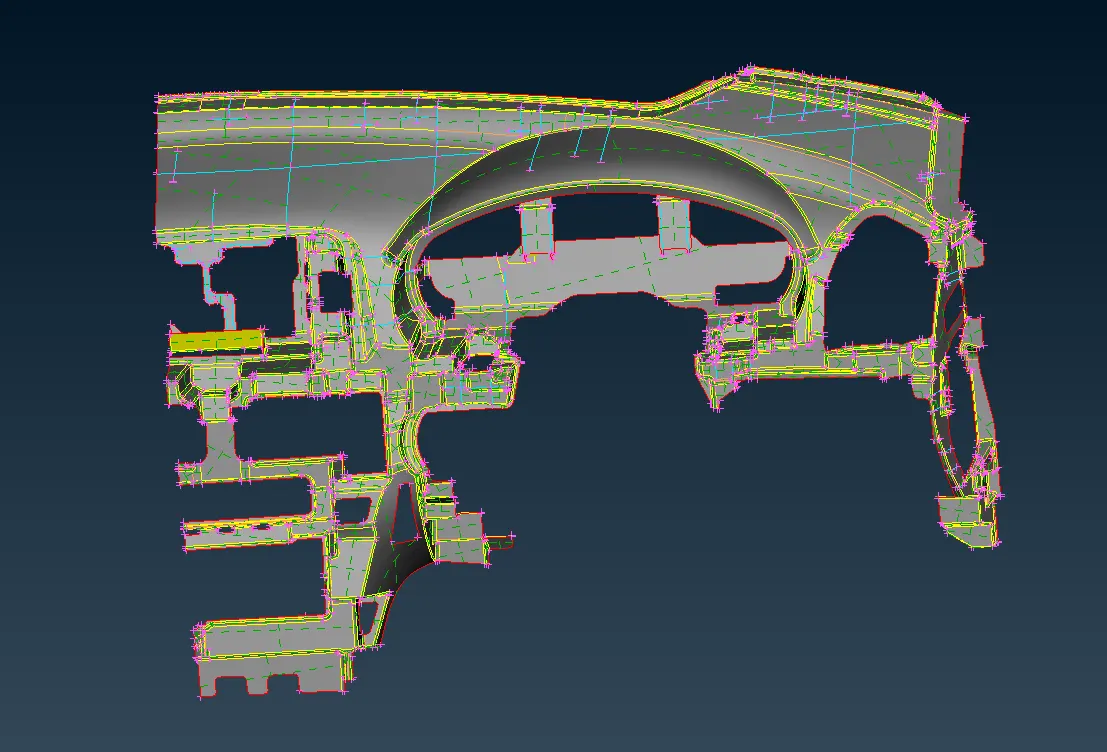
*Midsurface can be obtained manually and automatically by using Midsurf command.
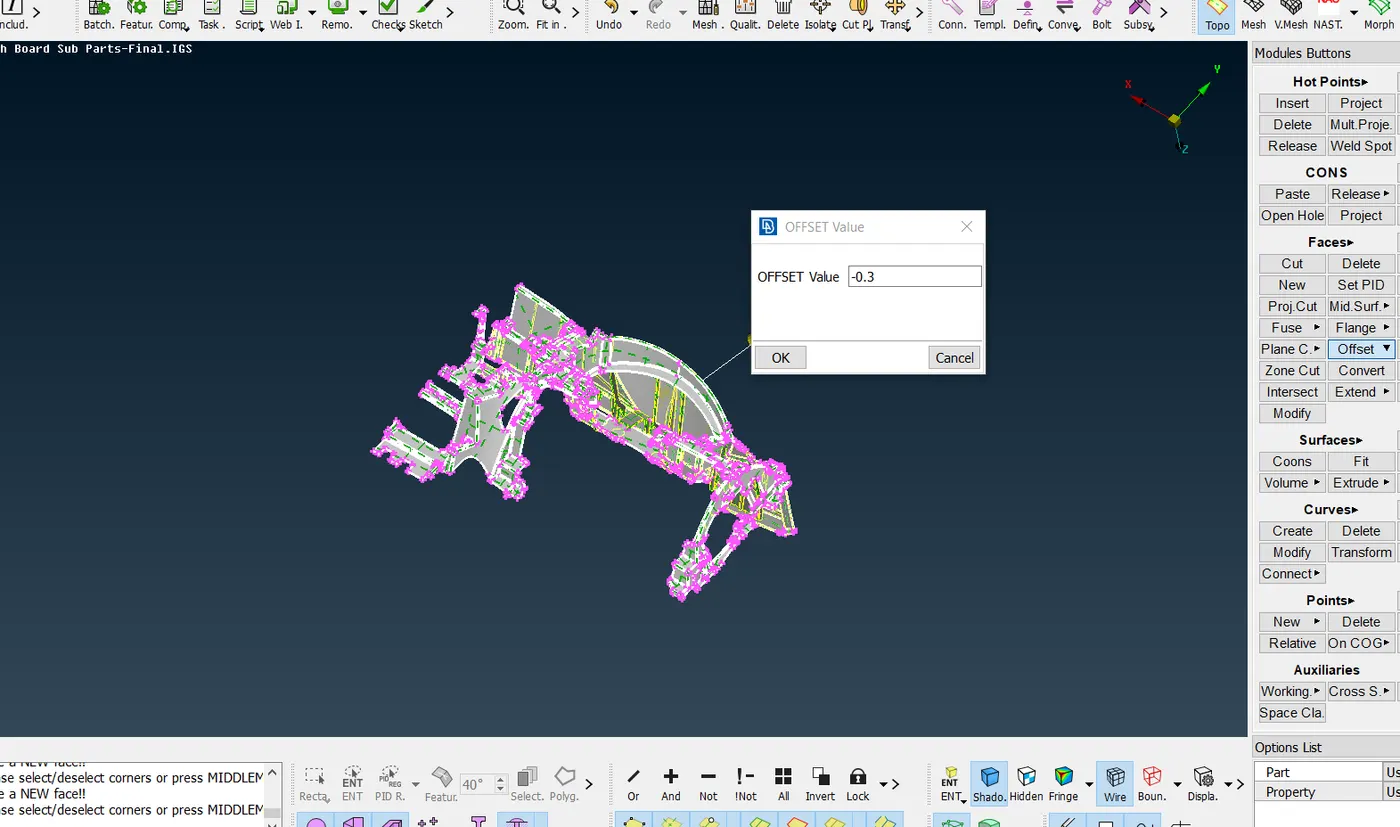
*Here, midsurface is generated for every component of the model using offset.
*Midsurfacing of main model except some features is generated using offset as shown below.
*When it comes to features curves middle is used for midsurfacing.
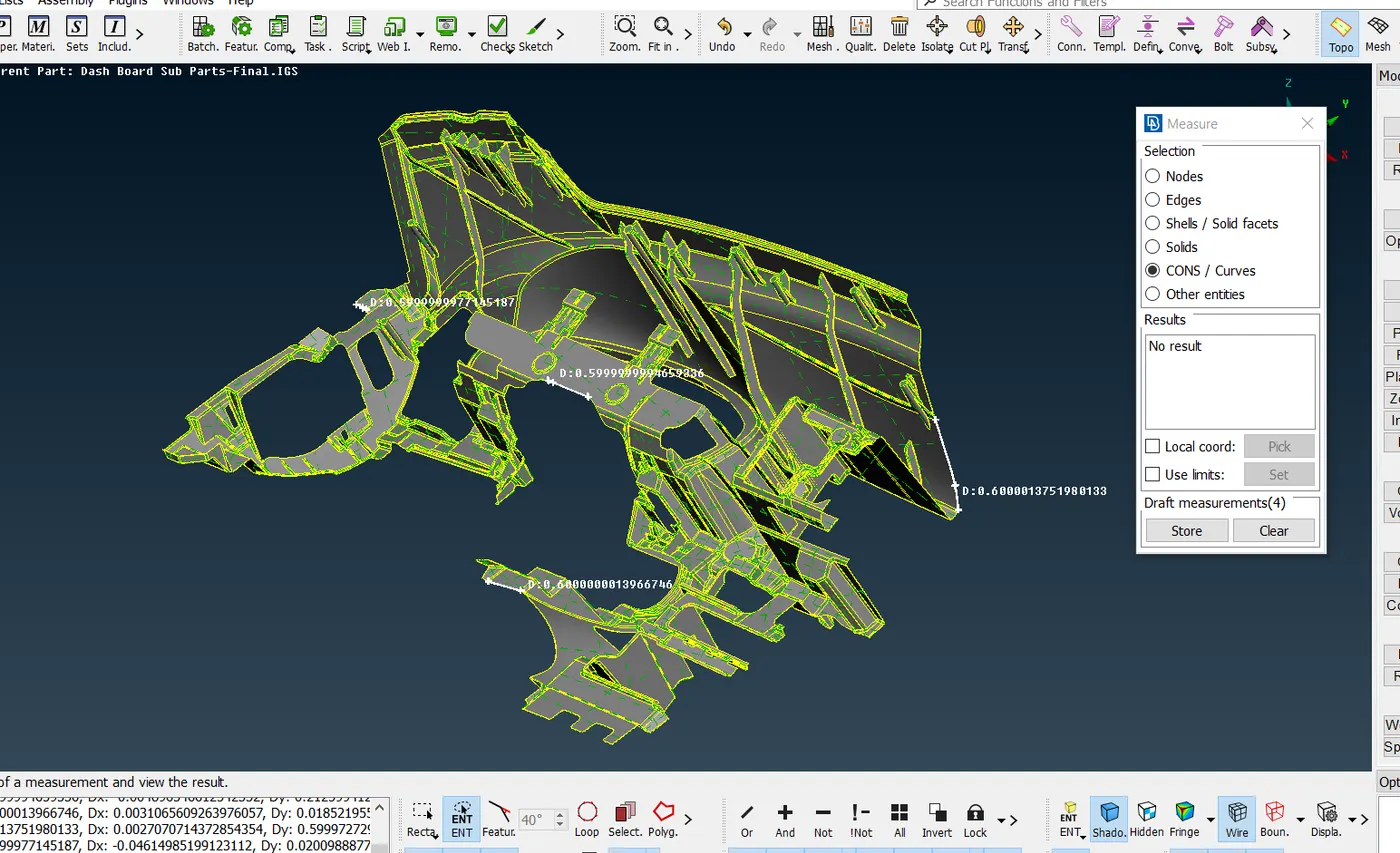
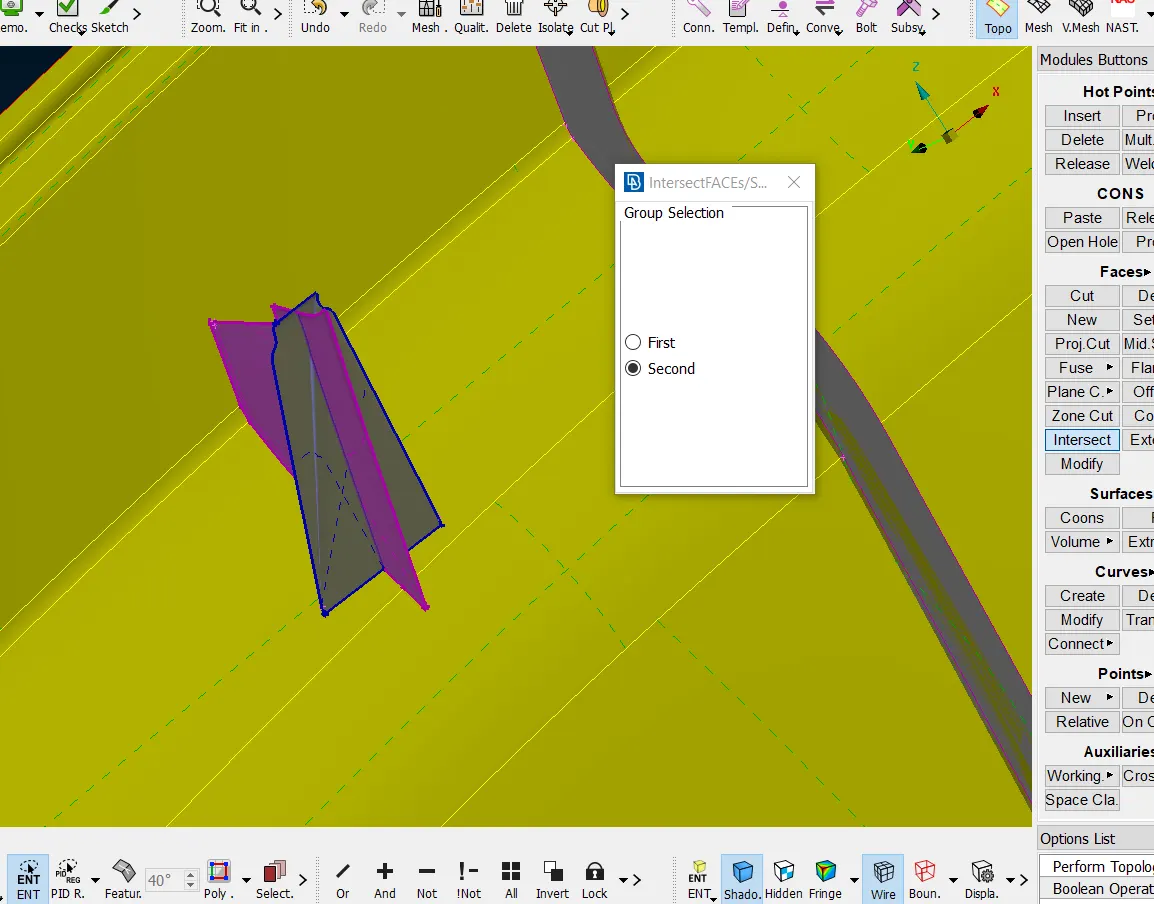
* As it is a circular feature and closed volume, it is not possible to take offset. Here the curves middle is created as for each rib attached to dock house and then a new face is created in the shape of plus sign as shown below.
*The new faces created is intersected using intersect from topo deck.
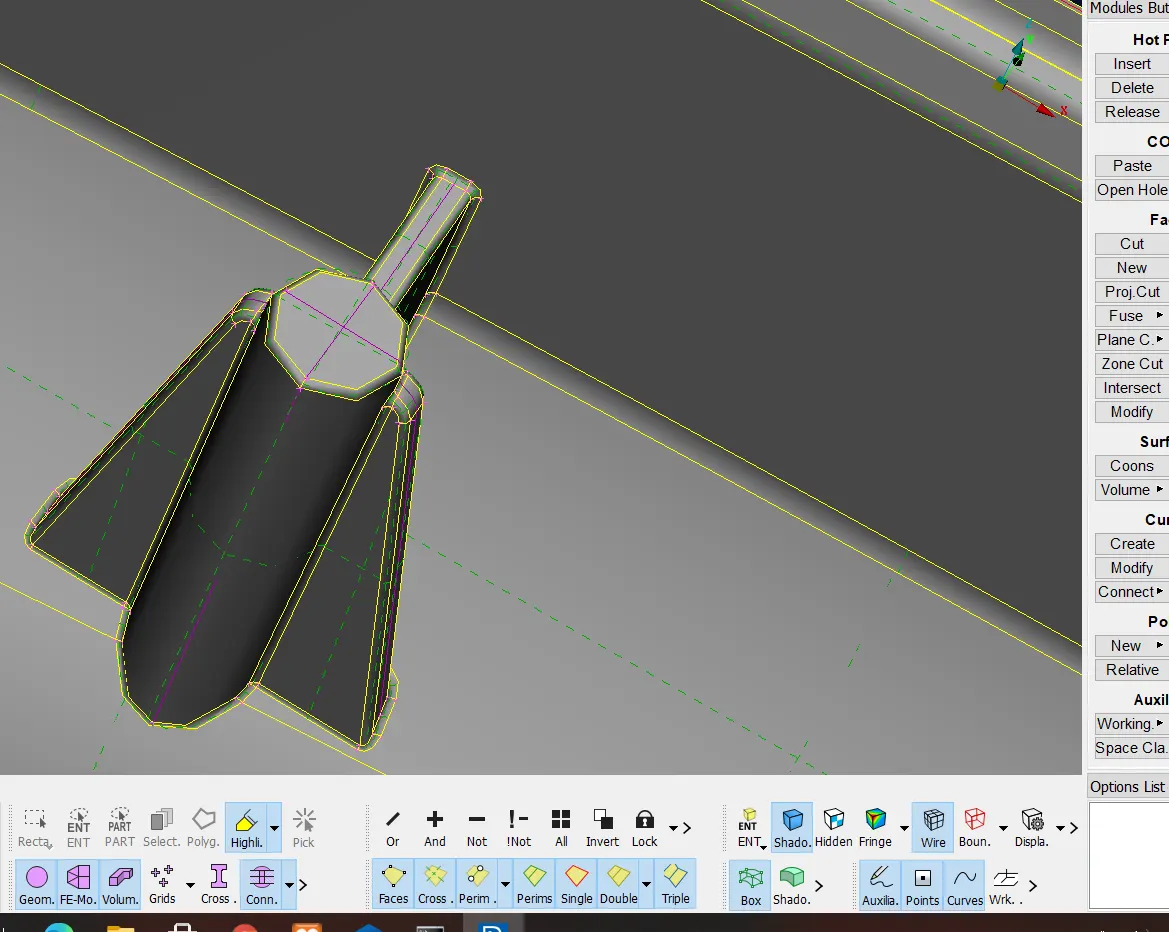
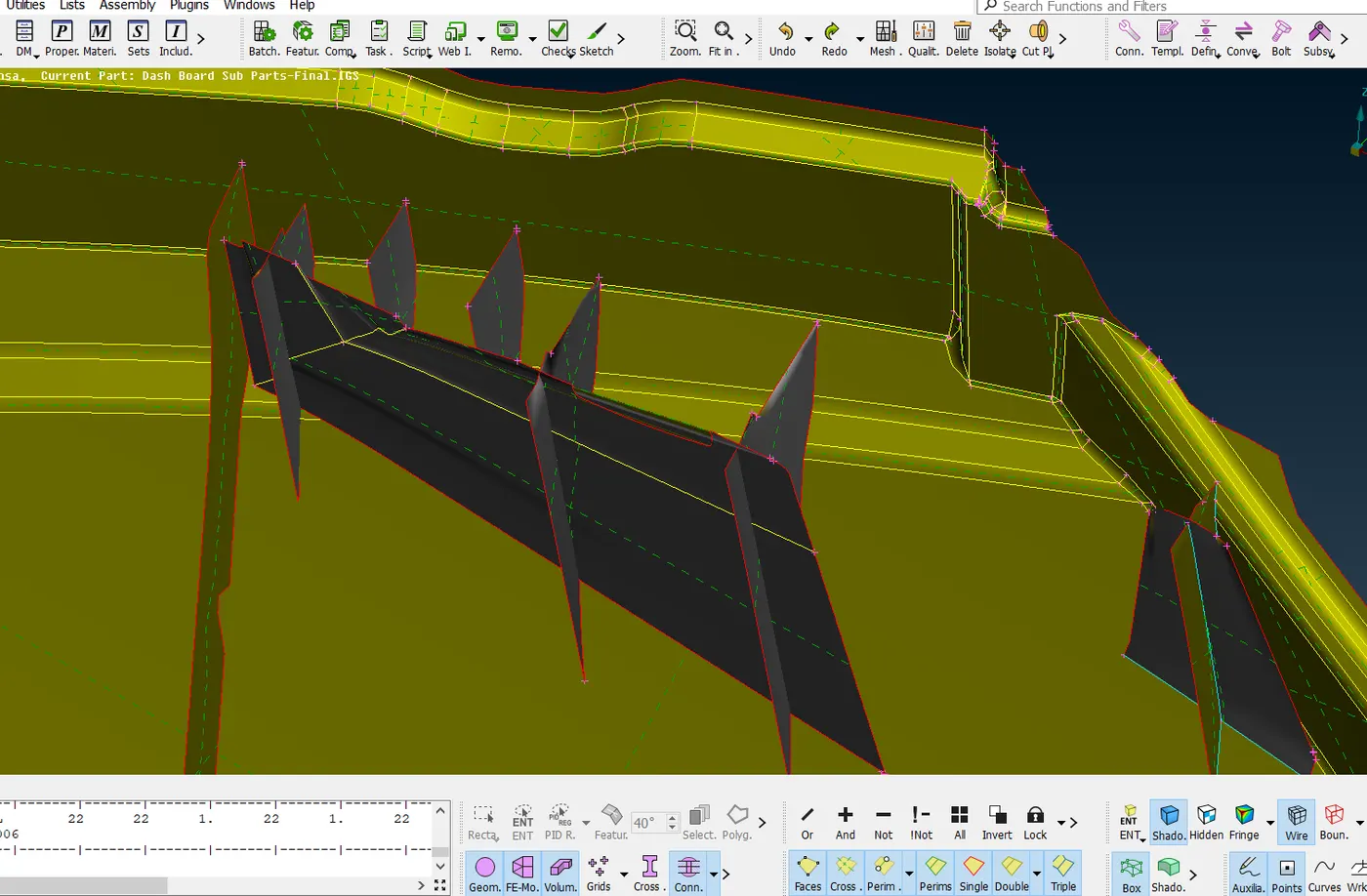
*The midsurface of the ribs are extracted either by using faces middle or curves middle. Here curves middle is used to get the single face of the rib and then it is extended to the base surface using extend option from topo deck.
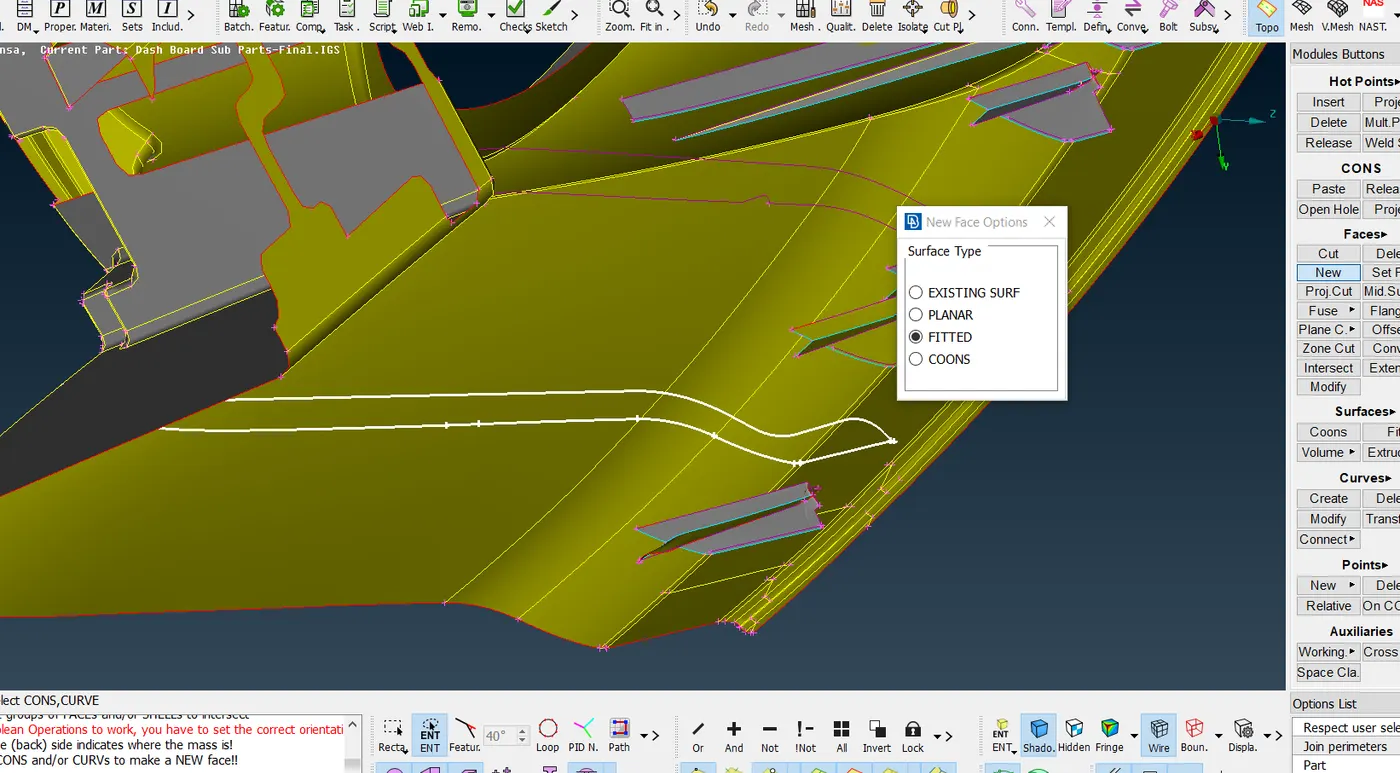
* The midsurface of both panels existing in the model is taken using offset. The both panels are attached to the main model using extend option.
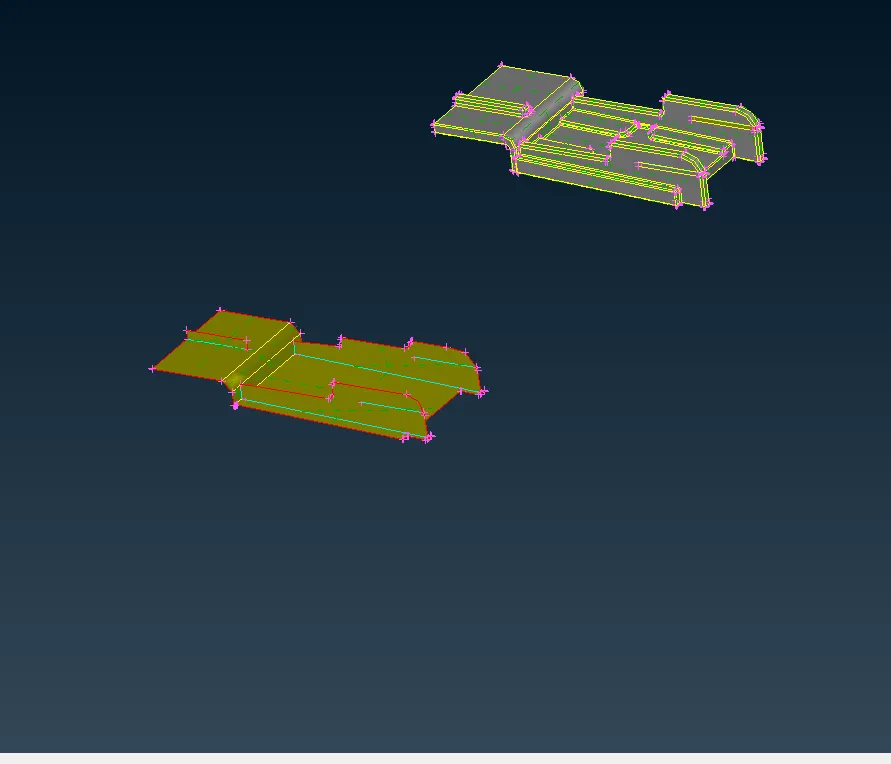
MIDSURFACE
3.MESHING
*A mesh is a network that is formed of cells and points. It can have almost any shape in any size and is used to solve Partial differential equation.Each cell of the mesh represents an individual soultion of equation which, when combined for whole network,results in a solution of entire mesh.
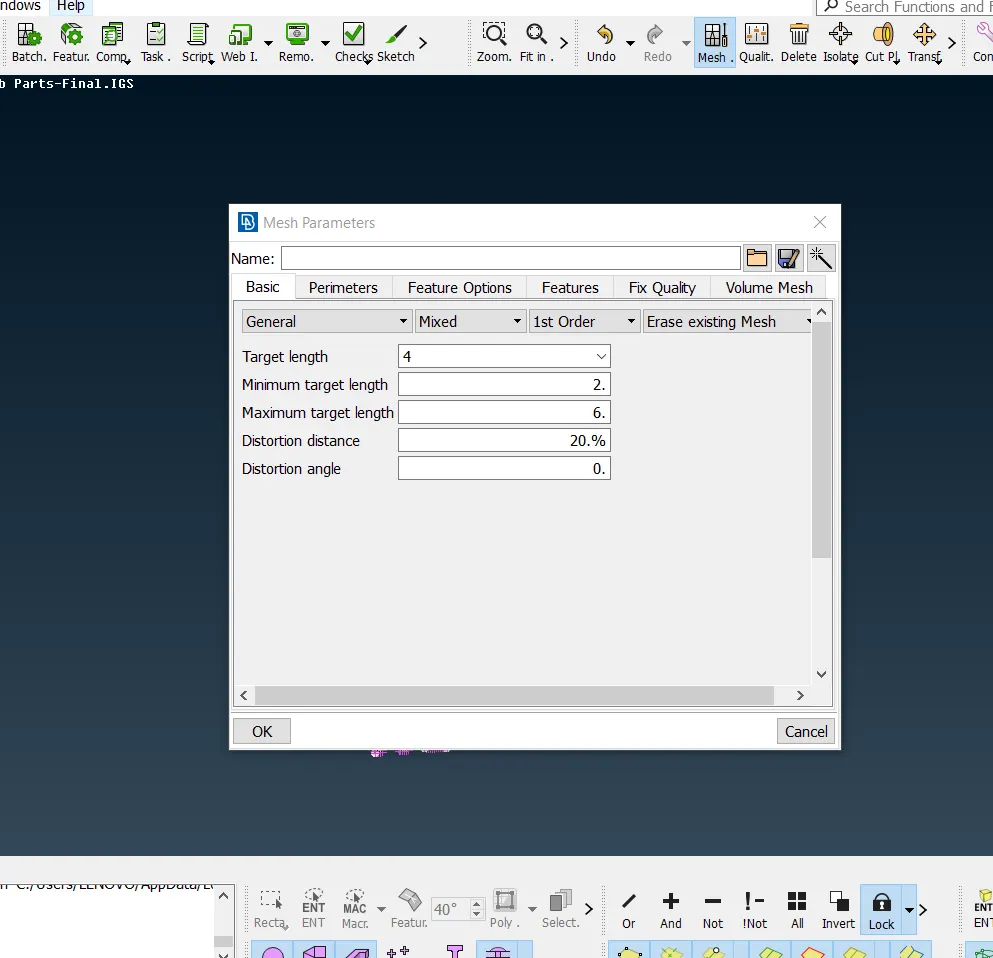
*On meshing the model element size must be consistent and so set element length in perimeters. Here as per the given details, it is 4 and here it is followed initially before geometry cleanup.
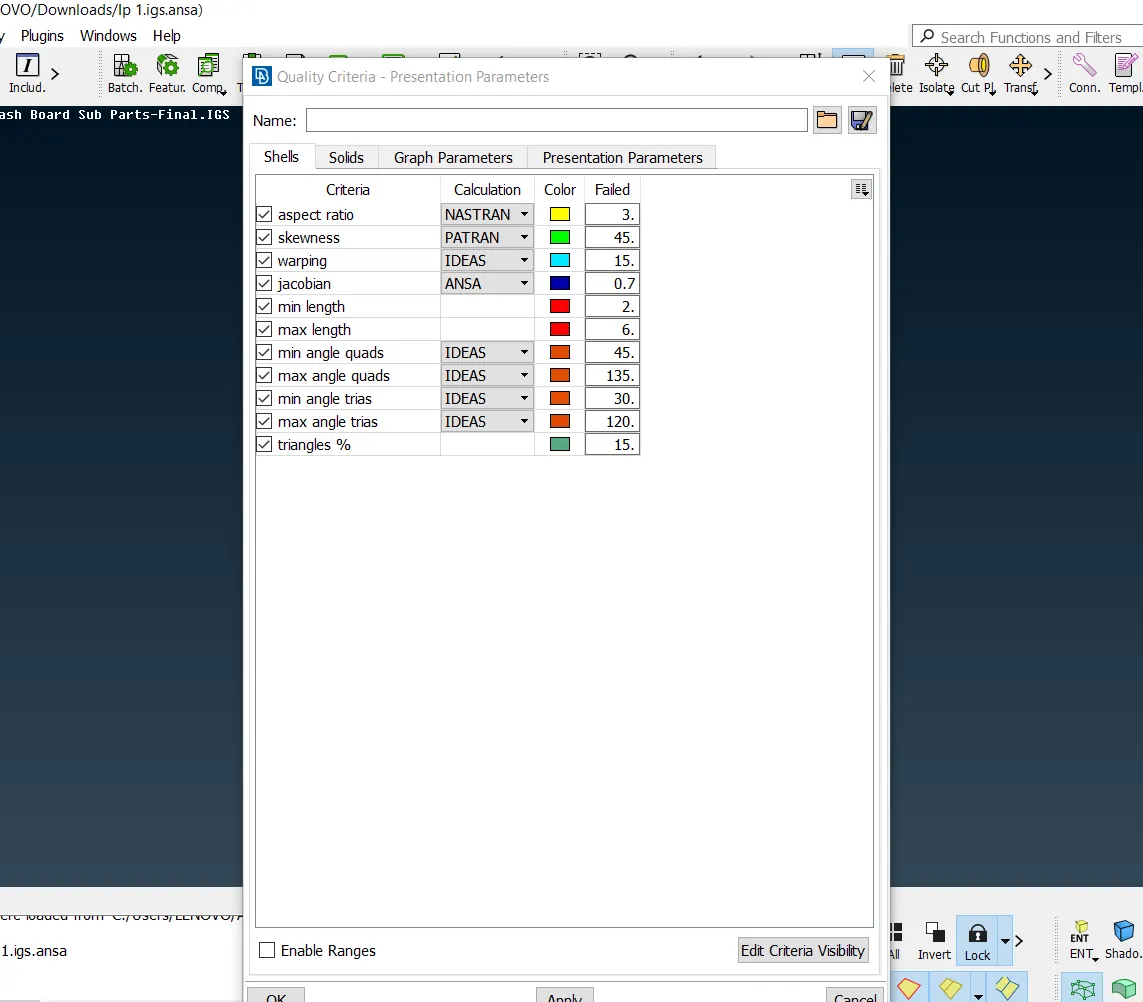
*Quality criteria and meshing parameters should be entered according to the given values.
*In quality criteria aspect, skewness, angle, minimum length, maximum length and jacobian is considered here as shown below.
*In presentation parameters of Quality criteria, tick the elements % and all details.
*If diamond structure or any other feature is available in the model, run the number in perimeters and select the structure.
*Check all the fillets before meshing to make sure it is under the minimum length given for meshing.
*Unnecessary construction lines are altered and removed to get a better mesh flow.
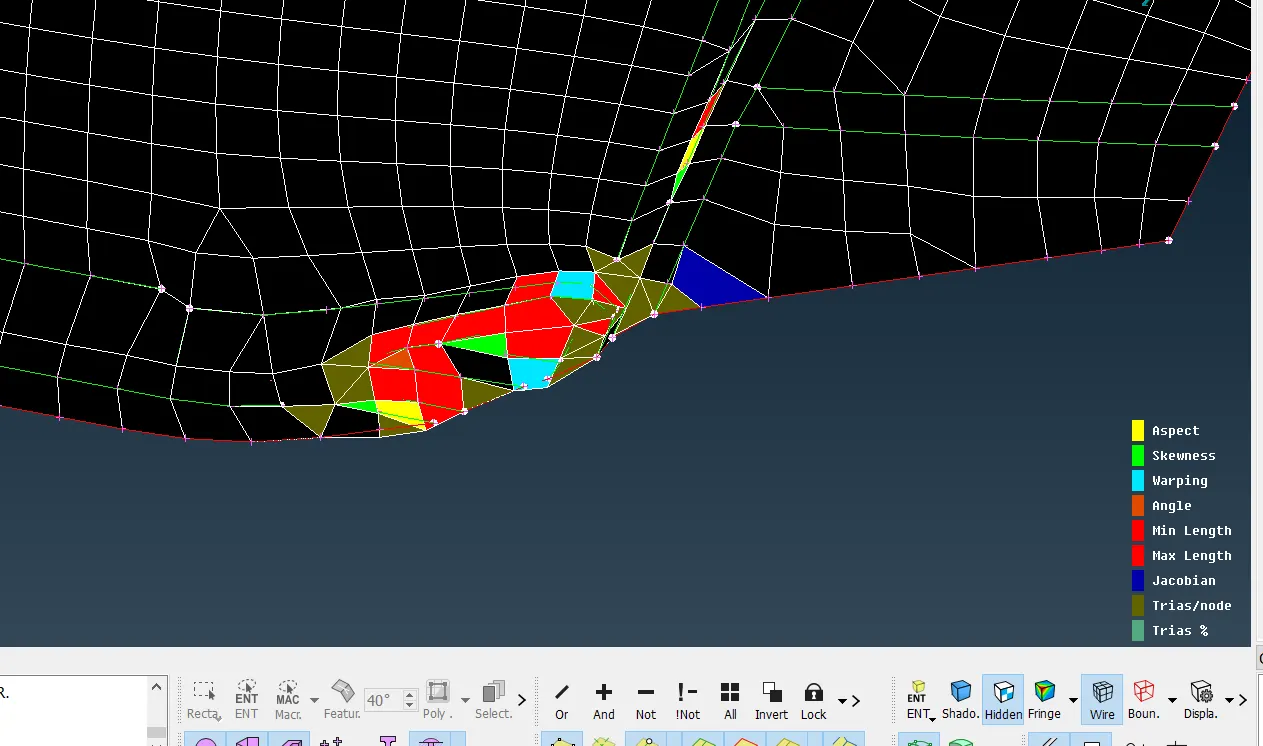
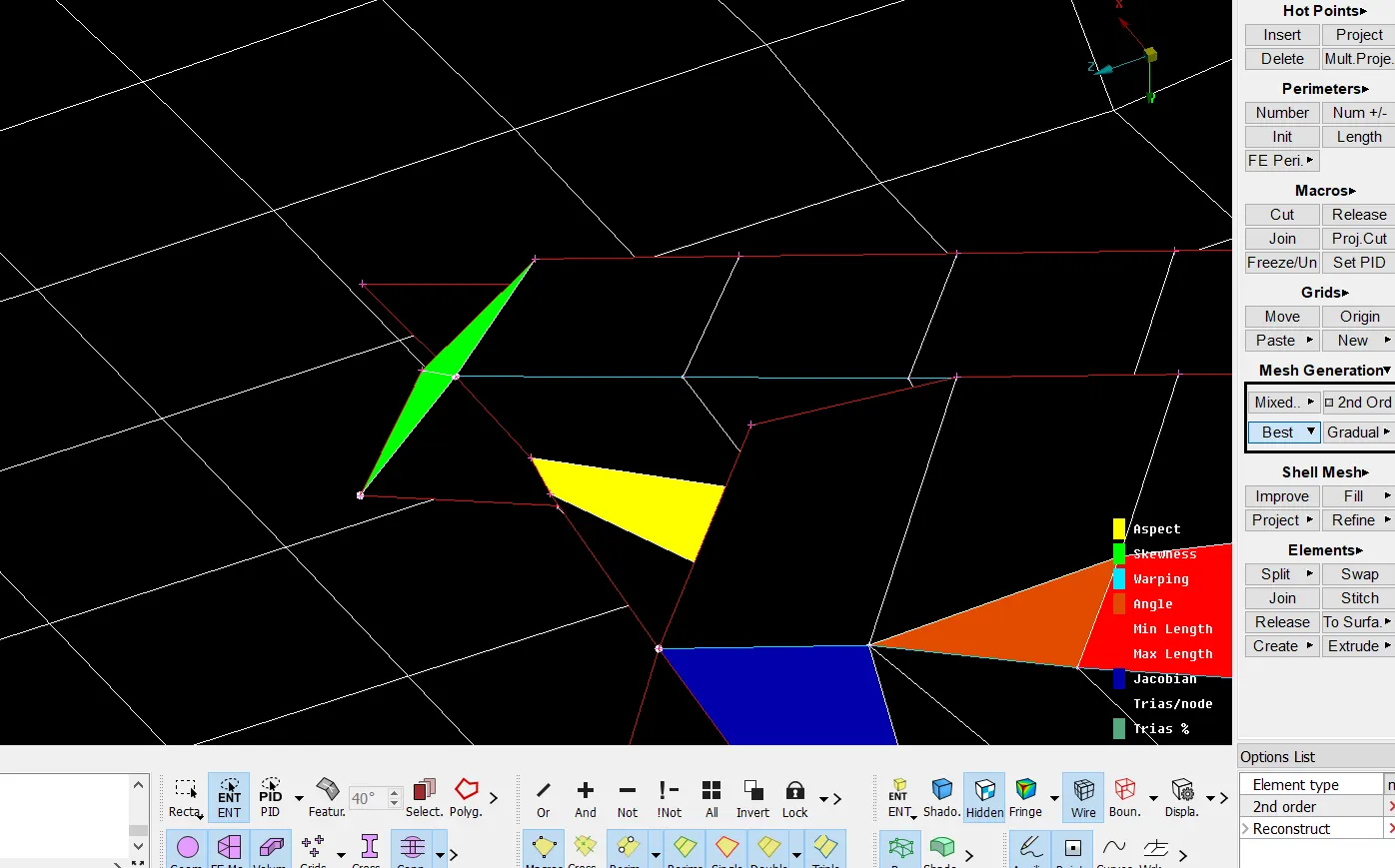
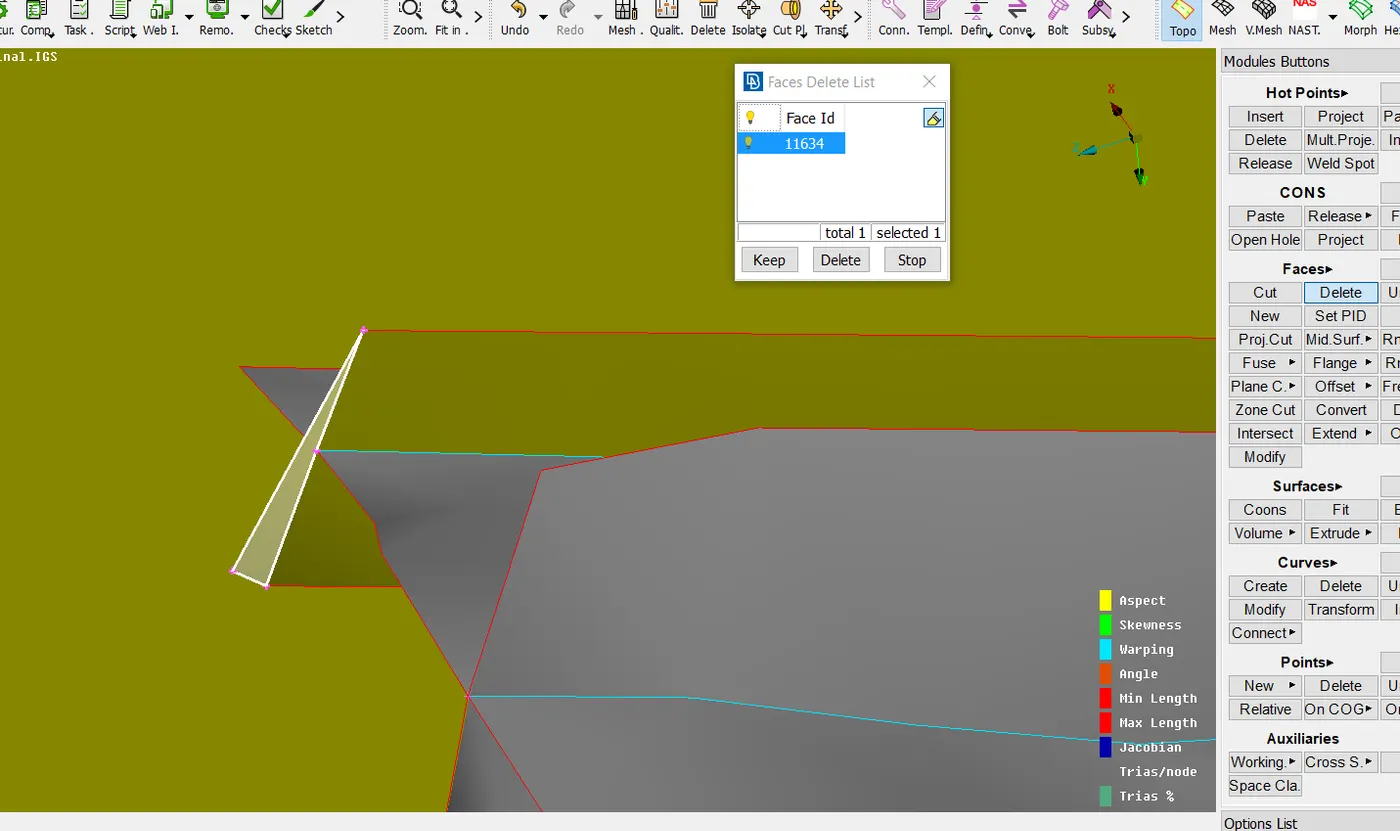
*At some portions near to the rib, the elements are failing for skewness quality.
*The rib should be aligned perpendicular to its adjacent surface by creating construction lines on the rib and removing the unnecessary face as shown below.
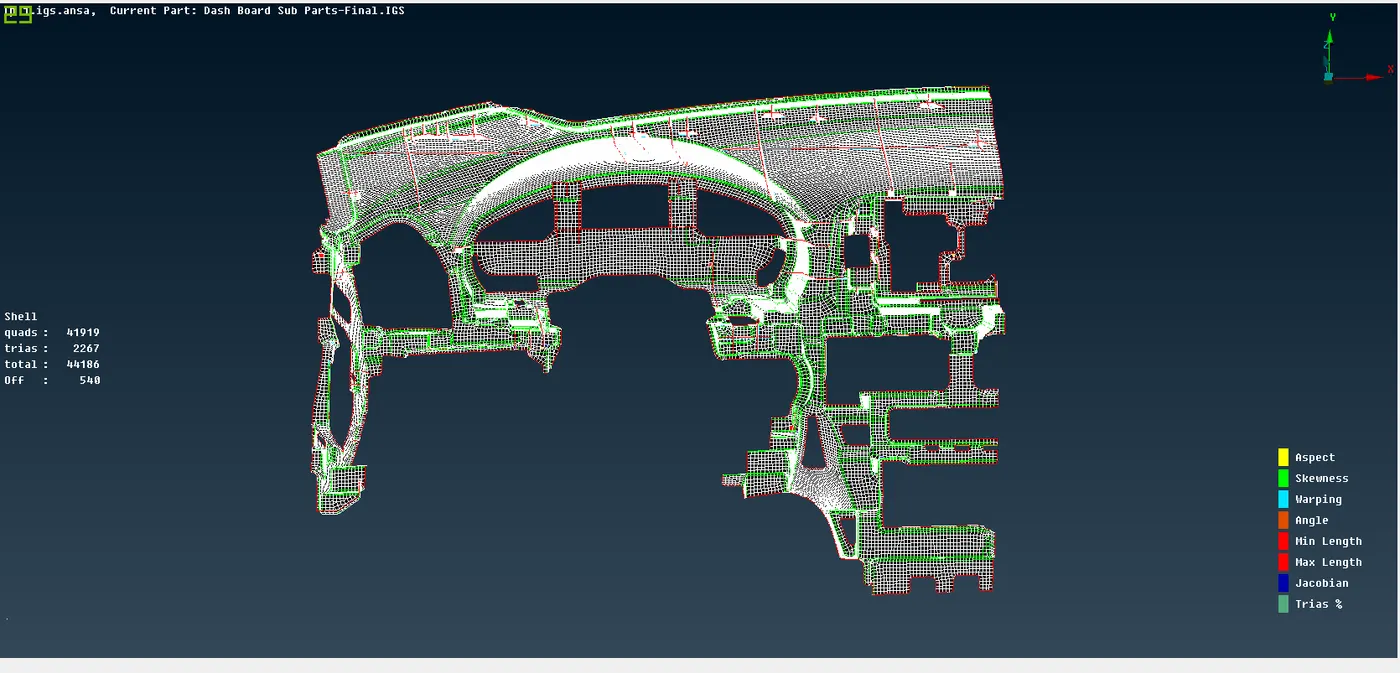
* Most of the trias are eliminated using split and swap option.
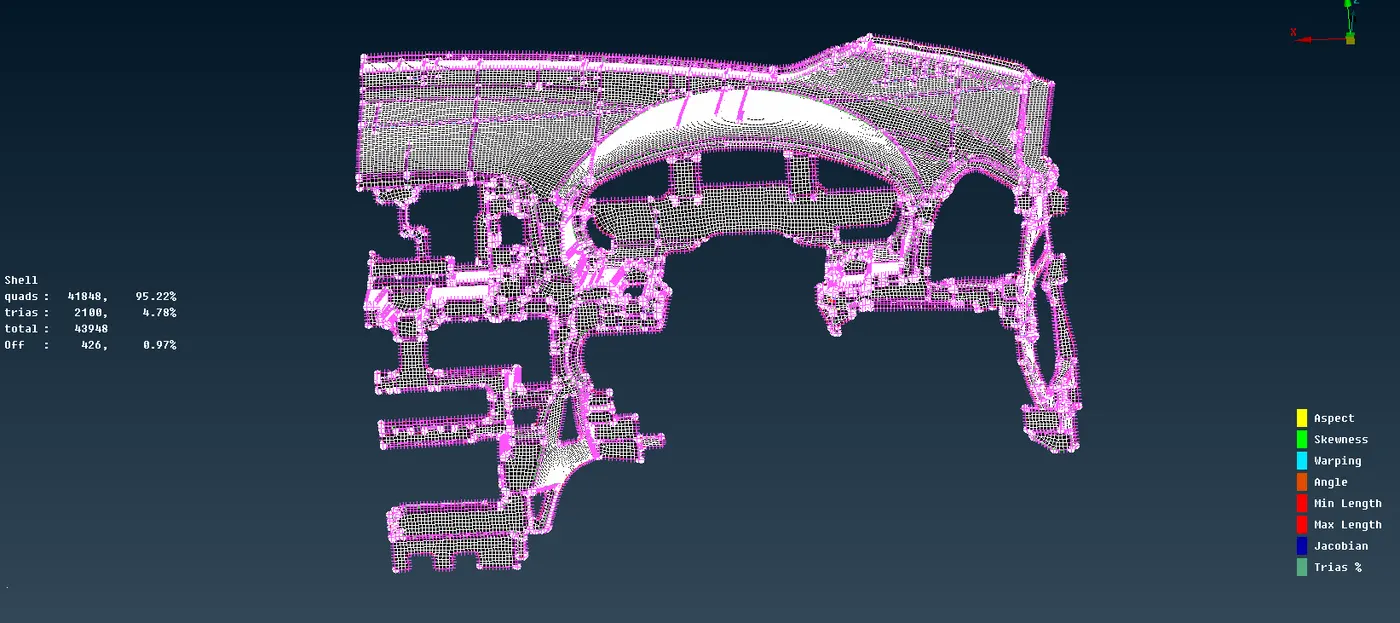
* The area failing for quality is improved by fixing quality and reconstructing to get a proper mesh flow with limited off elments.
CONCLUSION
*In preprocessing meshing is significant as it helps in the flow of stress evenly throughout the model.
*A smooth mesh is better in weight distribution analysis.
*Meshing is done in the midplane of the model and not in the parent geometry.
*Initially mesh the features available in the model to reduce the complexity.
* Mesh refinement may improve the modeling and analysis of regions with stress concentrations, extreme force gradients, member connections, etc.