Mechanical · PG program

Post Graduate Program inExternal Aerodynamic Simulations

A 6 month long intensive program comprising of 5 courses that train you on all the engineering concepts and tools that are essential to get into top OEMs as an Aerodynamics Engineer.

Duration
32 weeks
Content
66 hours
Courses
6
Projects
15
Mode
Online
Overview

What you'll
be able to do.

  • This program covers the fundamentals of CFD, where one will learn the mathematical concepts behind CFD and understand how CFD software work in the background.
  • Students will learn how to code CFD problems in MATLAB.
  • A good understanding of how to set up external aerodynamics simulations in different CFD platforms like ANSYS Fluent, STAR-CCM+, OpenFOAM, and Converge CFD will be gained.
  • Students will acquire the skillset to perform external aerodynamics simulations in a similar manner that is performed in the industry.
  • They will understand the basic requirements or needs to perform external aerodynamics simulations in CFD.

Why this program

  • Fundamentals of CFD
  • Mathematical concepts behind CFD
  • Working of CFD software
  • Coding CFD problems in MATLAB
  • Setting up external aerodynamics simulations in different CFD platforms like ANSYS Fluent, OpenFOAM, and CONVERGE CFD.
  • After the completion of this course, students can apply for job roles like
    • CFD Developer
    • CFD Application Engineer
    • CHT Engineer
    • Aerodynamics Engineer
    • Engine Simulation Application Engineer
    • CFD Engineer in automotive companies
Tools you'll use
MATLABANSYS FluentSpaceClaimCFD PostOpenFOAMOctaveANSACONVERGEParaviewICEM CFD
Curriculum

6 courses,
42 modules.

Get the full syllabus ↓
  1. 01Advanced CFD Meshing using ANSA5 modules
    1. Introduction to ANSA GUI and ToolsW01
      • In this module, you will be introduced to the ANSA Software. You will learn the Graphical User Interface(GUI) of the ANSA tool.
      • You will get to know about different solvers and the types of analysis carried out using them.
      • You will be introduced to the basic tools that will help you with geometric cleanups and other deck setups in ANSA.
      • The topics covered in this module are,
        • Introduction to ANSA
        • ANSA GUI
        • Geometric tools and topology cleanup
        • Different tools used in the TOPO deck
    2. 2D (Surface) Meshing to Pressure valveW02
      • In this module, you will be introduced to the pressure valve model. You will learn to perform surface meshing on a pressure valve model.
      • The topics covered in this module are,
        • PID creation and PID assignment
        • Different selection techniques and visibility tools
        • Basic Topology cleanup
        • Basic tools used in surface meshing
    3. 3D (Volume) Meshing to TurbochargerW03
      • In this module, you will be introduced to the turbocharger model.
      • You will get to know, how to perform volumetric meshing to a turbocharger model.
      • The topics covered in this module are,
        • Geometry cleanup to define volumes
        • Various geometry checks
        • Surface meshing as per quality criteria
        • Volumetric meshing as per requirements
    4. CFD meshing to BMW M6 Model inside Wind tunnelW04
      • In this module, you will be introduced to the BMW M6 model.
      • You will learn how to perform CFD meshing on a BMW M6 model.
      • The topics covered in this module are,
        • Advanced topology cleanup to define volumes
        • Variable surface meshing part by part
        • Solving quality failed elements as per quality criteria
        • Symmetry operation for surface and mesh elements
        • Wind tunnel creation
        • CFD meshing for wind tunnel
    5. Surface Wrap to an Automotive AssemblyW05
      • In this module, you will be introduced to three different automotive models: engine, transmission, and gearbox.
      • You will learn how to perform surface wrap on an automotive assembly for CFD analysis of the outer flow.
      • The topics covered in this module are,
        • Geometry cleanups for the surface wrap.
        • Merging of different models into one GUI.
        • Surface wrapping for an assembly.
  2. 02Introduction to GUI based CFD using ANSYS Fluent9 modules
    1. Introduction to CFDW01
      • In this module, you will understand what CFD is and its uses. You will also be introduced to the basic governing equations solved and many schemes and algorithms used to stabilize and improve the accuracy of the solution.
        • Governing Equations of Fluid Motion
        • Numerical Discretization
        • Fluid Solver
        • Boundary Conditions
        • Post-Processing
    2. Simulating Laminar and Turbulent Flows in ANSYS FluentW02
      • In this module, the focus is to simulate basic compressible and incompressible flows using ANSYS Fluent. You will be introduced to the streamlined workflow on the Workbench tool, from geometry creation to the solution post-processing procedure. You will get hands-on experience in
        • Geometry Creation
        • Meshing
        • Boundary and Initial Condition Calculation
        • Setting up solution algorithms
        • Solving and post-processing
    3. Performing Steady State SimulationsW03
      • In this module, the focus is to simulate basic compressible and incompressible steady-state simulations. This provides you with an introduction to the solution setup procedure for a steady-state simulation. You will get hands-on experience in
        • Geometry created using SpaceClaim
        • How to set up Steady-State Simulations?
        • Checking for Convergence and understanding when the simulation converges for different boundary conditions
        • How to create Runtime Animation of Engineering Parameters?
        • Project 1: HVAC Simulation Inside a Mixing TEE
        • Project 2: Performing Parametric Study on Flow Inside a Gate Valve
        • Project 3: Performance Characterization of a Cyclone Separator
    4. Exploring Meshing strategiesW04
      • Meshing is an important component in CFD analysis. Improper meshing can lead to bad results. In this module, you will learn the different meshing techniques that can improve the solution accuracy with a balanced computational cost. More hands-on experience in
        • Methods of providing local refinement like Sphere of Influence, Body Sizing, etc.
        • Concept of Y plus and its importance
        • Inflation Layers and Controls
        • Mesh Dependence Test
    5. External AerodynamicsW05
      • You will learn the fundamentals of performing external flow analysis using ANSYS Fluent. It provides you with knowledge on boundary layer concepts, needs of Y plus, and wall functions. Here, we will focus on the following topics.
        • Setting up Virtual Wind Tunnels using the Enclosure Utility
        • Understand Vortices, calculating Downforce & the drag on a Vehicle
        • Y+ Estimation & Grid Refinement
    6. Conjugate Heat TransferW06
      • In this module, you will learn how to simulate solid-side heat transfer along with the fluid flow. Conjugate Heat Transfer (CHT) refers to simulating multiple modes of heat transfer. For example, in one of the projects, you will simulate the heat transfer in an exhaust manifold when hot exhaust products are flowing through it. When you complete this module, you will be able to do the following:
        • Extracting solid and fluid volumes
        • Creating Shared Topologies for Creating Conformal Meshes
        • Setting up Volumetric Heat Sources
        • Visualizing Heat Transfer Coefficient Distribution
    7. Discrete Phase ModellingW07
      • Discrete Phase Modelling (DPM) is used to model particles, fuel drops, coal, and any other type of suspended phase. You will work on problems like the Cyclone Separator, where you will incorporate the DPM approach to simulate how suspended impurities travel through a Cyclone Separator. You will get hands-on experience in
        • Different types of discrete phase boundary conditions and their effects
        • Methods of tracking the Discrete Phase Particles
        • Turbulence Intensity and Vortex Core Visualisation
    8. Introduction to User Defined FunctionsW08

      You will learn how to write a customized program, create different monitor points, and extract the relevant information you need to form a simulation.

    9. Basic Reacting Flows W09

      In this module, you will learn how to simulate reacting flows using ANSYS Fluent. This includes combustion applications.

  3. 03MATLAB for Mechanical Engineers6 modules
    1. Introduction to MATLABW01

      MATLAB has a series of commands and functions that instruct the program to perform a task. Just like any other programming language, it has a syntax that defines the rules of the symbols and characters used to write a code. It is important for learners to understand the MATLAB syntax, basic commands, and functions to write effective programs.

      This week will cover

      • MATLAB syntax and commands
      • Methods and ways to use commands in different scenarios
      • Manipulation of calculations and comparisons
      • Use of arrays.
      • Functions (plotting, creating animations, creating figures, and more)
    2. Forward Kinematics SimulatorW02

      Forward kinematics is the process of determining the position of a robot’s end-effector by using kinematic equations with known values of angular velocities and joint parameters. It is important for learners to understand how MATLAB can be used to determine the unknown values in the kinematic equations, as well as simulate the movement of the manipulator.

      This week will cover

      • Manipulator motion using ImageMagick
      • Simulation of a 2R robotic arm manipulator
      • Creating a movie clip with the spatial motions of a robotic arm
      • ‘For’ loop in programming
      • Working of the “hold on” command
      • Arrays and linspace commands
    3. Air Standard Cycle SimulatorW03

      The air standard cycle considers air as the working fluid which goes through heat addition and heat rejection. This is a thermodynamic closed loop cycle in which heat energy is converted into mechanical power. By using MATLAB, the pressure and volume diagram of air standard cycles can be plotted and simulated. It is important to understand how to solve for the kinematic equations involved in the air standard cycle, and how to plot the diagram using MATLAB.

      This week will cover

      • Solving piston kinematics equation to calculate volume trace
      • PV diagrams for different operating conditions.
      • Thermodynamic relationships
      • Pressure-volume variations
      • Order of the program
      • Plots & legends used in the graphs
      • Piston kinematics
    4. Vibrations and DynamicsW04

      Vibrations and dynamics are at the core of physical systems. Most mechanical engineering systems are dynamic in nature. These systems can be represented by equations of motion that form a set of ordinary differential equations (ODEs). It is important for learners to understand how to solve these ODEs, and their application in a real-world context.

      This week will cover

      • Backward difference formula (BDF) and forward difference formula (FDF) methods to solve ODEs
      • Real use of differential equations
      • How differential equations relate to real-world applications
      • Solving differential equations
      • ODE solvers, syntax of ODEs, and various supplementary commands
    5. Curve Fitting and RegressionW05

      Curve fitting is used to understand the relationship between different variables by constructing a curve that fits best through a series of data points. Regression analysis identifies the strength of the relationship between two or more variables. This lets engineers understand the relationship between system input and output, as well as predict how the system will behave in the future. Curve fitting and regression can both be done using MATLAB. It is important to understand curve fitting and regression analysis when working with physical systems in MATLAB.

      This week will cover

      • Polynomials and their best fits
      • PolyFit and PolyVal commands
      • Calculating errors
      • Sum of squares regression (SSR)
      • Sum of squares error (SSE)
      • Sum of squares total (SST)
    6. Genetic AlgorithmW06

      The genetic algorithm is based on Charles Darwin’s theory of natural selection in which each step identifies the ‘best’ set of parents to reproduce children. Overtime, the continuous process of doing this yields an optimal population. In the same way, the genetic algorithm can be applied to optimization problems and performed using MATLAB. It is important for learners to understand the genetic algorithm, and how it can be used as an optimization technique.

      This week will cover

      • Optimization techniques
      • Working of the genetic algorithm
      • Genetic algorithm syntax and finding the global maxima
      • Stalagmite functions and how it works
      • Population size, number of generations, fitness value, and termination of further generations
  4. 04Introduction to CFD using MATLAB and OpenFOAM6 modules
    1. What is Computational Fluid Dynamics?W01
      • In this module, you will understand the basics and significance of CFD.
      • You will also learn what the Navier-Stokes equations are and how they are derived.
      • The following topics are covered this week.
        • CFD - An Introduction, Necessity, Advantages, and CFD Modeling Process
        • Deriving and understanding the Navier Stokes equations
          • Substantial Derivative
          • Continuity Equation
          • Momentum Equation
          • Energy Equation
          • Significance of the Reynolds number in the NS equations
    2. Mathemathics and Fluid Dynamics EssentialsW02
      • In this module, you will be writing solvers and introduced to different numerical methods.
      • The following topics are covered this week.
        • Basic Vector Calculus - Divergence, Gradient, and Curl
        • Taylor’s Series
        • Initial and Boundary Conditions
        • Classification of PDEs and their characteristics
        • Learning essential fluid dynamics quantities and their dimensional analysis
    3. Introduction to MATLAB and Basic CFD ConceptsW03
      • It is essential to establish a rigid foundation before plunging into the farther depths of CFD.
      • This is where you get introduced to MATLAB and learn the basic concepts of CFD by writing MATLAB scripts.
      • Here are some topics that we would cover:
        • Getting acclimated to the MATLAB interface
        • Numerical discretization and its types
        • FDM - Understanding different schemes with worked examples in MATLAB
        • Deriving own FD schemes using Taylor’s table
        • Solving ODEs in MATLAB using the ‘ode45’ solver
    4. Exploring CFD by Solving Standard CFD Problems using FDMW04
      • In this module, you will venture into the Finite Difference Approach to discretization and solve various benchmark CFD problems in MATLAB.
        • Solving coupled linear systems using iterative solvers
          • Jacobi
          • Gauss-Seidel
          • SOR
    5. Introduction to FVM and OpenFOAMW05
      • In this module, you will learn how to run a simulation on OpenFOAM and the significance of using an FVM approach.
      • These are the topics you would learn:
        • Finite Volume Method and Gauss Divergence Theorem
        • Understanding the Linux environment
        • OpenFOAM code organisation and case setup
        • Detailed blockMeshDict tutorial
    6. Solving Standard CFD Problems in OpenFOAMW06
      • In this module, you will be using OpenFOAM for exploring and simulating a wide variety of problems.
      • You will also create a platform that will enable you to start any simulation from scratch and establish confidence in your result.
  5. 05Introduction to Aero-Thermal simulation using ANSYS Fluent12 modules
    1. Introduction to FLUID FLowsW01
      • Types of fluid properties
      • Newtonian and Non Newtonian fluids
      • Description of fluid flows
      • Overview of CFD methods
    2. Introduction to AerodynamicsW02
      • Role of aerodynamics in design
      • Parameters of focus
      • Instruments used in aircraft
      • Similarity parameters
      • Aerodynamic forces and moments
    3. International Standard AtmosphereW03
      • What exactly ISA is
      • How to calculate the properties according to height
    4. Tetra/Prism generation in ICEM CFDW04
      • Be introduced to ICEM CFD
      • Understand the steps to setup your domain in ICEM CFD
      • Generate a mesh for your geometry
      • Assess the quality of the mesh
    5. Introduction to flow over airfoilW05
      • Be introduced to what an airfoil is
      • Understand the forces acting on an airfoil
      • Use ICEM CFD to generate the domain required to analyse the flow over an airfoil
      • Generate the mesh for two cases
        • Incompressible flow over airfoil
        • Compressible flow over airfoil
        • Assess the quality of the mesh
    6. Introduction to Turbulence modellingW06
      • Introduced to turbulence
      • Learn why it is important
      • Understand how to model turbulent flows
      • Understand the turbulence models available in commercial CFD packages
    7. Simulate the flow over a NACA0012 AirfoilW07
      • Learn how to setup your simulation for analysing aerodynamic forces on an airfoil
      • Analyse the results for various angles of attack
    8. Introduction to moving zonesW08
      • Learn about moving zones
      • Approaches to model moving zones
        • Moving reference frame
        • Moving mesh
    9. Comparison of Moving Reference and Moving mesh approachW09
      • Use a turbomachinery component to compare MRF and MM approach
      • Setup the simulation with appropriate parameters
      • Analyse the results
    10. Transient flow over air compressorW10
      • Work on a sector a large air compressor
      • Setup periodic zones in FLUENT console
      • Setup the simulation to analyse the turbomachinery component
      • Analyse the results
    11. Introduction to Computational AeroacousticsW11
      • Learn about acoustics
      • Learn about acoustic analogy methods
      • CAA methodologies
    12. Broadband Noise modellingW12
      • Use ANSYS Mesher to generate the mesh for your domain
      • Setup a symmetric model in FLUENT
      • Run the acoustic solver to analyse noise sources
  6. 06Advanced Aerodynamic Simulations using CONVERGE4 modules
    1. Preparing the Surface for Flow SimulationW01
      • In this module, you will learn,
        • To import your CAD designs into CONVERGE Studio for performing flow analyses.
      • The CAD geometry contains information on what the model is supposed to look like.
      • You will work on fixing any errors, if present, and then split the geometry into boundaries so as to set up the simulation.
      • This involves, but is not limited to:
        • CAD import and cleanup
        • Splitting the model into boundaries and flagging these boundaries
    2. Setting up the SimulationW02
      • In this module, you will learn about
        • Creating virtual wind tunnel
        • Setting the boundary conditions effectively
        • How to choose the right turbulence model?
          • K-Epsilon Vs. K-Omega SST
        • Understanding Y+ and choosing suitable grid sizes for our simulation.
    3. Physics ModellingW03
      • A student of aerodynamics needs to familiarise themselves with how different concepts in physics are captured by mathematical models.
      • Without this understanding, an engineer will not be capable of setting up an external flow simulation with accuracy. We will cover the following modules under physical modelling:
        • Turbulence Modelling
        • Conjugate Heat Transfer
        • Shock Capturing
    4. Extracting Aerodynamic QuantitiesW04
      • The main reason for performing an aerodynamic simulation is to extract vital information from solutions like the drag and lift on specific boundaries.
        • Understanding the wake and the effect this will have on the aerodynamic parameters.
        • Extracting information such as drag and lift force from Converge CFD.
Industry projects

15 projects
you'll ship.

Our projects are designed by experts in the industry to reflect industry standards. By working through our projects, Learners will gain a practical understanding of what they will take on at a larger-scale in the industry. In total, there are 15 Projects that are available in this program.

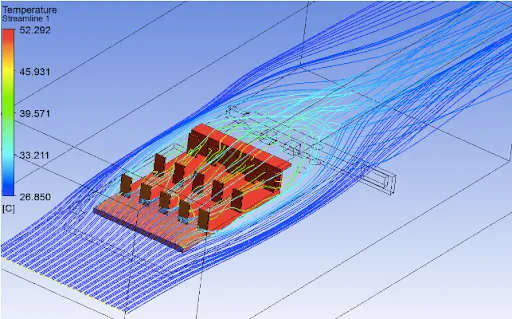
Conjugate Heat Transfer Analysis on a Graphics Card
Introduction to GUI based CFD using ANSYS Fluent

Conjugate Heat Transfer Analysis on a Graphics Card

In order to achieve effective cooling of the GPU, you will analyze the heat transfer coefficient and high-temperature concentration zones of the system.

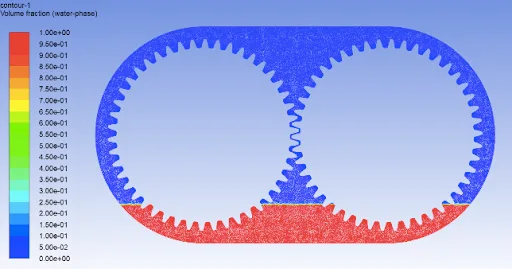
Oil Sloshing Analysis through Dynamic Meshing
Introduction to GUI based CFD using ANSYS Fluent

Oil Sloshing Analysis through Dynamic Meshing

In this project, you will define the motion of the gear using the pre-existing functions present in ANSYS Fluent and analyze the sloshing effect produced by lubricants in the gear …

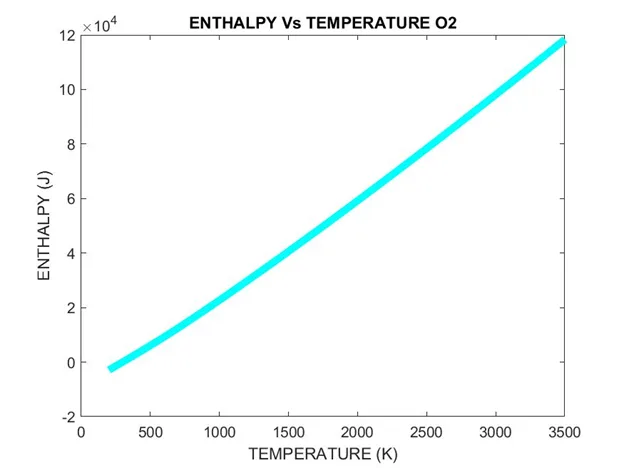
Extracting Data from NASA Thermo.dat File
MATLAB for Mechanical Engineers

Extracting Data from NASA Thermo.dat File

Learners are required to write a code that can read the NASA-II polynomial file and calculate thermodynamic parameters. They will have to extract the data from the NASA Thermo.dat …

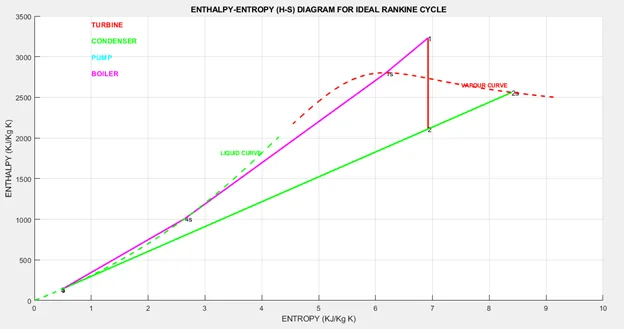
Extracting Steam Properties using Rankine Cycle Simulator
MATLAB for Mechanical Engineers

Extracting Steam Properties using Rankine Cycle Simulator

Learners are required to use the XSteam library file to determine the properties of steam under various conditions. They will have to find the Enthalpy and Entropy at various state…

2D Heat Conduction Simulation
Introduction to CFD using MATLAB and OpenFOAM

2D Heat Conduction Simulation

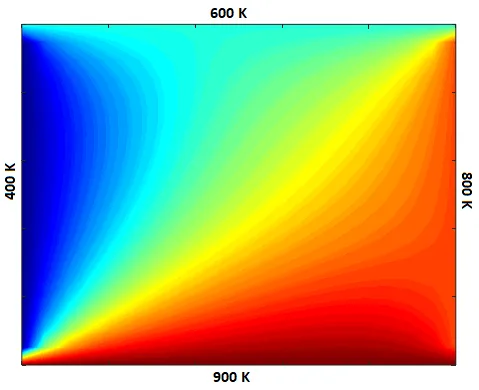
In MATLAB/Octave, write a code to solve and obtain a stable reliable solution to problems with steady and unsteady diffusion phenomena using FDM.

Supersonic Nozzle Flow Simulation using MacCormack Method
Introduction to CFD using MATLAB and OpenFOAM

Supersonic Nozzle Flow Simulation using MacCormack Method

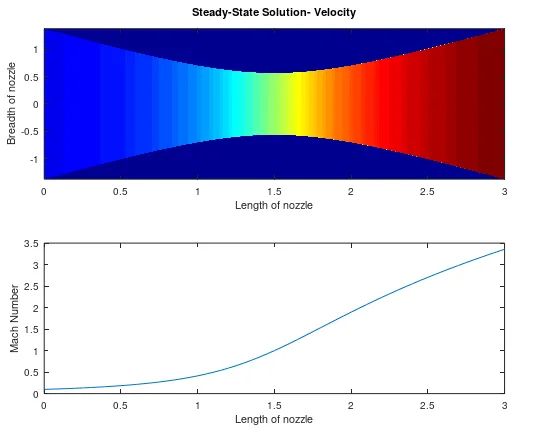
In MATLAB/Octave, perform simulations over a subsonic-supersonic convergent-divergent isentropic nozzle. Investigate the conservation and non-conservation forms of the governing eq…

Flow over a Backward Facing Step
Introduction to CFD using MATLAB and OpenFOAM

Flow over a Backward Facing Step

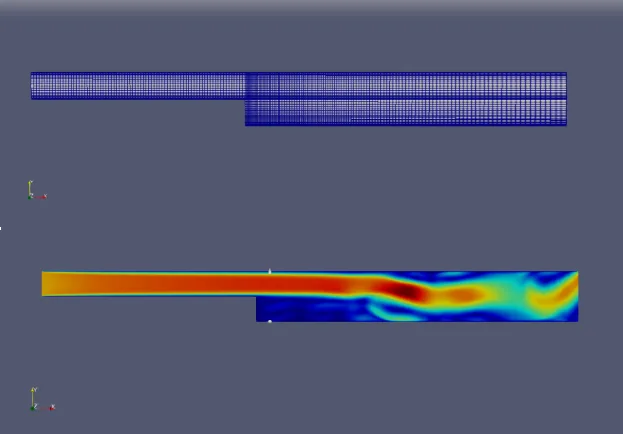
In this project, you will learn to set up, run and customize OpenFOAM in a Linux environment and solve different basic problems using it.

Automated BlockMesh Generation for Meshing Pipe Geometry
Introduction to CFD using MATLAB and OpenFOAM

Automated BlockMesh Generation for Meshing Pipe Geometry

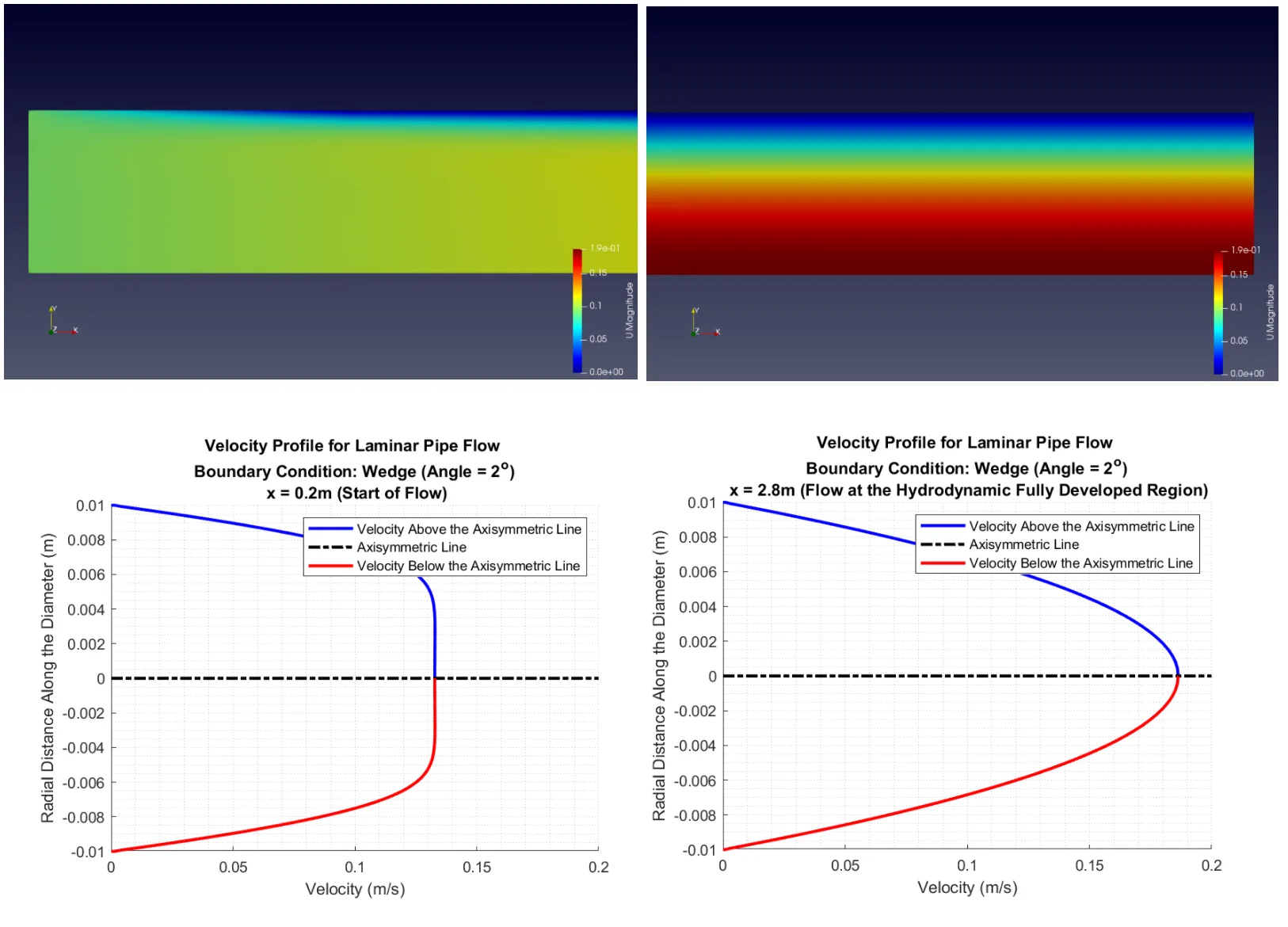
This project compares analytical and simulated results for a laminar viscous flow of a liquid over a regular pipe. Additionally, you will write code to automate mesh generation and…

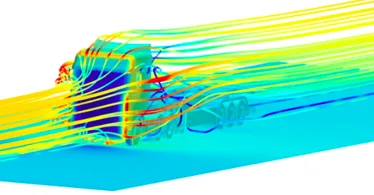
CFD meshing to a Truck Model inside a wind tunnel
Advanced CFD Meshing using ANSA

CFD meshing to a Truck Model inside a wind tunnel

In this project, the students will perform CFD meshing to a truck model inside a wind tunnel using ANSA.

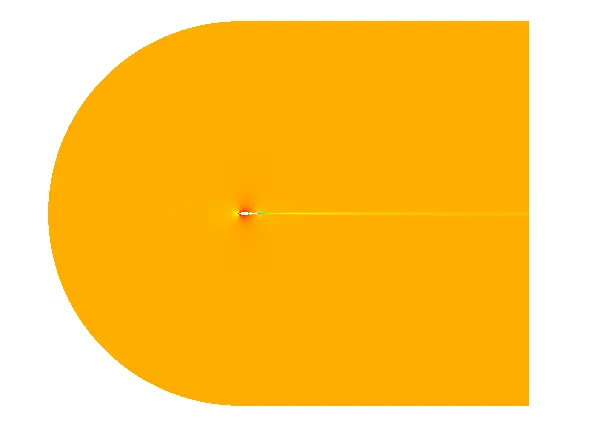
Aerodynamic Analysis on NACA 0012
Introduction to Aero-Thermal simulation using ANSYS Fluent

Aerodynamic Analysis on NACA 0012

In this project, the student will learn how to perform structured mesh in ICEM CFD. The pressure and velocity distribution are also studied in this simulation.

Transient Flow over the Axial Compressor
Introduction to Aero-Thermal simulation using ANSYS Fluent

Transient Flow over the Axial Compressor

In this project, the student will simulate the transient flow through an axial compressor.

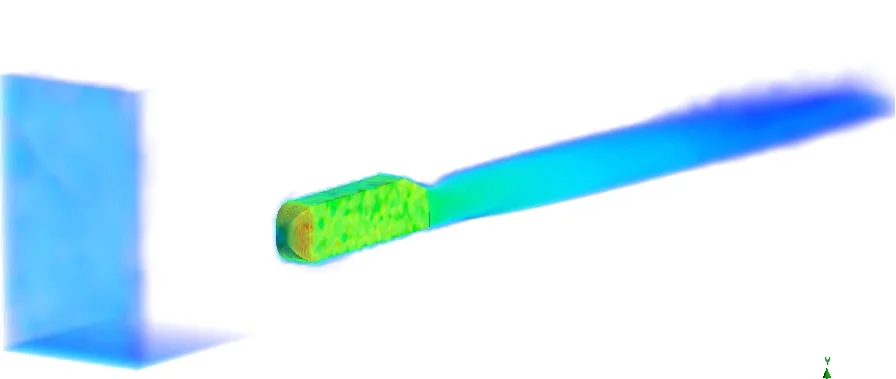
Broadband Noise Modeling over Ahmed Body
Introduction to Aero-Thermal simulation using ANSYS Fluent

Broadband Noise Modeling over Ahmed Body

In this project, the student will simulate the acoustic effects caused due to external fluid flow over an Ahmed body.

+ 3 more projects in the full syllabus

Placements

11 learners placed
from this program.

Companies
10
Median CTC
4.5 LPA
20244.5 LPA
Zebu Intelligent systems
Aerospace Engineer

Jayendra R.
20233.2 LPA
Speed Engineering Solutions
CAE Engineer

Shruti Jadhav
20233.2 LPA
Speed Engineering Solutions
CFD Engineer

Shruti Jadhav
20224.5 LPA
TATA Technologies
CFD Engineer

Arunkumar Awati
20223 LPA
Enabl
GET

Harish Reddy
20223.3 LPA
Cyient
CAE Engineer

Arunkumar Awati
Fee

One fee.
Everything included.

Become job ready with our comprehensive industry focused curriculum for freshers & early career professionals

Premium
₹2,75,000
Inclusive of all chargesEMI from ₹14,375/month
  • Career Service Assurance
  • Personalized Career Services Mentorship
  • 1 Year Access
  • Personalized Page
  • Live Individual & Group Sessions
  • Personalized & Hands-On
  • Job-Oriented Industry Relevant Curriculum
Check eligibility →
FAQ

Questions,
answered.

What is the mode of delivery of the course?

Skilled experts offer the course through online videos.

Will I be working on any projects while undertaking the course?

During this course, you will be working on several projects, including heat transfer, gear sloshing, and disc brake meshing, to understand the concepts better.

Is this course advantageous for me if I take up a job afterwards?

After completing this course, you will have the necessary experience and skills to get a job in the desired field.

Can anyone join this course?

No, to apply for this course, you must belong to the domain of aerodynamics and CFD.

Do students get to work on any software during this course?

Yes, you will learn to work on Converge CFD, CMD, Paraview, and Ansys Fluent, among other software, while undergoing this course.

Will I be able to get an e-verification after completing the course?

Yes, students will get an e-verified profile after completing the course, which they can share on relevant websites such as LinkedIn.

Will I get any support if I have doubts?

Yes, students can approach a skilled expert through email support, group video support, forum support, and telephone support to get their doubts cleared.

Do any of the top companies hire candidates who have completed this course?

After completing this course, you can expect to get hired by some of the best companies, including Ansys, DEP, and Xitatel.

Next step

Not sure it's
the right fit?

A counsellor will walk you through the syllabus, projects and fee options — and tell you honestly if another course suits you better.

Get the syllabus + a call back

We'll email the full syllabus and call within one working day.

By submitting you agree to our Terms and Privacy Policy.

Call usEnquire
Talk to a career counsellor

Talk to a career counsellor

Free 20-minute call. We'll map the right course to where you want to work.

By submitting you agree to our Terms and Privacy Policy.