 Free · 3 lessons · no payment
Matlab and Simulink Basics: 3 free lessons
Three free lessons from Skill-Lync's Matlab and Simulink Basics course. They are part of the week one training and cover the MATLAB workspace, variables, data types, loops, conditional statements, user input and file input and output. Examples include a sum of the first 100 numbers, a prime number list, reading text and Excel files, and saving workspace variables to MAT files.
Last updated 16 Nov 2026 · 3 free lessons (57 min) · full course: 49 lessons (17 h 10 min), paid · ₹40,000
 Free lesson 1 · 22 minMATLAB Workspace, Variables, Data Types and Structures
What will you learn in the free Matlab and Simulink Basics lessons?
- MATLAB workspace, vectors and numeric data types
- Structures, cell arrays and string types
- If, for and while loops with examples
- Reading, writing, saving and loading data files
Free lessons you can watch now
- Lesson 1 · 22 minMATLAB Workspace, Variables, Data Types and StructuresThe instructor introduces the MATLAB command window and workspace, then shows variables, a row vector built from powers of x equal to 5, and transposing it. The lesson covers double and single precision, NaN, character and string arrays, the whos command, structures and a first look at cell arrays.
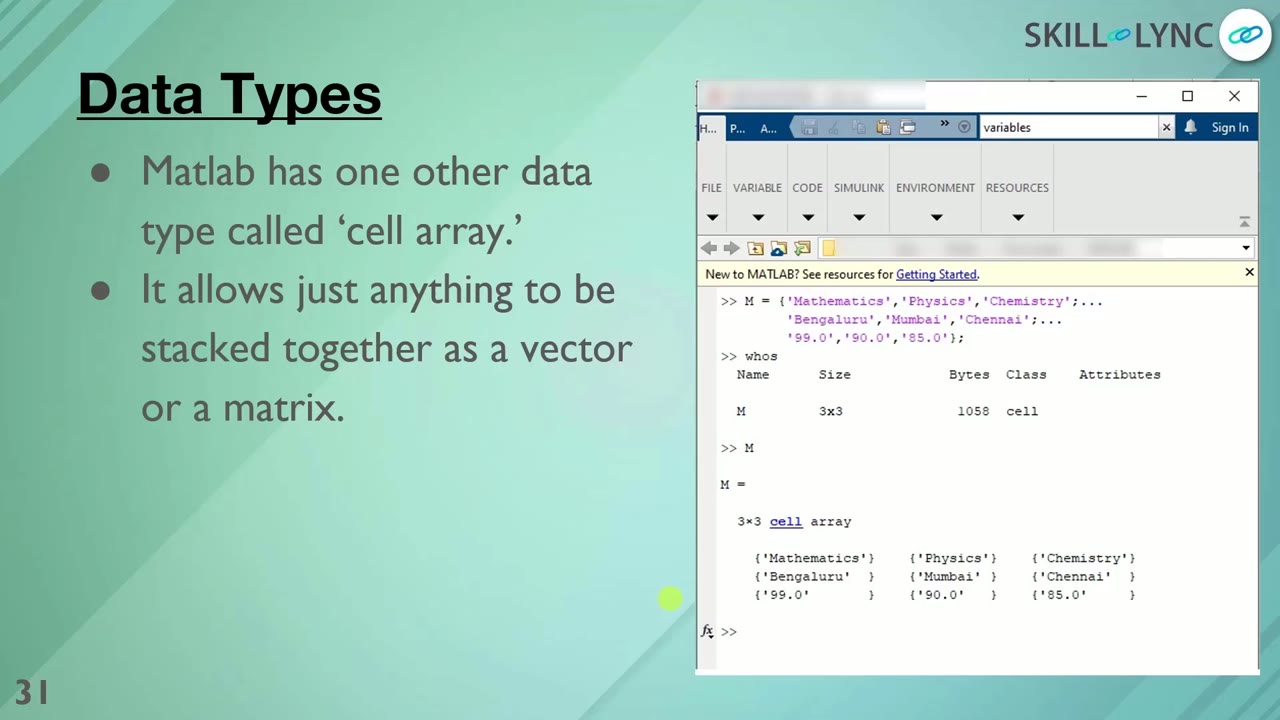 Lesson 2 · 20 minMATLAB Cell Arrays, If Statements, Loops and User InputThe lesson continues cell arrays and the ellipsis line continuation, then covers if-else with the mod function, a for loop summing 1 to 100 to give 5050, and a while loop collecting primes with isprime. It finishes with the input function and input dialog boxes.
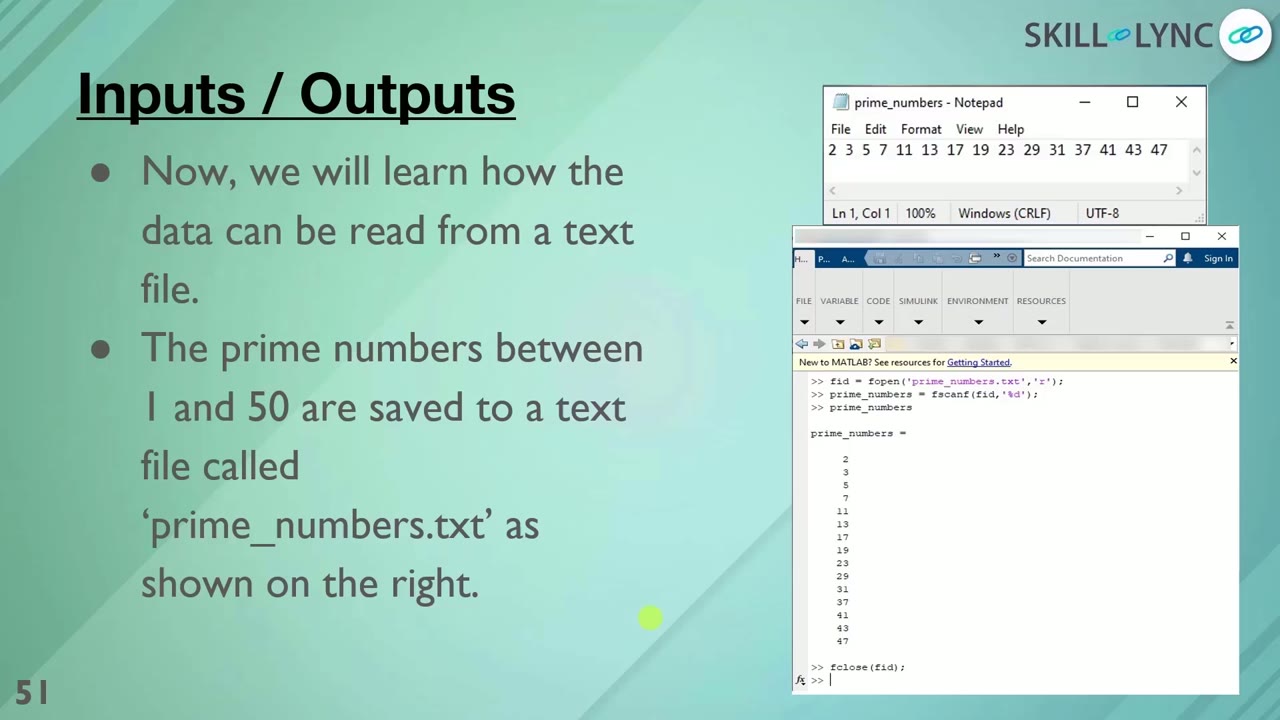 Lesson 3 · 14 minReading and Writing Files in MATLAB: fopen, xlsread, MAT FilesUsing a list of prime numbers between 1 and 50, the instructor reads text files with fopen, fscanf and fclose, reads Excel data with xlsread and comma-separated data with dlmread, and writes with fprintf. The lesson ends with saving and loading workspace variables in MAT files.
Which lessons of Matlab and Simulink Basics are free?
The first 3 lessons are free on Grow by Skill-Lync: 57 min of video from Skill-Lync's Matlab and Simulink Basics course that you can watch here at no cost: leave your name and phone number once and they play (as of 16 Nov 2026). The full course is paid (₹40,000); its other 46 lessons are listed in the outline below so you can see what each one covers.
How long is the Matlab and Simulink Basics course?
The full course has 49 lessons and 17 h 10 min of recorded video, plus the projects and assignments that come with enrolment. The free lessons alone take about 57 min, so you can finish them in an evening and decide whether to continue.
What comes after the free lessons?
Lesson 4 onwards is in the paid Matlab and Simulink Basics course on Skill-Lync, with mentor support and a certificate. For a career in MATLAB & controls, the Post Graduate Program in Electric Vehicle Design & Development goes further with industry projects and placement support.