Wiring harness routing & packaging Rules Week 3 Challenge
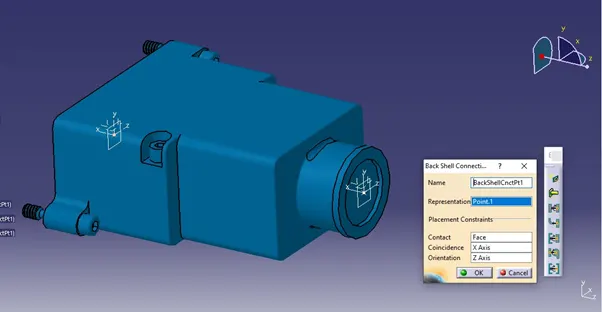
Back shell:
1) Back shell is plastic model part used at wire entry side of connector either for protection or to improve aesthetic/appearance of hardness.
2) These are not mandatory part of wiring hardness. Are always optional and driven by cost.
Initially data has been downloaded from the website. Then downloaded file is imported to the Catia software
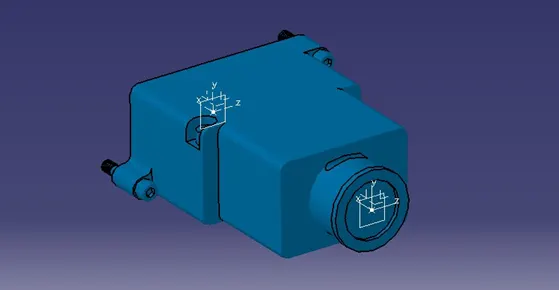
Define a point where the connector met the back-shell surface and created the plane at the point.
Switch the work bench from the part design to the electrical part design.
Define the part by clicking the “Define back shell”
P- Clamp :
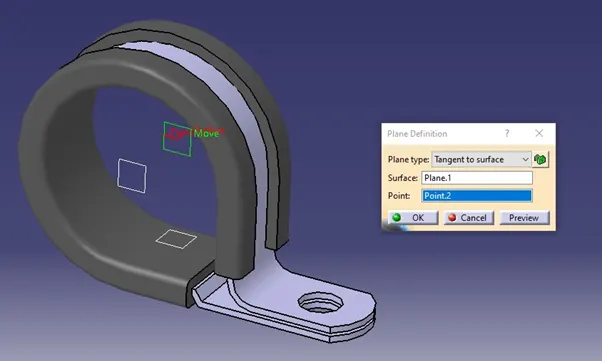
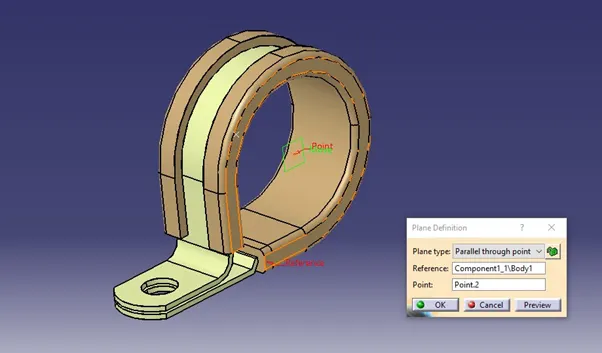
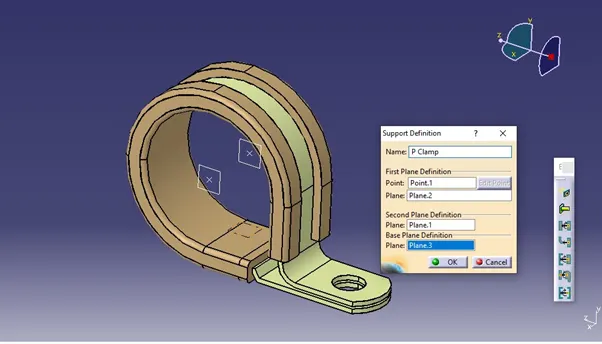
P- clamp another most important component of wiring harness which should be a define before wiring harness routing. Following important parameter required to be defined
1) Entry point plane
2) Base plane
3) Exit plane
Step to define a given data as a electrical clip
· Get the data from the given link and imported to the Catia software
· Define the geometry parameters
· Define a part as a support
· Define a entry point and & plane
· Define base and exit plane
Corrugated Tubes:
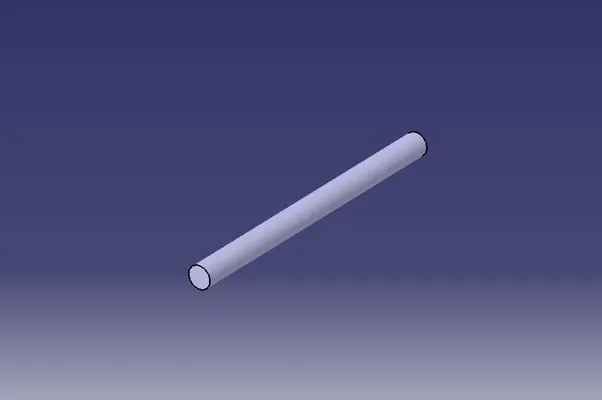
In an automotive vehicle, a wire harness includes a wire bundle which is housed and protected by a corrugated tube.
Step to crate the corrugated tubes in Catia
1) Go to create new electrical parts
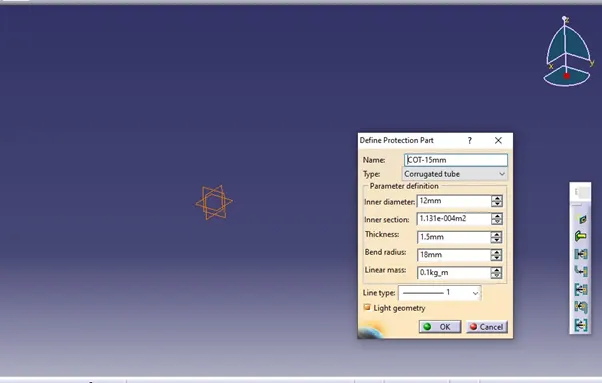
2) Select Define protection part
3) Enter the inner diameter, Inner section, Thickness, Bend radius and Line mass
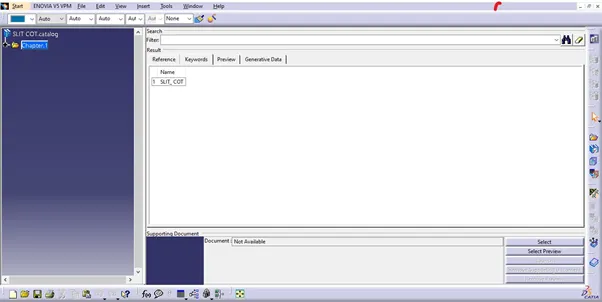
4) Create Catalogue documentation
5) Add a family in the name of COT_TUBE
6) Save the file in same folder which the tube is saved
7) Open the Store device in electrical part design and save the existing tube in catalogue section