Wiring harness routing & packaging Rules Week 3 Challenge
FOR P CLAMP:
STEP 01 : Download the iges file
STEP 02: Save it as catpart
STEP 03: make the required geometric parameter
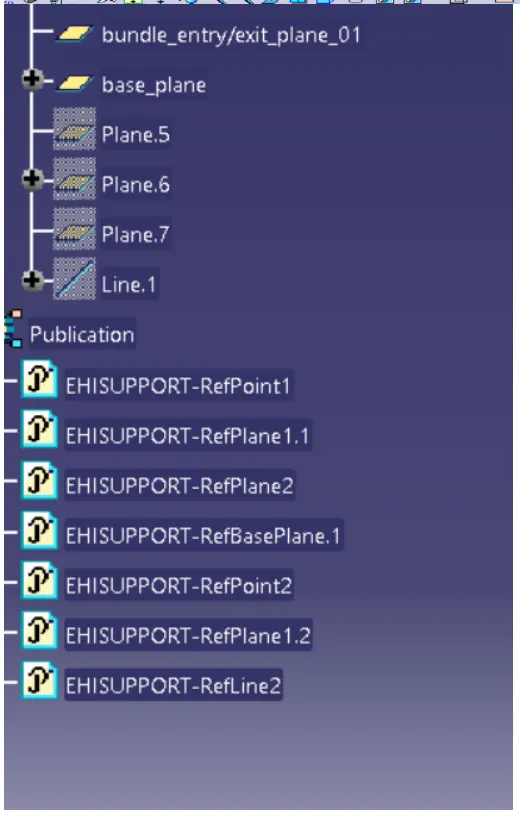
for clamp the parameter required are:
a. Bundle entry/exit point 01 and 02 (2 will be there since bundle can enter from either way)
b. bundle entry/exit plane 01 and 02
c. base plane
can be seen on the image below: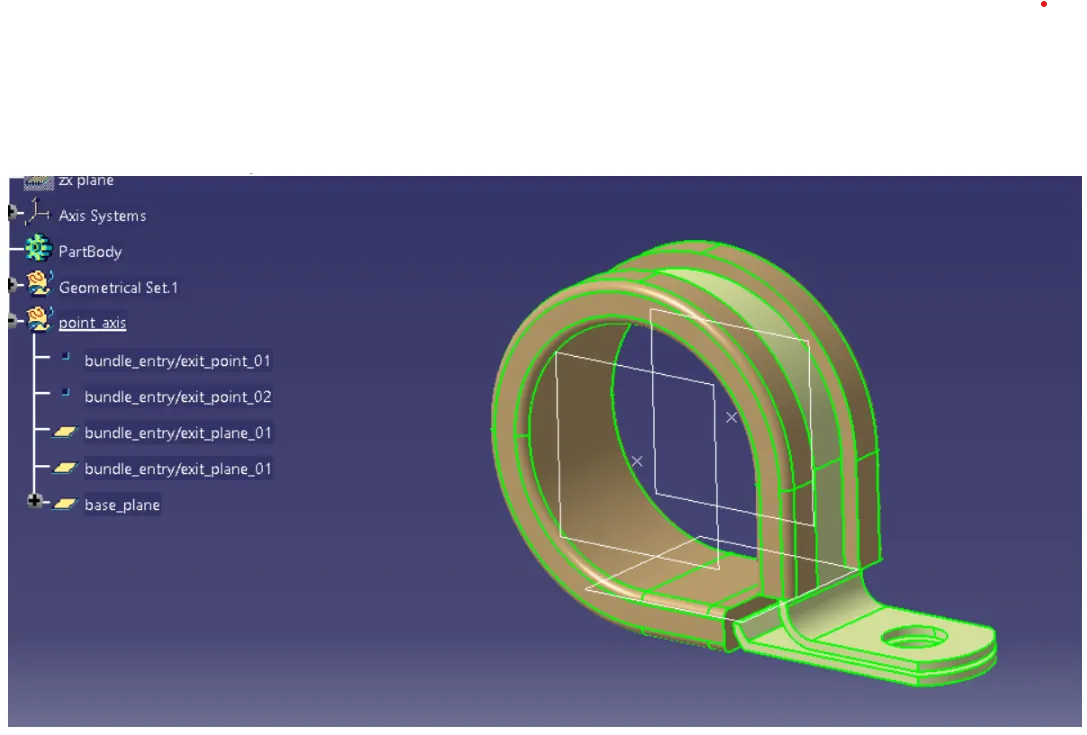
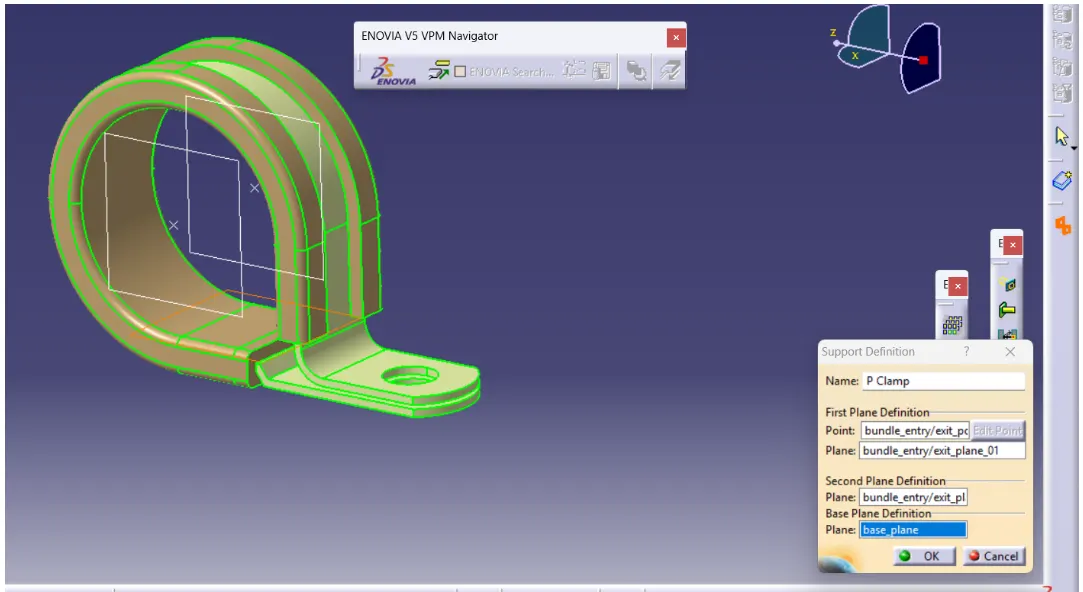
step 04 : Define the part as support part as shown below:
step 05: again define it as support from other side entry point as shown below:
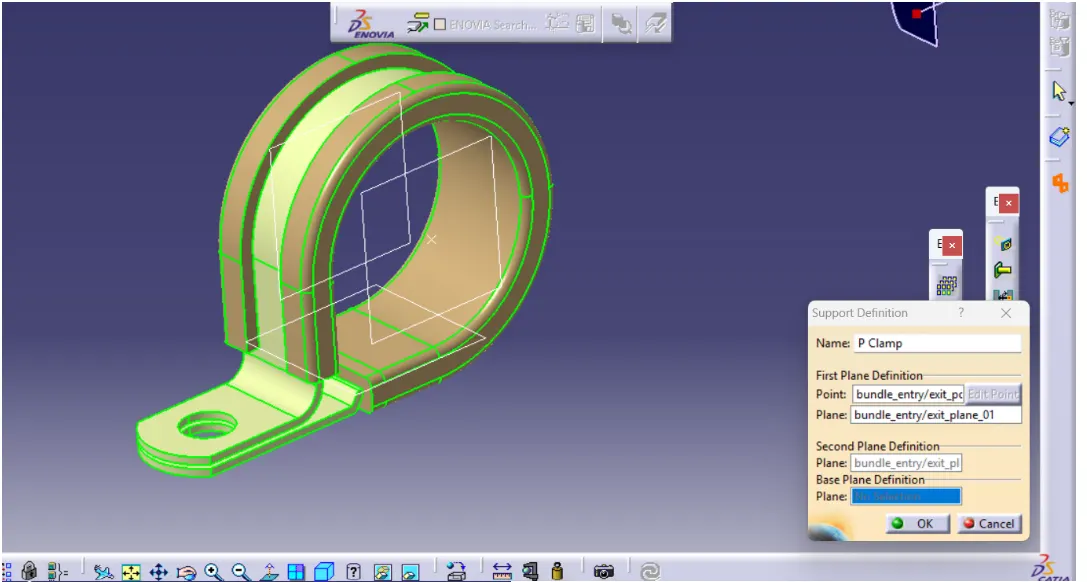
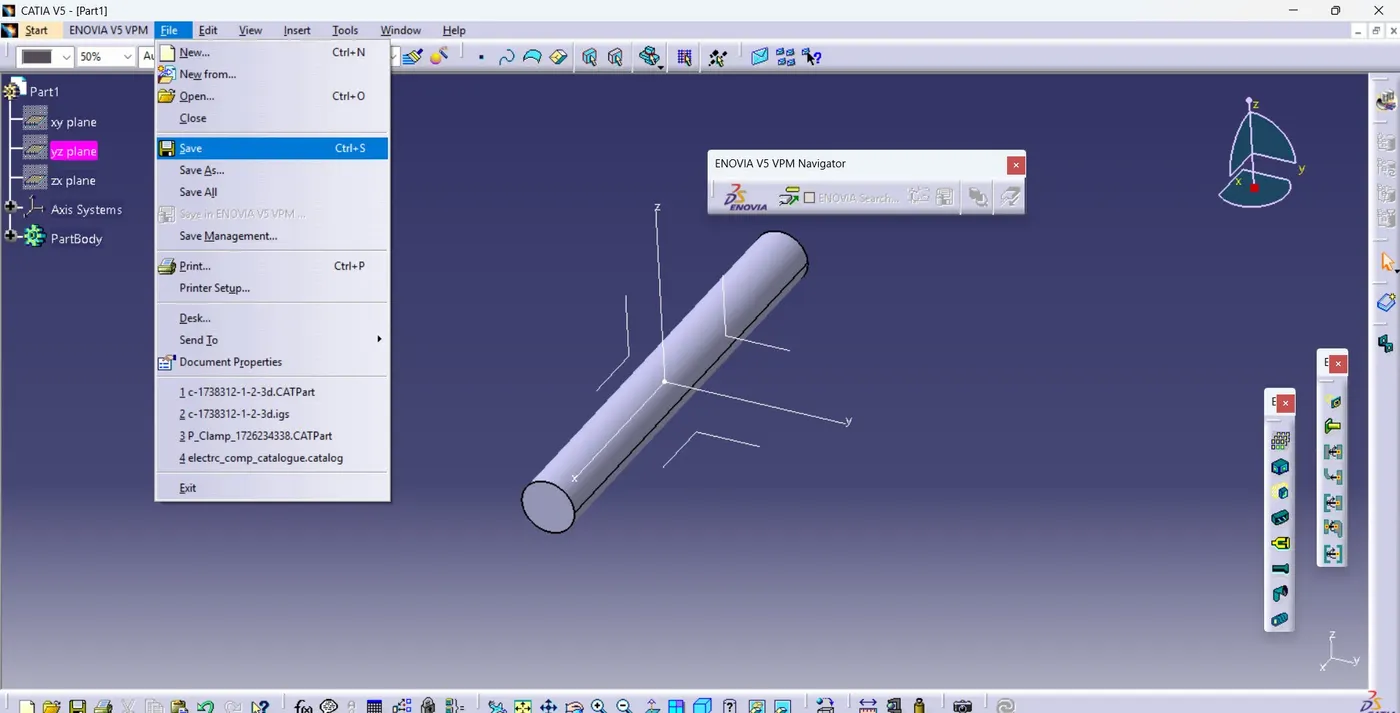
step 07: save the part first
step08 : add it in the catalogue if catalogue is already present or else create catalogue as shown below:
created catalogue and added family which are needed onto them.
p-clip has been added as : standard part
cot-tube has been added as : conduit
and backshell has been added as : electrical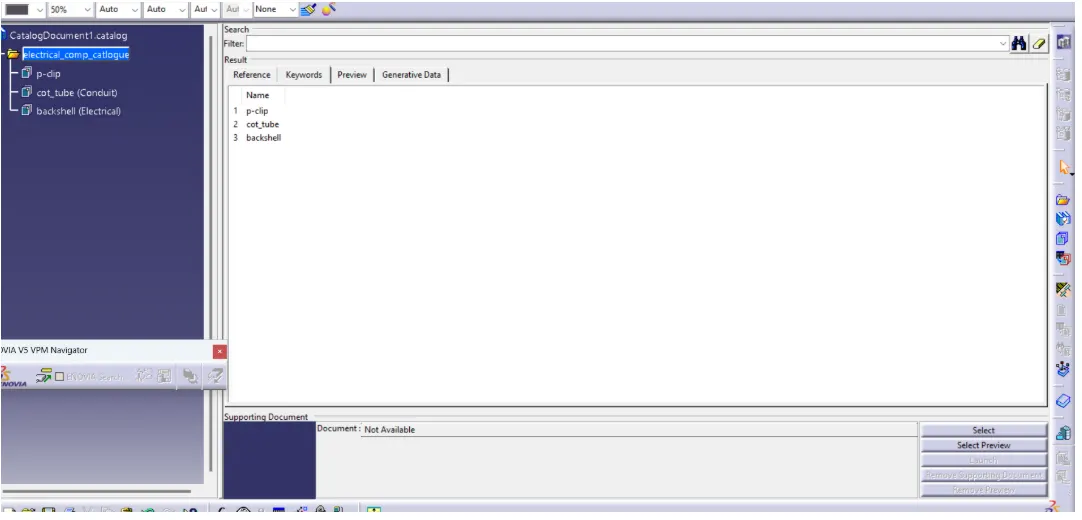
save the catalogue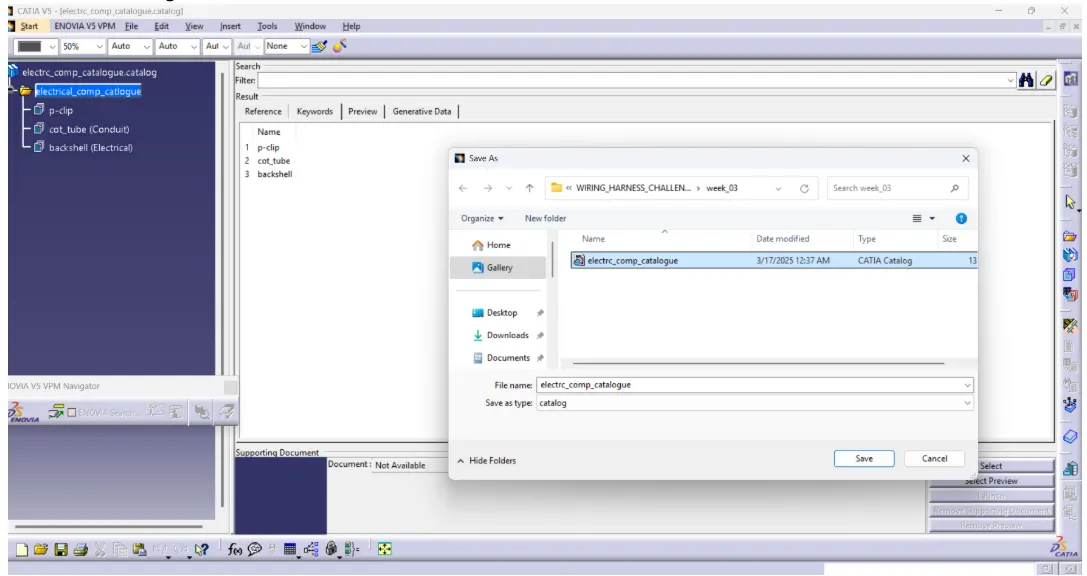
step 09: save the part first
step 10: now add the part into the library: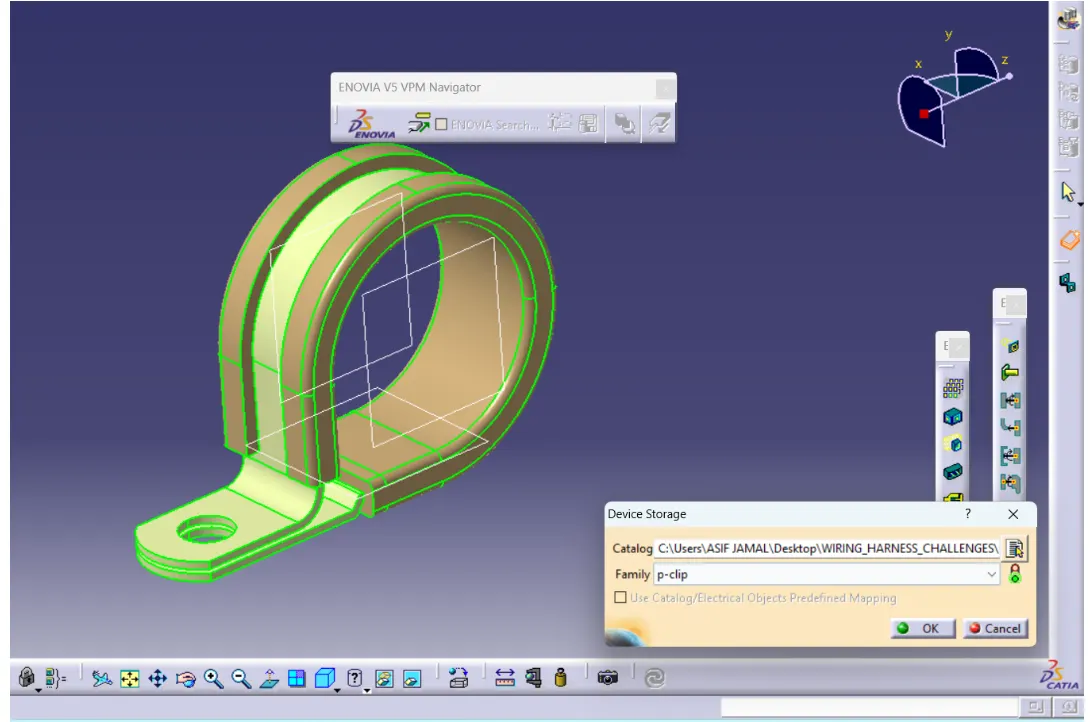
--------------------------------------------------------------------
for backshell tyco -1738312
step 01: make the geometric parameter 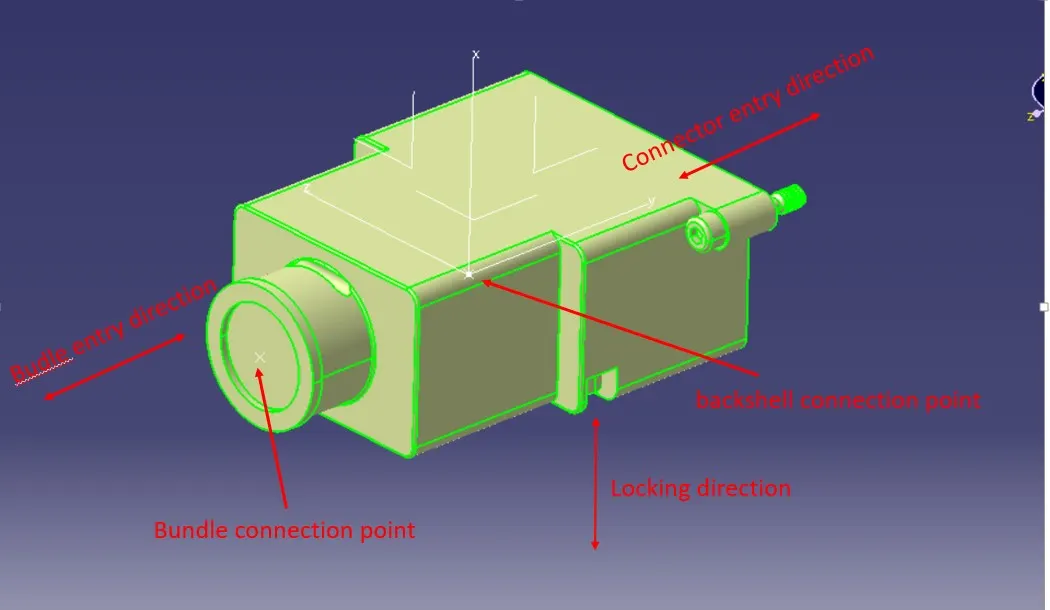
step 02: define part as backshell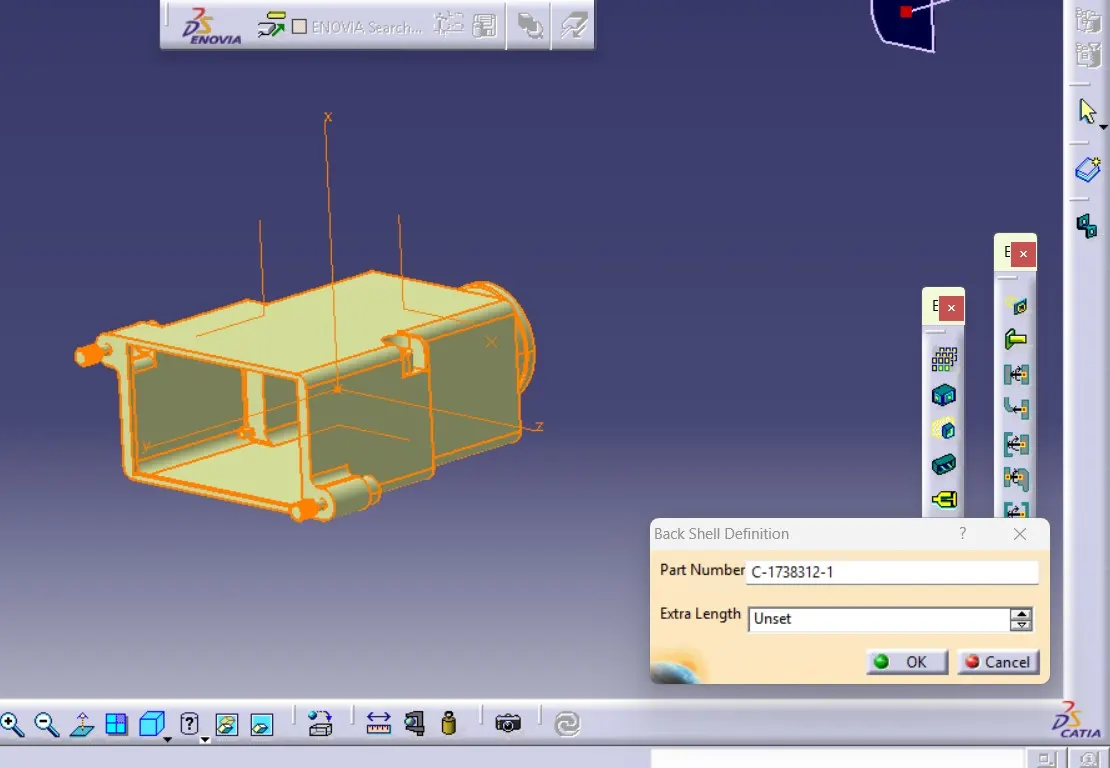
step 03: define backshell connection point
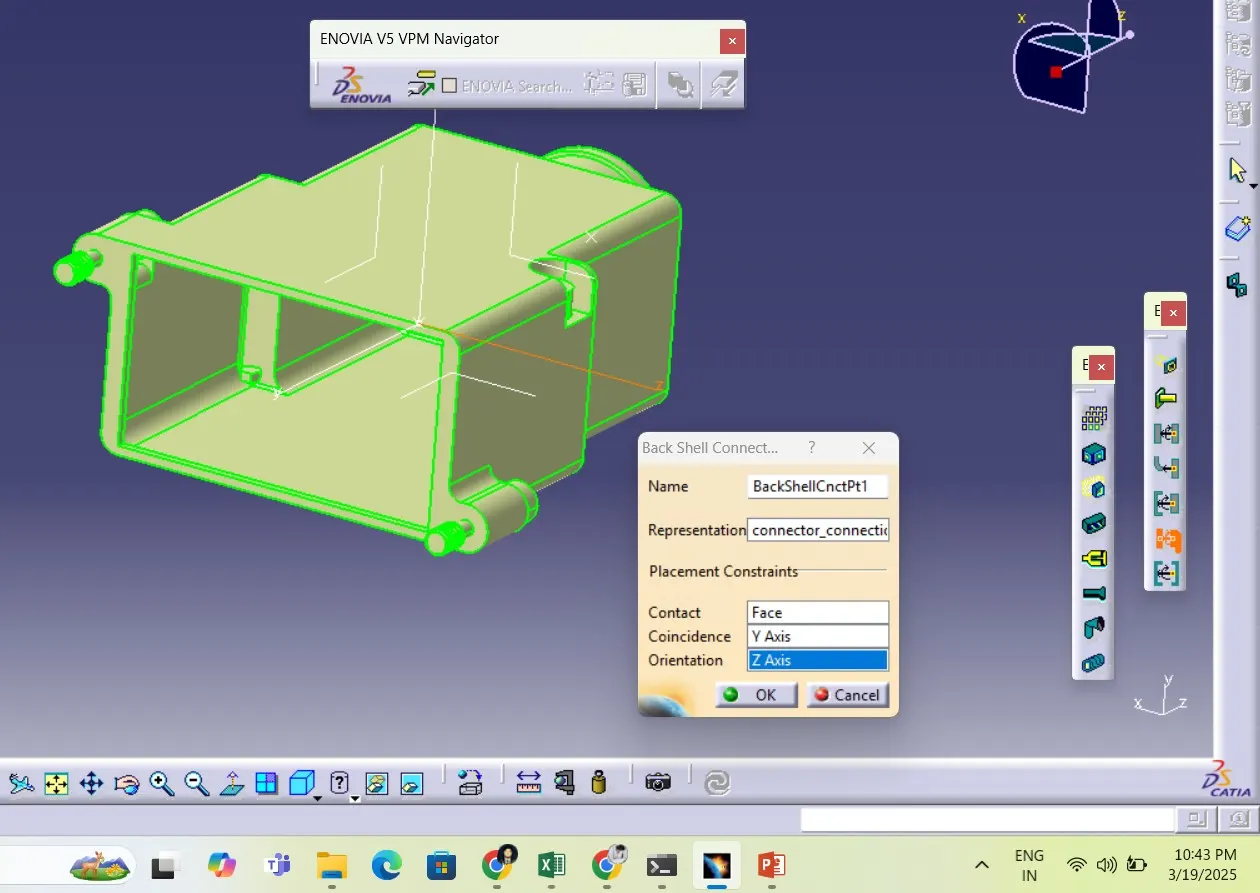
step 04: define bundle connection point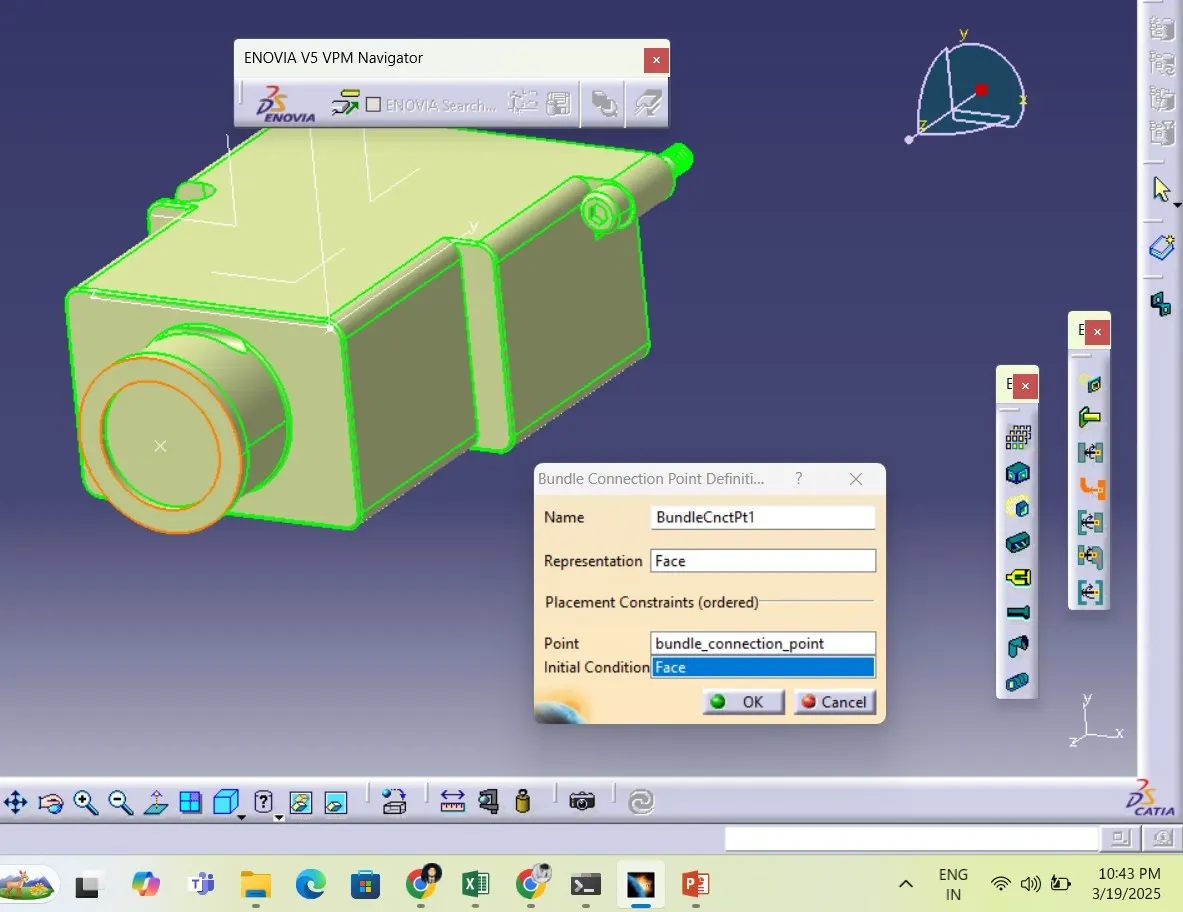
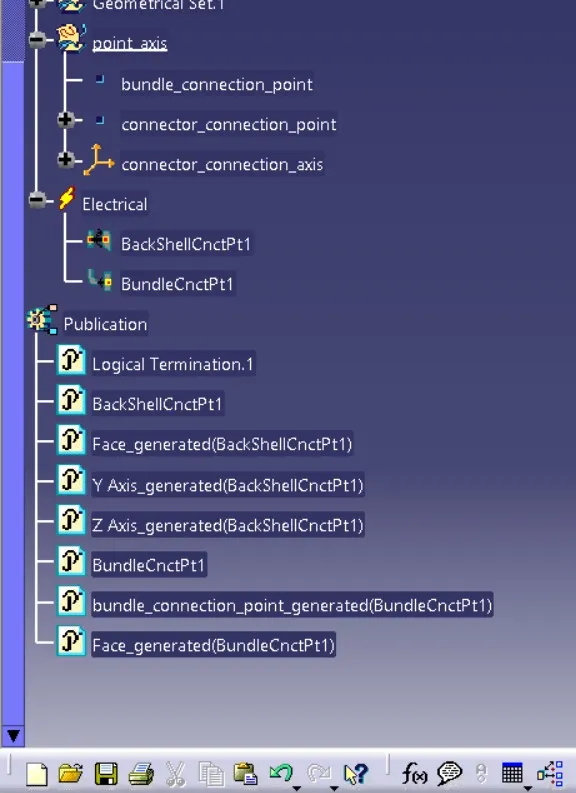
step 05: save the part
step 06: save the part into the already created catlogue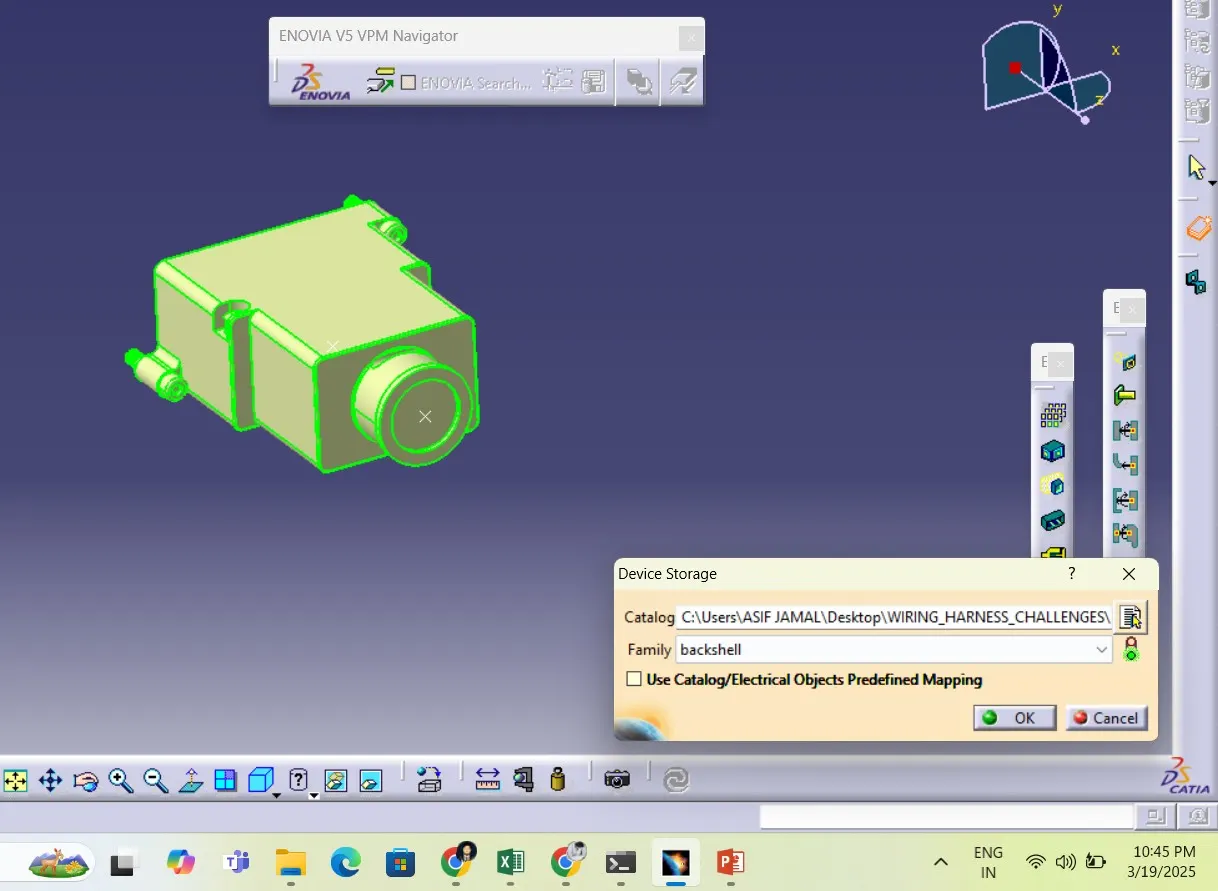
step 07: check the part presence in catlogue by opening it into new product through catalogue insertion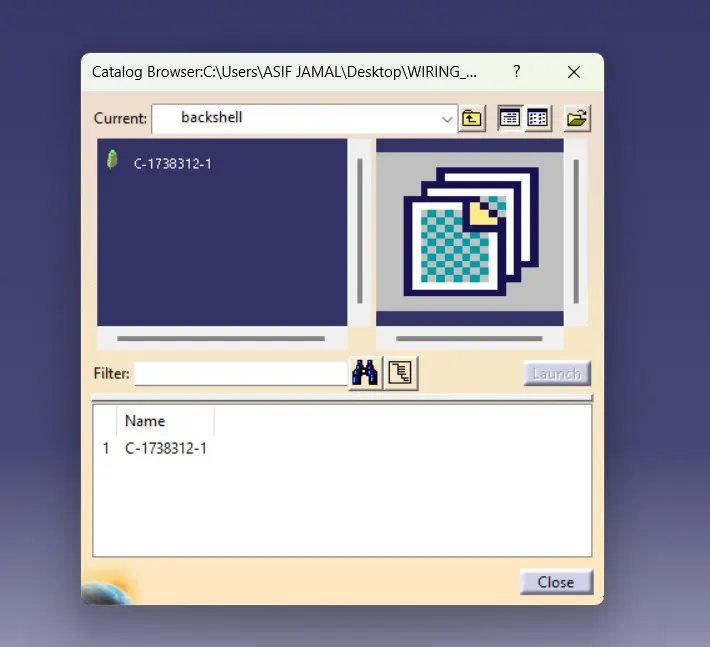
--------------------------------------------------------------------------------------------
Protective covering:
some important point to know:
1. The corrugated tube in the Catia work bench is just for visual representation , it does not mean that it should be exact representation like fluted shape.
2.The radius of the tube is the supplier product specification , as wiring harness engineer we are suppose to select the required dia according to our need
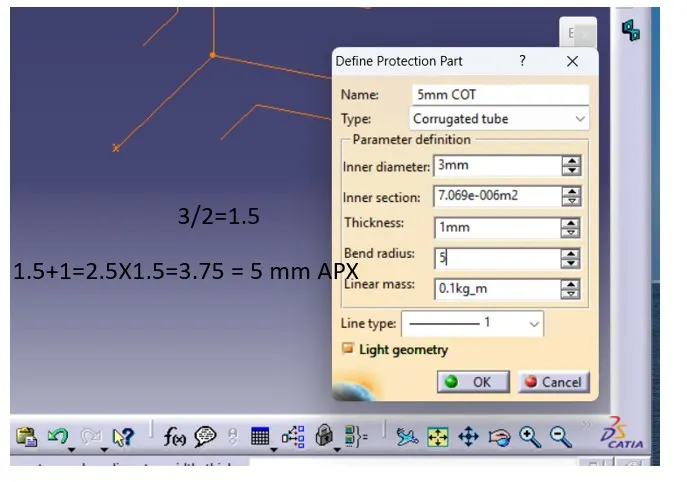
3.Bend radius should be at least 1.5 times the outer dia not the inner, basically the bend dia also depends upon the material and the material thickness softer material could have lesser bend radius and harder will have larger bend radius
4.For using the protective covering into the harness assembly we are suppose to add all predefined cot tube into the catalogue first then we will be pulling it into the assembly from catalogue as and when required.
lets create one corrugated tube and add it into the catalogue , similarly we will do for the other dia as well:
step 01: take new part name it as 15mm cot:
step 02 : select protective covering button .
step 03: then select the part body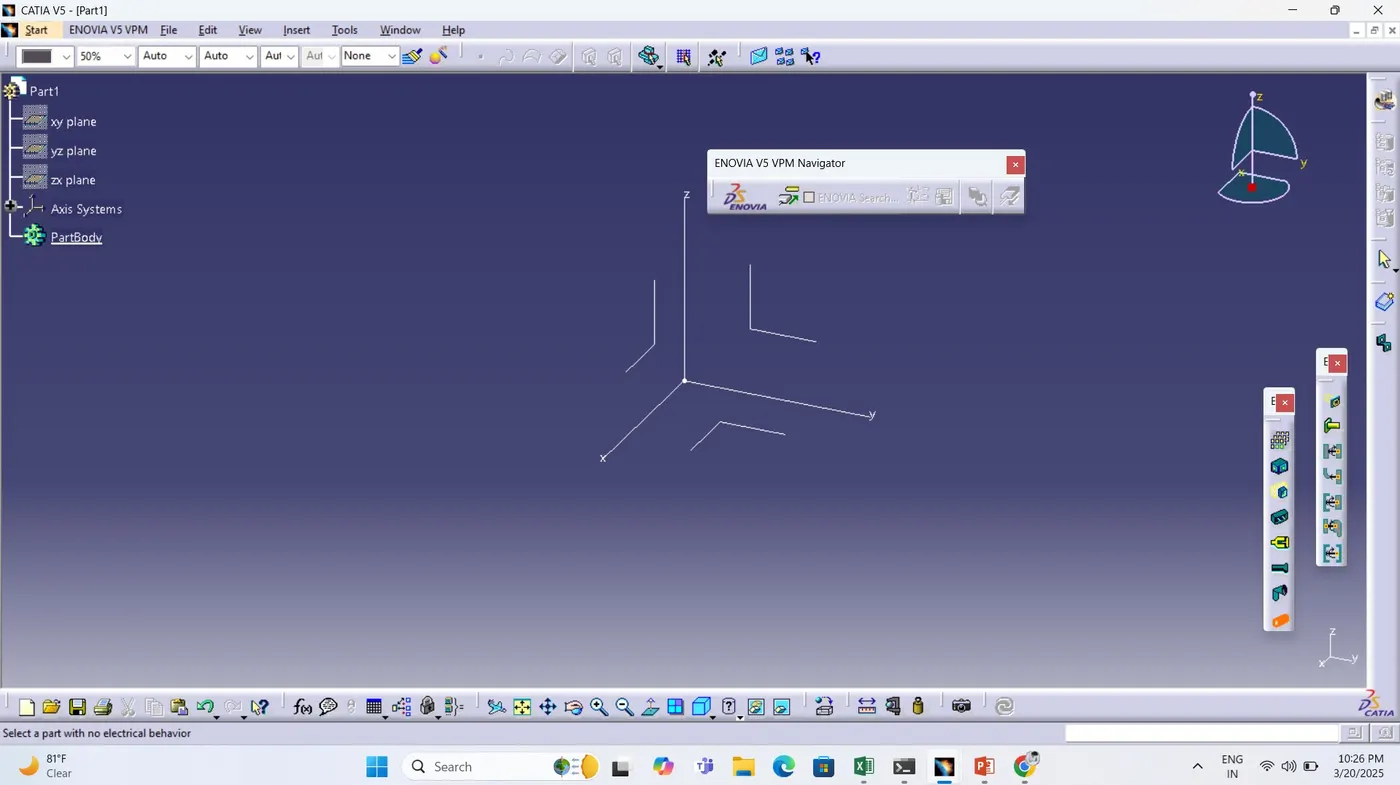
step 04: protective covering definition window will open , fill the details as per requirement 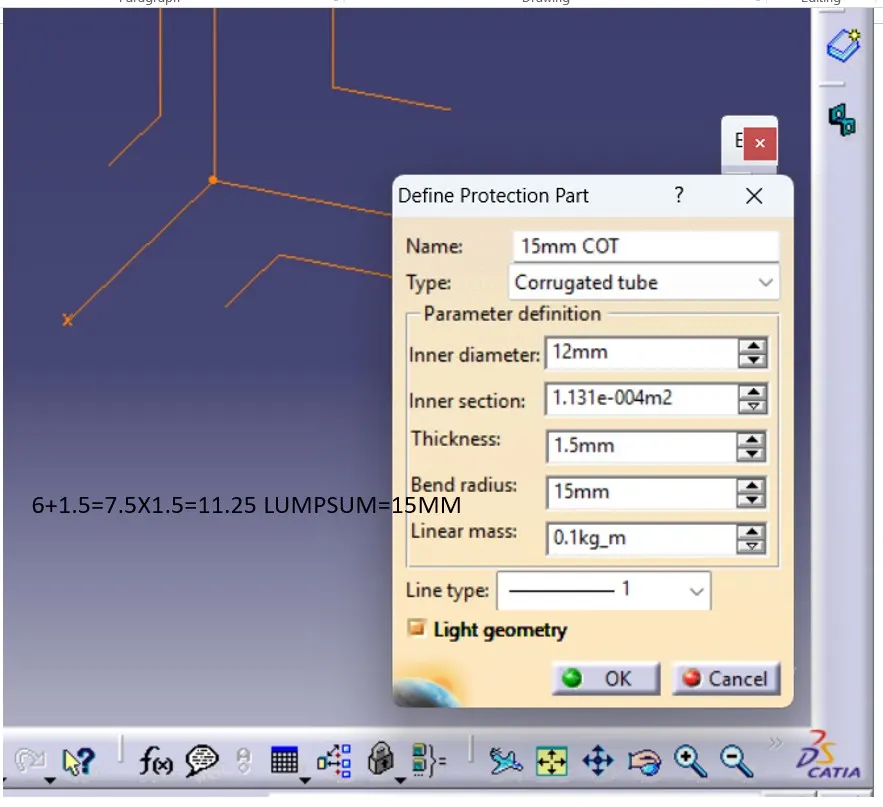
similarly fill it for all other cot tube,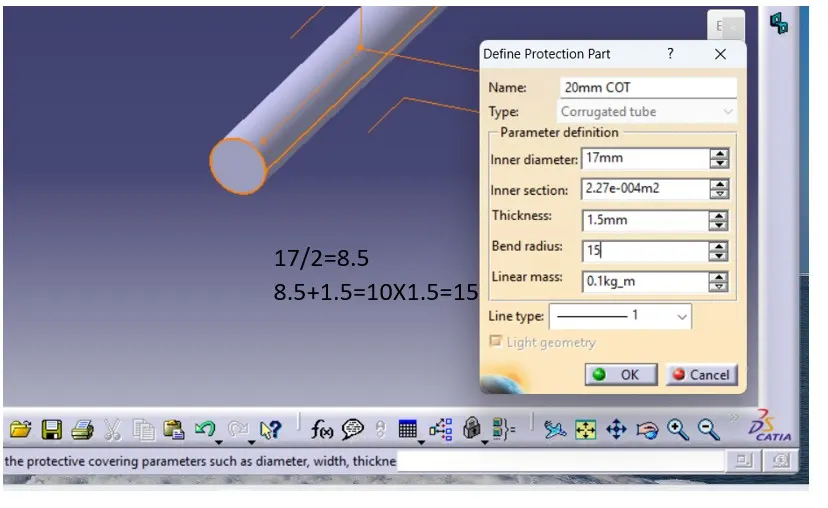
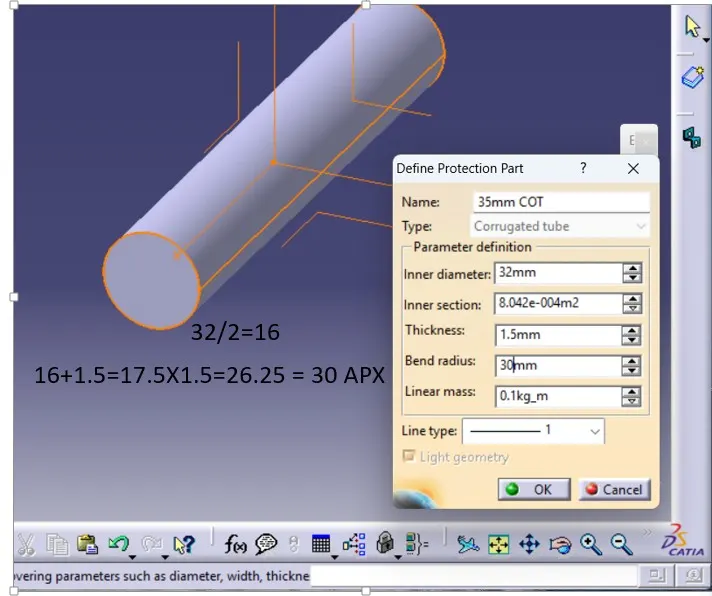
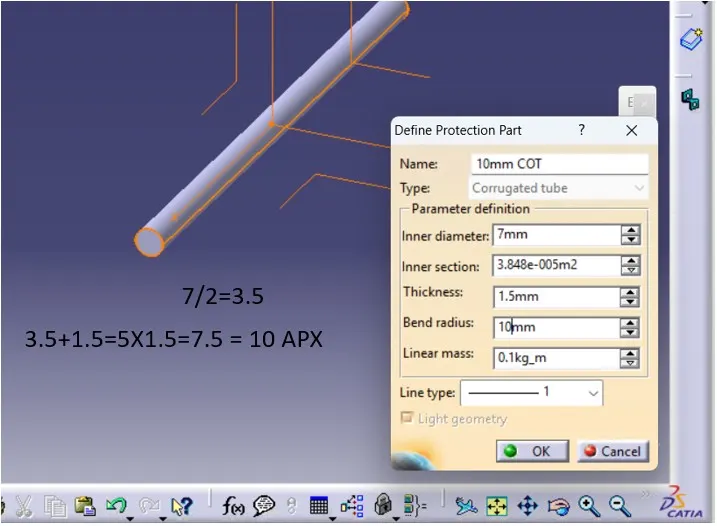
step 05: save each individual cot tube
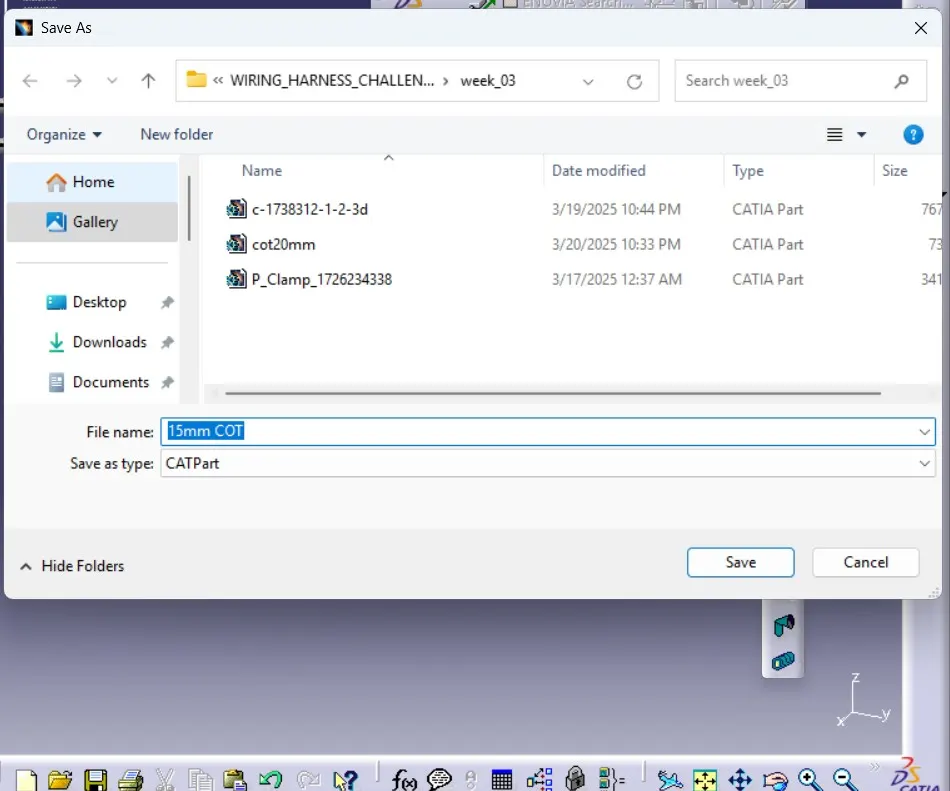
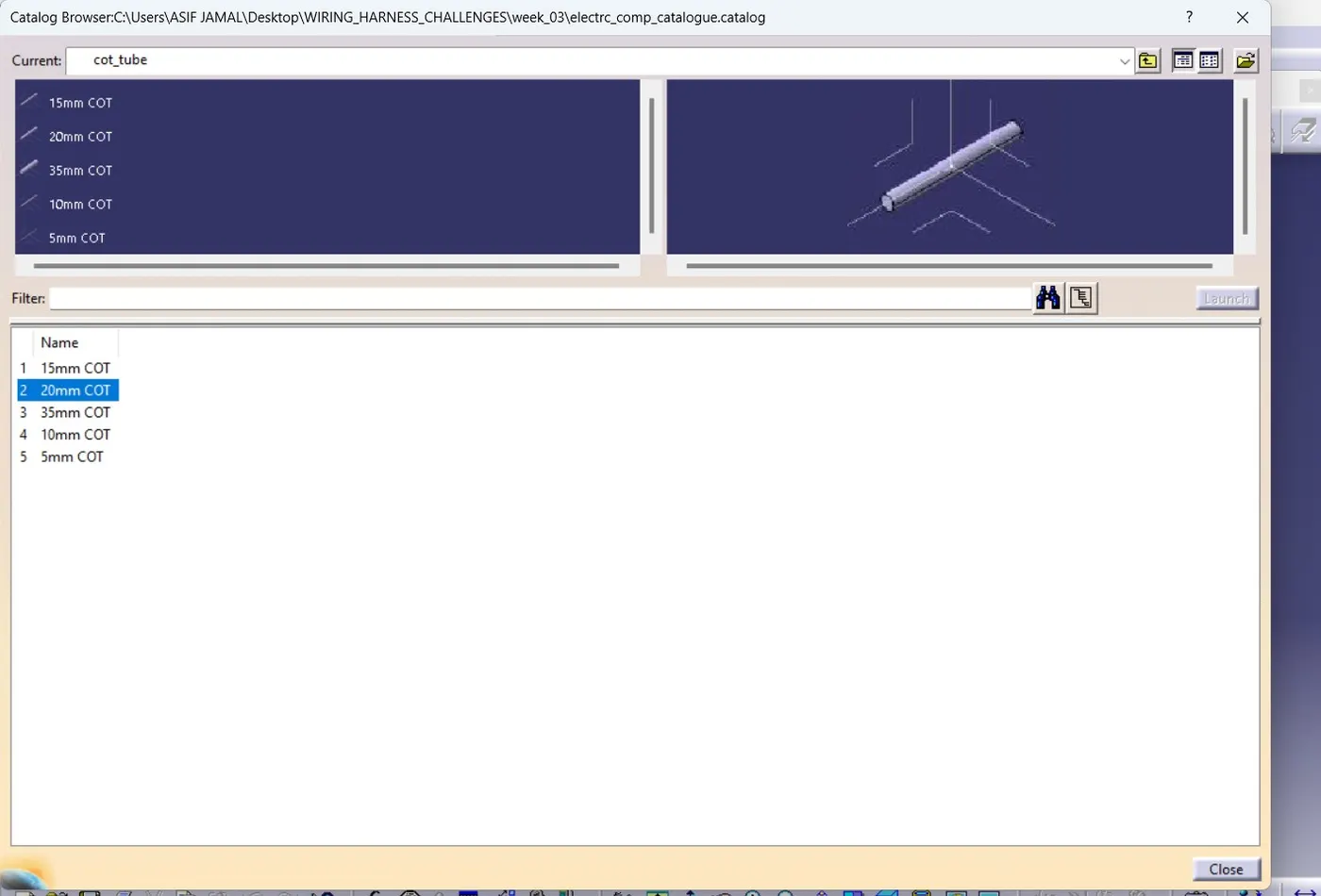
step 06: save it into the catalogue as d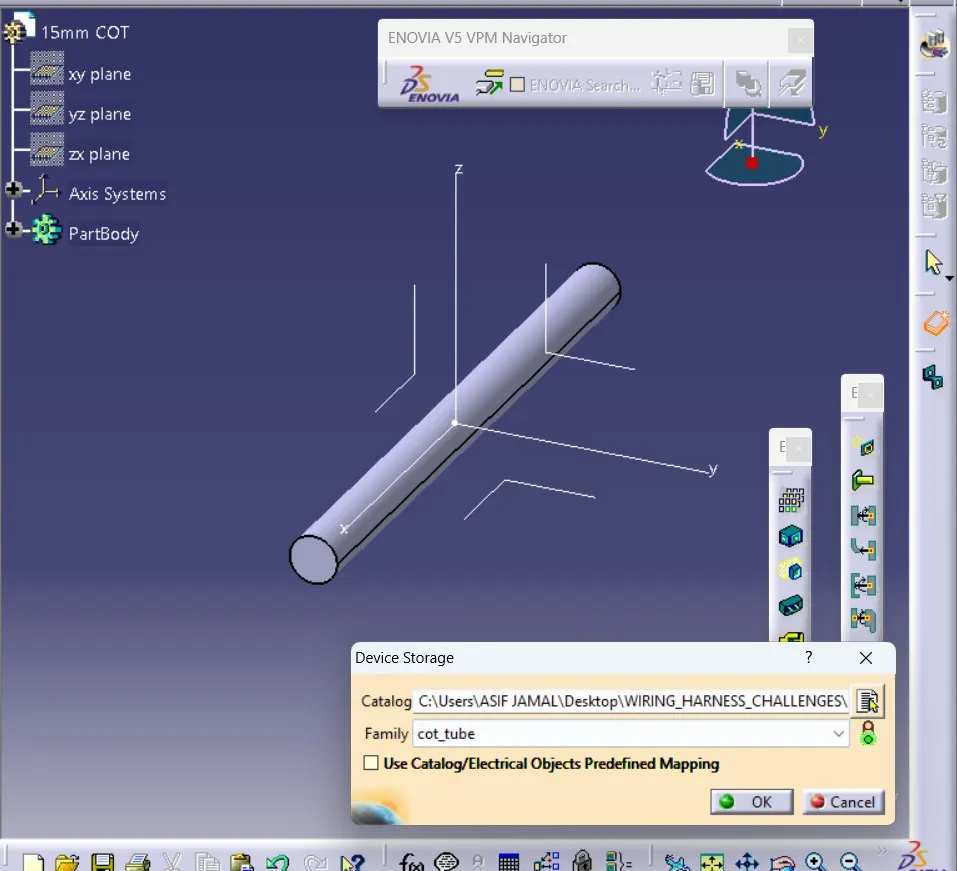 step 07: open the catalogue and check if all available.