Wiring harness routing & packaging Rules Week 3 Challenge
Wiring harness routing & packaging Rules
1. AIM - To define Electrical support using Electrical Part design Workbench the P clamp necessary properties.
The P clamp important Compometn of the wiring harness which should be defined before wiring harness routing.Following important parameters require to be defined.
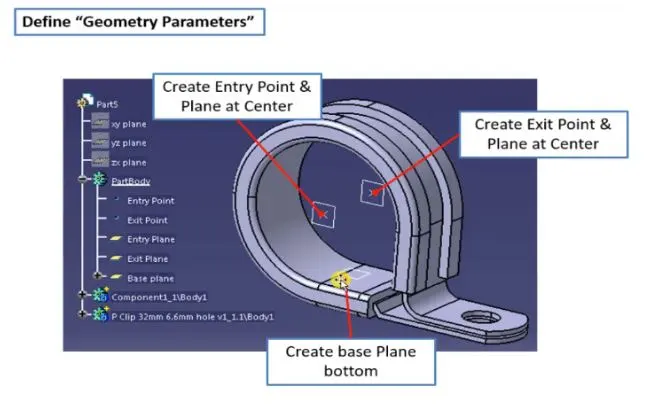
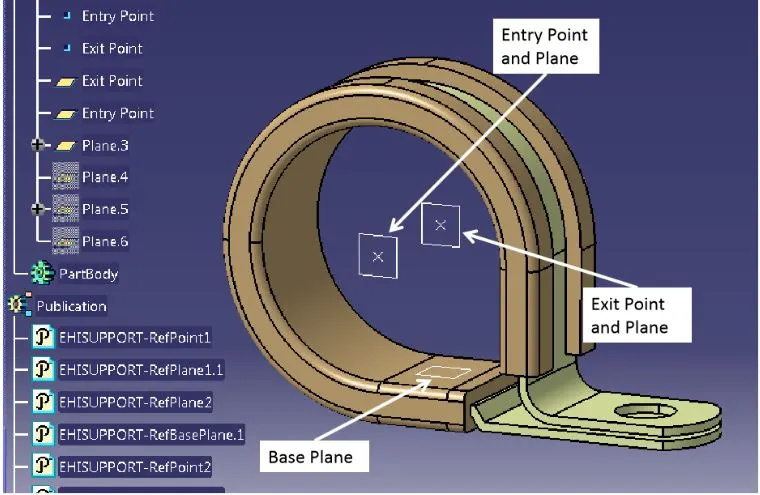
· Entry Point and Pane
· Base Plane
· Extite Plane
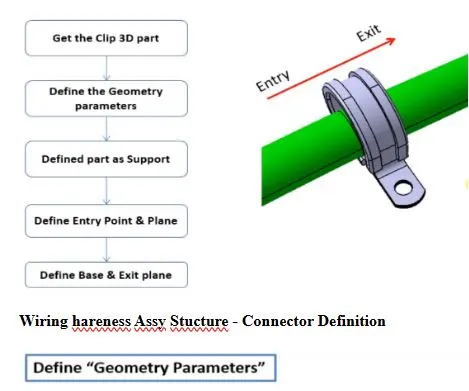
Wiring hareness Assy Stucture - Connector Definition
Process:
· Create two points one as entry and another as exit point.
· create planes at two points and another at base.
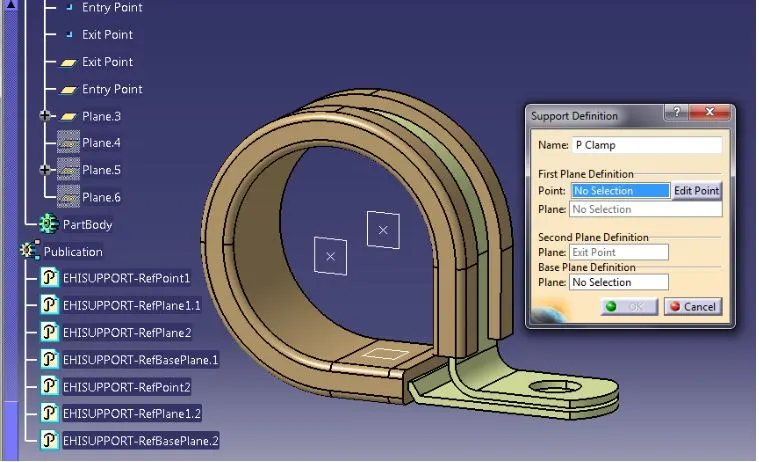
· Switch to Electric part design
· Click on support definition - select part - select entry point - select entry plane, exit and base plane.
· Again Click on support definition - select part - select exit point - select exit plane and base plane as secondary plane is automatically taken.
AIM - Define the Back Shell as Electrical back shell Tyco 1738312-1 using Electrical Part design Workbench. Define all the necessary properties.
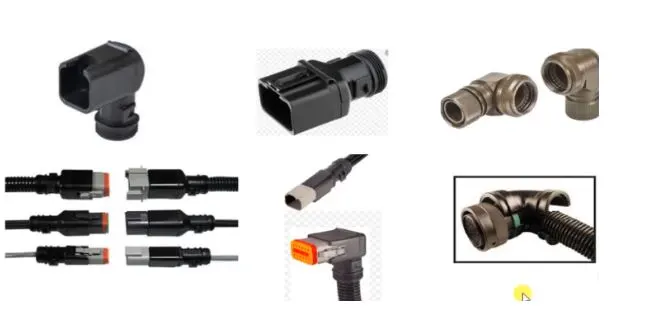
Backshell basics
· Backshell are plastic moulded parts used at wire entry sideof connectores either for protection or thoimprove aesthetics/appearence of of harness.
· These are not mandatory harness are always optional and driven by cost.
Define the backshell
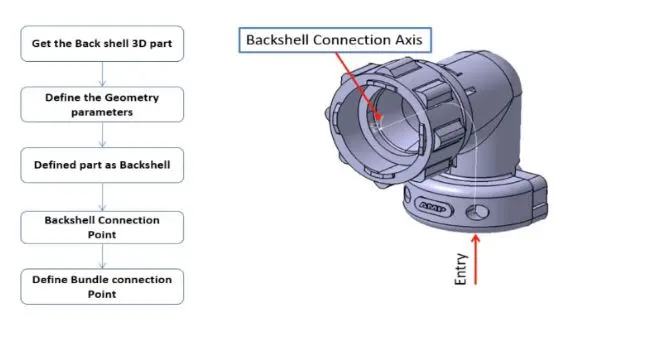
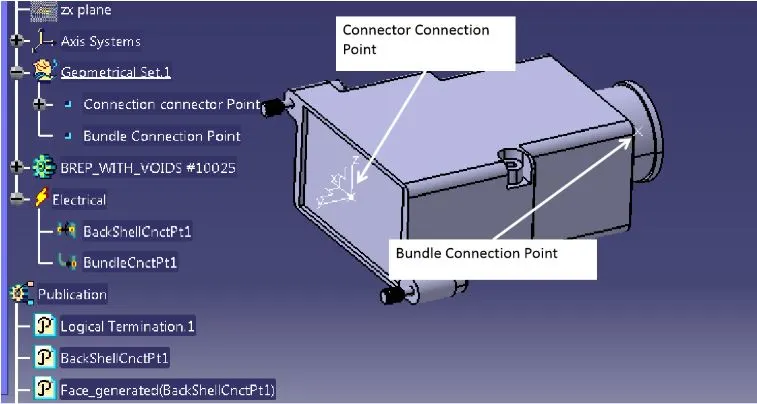
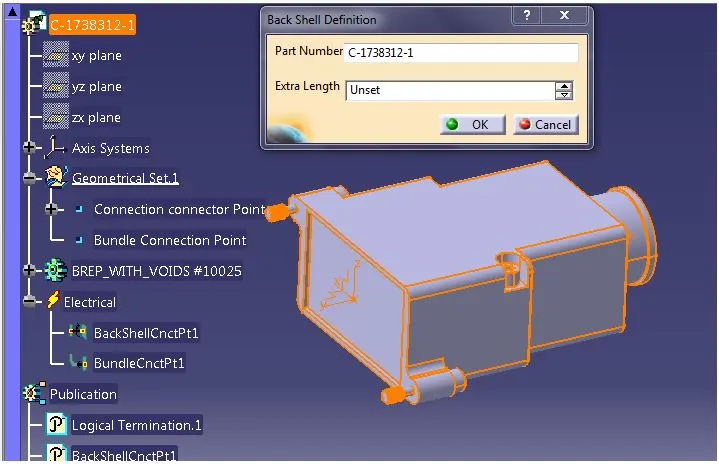
Process:
· create Back shell entry point.
· create axis system for back shell entry.
· create bundle connection point.
· switch to Electrical part design.
· Define part electricaly as back shell.
· Then define Back shell connection point.
· Define bundle connection point.
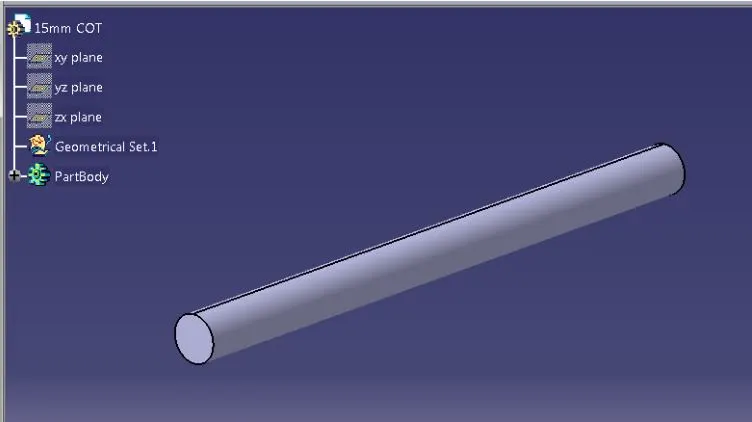
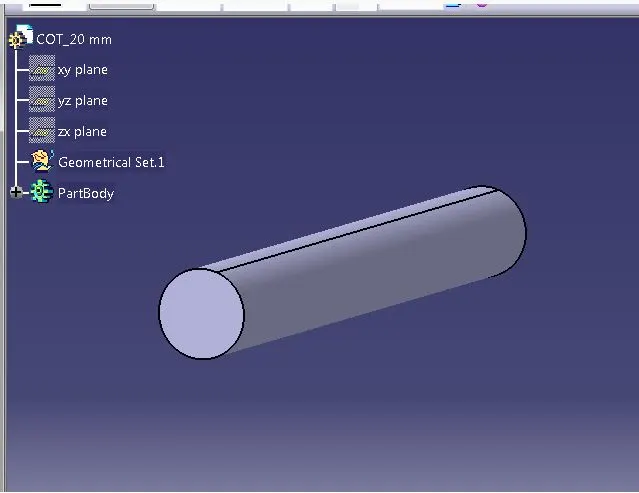
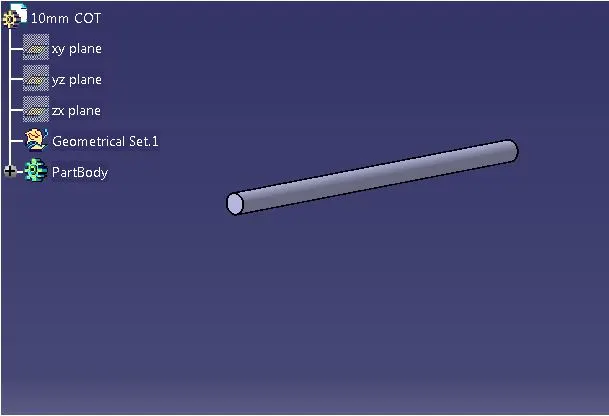
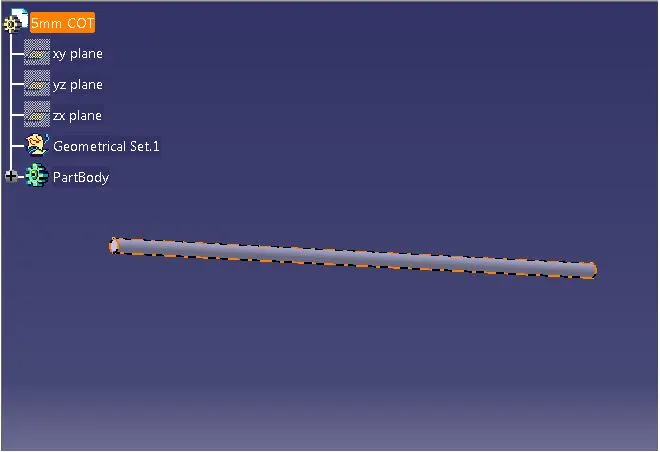
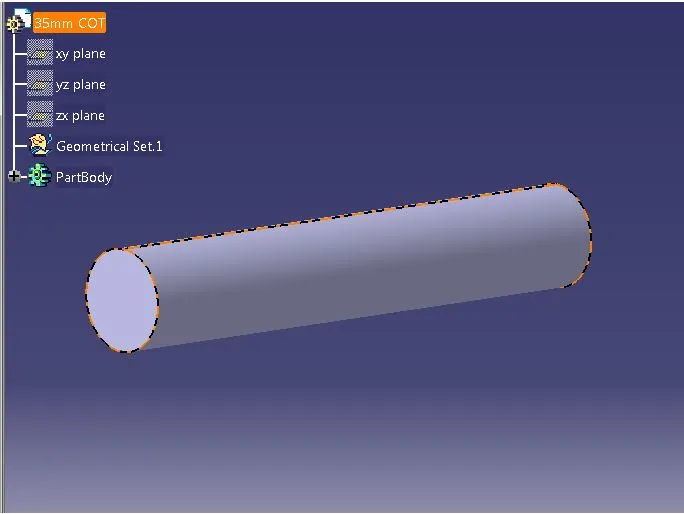
AIM - Create Following Corrugated tubes & Add them in Catalogue under “Slit COT” family.
|
Name |
ID (mm) |
OD (mm) |
Thickness (mm) |
|
15mm COT |
12 |
15 |
1.5 |
|
20mm COT |
17 |
20 |
1.5 |
|
35mm COT |
32 |
35 |
1.5 |
|
10mm COT |
7 |
10 |
1.5 |
|
5mm COT |
3 |
5 |
1 |
Process:
· Switch to Electrical part design
· Select Define protection Part
· Click on part (on file name in specification tree)
· Provide given parameters and bend radius as '1.5 x Outer Dia'.
· Catalogue Cretation
· new part - catalogue document - add family - give name - type - select Conduit - save.
· Open part to add catalogue - store device command - select catalogue - family - Slit_cot_tube - ok
Thank you