Wiring harness routing & packaging Rules Week 3 Challenge
Q1. Download following cad data & define it as Electrical support using Electrical Part design Workbench. Define all the necessary properties.
P CLAMP :.
- To join all the surface using surface work benchand make it closed body.
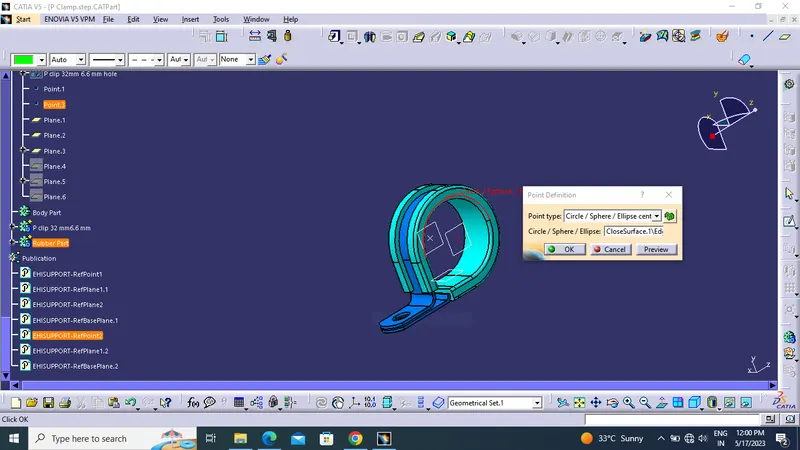
- Create the point using part design workbech.
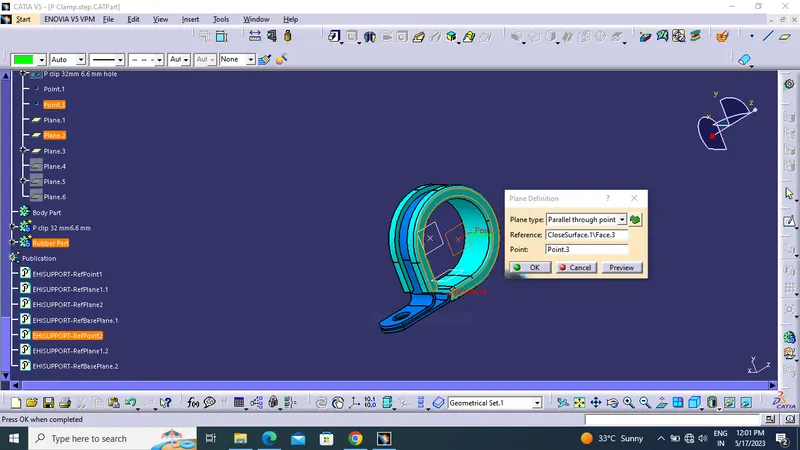
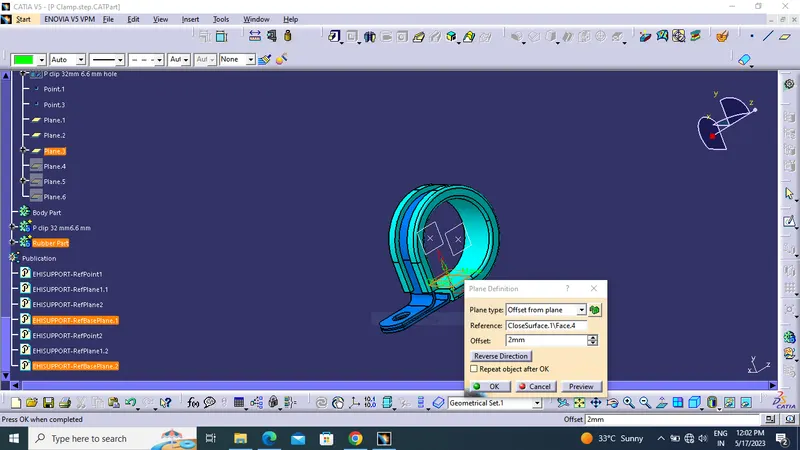
- Create the plane using parallel through point and offset from surface.
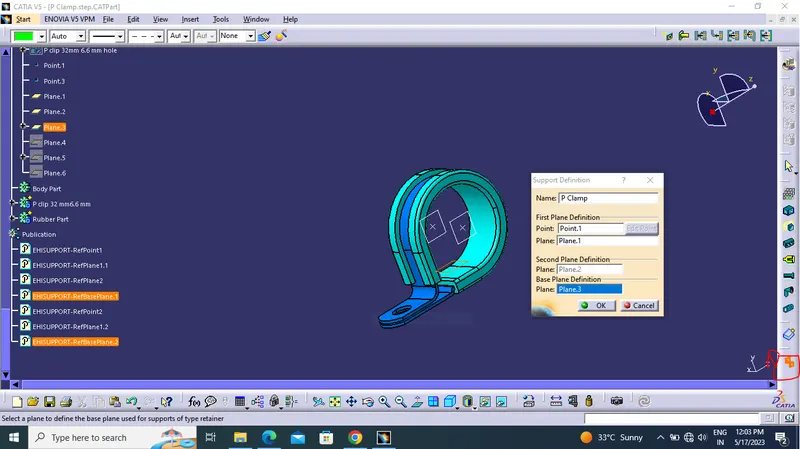
- Switch to electrical part design , give the support definition tool.
- Give the correct point and plane for entry ,exist & base plane.
POINT CREATION:
PLANE CREATION:
SUPPORT DEFINITION:
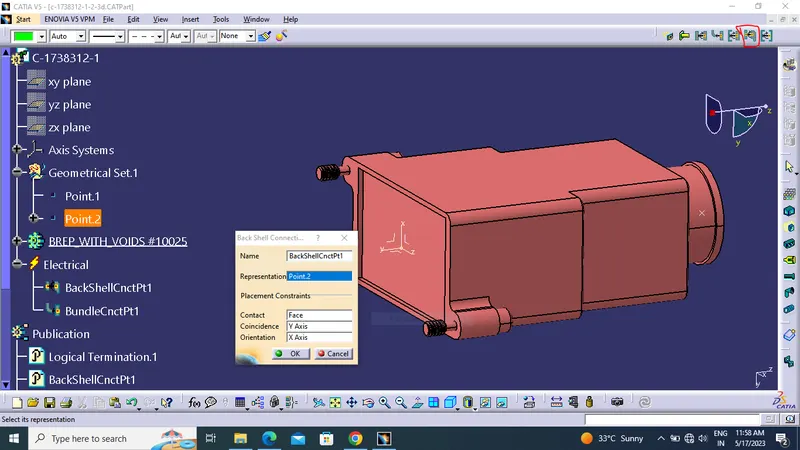
Q2. Download following Back shell cad data & define it as Electrical back shell using Electrical Part design Workbench. Define all the necessary properties.
Tyco 1738312
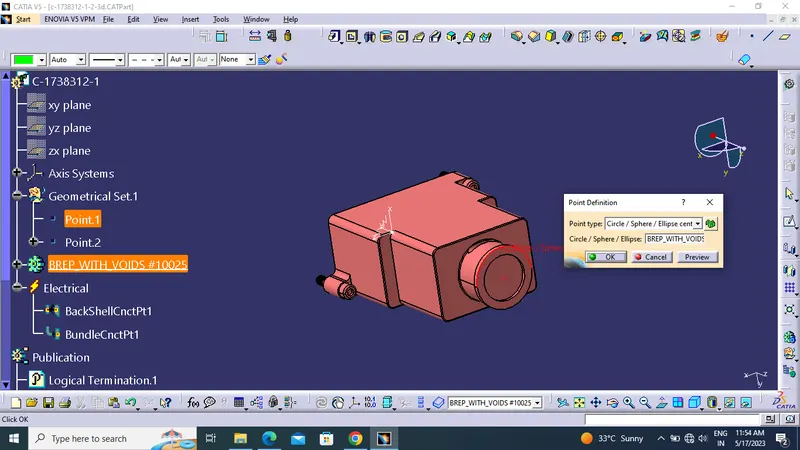
- Create bundle entry point.
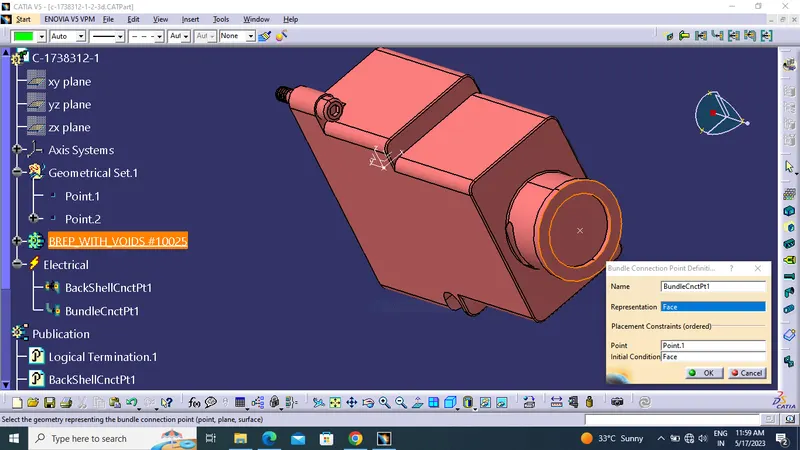
- Define bundle connection point
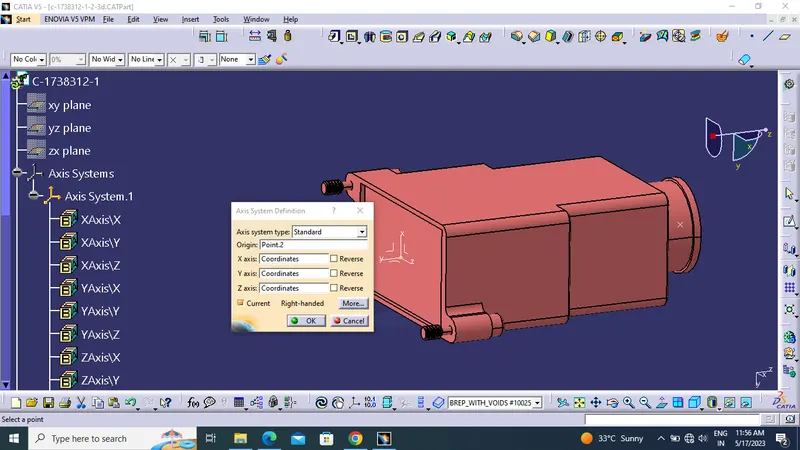
- Create backshell entry point and axis.
- Switch to electrical part design and define backshell to the compound.
- Then define the backshell connection.
POINT AND PLANE CREATION:
DEFINE BACK SHELL:
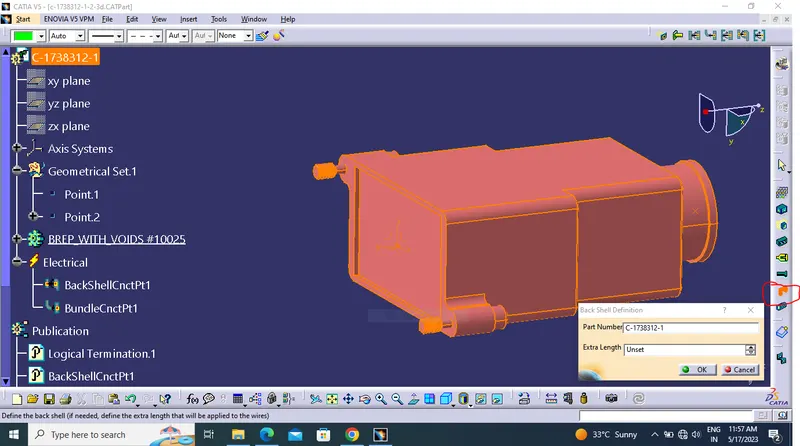
DEFINE BACK SHELL CONNECTION:
DEFINE BUNDLE CONNECTION:
Q3. Create Following Corrugated tubes & Add them in Catalogue under “Slit COT” family.
|
Name |
ID (mm) |
OD (mm) |
Thickness (mm) |
|
15mm COT |
12 |
15 |
1.5 |
|
20mm COT |
17 |
20 |
1.5 |
|
35mm COT |
32 |
35 |
1.5 |
|
10mm COT |
7 |
10 |
1.5 |
|
5mm COT |
3 |
5 |
1 |
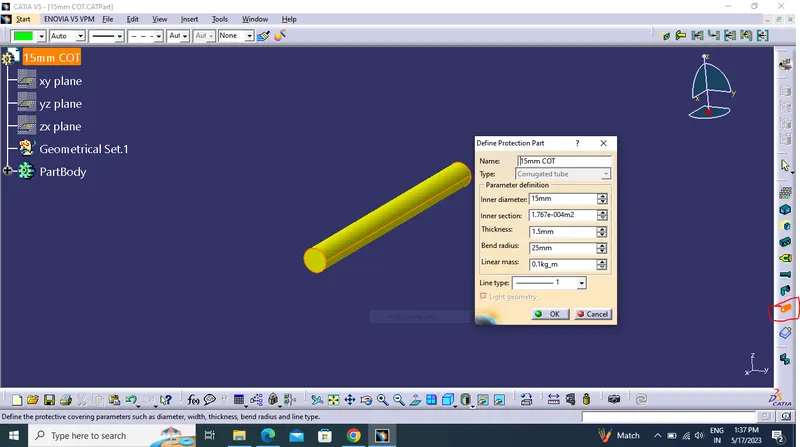
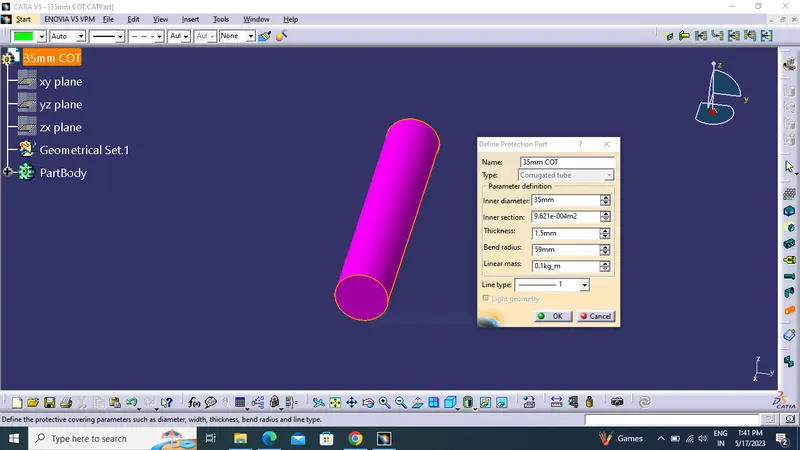
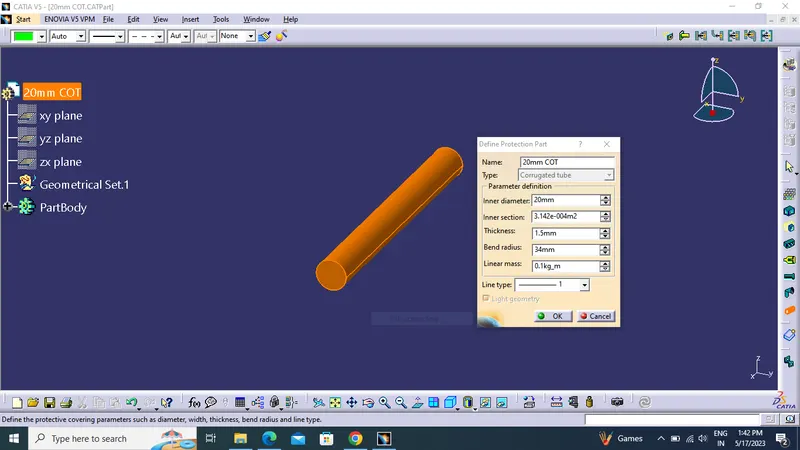
CORRUGATED TUBE:
- Switch to electrical part design.
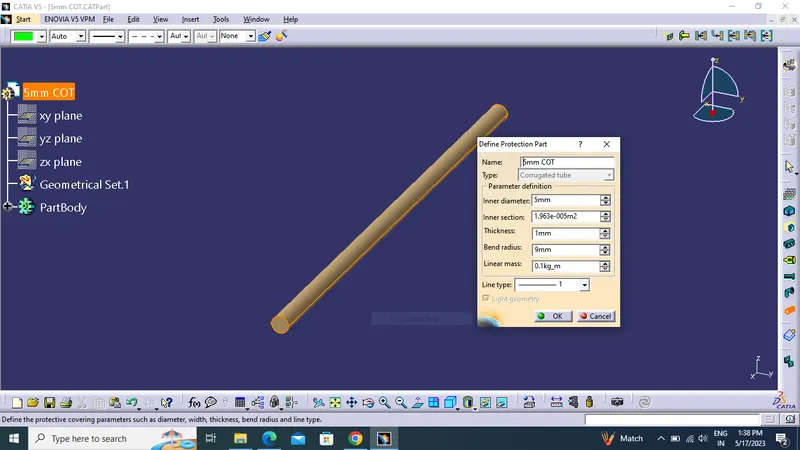
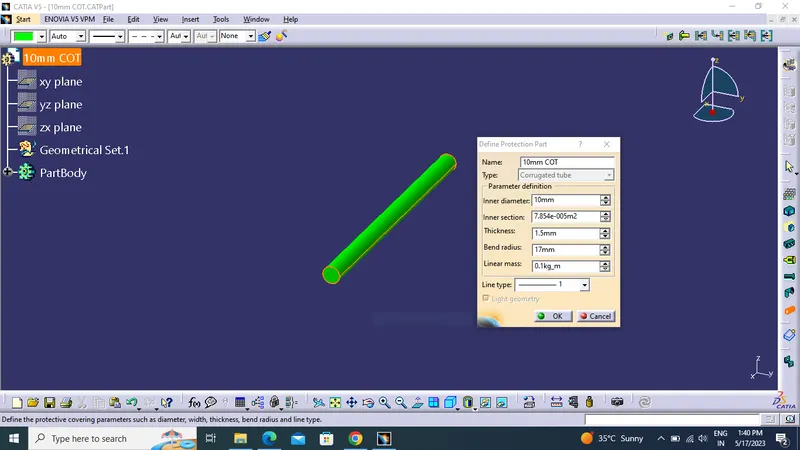
- Define protection part.
- Click part at specification tree.
- Given parameters and bend radius as '1.5 x Outer Dia.
- Then add tube at catalogue using store command.
5mm COT
10mm COT
35mm COT
20mm COT
15mm COT