Wiring harness design in CATIA V5 - 3D modeling Week 7 Challenge
Wiring Harness Assembly Flattening
Aim:
To flatten the harness assembly completed in 'Challenge 4'. Also create a drawing file based on the flattened view of the assembly.
Procedure:
- Product file is imported into Catia V5
- Created a new product file in Electrical Harness Flattening.
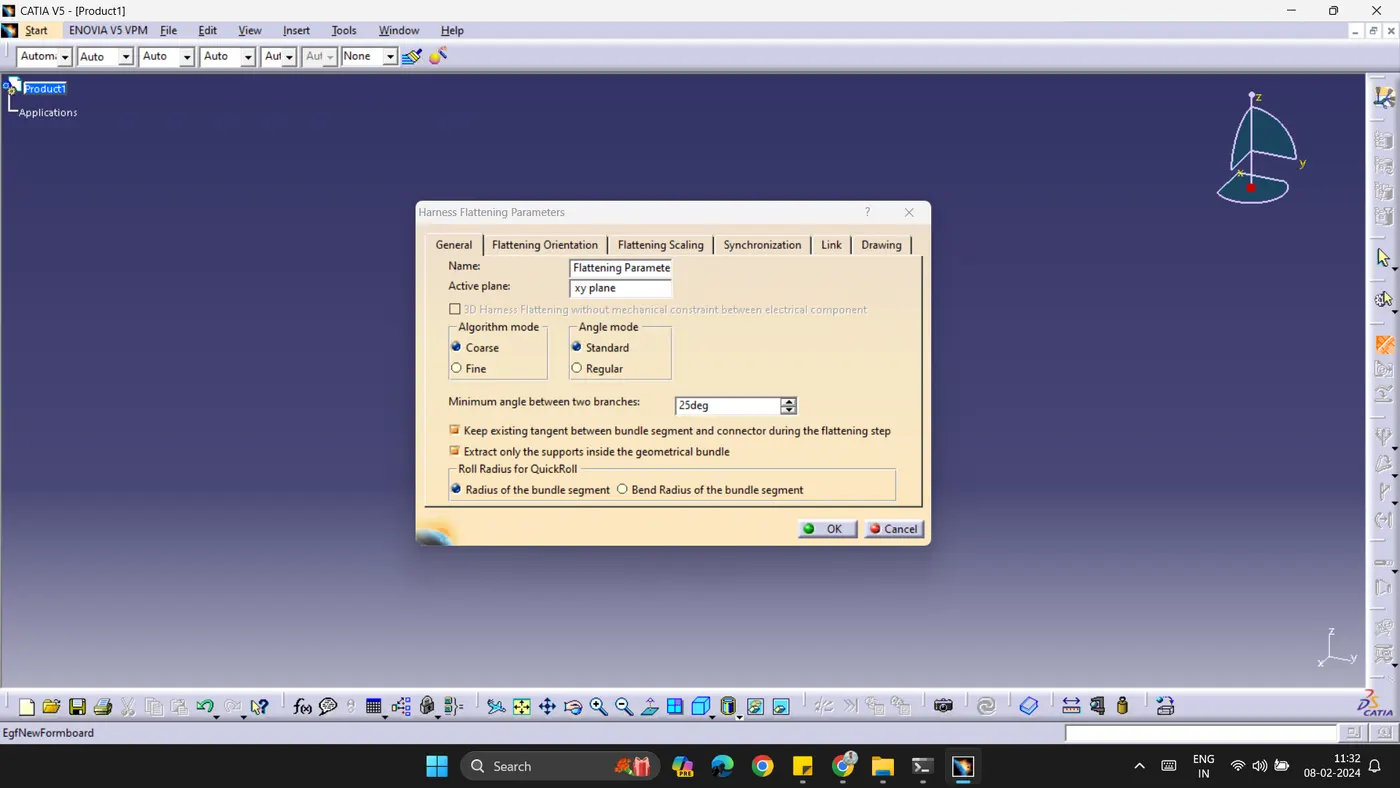
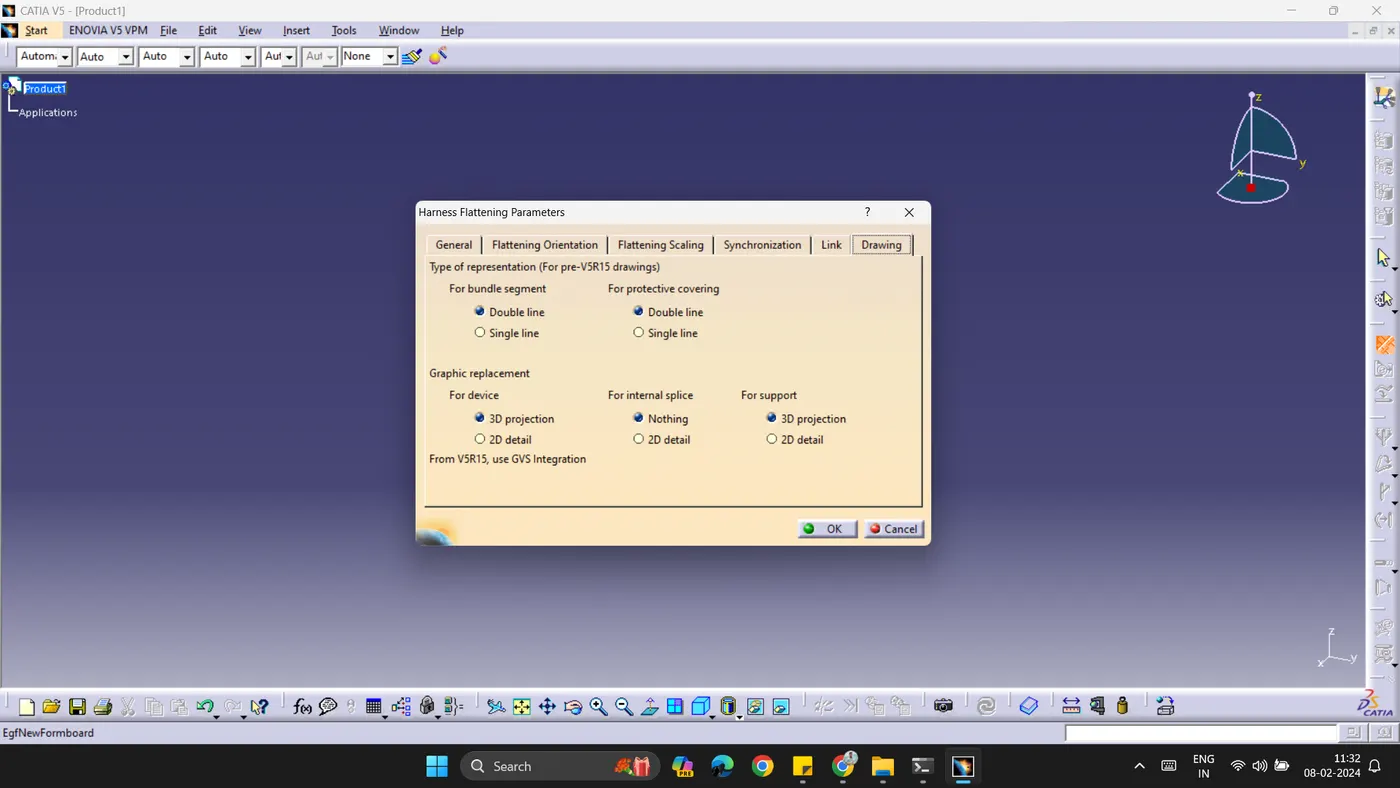
- Defined all the Harness Flattening Parameters.
 |
 |
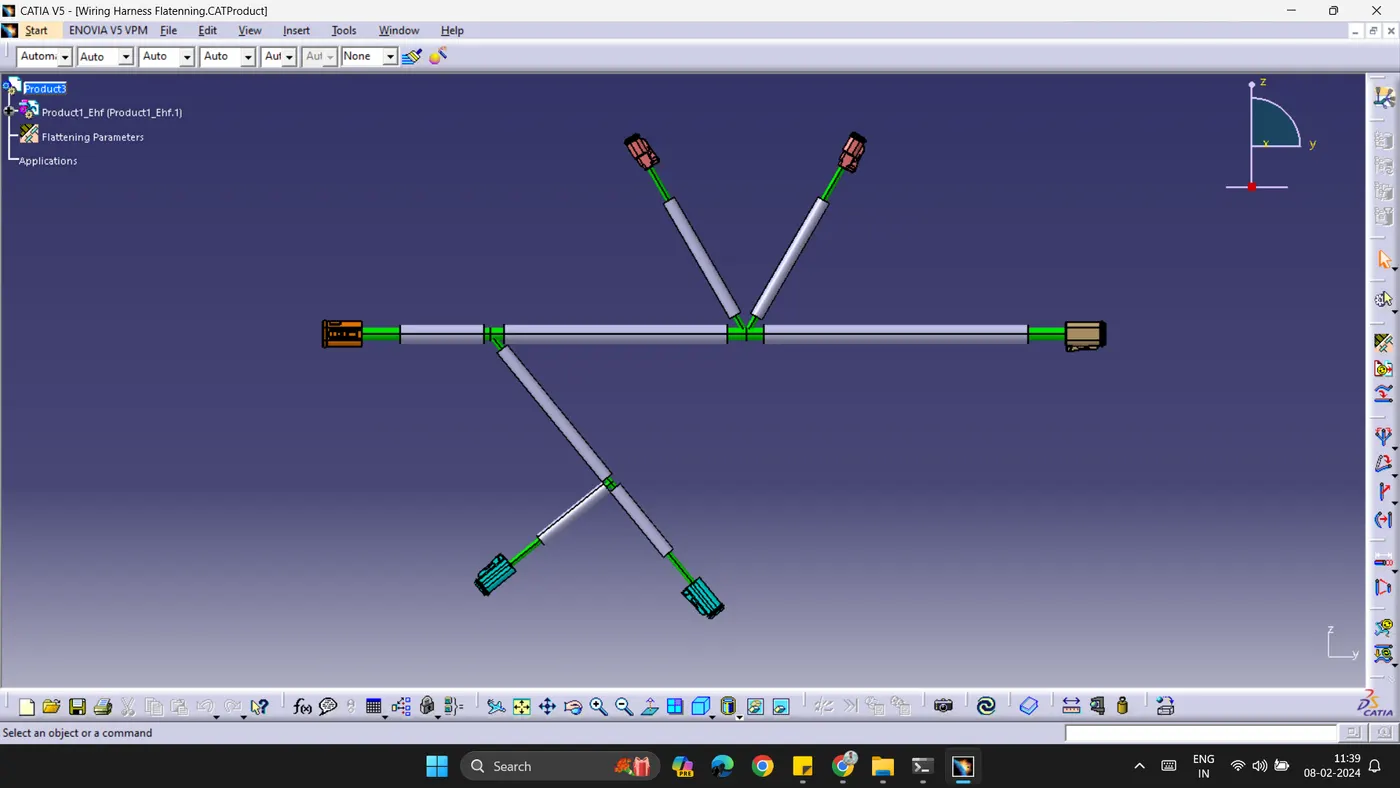
- Extractd the previous assembly into Flattening Workbench.
- Using tools such as, Flatten, Rotate, Quick Rool, Straighten etc desired output is aquired and the file is saved.
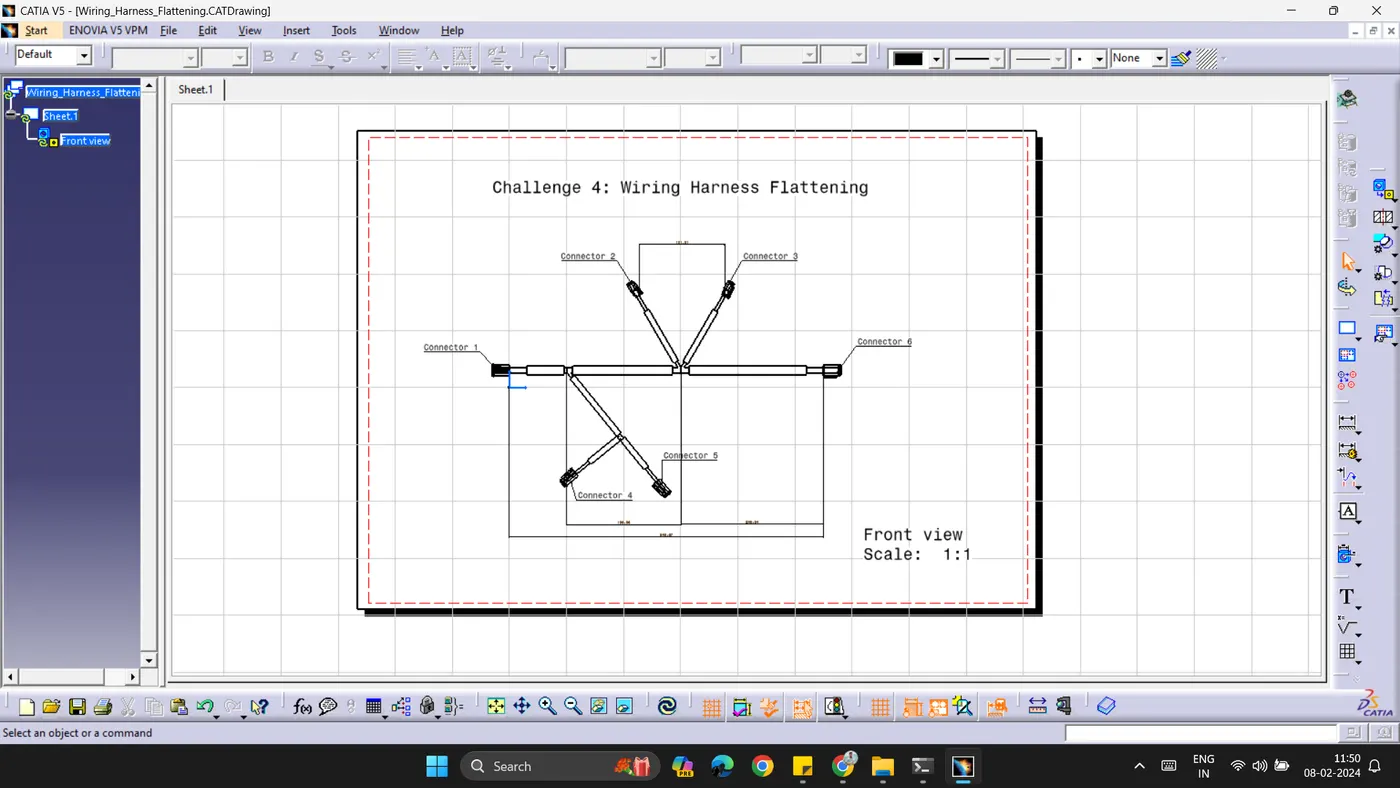
- Created a new drawing file in Catia V5, properties of the sheet is given as ISO A0.
- Using Front view tool in Drawing workbench, Flattened model is selected.
- Properties of the drawing is also defined to get good output.
- Title is added to the drawing, necessary dimensions and annotations are also added to the drawing.
Conclusion:
- The product file is flattened in Flattening workbench.
- A drawing file is created with all the parameters defined as directed.