Wiring harness design in CATIA V5 - 3D modeling Week 7 Challenge
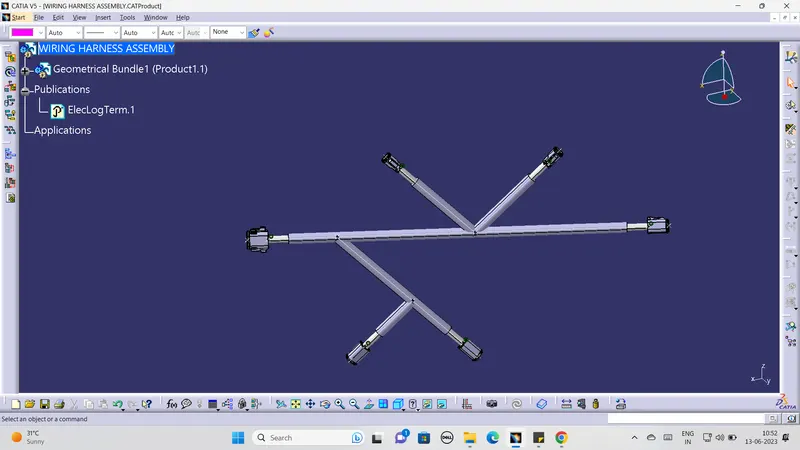
As per question i had used the “ week 4 challenge” .The image of week 4 four challenge is attached below .
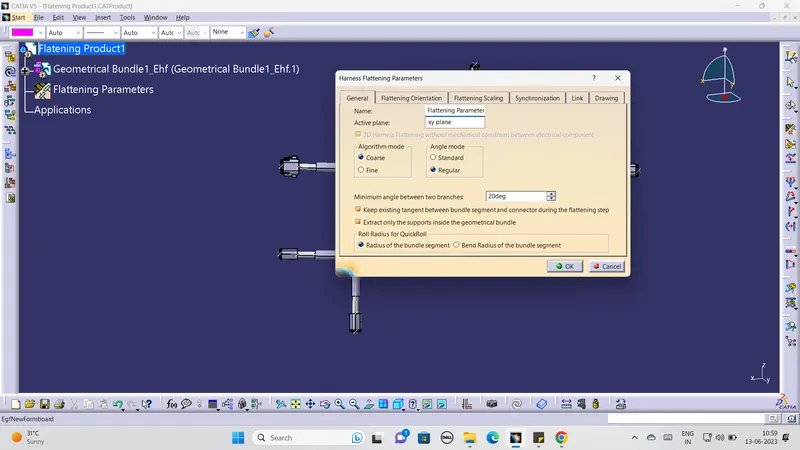
For doing wiring harness flating we have to open the new product file in catia v5 i.e wiring harness flatening and lets save the file. Befor doing the challenge we have to set the flatening parameters in the flatening work bench. the image of setting parameters is attached below .
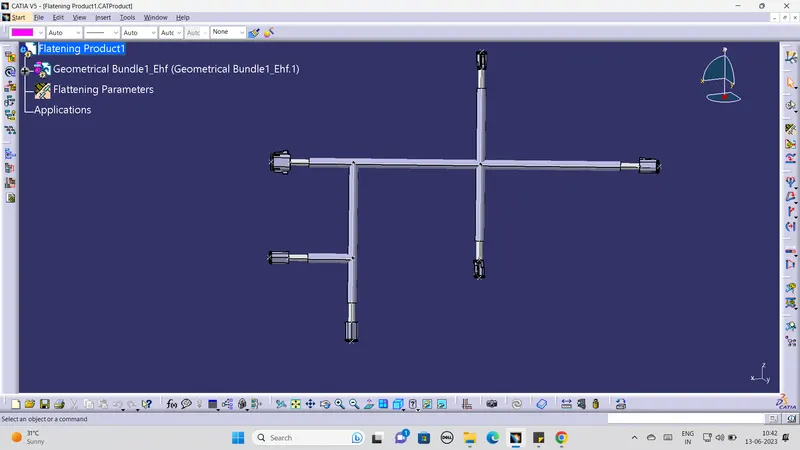
After setting the parameters all icons in the faltening workbench are appeared .After that we have to import the challenge in the flatening worlkbecnh by using extract icon .Now the files get imported in the flatening workbench .By using the flatten icon we make the flat the all bundles which are fully connected with each other befor that we have set the plane .the flaten image which is attached below .
After completed in flaten we have to make the drawing in 2d for the bundle ,protective covering ,connectors for that we have to work on the A0 drawing sheet in landscape mode we have to import from the flaten workbech by using the icon front view
it will be appear on the drawing sheet we have make difference for cot tubes and bundles by giving that single line option for the bundle and double line option for cot tubes the image which is attached below. 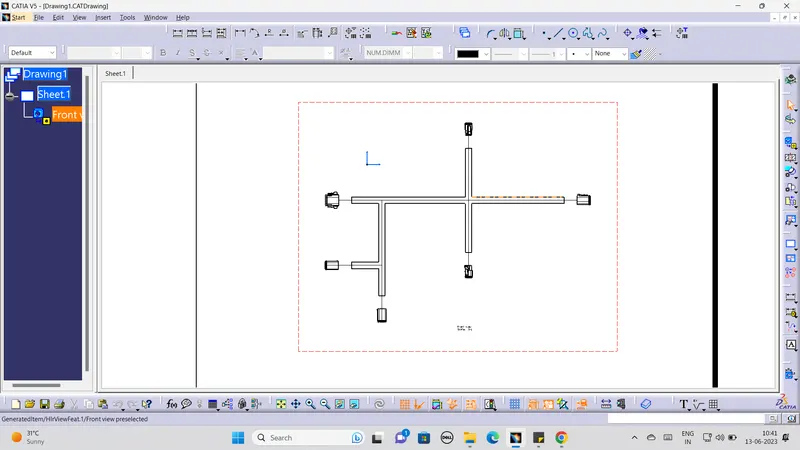
And finally we have to add the finished flatten wiring in catlog by creating the flaten document in the family of flaten wiring .