Wiring harness design in CATIA V5 - 3D modeling Week 7 Challenge
WEEK 7 CHALLENGE
Aim: To create a flattened view of the previously prepared Electrical harness assembly in Catia V5.
Objective:
- Flatten the harness assembly prepared in the week 4 challenge.
- Place the flattened view on the drawing sheet.
- To add the protective covering and ensure that it is of different colour in the drawing
Step 1:
- Open week 4 geometrical harness bundle. It is already electrically defined in that earlier challenge and checks the connectors it was electrically defined.
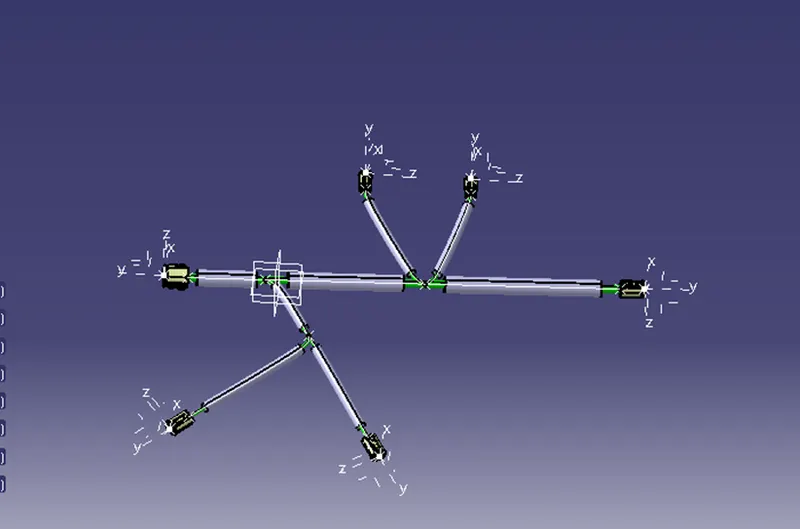
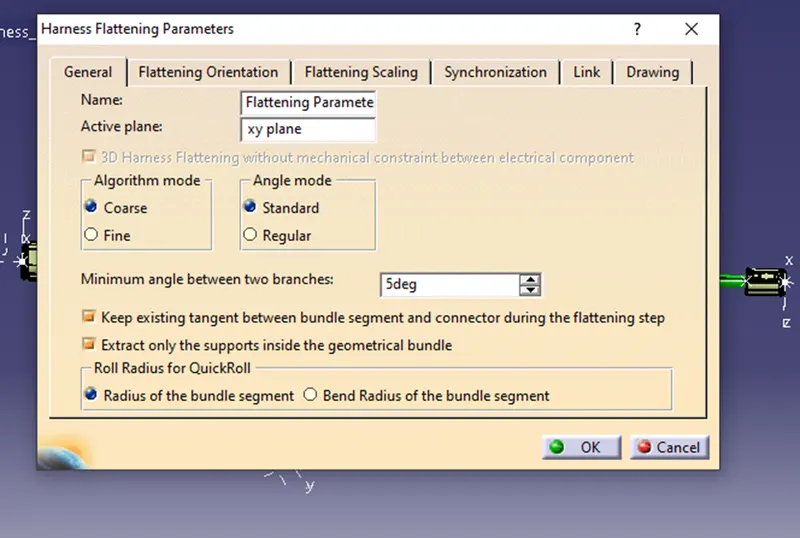
- Switch into the electrical harness flattening workbench, and define the flattening the parameters.
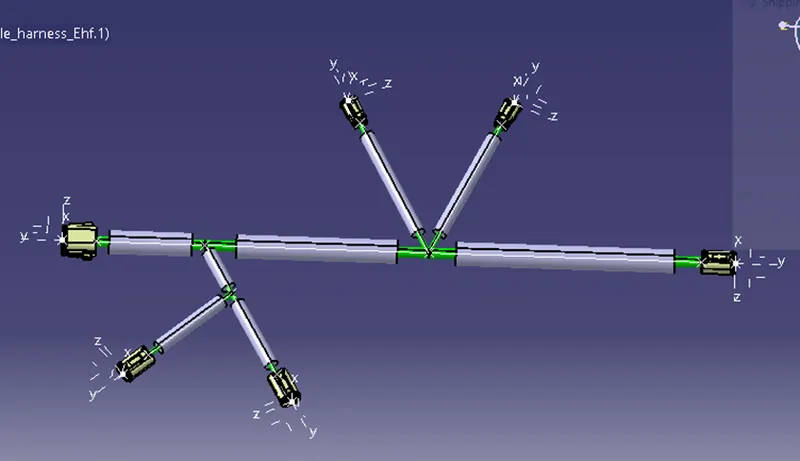
- Split the windows screen vertically and use EXTRACT command for use the bundle harness CAT part in the flattening workbench.
- Make sure the geometrical harness bundle covered by cot tube. If not use protective covering in original bundle harness and use synchronize command, after that changes reflected in Flattening workbench.
- Use Straighten command for straight Branches between connector.
- Last thing, open drawing sheet and place the flattening part and highlight the branches and COT tubes. Make some changes the drawing sheet view option make them for highlight.
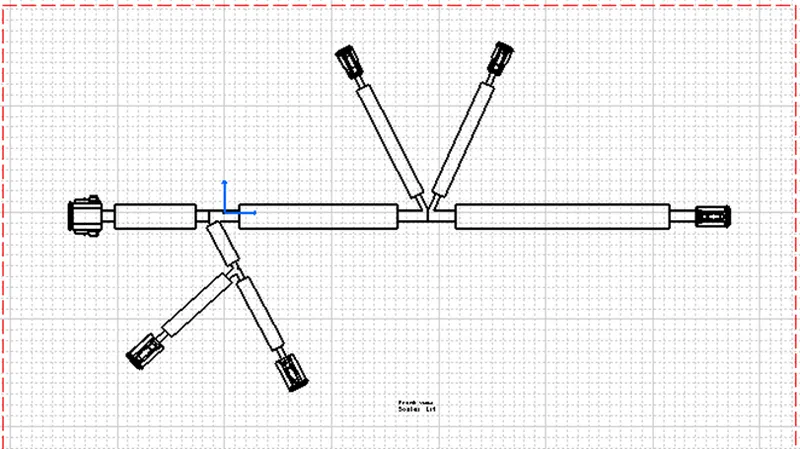
Conclusion:
In this challenge I learn how to use Flattening workbench for straight the bundle harness branches and learned how to use flattening harness work bench tools.