Challenge

Wiring harness design in CATIA V5 - 3D modeling Week 7 Challenge

  1. Create new pdoduct file
  2. To create the electrical harness flatting
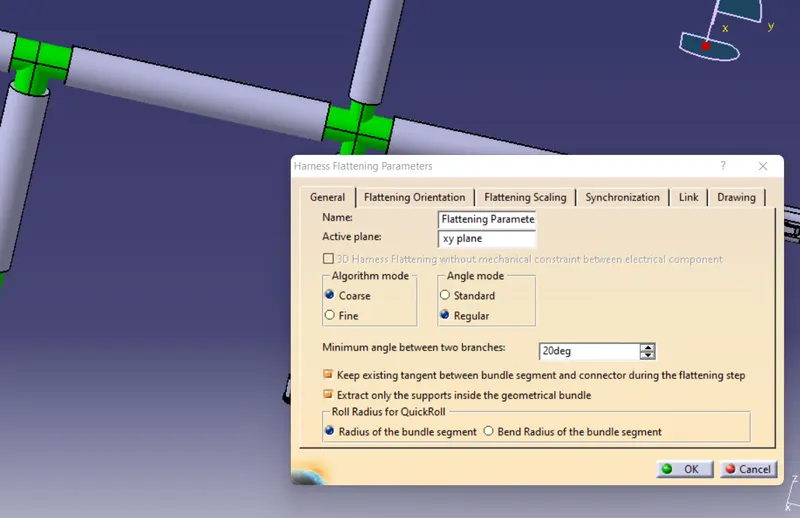
  3. Create flatting parameter
  4. imported for product file and flatting product file
  5. To create the drawing file
  6. click on front view import the modeling file
  7. Insert-generation-bill of material
  8. Click on drawing.
Your portfolio, next

Ship work like this
in your own course.

Talk to a career counsellor

Free 20-minute call. We'll map the right course to where you want to work.

By submitting you agree to our Terms and Privacy Policy.

Talk to a career counsellor

Free 20-minute call. We'll map the right course to where you want to work.

By submitting you agree to our Terms and Privacy Policy.