Week - 9 Material Modeling from Raw Data
Objective:
To extract the stress-strain data points from the image and input them into LS-Dyna, and compare the results of the simulation with that obtained from the raw data.
Step 1: Extraction of data
The data digitizer tool is used to extract the data from curve 2 of the image given.
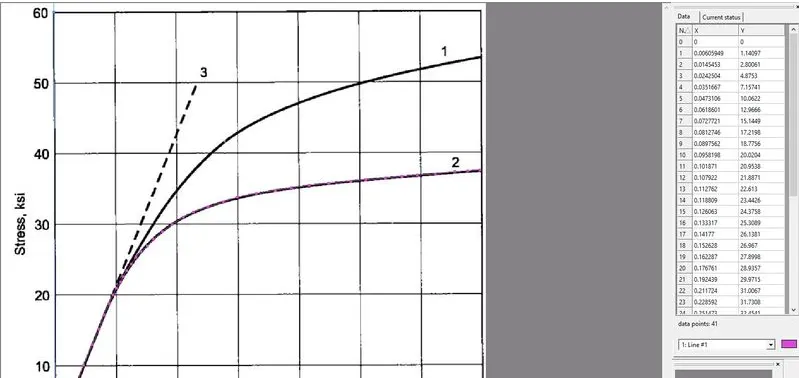
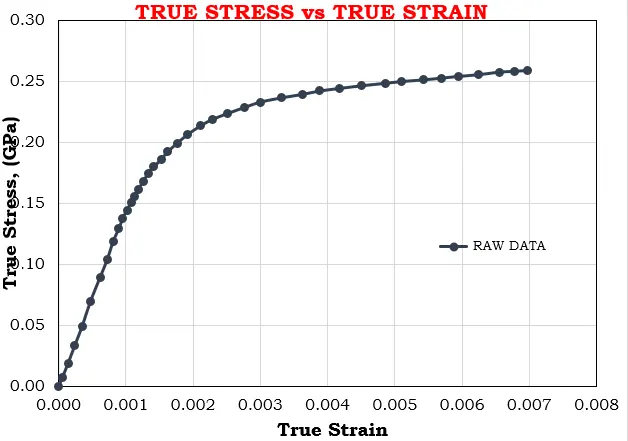
These data points, which represent the true stress - strain values are exported to an excel sheet, and the values of true stress and strain are plotted.
Step 2: Model setup in LS Dyna
1. Model import and boundary conditions
The given dogbone specimen model is imported into LS Dyna.
SPC
The boundary conditions are given as shown below.
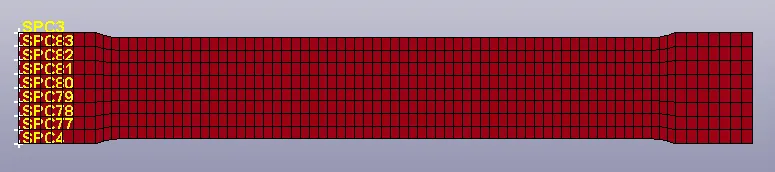
The nodes on the left edge of the specimen and constrained in the X and Z directions. They are not constrained in the Y - direction, since the speciment undergoes lateral elongation during the test.

The middle nodes on either edge are constrained in the Y - directions.
Prescribed motion
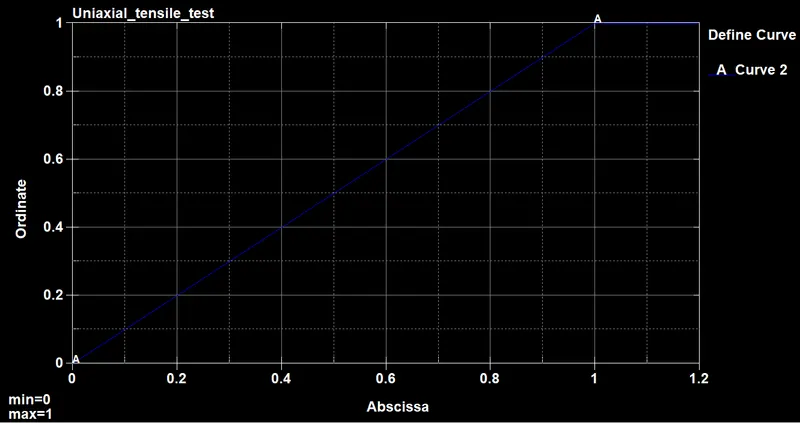
A displacement is given to the nodes at the right edge of the specimen as shown below.

2. Model definition
Section definition
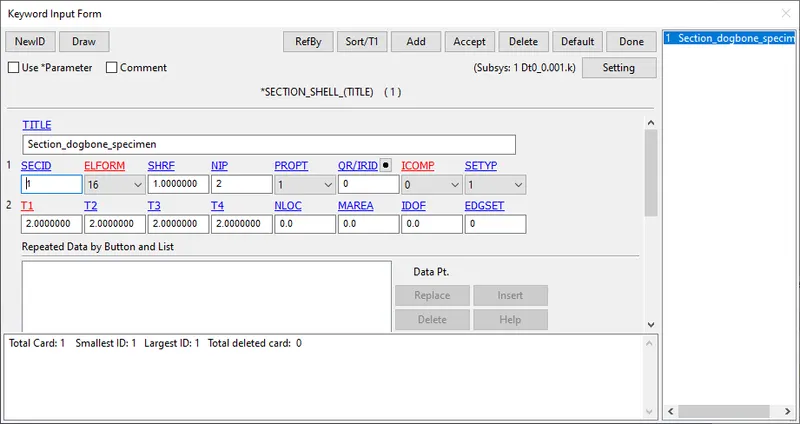
The dogbone specimen is defined with shell elements of thickness 2mm and ELFORM 16 as shown below.
Material Definition
The MAT 24 piecewise linear card is defined with the following parameters. The unit system used is kg-mm-ms. The Young's modulus (E) is 20.9 e+6 psi which is 144.100 Gpa. The value of density (RO) and poisson's ratio (PR) are given accordingly.
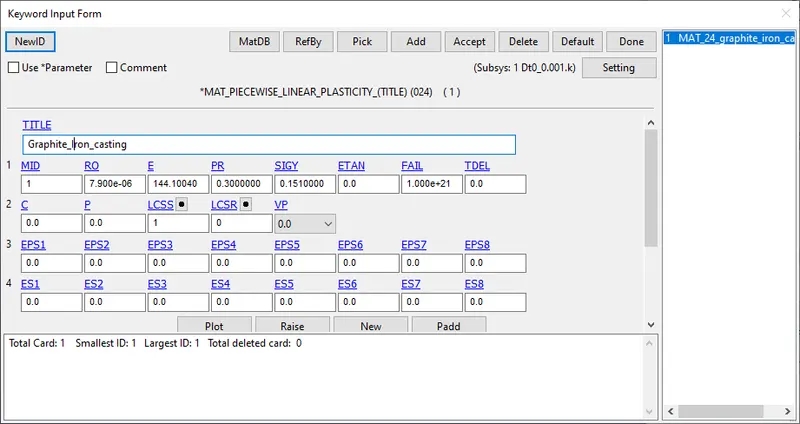
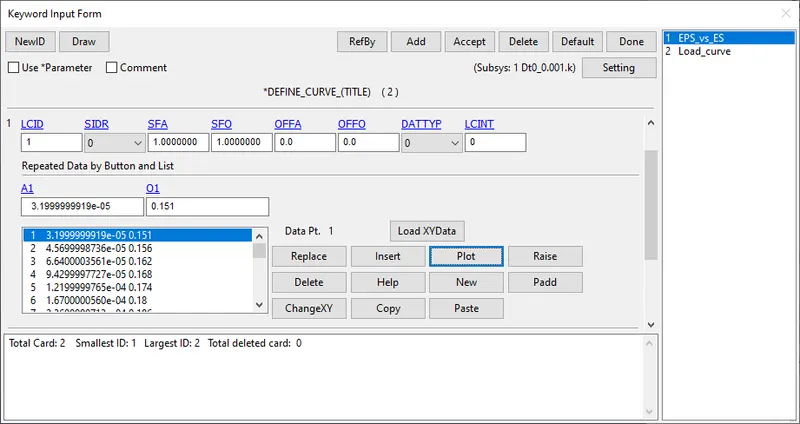
The LCSS contains the load curve of effective plastic strain EPS vs effective (true) stress ES.
The effective plastic strain is calculated in the excel sheet from the true stress value using the relation
Effective plastic strain = True strain - (True stress/ Young's modulus)
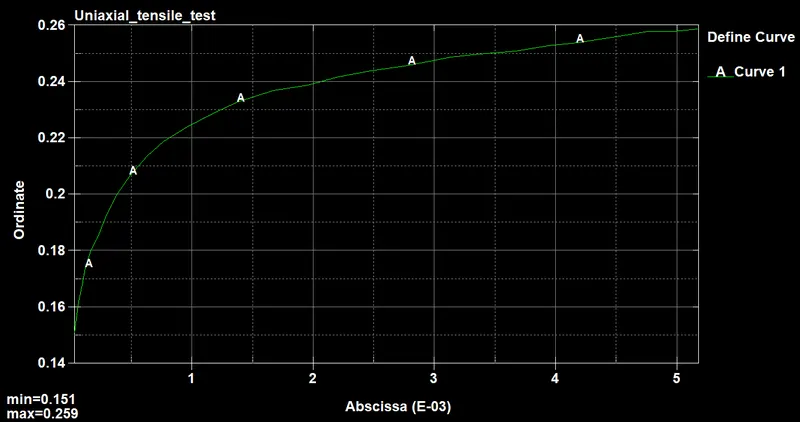
The region of the curve after the yield point (144 Gpa) is the plastic part of the curve. Therefore the values in the excel sheet after this stress point, and the corresponding EPS values are input into LS Dyna and the curve is generated as shown below.
Part definition
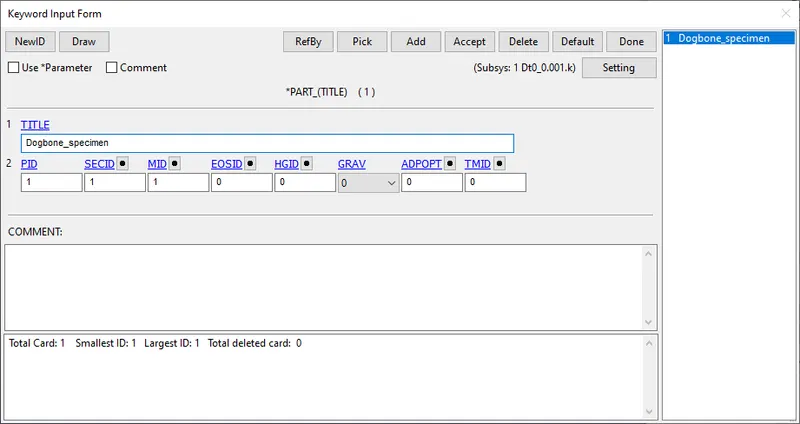
The material and the section ID are then assigned to the dogbone specimen part as shown below.
Step 3: Database and control cards
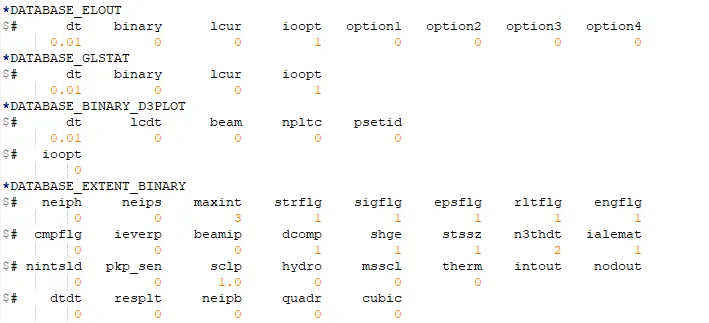
The database cards are defined as shown below.
The timestep for BINARY_D3PLOT and DATABASE_ASCII for GLSTAT and ELOUT are 0.1 ms.
DATABASE_EXTENT_BINARY card with STRFLG = 1 is used to compute the elastic strain in the model.
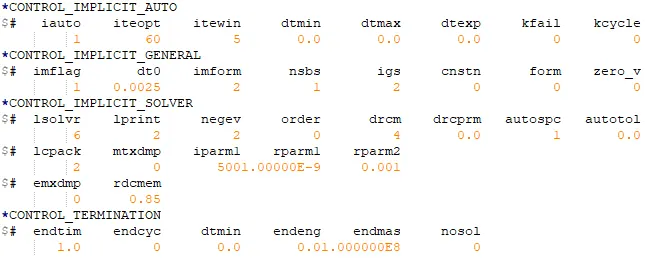
Since the tensile test of the specimen is a quasi-static analysis, it is carried out using an implicit scheme. The dt0 value is given as 0.0025 ms.
Results
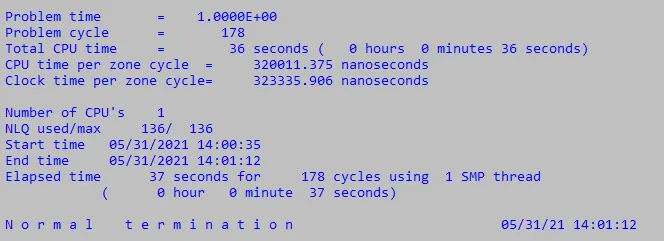
The model is simulated and the results are discussed below.
The animation of the von mises stress can be seen below.

The maximum stress is 0.2709 GPA, which is higher than the yield strength limit off 144 GPA. This means that plastic deformation occurs in the material. Necking, however, has not yet been develeoped.
The peak effective plastic strain is 0.00756.
The plots of X-stress and effective plastic strain of a particular element (330) in the middle of the specimen, are shown below.
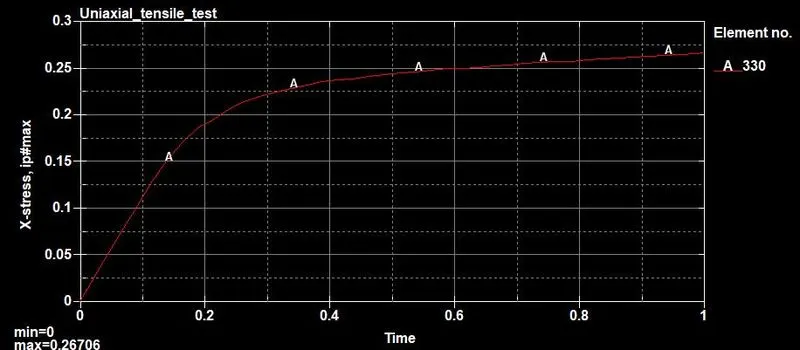
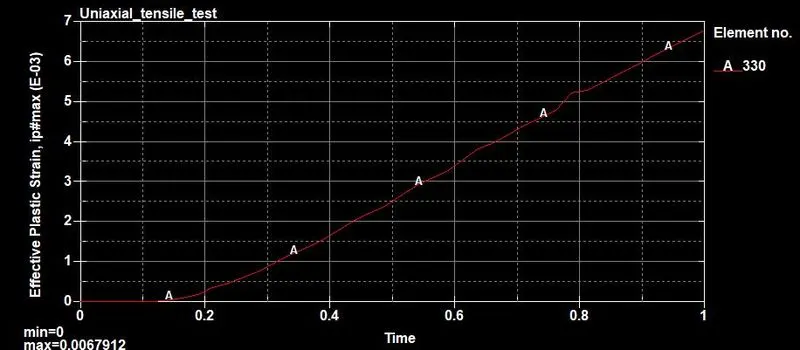
Using cross plot in LS Dyna, the values of true stress and strain can be plotted, as shown below.
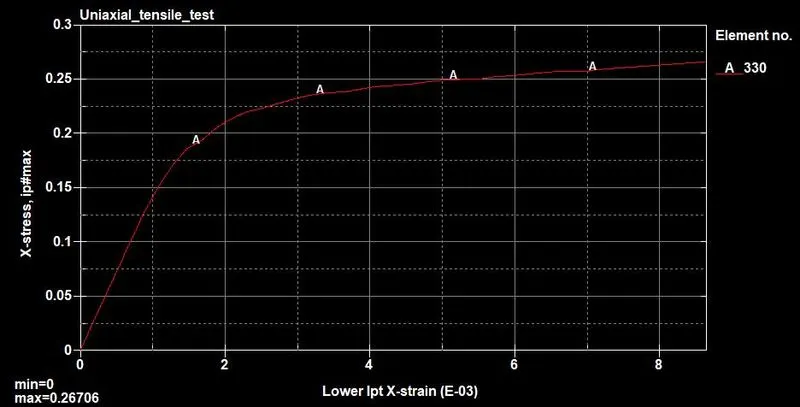
The stress and strain values can be exported into excel and compared with the plot from the raw data, to validate the results obtained.
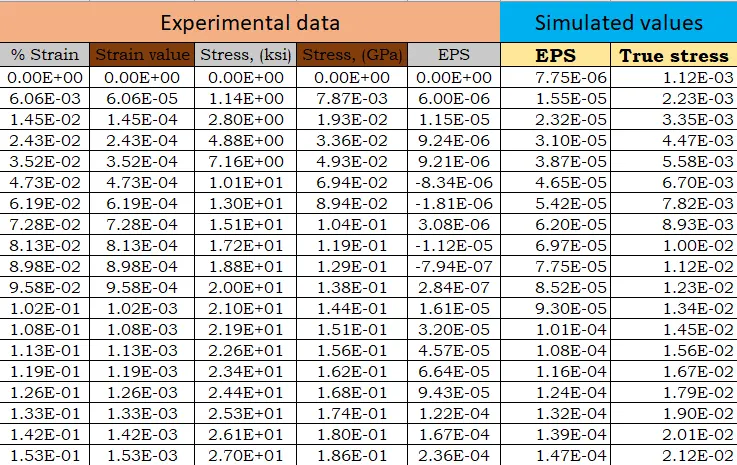
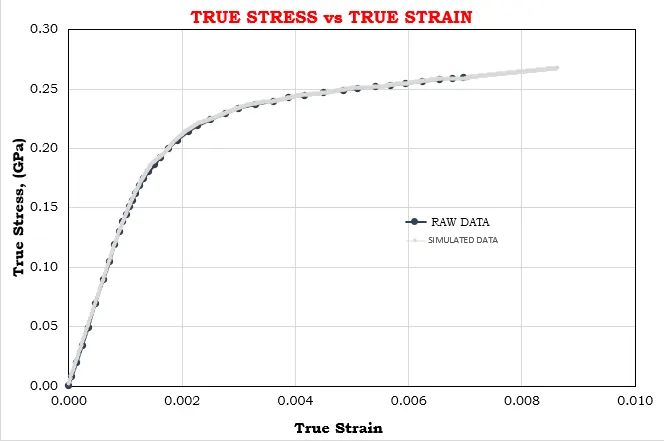
The curve exactly fits the experimental data. Therefore, the given values are validated using the MAT 24 card. In the simulation, the strain is higher than the experimental data (beyond 0.007), since the defined displacement causes a higher strain.
Conclusion
Thus the tensile test is performed on the given dogbone specimen and the simulated values of true stress and strain are validated with the experimental data.
The files can be found under the link below
https://drive.google.com/drive/folders/1zNhoToc_oXt9TXCsi4E_pH1XSIf3mMD7?usp=sharing